

.svg)
Finding the right 360 feedback software can transform how your organization approaches performance reviews. Traditional review processes often rely on a single manager's perspective, which can miss blind spots and create bias.
The best 360 feedback tools gather input from peers, direct reports, managers, and even external stakeholders to create a complete picture of employee performance. These platforms automate feedback collection, centralize responses, and surface insights that support meaningful development conversations.
In this guide, we'll compare the top 10 360 feedback software options for 2026, including features, pricing, and what makes each tool stand out.
Here's a video covering our top 5 360 feedback software picks for 2026, including how each platform gathers and organizes multi-rater feedback:
What to Look for in 360 Feedback Software
Before comparing specific tools, understand what separates basic survey platforms from purpose-built 360 feedback systems.
1. Core Features
The software should handle multi-rater nominations, anonymous feedback collection, and automated reminders without manual intervention. You want customizable questions that align with your competency framework, not generic templates you can't modify.
2. Integration Requirements
Does the platform connect with your HRIS to pull employee data automatically? Can it push feedback into your performance management workflow? The best 360 feedback platforms sit inside your existing tech stack rather than creating another data silo.
3. Scalability
A system that works for 50 employees might collapse under the weight of 500. Check whether pricing makes sense at your target size and whether the vendor supports organizations at your scale.
4. Employee Experience
Complex interfaces kill participation rates. The best tools make giving and receiving feedback straightforward enough that people actually complete their reviews on time.
Top 10 360 Feedback Software in 2026
1. Teamflect: Best 360 Feedback Software for Microsoft 365

Teamflect ranks first because it's purpose-built for organizations already using Microsoft Teams. Rather than asking employees to log into another platform, Teamflect embeds 360 reviews directly inside Teams where your people already work.
The software handles the complete performance management cycle, from goal setting to regular check-ins and feedback, all the way to performance reviews.
Key Features
- Native Microsoft Teams integration that embeds feedback into the daily workflow
- Customizable 360 feedback templates with flexible question types and rating scales
- Anonymous feedback collection with configurable visibility rules
- Goal and OKR tracking linked to feedback templates
- Feedback templates built into Microsoft Teams chat
- Recognition and praise features for peer feedback
- Analytics dashboard showing completion rates and performance trends
What Makes Teamflect Stand Out
- Works entirely inside Microsoft Teams without requiring separate logins
- Real-time sync with Azure AD for automatic employee data updates
- Free plan available for small teams testing the platform
Pros and Cons
Pros: “Conducting surveys and reviews is straightforward. I appreciate how user-friendly the platform is, making it simple for everyone to share their opinions without any complications.” - G2 Review
- Seamless Microsoft 365 integration eliminates training overhead
- Affordable pricing makes it accessible for small to mid-size teams
- Combines 360 feedback with goals, one-on-ones, and reviews in one platform
- Strong customer support with responsive implementation assistance
Cons:
- Best suited for organizations already using Microsoft 365 environment
Pricing
- Starter: Get started with basic features, FREE for up to 10 users
- Essential: $7/user/month (volume discounts and discount for non-profits available)
- Professional: $11/user/month (volume discounts and discount for non-profits available)
2. PerformYard: A Strong 360 Feedback Tool for Customizable Reviews
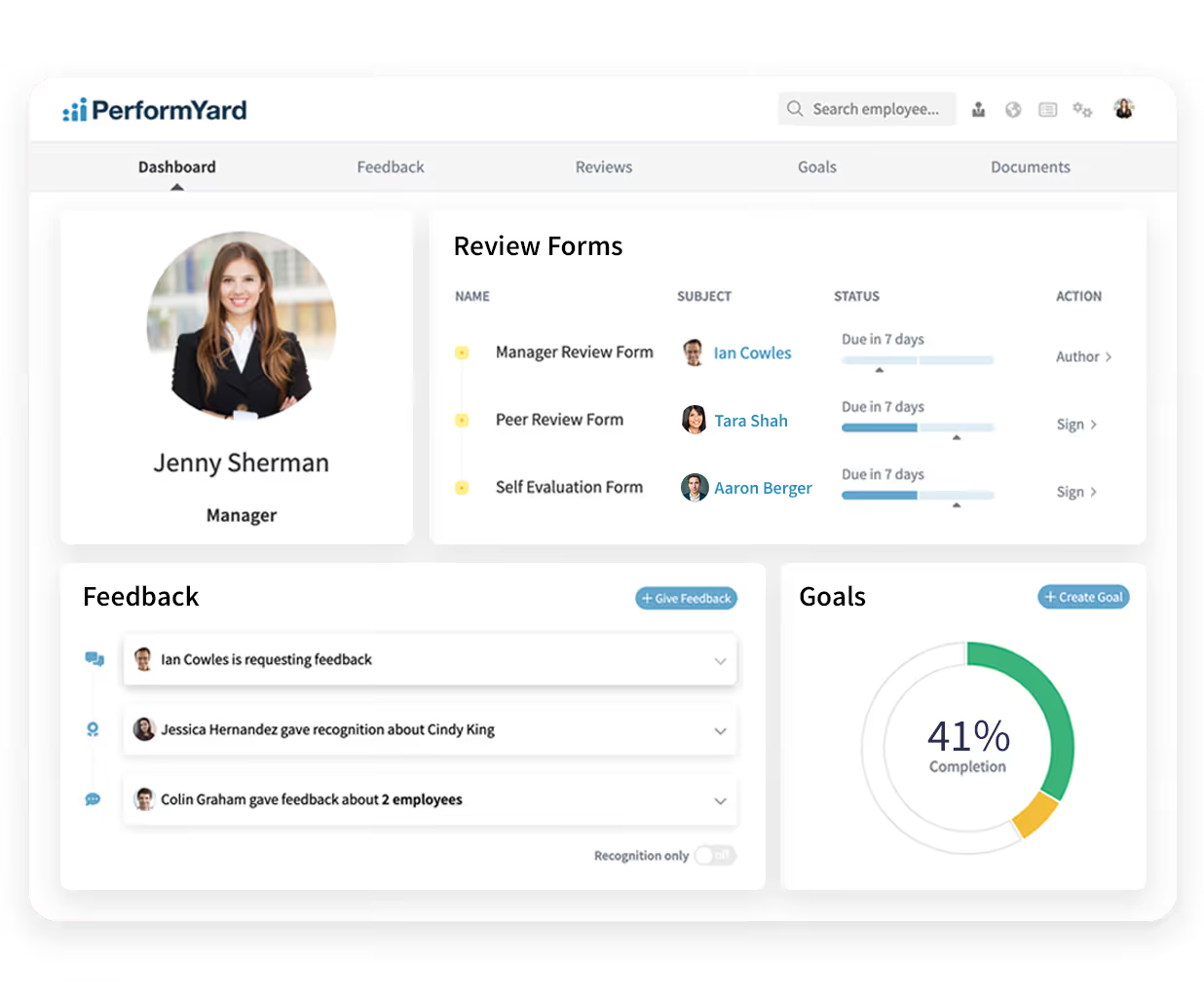
PerformYard delivers flexibility for HR teams that need complete control over their review process. The platform lets you build custom 360 workflows from scratch rather than forcing you into predefined templates.
Key Features
- Fully customizable review workflows and question sets
- Multiple review types including 360, manager, peer, and self-reviews
- Cascading goals that align individual objectives with company targets
- Continuous feedback tools for real-time input outside formal review cycles
- Flexible rating scales and competency frameworks
- Dedicated customer success manager for implementation support
Best For
- Mid-size to enterprise organizations with complex review requirements
- Companies wanting to customize every aspect of their review process
- Teams that run multiple review types for different employee populations
Pros and Cons
Pros: “It makes it easy to set goals, track progress, and give continuous feedback without feeling overwhelming.” - G2 Review
- Exceptional customization options for workflows and forms
- Strong goal management features link objectives to reviews
- Excellent customer support with dedicated success managers
- Integrates with major HRIS platforms including BambooHR and Workday
Cons: “I wish updating goals were a bit more straightforward. Right now, having to update the progress and then mark them as complete feels somewhat cumbersome.” - G2 Review
- Steeper learning curve due to extensive customization options
- Implementation can take longer than simpler alternatives
- Implementation can take longer than simpler alternatives
Pricing
PerformYard pricing ranges from $5 to $10 per employee per month depending on feature requirements. Free demo available to evaluate the platform.
3. Spidergap: Simple 360 Feedback Software
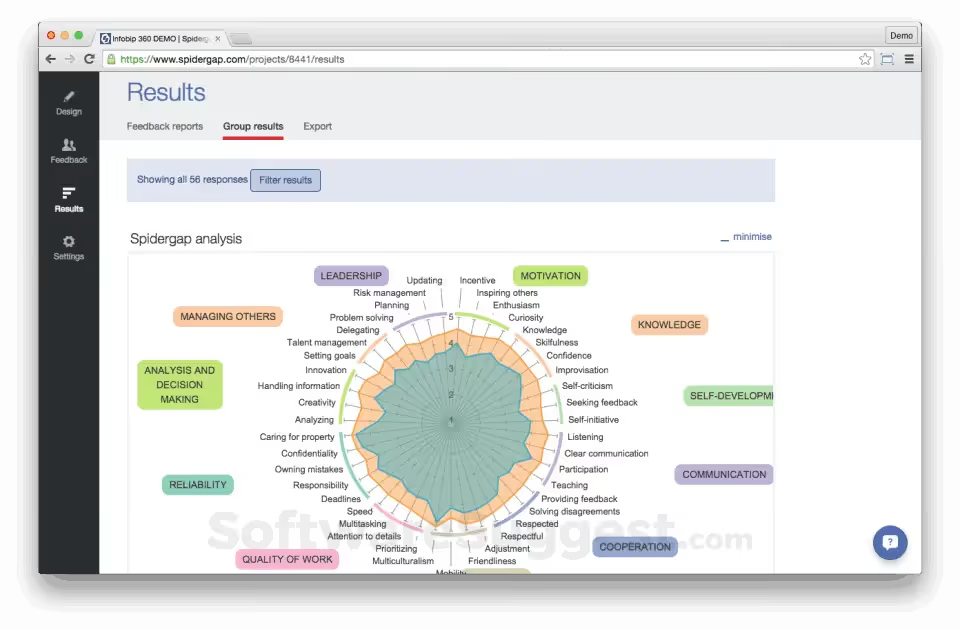
Spidergap focuses specifically on 360 feedback without broader performance management features. This narrow focus results in deep functionality for multi-rater assessments and highly customizable feedback reports.
Key Features
- Dedicated 360 feedback platform without feature bloat
- Highly customizable feedback reports and visualizations
- Participant or admin-driven reviewer nomination
- Best-practice question templates organized by competency
- Goal setting and development planning tools
- GDPR-compliant data handling and storage
Best For
- Organizations wanting specialized 360 feedback tools
- Companies that prioritize report quality and customization
- Teams running leadership development programs with 360 assessments
Pros and Cons
Pros: “The summary information at the front and the detailed scores later, is an excellent format as a report. This software is very easy to use and the registration isn't even long.” - G2 Review
- Exceptional report customization and branding options
- Strong focus on 360 best practices and methodology
- Good privacy controls and anonymous feedback handling
- Helpful customer support with implementation guidance
Cons: “The only thing that would make things easier is if the software connected to our HRIS system and could pull the data fields directly from there rather than having to create spreadsheets to upload into the system.” - Capterra Review
- Lacks broader performance management features like goals and one-on-ones
- Manual inputs may require additional time and effort from users
Pricing
- Spidergap offers a basic pricing plan (Starter) at $1099 per year and a more advanced plan (Pro) at $2199 per year.
- Enterprise plan is available with custom pricing.
4. Effy AI: 360 Feedback with AI-Generated Insights
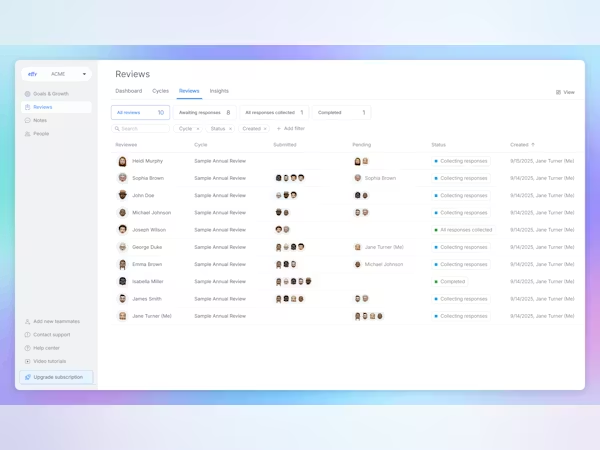
Effy AI uses artificial intelligence to summarize feedback and identify patterns that humans might miss. The platform reads written feedback, detects themes, and generates concise summaries that save managers hours of review time.
Key Features
- AI-powered feedback summaries and theme detection
- Bias checking for more equitable reviews
- Quality scoring that encourages specific, actionable feedback
- Customizable 360 review templates
- Integration with Slack and Microsoft Teams
- Nine-box grid and talent calibration tools
Best For
- Organizations overwhelmed by feedback volume
- Companies concerned about bias in reviews
- Teams wanting to improve feedback quality through technology
Pros and Cons
Pros: “Features like the spider chart and the company-wide heatmap allow us to see feedback from all angles. Our managers save hours on manual comparison with clear, structured summaries.” - G2 Review
- AI summaries significantly reduce manager review time
- Bias detection helps create fairer reviews
- Very affordable pricing compared to enterprise alternatives
- Modern interface with good user experience
Cons: “Free plan is only for very small teams, [while] Pro plan is a big pricy for teams between 5-15 (assuming 30-40 reviews).” - Capterra Review
- AI features work best with sufficient feedback volume
- Limited automated integrations; requires a lot of manual input
Pricing
- Effy AI pricing starts at $3 per user per month for a one-time review (one cycle per year) package.
- Price increases at $6 per user per month for continuous review (multiple cycles per year) and $8 per user per month for a combination of goals and feedback.
5. BambooHR: An All-in-One HR Platform with 360 Feedback

BambooHR includes 360 feedback as part of its complete HR management system. If you already use BambooHR for core HR functions, adding performance management creates a unified employee record that connects hiring through development.
Key Features
- 360-degree feedback integrated with employee records
- Manager and self-assessment tools
- Performance review templates with customizable questions
- Goal tracking and development planning
- Anonymous peer feedback with manager-only visibility
- Mobile app for completing reviews remotely
Best For
- Small to mid-size companies wanting all-in-one HR software
- Organizations already using BambooHR for core HR functions
- Teams that value unified employee data across HR processes
Pros and Cons
Pros: “What truly distinguishes BambooHR is its outstanding user-friendliness, which benefits everyone in the company—not just the HR department. The platform’s clean and intuitive interface makes handling HR tasks feel almost effortless.” - G2 Review
- Seamless integration with other BambooHR modules
- Clean, intuitive interface requires minimal training
- Strong mobile experience for remote feedback
- Reliable customer support and extensive documentation
Cons: “The only concern I've ever had with BambooHR is trying to easily locate certain documentation. It's organized in folders, and I didn't have a great search function.” - Capterra Review
- Performance module requires separate add-on purchase
- Less customization than standalone performance platforms
- Better suited for standard review processes than complex workflows
Pricing
- BambooHR pricing starts at approximately $10 per user per month (Core).
- Other tiers with additional features include Pro at $17 per user per month and Elite at $25 per user per month.
6. Peoplebox.ai: Quick Setup 360 Feedback with OKR Tracking
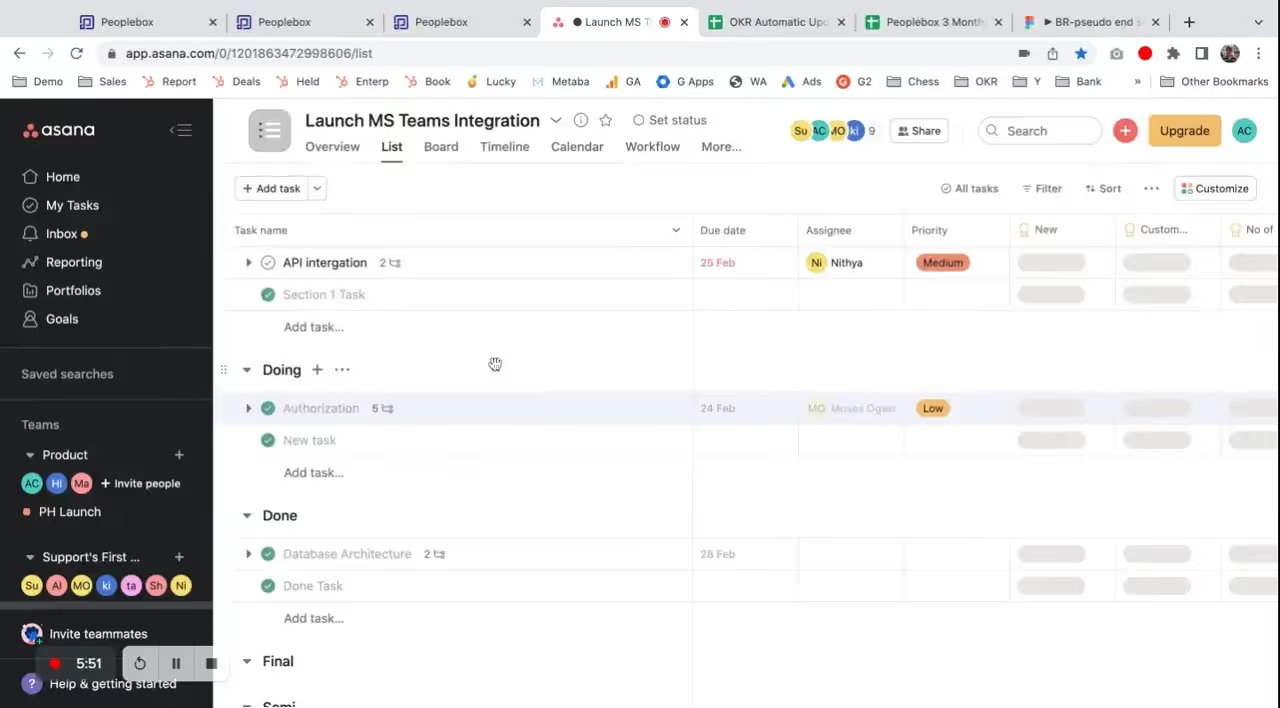
Peoplebox.ai stands out for fast implementation and tight OKR integration. The platform lets you launch 360 reviews in hours rather than weeks, making it practical for teams that need results quickly.
Key Features
- Rapid 360 review setup with templates or custom questions
- OKR and goal tracking linked to performance feedback
- One-on-one meeting tools with automated agendas
- Nine-box grid for talent calibration
- AI-generated feedback summaries
- Integration with Slack and Microsoft Teams
Best For
- Fast-growing companies that need quick implementation
- Organizations using OKR methodology for goal management
- Teams that want feedback connected to business objectives
Pros and Cons
Pros: “Single platform for OKR and performance metric tracking, reviewing, and socializing + great with 3rd party integration like Google Sheets or Slack.” - Capterra Review
- Very fast setup process gets reviews running quickly
- Strong OKR features link feedback to goal achievement
- AI summaries save managers time reviewing feedback
- Good integration with communication platforms
Cons: “Need to integrate more into the organisation, I feel today even if I use this software everyone in the org might not necessarily use this, if everyone starts using it then maybe it will be even better to track goals.” - G2 Review
- Newer platform with smaller customer base than established tools
- Some advanced features still in development
Pricing
- Peoplebox.ai pricing starts at $7 per user per month with annual commitment.
7. WorkTango: A 360 Feedback Platform with Recognition Features
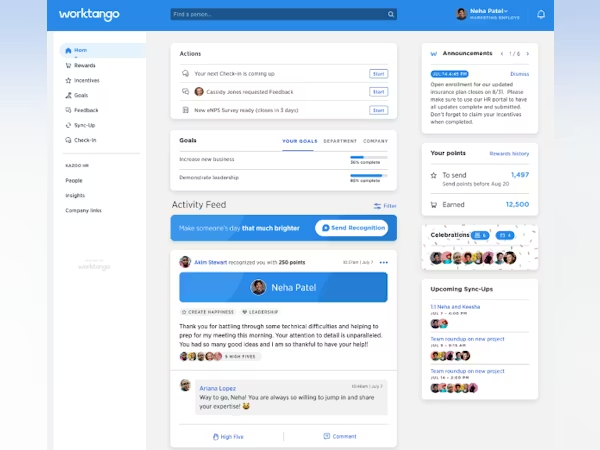
WorkTango combines 360 feedback with employee recognition and engagement surveys. The platform positions feedback as part of a broader employee experience strategy rather than an isolated annual event. Survey tools help you measure engagement alongside performance data.
Key Features
- Multi-rater 360 feedback with anonymous responses
- Peer recognition and rewards program
- Pulse surveys and engagement measurement
- Performance review templates and custom question builders
- Analytics dashboard tracking feedback trends and participation
- Mobile app for feedback on the go
Best For
- Organizations wanting to combine feedback with recognition
- Companies focused on building continuous feedback cultures
- Teams that value employee engagement data alongside performance metrics
Pros and Cons
Pros: “It’s something that everyone looks forward to, both when giving and receiving recognition. It creates a culture where appreciation isn’t just routine, it feels meaningful and exciting.” - G2 Review
- Recognition features encourage ongoing feedback between reviews
- Strong analytics show connections between engagement and performance
- Intuitive interface drives high adoption rates
- Good integration options with common HR systems
Cons: “Because points expire at the end of the quarter, it often turns into a quarter-end bonanza with staff rewarding each other. If there were more incentives for staff to give out points throughout the year that would help mitigate this.” - Capterra Review
- Pricing can be higher than feedback-only platforms
- Some features overlap with other HR tools you might already use
Pricing
- WorkTango uses custom pricing based on company size and feature requirements.
- Contact their sales team for a quote.
8. Workleap: Flexible 360 Feedback Cycles
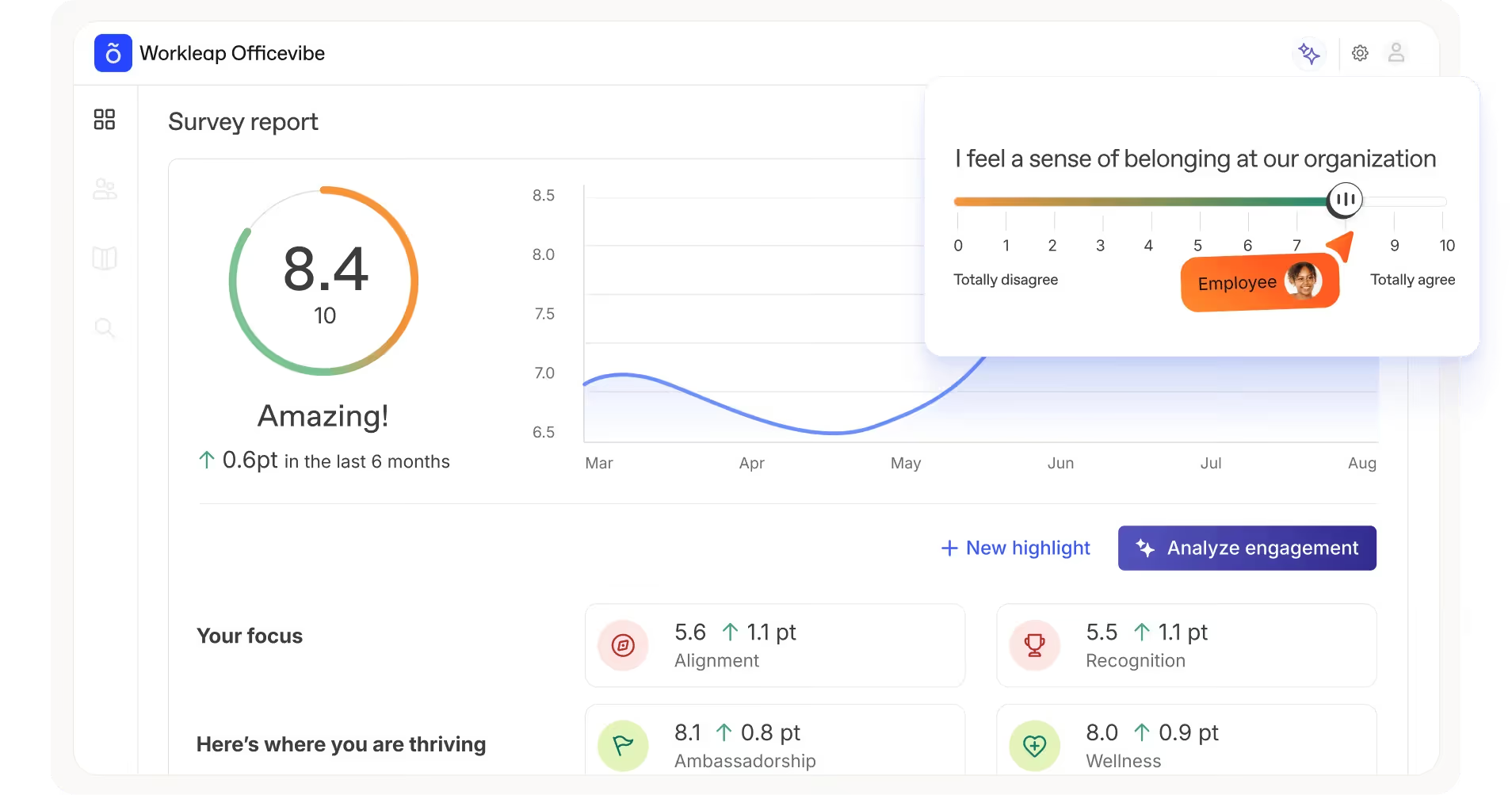
Workleap (formerly Officevibe) provides flexible tools for running 360 reviews at your own pace. You can gather input from employees, peers, and managers in any combination, then provide feedback reports that highlight development opportunities.
Key Features
- Flexible review cycles that run on your schedule
- Customizable evaluation criteria and questions
- Multi-source feedback from peers, managers, and self-assessments
- Automated notifications and reminders for participants
- Progress tracking dashboard for review completion
- Integration with BambooHR, Workday, and other HRIS platforms
Best For
- Organizations wanting control over review timing and frequency
- Companies moving away from rigid annual review processes
- Teams that prefer lightweight feedback tools over complex systems
Pros and Cons
Pros: “Surveys also help validate employee stress levels or satisfaction, so action can be taken to improve if something goes wrong.” - Software Advice Review
- Very flexible scheduling and cycle management
- Simple interface drives high completion rates
- Affordable pricing for small to mid-size teams
- Good HRIS integrations reduce manual data entry
Cons: “Sometimes there are too many features bundled in, and it takes a bit of effort to figure out what we actually need. A little more customisation to hide or rearrange unused features would make it even better.” - G2 Review
- Fewer advanced analytics than enterprise platforms
- Limited customization for complex review workflows
Pricing
- Workleap pricing is at $5 per user per month for all available tiers, with minimum number of users increasing per tier.
- Basic plan (Officevibe) starts at 10 users minimum.
9. Alchemer Survey: 360 Feedback Software with Advanced Surveys

Alchemer Survey (formerly SurveyGizmo) brings powerful survey capabilities to 360 feedback. The platform excels at complex question logic, branching, and custom reporting that standard feedback tools can't match.
Key Features
- Advanced survey logic with branching and skip patterns
- Custom question types including matrix ratings and ranking
- White-label surveys with custom branding
- Robust reporting and data visualization tools
- API access for custom integrations
- Email automation for feedback requests and reminders
Best For
- Organizations needing advanced survey customization
- Research-focused HR teams that analyze feedback data deeply
- Companies with unique feedback requirements that standard tools can't support
Pros and Cons
Pros: “Building surveys is intuitive and simple. The platform also allows for a lot of different types of survey/tool building, question formats, logic, etc.” - G2 Review
- Extremely flexible survey design capabilities
- Powerful reporting and analytics features
- Strong data security and compliance features
- Responsive customer support team
Cons: “It doesn't have the 100% smooth and premium feel that you'd expect. It's probably an 8/10 for design quality and has some quirks and occasional glitches.” - Capterra Review
- Not purpose-built for 360 feedback specifically
- Requires more manual setup than dedicated performance tools
- Learning curve for advanced features
Pricing
- Alchemer Survey pricing starts at $55 per month, billed annually, for basic plans.
- Professional and enterprise tiers offer additional features.
10. iSpring LMS: 360 Feedback with Learning Integration

iSpring LMS combines 360 feedback with learning management. When feedback reveals skill gaps, employees can immediately access relevant training content in the same platform. This tight connection between assessment and development helps close performance gaps faster.
Key Features
- 360 feedback integrated with learning management system
- Competency-based assessments linked to training content
- Custom rating scales and question templates
- Anonymous multi-rater feedback collection
- Automated training recommendations based on feedback
- API for integration with external systems
Best For
- Organizations wanting feedback connected to learning and development
- Companies with significant training programs
- Teams that see performance management as continuous development
Pros and Cons
Pros: “The fact that we can easily pull reports, create newsletters, plan development paths, and even run 360-degree evaluations makes the whole experience much more impactful.” - G2 Review
- Unique integration of feedback and learning
- Strong competency assessment capabilities
- Affordable pricing especially for the feature set
- Good mobile experience for remote learners
Cons: “We had some issues deploying. This is also costly and takes a lot of effort [on the] administrator's end to create the training.” - Capterra Review
- LMS features may be unnecessary for teams focused only on feedback
- Setup can be complex if you want to use all capabilities
Pricing
- iSpring LMS pricing starts at approximately $4.46 per user per month with annual billing.
- Enterprise pricing is available via custom quote.
How to Choose the Right 360 Feedback Software
Selecting the right 360-degree feedback software ensures high participation, actionable results, and seamless integration into your HR processes. Here are key considerations to guide your decision:
1. Start With Your Current Pain Points
Are manual processes consuming too much HR time? Is participation low because reviews require too many steps? Does feedback lack depth or actionable detail? Your biggest frustration should guide which features matter most.
2. Consider Your Existing Tech Stack
Tools that integrate with your HRIS and communication platforms will drive higher adoption than standalone systems requiring separate logins. Check whether the software connects with the tools your team already uses daily.
3. Think About Customization Needs
Standard templates work for many organizations, but if your competency framework is unique or you need different review types for different roles, customization capabilities become critical. Balance flexibility with complexity.
4. Evaluate the Employee Experience From Both Sides
Giving feedback should be quick and clear. Receiving feedback should feel constructive rather than overwhelming. The best platforms make both experiences straightforward enough that people actually engage.
5. Run the Numbers on Pricing
Per-user costs multiply quickly as you scale. Make sure the total cost makes sense not just today but at your expected size in two years. Some platforms become dramatically more expensive as you grow.
Final Thoughts
Choosing the right 360 feedback software comes down to matching features with your specific needs. For example, Teamflect leads for Microsoft-focused organizations, while PerformYard excels when you need extensive customization. Consider your tech stack, team size, and whether you want feedback as part of a broader performance system or as a standalone tool.
The best approach is testing a few options through free trials or demos before deciding. What works perfectly for one organization might be overcomplicated or under-featured for another.
FAQs
What is 360 feedback software and why do I need it?
360 feedback software collects performance input from multiple sources including peers, managers, direct reports, and sometimes external stakeholders.
You need 360 feedback software when manual processes become too time-consuming, when you want to reduce bias in reviews, or when you need deeper insights into employee development needs than manager-only reviews provide.
How much does 360 feedback software typically cost?
Pricing varies widely based on features and organization size. Many vendors offer free trials or demos that you can take advantage of by exploring their features and usability before committing. Some platforms like Teamflect and Spidergap offer free plans for very small teams.
How long does it take to implement 360 feedback software?
Implementation time depends on organizational complexity and how much customization you need. Simple platforms can launch in days with minimal configuration. More customizable tools might take weeks to set up properly if you're building complex workflows.
Plan for additional time to train managers, communicate the process to employees, and run a pilot before full rollout.
.png)