

.svg)
Organizations rely on Objectives & Key Results (OKRs) to drive focus and alignment. This guide highlights the best OKR platforms for 2026, summarizing who each tool is best for, what it costs, and why it might be the right fit.
Our rankings are based on hands‑on testing and verified user feedback from leading review platforms such as Capterra and G2, with a focus on ease of use, feature depth, integrations and customer support.
- Written and researched by OKR experts — updated for 2026
- Evaluated across pricing, features, support and user experience
- Includes balanced pros and cons from verified reviews on Capterra and G2
Here's a video covering our top 5 OKR software picks for 2026:
How we evaluated these tools
- Core OKR functionality – ability to create objectives, set measurable key results and track progress.
- User experience & adoption – interface clarity, mobile access and ease of onboarding.
- Integrations & automation – connections to productivity suites (Microsoft 365, Slack, Google Workspace), HRIS systems and BI tools.
- Reporting & analytics – dashboards, strategy maps, heat maps and export options.
- Pricing & scalability – free plans or trials, seat‑based pricing and enterprise readiness.
- Support & community – responsiveness of customer service and available learning resources.
We cross‑checked vendor claims with verified user reviews from Capterra and G2. The pros and cons below reflect these real‑world experiences.
1. Teamflect
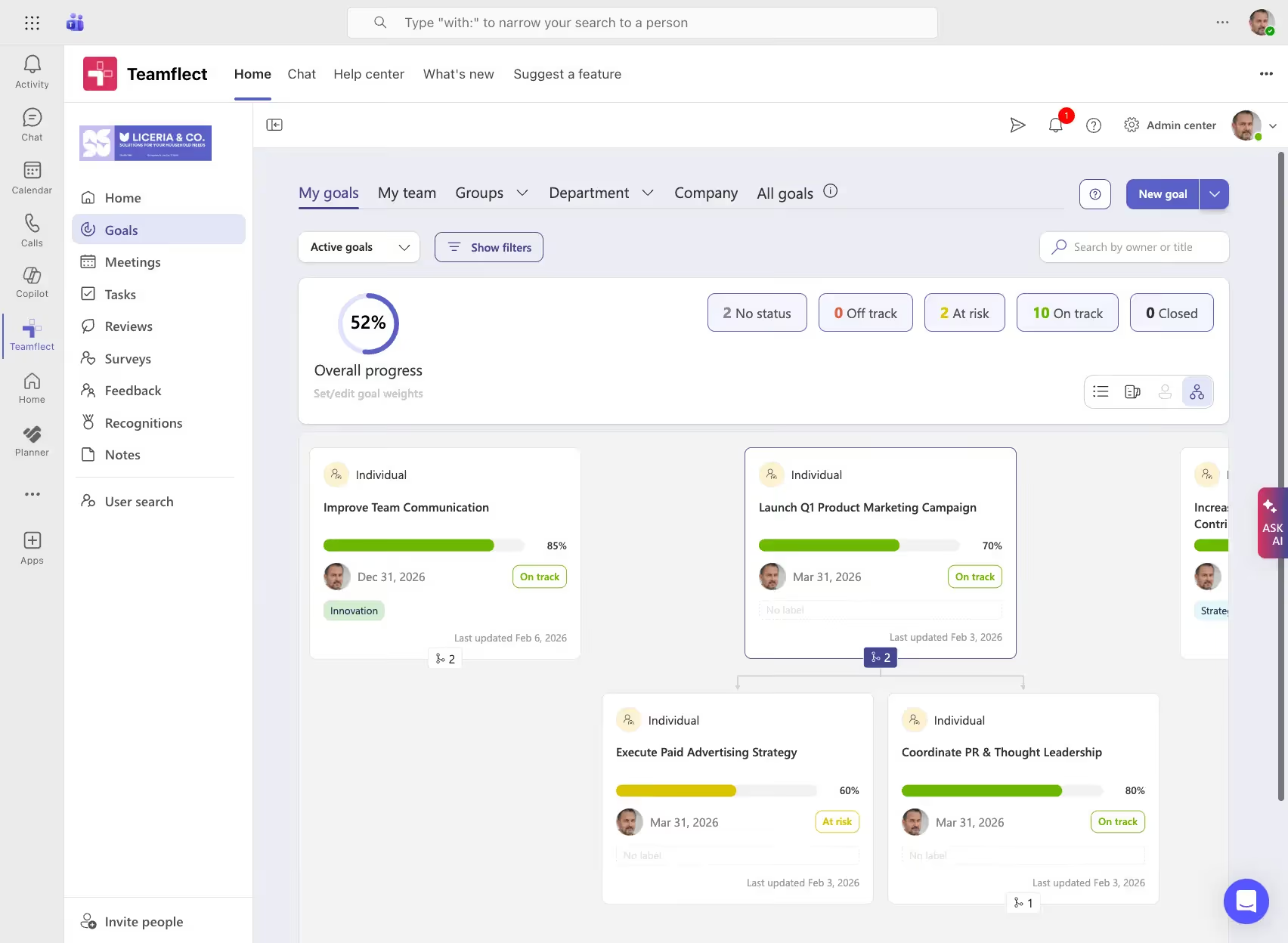
Teamflect brings OKR management, 1‑on‑1 meetings and performance reviews directly into Microsoft Teams. For organizations deeply invested in Microsoft 365, it offers a unified solution to align goals and monitor employee progress without leaving the Teams environment.
Key Features
- OKR framework with cascading goals and ownership
- Deep integration with Microsoft Teams and Outlook for in‑flow‑of‑work goal management
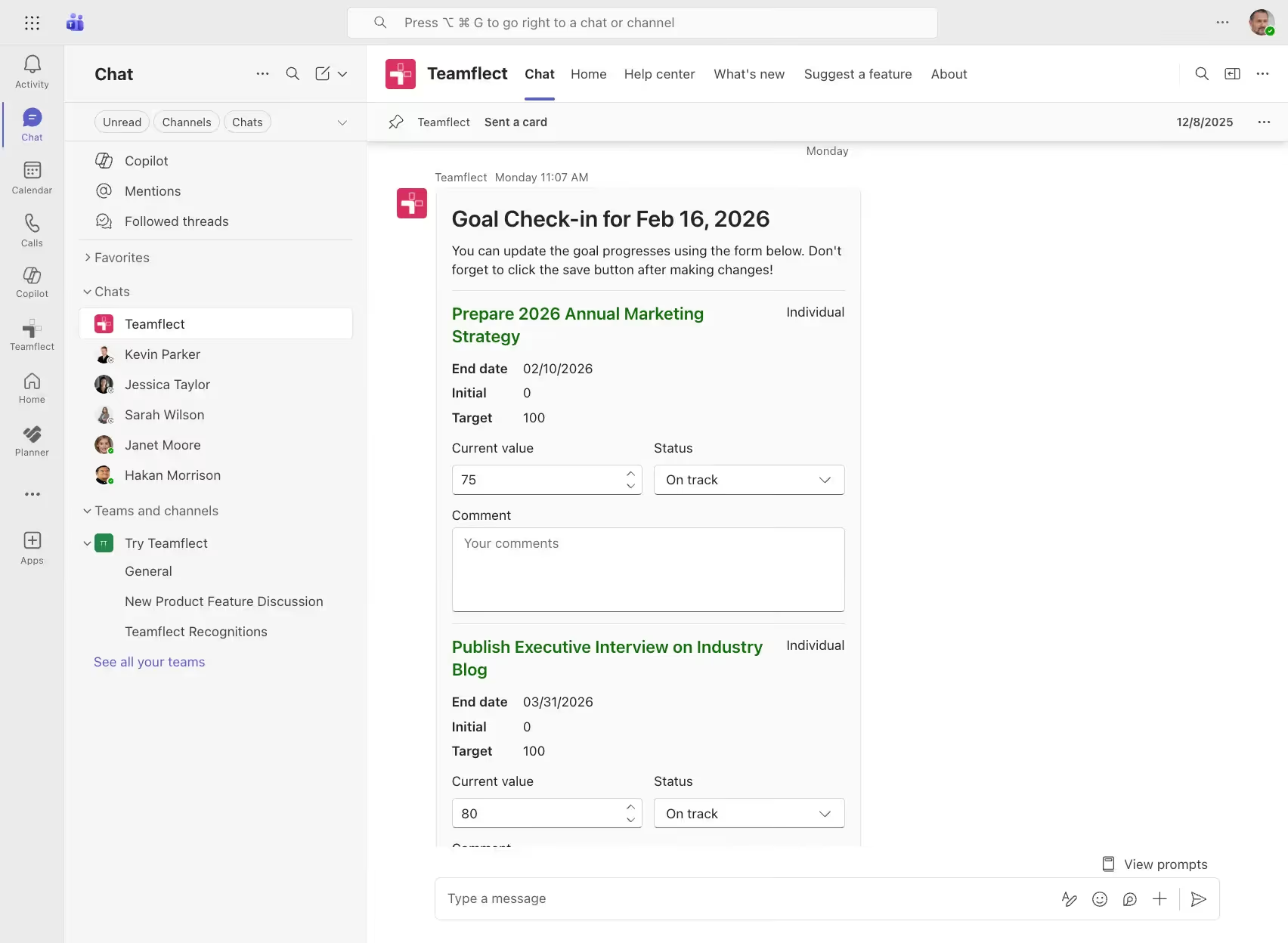
- Built‑in 1‑on‑1 meeting module with agendas, talking points and task follow‑ups
- Continuous feedback and employee recognition
- Automated reminders and task tracking synchronized with Planner and Excel
- Performance review cycles and analytics
Best For
- Mid‑sized to enterprise organizations
- Companies using Microsoft 365 and Teams
- Teams seeking to merge goal management with performance reviews and engagement
- Organizations that need structured 1‑on‑1s and feedback in one tool
Pros & Cons
- Embedded in Microsoft Teams with goal setting, reminders and task management.
- 1‑on‑1 meeting layouts include talking points, shared and private notes and action items.
- Clean web app with helpful documentation.
- Free plan available for up to 10 users and flexible paid tiers.
Cons:
- You need to be inside Microsoft 365 to use Teamflect
Pricing
- Starter: Free for up to 10 users with full functionality
- Essential: $7/user/month (billed annually)
- Professional: $11/user/month (billed annually)
2. Peoplebox
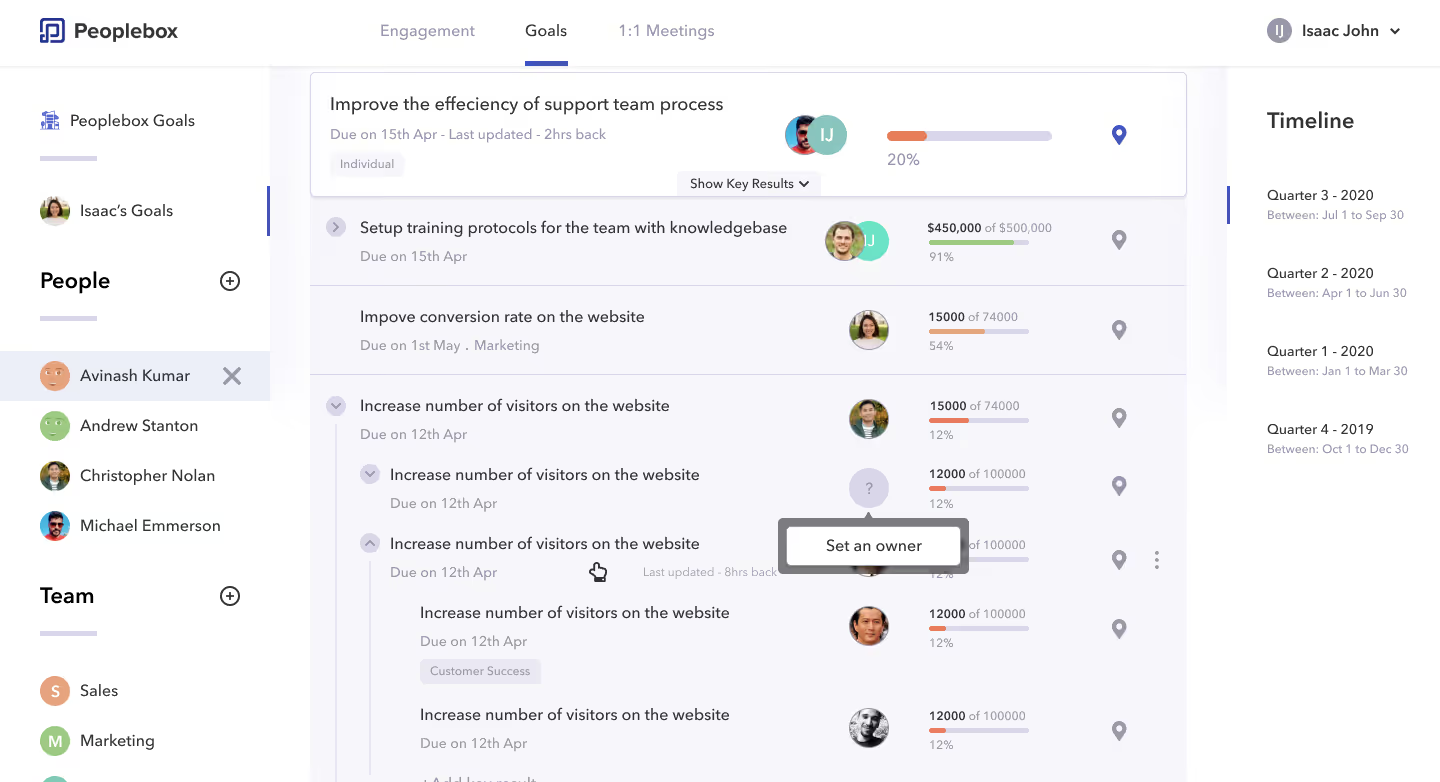
Peoplebox unifies OKR management, performance reviews and 1‑on‑1 conversations in a people‑centric platform that emphasizes engagement and culture. Its easy‑to‑use interface and ice‑breaker features help managers and employees have more meaningful conversations around goals and growth.
Key Features
- OKR framework with cascading goals and status tracking
- Performance reviews with customizable templates
- Real‑time goal tracking and feedback
- 1‑on‑1 meeting features including Coffee Connect and suggested topics
- Engagement surveys and pulse check‑ins
- Integrations with Slack, Microsoft Teams, Google Calendar and HRIS systems
Best For
- People‑centric organizations
- Teams wanting to combine goals, performance reviews and engagement
- Managers looking for guided 1‑on‑1s and conversation starters
- Companies seeking an intuitive, minimal‑training solution
Pros & Cons
Pros:
- User‑friendly interface with streamlined performance management and real‑time goal tracking.
- Easy to use – most users require little to no training.
- Supports team culture with features like Coffee Connect and suggested 1‑on‑1 topics.
Cons:
- Some employees need additional training when the tool becomes more complex.
- Performance review module lacks advanced features like Personal Development Plans (PDP) and career paths.
- Occasional confusing user experiences in certain areas.
Pricing
- Free plan available
- Paid plans start around US$7 per user per month
- Ideal for people‑centric teams seeking integrated goals, feedback and engagement
3. Workboard
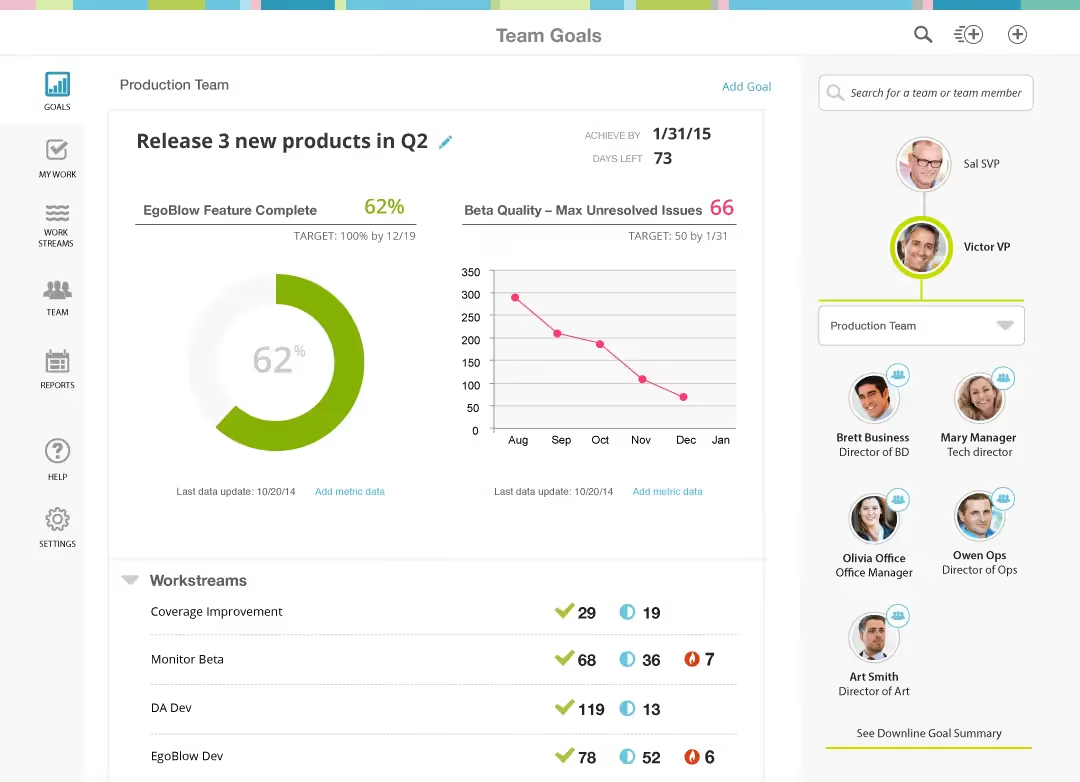
Workboard delivers an enterprise‑grade OKR and meeting management system that ties strategic goals to daily execution with AI‑assisted insights. Its integrated dashboards and meeting agendas help leadership teams stay aligned and drive accountability across complex organizations.
Key Features
- Enterprise‑level OKR management and strategy execution
- Built‑in meeting agendas linked to objectives and key results
- Executive dashboards and AI‑powered insights
- Data integrations with Microsoft 365, Slack, Salesforce, Jira and data warehouses
- Automated key‑result updates and task tracking
- Cloud deployment with enterprise security
Best For
- Large enterprises and executive leadership teams
- Organizations needing comprehensive strategy execution and meeting management
- Data‑driven companies seeking AI‑assisted insights
- Teams working on high‑level projects that require cross‑department coordination
Pros & Cons
Pros:
- Powerful all‑in‑one tool integrating OKRs, meeting agendas and task tracking.
- Faithfully follows leading OKR methodology and provides a clean interface.
- Useful for managing high‑level projects by assigning, dividing and tracking progress.
Cons:
- Difficulties integrating with internal platforms have been reported.
- Limited automation for updating results; users desire more integrations to avoid manual data entry.
- Not beginner‑friendly; requires training to understand all features.
Pricing
- Paid plans only; typically US$20–30 per user per month
- Demos available upon request
- Best suited for large enterprises and executive teams with complex strategy needs
4. Profit.co

Profit.co merges OKR management with continuous feedback and performance modules to help small and midsize businesses implement and scale goal‑setting frameworks. Its guided approach and responsive support make it a good fit for organizations new to OKRs.
Key Features
- OKR framework with top‑down and bottom‑up alignment
- Continuous performance conversations and feedback
- Templates and coaching resources for OKR adoption
- Task and initiative tracking with integrations to Slack, Microsoft Teams, Jira, HubSpot and Zendesk
- Analytics and KPI dashboards
- Optional on‑premise deployment for enterprises
Best For
- Small to midsize businesses
- Teams adopting OKRs for the first time
- Organizations that value responsive support and guidance
- Companies looking for both goals and feedback in one tool
Pros & Cons
Pros:
- Easy to set up and adjust; the vendor actively customizes features based on feedback.
- Supports both top‑down and bottom‑up goal alignment and offers responsive support.
- Helps teams manage strategic execution and align goals across departments.
Cons:
- Some features initially didn’t meet expectations, though product updates have improved them.
- Limited ability to align individual goals to department OKRs in early versions.
- Certain KPI calculations must be performed outside the platform, and some functions are less intuitive.
Pricing
- Free plan available
- Paid plans start around US$7 per user per month
- Designed for small and midsize businesses looking for guided OKR implementation
5. Weekdone
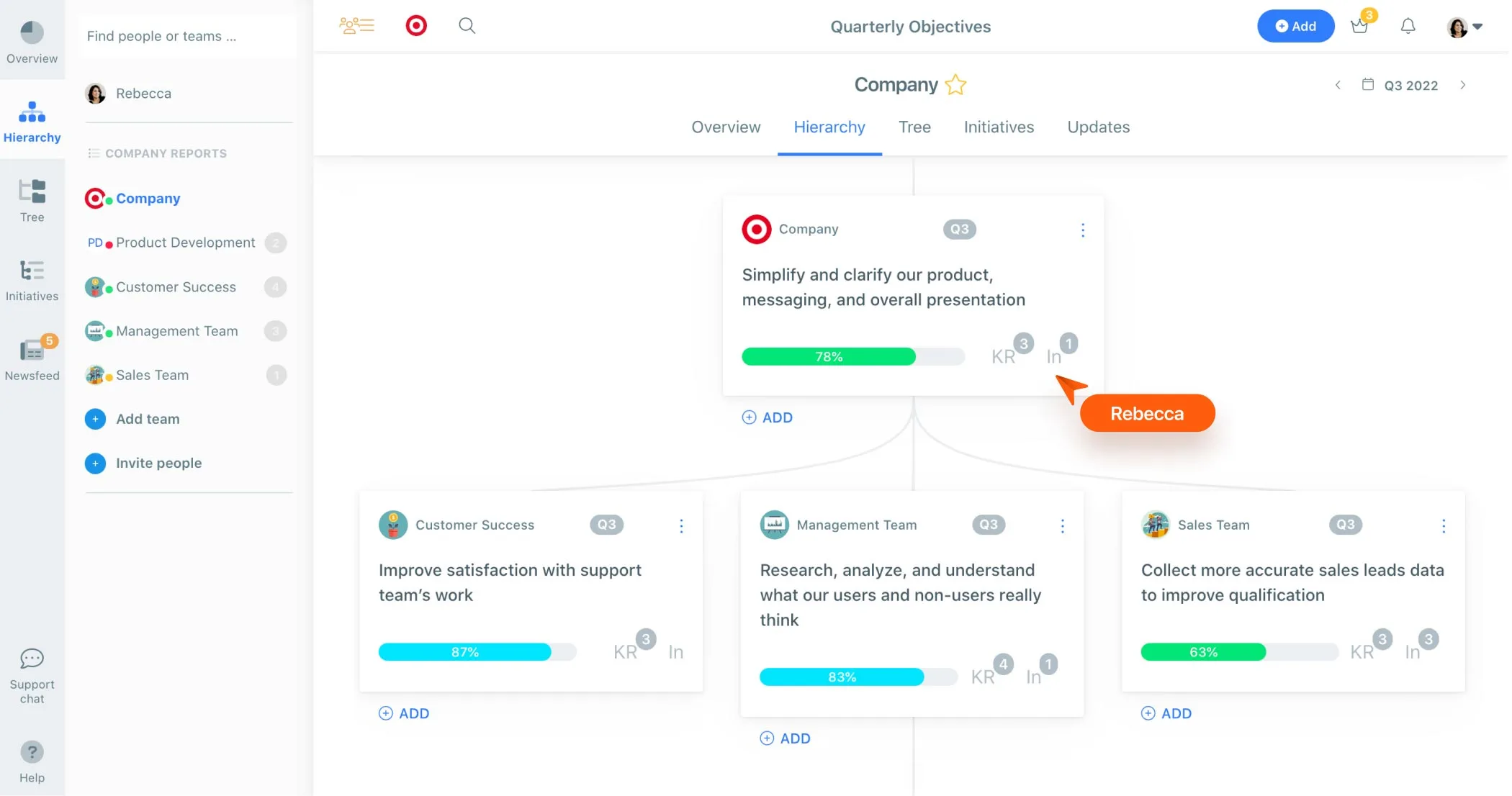
Weekdone blends OKRs with weekly planning and progress reporting, giving small teams a clear rhythm for tracking goals and celebrating wins. Its focus on real‑time visibility and simplicity makes it an accessible entry point for those new to OKRs.
Key Features
- OKR framework with weekly status updates
- Weekly planning and reporting for individuals and teams
- Real‑time dashboards showing progress on objectives and key results
- Simple check‑in workflows and progress reminders
- Slack, Microsoft Teams, Jira and Google Tasks integrations
- Lightweight reporting and export options
Best For
- Start‑ups and small teams
- Organizations seeking straightforward OKR adoption
- Teams that value weekly check‑ins and real‑time visibility
- Leaders who want a low‑maintenance tracking tool
Pros & Cons
Pros:
- Very easy to set up and configure.
- Real‑time visibility with clear progress indicators.
- Supports weekly check‑ins and progress reports.
Cons:
- Some users find it costly and note it requires higher hardware resources.
- The app can be slow, with long load times when creating items.
- UI design can cause misclicks between comments and initiatives.
Pricing
- Free tier for up to 3 users
- Paid plans start around US$5 per user per month
- Ideal for small teams and start‑ups seeking a lightweight OKR tool
6. Mooncamp
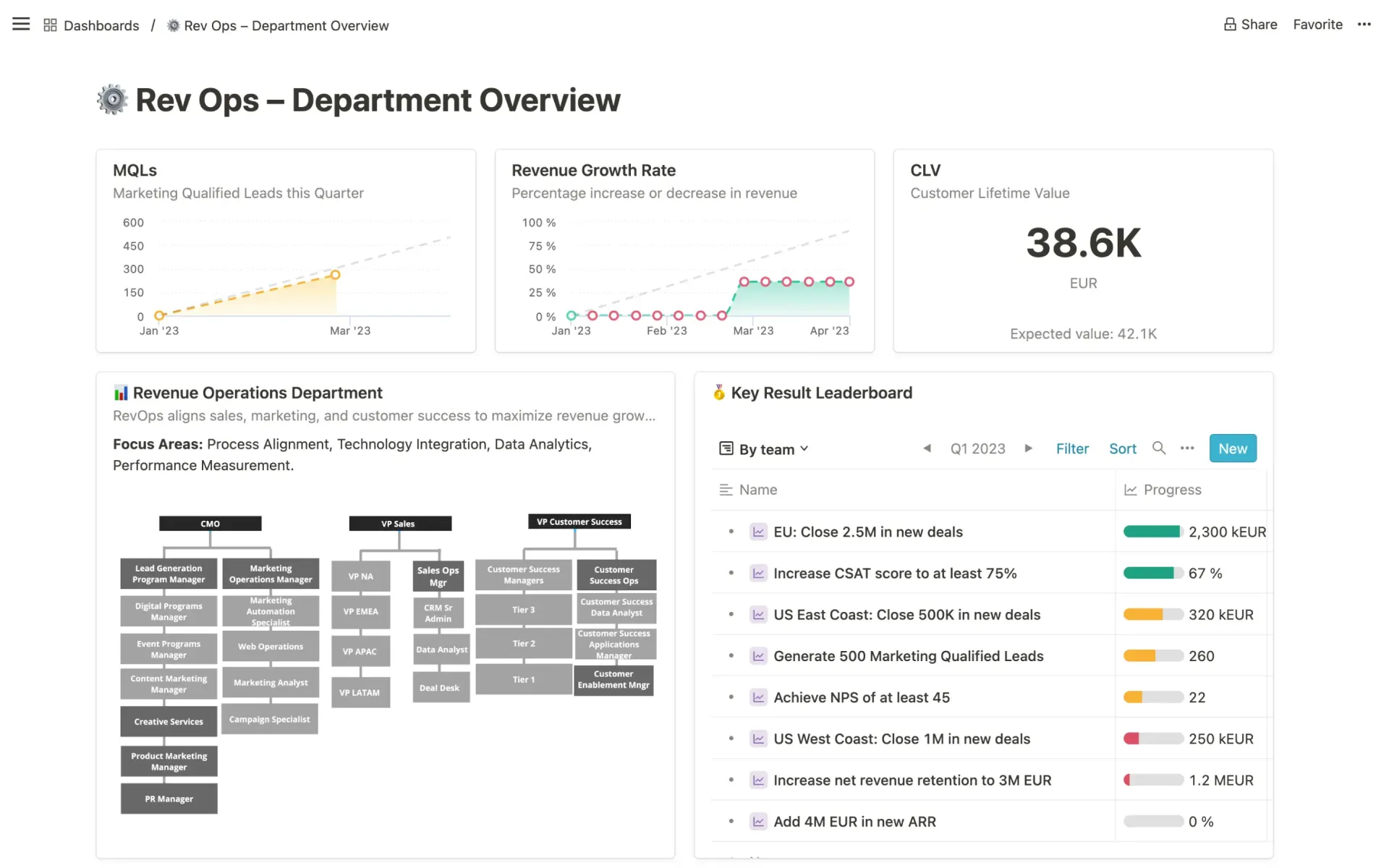
Mooncamp offers a flexible and GDPR‑compliant OKR platform with customizable workflows and hands‑on support. It’s designed for organizations that need both ease of use and rigorous data protection, making it a popular choice in Europe and beyond.
Key Features
- Customizable OKR framework with flexible goal hierarchies
- GDPR‑compliant infrastructure and data storage in Germany
- Multi‑language support and localized UI
- Strategy visualization and status dashboards
- Integrations with Slack, Microsoft Teams, Google Workspace, Jira and HRIS systems
- Advanced permission controls and auto‑saving
Best For
- Mid‑size to large enterprises
- EU‑based companies requiring strong data‑privacy compliance
- Teams needing customizable OKR workflows and localized language support
- Organizations that value top‑notch customer service
Pros & Cons
Pros:
- Support team is responsive and extremely helpful.
- Clear UI with structured overview for objectives and projects.
- Beautiful design, highly customizable and GDPR compliant.
- Offers multiple language support and convenient auto‑saving.
Cons:
- Requires more guidance for using the pulse survey feature and connecting it to OKRs.
- No native mobile app yet.
- Some users initially missed data integrations (later released).
- Automatic saving behavior can be confusing at first.
Pricing
- Paid plans start around €6–8 per user per month
- Free trial available for 14 days
- Best for enterprises needing customizable workflows and GDPR compliance
7. AchieveIt
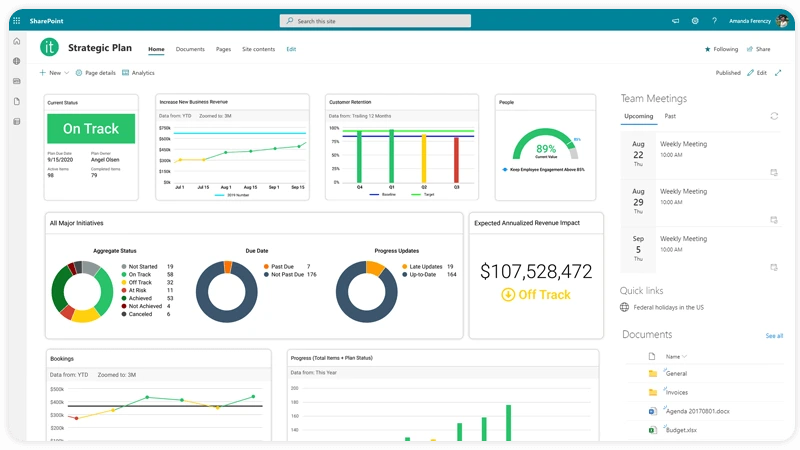
AchieveIt blends strategy execution with project and initiative tracking, helping organizations manage complex plans and stay accountable. It’s especially popular with government agencies, non‑profits and large enterprises that need to align strategic initiatives with detailed action plans.
Key Features
- Strategy and initiative tracking with goal‑to‑project alignment
- Weekly reminders and updates to keep plans on track
- Dependency and milestone management
- Reporting dashboards and progress status indicators
- Integrations with Microsoft Office, Google Workspace and Salesforce
- Cloud and on‑premise deployment options
Best For
- Non‑profits, government agencies and project‑oriented enterprises
- Organizations running complex strategic plans and initiatives
- Teams that need weekly reminders and accountability
- Companies seeking both cloud and on‑premise deployment flexibility
Pros & Cons
Pros:
- Simplifies tracking of strategic projects and performance measures.
- User‑friendly interface with weekly reminders.
- Intuitive and flexible; supports dependencies, tags and multiple plans.
Cons:
- Per‑license cost structure can limit how many users can access the tool.
- Limited ability to perform calculations (e.g., variance) within the platform, requiring exports to Excel.
- Built‑in reporting is limited and can require workarounds to combine data across plans.
Pricing
- Custom pricing (often US$10–20 per user per month)
- No free plan, though demos are available
- Best for project‑driven organizations that need strategy execution alongside initiative tracking
8. Tability
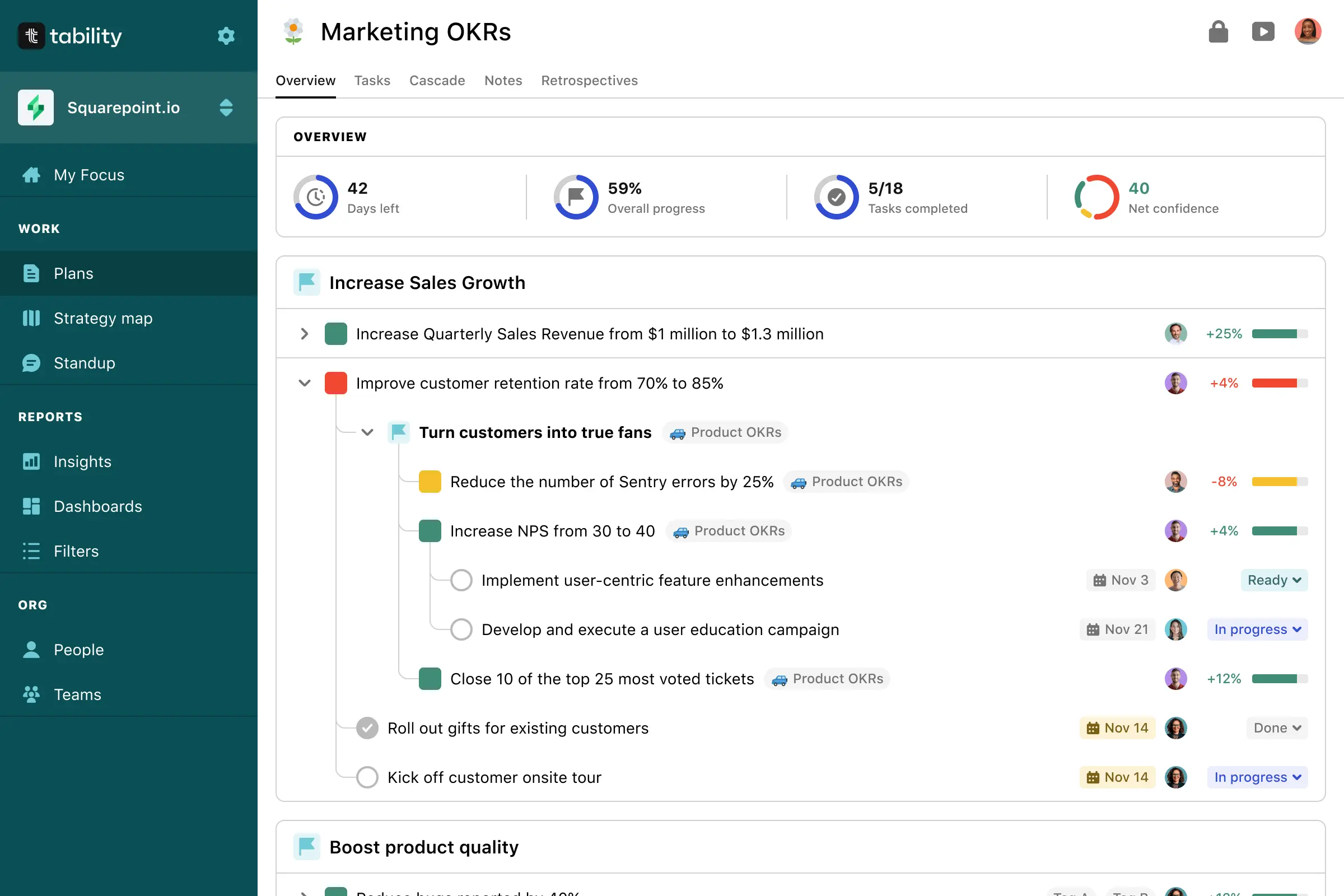
Tability centralizes OKR tracking, retrospectives and initiatives in a single hub with visual strategy maps. For teams seeking clarity and intuitive goal tracking, it offers a lightweight yet powerful way to align objectives and monitor progress.
Key Features
- OKR framework with cascading goals and strategy maps
- Strategy‑map visualization to show how objectives and key results connect
- Weekly check‑ins and progress dashboards
- Retrospectives and initiative tracking
- Slack, Microsoft Teams, Jira, Asana and Azure DevOps integrations
- Flexible reporting and status indicators
Best For
- Start‑ups and mid‑sized companies
- Teams that value clear visualizations and simple dashboards
- Organizations new to OKRs seeking an intuitive tool
- Companies using Slack or Microsoft Teams for communication
Pros & Cons
Pros:
- Consolidates OKRs, retrospectives and initiatives in a single platform.
- Strategy‑map visualization helps teams see how objectives relate to each other.
- Goal and status tracking is user‑friendly, with monthly and weekly targets in one dashboard.
Cons:
- Navigation can be confusing and some sections need improvement.
- Support responses can be slow, leading to longer resolution times (noted by reviewers).
Pricing
- Free plan available
- Paid plans start around US$5–10 per user per month (annual billing)
- Suitable for start‑ups and mid‑size teams that need visual clarity
9. Perdoo
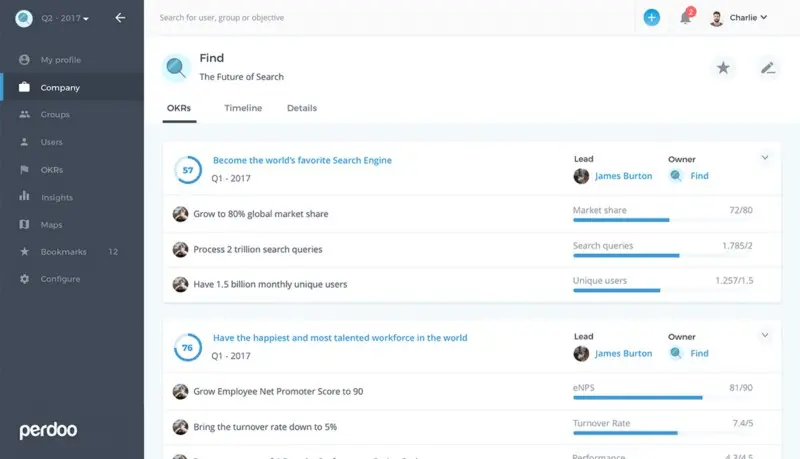
Perdoo combines OKR and KPI management to link top‑level strategy with day‑to‑day execution. Its visual strategy maps help large organizations clarify how objectives cascade across teams and ensure everyone contributes toward shared success.
Key Features
- Combined OKR and KPI management with company‑to‑individual cascades
- Strategy maps and dashboards to visualize alignment
- Initiative tracking and progress reporting
- Slack, Microsoft Teams, Jira and Workday integrations
- Customizable goal hierarchies and permission controls
- KPI and OKR analytics
Best For
- Large companies and enterprises
- Leadership teams seeking to connect high‑level strategy to individual work
- Organizations that require both OKRs and KPIs in one platform
- Teams that value visual strategy maps
Pros & Cons
Pros:
- Highly regarded for aligning top‑level strategy to individual goals.
- Clear structure helps teams set and manage goals.
- Connects objectives and key results to daily tasks.
Cons:
- Pricing can be high, and coaching services may feel expensive.
- Minor bugs when displaying recently input data.
- Mobile app is slower and less intuitive than the web version.
Pricing
- Free plan for up to 10 users
- Paid plans typically from US$7–9 per user per month
- Best suited for enterprises needing strategy‑to‑execution linkage
10. Fitbots
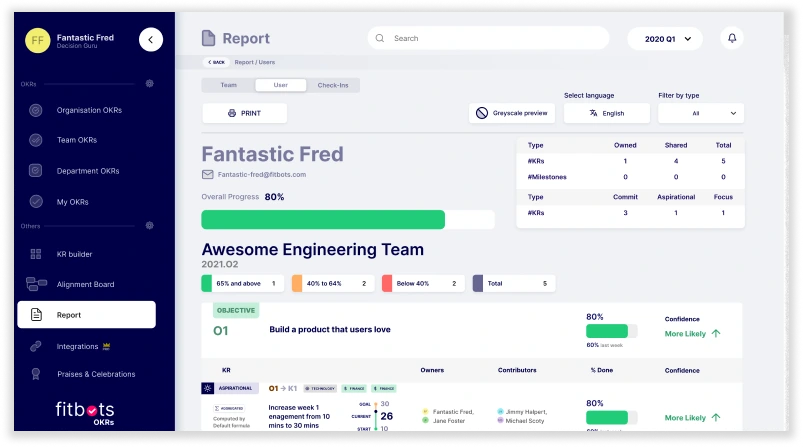
Fitbots pairs OKR software with continuous coaching and CFR (Conversation, Feedback, Recognition) modules to help organizations learn and apply OKRs effectively. Its focus on coaching and affordability makes it popular with start‑ups and scaling teams.
Key Features
- OKR framework with priority tabs and rearrangeable key results
- CFR module to encourage conversations, feedback and recognition
- OKR academy with training videos and on‑demand coaching
- Risk identification for key results and filters by team member
- Slack integrations and Zapier connectors
- Affordable pricing with a free tier
Best For
- Start‑ups and scaling businesses
- First‑time OKR adopters looking for coaching support
- Teams that want continuous feedback and recognition
- Organizations seeking an inexpensive entry into OKRs
Pros & Cons
Pros:
- The weekly reviews helped us make sure that the goals are achieved in the set time.
- Organizes OKRs into priority tabs with easy progress tracking and reordering.
- Filters help highlight at‑risk key results and assignments by team member.
- Affordable entry‑level pricing and free tier.
Cons:
- UI looks crowded and could be improved.
- Navigation can be cumbersome, with no unique page URLs or easy way to return to previous views.
- Lacks built‑in HRIS integrations and may require exporting data to Excel for advanced reporting.
Pricing
- Free plan available
- Paid plans start at US$3 per user per month
- Best for start‑ups and scaling teams seeking coaching and continuous feedback
Buyer guidance: choosing the right OKR tool
Selecting the right OKR software depends on your organization’s size, existing workflows and cultural priorities. At scale, best OKR software for enterprise organizations also needs deeper goal alignment, stronger integrations, executive reporting, and solid governance.
- Start‑ups & SMBs: Tools like Profit.co and Weekdone provide quick setup and user‑friendly interfaces. If you need built‑in performance reviews or 1:1 meeting assistance, Peoplebox may be a better fit.
- Enterprises & large teams: Workboard, Perdoo and AchieveIt offer robust features, deeper integrations and advanced analytics suitable for large organizations.
- Customization & compliance: Mooncamp is ideal for European companies or those needing strict GDPR compliance and customizable workflows.
- Microsoft ecosystem: Teamflect integrates deeply with Microsoft Teams and Outlook, making it a great choice for organizations already using Microsoft 365.
- Project‑centric operations: AchieveIt excels at combining strategy execution with project tracking and reminders, making it perfect for non‑profits and agencies.
Assess which pain points you’re trying to solve (alignment, visibility, performance reviews, project management) and choose the tool that specializes in that area.
Frequently asked questions
What is the best OKR software?
There is no one‑size‑fits‑all answer. Teamflect is a strong all‑rounder with deep Microsoft Teams integration and built‑in 1‑on‑1 meeting features, while Tability offers intuitive dashboards and strategy‑map visualizations. Workboard provides comprehensive enterprise features and Mooncamp shines in customization and compliance. The best tool depends on your team size, budget and required integrations.
Is OKR software suitable for small teams?
Yes. Several tools on this list, such as Weekdone and Profit.co, are designed for small businesses and offer free tiers or affordable pricing. They provide simple interfaces and real‑time progress tracking without the complexity of enterprise platforms.
Which features should I look for in OKR software?
Essential features include the ability to create objectives and measurable key results, align them across teams, and track progress. Look for dashboards, status indicators and custom reporting. Integrations with tools like Slack, Microsoft Teams or Jira are important for automated updates. If you need performance reviews or 1:1 meeting support, platforms like Peoplebox and Profit.co offer built‑in modules.
Can OKR software replace project management tools?
Some OKR platforms integrate project management and meeting features (e.g., Workboard and AchieveIt). However, most OKR tools focus on goals and outcomes rather than detailed task management. Many organizations still use a dedicated project management tool alongside their OKR software, or choose a platform that integrates with their existing project management system.
Conclusion and next steps
The OKR tools landscape continues to mature, with vendors adding integrated performance management, meeting facilitation and AI‑driven insights. When choosing an OKR platform, prioritize clarity of interface, depth of integrations and cultural fit for your organization.
We recommend starting with a free trial of the tool that most closely matches your needs, inviting a small pilot group to test it thoroughly.
Whether you’re seeking simple real‑time tracking, comprehensive strategy execution or a unified people‑management platform, the options above provide a solid foundation for achieving your goals in 2026 and beyond.
.png)