.svg)
When teams start looking for a project management software, the conversation usually comes down to the same two names: ClickUp and Asana. Both are well-established, widely used, and genuinely capable platforms. But they take very different approaches to how work gets organized, and that difference matters more than most people realize before signing up.
To compare ClickUp and Asana, we detailed their core functionality, current pricing models, and new AI developments alongside verified user reviews to ensure your team selects the best fit.
Curious about other software comparisons? Visit our Extensive Software Comparison Gallery
ClickUp Overview

ClickUp markets itself as an all-in-one workspace, and for the most part, it lives up to that description. It brings task management, document creation, goal tracking, time tracking, whiteboards, and team chat into one platform. The idea is to replace multiple subscriptions with a single tool that covers the full scope of how a team works.
ClickUp's paid plans start at $7/user/month and include native time tracking, workload management, and over 1,000 integrations at every paid tier. That price point, combined with the breadth of features, makes it a compelling option for teams watching their software budget.
The software is highly adaptable, allowing teams to build systems that match their specific methods. With its highly customizable workflow builder, it has become a popular choice for technical departments and operations-focused companies looking to build their own processes around the platform.
Key features include:
- 15+ project views including List, Board, Gantt, Calendar, Workload, Mind Map, and Whiteboard
- Built-in time tracking, Docs, Goals, and Chat
- Custom task statuses, fields, and workflow automation
- Sprints and agile project management tools
- ClickUp Brain (AI add-on) for workspace search, meeting notes, and AI writing
- 1,000+ integrations including Slack, Google Workspace, Zoom, and GitHub
Pros: “I love using ClickUp to manage my business. This is how I keep track of everything from clients, content, projects, collaborations, meal planning etc.” - Capterra Review
- Covers a wide range of work without requiring additional tools
- Generous free plan with unlimited users and tasks
- Lower starting price than most comparable platforms
Cons: “Sometimes it does not update real time, especially when multiple users are managing a specific backlog list.” - G2 Review
- Steeper learning curve, especially for teams new to customizable tools
- ClickUp has made significant performance improvements in 2025 and 2026, but it remains the most likely of the three major platforms to exhibit lag in large workspaces.
Asana Overview
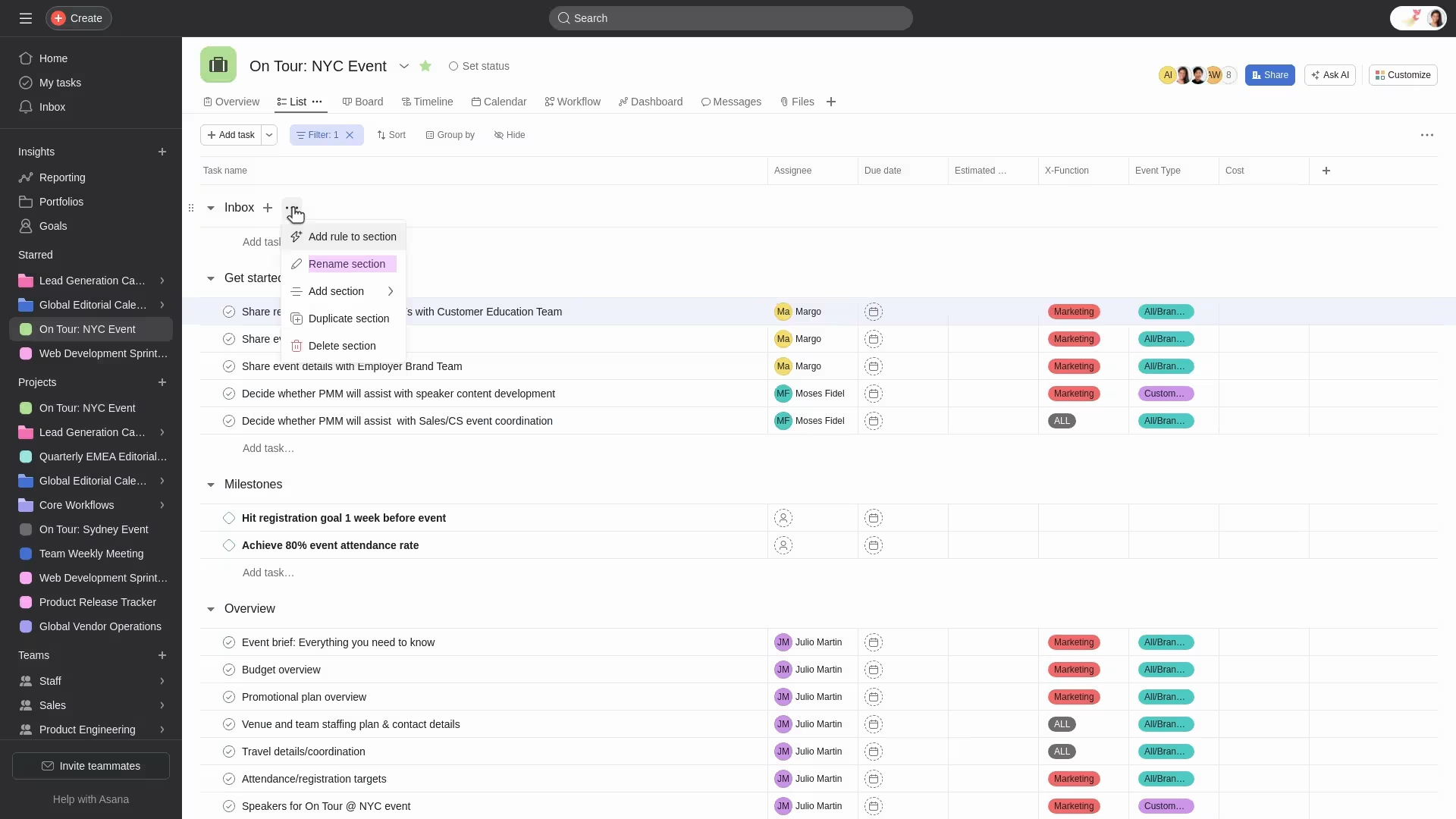
Asana takes a more focused approach to project management. Rather than trying to be every tool at once, it concentrates on providing ready-to-use task management, project visibility, and team collaboration features. Asana is widely trusted by teams of all sizes across various departments, serving major organizations like Amazon.
The result is a platform that feels polished and reliable from day one. Teams can get up and running quickly, without a dedicated setup phase or internal training sessions. If you need an easy-to-use tool with advanced features that teams can learn quickly, Asana is a solid choice.
Key features include:
- Task and subtask management with clear ownership and deadlines
- Timeline (Gantt), Board, List, Calendar, and Portfolio views
- Rules-based automation (unlimited on Starter and above)
- Asana Intelligence: Smart Summaries, AI Studio, and AI Teammates (included in paid plans)
- Goals, Portfolios, and workload management on higher-tier plans
- Reporting and dashboards with clean, easy-to-read design
- Around 400 native integrations
Pros: “The platform offers strong features for task tracking, clear organizational management, and helpful reporting tools that provide visibility into team progress and deadlines.” - Capterra Review
- Clean, intuitive interface with a low learning curve
- AI features included in all paid plans at no extra cost
- Reliable performance, even in large workspaces with complex project structures
Cons: “A few integrations are missing, and some of the existing integrations don’t feel appropriate or well-suited for the integrations they’re meant to support.” - G2 Review
- No native time tracking at any pricing tier
- Goals and Portfolios are locked behind the Advanced plan at $24.99/user/month
ClickUp vs Asana: Feature-by-Feature Comparison
Both platforms cover the core responsibilities of project management, but they differ significantly in depth, flexibility, and where they put the most attention. Here is how they compare across the areas that matter most.
1. Task and Project Management
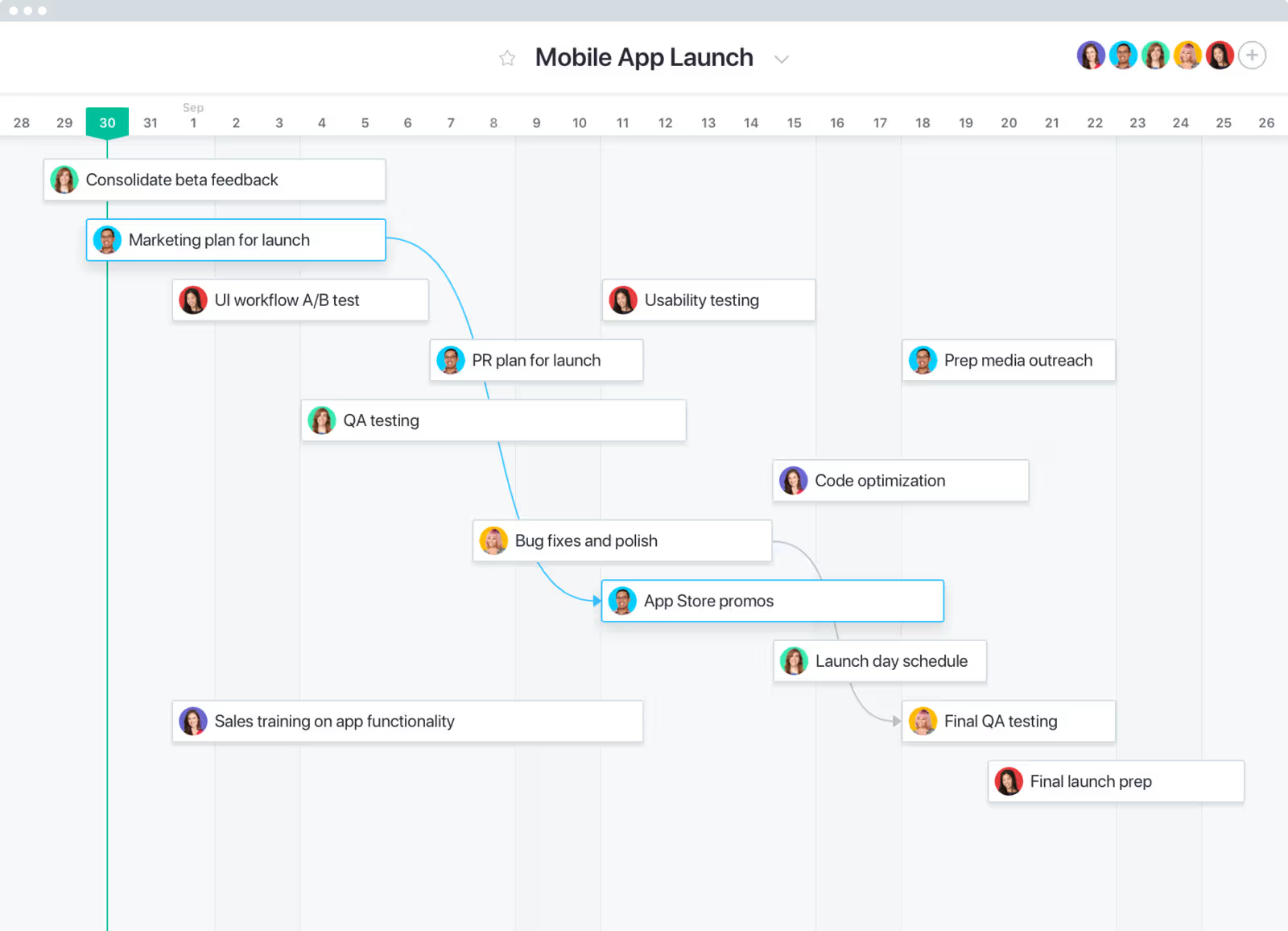
Both tools handle the fundamentals well: task creation, assignments, due dates, priorities, statuses, and subtasks. The differences show up in how much flexibility each platform offers.
ClickUp leads with 15+ views, including unique options like whiteboards, mind maps, and embedded doc views. Asana offers 10+ views with strong timeline and portfolio capabilities.
ClickUp's deep task hierarchy gives teams more room to organize complex, multi-layered projects. Asana's structure keeps things straightforward, which is a genuine advantage for teams that need accountability and deadline visibility without a lot of configuration.
Verdict: ClickUp wins for teams managing complex, multi-layered projects. Asana is the better fit for teams that value a clean structure without the overhead of building it themselves.
2. Workflow Automation
.avif)
ClickUp provides sophisticated automation with multi-step logic and custom triggers natively. On the other hand, while Asana handles routine tasks through its “Rules” feature, it offers less flexibility for unique or complex workflows.
That said, Asana changed its automation policy in October 2025, moving from a capped limit to unlimited automations on the Starter plan. For smaller teams running fewer than 30 active rules, ClickUp's cap of 1,000 actions per month is unlikely to be a concern. For larger teams with complex automation needs, Asana's unlimited policy is worth factoring into the decision.
Verdict: ClickUp wins on automation depth and customization. Asana wins on automation volume at the entry-level price point.
3. AI Capabilities
Asana includes AI Studio Basic in all paid plans at no extra cost. AI features include smart task summaries, automated status updates, AI-generated project structures, and AI Teammates that can be assigned tasks like any team member.
ClickUp Brain is a separate add-on at $9/user/month on top of your existing plan. It offers workspace-wide search, an AI notetaker, talk-to-text, and access to multiple AI models. ClickUp Brain offers more transparent AI pricing, but the cost adds up fast when applied across a full team.
Verdict: Asana has the pricing advantage here since AI is included in all paid plans. ClickUp Brain is more capable in terms of raw functionality, but the added cost changes the value calculation depending on team size.
4. Reporting and Analytics
Both tools provide detailed reporting options that let project managers pull data on productivity, task completion rates, and team performance. ClickUp provides more detailed control over settings, whereas Asana focuses on clear, accessible reporting layouts.
Both platforms support custom dashboards. ClickUp lets you build highly tailored views with widgets, while Asana's dashboards are more structured but faster to configure. Neither requires a third-party analytics tool for standard reporting needs.
Verdict: A close comparison. ClickUp gives more customization options; Asana gives you cleaner, faster results out of the box.
5. Integrations
ClickUp supports over 1,000 integrations, offering a broader ecosystem for complex workflows. Asana integrates with around 400 tools. Both platforms cover the major apps most teams rely on, including Slack, Google Workspace, Microsoft Teams, Zoom, and Salesforce.
For teams with niche or industry-specific tools in their stack, ClickUp's wider catalog is worth checking before committing. Asana's integration quality is generally well-regarded, though some users have noted gaps in how certain connections are implemented.
Verdict: ClickUp wins on integration volume. Asana holds its own for teams with standard software stacks.
6. Ease of Use and Adoption
This is where the two platforms diverge most clearly. While G2 ratings and reviews show ClickUp excels in functionality, it trails Asana in user-friendliness. Success usually requires a focused preparation period and clear internal guides before adoption. However, groups that commit to this initial effort find the platform highly effective once the system is in place.
Asana is consistently praised for its low barrier to entry. New team members can get up to speed quickly, and the interface does not require heavy customization to be useful from day one.
Verdict: Asana is the easier tool to roll out, especially for non-technical teams. ClickUp rewards the teams willing to put in the setup time.
ClickUp vs Asana Pricing Comparison
ClickUp is meaningfully cheaper at every published tier and has no seat minimums, while Asana requires a 2-user minimum on paid plans. For a 10-person team on the entry-level paid plan, ClickUp costs $70/month while Asana runs $110/month, a $40 gap in ClickUp's favor.
That picture flips once AI enters the equation. ClickUp Brain is a $9/user/month add-on, so a 10-person team that wants AI features pays $160/month. Asana includes AI Studio Basic in all paid plans, which keeps the same team at $110/month on Asana Starter. For teams that consider AI essential, Asana is the cheaper option.
Beyond AI, ClickUp's bundling advantage holds. Time tracking, docs, chat, goals, and portfolios are all included on the $7 Unlimited plan. Asana gates goals and portfolios to its $24.99 Advanced plan, which is also the tier that unlocks native time tracking, and even there it's limited to manual hour fields rather than a running timer.
Which Tool Is Right for You?
Both ClickUp and Asana are solid, well-maintained platforms with strong user bases and regular product updates. The right choice comes down to what your team prioritizes.
Choose ClickUp if:
- Your team manages complex, multi-layered projects and needs flexibility in how work is structured
- You want to consolidate multiple tools (docs, chat, time tracking, goals) into one platform
- Budget is a primary consideration, especially for teams of five or more people
- You have the capacity to invest in setup and onboarding upfront
Choose Asana if:
- Your team values a clean, intuitive interface that requires minimal configuration
- Fast adoption across non-technical team members is important
- You want AI features included in your plan without an additional monthly cost
- You are managing marketing campaigns, operations workflows, or cross-functional projects at an enterprise level
Both platforms offer free plans, which makes it straightforward to test each one before making a final commitment.
FAQs
What is the main difference between ClickUp and Asana?
ClickUp is built around flexibility and all-in-one functionality. It packs a large number of features into lower-priced plans and lets teams customize almost everything. Asana is built around simplicity and structured workflows. It covers the core of project management very well and is easier to roll out across a team, but it requires a higher-tier plan to access features like goals, portfolios, and time tracking (which it does not offer natively at any price).
Which is more affordable, ClickUp or Asana?
ClickUp starts at $7/user/month, compared to Asana's $10.99/user/month for the entry-level paid plan. ClickUp also has no seat minimums, while Asana requires at least two paid users. However, if your team wants AI features, Asana includes them in all paid plans at no extra cost. ClickUp charges an additional $9/user/month for ClickUp Brain, which can close or reverse the price gap depending on team size.
Which platform is easier to learn?
Asana has the edge here. Its interface is cleaner and more structured, and most teams can get productive without a formal onboarding process. ClickUp's depth of customization is one of its strengths, but it comes with a steeper learning curve. Teams that invest in the initial setup generally report high satisfaction over time, but the ramp-up period is real.
Can I migrate from Asana to ClickUp, or vice versa?
Both platforms support data import. ClickUp allows you to import tasks, projects, and assignees directly from Asana using its built-in import tool. Moving from ClickUp to Asana requires exporting your data in CSV format and mapping it into Asana's structure manually. Either way, a phased migration with a pilot team is a good approach before a full rollout.
.avif)