


.webp)
.svg)
Most tools marketed as free performance management software are either short trials or free HR systems where the review module is paid. And if your review cycle is next month and your budget is zero, it matters a lot.
With that in mind, what follows separates the permanent free plans that can actually support performance work from DIY workspaces and free HR tiers that stop before appraisals begin.
Small teams often begin with a free tool because they need a structured review process before they need a full HR system.
Over time, however, as the team grows, that same process usually expands well beyond reviews into goals, calibration, and everything else that a full performance management platform is built to handle.
Until then, a tool that can run a proper review cycle end to end is more useful than a generic workspace, even if it has fewer features.
What Free Actually Means
The word “free” gets applied to very different products. After all, a permanent plan with a user ceiling is not the same thing as a trial, or a free HR tool where reviews cost extra.
Before you compare feature lists, establish which category a product belongs to. Otherwise, you can spend time configuring a tool only to discover that the review workflow is unavailable when the trial ends.
Free Plan
When people search for free performance management software, this is usually what they mean. A permanent plan, no payment deadline, just a user or usage cap sitting at the end. Teamflect and Effy AI both fit that description. Even so, the question worth asking is not whether the account costs anything, but whether it can actually run a review cycle from start to finish.
Free Trial
Trials are the most common source of confusion in this category. You get full access and everything works, and then the clock runs out. AssessTEAM is a clear example. It offers a 10-day fully functional trial for up to 500 people, which is genuinely useful for testing a configuration before buying. Still, do not mistake it for a zero-budget option for a cycle that happens every quarter or year.
Free HR Tool With a Paid Performance Module
Some of the best-known HR platforms have a free tier, and it has nothing to do with performance reviews. Zoho People is the clearest example. Specifically, the free edition covers HR basics for up to five users, but performance appraisals and 360 feedback are locked behind paid editions. If you build a review workflow expecting the free plan to support it, you will hit the wall mid-cycle.
DIY Workspace
ClickUp, Notion, and Google Forms are not performance management tools. What they offer is flexibility. In practice, you are responsible for the review form, the reminders, and the archive. If your team already lives in one of these tools and has someone willing to own the process, that is a reasonable trade. For a team that wants something ready to run, however, it is not.
What to Look For in a Free Performance Tool
A free performance tool should be judged by whether it can run the review cycle you need, not by how many HR features appear on its pricing page. For a zero-budget buyer, there are three practical questions. Can every participant actually complete the workflow? Will the record stay accessible? And can you retrieve the data before hitting a limit?
Can It Run a Full Review Cycle?
At a minimum, the tool needs to handle the full review cycle for more than one employee, not just collect a form.
A free feedback form is not the same as a review system, though. If the tool cannot collect structured input and route it to the right reviewer, you are still managing the cycle manually. That is exactly what dedicated review tools handle natively.
What Happens When You Hit the User Cap?
Every free plan draws a line somewhere, whether on users, storage, or review history. The cap itself is not a flaw if it fits your current team. However, what matters most is the timing. Before you invite anyone into a live cycle, know what happens at the limit and what the first paid tier actually costs.
Can You Access Past Reviews After the Cycle Closes?
Past reviews should remain visible after the current cycle closes. Managers need prior context, while employees may need a record of agreed expectations and feedback. If a vendor does not publish its retention terms, ask before committing. For that reason, a tool that cannot preserve last cycle’s record is not a dependable performance system.
Does the Tool Reduce Reviewer Bias?
Structured questions and consistent rating scales make comparisons fairer than blank text fields. None of that eliminates bias, but it reduces the variation created when every manager invents a different review. In addition, peer input can add useful context when it runs through a proper 360-degree feedback tool, although many free plans reserve that workflow for paid tiers.
Can You Export Your Review Records?
Performance reviews are employment records, not disposable survey responses. Before committing, confirm whether you can export completed reviews and ratings while still on the free plan. A tool with no export option can create a bigger problem than a free project tool because you may need that record for a promotion, a pay decision, or an employee-relations matter down the line.
How We Verified These Free Plans
We checked vendor pricing and plan-comparison pages in September 2026 to distinguish permanent free plans from trials and free HR tiers with paid performance modules. We also looked for the user cap, whether a full review cycle is documented, and the first paid price where it is publicly listed. Where a vendor does not publish a limit, the article says so rather than estimating it.
Marketplace ratings can help identify recurring user experiences, but they are not proof that a free plan includes a particular feature. Ratings also change often, especially for products with small review bases. With that in mind, the criteria used to assess software coverage are explained in our software review process.
Free Performance Management Software at a Glance
The table below separates dedicated free review tools from DIY workspaces, trials, and free HR plans with performance modules behind a paywall. Use it to rule out tools quickly, then test the free workflow with your own review form before inviting employees.
The 8 Best Free Performance Management Tools
The products below are ordered by how directly they help a small team run a performance review cycle without payment or a larger organization to try a performance review software with minimal limitations.
1. Teamflect
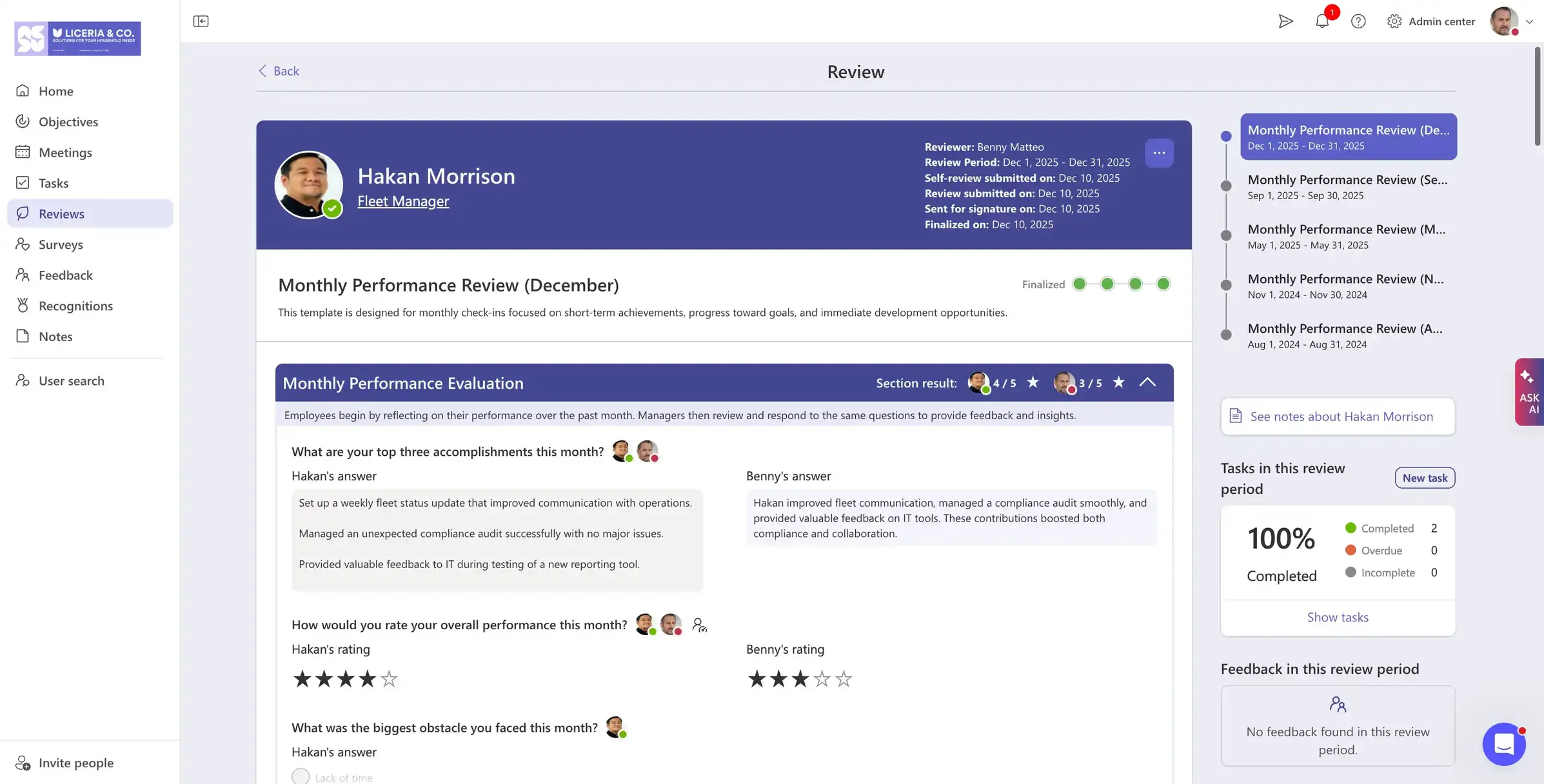
Teamflect is the strongest free option for Microsoft 365 teams of up to 10 users. The free Starter plan covers the full review workflow inside Microsoft Teams, including goals, feedback, and one-on-ones. The hard limit is the ecosystem dependency. Teamflect does not work outside Microsoft 365. Once the team grows past 10 people, the upgrade conversation becomes unavoidable.
Free Plan Includes
- Performance Reviews: Access an extensive library of customizable performance review templates inside Microsoft Teams
- Goals and OKRs: Cascading goals that integrate with performance reviews.
- 360-Degree Feedback: Connect feedback from peers direct reports, managers, and external parties to performance reviews.
- Recognition: Customizable recognition badges, point systems, and rewards.
- Meetings Module: One on one and team meetings with agendas, check-in forms, and meeting intelligence.
Free Plan Limits
- Up to 10 users
- Microsoft 365 and Teams dependency
- Advanced reporting capabilities are only available in paid plans
Pros
“The integration of performance reviews within Microsoft Teams has streamlined the process, making it more efficient and less burdensome for managers and employees alike. This seamless integration ensures that performance evaluations are part of the regular workflow, enhancing productivity and engagement.” – G2 reviewer
- Complete review workflow on the free plan
- Goals, feedback, and one-on-ones in one place
- Microsoft Teams-native employee experience
Cons
“On Integrations, it works best within the Microsoft ecosystem, so it may feel limiting for companies using a wider mix of third-party tools.” – G2 reviewer
- Not usable outside Microsoft 365
- 10-user ceiling
- Lack of core HRIS features
What Upgrading Costs
- Essential from $7/user/month when billed annually
- Professional from $11/user/month when billed annually
- Enterprise custom quote
Wrong Fit For: Teams that do not use Microsoft 365 or expect to exceed 10 participants before the next review cycle.
2. ClickUp
.webp)
ClickUp’s Free Forever plan supports unlimited users and tasks, which makes it the go-to free option for larger teams. The catch is that there is no native review workflow. You build the forms and maintain the archive yourself, which works if someone on the team is willing to own the setup. That said, teams that outgrow the DIY approach will find dedicated OKR software more structured for goal tracking.
Free Plan Includes
- Unlimited tasks and members
- Basic task views, Docs, and Whiteboards
- 100 automation actions per month
- DIY review templates, tasks, and due dates
Free Plan Limits
- No native review workflow
- Goals unavailable on the Free Forever plan
- 100 MB storage and 100 automation actions monthly
- Limited dashboards, forms, and activity history
Pros
“What impresses me most about ClickUp is the amount of good stuff it offers in the free plan. It's not a stripped-down version designed to push you to the paid plan. It's a truly complete tool, with customizable statuses, custom fields, various views, automations, subtasks, task dependencies, and an open API, all without paying anything.” – G2 reviewer
- Unlimited free users
- Flexible review workflow design
- Useful alongside project and goal management
Cons
“While I generally enjoy using the platform, the main drawback I've encountered is a recurring UI glitch within the timesheets. Specifically, whenever I edit or update an existing time entry, the system automatically resets the view and jumps back to the first day of the week.” – G2 reviewer
- Manual review process setup
- No native self-assessment or manager-review workflow
- Free-plan storage and automation limits
What Upgrading Costs
- Unlimited from $7/user/month when billed annually
- Business from $12/user/month when billed annually
- Enterprise custom quote
Wrong Fit For: Teams that need a ready-made review workflow, consistent rating forms, or HR-grade review records without building the system themselves.
3. Effy AI
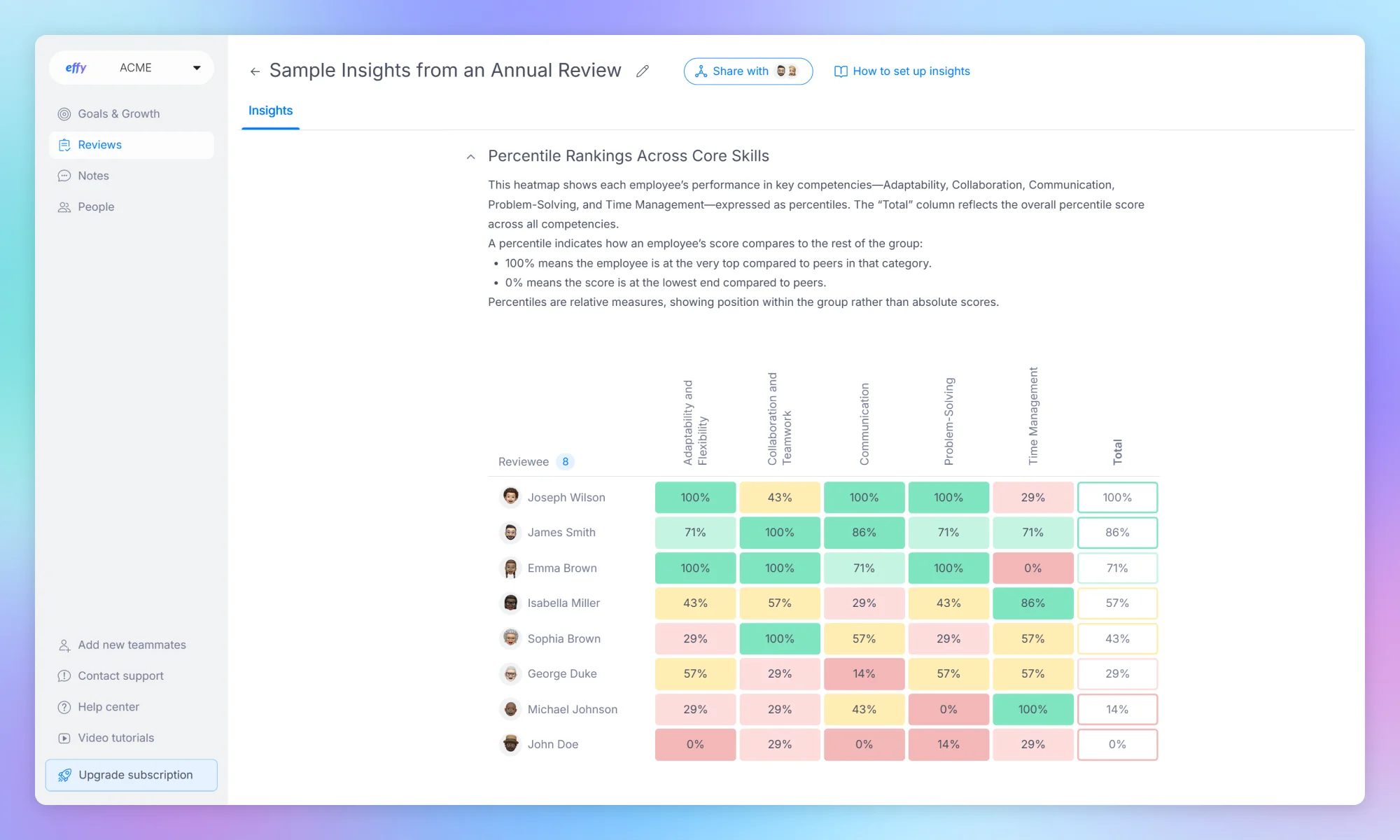
Effy AI offers a permanent free plan for up to five users with a full review workflow out of the box, including 360 reviews, automated reminders, and PDF export. It is the simplest dedicated option for a micro-team that wants something ready to run. The ceiling is the one real constraint, though, so confirm history and export limits before launching a live cycle.
Free Plan Includes
- Up to 5 users
- 360 reviews and structured review templates
- Automated reminders and AI summaries
- Slack integration and PDF export
Free Plan Limits
- Up to 5 users
- Review-history retention to confirm in current plan terms
- Capacity limit for growing teams
- Advanced administrative controls to confirm
Pros
“Effy AI replaced our scattered system of Excel sheets and Microsoft Forms with one centralized, easy-to-use platform. The automated reporting and insights are a game-changer. What used to take us days now takes minutes.” – G2 reviewer
- Dedicated performance review workflow
- 360 reviews on the free plan
- Fast setup for micro-teams
Cons
“Complete data pull of everyone who completed a review is not possible. Unable to integrate scheduling a one-on-one as a part of the performance review process.” – G2 reviewer
- Five-user ceiling
- Limited room for a growing team
- Plan-detail confirmation needed before a live cycle
What Upgrading Costs
- Paid plans from $3/seat/month
- Confirm annual billing and feature scope with Effy AI
Wrong Fit For: Teams that already have more than five employees or need a larger HR system around the review process.
4. WebHR
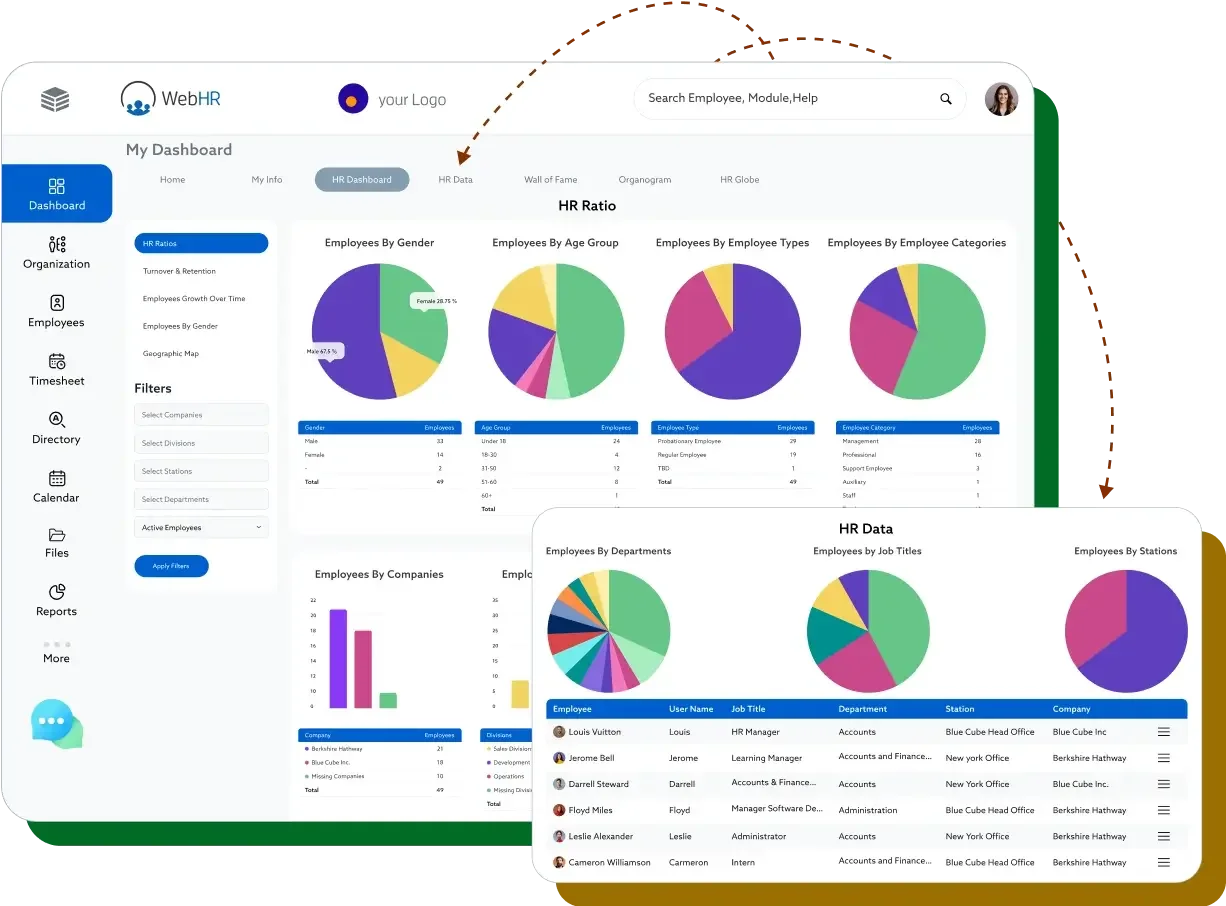
WebHR has a free tier for small teams with documented appraisal and 360-review capabilities, making it worth considering if you want HR operations and performance tools in one place. The catch is transparency. Specifically, free-plan limits are not clearly published, so confirm what the review workflow actually includes before you configure a cycle. The interface feels dated, though that matters less for teams that prioritize breadth over polish.
Free Plan Includes
- Free HR plan for small teams
- Core HR and employee-management functions
- Vendor-documented appraisal and 360-performance capabilities
- Basic HR records and employee self-service
Free Plan Limits
- Small-team user limit not clearly published
- Free-plan appraisal workflow scope to confirm
- Review-history and export terms not clearly published
- Advanced reporting and administration likely plan-dependent
Pros
“I find WebHR incredibly easy to use for both HR teams and regular employees, thanks to its strong self-service tools that cut down on administrative work. I appreciate how it automates many repetitive HR tasks, which minimizes errors and keeps all employee records organized and accessible from anywhere.” – G2 reviewer
- Broad HR and performance-management coverage
- Appraisal and 360-performance capabilities
- Free entry point for small teams
Cons
“As a first-time user, I found the software to be somewhat slow, and it offers fewer customization options than other HRM software available on the market. While it has potential to become a standout HR solution, it still needs considerable time and development to reach that level.” – G2 reviewer
- Less transparent free-plan limits
- Dated interface compared with newer tools
- Review workflow requires direct confirmation
What Upgrading Costs
- Paid plans from $2/employee/month annually
- Confirm performance, reporting, and support modules in proposal
Wrong Fit For: Teams that need a fully documented free review workflow and do not want to confirm plan scope with sales or support.
5. Zoho People
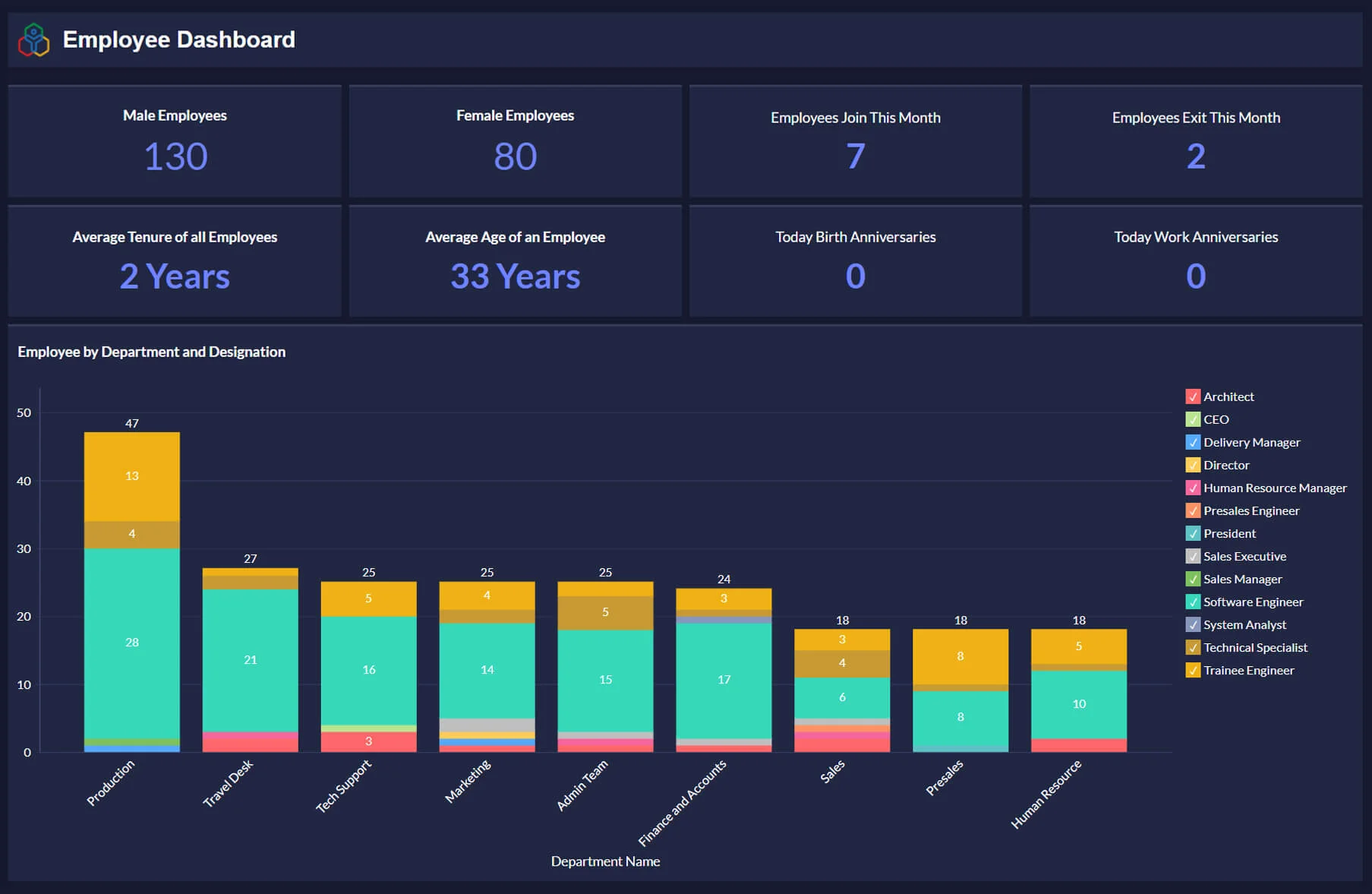
Zoho People is on this list as a warning. The free edition is a real, permanent plan for up to five users, but it covers HR basics only. Think employee records, leave tracking, and basic self-service. Nothing related to performance reviews. However, performance appraisals, self-appraisals, and 360 feedback all sit behind paid editions, so zero-budget buyers should not start a review-cycle setup expecting the free tier to include appraisals.
Free Plan Includes
- Free core HR for up to 5 users
- Employee records and self-service
- Basic leave and attendance functions
- Mobile access
Free Plan Limits
- No performance appraisals
- No self-appraisals
- No 360-degree feedback
- Performance management begins in paid editions
Pros
“As a growing technology company, we really appreciate how comprehensive Zoho People is right out of the box. The centralized dashboard makes it incredibly easy to track attendance, manage leave requests, and oversee employee onboarding all in one place.” – G2 reviewer
- Permanent free core-HR plan
- Familiar fit for existing Zoho users
- Clear upgrade path to broader HR functions
Cons
“While the employee interface is very intuitive, navigating the admin dashboard and configuring certain settings may require a learning curve initially. Some features aren’t as straightforward as expected, especially when setting up policies or customizing workflows.” – G2 reviewer
- No free review cycle
- Performance module behind the paywall
- Not suitable for an immediate zero-budget appraisal process
What Upgrading Costs
- Paid pricing varies by edition and region
- Performance appraisals listed from Premium tier
- Confirm current per-user price and plan availability with Zoho People
Wrong Fit For: Teams that need to run performance reviews for free rather than use basic HR records and leave tracking.
6. AssessTEAM
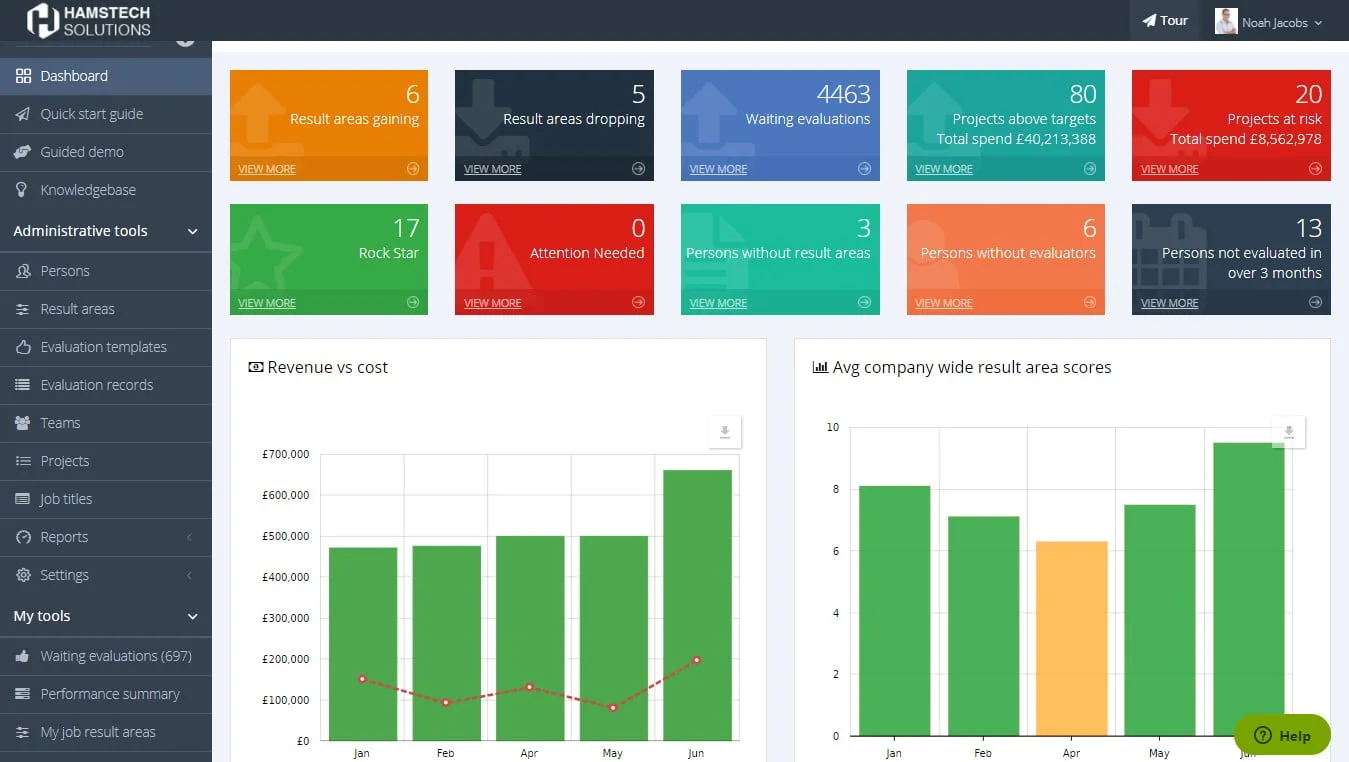
AssessTEAM is a trial, not a free plan. You get full access for 10 days with up to 500 people, which is genuinely useful for testing a KPI-based review configuration before buying. Once the trial ends, you need a paid subscription to continue. Because of this, do not use it for a recurring review cycle if there is no budget decision behind it.
Free Plan Includes
- 10-day fully functional trial
- Up to 500 people during the trial
- KPI-based evaluations and 360 feedback
- Team reports and guided rollout
Free Plan Limits
- No permanent free plan
- 10-day access window
- Paid subscription required after trial
- Do not use for an annual cycle without a budget decision
Pros
“I like that the rating system offered a wider range of options instead of only “good” or “bad.” It also includes a note/comment box so reviewers can explain why they chose that score and add a bit more context. Also, I like how smooth and fast it is to move on or go back to a question.” – G2 reviewer
- Structured KPI and competency evaluation
- 360 feedback and broad KPI library
- Low published paid entry price
Cons
“Sometimes the review emails go to spam, at least in my experience with Outlook. I'd also like the emails to be more descriptive. They should include the name of the person getting their review, maybe the company's name too, the purpose, and a little summary of how to do the review.” – G2 reviewer
- Trial rather than a free plan
- 10-day evaluation window
- Unsuitable for recurring zero-budget use
What Upgrading Costs
- Evaluations from $2/user/month
- Three paid plans listed
- No permanent free version
Wrong Fit For: Teams with no budget after the trial or a review cycle that extends beyond 10 days.
7. Google Forms and Sheets
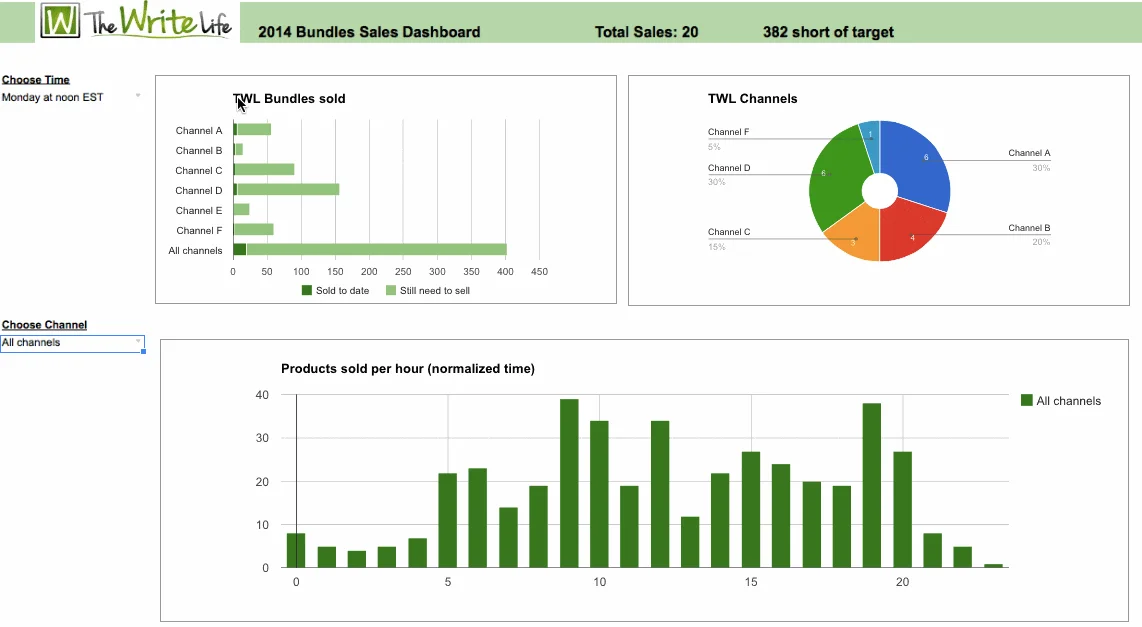
Google Forms and Sheets are the lowest-effort DIY option for a team that needs one structured review cycle at no added cost. You build the form and track completion in a spreadsheet. The cost is everything the tool does not handle. Reminders, permissions, and keeping records secure all fall on whoever owns the process.
Free Plan Includes
- Custom self-assessment and manager-review forms
- Spreadsheet-based completion tracking
- Flexible rating scales and questions
- Exportable records in common formats
Free Plan Limits
- No native review workflow
- Manual reminders, permissions, and sign-off
- No built-in calibration or performance reporting
- Confidentiality depends on spreadsheet access controls
Pros
- No additional software cost
- Complete control over review questions
- Easy data export and ownership
Cons
- Manual workflow administration
- Weak confidentiality safeguards without careful setup
- No native review history or calibration tools
What Upgrading Costs
- No required software upgrade
- Administrative time increases with team size
- Paid performance software becomes more attractive as complexity grows
Wrong Fit For: Teams with multiple managers, sensitive compensation decisions, or no one available to administer the process manually.
8. Notion
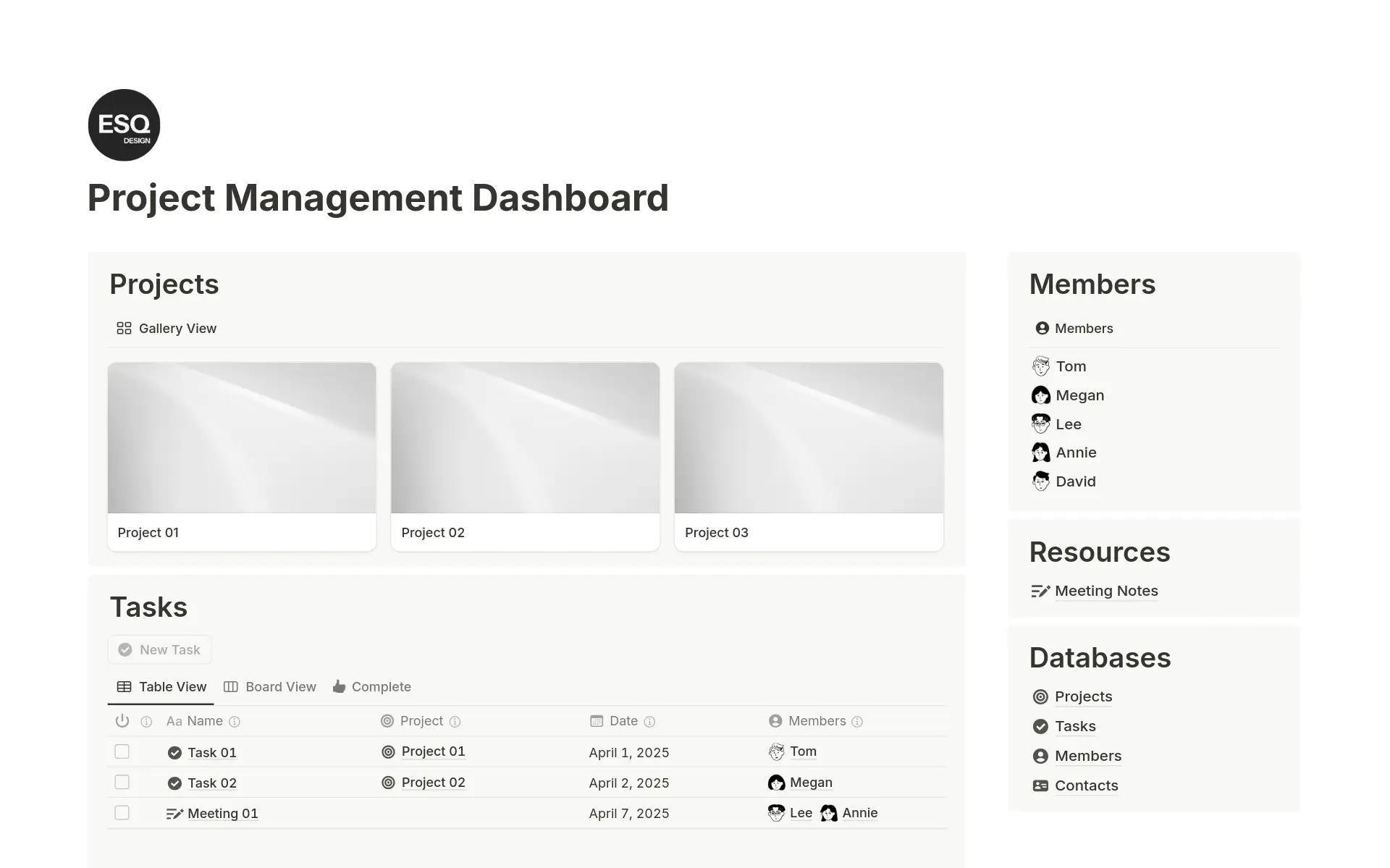
Notion works as a free performance-management workspace for teams that already use it for documentation. You can build review templates and private employee pages, which works best when the team wants review context sitting alongside project notes and role expectations. Like ClickUp, it is not a native review system, so if you need formal ratings or structured calibration, you will have to build that yourself.
Free Plan Includes
- Custom review templates and databases
- Goal, feedback, and development-plan pages
- Private pages and collaborative documentation
- Flexible records beside operating documentation
Free Plan Limits
- No native self-assessment and manager-review workflow
- Manual reminders and cycle administration
- No dedicated performance analytics
- Permissions and record retention require careful setup
Pros
“I love that I can organize my schedule and plan my projects, assignments, and courses effectively. I’m able to integrate multiple applications into Notion (for example, a calendar), which helps me keep track of my availability and workload.” – G2 reviewer
- Flexible review documentation
- Goals and development context in one workspace
- Useful for teams already working in Notion
Cons
“The primary downside is the steep initial learning curve for new team members. Because Notion is essentially a blank canvas, setting up effective permissions, databases, and page architecture requires a lot of initial planning.” – G2 reviewer
- DIY review workflow
- No dedicated rating or calibration process
- Manual permissions and follow-up
What Upgrading Costs
- Free plan available
- Paid plan pricing varies by workspace needs
- Dedicated performance software may still be needed for formal review controls
Wrong Fit For: Teams that need an out-of-the-box review workflow, automated follow-up, or formal reporting for employment decisions.
When Free Stops Working
Free performance software stops working when the limit hits a live people process rather than a harmless workspace feature. Most commonly you hit the user cap, need historical ratings for a pay decision, or find that leadership needs reporting the free plan does not support.
Plan for those moments before the cycle opens, because changing systems mid-review costs more than a planned upgrade before it starts.
- You Cross the User Cap: Teamflect becomes paid after 10 users, while Effy AI becomes paid after five. ClickUp remains free for unlimited users but still requires a DIY review process.
- You Need 360 or Peer Input: Teamflect and Effy AI include structured multi-rater workflows within their small-team free ceilings; Zoho People reserves 360 feedback for paid plans.
- You Need Employee Development Follow-through: A review cycle should produce more than a rating, and tracking those follow-up actions with a dedicated employee development tool becomes more useful than the review itself.
- You Need Leadership Reporting: Free plans often keep reporting shallow, while larger performance platforms charge for calibration, executive dashboards, and detailed exports.
- You Need the Record Later: Confirm export access before the cycle begins. Review forms and ratings may be needed long after the free plan no longer fits.
For some teams, the first limit is not the review workflow but the ability to connect goals to daily work. In that case, dedicated OKR software can provide more structure than a general appraisal tool without forcing the team into a broader HR suite.
FAQs About Free Performance Management Software
Is there genuinely free performance management software, or are they all trials?
Genuinely free performance management software exists, but the limits vary sharply. Some products offer a permanent free tier with a small user cap and a full review workflow. Others give you a free workspace and expect you to build the process yourself. In contrast, many HR platforms simply run a time-limited trial or keep performance reviews behind a paywall.
How many employees can you manage on a free performance plan?
Free-plan caps range from five users for some dedicated review tools up to 10 for Teamflect. ClickUp’s Free Forever plan has no user cap, though it does not provide a native review cycle. Either way, confirm the user cap and whether the review workflow is actually included before you launch.
Can you run performance reviews in a spreadsheet or document instead?
Yes, especially for a very small team, but spreadsheets do not give you reminders, proper confidentiality controls, or a durable review record. A DIY setup can work for one cycle, while a dedicated free tool becomes more useful once several managers and employees need to complete the same process.
What do free performance plans usually withhold?
Free plans most commonly draw the line at user count or review history. Advanced reporting and 360-degree feedback are usually the first features to disappear.
When should a team move to paid performance management software?
Move to a paid plan when you hit the user cap or need historical ratings for a pay decision. Reporting and 360-degree feedback are usually what push teams to upgrade next.
.png)