

.svg)
Most enterprise project-management lists are published by vendors that appear in the list. You've probably noticed that makes the category hard to judge, since nearly every platform looks similar on the surface. The real decision, though, gets made somewhere else, in how well a tool can govern access across your organization and turn scattered team activity into one reliable, organization-wide view.
The guide compares 10 enterprise project management platforms for organizations with 1,000 or more employees. Rather than counting features, this ranking is based on the actual problem you're trying to solve. Each profile also flags the limitations worth testing before you consolidate work onto one platform.
What Changes at Enterprise Scale
Project management software becomes an operating system for work once your organization moves beyond a single team, rather than staying a tool one team happens to like.
You'll feel the shift from 50 to 5,000 users quickly in administration and adoption, as permissions start to proliferate and user changes can no longer live on a manual spreadsheet. Reporting also has to roll up across business units, and capacity planning cannot stay a separate file your PMO maintains on the side.
Adoption matters most outside the PMO, since data quality falls apart fast when contributors only see the platform as one more place to report status. If you're also trying to connect day-to-day work with wider workforce participation, it's worth checking whether your employee engagement approach supports that same communication and follow-through.
What to Look For
Evaluate enterprise project management tools against the controls and operating model your organization actually needs, not a generic checklist. For this reason, the six criteria below run through the whole comparison, since they determine whether a platform can survive real scrutiny well beyond a demo with a few power users.
1. Portfolio Visibility and Reporting Rollup
Ask whether project status can roll up across your teams without manual consolidation, not just task status but the full picture. After all, a dashboard is not the same as a governed portfolio model. Test whether reporting uses shared definitions and can tell a delayed task apart from a delayed strategic outcome. If you also need to connect work data with people data, it's worth checking your wider HR analytics stack too.
2. Resource and Capacity Management
Assignment views show who has work, but enterprise capacity management has to answer a harder question, whether your organization can actually deliver the portfolio with what it has. Test availability, skills, cost, demand, and cross-project conflicts together, since they affect each other. When allocation depends on verified capability data, the quality of the plan is only as good as your organization’s skills data.
3. Security and Compliance
Security review usually goes beyond encryption, so confirm the identity and access controls your industry actually requires. Do not assume a feature applies to every plan, though, since many vendors save their strongest security tools for enterprise contracts only.
4. Administration Model
Look at how the platform actually handles user lifecycle and governance across your business units, not just what's on its feature list. After all, a flexible platform gets hard to operate fast once every team starts creating its own custom fields and workflow rules. Ask how much central administration the product assumes, and whether your organization can delegate safely without losing reporting consistency.
5. Adoption Beyond Project Managers
Many enterprise implementations fail because only the PMO logs in. For this reason, evaluate whether occasional contributors can update work in the applications they already use, and whether the platform makes ownership clear without adding a large reporting burden. Adoption tests matter most where your project work intersects with people processes or frontline operations.
6. Pricing Transparency and Enterprise Contracting
Published per-user prices are useful, but they rarely reflect the final enterprise cost. Ask what the plan actually includes, from identity and audit controls to support and implementation help. And where a vendor only offers quote-only enterprise pricing, treat that as a normal part of your procurement process, not a red flag.
How We Evaluated These Platforms
We assessed each platform against the same six criteria covered above, from portfolio reporting and capacity management to pricing transparency. Since features and security controls change constantly, though, confirm current requirements in vendor documentation before you buy. Marketplace ratings are a useful directional signal, but review counts and scores shift often, so verify them directly before you sign a contract.
Quote-only enterprise products are marked as custom quote rather than assigned an estimated price. For more detail, our software review process explains how product coverage is assessed.
Evaluation date: September 2026.
Enterprise Project Management Software at a Glance
Every platform below serves a different enterprise operating model, so use this table to build your shortlist. From there, validate the real cost and effort of implementation against your own requirements.
The 10 Best Enterprise Project Management Platforms
The platforms below are ranked by the enterprise problem they solve, and how well they fit that specific use case, since no platform is the best choice for every organization. With this in mind, use the notes on each one to see what still needs validation before you sign anything.
1. Wrike
.webp)
Wrike fits cross-functional enterprises that need governed work management with real resource and portfolio depth. Several different teams and the PMO can share one environment here, instead of everyone running a separate open workspace. Its value comes from combining configurable workflows with reporting and resource views in one system.
However, the downside is administration. Wrike can support sophisticated structures, but those structures need an owner. Without a clear plan for templates and governance, teams end up with workspaces that are difficult to compare later.
Key features
- Portfolio, project, task, and dashboard views
- Resource allocation and workload planning
- Custom workflows, request forms, and automation
- Proofing and approval workflows
- Reporting and configurable workspaces
Enterprise readiness
- SAML SSO and SCIM scope to confirm in the enterprise proposal
- Enterprise roles, permissions, and workspace controls
- Higher-tier audit and user-activity capabilities
- Trust documentation and assurance reports for security review
Pros
“As both a daily user and Wrike administrator, I continue to appreciate the platform's flexibility and scalability. The improvements to dashboards, automated workflows, request forms, and reporting have helped reduce manual administration and improved project visibility.” – G2 reviewer
- Portfolio visibility and resource planning
- Structured request, approval, proofing, and reporting workflows
- Governance depth for cross-functional work
Cons
“I wish we could be a little more custom in what we do and do not need. For example, I had to jump a tier and pay an extra $30+ per user/month to get one report. I ended up finding ways to make the report myself offline, but this was an issue we figured out after paying that amount for almost 2 years before realizing thats the only added perk we purchased.” – G2 reviewer
- Administration-heavy reporting and workspace design
- Template and field-governance requirements
- Custom enterprise security and governance packaging
Pricing
- Team: $10 per user/month when billed annually (2 to 15 users)
- Business: $25 per user/month when billed annually (5 to 200 users)
- Pinnacle and Apex: Custom quote
- Enterprise security and implementation requirements confirmed with Wrike
Wrong fit for: Organizations that need a low-governance, spreadsheet-like operating model or a simple project tool with minimal administration.
2. Smartsheet
.webp)
Smartsheet is a good fit for enterprises whose operations and finance teams already live in spreadsheets. Its grid-based interface keeps the learning curve low for people who aren't project-management specialists, and dashboards and workflow automation add more structure on top of that.
Its strength is also its governance challenge. A spreadsheet-like model makes it easy to create new sheets and local processes, after all. As organizations grow, though, that same ease needs disciplined templates and clear ownership, or reporting falls apart.
Key features
- Grid, card, Gantt, and calendar views
- Forms, workflow automation, and approval flows
- Dashboards and portfolio reporting
- Resource and workload views
- Enterprise add-ons for controlled workspaces and automation
Enterprise readiness
- SAML SSO and SCIM provisioning in the Enterprise package
- Workspace, sheet, dashboard, and external-collaborator controls
- Enterprise audit-log coverage to confirm
- Trust, privacy, and compliance documentation for regional review
Pros
“Smartsheet is easy to configure and excels at creating repeatable, scalable processes. The platform is backed by excellent learning resources through Smartsheet University and an outstanding Community where users can ask questions, share solutions, and learn from one another.” – G2 reviewer
- Familiar grid-based operational work
- Forms, automations, dashboards, and reporting
- Structured alternative to spreadsheet-only processes
Cons
“There are some limitations, for example: when an external stakeholder receives an alert/ticket number, they can reply to the email and the email goes straight to the sheet owner. This is not practical in companies where there are limited licenses and the sheet owner is not who will be dealing with the external stakeholder.” – G2 reviewer
- Fragmented reporting without sheet and field governance
- Complex portfolio and resource configuration
- Custom enterprise controls and pricing
Pricing
- Enterprise: Custom quote
- Published lower-tier plans available
- Security, governance, reporting, and implementation scope confirmed with Smartsheet
Wrong fit for: Organizations that need deep, native portfolio resource planning or a highly opinionated delivery process without extensive configuration.
3. Microsoft Planner
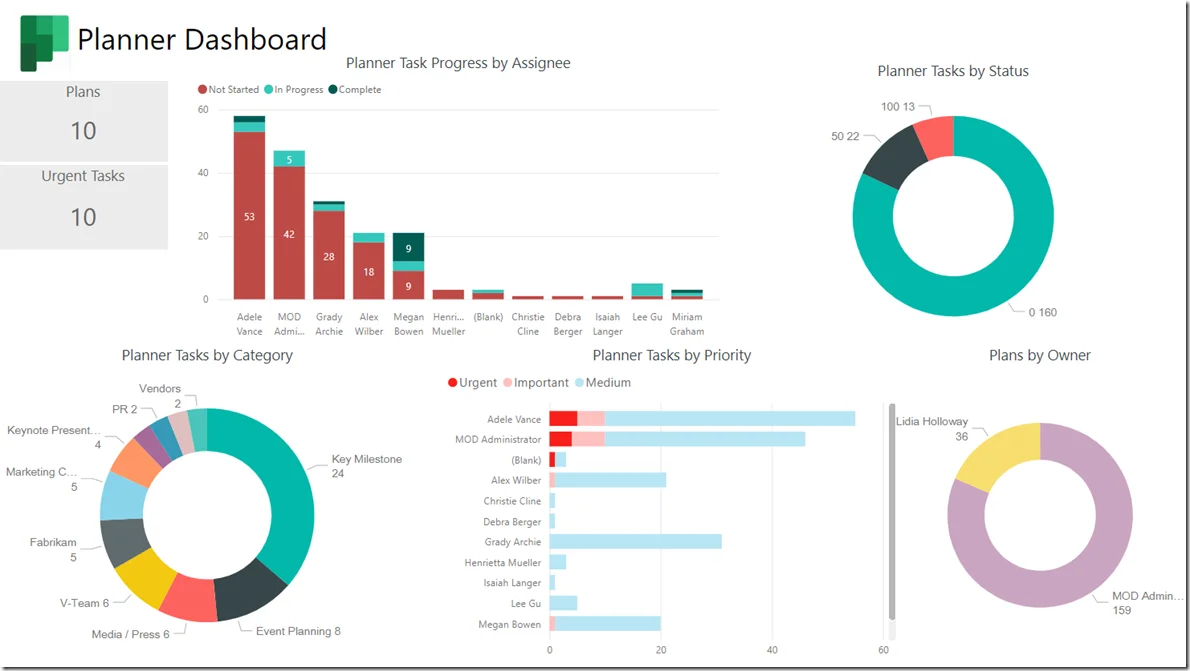
Microsoft Planner is the practical starting point if your organization already standardizes on Microsoft 365 and wants project work to stay inside the environment employees use every day. Rather than replacing a specialist PPM suite, its value comes from lowering adoption friction through identity and security foundations employees already trust.
Microsoft keeps merging Planner and Project experiences, so validate the current naming and licensing for your tenant before assuming feature parity. Planner can be sufficient for many teams, but complex portfolio governance and specialist resource planning may still need a dedicated platform.
Key features
- Task management and team work plans
- Board, schedule, timeline, and goal views
- Task coordination in Microsoft Teams
- Microsoft 365 identity and collaboration integration
- Project-style planning features in applicable Planner plans
Enterprise readiness
- Microsoft Entra ID integration
- Tenant-level user lifecycle controls
- Microsoft 365 audit and compliance capabilities
- Licensing and regional terms confirmed with Microsoft
Pros
“What I like most is how easy it is to organize work with it. I use it to track tasks, assign work, set due dates, and monitor progress without making everything feel complicated. The board view is straightforward, so I can quickly see what’s pending, what’s in progress, and what’s already completed.” – G2 reviewer
- Native Microsoft 365 and Teams fit
- Lower contributor adoption friction
- Established Microsoft identity and compliance foundation
Cons
“Sometimes the reminders overlook the date and time I set and send notifications at random times. Also, when I flag emails in Outlook with a specific date, Planner still marks them as due the same day, ignoring the date I selected.” – G2 reviewer
- Planner and Project naming and entitlement changes
- Limited portfolio governance and resource planning depth
- Premium scheduling features tied to higher licensing tiers
Pricing
- Microsoft 365 and Planner pricing varies by plan
- Existing Microsoft 365 entitlements may include Planner capabilities
- Premium scheduling, resource, portfolio, and compliance requirements confirmed with Microsoft
Wrong fit for: PMOs that need sophisticated cross-portfolio resource, financial, and scenario planning in one specialist system.
4. Teamflect
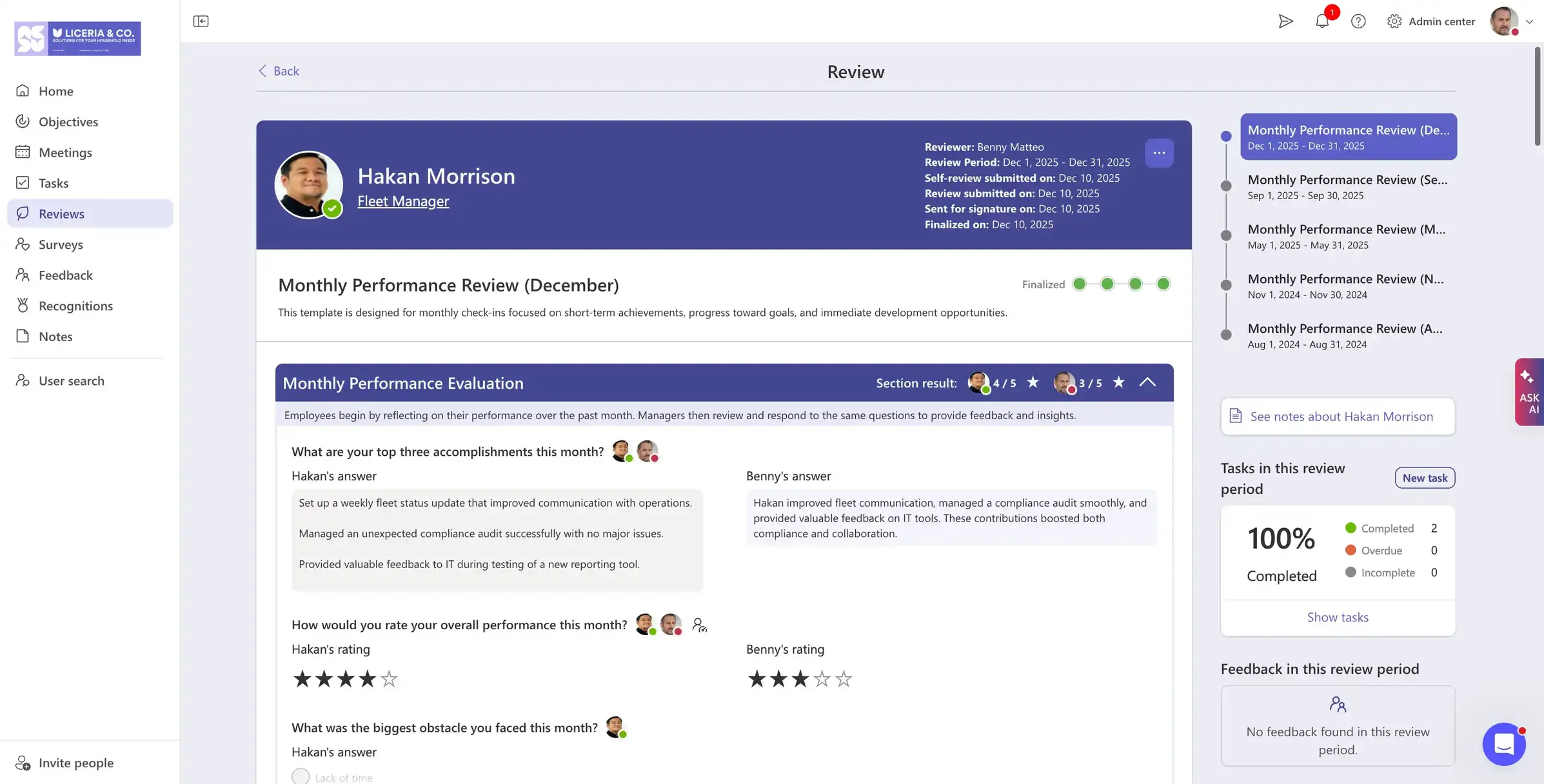
Teamflect fits Microsoft 365 organizations that want projects to stay visible inside Microsoft Teams and Outlook, while connecting that work to people programs like goals and recognition. Think of it as a Microsoft 365 people-platform choice with lightweight project visibility, not a general substitute for a full enterprise PPM suite.
The Teams-first approach works well when the real adoption problem is that employees already live in Teams and won't reliably move to a separate project platform. Goals and project work also connect more easily when people programs already run in that same environment.
Key features
- Teams-based goals, reviews, feedback, and recognition
- Project and task visibility in Microsoft 365 workflows
- People-program workflows and onboarding support
- Microsoft 365 integration and Teams-first experience
- Reporting across people and work processes
Enterprise readiness
- Microsoft 365 ecosystem deployment
- Tenant administration requirements to confirm
- Provisioning and offboarding controls to validate
- Audit, data handling, and retention requirements to confirm
Pros
"Completing review cycles inside Microsoft Teams has removed the usual chase for form submissions. Managers and employees work in the same environment they already use, which has improved both speed and consistency." – G2 reviewer
- Projects and people programs in Microsoft Teams
- Teams and Outlook adoption advantages
- Connected goals, reviews, recognition, and onboarding workflows
Cons
"On Integrations, it works best within the Microsoft ecosystem, so it may feel limiting for companies using a wider mix of third-party tools." – G2 reviewer
- Tied to the Microsoft 365 ecosystem, with less value for teams outside it
- Not a system of record for core HR functions like payroll or benefits
Pricing
- Starter: Free for up to 10 users
- Essential: $9 per user/month billed monthly, or $7 per user/month billed annually
- Professional: $14 per user/month billed monthly, or $11 per user/month billed annually
- Enterprise: Custom quote
Wrong fit for: Teamflect fits best inside Microsoft 365, so it may be a weaker match outside that ecosystem or for organizations that need core HRIS functions like payroll and benefits alongside project visibility. Organizations evaluating project delivery alongside people programs can also compare performance-management platforms and onboarding software as adjacent categories.
5. Asana
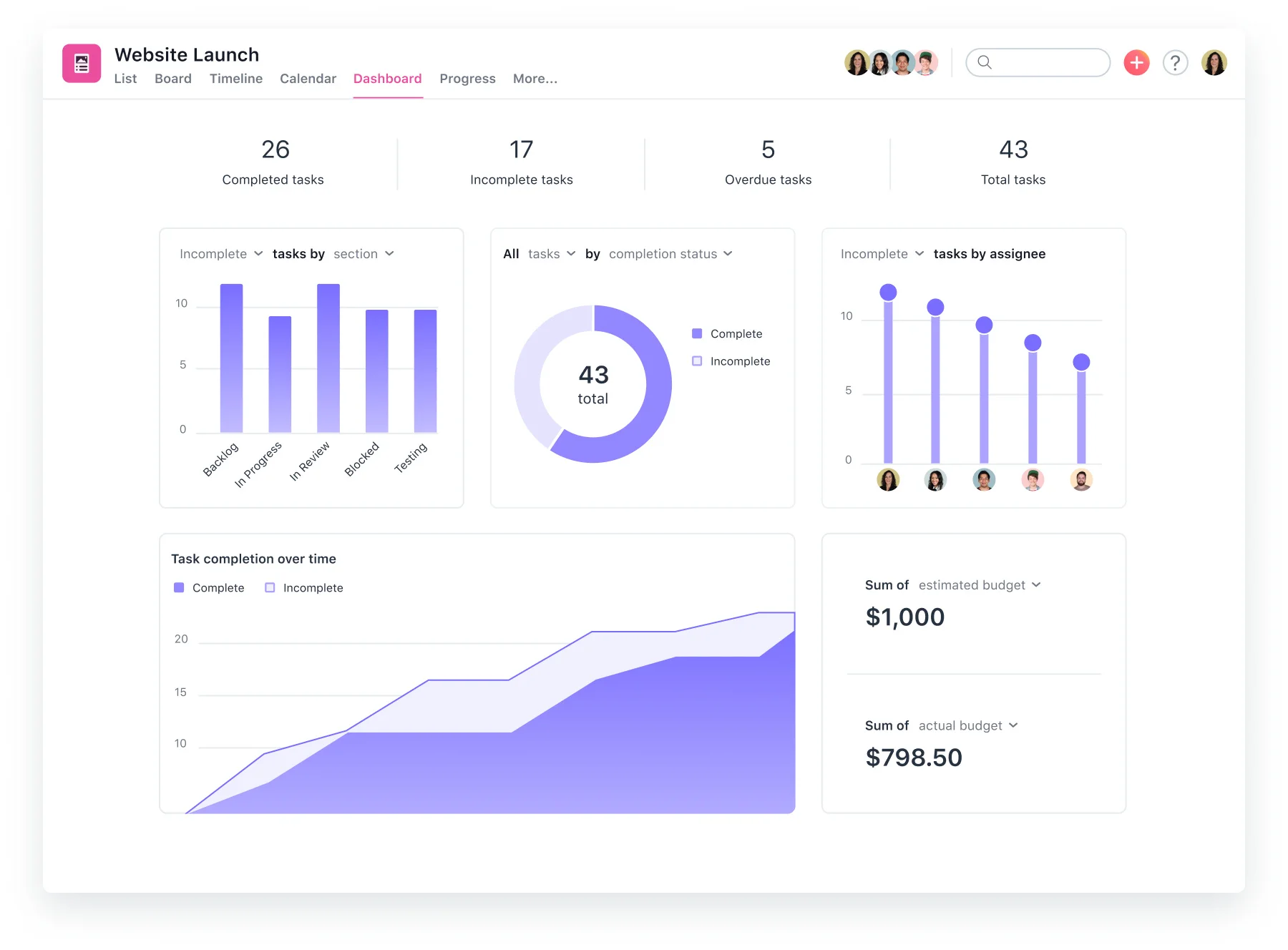
Asana is well suited to enterprises where adoption is the binding constraint. The platform gives non-specialist users a clear work-management experience while still connecting daily work to portfolios and organizational goals. As a result, teams across the business can participate, not just trained project managers.
Asana is lighter on deep resource and capacity planning than platforms built around PPM or professional-services delivery, though. For this reason, organizations with heavy resourcing needs should test those specifically before standardizing on it.
Key features
- Projects, tasks, portfolios, and workload views
- Goals tied to organizational priorities
- Rules, forms, templates, and workflow automation
- Microsoft 365 and Slack integrations
- Cross-functional reporting and status updates
Enterprise readiness
- SAML-based SSO for enterprise customers
- SCIM user provisioning
- Audit logging and Enterprise+ SIEM integration
- Enterprise+ data residency and dedicated workspaces
Pros
“What I like best about Asana is how easy it makes it to keep everything organized in one place. We can clearly see what needs to be done, who is responsible for it, and when it is due. It has made managing projects and communicating across our team much easier.” – G2 reviewer
- Broad cross-functional adoption
- Goals and portfolios connected to daily work
- Documented enterprise identity and audit controls
Cons
“One thing I'd like to see improved in Asana is the ability to use more complex logic in reporting and dashboards. Right now, I have to manually update date ranges, but it would be amazing to just use terms like "this fiscal year" or "in the past thirty days". It would save me from having to constantly update those dashboards every month.” – G2 reviewer
- Lighter specialist resource-capacity planning
- Limited labor-cost and skills-based allocation depth
- Custom enterprise pricing and scope
Pricing
- Enterprise: Custom quote
- Enterprise+: Custom quote
- Published lower-tier plans available
- Security, data residency, SIEM, support, and implementation scope confirmed with Asana
Wrong fit for: Enterprises whose central requirement is detailed resource financials, skills-based staffing, or specialist PPM governance.
6. monday.com
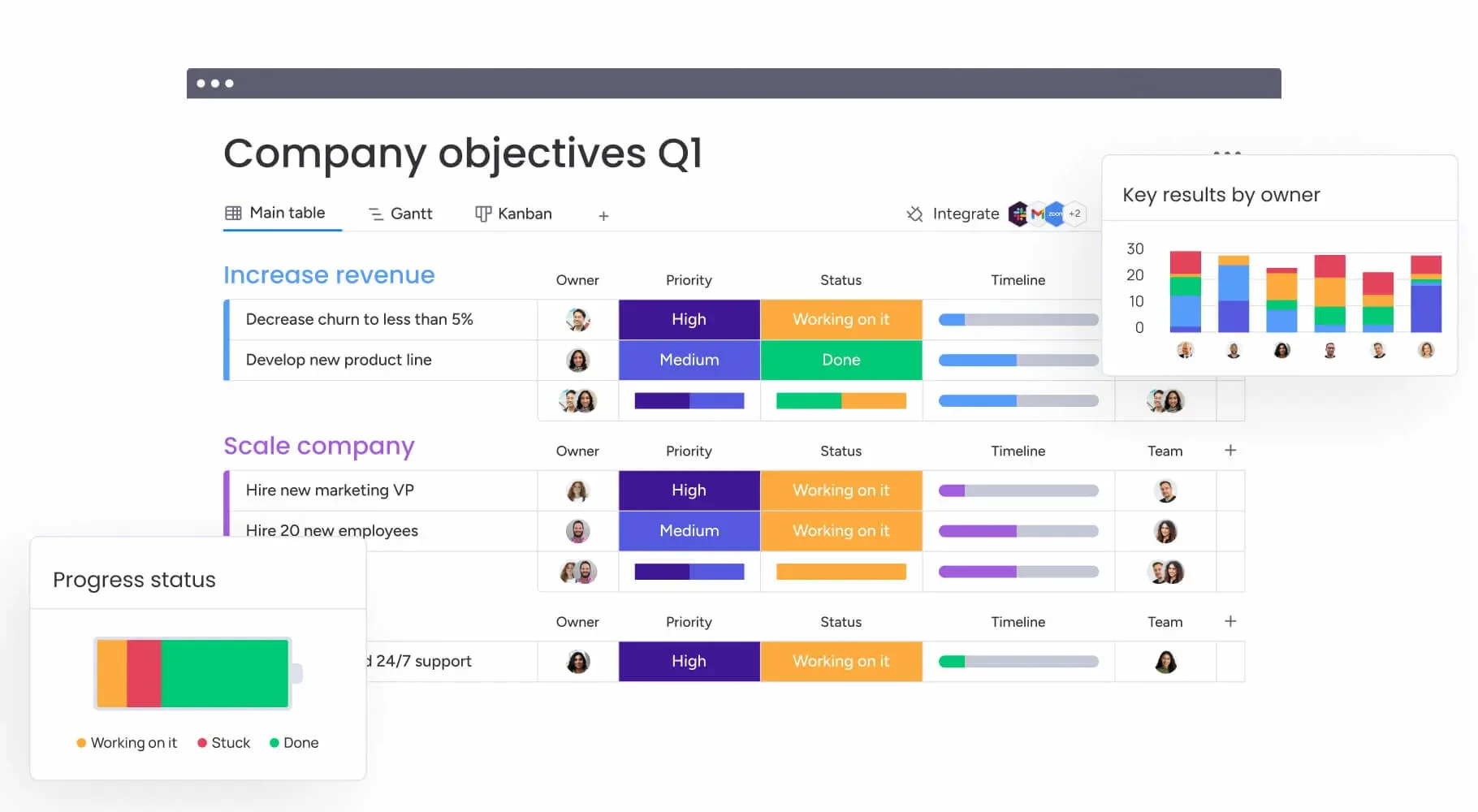
monday.com is a strong option if your enterprise wants to shape its own workflows rather than adopt a tightly prescribed project methodology. Its visual boards and configurable fields stretch well beyond standard project tracking, from intake and approvals to campaign operations.
The flexibility needs governance, however, since teams that build boards and fields on their own can lose common definitions fast. A successful rollout usually starts with a controlled data model and an honest call about which workflow variation is genuinely necessary.
Key features
- Configurable boards, views, fields, and workflows
- Automations, forms, and integrations
- Dashboards and visual reporting
- Workspaces and permissions for larger organizations
- Multiple work-management products and use-case templates
Enterprise readiness
- Multiple enterprise SSO provider options
- SCIM provisioning scope confirmed in contract
- Advanced audit logs and enterprise controls
- Security, encryption, key-management, and compliance documentation
Pros
“I really like the platform’s performance and versatility. The UI is excellent, and it integrates smoothly with the different apps we use at work. I especially appreciate having easy access to all our information, including records going back several years.” – G2 reviewer
- Highly configurable operational workflows
- Accessible visual boards and dashboards
- Documented enterprise SSO and audit controls
Cons
“Three areas I think could use improvement are the file upload and export functions, and the way board columns are assigned across groups. I realized too late that if I delete a column in one group, it deletes that same column in every other group on the board as well. I feel like I should be able to customize columns within each group without having to rely on the Filter to create separate group views.” – G2 reviewer
- Reporting inconsistency without board governance
- Template, terminology, permission, and automation oversight
- Custom enterprise entitlements and pricing
Pricing
- Enterprise: Custom quote
- Published lower-tier plans available
- Security, support, automation, integration, and implementation scope confirmed with monday.com
Wrong fit for: Organizations that need a highly standardized, opinionated PPM model with limited room for local workflow design.
7. Notion
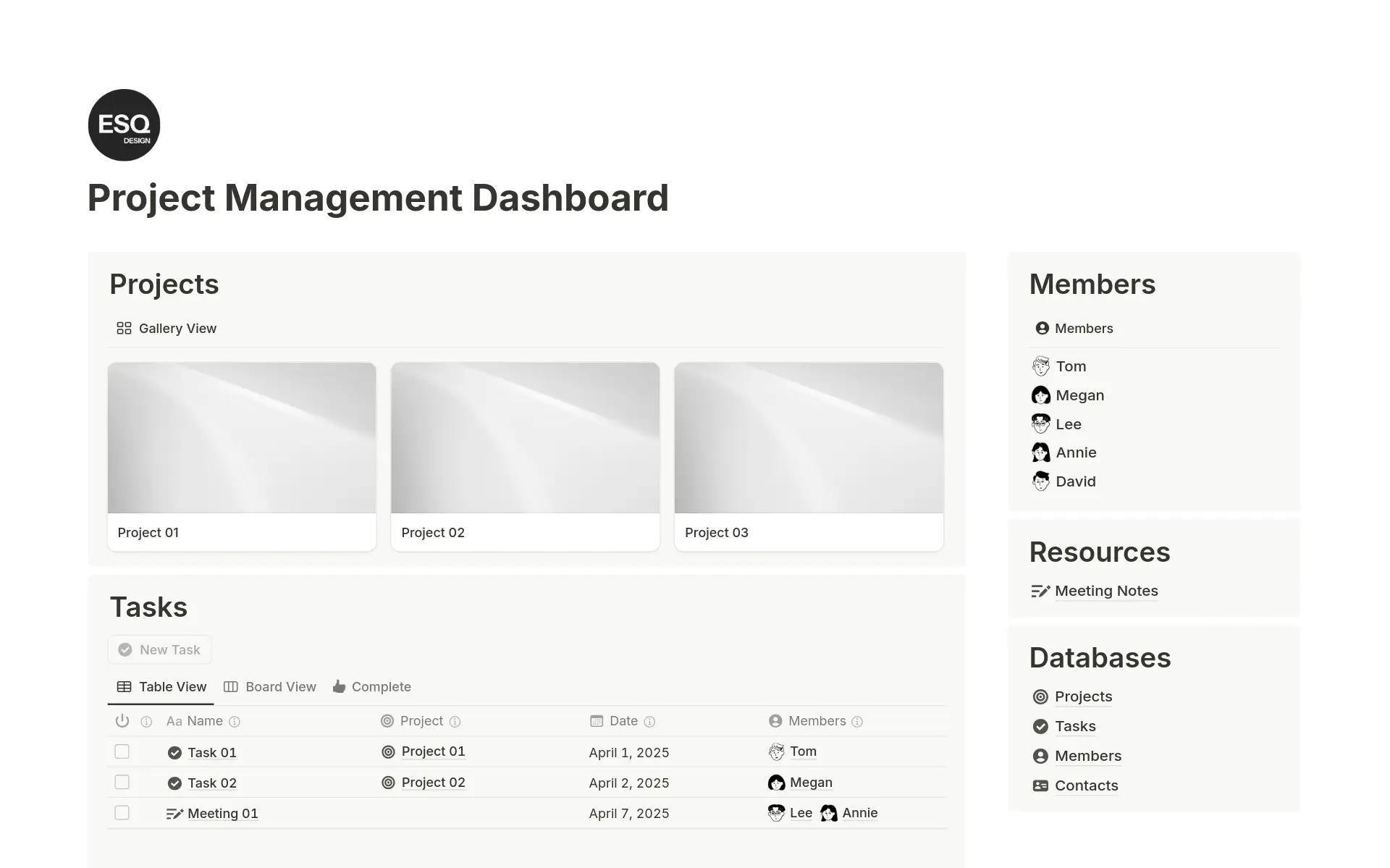
Notion fits enterprises that want project tracking and team knowledge living in one workspace. Its advantage is contextual work, since a project plan can sit right beside the decision record and research notes instead of scattered across separate systems.
Notion is not a specialist scheduling or resource-management platform, though, and it works best where knowledge and coordination are the real problem. Teams that need complex dependencies or detailed financials should keep a dedicated delivery system in scope.
Key features
- Connected documents, databases, and project pages
- Project and task databases with multiple views
- Templates, forms, automations, and knowledge management
- Collaborative specifications and decision records
- Enterprise search and workspace administration
Enterprise readiness
- SAML SSO in plan materials
- SCIM provisioning for Enterprise
- Audit log and advanced Enterprise security controls
- Security, privacy, data-residency, DLP, and SIEM requirements to confirm
Pros
“Notion replaced three separate tools for us: wiki, task tracker and CRM with one workspace. Databases with linked views are the killer feature: the same list of clients shows up as a table for me, a kanban for the team and a calendar for deadlines, and it's all one source of truth. Pages load fast. API let us pipe campaign results in from our own scripts without any hacks.” – G2 reviewer
- Projects and operating knowledge in one workspace
- Flexible project context for product and operations teams
- Enterprise SCIM, audit log, and advanced security controls
Cons
“Sometimes the lockside menu does not show all the pages I have, and I have been struggling to find where I want to work or the spaces I am looking for. I think that sidebar could be improved, to always show the static pages and just at the top of it to pop-open the last ones I visited.” – G2 reviewer
- No dedicated capacity-planning or portfolio-management depth
- Separate tooling for complex dependencies and financials
- Enterprise controls and pricing requiring contract confirmation
Pricing
- Enterprise: Custom quote
- Published lower-tier plans available
- SCIM, audit log, advanced controls, data residency, and support confirmed in Enterprise package
Wrong fit for: PMOs that require sophisticated resource allocation, cost planning, and formal portfolio governance.
8. Teamwork
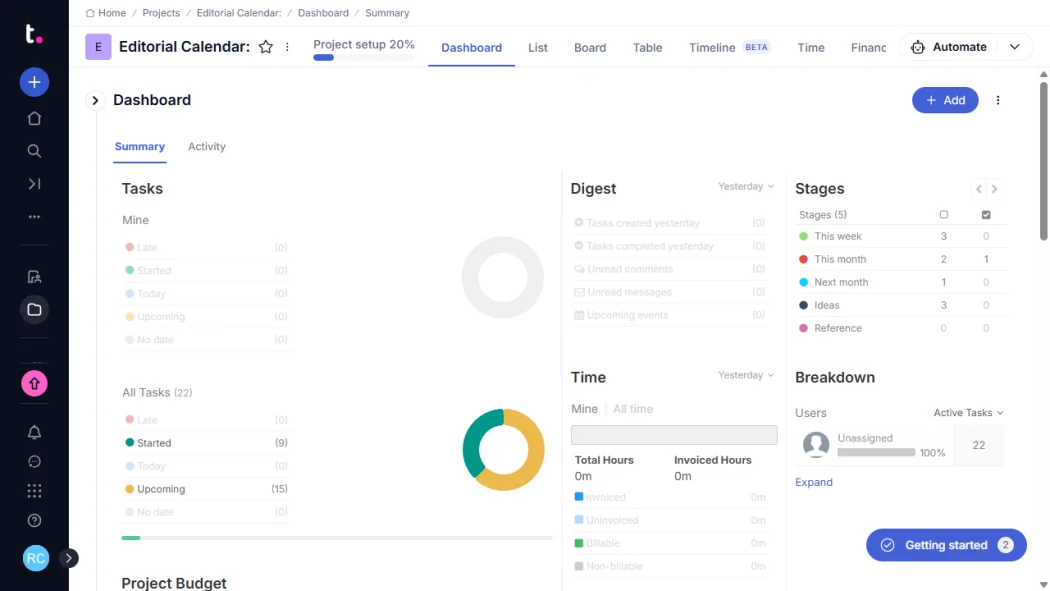
Teamwork is built for client-facing and professional-services delivery. Agencies and consultancies get a meaningful enterprise option here, one that connects projects to billable time and profitability instead of treating them as generic tasks. The operating model differs enough from general corporate work management to earn its own place on the shortlist.
Outside services delivery, however, its specialization can become a constraint. For this reason, internal teams outside client delivery should test whether the client-service orientation adds useful structure or just adds complexity.
Key features
- Client project workspaces and collaboration
- Time tracking and billable-time workflows
- Resource scheduling and workload management
- Project budgeting and profitability visibility
- Task, milestone, and delivery reporting
Enterprise readiness
- SSO and identity-provider configuration to validate
- SCIM provisioning requirements confirmed with vendor
- Audit-log scope, retention, and export requirements to confirm
- Trust and compliance documentation for client-data review
Pros
“We run a white-label development agency managing multiple client projects at once, often across different platforms and time zones, so having accurate time tracking and billing tied directly to project work has been essential — and this is where Teamwork.com really delivers.” – G2 reviewer
- Client delivery, billable time, and utilization workflows
- Project budgets and profitability context
- Resource scheduling for service commitments
Cons
“Sometimes when many projects and tasks are running together, the notification section can become a little crowded and important updates may get missed if not managed properly. I also feel that a few features are hidden inside different menus, so finding some settings or reports can take a little extra time in the beginning.” – G2 reviewer
- Client-service orientation beyond many internal portfolio needs
- Enterprise identity and audit controls requiring validation
- Custom Scale pricing and deployment scope
Pricing
- Scale: Custom quote
- Modules, services, security controls, and minimum commitments to confirm
- Implementation, support, and client-collaboration scope confirmed in proposal
Wrong fit for: Internal teams that do not manage client work, billable time, or project profitability.
9. Jira and Jira Align
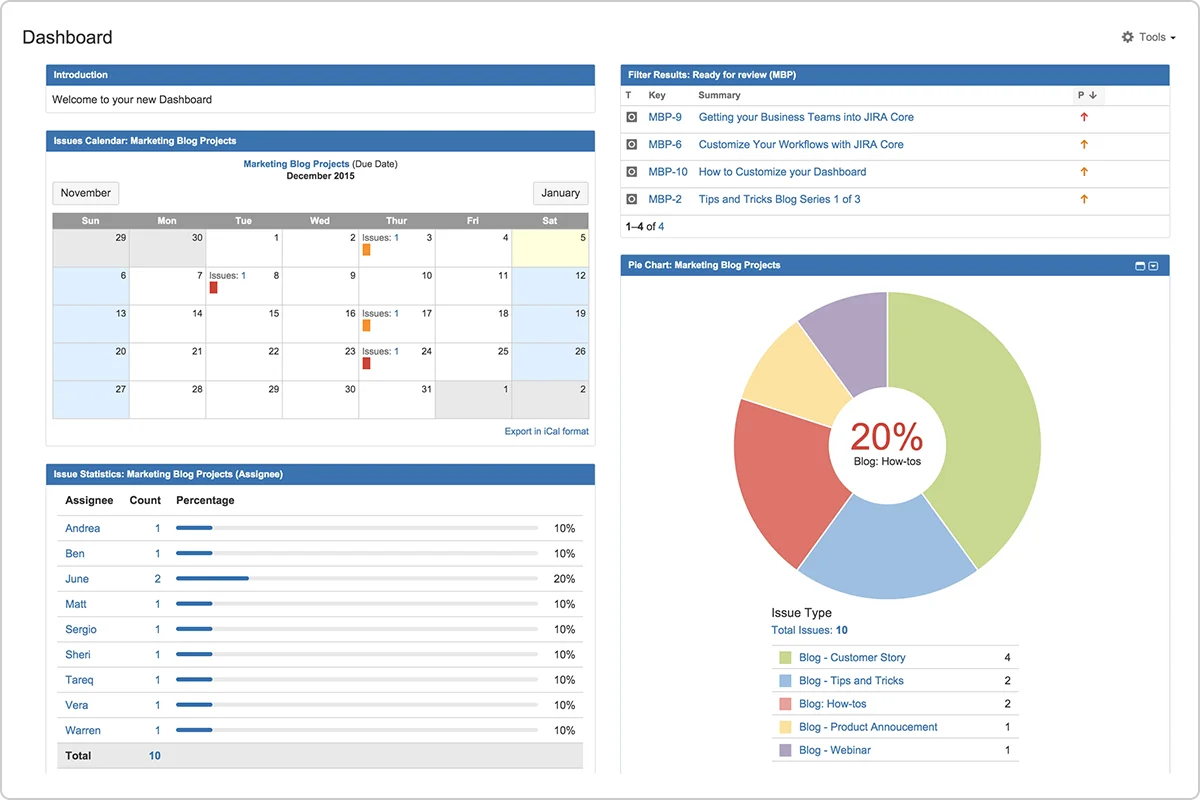
Jira is the natural choice for software and product organizations that need agile work management with deep configurability. Jira Align then adds a portfolio layer, connecting strategy and funding decisions to delivery work across many agile teams. Together, they can provide a serious enterprise delivery environment when engineering is central to the portfolio.
The cost is administrative complexity, since Jira’s flexibility only pays off when someone actually owns the workflow standards. Without that ownership, teams end up with configurations that don’t roll up cleanly across the portfolio. For organizations linking strategy to execution, a parallel review of OKR software can clarify how goals should connect to delivery data.
Key features
- Agile backlog, sprint, release, and issue management
- Configurable workflows, permissions, and automations
- Roadmaps and cross-team planning
- Jira Align portfolio planning for enterprise deployments
- Large integration ecosystem for development and product workflows
Enterprise readiness
- SSO and SCIM through applicable Guard and Enterprise offerings
- Guard, edition, and collection requirements to confirm
- Plan-dependent organization and user-activity audit logs
- Cloud or deployment-model trust, residency, and compliance review
Pros
“Jira is a very powerful issue-tracking and project management tool, and it’s one of the most commonly used tools for project management. We use it for agile planning, bug tracking, and for creating stories and incidents. The UI/UX is simple and user-friendly, and it’s also easy to customize to fit our needs.” – G2 reviewer
- Deep agile delivery for engineering and product teams
- Portfolio planning through Jira Align
- Extensive development workflow configuration and integrations
Cons
“Jira can feel a bit complex and overwhelming for new users, especially with the number of configuration options and workflows available. The UI can also feel cluttered at times, and some features require multiple clicks to complete simple tasks.” – G2 reviewer
- Significant administrative and configuration overhead
- Inconsistent reporting without strict workflow governance
- Multiple product and plan dependencies for enterprise controls
Pricing
- Jira Enterprise: Custom quote
- Jira Align: Custom quote
- Atlassian Guard and security components may require separate pricing or entitlement confirmation
- Identity, security, analytics, and portfolio solution priced as a whole
Wrong fit for: Organizations that need a low-training, broadly adopted work-management platform for non-technical users.
10. ClickUp
.webp)
ClickUp is for enterprises that want broad work-management functionality with a lower published entry price than many enterprise-focused alternatives. Tasks, documents, and automation all live in one platform here rather than across several point tools. The breadth can be attractive to organizations trying to reduce the number of tools used by individual teams.
Its main risk is interface and configuration density, since a platform that can do many things can also present too many choices to occasional users. For this reason, test performance and adoption with realistic portfolio data rather than a small demonstration workspace.
Key features
- Tasks, docs, goals, whiteboards, and dashboards
- Multiple work views and custom fields
- Automations, forms, and templates
- Workload and reporting capabilities
- Enterprise roles, permissions, and API options
Enterprise readiness
- SAML SSO for Enterprise
- SCIM provisioning for Enterprise
- Enterprise Audit Log
- Security certifications, data residency, retention, and contractual requirements to confirm
Pros
“I like that I can customize every aspect of how I manage my set up. I have been able to integrate within my workspace program, it's flexible and intuitive for my team when moving on to the next steps required for the projects. Being able to with Brain to help build in agents to support my processes reducing the amount of time I am paying team members to help do repetitive work.” – G2 reviewer
- Broad work-management functionality in one platform
- Lower published Business entry price
- Enterprise SAML SSO, SCIM, and audit logging
Cons
“I don't like that everything is treated as a "task", even when I change the task type to "Epic" it is still treated as a task. In my opinion, it would be great to have a step to add a given set of user stories inside an Epic before creating it.” – G2 reviewer
- Dense interface for occasional contributors
- Complex permissions, reporting, and information architecture
- Enterprise security and pricing requiring custom scope
Pricing
- Business: $12 per user/month when billed annually
- Enterprise: Custom quote
- SAML SSO, SCIM, Audit Log, and advanced security controls confirmed in Enterprise proposal
Wrong fit for: Enterprises that prefer a highly constrained product with minimal configuration choices and a simpler operating model.
How to Choose the Right Project Management Software
Start with the failure you are trying to prevent, not with the feature list, since an enterprise platform should reduce manual consolidation and close capacity blind spots rather than just add features.
With this in mind, the table below can help your team build a more defensible shortlist:
Your final decision is often part of a broader consolidation effort. If that is the case, assess how the project platform will connect with the rest of your enterprise HR software and workforce technology environment, from identity and reporting to employee communications.
FAQs About Enterprise Project Management Software
What is enterprise project management software?
Enterprise project management software helps you govern work across many teams and business units at once. Beyond tasks and schedules, it needs identity and audit controls, plus reporting and capacity planning that scale with your organization. The specific mix depends on what kind of work you're running, whether that's corporate initiatives or client delivery.
How much does enterprise project management software cost?
Enterprise pricing is commonly custom-quoted because it depends on your user count and the specific security and implementation requirements involved. Published lower-tier prices can help with early budgeting, but if you need SSO or other enterprise-only controls, confirm the full package directly with the vendor.
What is the difference between project management and project portfolio management software?
Project management software helps you plan and deliver individual projects. Project portfolio management software adds a layer on top of that, covering prioritization and resource capacity across your whole portfolio. Some platforms handle both, while others need an add-on or a separate product, so validate the depth you actually need instead of trusting the label.
What security certifications should enterprise project management software have?
The right requirements depend on your risk profile and where you operate. Procurement teams commonly assess identity and access controls alongside independently assessed certifications such as SOC 2 Type II or ISO 27001. Confirm every requirement in the vendor’s current trust documentation and contract, since availability can vary by product and plan.
Can Microsoft 365 handle enterprise project management on its own?
Microsoft Planner can be a practical choice if your organization already standardizes on Microsoft 365 and needs work management inside that environment. Many teams will find it sufficient, especially when adoption and identity integration are the main concerns. If you need deep portfolio governance or highly configurable workflows, though, test Planner against dedicated enterprise project-management systems.