


.svg)
Recruiting teams usually know where hiring slows down, whether it's slow candidate replies or an interview calendar that never clears. AI use in HR also jumped to 43% in 2025, up from 26% the year before, according to SHRM's 2025 Talent Trends research. Recruitment automation can remove some of that work. The right tool, though, depends on where the delay starts.
A sourcing platform does a different job from a scheduling assistant, and an ATS with workflow automation does something different again. More importantly, a tool that screens or ranks candidates creates a different level of responsibility than one that sends interview reminders. After all, your company still owns the hiring process, even when software carries out part of it.
The list below sorts recruitment and recruiting automation tools by the work they actually remove, so use it to match a platform to the bottleneck in your funnel. From there, look past the surface features to how the tool actually fits your process before making a decision.
What Recruitment Automation Actually Automates
Recruitment automation can cover several parts of the hiring funnel, but no single platform handles every part in the same way. Some tools help you find people, while others answer applicant questions or schedule interviews.
At the same time, a few sit inside the ATS and automate the workflow around the candidate record. With this in mind, sorting those jobs first can save you from buying a broad platform for a narrow problem.
1. Sourcing and Outbound
Sourcing and outbound tools help recruiters find and stay in touch with passive candidates long before a role opens. hireEZ and Gem sit at the top of the funnel, and together they can reduce research and follow-up work, though recruiters still decide who to contact and how to assess fit.
2. Conversational Screening and Scheduling
Conversational tools use chat or text messages to handle the back-and-forth of early hiring, from answering common questions to booking the next interview. Paradox is the main example in this group, and high-volume hourly hiring teams often benefit the most because candidates can move forward without waiting for a recruiter to reply.
3. Assessment and Structured Screening
Assessment tools standardize an early part of the evaluation process. Sapia.ai, for example, uses automated chat interviews to gather candidate responses and create structured reports. Do not treat this as simple automation. A tool that affects who advances needs more oversight than one that only books a meeting.
4. Interview Coordination
Interview coordination is mostly an operations problem, and GoodTime removes the manual work of lining up panels and keeping everyone on schedule. Because of this, it ranks among the easier types of recruitment automation to justify, since the time spent coordinating interviews is usually visible already.
5. ATS-Native Workflow Automation
ATS-native automation keeps tasks close to the candidate record. Greenhouse, SmartRecruiters, Workable, Ashby, and Bullhorn all fall into this group, although Bullhorn is designed for agencies. Together, these platforms can automate much of what happens around a candidate record, well beyond just storing it. Because the workflow stays in the system of record, your data is less likely to drift across several tools.
Most teams end up using an ATS plus one or two focused tools, since a scheduler does not need to compete with a sourcing platform. From there, start with the part of the funnel that costs your team the most time or leads to the biggest candidate drop-off.
What to Look For
Feature lists can make recruitment automation tools look similar, but the difference usually shows up in the workflow itself. With that in mind, look at what the platform can complete on its own and what the candidate actually experiences along the way.
1. ATS Integration Depth
Candidate information should not live in two competing systems, so ask whether the platform keeps your ATS updated in both directions, not just reads from it. In the end, a generic integration claim will not tell you who has to fix records when the connection breaks.
2. Candidate Experience
Automation is part of the candidate experience whether you intend it to be or not, so consider how the experience feels on a phone and whether a candidate can still reach a person when they need one. In addition, candidates should understand when an automated system is involved in their process.
3. Compliance Posture
Screening, ranking, and assessment tools need a closer review than basic scheduling tools, so ask how the vendor handles candidate notice and human review. Before you use an automated output to influence a hiring decision, bring in your legal or compliance team.
4. Human Oversight Controls
A recruiter or hiring manager needs a meaningful way to review important outcomes, so ask whether you can require a human review before rejection and whether the system can explain what led to a recommendation. Ultimately, a human review step only matters when people are expected to use it.
5. Pricing Model and Entry Cost
Pricing can follow several different models, from per-seat fees to volume-based contracts, and the subscription price is not the only cost to consider. On top of that, setup and support costs can change the first-year number more than the sticker price suggests.
Before You Buy: Who Carries the Legal Risk
Employers remain responsible for their hiring decisions when they use automated screening, ranking, or evaluation tools. Because rules differ across jurisdictions and continue to change, get advice that reflects the locations where you hire before turning on automation that affects who advances or gets rejected.
A scheduling assistant has a different risk profile from a screening tool, and the concern grows once software starts making judgment calls about candidates that a recruiter accepts without a second look. Even so, vendor marketing does not move that responsibility away from your organization.
Put This in the Contract: Ask for current documentation on how the tool is tested and how you can meet candidate-notice and human-review requirements. Ask whether the vendor will support your audit process if you need one. Get those commitments in the contract, not only in a sales call.
- Ask for Current Testing Evidence: A useful evaluation should show when the testing happened, how it was done, and where the data has limits.
- Ask Who Conducted the Review: Independence matters when a company is evaluating its own model or has a financial interest in the outcome.
- Require Human Review Before Rejection: Confirm whether your team can review an automated result before a candidate receives a final decision.
- Review Candidate Notice and Access: Candidates need a clear way to understand the process and get help when they cannot complete it.
- Keep Existing Employment Obligations in View: General discrimination rules still apply even where a location does not have a specific AI hiring rule.
Automation can support a more consistent process, but it will not fix weak hiring criteria. Inclusive hiring also depends on how you define qualifications and review outcomes, so some teams may find it helpful to compare diversity recruiting tools while they review those practices.
How We Evaluated These Tools
We evaluated each platform by what it actually automates, how well it fits into an existing ATS, and what the experience looks like for candidates and recruiters alike. In each case, a focused tool was not ranked lower simply because it covers one stage of hiring. Likewise, a broader platform was not ranked higher only because it has more features. Software changes quickly, so check current ratings and reviews on G2 and Capterra before you decide.
Evaluation date: September 2026.
Recruitment Automation Software at a Glance
Every platform below solves a different problem, so use the table to narrow your list before booking demos. Keep in mind that marketplace ratings and review counts change often, so check them on G2 and Capterra before you make a final buying decision.
| Tool | Best For | What It Automates | Pricing | Evaluation Path |
|---|---|---|---|---|
| Paradox | High-volume applicant response and scheduling | Chat, SMS, screening, reminders, scheduling | Custom quote | Demo-led |
| Greenhouse | Structured hiring inside an ATS | Approvals, interview plans, tasks, communication | Custom quote | Demo-led |
| hireEZ | Passive sourcing and outreach | Research, enrichment, sequences, follow-up | Custom quote | Demo-led |
| SmartRecruiters | Enterprise recruiting operations | Workflow, matching, communication, scheduling | Custom quote | Demo-led |
| Gem | Recruitment marketing and nurture | CRM activity, outreach, nurture campaigns | Custom quote | Demo-led |
| Workable | Small and mid-sized recruiting teams | ATS workflow, sourcing, interviews, assessments | Published plans and custom options | Trial and demo options |
| Sapia.ai | Structured early-stage screening | Chat interviews, responses, evaluation reports | Custom quote | Demo-led |
| GoodTime | Panel and loop coordination | Scheduling, interviewer matching, reminders | Custom quote | Demo-led |
| Ashby | Data-led recruiting operations | ATS workflow, scheduling, reporting, automation | Foundations from $400/mo, custom above | Published pricing, demo for higher tiers |
| Bullhorn | Staffing and recruitment agencies | Agency CRM, sourcing, workflow, placements | Starter from $99/user/mo, custom above | Published pricing, demo for higher tiers |
The 10 Best Recruitment Automation Tools
Each tool below belongs to a different part of the recruitment automation category, so read the automation section first. Next, look at the compliance notes and limitations, because a platform can be useful and still be the wrong fit for the process you are trying to improve.
1. Paradox
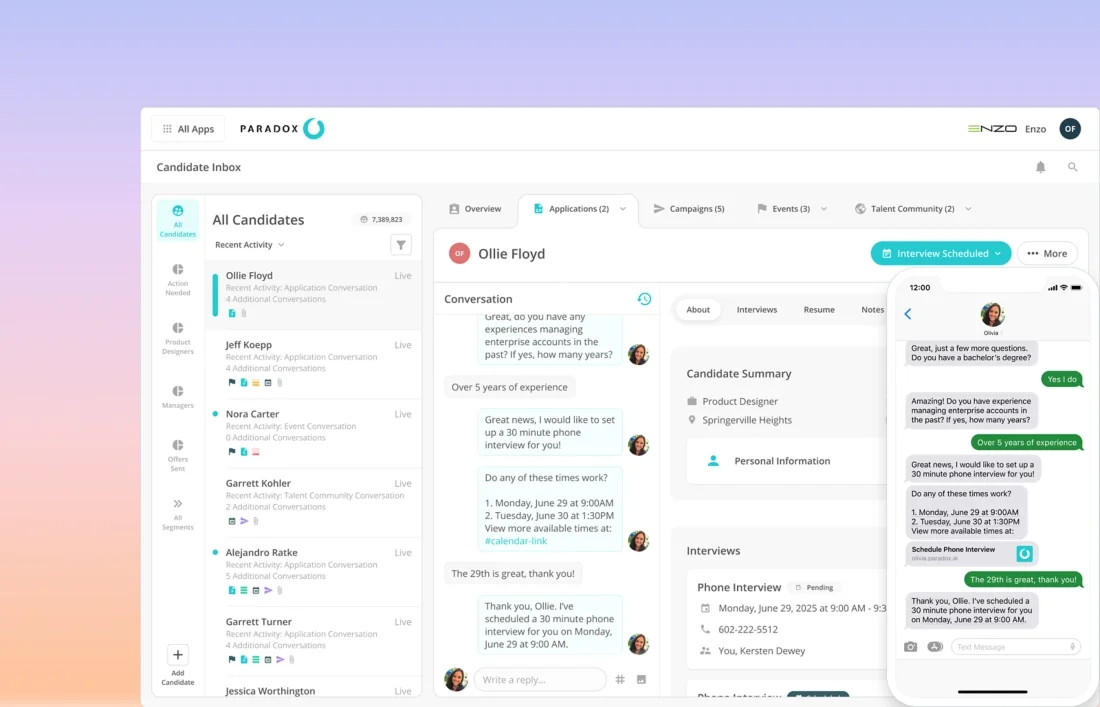
Paradox is built for high-volume hiring teams that need to respond to applicants and book interviews quickly. Its conversational assistant can answer questions and schedule interviews through chat and text, which gives recruiters more time to focus on exceptions and higher-value conversations.
High-volume, hourly-hiring industries are common fits. By contrast, a specialized hiring team with only a few open roles may not have enough volume to justify a dedicated conversational platform.
What It Automates
- Candidate questions through chat and text workflows
- Configured screening questions and routing
- Interview scheduling, confirmations, reminders, and rescheduling
- Application follow-up and status communication
Key Features
- Conversational candidate assistant
- SMS, chat, and career-site workflows
- Calendar coordination and scheduling
- ATS integrations and recruiter workflows
- Candidate journey reporting
Pros
“What I like best about Paradox is its AI-powered conversational recruiting experience. It automates time-consuming hiring tasks like candidate screening, interview scheduling, and communication, making the recruitment process much faster and more efficient.” – G2 reviewer
- Candidate responses continue outside business hours
- Less scheduling back-and-forth for recruiters
- Mobile-first communication suited to hourly hiring
Cons
“I think the flexibility could be improved when dealing with more complex or non-standard candidate conversations. The automation works really well for straightforward interactions, but sometimes a candidate has a very specific question or situation and the conversation can feel a little too structured.” – G2 reviewer
- Still needs an ATS for records, approvals, and offers
- Less valuable for low-volume, specialized hiring
- Screening rules require regular review
Pricing
- Custom quote
- Demo-led evaluation
- Confirm message volume, candidate languages, ATS integration, implementation, and support costs
Compliance Notes
Paradox can automate screening and routing based on rules your team configures. Before using those rules to affect advancement, confirm how human review and candidate notice work for your location, and ask the vendor for documentation on the specific workflow you plan to use.
Not a Fit For: Teams that mainly need passive sourcing or a full applicant tracking system.
2. Greenhouse
.webp)
Greenhouse works best for companies that want a consistent hiring process inside their ATS, where hiring plans and interview scorecards stay close to the candidate record. Rather than adding another system for core workflow, you can build more structure into the system your team already uses.
The platform needs planning before launch. For smaller teams with simple hiring processes, a lighter ATS may be easier to run.
What It Automates
- Job approval and requisition workflows
- Candidate-stage tasks and recruiter assignments
- Interview plans, scorecard reminders, and communication
- Offer approvals and recruiting reports
Key Features
- Structured hiring plans and interview scorecards
- Candidate relationship management
- Configurable workflow and permissions
- Marketplace integrations
- Recruiting reports and analytics
Pros
“I appreciate that Greenhouse is pretty customizable to what we need for our organization specifically. It has been super helpful in having external and internal job posting boards, allowing internal candidates from our organization to apply easily and enabling us to post jobs externally to gather candidates from a variety of platforms.” – G2 reviewer
- A clear home for structured hiring plans and scorecards
- A broad integration marketplace across sourcing, assessment, and HR tools
- More control through templates, permissions, and workflow rules
Cons
“Some advanced reporting and customization options can be complex and require additional time to configure. Certain workflows involve more clicks than necessary, and there are opportunities to make the interface more streamlined for frequent tasks.” – G2 reviewer
- Heavier setup before hiring plans and scorecards are ready
- High-volume screening or complex scheduling may still need a connected tool
- Quote-based pricing that requires a proposal
Pricing
- Custom quote
- Demo-led evaluation
- Confirm analytics, CRM, integrations, implementation, and support scope
Compliance Notes
Greenhouse automates ATS workflow. If you add outside assessment or AI interview tools, review each one separately, and confirm retention settings and access controls during setup as well.
Not a Fit For: Teams that already have an ATS and only need a focused sourcing or scheduling tool.
3. hireEZ
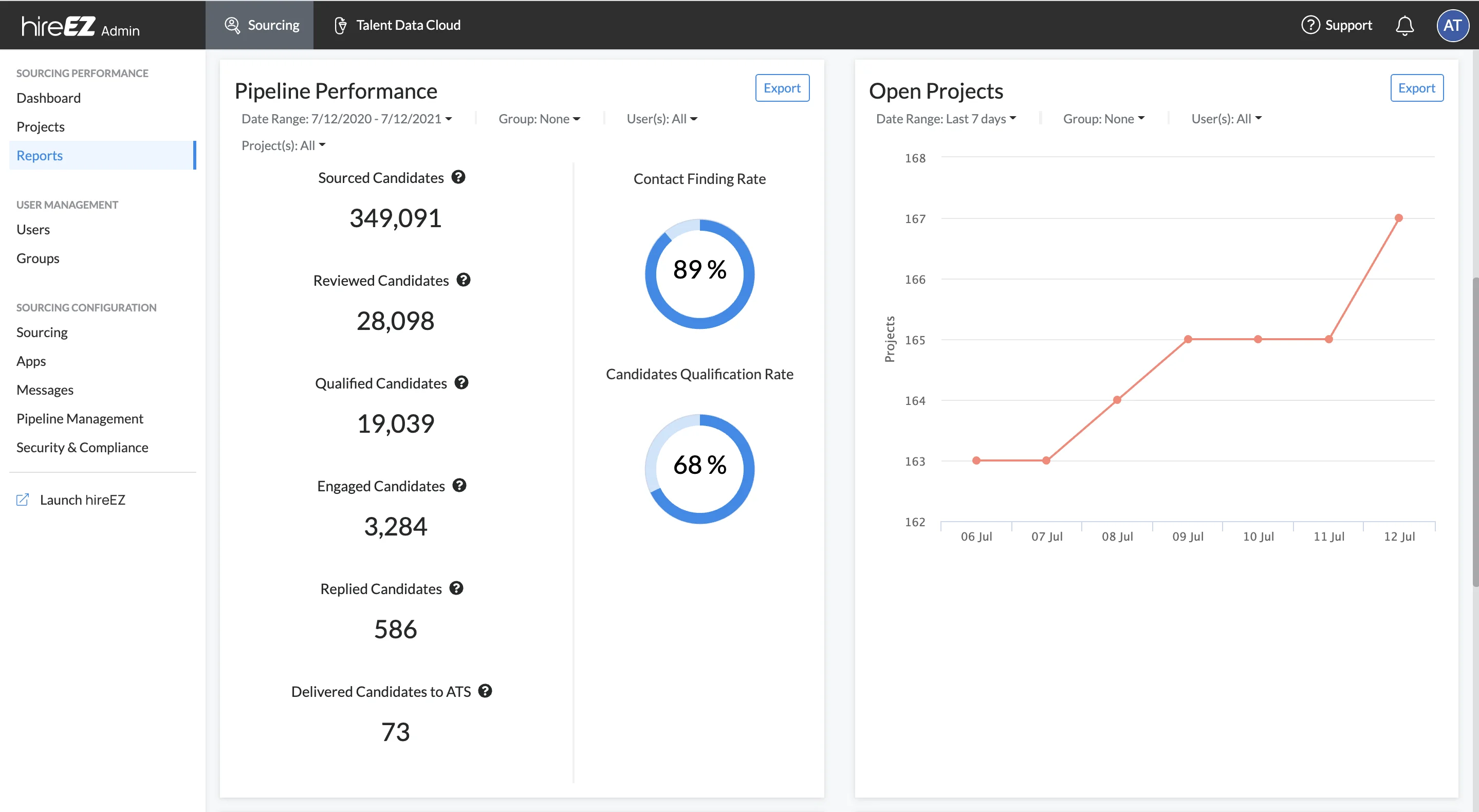
hireEZ is for teams that need more candidates at the top of the funnel, where recruiters can search and enrich candidate profiles, then automate the outreach that follows. It is particularly useful when sourcing takes too much manual research before a conversation even starts.
hireEZ does not replace a downstream hiring process, so you will still need an ATS to manage screening and everything that follows.
What It Automates
- Candidate discovery and profile enrichment
- Contact-data retrieval
- Outreach sequences and follow-up
- Candidate-list organization and pipeline activity
Key Features
- AI-assisted sourcing and search
- Talent pools and projects
- Email outreach workflows
- Recruiter collaboration tools
- ATS integrations
Pros
“I appreciate hireEZ for making it easy to create campaigns and effectively reach out to many candidates, which significantly enhances my recruiting efforts. The multi-channel outreach capability allows me to contact candidates through various platforms, ensuring broader communication reach.” – G2 reviewer
- Faster passive-candidate research across sourcing sites
- More consistent follow-up through outreach sequences
- Works alongside an ATS rather than replacing it
Cons
“Campaign management could be more user-friendly. When running multiple roles, making bulk edits or switching between sequences can feel clunky. I’d also love to see A/B testing added — it would help us experiment and optimize our outreach strategies more effectively.” – G2 reviewer
- Covers only the top of the funnel
- Recruiter judgment still needed to confirm fit
- Quote-based pricing tied to contact credits and seats
Pricing
- Custom quote
- Demo-led evaluation
- Confirm user seats, contact data, sequence volume, and integrations
Compliance Notes
hireEZ is mainly a sourcing and outreach platform. Even so, your team should review how candidate data is handled across the regions where you recruit, and confirm data-source practices and retention controls with the vendor.
Not a Fit For: High-volume teams that need applicant screening, scheduling, or end-to-end ATS workflow.
4. SmartRecruiters
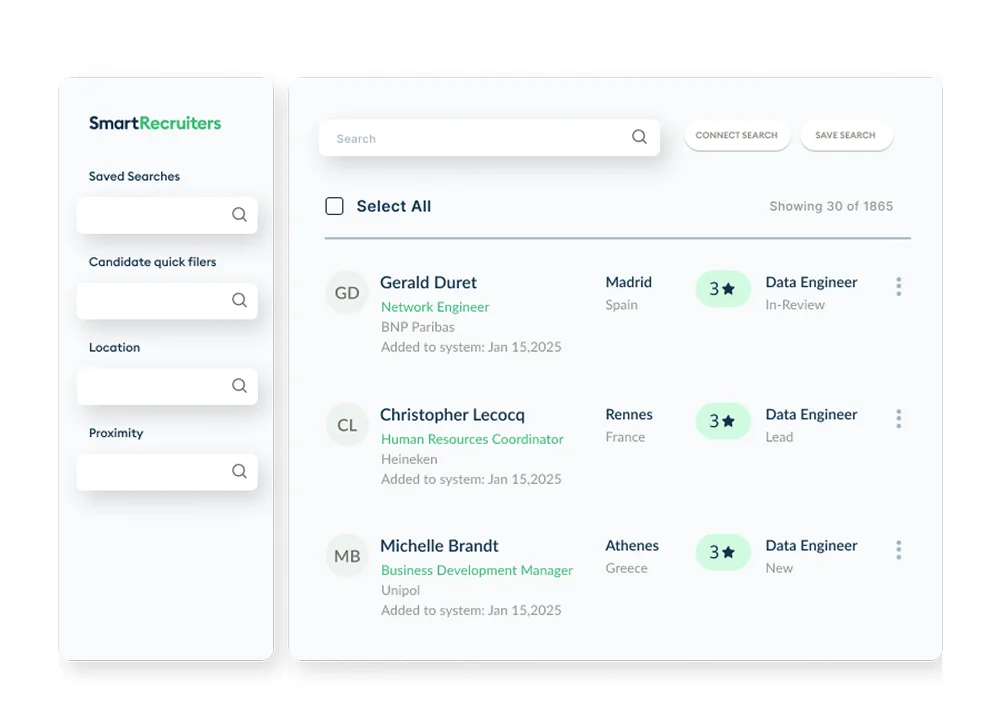
SmartRecruiters is an enterprise ATS for large recruiting operations. It keeps workflow automation and candidate communication in one place, with process control across locations and hiring teams. As a result, candidate data can stay in the ATS rather than moving between several disconnected systems.
Its enterprise scope also brings more setup work, so a company that only needs better scheduling or sourcing may get faster results from a focused tool.
What It Automates
- Job distribution and configured candidate workflow
- Candidate matching, routing, and screening steps
- Interview scheduling and communication
- Offer approvals, recruiter tasks, and reporting
Key Features
- Enterprise applicant tracking and CRM
- AI-supported matching and workflow
- Candidate communication tools
- Global recruiting support
- Analytics and recruiting operations tools
Pros
“It helps in aligning job seekers with job holders. It is easy to integrate in any organisation. It has good customer support. It is easy to implement and search for jobs. It can be frequently used. It is easy to use for HR professionals as well.” – G2 reviewer
- Enterprise workflow, records, and reporting in one ATS environment
- Configurable workflows and permissions across regions
- Matching, communication, scheduling, and approvals in one platform
Cons
“It's a little outdated in some places where other tools we have used.” – G2 reviewer
- Enterprise setup requires planning across processes and regions
- More platform than a focused scheduling or sourcing need requires
- Custom pricing based on scope, volume, and services
Pricing
- Custom enterprise quote
- Demo-led evaluation
- Confirm AI use, automation scope, integrations, implementation, and regional support
Compliance Notes
SmartRecruiters includes AI-supported matching and workflow features. Ask which outputs can affect screening or advancement and how human review works in your configuration. Marketplace tools can create separate obligations, so review them one by one.
Not a Fit For: Small teams that need one focused tool on top of an existing ATS.
5. Gem
.webp)
Gem is a talent CRM and recruitment marketing tool for teams that need to keep their pipeline active. Recruiters can build talent pools and keep past conversations active before the right role opens, which can help when your team keeps starting from zero every time a new job is approved.
Gem is not built for high-volume applicant throughput. Instead, it is best when pipeline continuity and candidate relationships are the issue.
What It Automates
- Email sequences and follow-up campaigns
- Candidate nurture based on activity
- CRM activity capture and pipeline updates
- Sourcing reports and campaign workflow
Key Features
- Talent CRM and candidate relationship management
- Recruiting email automation
- Talent-pool management
- Funnel and sourcing analytics
- ATS integrations
Pros
“One of my favorite things about Gem is the extent to which it consolidates sourcing, candidate management, recruiting analytics, and workflow automation, all in one system without adding unnecessary complexity to the recruiting process.” – G2 reviewer
- More structure for ongoing pipeline nurture
- Visibility into past candidate conversations
- Better reporting on outreach and campaign performance
Cons
“One area where Gem could improve is performance with larger candidate lists, as some pages can occasionally feel slow to load. There is also a learning curve when exploring more advanced features, and having more customization options for reporting and workflows would make the platform even more flexible.” – G2 reviewer
- A specialist platform, not a full hiring system
- Data hygiene still needs attention
- Pricing requires a conversation with the vendor
Pricing
- Custom quote
- Demo-led evaluation
- Confirm sourcing, CRM, nurture, reporting, and integration scope
Compliance Notes
Gem is mainly used for sourcing and candidate relationships. Review consent and data-retention settings before importing old talent pools. Recruiters should also be able to review automated targeting and communication before messages go out.
Not a Fit For: Teams whose main bottleneck is applicant screening or complex interview coordination.
6. Workable
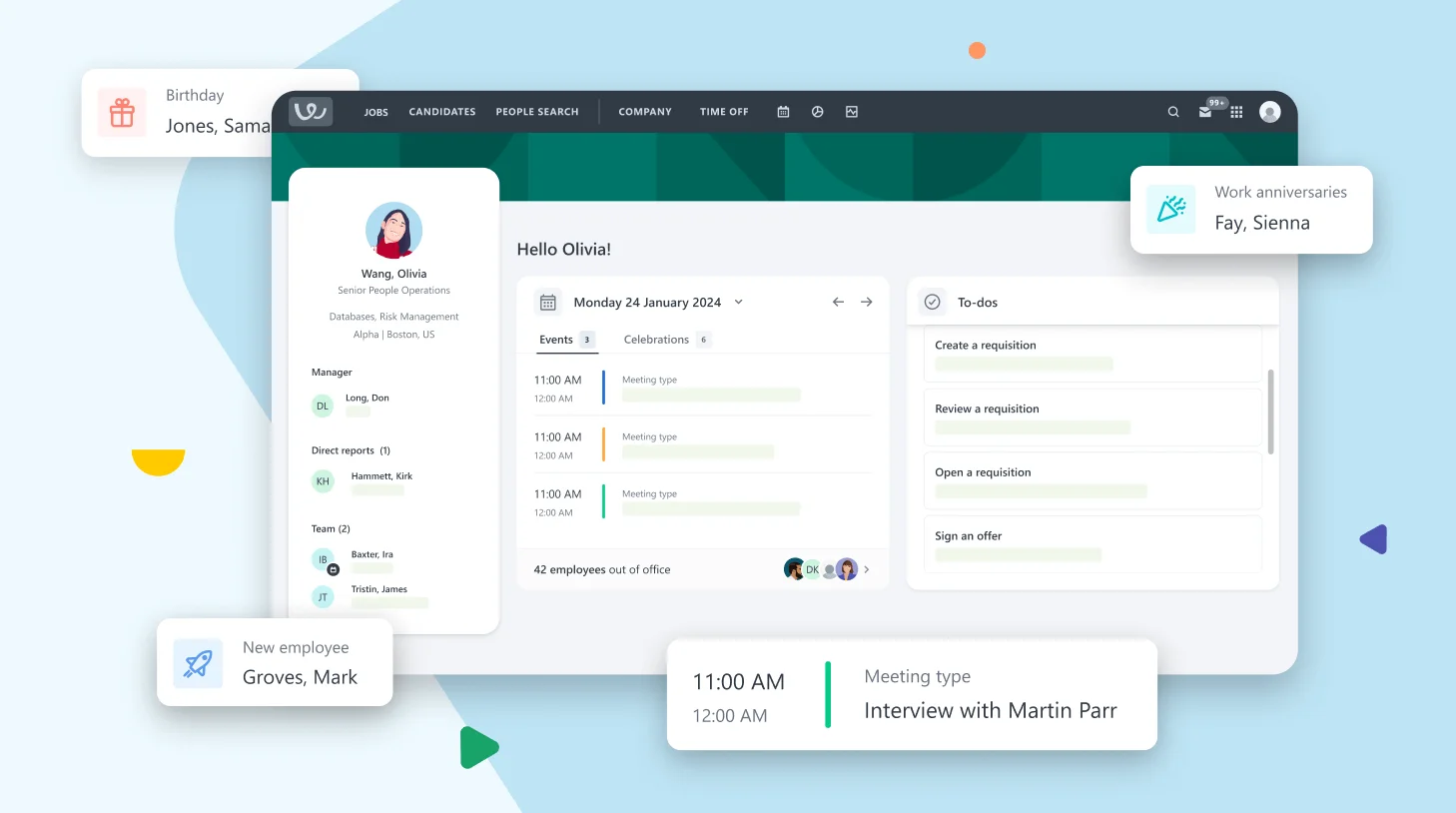
Workable is an ATS with recruiting automation for small and mid-sized teams, combining sourcing and applicant tracking with communication and scheduling in one place. In practice, that can reduce the need to bounce between spreadsheets and separate point tools.
Still, a simpler platform will not always meet complex global requirements. Test workflow flexibility and support before using Workable as an enterprise replacement.
What It Automates
- Job posting distribution and application workflow
- Candidate communication, interview scheduling, and reminders
- Configured screening questions and assessment steps
- Recruiter tasks, stage movement, and basic reports
Key Features
- Applicant tracking and candidate sourcing
- Video interviews and assessments
- Communication templates and automation
- Hiring-pipeline reporting
- HR and productivity integrations
Pros
“Since using Workable more extensively, I’ve also come to appreciate its reporting and analytics features. They provide clear insights into hiring performance, such as time-to-hire, source effectiveness, and pipeline bottlenecks, making it easier to identify areas for improvement and make data-driven decisions.” – G2 reviewer
- Sourcing, tracking, scheduling, and communication in one place
- Published plans and trials make it accessible for smaller teams
- Standardized workflow through templates and stages
Cons
“One area where Workable could improve is by offering more flexibility in automation workflows. Having the ability to create more advanced, conditional automations (for example, triggering different actions based on candidate responses or interview outcomes) would help streamline repetitive tasks even further.” – G2 reviewer
- Limited customization for complex enterprise processes
- Screening rules and templates need ongoing maintenance
- Plan scope affects overall cost
Pricing
- Published plans and custom options are available
- Trial and demo options are advertised
- Confirm current annual pricing, job limits, AI features, and implementation needs
Compliance Notes
Workable supports configurable screening and workflow automation. Review any auto-disqualification rules or AI-supported features before deployment, and confirm whether a recruiter can review an outcome before rejection and how long applicant data is kept.
Not a Fit For: Large enterprises with deeply customized global recruiting operations.
7. Sapia.ai
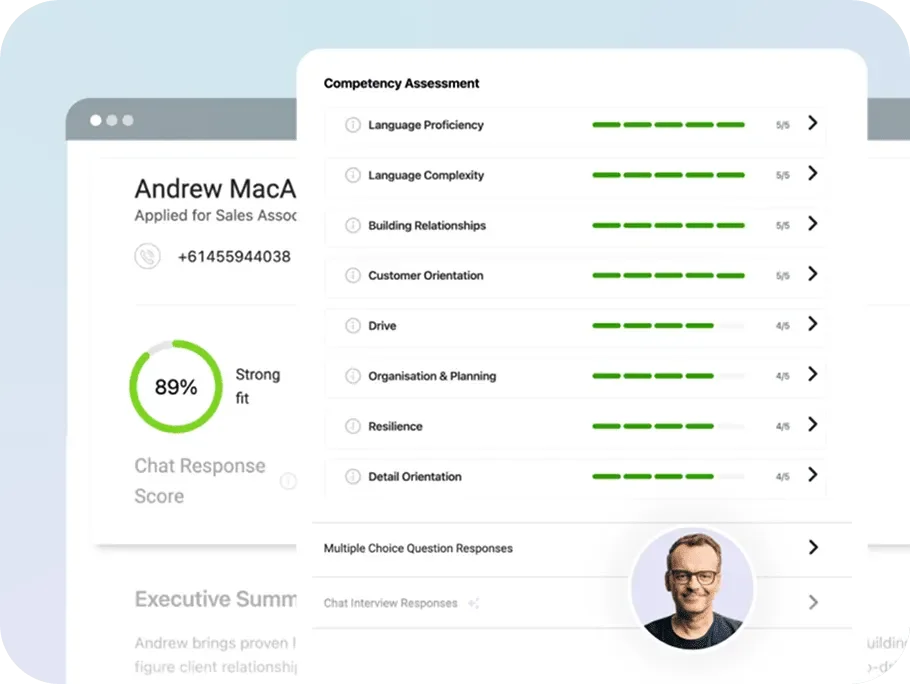
Sapia.ai uses chat interviews to collect candidate answers and create standard reports. It can cut early phone screens for teams with many applicants. Because it produces evaluation information, though, it needs a more careful review than a tool that only sends reminders.
Sapia.ai works alongside an ATS, so keep the system of record and broader workflow in another platform.
What It Automates
- Candidate chat interviews and question delivery
- Collection of structured candidate responses
- Generation of screening reports
- Configured follow-up after assessment completion
Key Features
- Automated conversational interviews
- Structured candidate-response reports
- Hiring-team decision support
- ATS integration and handoff
- Candidate experience options
Pros
“I like how accurate Sapia.ai is with determining suitability. It's quite tangible, as we can easily see that the higher the score, the better quality the candidate is. This has helped our team hire better and faster, which is crucial given the competitiveness for talent in our sector.” – G2 reviewer
- More consistent early screening through configured questions
- Less recruiter time spent on phone screens
- Structured reports that make candidate answers easier to compare
Cons
“Sometimes the scoring from Sapia.ai does not align with the actual candidate qualities, which has been observed in several cases. There is also an issue with AI detection; candidates just out of higher education have their scores flagged as AI detected because the system misinterprets their learned writing style.” – G2 reviewer
- Does not replace an ATS
- Generated results still need human governance
- Quote-based pricing tied to candidate volume
Pricing
- Custom quote
- Demo-led evaluation
- Confirm candidate volume, ATS connection, workflow, and implementation scope
Compliance Notes
Sapia.ai describes responsible AI and structured interviewing as part of its approach. Even so, ask for documentation that applies to your own setup, and review testing methods and human-review safeguards, including whether an automated output can trigger rejection without recruiter approval.
Not a Fit For: Teams that only need scheduling or passive-candidate sourcing.
8. GoodTime
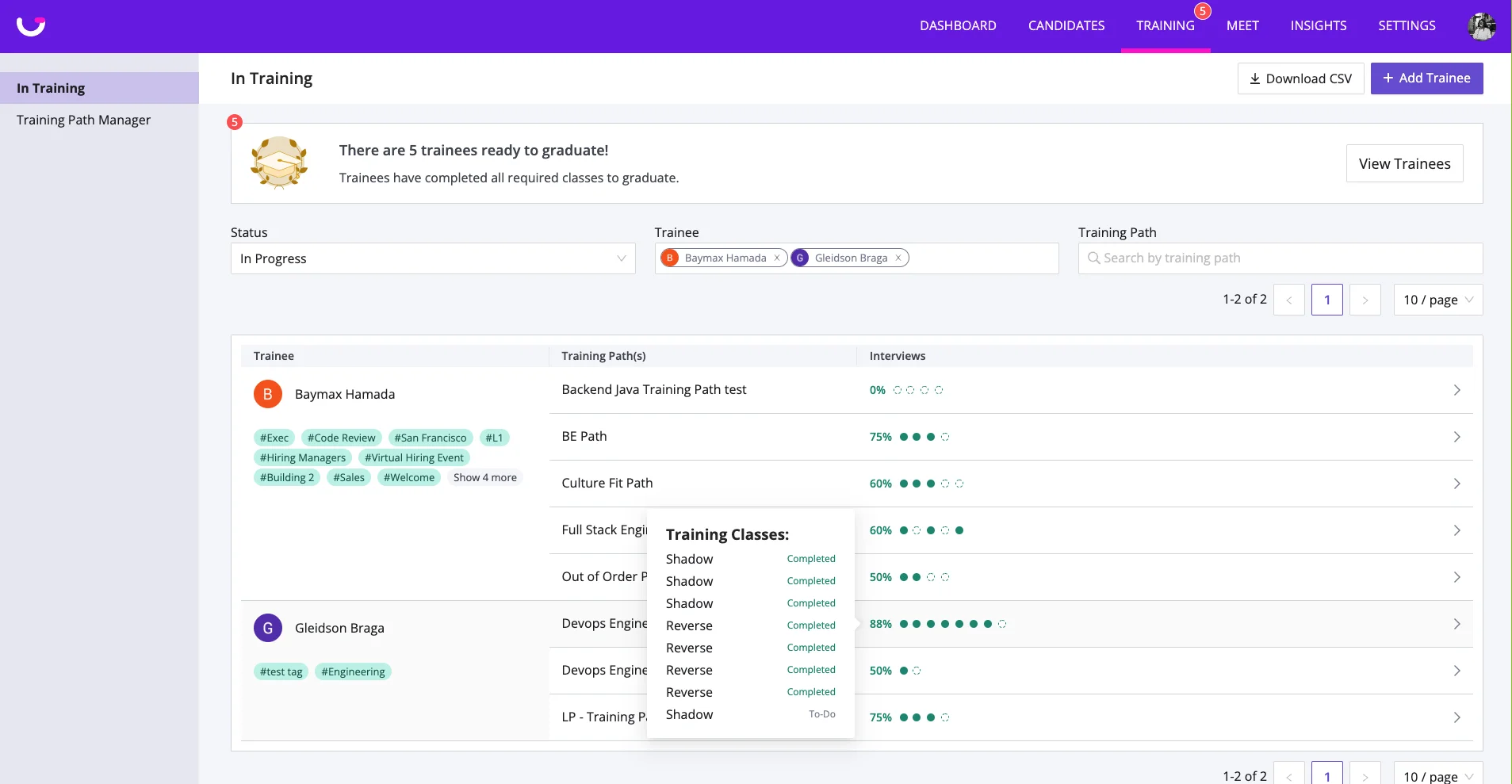
GoodTime is for teams whose interview scheduling has become a full-time coordination job, and it can match candidates with interviewer availability while handling the back-and-forth of panel scheduling and reminders. Unlike screening tools, GoodTime focuses on interview logistics rather than evaluating the candidate.
This focus is its strength. A team with few interviews may not need a dedicated tool, but large recruiting teams can see the time saved clearly.
What It Automates
- Candidate and interviewer scheduling
- Panel and loop interview coordination
- Interviewer matching, reminders, and rescheduling
- Scheduling activity and coordinator handoff
Key Features
- Interview scheduling automation
- Interviewer availability and load balancing
- Candidate communication tools
- Recruiter and coordinator workflows
- ATS and calendar integrations
Pros
“The easeness when it comes to use. I also admire how good the customer support it since they are always helpful with my inquiries. The new update makes my scheduling more organized.” – G2 reviewer
- Easier to measure time saved on interview coordination
- Better support for complex, multi-interviewer loops
- Improved candidate communication through self-service rescheduling
Cons
“There were some outages I noticed over the past week but overall they are very quick to address those.” – G2 reviewer
- A focused tool that leaves sourcing and screening to other systems
- Automation depends on clean calendar setup
- Custom pricing tied to interview volume
Pricing
- Custom quote
- Demo-led evaluation
- Confirm users, interview volume, calendar connections, and integration needs
Compliance Notes
GoodTime is mainly a coordination tool, so it generally has less hiring-decision risk than screening software. Still, review access controls and how candidate data is retained. Scheduling rules should also be checked for barriers that might limit equal access to interviews.
Not a Fit For: Teams whose largest issue is candidate sourcing or early-stage screening.
9. Ashby
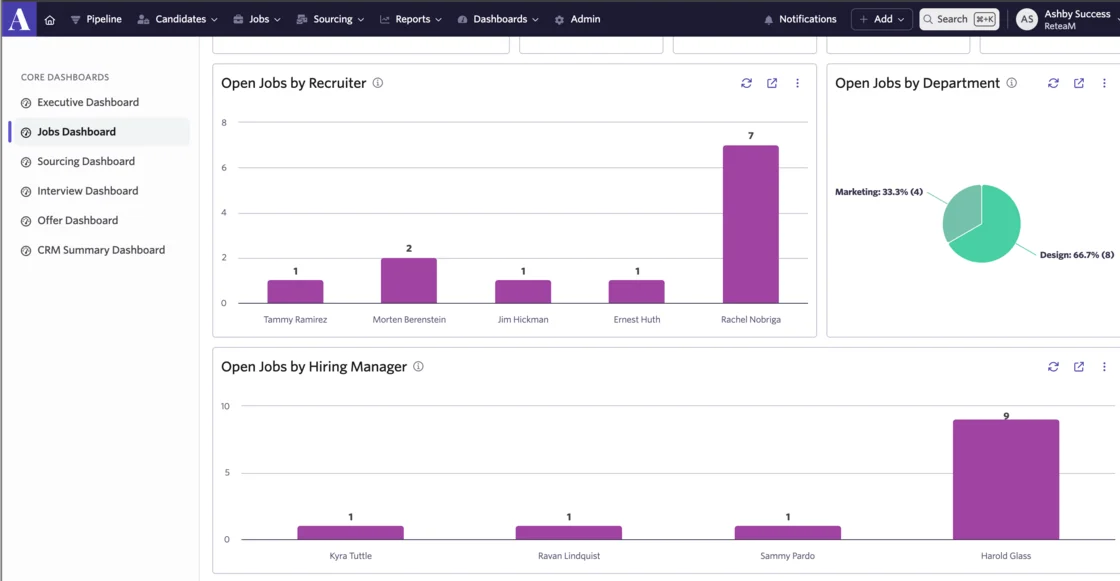
Ashby is an ATS-native platform for data-focused recruiting teams, with workflow and reporting tools that sit around a strong analytics layer. It can be especially useful when your team needs to see where candidates drop out before adding more automation.
Ashby is newer than some large ATS vendors, so teams with complex global needs should test implementation references and workflow depth against their own requirements.
What It Automates
- Recruiting workflow, tasks, communication, and scheduling
- Job and interview-process setup
- Pipeline reporting and recruiting operations metrics
- Selected sourcing and candidate relationship workflows
Key Features
- Applicant tracking and recruiting CRM
- Custom recruiting analytics
- Interview plans and hiring-team collaboration
- Workflow rules and automation
- Recruiting ecosystem integrations
Pros
“All the customization options and AI features feel strong. The data collection is thorough and accurate, and the reporting comes across as advanced and well put together. Being able to migrate from Greenhouse through an API connection is especially helpful for a lean team, since it makes it easier to integrate the tool quickly and with confidence.” – G2 reviewer
- Funnel data that can guide the next automation decision
- Workflow and reporting built on the same data
- Flexible reporting for data-mature teams
Cons
“The initial setup and onboarding is VERY heavy for new users as it's a very technical platform. It would be good to see a more comprehensive onboarding offered for new clients, I had to set up Ashby myself here as the admin and if I hadn't already used it in my last job, I would have really struggled.” – G2 reviewer
- Complex enterprise needs require reference checks
- Advanced setup takes time to configure
- Foundations covers only companies up to 100 employees, and pricing turns custom above that
Pricing
- Foundations plan published at $400 per month for companies up to 100 employees
- Plus and Enterprise tiers move to custom quotes above that
- Confirm analytics, automation, and implementation scope before upgrading
Compliance Notes
Ashby automates workflow and reporting. Before enabling any AI-supported screening or progression rule, confirm human-review settings and documentation for the feature you plan to use. Review third-party tools in the ecosystem separately.
Not a Fit For: Teams that only need a quick point tool for outreach or interview scheduling.
10. Bullhorn
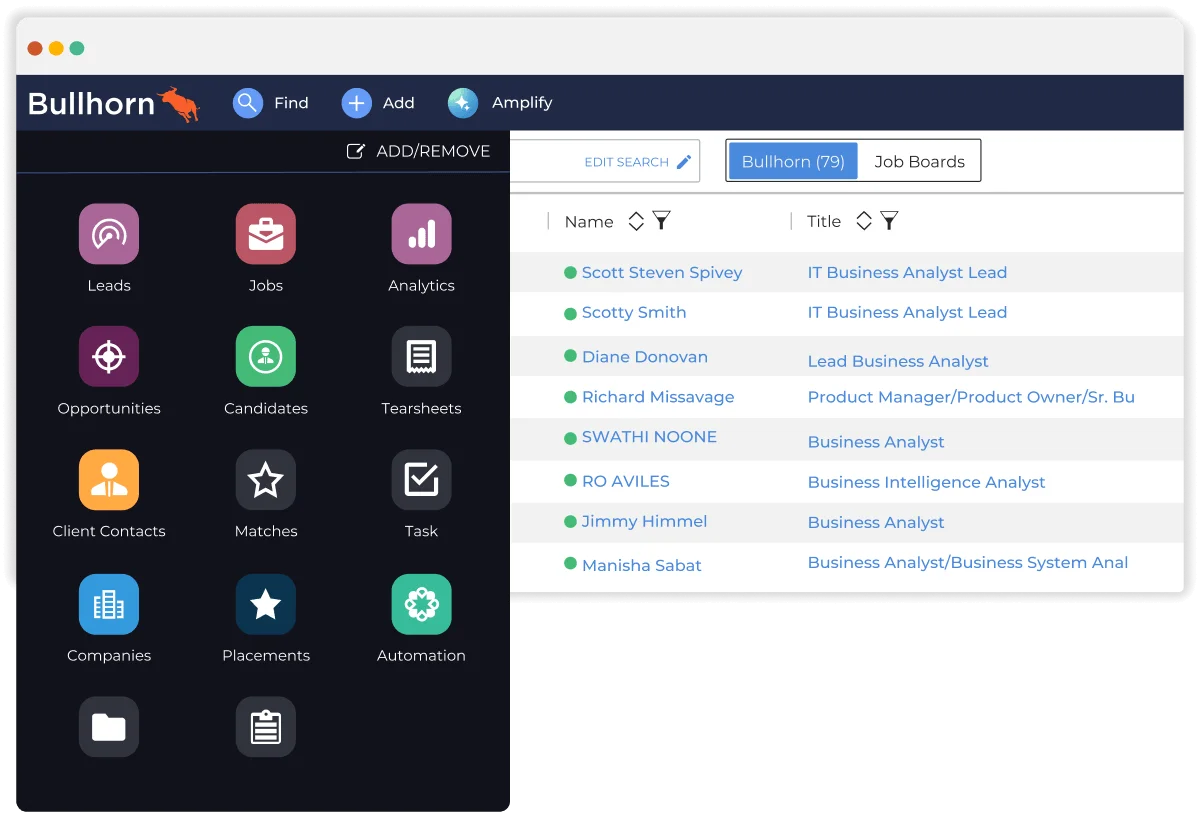
Bullhorn is a recruitment automation platform for staffing and recruitment agencies, connecting the recruiting and client sides of the business in one system. The result is a strong fit for agencies that need recruiting data and commercial activity in the same place.
Internal talent teams should be cautious, though, since Bullhorn is built around agency-side workflows like job orders and placements, which may add more than an in-house team needs.
What It Automates
- Agency candidate and client workflow
- Sourcing, enrichment, and outreach
- Candidate matching, submissions, and placement tasks
- Recruiter activity, communication, and reporting
Key Features
- Staffing CRM and applicant tracking
- Candidate sourcing and enrichment
- Client, job order, and placement management
- Recruiting and business reporting
- Agency operations integrations
Pros
“I love the way Bullhorn is developed. I'm using Bullhorn for analytics, and I can get reports easily. I can also create dashboards, which help me review data every month from the recruiter or sales teams. I find the analytics feature great because I can set up metrics for each group, like the number of placements or calls the sales team needs to make every month.” – G2 reviewer
- Agency workflow built around client and placement activity
- Recruiting and commercial activity connected in one system
- Automation extends across the full agency life cycle
Cons
“On occasion will force you to close out and reset. BH team is very good about getting and keeping the system in working order. When you log out, it doesnt save where you left off. You have to repull all the tabs you may have had up.” – G2 reviewer
- Built for agencies, not in-house teams
- Implementation needs clear ownership of setup decisions
- Published seat pricing covers only the base platform, and AI or automation add-ons stay custom-quoted
Pricing
- Starter published at $99 per user per month, Core at $165 per user per month
- Pro and Max move to custom quotes for CRM, AI, and automation features
- Confirm back-office and integration scope before upgrading
Compliance Notes
Bullhorn can hold extensive candidate and client information. Agencies should review consent, privacy, and automated matching settings. When you use AI-supported candidate recommendations, confirm human-review and documentation requirements with counsel in the regions where you recruit.
Not a Fit For: Corporate talent teams that need a standard in-house ATS or one focused automation tool.
How to Choose the Best Recruitment Automation Software
Look at the work your recruiters are doing repeatedly before you compare platforms. Count the hours that go into sourcing, phone screens, and follow-up over a few weeks. Then focus on the bottleneck that is both frequent and easy to define.
Even so, you do not need to automate every part of the hiring process at once, and the same bottleneck-first logic holds when evaluating HR software more broadly.
| If Your Bottleneck Is... | Start With | Why |
|---|---|---|
| High-volume candidate questions and booking | Paradox | Chat and text workflows can answer, screen, and schedule without constant recruiter follow-up |
| Inconsistent hiring workflow inside the ATS | Greenhouse | Hiring plans, scorecards, approvals, and integrations support a structured process |
| Finding passive candidates | hireEZ | Research, enrichment, and outreach are the main focus |
| Global enterprise recruiting operations | SmartRecruiters | Enterprise workflow, matching, communication, and reporting can stay in one platform |
| Pipeline nurture and recruitment marketing | Gem | Talent CRM and outreach help recruiters maintain candidate relationships over time |
| One platform for a smaller hiring team | Workable | ATS workflow, sourcing, interviews, and automation are available together |
| Structured early screening | Sapia.ai | Automated chat interviews can reduce phone-screen volume when human review stays in place |
| Panel and loop scheduling | GoodTime | Interviewer availability, coordination, reminders, and rescheduling are the core job |
| Recruiting workflow guided by data | Ashby | Analytics can show where the funnel needs attention before you automate more steps |
| Staffing agency recruiting | Bullhorn | Candidate, client, job-order, placement, and agency workflow are connected |
The handoff after a candidate accepts an offer matters too, since onboarding logistics can create a new delay after recruiting has done its job. For this reason, some teams review employee onboarding software at the same time.
FAQs About Recruitment Automation Software
What is recruitment automation software?
Recruitment automation software reduces the repetitive work behind scheduling and sourcing candidates, and it can support one stage of recruiting or sit inside an ATS. From there, the product you need depends on exactly where the delay is happening.
What is the difference between recruitment automation software and an ATS?
An ATS is usually the system of record for candidates and hiring data, and recruitment automation may be built into it or added beside it. Either way, a separate tool can handle one bottleneck, such as candidate outreach or panel scheduling. If you are still comparing core applicant tracking systems, that decision usually comes first.
How much does recruitment automation software cost?
Cost ranges from published plans for some ATS products to custom annual contracts for enterprise automation tools, since seat counts and implementation needs can both change the price. With that in mind, ask for a first-year and three-year cost estimate before comparing options.
Which part of hiring should you automate first?
Automate the task that creates the clearest bottleneck. High-volume employers, for instance, often start with candidate response and scheduling, while sourcing teams may start with prospect research and outreach. Complex interview loops, meanwhile, can justify coordination software. Do not automate screening or rejection, though, before reviewing oversight and compliance requirements.
Is automated candidate screening legal?
Automated candidate screening can be subject to different rules depending on where you hire, and general employment discrimination obligations still apply. Get advice that fits your jurisdictions before you use a tool to evaluate or reject applicants. In addition, ask vendors about human review and documentation before you commit.
.png)