
.svg)
Employee experience can mean different things depending on what your organization needs. For some companies, it means giving employees an easier way to access company news and resources. For others, it means collecting feedback or helping managers improve how they work with their teams. This is why choosing an employee experience platform can be confusing, especially when different types of software are often grouped into the same category.
In this guide, we'll look at 10 employee experience platforms and what each one is best suited for. If your main goal is measuring employee sentiment, collecting feedback, and improving engagement, you may also want to consider employee engagement software.
The Three Kinds of Employee Experience Platform
Employee experience platforms fall into three main groups. They overlap, but they solve different problems, are usually bought by different teams, and should not be evaluated as interchangeable products.
1. Communications and Intranet Platforms
Communications and intranet platforms act as the main place where employees can keep up with what's happening in the company. Instead of having company news, resources, and leadership updates spread across different channels, employees can find them in one place. This is particularly useful for hybrid, remote, and frontline teams.
Examples: Workvivo, Simpplr, Staffbase, and Microsoft Viva. These platforms are built around internal communication, so they are a good choice when the main goal is keeping employees informed and connected. They are not intended to replace tools for employee surveys or performance management.
2. Listening and Experience Management Platforms
Employee feedback can be difficult to understand when it's collected through different surveys and at different points in the employee lifecycle. Listening platforms bring this information together so HR teams can see common concerns, measure engagement, and identify areas that need attention.
Examples: Qualtrics EmployeeXM, Workday Peakon Employee Voice, and Culture Amp. Features can include engagement and pulse surveys, eNPS, onboarding and exit feedback, benchmarks, and action planning. Organizations that need more specialised survey capabilities can also compare employee engagement survey software.
3. The Manager Relationship Layer
Not every employee experience issue starts with company-wide communication or employee surveys. Sometimes, the problem comes down to the relationship between an employee and their manager. This category covers the everyday parts of that relationship, including goals, one-to-ones, feedback, recognition, performance reviews, and development.
Examples: Teamflect, Culture Amp, and Achievers. Teamflect brings manager workflows into Microsoft Teams, while Culture Amp combines performance and development with employee listening. Achievers puts more emphasis on recognition and rewards through its recognition and rewards features.
What Makes a Platform an Employee Experience Platform?
Employee experience platforms can cover different areas, which makes it difficult to know what really qualifies as one. A good platform should improve some part of the employee experience, reach the people who need it, and give the company a way to respond to employee needs. A single survey or rewards catalog usually isn't enough.
1. Employee Reach
An employee experience platform needs to be accessible to the people using it. This matters even more for companies with remote or frontline employees who may not spend their workday at a desk. Mobile access and other ways to reach employees outside of email can make the platform much more useful.
2. Everyday Usefulness
Employees are more likely to use a platform when it actually helps them with their work. For example, they may use it to find company information or complete a regular check-in with their manager. If there is no clear reason to come back, the platform can quickly become something employees forget about.
3. Actionable Insight
Collecting employee feedback is only the beginning. HR teams and managers need to understand what the results mean and use that information to decide what needs to change. A survey score by itself does not tell a company what employees need or what it should do next.
4. Workflow Integration
An employee experience platform should work alongside the tools employees already use instead of creating another system they have to manage. Microsoft 365 and other workplace tools are common integration points, but companies should look at what each connection actually does before choosing a platform.
5. Governance and Scale
Larger organizations have more to consider as their workforce grows. The platform needs to give the right people access to the right information while keeping employee data secure. Analytics and privacy controls also become more important when the software is being used across multiple teams. Companies that need to connect workforce data with business decisions can also consider HR analytics software as part of their evaluation.
Employee Experience Platforms at a Glance
The table below separates the platforms by their primary employee-experience role. Use it to narrow the shortlist before comparing detailed features, integrations, or contracts.
Top 10 Employee Experience Platforms
These employee experience platforms cover three distinct buying needs: communications and intranet access, employee listening, and manager-led employee experiences. The right choice depends on the problem you are trying to solve, not the length of a vendor's feature list.
1. Culture Amp
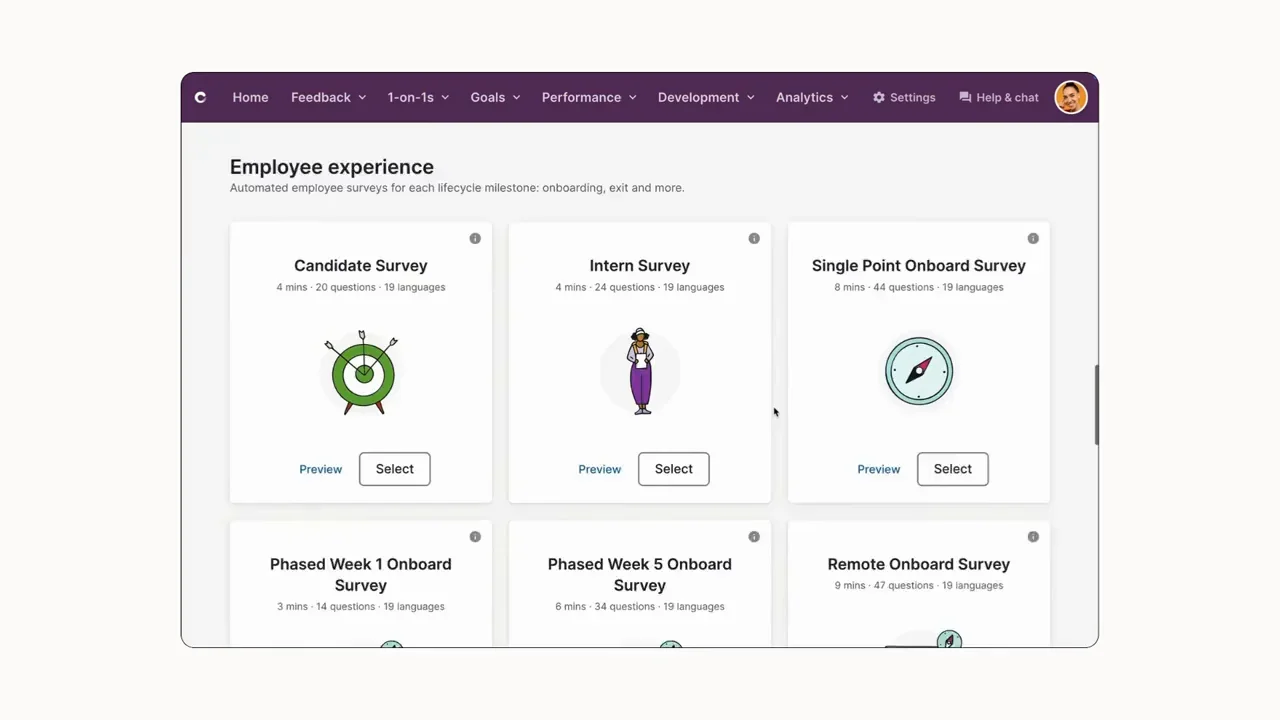
Culture Amp combines employee engagement with performance and development tools. HR teams can use the platform to track employee feedback while managing other people processes in the same system. With this setup, companies can keep engagement and performance programs connected instead of handling them separately. However, Culture Amp is not designed to replace an internal communications or intranet system.
Key Features
- Engagement, pulse, onboarding, exit, and custom surveys
- Manager dashboards, benchmarks, and action planning
- Performance reviews, goals, feedback, calibration, and development
- People analytics and reporting
- Compensation planning
- AI-supported survey and people insights
Best For
- Mid-market and enterprise HR teams with a mature listening programme
- Organisations that need engagement data and performance management together
- Companies that can support a structured rollout and manager enablement plan
Pros
“The UX experience for HR, Leaders, and Employees is like nothing I've ever experienced before. Plus, CultureAmp continues to add value to their products and services -- continuously innovating and improving their products and the value they provide to HR, Leaders, and all Employees.” – G2 reviewer
- Combines engagement, performance, development, compensation, and people analytics in one HR-native platform.
- Connects manager action plans to survey findings rather than leaving engagement data in a separate dashboard.
- Supports structured, enterprise-scale people programmes.
Cons
“There are some features that are pretty fully formed and don't allow for a tremendous amount of customization -- like Goals. With organizations that have robust Goal / OKR programs already in place it might be hard to retrofit programs into the Culture Amp module.” – G2 reviewer
- Does not replace an internal communications platform or social intranet.
- Uses custom pricing and can require substantial configuration.
- May be more complex than necessary for teams that only need basic engagement surveys.
Pricing
- Custom pricing.
- No public standard plan prices.
- Request engagement, performance, development, compensation, analytics, implementation, and support costs separately.
2. Teamflect
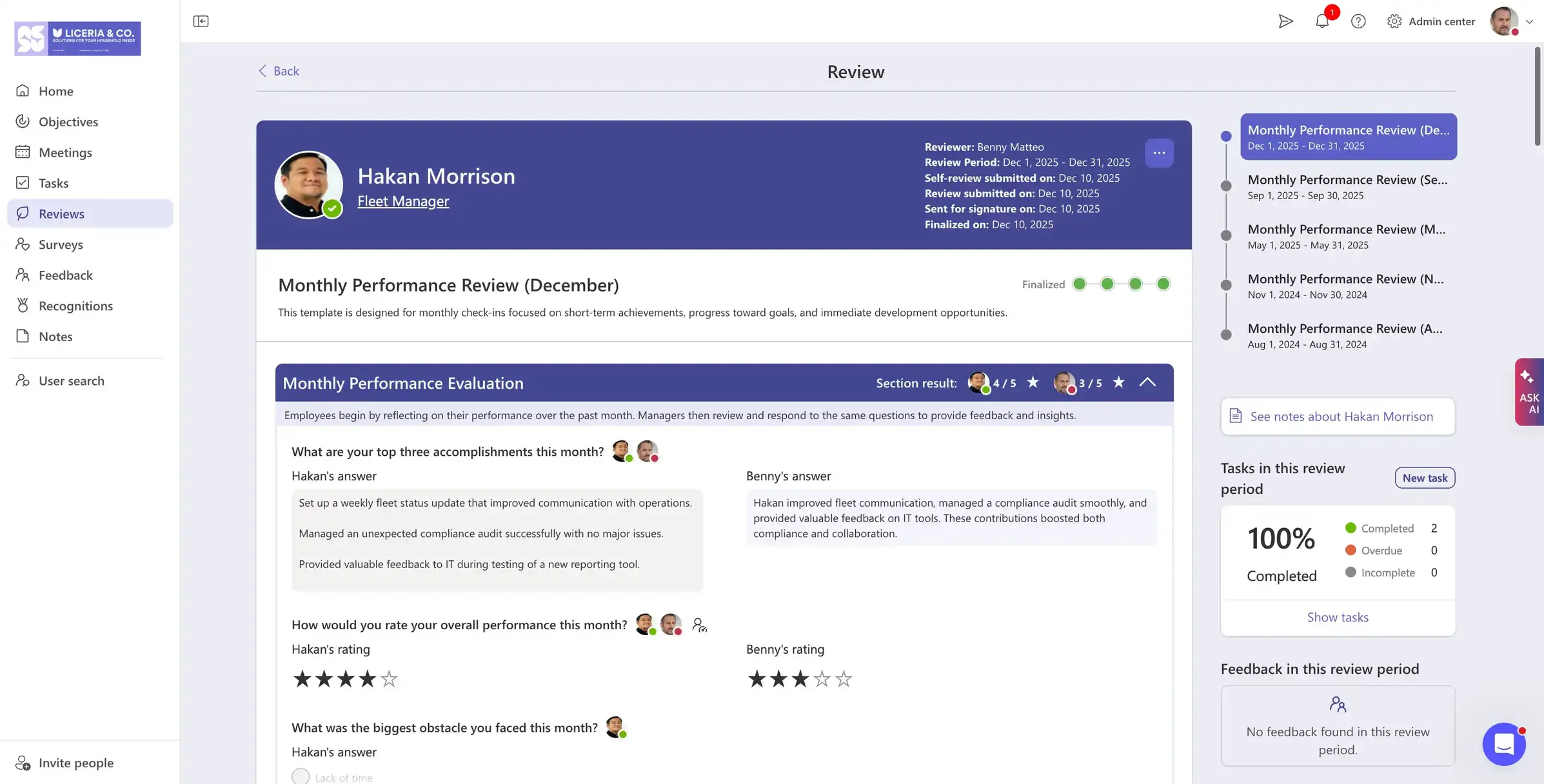
Teamflect works directly inside Microsoft Teams, so managers can handle employee conversations and performance tasks without switching between different systems. The setup can be convenient for companies that already use Microsoft 365 every day. Living in the same platforms employees open day in and day out makes Teamflect one of the easiest employee experience platforms to adopt. The built in company intranet is convenient to access, surveys are easy to complete, and all of this comes with a fully stacked performance management system to support them.
Key Features
- Intranet with a company newsfeed.
- Voice of Employee: Anonymous message box
- Internal Job Boards
- Performance reviews, 360-degree feedback, and calibration
- One-to-one meetings, agendas, notes, and action items
- Recognition and rewards workflows
- Engagement surveys and eNPS
- Individual Development Plans
- Goals and OKRs connected to Microsoft Teams
Best For
- Organisations standardised on Microsoft 365 and Teams
- HR teams focused on manager adoption and performance consistency
- Companies looking for an all-in-one solution for engagement and performance management
Pros
“Teamflect is a strong Microsoft Teams add-in for performance management and employee engagement, especially for organizations already using Microsoft 365. In terms of UI/UX, it offers a clean, Teams-native experience that makes 1:1s, reviews, goals, feedback, and recognition easy to manage in one place.” – G2 reviewer
- Runs manager workflows inside Microsoft Teams, where employees already work.
- Covers goals, feedback, reviews, one-to-ones, recognition, and surveys in one product.
- Offers transparent public pricing and a free plan for small teams.
Cons
“On Integrations, it works best within the Microsoft ecosystem, so it may feel limiting for companies using a wider mix of third-party tools.” – G2 reviewer
- Microsoft 365 and Teams are mandatory dependencies, so organizations outside that ecosystem lose the native-workflow advantage the rest of the platform is built around
- No core HRIS functionality, so employee experience data still needs to sync with a separate system of record for a complete picture
Pricing
- Starter: Free for up to 10 users.
- Essential: $7 per user per month.
- Professional: $11 per user per month.
- Enterprise: Custom pricing.
- Free trial available.
3. Microsoft Viva
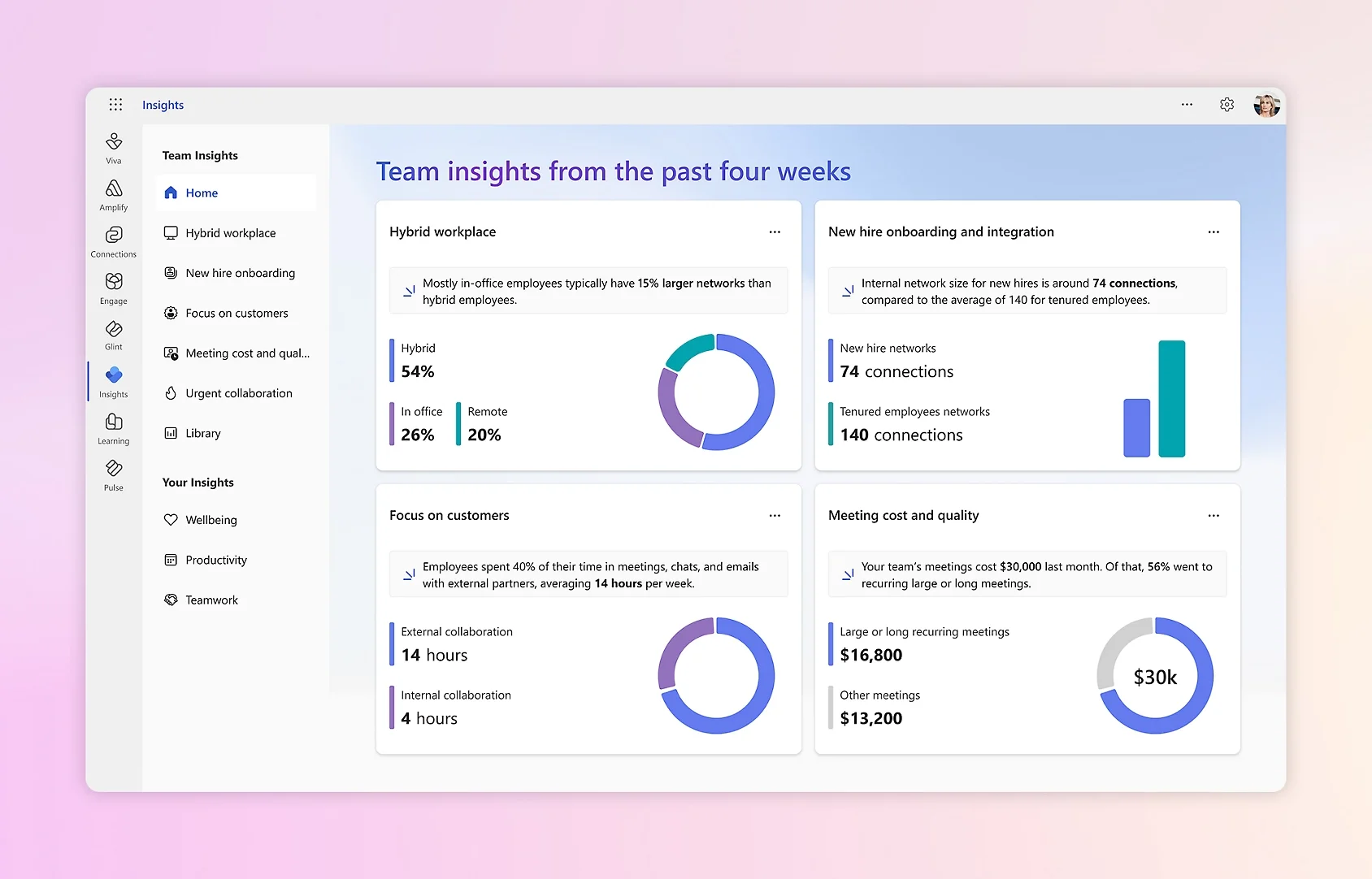
Microsoft Viva adds employee-focused features to the Microsoft 365 environment. Employees can access company information and connect with coworkers through tools such as Teams. However, licensing can get confusing since Viva is divided into several modules. For companies already using Microsoft 365, adding Viva to the existing setup may be easier than introducing another employee experience platform.
Key Features
- Viva Connections dashboard and company resources in Teams
- Viva Engage communities and leadership communication
- Viva Insights work-pattern analytics and focus tools
- Viva Learning content aggregation and learning discovery
- Microsoft 365, Teams, SharePoint, and Copilot integration
- Enterprise identity, security, and governance controls
Best For
- Large Microsoft 365 organisations that want to extend existing tools
- Internal communications teams using SharePoint and Teams
- Companies that prioritise Microsoft governance and identity controls
Pros
“I’ve mainly used it to get a clearer picture of how I’m spending my workday. It’s especially useful for spotting things like focus time, meeting patterns, and reminders to follow up on tasks. I don’t check it every day, but whenever I do, it gives me a solid overview of my work habits.” – G2 reviewer
- Fits naturally into Microsoft 365, Teams, SharePoint, and identity governance.
- Provides communications, communities, resources, learning, and insights without a separate platform ecosystem.
- Can reduce integration and adoption friction for Microsoft-centred enterprises.
Cons
“The dislike about Viva Insights is it is very helpful only incase of predominant microsoft application usage. It is not well suited for other application ecosystem tracking.” – G2 reviewer
- Capabilities are spread across modules, licences, and changing product names.
- Some Viva components have been retired or absorbed into other Microsoft experiences.
- Does not replace dedicated survey science or a full performance-management suite.
Pricing
- Microsoft's pricing page lists the entry-level module, Viva Employee Communications and Communities, from $2 per user per month, with the full Viva Suite priced at $12 per user per month.
- Module-level pricing varies by geography and Microsoft agreement.
- Confirm which Viva modules are included in your existing Microsoft contract.
4. Workvivo
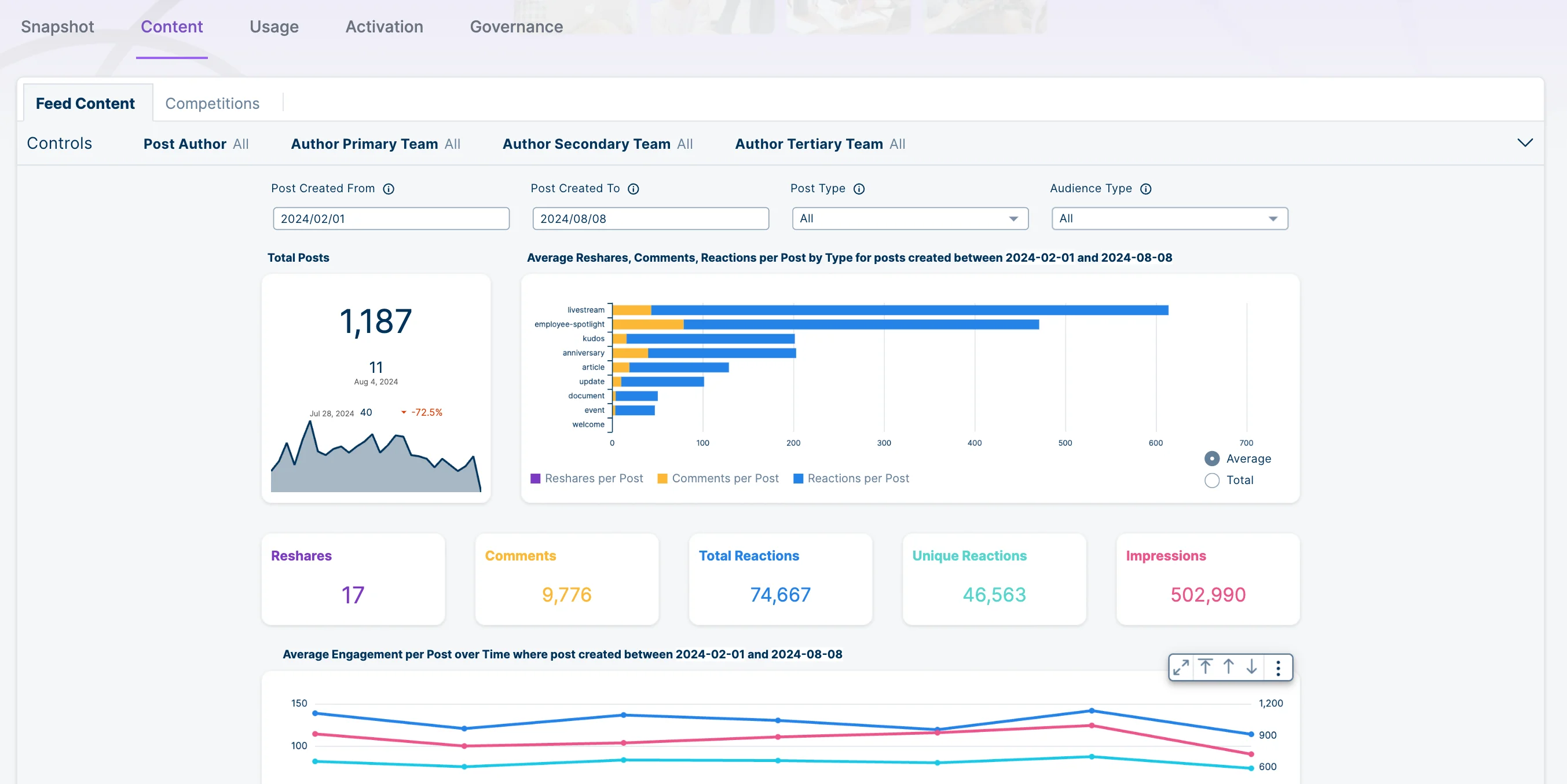
Workvivo gives employees a place to keep up with company news while also interacting with coworkers. The social-style design feels different from a traditional intranet, which can make company communication feel more like an everyday employee experience. For frontline employees, mobile access provides another way to stay connected throughout the workday. With that being said, Workvivo is less suited to companies looking for advanced employee surveys or performance management.
Key Features
- Company news feed, communities, and employee profiles
- Recognition, celebrations, and social interaction
- Pages, documents, search, and knowledge resources
- Mobile app for frontline and distributed employees
- Surveys, polls, analytics, and content reporting
- Integrations with HR and workplace tools
Best For
- Internal communications teams replacing a legacy social intranet
- Organisations with distributed or frontline employees
- Companies that need a high-adoption culture and communications destination
Pros
“What I appreciate most about Workvivo is how it consolidates all team communication into a single, accessible platform. As someone working in Selling Partner Support handling vendor interactions across shifts, having one place to check for process updates, SOP changes, and team announcements has been transformative.” – G2 reviewer
- Uses a social, community-led design rather than a static intranet model.
- Provides mobile access for frontline and distributed employees.
- Brings communications, recognition, communities, and knowledge resources into one destination.
Cons
“One area that could be improved is the search experience. As more content is published over time, it can be difficult to quickly find older posts or specific documents. Notifications can also become overwhelming, making it harder to distinguish between routine updates and important announcements.” – G2 reviewer
- Uses custom pricing and G2 does not list a free trial.
- Does not replace dedicated experience-management analytics or formal performance management.
- Needs clear content governance and ownership at scale.
Pricing
- Custom quote.
- G2 lists one pricing edition but no public starting price.
- Confirm minimum employee commitments, mobile access, implementation, analytics, integrations, and global support.
5. Simpplr
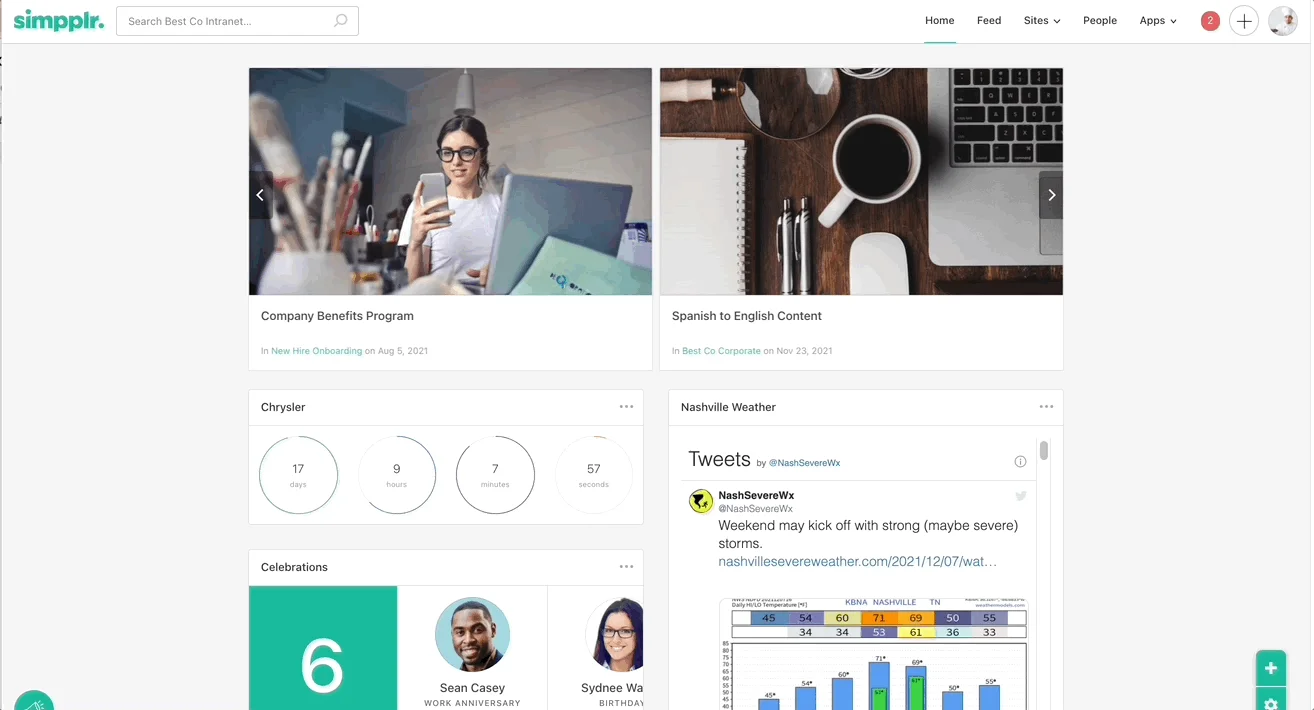
Simpplr helps employees find company information without having to search through different systems. The platform combines an intranet with enterprise search, while its AI employee assistant can help employees find answers. This can be especially helpful for companies replacing an outdated intranet. However, organizations looking for employee listening or performance management will need additional software.
Key Features
- Personalised intranet and content targeting
- Enterprise search and knowledge discovery
- AI employee assistant and content support
- News, campaigns, communities, and mobile access
- Employee directory and people search
- Analytics, governance, and integrations
Best For
- Internal communications teams modernising a legacy intranet
- Enterprises that prioritise content findability and personalised communication
- Companies looking for an AI-enabled digital workplace layer
Pros
“What I appreciate most about Simpplr is how it consolidates our company communications and resources into one clean, searchable hub. The intranet setup makes it easy for employees to find what they need without digging through email threads or shared drives.” – G2 reviewer
- Prioritises personalised communication, enterprise search, and knowledge discovery.
- Provides an AI employee assistant alongside intranet and content tools.
- Supports content governance and employee-facing communications at enterprise scale.
Cons
“The search functionality could have been better I felt - although, they have improved it a lot, but still, it does not exactly answer to what I am looking for. For eg, I ask for the link to Payslips portal, but it generates a summary about the payslip portal, does not straight away gives the link.” – G2 reviewer
- Uses custom pricing and can require meaningful information-architecture work.
- Does not replace a dedicated survey programme or performance-management system.
- Advanced capabilities may be excessive for smaller organisations with simple communication needs.
Pricing
- Custom quote.
- Current pricing is not publicly published by Simpplr.
- Request itemised costs for implementation, AI, mobile, analytics, and integrations.
6. Staffbase
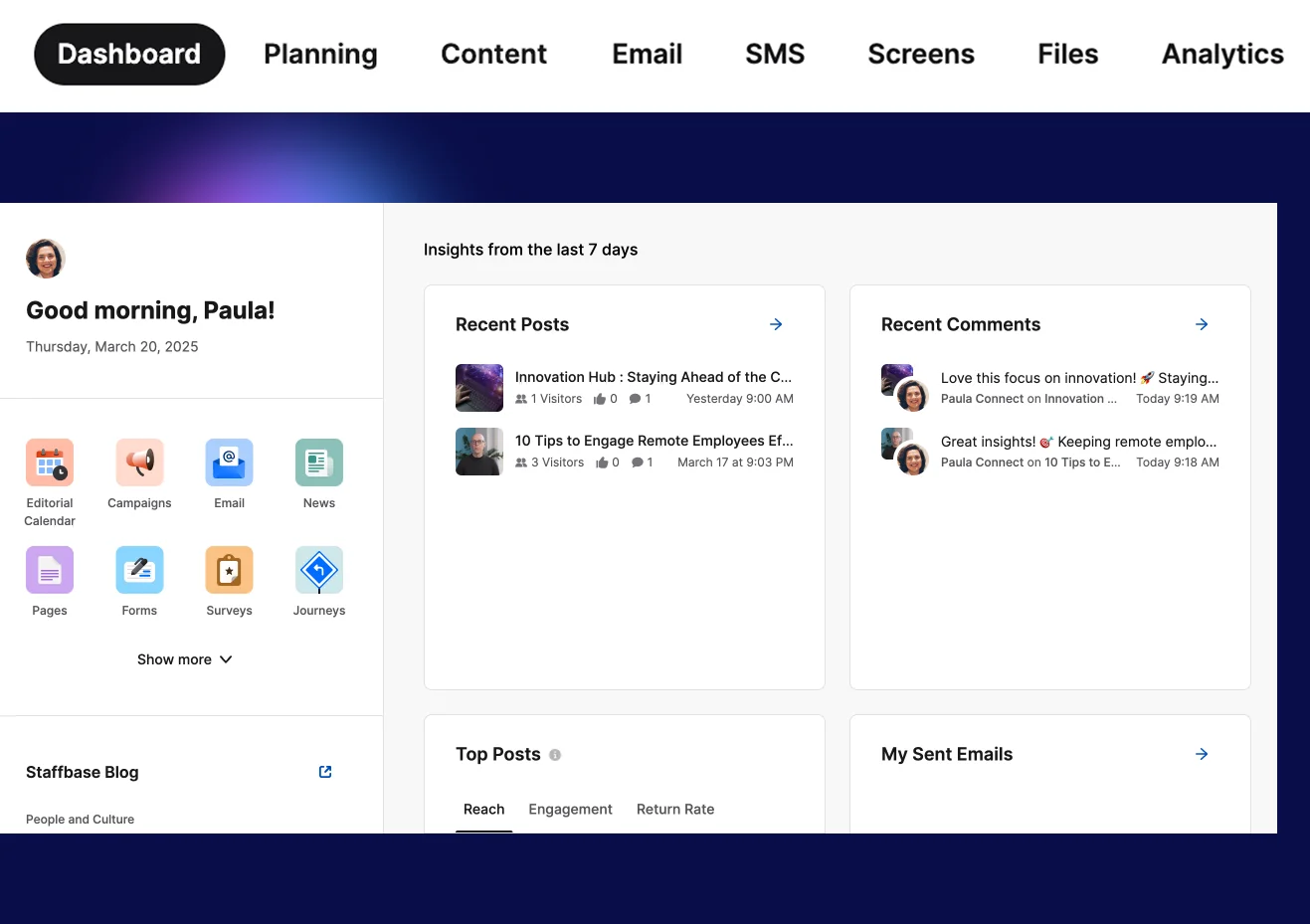
Staffbase is designed for companies that need to reach employees outside of a traditional office setting. Its employee app gives frontline and deskless workers another way to receive company updates, while the intranet provides a central place for company information. For organizations with employees spread across different locations, having both options can make internal communication easier. The trade-off is that Staffbase does not offer the same depth for employee listening or performance management.
Key Features
- Employee app, intranet, and employee email
- Targeted campaigns and multi-channel communications
- Mobile access for frontline and deskless employees
- Content planning, approvals, governance, and analytics
- Search, documents, and employee resources
- Integrations with HR and workplace systems
Best For
- Large organisations with frontline, deskless, or multi-location workforces
- Internal communications teams running coordinated campaigns
- Companies that need a branded employee app and intranet
Pros
“Staffbase has been extremely helpful for a variety of reasons, though the biggest impact we’re seeing so far is the ability to keep everyone informed across the organisation. It’s also made it much easier to bring our multiple platforms into one, easily accessible space that staff can access on the go.” – G2 reviewer
- Provides broad communications reach across mobile, intranet, and email.
- Is designed for deskless, distributed, shift-based, and multilingual workforces.
- Supports campaign planning, governance, content approvals, and analytics.
Cons
“Now and then, while setting up the individual pages, we had difficulties finding certain settings, as they were, in our opinion, somewhat "hidden". Some functions or changes can only be implemented with the help of customer support.” – G2 reviewer
- Pricing is not public and the platform can be heavier than a small organisation needs.
- Communications reach does not replace employee listening or performance-management workflows.
- Requires a sustained content and governance operating model.
Pricing
- Custom quote.
- G2 does not list plan pricing.
- Free trial available according to G2.
- Confirm employee minimums, app branding, email, intranet, analytics, implementation, and language support.
7. Qualtrics EmployeeXM
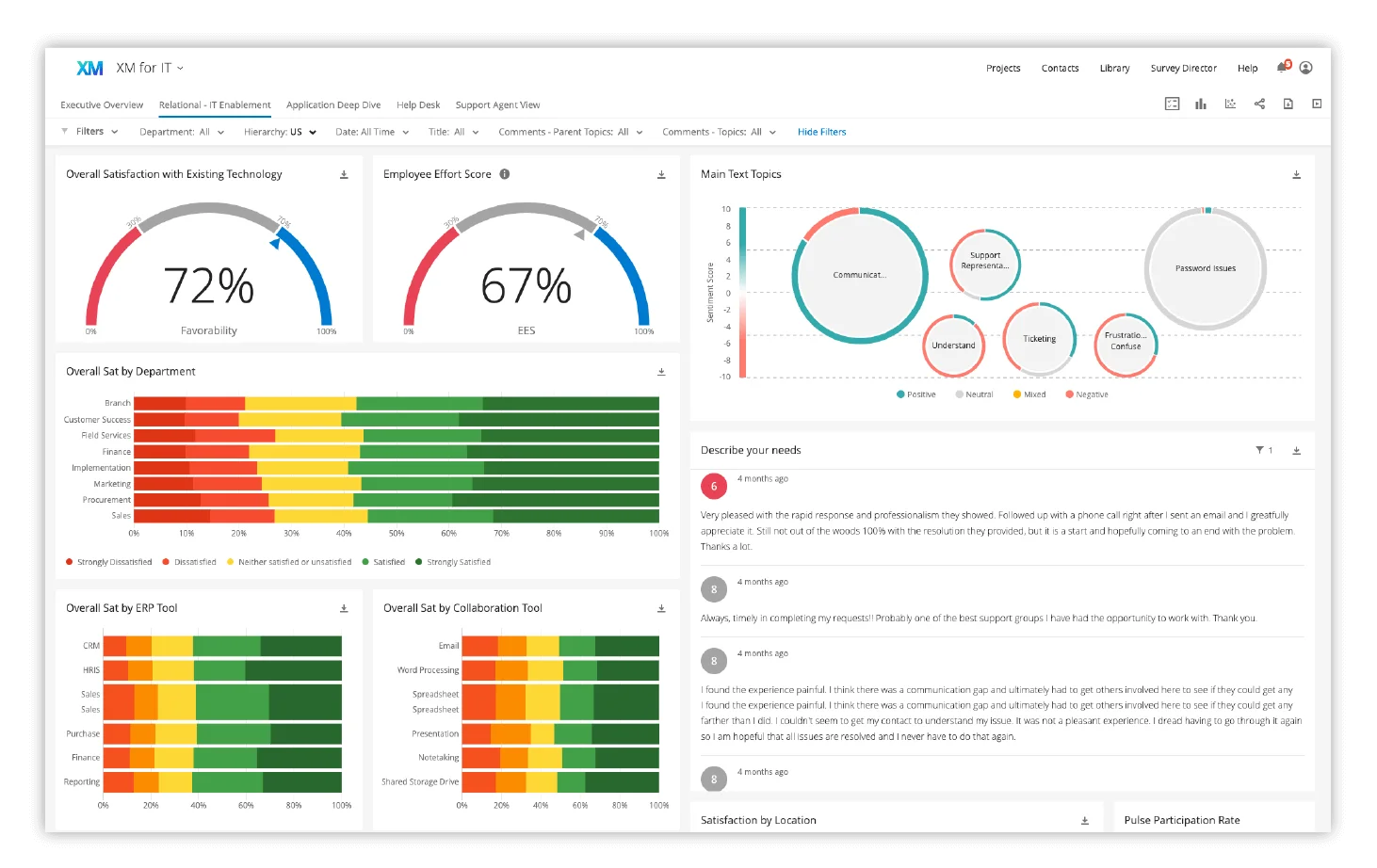
Qualtrics EmployeeXM focuses on employee surveys and feedback. HR teams can use the platform to collect responses, analyze results, and identify issues that may be affecting engagement. For larger organizations, the range of survey and analytics tools can be useful when running more complex programs. Smaller teams, on the other hand, may find that they do not need all of the functionality.
Key Features
- Engagement, pulse, lifecycle, onboarding, exit, and custom surveys
- Advanced survey logic, text analytics, and dashboards
- Role-based reporting and manager action planning
- Experience data integration and workflow automation
- Benchmarking and employee-experience analytics
- Enterprise privacy, security, and governance controls
Best For
- Large organisations with mature people analytics teams
- Companies running lifecycle and multi-country listening programmes
- HR teams that need survey design depth beyond basic engagement tools
Pros
“I use Qualtrics Employee Experience to gauge employee satisfaction and host a virtual suggestion box. I love how I can easily customize interactions for each department while keeping the core consistent.” – G2 reviewer
- Offers deep survey design, analytics, lifecycle listening, and experience-management capabilities.
- Supports large and complex feedback programmes with segmentation and workflow triggers.
- Provides enterprise controls for privacy, security, governance, and reporting.
Cons
“Because of its loaded features it is very overwhelming for new users and specially it becomes harder for people who have no little knowledge on the design and data analysis. The cost is little higher for smaller organizations that might find the pricing a little unfair.” – G2 reviewer
- Uses custom pricing and can require specialist administration.
- May be more complex than necessary for a basic annual engagement survey.
- Does not provide a social intranet or a full manager performance suite.
Pricing
- Custom quote.
- No standard EmployeeXM pricing is published.
- Ask for costs covering employee count, survey volume, analytics modules, implementation, integrations, and multilingual support.
8. Workday Peakon Employee Voice
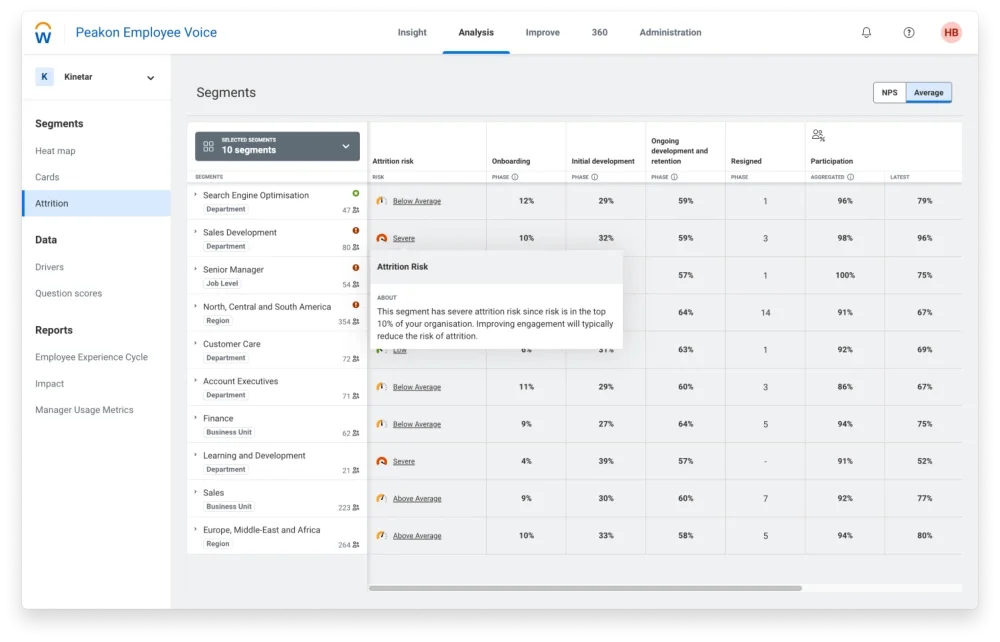
Workday Peakon Employee Voice uses regular employee feedback to track engagement throughout the year. Managers can see where problems may be developing and use the results to decide what needs attention. The Workday connection is another benefit for companies already using the HCM platform. If your organization wants to move beyond an annual employee survey, Peakon may be worth considering.
Key Features
- Continuous engagement and pulse surveys
- Driver analysis, benchmarks, and heatmaps
- Manager dashboards and action plans
- Lifecycle feedback and retention insights
- Workday ecosystem integration
- Employee feedback analytics and reporting
Best For
- Organisations already using Workday as their HCM system
- HR teams that want continuous listening rather than annual-only surveys
- Enterprises with managers who need guided action planning
Pros
“I like the possibility of collecting employee feedback in real time through the frequency of surveys. Additionally, I like that the surveys are dynamic and anonymous, they are easy for employees to respond to, and for us as the People area, the dashboard is intuitive and allows us to analyze engagement score trends easily.” – G2 reviewer
- Turns employee listening into a recurring, action-oriented process rather than an annual event.
- Provides driver analysis, benchmarks, heatmaps, and manager action plans.
- Can align closely with employee data and processes in the Workday ecosystem.
Cons
“At the beginning, the setup can be a bit complicated if you don't have a specialized team. Additionally, certain metrics may not be so easy to interpret for those who are not familiar with this type of data.” – G2 reviewer
- Uses custom pricing and may require a complex implementation.
- Has a weaker standalone case for organisations outside the Workday environment.
- Does not replace internal communications or full performance-management software.
Pricing
- Custom quote through Workday.
- Confirm Employee Voice, implementation, benchmarking, lifecycle programmes, language support, and integration requirements.
9. Achievers
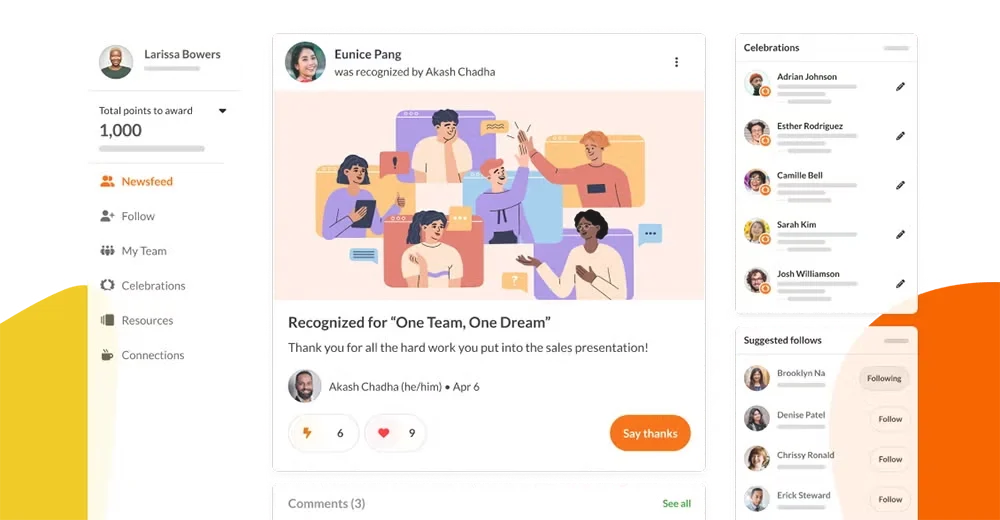
Achievers centers its employee experience around recognition and rewards. Employees and managers can recognize good work while HR teams can monitor how recognition programs are being used. Over time, regular recognition can help make appreciation a bigger part of workplace culture. However, Achievers is not a replacement for a full performance management or employee listening platform.
Key Features
- Peer and manager recognition linked to company values
- Global rewards and redemption marketplace
- Milestones, celebrations, and service awards
- Employee voice and feedback tools
- Recognition and culture analytics
- HRIS, collaboration, and identity integrations
Best For
- Large organisations with a global recognition and rewards requirement
- HR teams using recognition to reinforce culture and values
- Companies that need programme governance and reporting at scale
Pros
“The platform makes peer-to-peer recognition simple and immediate. I like that I can send a meaningful "thank you" tied to company values in just a few clicks, and the recipient gets points they can actually redeem for rewards they care about.” – G2 reviewer
- Provides an enterprise recognition platform with rewards, employee voice, and culture analytics.
- Supports peer and manager recognition linked to company values.
- Offers global rewards, milestone celebrations, and programme reporting.
Cons
“One drawback of achievers is that the platform can feel overwhelming for new users due to its wide range of features. Some organizations may also find the rewards catalog limited in certain regions, and customization options can require additional setup and administrative effort.” – G2 reviewer
- Uses custom pricing and can involve significant reward-budget planning.
- Recognition is the core experience mechanism, rather than a full intranet or listening platform.
- Companies needing formal performance management or deep survey science may need additional software.
Pricing
- Custom quote.
- Confirm platform fees, recognition budgets, reward catalogue coverage, global fulfilment, implementation, and analytics access.
10. Applaud
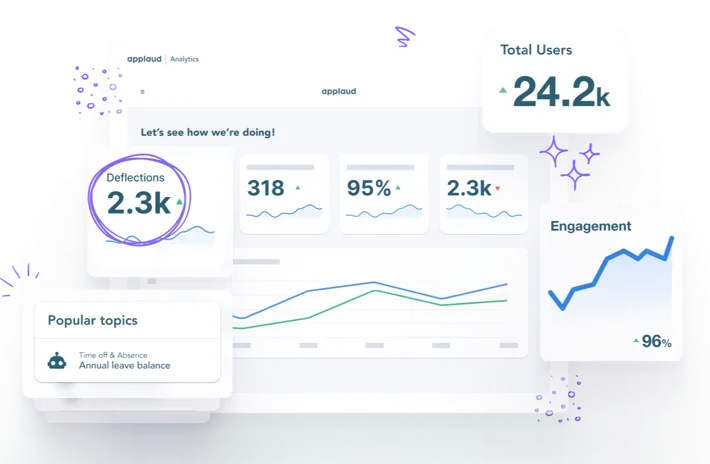
Applaud focuses on HR self-service and makes it easier for employees to find information or complete HR requests on their own. Employees can get answers without having to contact HR for every question or request. For larger organizations, connections with existing HR systems can make self-service easier to manage. Rather than replacing an intranet or employee survey platform, Applaud is better suited to companies that want to improve their HR service experience.
Key Features
- HCM-agnostic employee self-service that connects to Workday, SAP, Oracle, ADP, ServiceNow, and other core HR systems
- HR case management and service delivery workflows
- Employee portals and personalised HR journeys
- Knowledge management and guided answers
- HR automation and service analytics
- Enterprise permissions and governance
Best For
- Large enterprises running Workday, SAP, Oracle, or other core HR systems that want better HR self-service
- HR operations teams reducing manual employee support work
- Companies building service journeys around key employee moments
Pros
“A large portion of our workforce is deskless, operating in remote field locations on rotational shifts. Applaud has been a game changer because it provides a truly mobile-first experience layer. Our team doesn’t need to struggle with the clunky, complex UI of our backend HRIS; instead, the interface is clean, intuitive, and highly visual—reminiscent of modern consumer apps.” – G2 reviewer
- Addresses HR self-service, case management, and employee service journeys across major HCM systems.
- Can reduce manual HR support work through guided answers and workflow automation.
- Provides enterprise permissions, governance, and service analytics.
Cons
“The initial configuration of complex, multi-layered approval workflows for specialized field allowances was more time-consuming than I anticipated. While the platform is low-code, setting up the logic for regional, site-specific petroleum use cases still requires a deep dive into the backend mapping.” – G2 reviewer
- Has a narrower fit than communications, listening, or recognition platforms.
- Value depends on how cleanly it integrates with your existing core HR system or systems.
- Does not replace employee communications, employee listening, performance management, or recognition software.
Pricing
- Custom quote.
- No standard public pricing is listed.
- Confirm core HR system integrations, implementation services, case-management scope, knowledge management, mobile experience, and support terms.
How to Choose an Employee Experience Platform
Different employee experience platforms are built to solve different problems. Some are better for communication, while others focus more on employee feedback, manager relationships, or HR services. Before you compare your options, think about what your organization actually needs and whether your team has the time and resources to manage another platform.
1. Start With the Main Problem
Before looking at features, ask yourself what you are actually trying to improve. If employees are struggling to find company information, an intranet may be more useful than an engagement survey platform. On the other hand, managers who need more support with their teams may benefit from a platform built around performance and employee relationships.
2. Check Your Current Tools
You may already have some of the features you need through Microsoft 365, Workday, your HRIS, or another workplace system. Take a look at what those tools can already do before adding something new. After all, there is little reason to pay for another platform if your existing software can handle the same job.
3. Make Sure Employees Can Access It
Think about your entire workforce, not just the employees who work at a desk. Ask vendors to show you how the platform works on mobile devices and whether employees can use it without relying on a company email address. If a large part of your workforce cannot access the software easily, the platform may not be as useful as it looks during a product demo.
4. Look at the Full Cost
The subscription price only tells you part of the story. You may also need to account for implementation, integrations, training, content management, and ongoing support. With this in mind, compare the total cost rather than choosing a platform based on its monthly or annual price alone.
5. Think About the Work After Launch
Buying the software is only the beginning. Someone will still need to update content, review employee feedback, support managers, or keep the platform running as your organization changes. For this reason, a platform that looks impressive during a demo may not be the best option if your team does not have enough time to manage it.
Final Thoughts
Every organization has different employee experience needs, so the best platform will depend on what you want to improve. Culture Amp may make more sense if you want employee listening and manager processes in the same place, while Teamflect is a practical option if your team already works in Microsoft Teams. Your priorities should determine which platform makes the most sense for your organization.
With this being said, you don't necessarily need one platform to handle every part of the employee experience. Start with the problem you want to solve, then make sure the platform fits into the way your organization already works. A platform may have plenty of features, but if your team cannot support it or your employees won't use it, you're probably better off with something simpler.
FAQs About Employee Experience Platforms
What is an employee experience platform?
An employee experience platform is software that improves how employees access information, communicate, receive support, share feedback, work with managers, or use HR services. The category includes communications and intranet platforms, listening systems, manager relationship tools, and HR service-delivery products. The right definition depends on the employee experience problem you are trying to solve.
What is the difference between an employee experience platform and employee engagement software?
Employee engagement software usually focuses on measuring or improving engagement through surveys, recognition, feedback, or action plans. An employee experience platform is broader and may include communications, intranet access, learning, HR self-service, employee listening, and manager workflows. Employee engagement software is usually the better fit when the main priority is measuring sentiment, recognition, feedback, or action planning.
Do you need an intranet to have an employee experience platform?
No. An intranet is one type of employee experience platform, but it is not required. A company may choose Culture Amp or Peakon for employee listening, Teamflect for manager relationships, or Applaud for HR self-service without deploying a social intranet. The choice should follow the problem, not the category label.
How much does an employee experience platform cost?
Costs range from lower per-user monthly pricing for focused manager tools to custom enterprise contracts for intranets, experience-management suites, and global recognition platforms. Teamflect publishes paid plans from $7 per user per month, while most other enterprise tools in this guide require a custom quote. Include implementation, integrations, and programme administration in the total cost.
Can Microsoft Teams work as an employee experience platform?
Yes, particularly when Teams is the primary work hub. Microsoft Viva extends Teams with communications, communities, resources, learning, and insights. Teamflect adds manager workflows such as goals, feedback, one-to-ones, performance reviews, recognition, and surveys. Teams alone is not a complete employee experience strategy, but it can be the delivery layer.
.png)