

.svg)
You can have a solid strategy and still struggle to turn it into actual results. According to The KPI Institute, 90% of organizations fail to execute their strategies successfully.
If you’re dealing with that gap, strategy execution software can help you keep everyone aligned with what the business is trying to achieve. The catch is that these platforms can work very differently, so the one that looks right on paper may not actually cover what you need.
Below, you’ll find 10 platforms reviewed against six criteria, with G2 and Capterra ratings checked in September 2026.
The Four Kinds of Strategy Execution Software
Strategy execution software can mean very different things depending on what you’re actually trying to fix. Before you compare the platforms below, it helps to know which type makes sense for your situation.
Type #1: Strategy Execution Pure-Plays
Cascade and AchieveIt are the clearest examples here. Their focus is company-wide strategy, giving you a structured way to connect what leadership wants to achieve with the work happening across the organization.
This category usually makes sense when someone is responsible for managing the strategy process itself. You’re not just looking for a place to report results. You need somewhere to keep the strategy moving.
Type #2: Balanced Scorecard and Reporting Platforms
ClearPoint Strategy and Spider Impact lean heavily toward reporting. They make sense when you need to show how strategic goals are progressing, particularly when a board or another external stakeholder needs regular updates.
You’ll see this approach often in government, healthcare, and higher education. However, there’s an important distinction here. If your employees don’t know what the company is trying to achieve, better reporting won’t solve the problem.
Type #3: Enterprise OKR Platforms
WorkBoard, Perdoo, and Workpath take the OKR route. Rather than keeping strategy at the executive level, they give larger organizations a way to push goals further into individual teams.
That can work well when OKRs are already part of how your organization operates. If you’re specifically shopping for OKR software rather than a broader strategy execution platform, you’ll find more focused options in that category.
Type #4: Performance-Linked Platforms
Teamflect, Betterworks, and Profit.co sit closer to the HR side of the market. Their connection to performance management is what sets them apart from traditional strategy tools.
The idea is pretty simple. Company strategy shouldn’t stop at the executive dashboard. Employees need to see how their own goals connect to it, too.
That makes the employee experience especially important. If people have to remember to log into another system every few months just to update a goal, the connection to strategy can disappear pretty quickly.
That’s why this category overlaps with performance management software. If your biggest concern is getting strategy down to the employee level, these platforms deserve a look alongside traditional strategy execution software.
Why Strategy Execution Fails
According to Cascade’s 2025 State of Strategy Report, 70% of leaders struggle to drive strong strategy execution. The survey covered 459 business professionals.
Having a strategy in place doesn’t mean you’ll execute it successfully. You may have clear goals and a solid plan, but things can still fall apart once you try to put that plan into action.
Here are some of the common reasons why:
- Poor Communication: If your employees don’t understand the strategy, they won’t know how their work supports it. You need to make your goals clear and show your teams what those goals actually mean for their work.
- Misaligned Priorities: Your teams may not always be working toward the same priorities. One team could focus on hitting its own targets while another puts its attention elsewhere. When that happens, your employees may be working hard without actually moving the strategy forward.
- Lack of Accountability: Every goal needs someone who owns it. Without clear responsibility, important work can easily get pushed aside. You may also have a harder time figuring out where things went wrong when progress starts to slow down.
- Limited Visibility into Progress: You need to know whether your strategy is actually working. If you don’t have a clear way to track progress, problems can go unnoticed until they start affecting your results.
- Failure to Adapt: Your strategy may have made sense when you created it, but things can change. If your priorities shift and you keep following the original plan anyway, you could end up putting effort into work that no longer matters as much.
What to Look For
Not every strategy execution platform works the same way. Some look great during a demo but become a pain once your team actually has to use them.
Here are the things you should pay attention to when comparing your options.
Strategy Structure
Not every platform handles strategy the same way. Some give you a simple list of goals, while others let you connect your company’s bigger goals to specific priorities and initiatives.
A simple structure may be enough if you’re only managing basic OKRs. However, if you need to connect your strategy to KPIs and specific projects, you’ll want a platform that can handle those relationships without making things confusing.
Cascade and Alignment Visibility
You should be able to see how your work connects to the company’s bigger priorities without having to sit through another meeting or dig through an old slide deck.
If an employee can’t easily see where their work fits into the strategy, it becomes much harder to keep everyone moving in the same direction. And if that connection is buried several clicks deep, there’s a good chance your team won’t bother looking for it.
Check-In Cadence
Regular check-ins sound easy enough, but they can quickly become another task employees have to remember.
Your team might keep up with updates at first, then slowly stop doing them as the weeks go by. Once that happens, the information in your platform stops reflecting what’s actually going on.
Look for a tool that makes updates quick and easy. You don’t need 20 different status options if nobody wants to fill them out.
Reach Into Daily Work
You can have a great strategy platform and still struggle with adoption if nobody actually uses it.
If employees have to remember another login, open another website, and build a new habit around the tool, you’re already adding friction. The more steps people have to take, the easier it is for the platform to get ignored.
For companies already using Microsoft 365, it’s worth checking whether the platform works within that environment or simply sits alongside it. If your employees can access strategy information from tools they already use, you’re asking them to change less about their daily workflow.
Reporting and KPI Consolidation
A dashboard isn’t very useful if someone still has to spend hours updating it every week. At that point, you’ve created another reporting task instead of getting a clear view of what’s actually happening.
Look for platforms that can pull information from the systems you already use, such as your HRIS, finance software, or project management tools. You’ll spend less time chasing down numbers and have a more current view of your progress.
You should also think about how the platform fits into your existing HR analytics setup. There’s not much value in adding another tool if you’re already getting similar data somewhere else.
Pricing Transparency and Evaluability
Pricing can get tricky with strategy execution software. Many platforms use custom pricing, so you may have to talk to sales before you get a number that actually reflects what you’ll pay.
However, free plans and self-serve trials give you a chance to see how the platform works before you commit. That can be especially useful if you have fewer than 500 employees and don’t want to sign an enterprise contract without testing the software first.
You should also look at the cost alongside the tools you already have in your enterprise HR software stack. You may already have some of the features you’re considering paying for elsewhere.
How We Evaluated These Platforms
We selected these platforms based on how relevant they are to the category, the number of reviews they have on G2 and Capterra, and how well they cover the four buyer groups discussed above.
We evaluated each platform against the six criteria in September 2026. We only included ratings when we could verify the review count and the date we checked it. If a platform doesn’t publicly list its pricing, we’ve listed it as “custom quote” rather than estimating a price.
Strategy Execution Software at a Glance
G2 and Capterra ratings were checked in September 2026 and are subject to change.
The 10 Best Strategy Execution Software Platforms
Each card below names the camp, explains what makes the platform worth considering, and states plainly where it falls short. Cards are in ranked order. If you already know your camp, use the How to Choose table below to go straight to the right options.
1. Cascade
.webp)
Cascade stands out for how deeply it lets you map out your strategy. You can connect high-level priorities to specific initiatives and KPIs without flattening everything into a basic list of goals. The downside is that all that depth can make the platform harder to learn.
Key Features
- Multi-framework strategy modeling: OKRs, Balanced Scorecard, Hoshin Kanri, and PPM in a single hierarchy
- Tapestry AI: monitors execution drift, surfaces at-risk initiatives, and pushes executive briefings automatically
- Real-time strategy map connecting vision through focus areas to measurable KPIs
- Cross-team alignment views showing how each team's work connects to company-level priorities
- Integration with over 1,000 data sources including Salesforce, Jira, and Tableau for automated KPI feeds
Pros
“Cascade offers a practical way to manage engineering roadmaps while staying aligned with company objectives. The AI-powered insights help us spot potential delays, keep an eye on KPIs, and see how technical initiatives connect to broader business goals.” – G2 reviewer
- Deep strategy hierarchy: themes, focus areas, initiatives, and KPIs across multiple frameworks
- Tapestry AI surfaces at-risk initiatives and pushes executive briefings automatically
- Free Plan for up to 2 users gives teams a real evaluation path before any sales conversation
- Balanced Scorecard Institute endorsement adds credibility with strategy offices and consultants
Cons
“The platform requires a thoughtful implementation process to ensure complex portfolios are set up and organized correctly. Some of the more advanced reporting options also come with a learning curve, so it takes a bit of time to get comfortable using them.” – G2 reviewer
- Steep learning curve at the executive level: adoption requires sustained change management
- Dashboards are built for program managers, not boards or CFOs
- Paid tiers require a custom quote: no visible pricing until you talk to sales
- Feature depth can slow down smaller strategy teams looking for a fast path to value
Pricing
- Free Plan available (up to 2 users, no credit card required)
- Essentials plan: contact Cascade for pricing (up to 25 users)
- Enterprise plan: contact Cascade for pricing (up to 100 users)
Wrong for: Organizations that need board-level scorecard reporting rather than day-to-day execution tracking.
2. WorkBoard
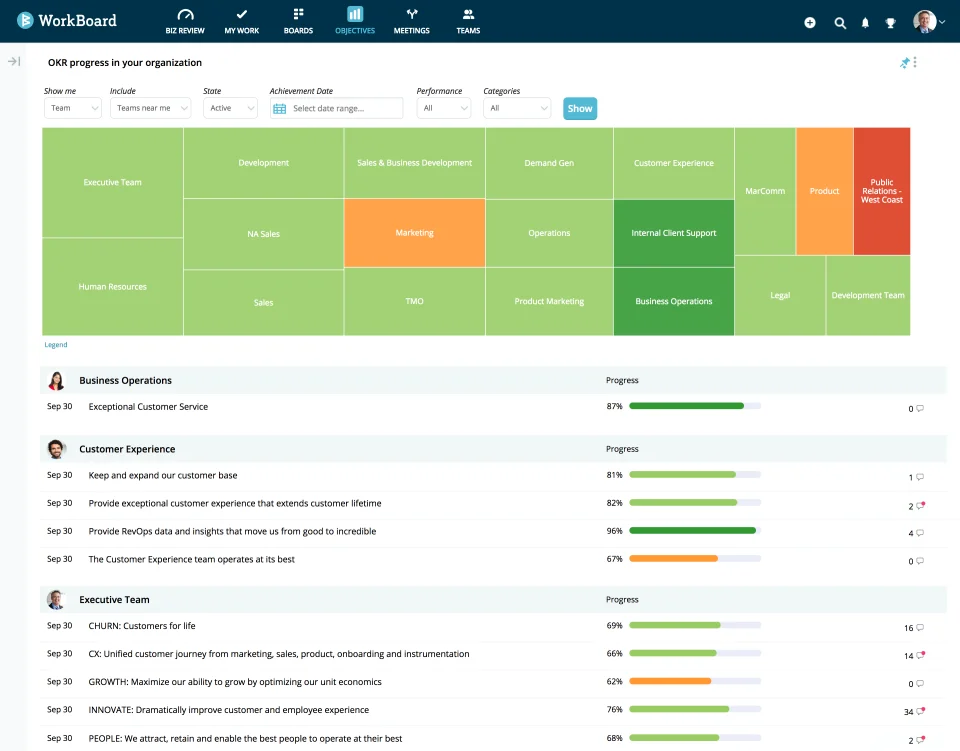
WorkBoard is aimed at larger companies that need to keep OKRs aligned across teams. Its AI agents add another layer of support by monitoring execution and flagging accountability issues. However, the platform can be more than smaller teams need.
Key Features
- AI agent suite: Chief of Staff (accountability monitoring) and Leadership Coach (manager development)
- Board-level OKR dashboards with cross-functional visibility and accountability tracking
- Strategy map connecting company OKRs through team and individual levels
- Native integrations with Workday and Microsoft 365
- Quantive customer migration support for organizations transitioning from the acquired platform
Pros
"I like how structured, well planned, and clear WorkBoard is. Goals, targets, updates, and priorities are off my shoulders and easy to track in one place. Having everything in one place makes it easier to stay clear on priorities." – G2 reviewer
- Chief of Staff AI agent monitors cross-functional alignment continuously, not just on-demand
- Quantive acquisition gives existing Quantive customers a clear migration path
- Co-sell partnerships with Workday and Microsoft reduce integration friction for enterprises on those stacks
Cons
"The interface can feel a bit complex at first, and it takes some time to get used to all the features. Making it beginner friendly would make it so easy." – G2 reviewer
- No self-serve evaluation path; every assessment goes through a sales process
- Requires a dedicated internal OKR program owner to succeed; organizations without one tend to struggle
- Quantive integration still ongoing. Verify feature parity if you were previously on Quantive
Pricing
- Custom quote only
- No trial or self-serve access available
Wrong for: Teams without a dedicated OKR program owner, and organizations below 500 employees where the implementation overhead is disproportionate.
3. Teamflect
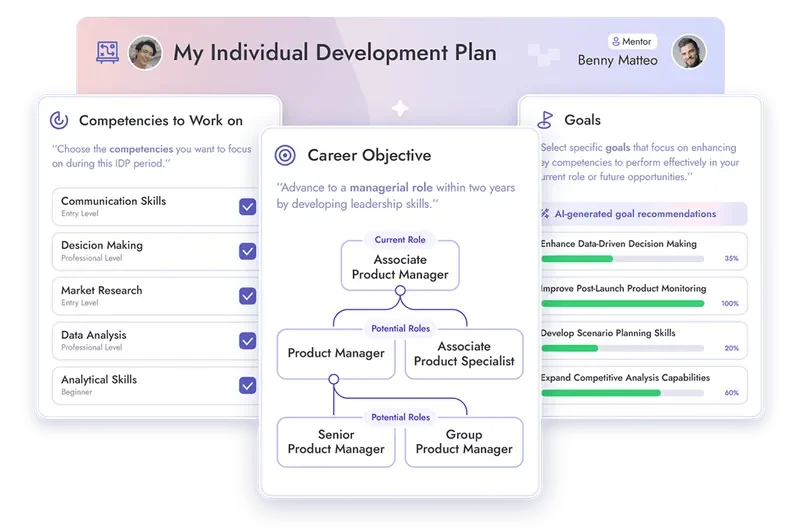
Teamflect makes the most sense if your company already uses Microsoft 365. Your employees can manage goals and check-ins inside Teams and Outlook instead of having to learn another daily workflow. The catch is that you need Microsoft 365 to get the most out of it.
Key Features
- Native Microsoft Teams and Outlook integration: goals, check-ins, and reviews run inside Microsoft 365
- OKR management with alignment views connecting individual goals to company priorities
- Performance reviews, 360-degree feedback, and 1-on-1 meeting support in a single module
- Succession planning and individual development plans connected to performance data
- Engagement surveys and recognition built into the same platform as the goal cycle
Pros
"Completing review cycles inside Microsoft Teams has removed the usual chase for form submissions. Managers and employees work in the same environment they already use, which has improved both speed and consistency." – G2 reviewer
- Goals, check-ins, and feedback run natively inside Microsoft Teams and Outlook
- Free tier covers up to 10 users with full feature access and no time limit
- Performance reviews, 360 feedback, surveys, and recognition all in the same platform as the goal cycle
Cons
"On Integrations, it works best within the Microsoft ecosystem, so it may feel limiting for companies using a wider mix of third-party tools." – G2 reviewer
- Hard dependency on Microsoft 365
- No core HRIS functionality; strategy and goal data still needs to sync with a separate system of record
Pricing
- Free for up to 10 users (Starter plan, full feature access, no time limit)
- Essential plan: $7 per user per month billed annually ($9 billed monthly)
- Professional plan: $11 per user per month billed annually ($14 billed monthly)
- 30-day free trial available on paid plans
Wrong for: Organizations not running on Microsoft 365 and teams that need more comprehensive HRIS features
4. ClearPoint Strategy
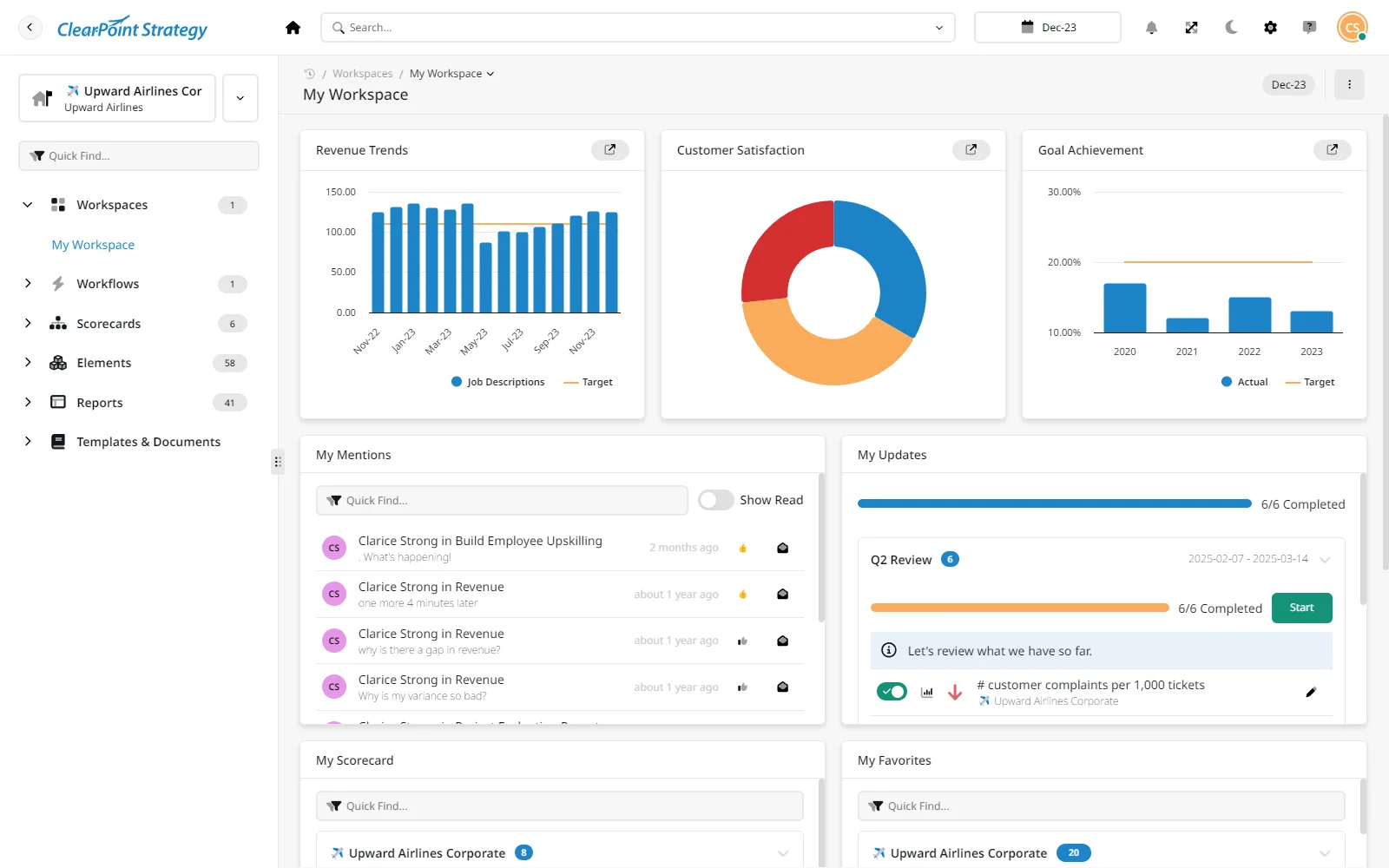
ClearPoint Strategy stands out when reporting is a major part of your strategy process. It gives you the tools to turn strategy data into reports that are easier to present to leadership or external stakeholders. However, it’s less focused on the everyday goal updates that keep employees involved.
Key Features
- Native Balanced Scorecard support aligned to Norton and Kaplan methodology
- Automated management report generation pulling from live scorecard and KPI data
- Multi-framework support for government, healthcare, and higher education reporting requirements
- Customizable scorecards, dashboards, and data integration from external systems
- Collaboration tools for distributed strategy and performance management teams
Pros
“ClearPoint is a comprehensive, user-friendly strategic planning solution with a broad range of capabilities. For our organization, the ability to customize reports has been especially important, and the new AI component is genuinely impressive.” – G2 reviewer
- Automated management report generation from live scorecard data: a real time-saver for monthly board packs
- Consistently praised for patience during complex configurations
- Native Norton and Kaplan Balanced Scorecard support: the natural fit for organizations already using that framework
- Multi-department visibility and collaboration tools built for distributed strategy ownership
Cons
“We had some issues with communication with previous contacts, but that has improved since working with Katie. Setting up has been challenging because only two team members are working on the project, and we are trying to get buy-in from various departments.” – G2 reviewer
- No check-in cadence or OKR cycle: not designed for daily team execution
- Initial configuration is time-consuming for complex reporting structures
- Not suitable if your goal cycle needs to reach individual contributors
- Custom quote only, no self-serve trial
Pricing
- Custom quote. No self-serve trial available.
Wrong for: Teams looking for an OKR tool or a daily execution layer. ClearPoint is optimized for reporting, not for the check-in workflows that drive strategy adoption at the team level.
5. Betterworks
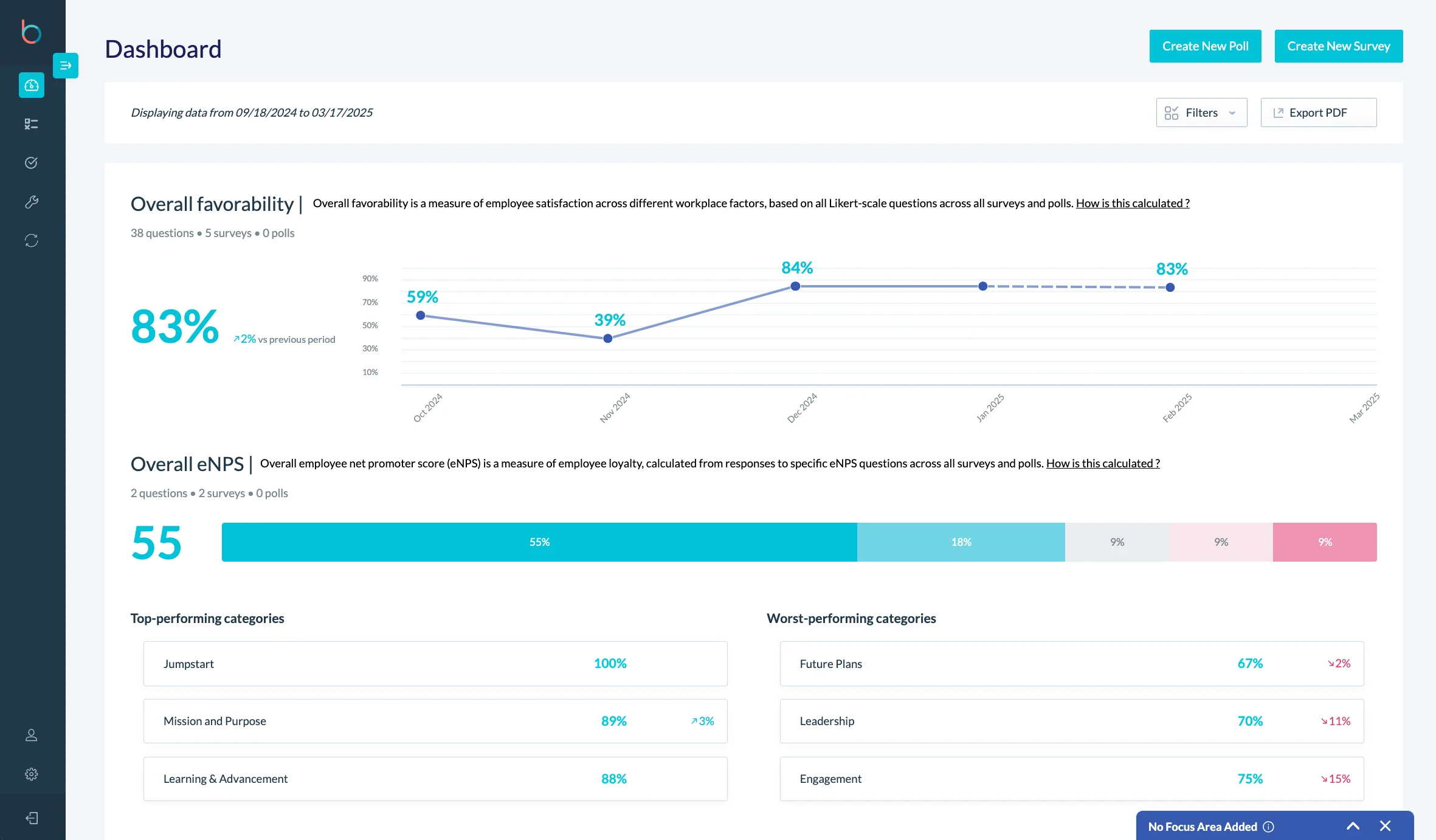
Betterworks connects goal management closely with performance management. That makes it especially useful for HR teams that want employee goals to carry into performance reviews and calibration. The tradeoff is a more involved setup and an enterprise-focused sales process.
Key Features
- AI execution-risk detection for goals that are trending toward a miss
- Calibration workflows connecting OKR outcomes to performance review ratings
- Continuous feedback and check-in cadence built into the goal cycle
- Manager development tools including guided 1-on-1s and feedback prompts
- Integration with major HRIS platforms and Microsoft 365
Pros
"Betterworks offers a modern interface for tracking goals, sharing feedback, and collaborating with others. Also I really appreciate the AI tools to enhance feedback texts, this is maybe my major advantage. In addition I never had issues with performance - the system seems to be stable and scalable." – G2 reviewer
- Calibration workflows connect OKR outcomes directly to performance ratings
- AI execution-risk detection flags at-risk goals before the quarter ends, not after
- Guided 1-on-1s and feedback prompts are built into the same platform as the goal cycle
- Integrates with major HRIS platforms and Microsoft 365, reducing data hygiene overhead
Cons
"Sometimes you have to search for settings just to change other settings, and it doesn’t feel well integrated with other tools like Microsoft Teams. Also, I don’t like that requested feedback expires after a certain time." – G2 reviewer
- Configuration complexity is the most common complaint
- No self-serve trial; requires a full demo process before you can evaluate the product
- Not suited for teams below 500 employees
Pricing
- Performance plan: $8 per user per month
- Performance + Talent Intelligence plan: $9 per user per month
- Enterprise: custom quote
- No free trial available. Demo-led sales process
Wrong for: Teams that need a simple OKR tool or a fast evaluation path. Betterworks is built for enterprise deployments with dedicated HR program owners.
6. Profit.co
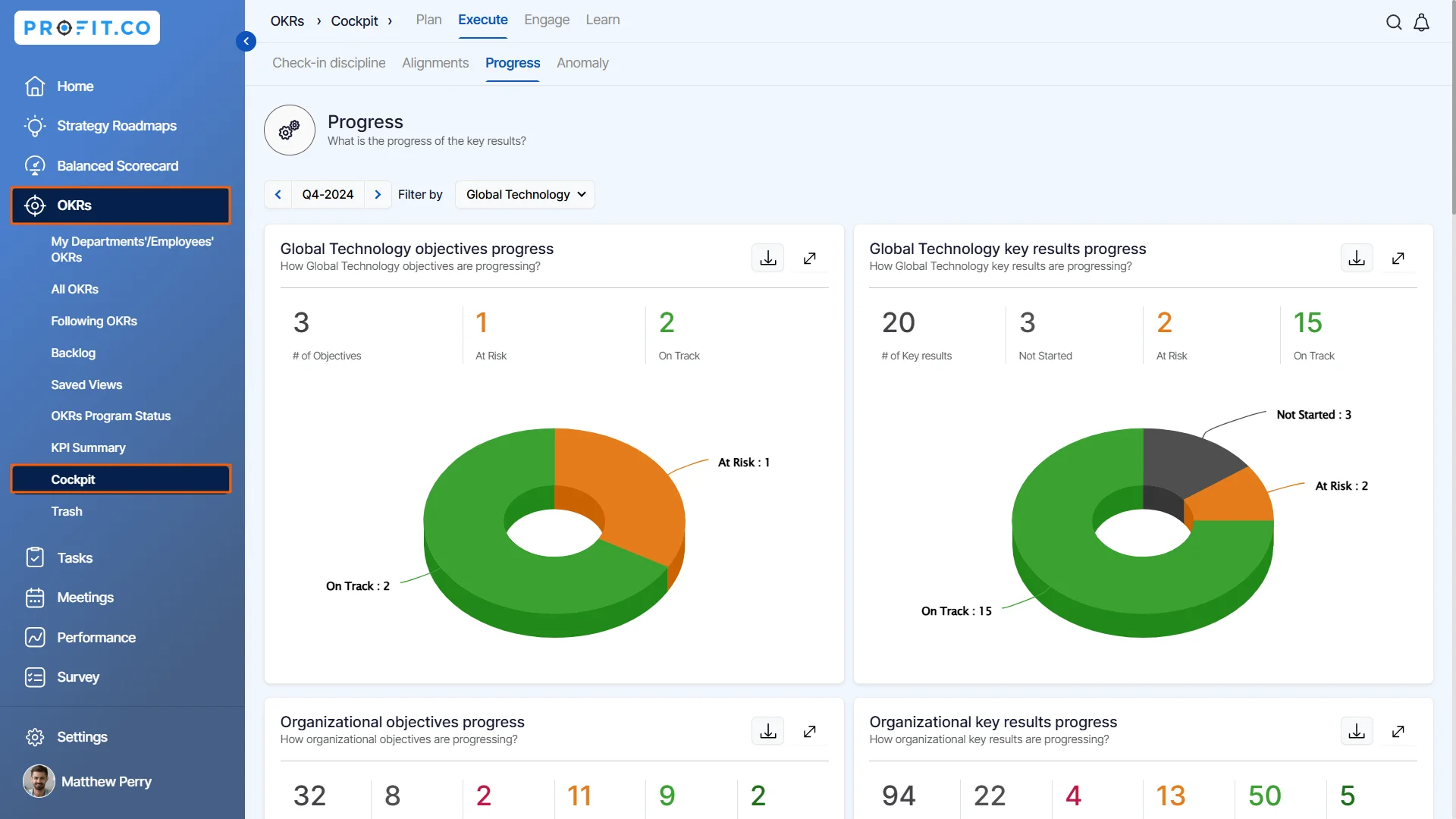
Profit.co takes a broader approach than a typical OKR platform. You get goal management alongside performance and employee engagement features, which can reduce the need for separate tools. However, that extra functionality may feel unnecessary if all you need is a straightforward OKR system.
Key Features
- OKR management with weighted scoring and alignment view from company to individual
- KPI dashboards pulling from integrated data sources
- Performance review module with 360-degree feedback and self-assessments
- Task management connected to OKRs for execution-level accountability
- Employee engagement surveys and recognition within the same platform
Pros
"The tool is very intuitive & really helps to put in our OKRs and execute them in a well-defined manner, even tuned for niche industries like education excellence." – G2 reviewer
- Broad functional footprint for the performance-linked camp: OKRs, KPIs, reviews, tasks, and surveys in one platform
- Free Launch plan covers core OKR features before any paid commitment
- Vendor support during OKR implementation is a consistent strength, especially for first-time rollouts
Cons
"At times, I have problems with the UI being super slow at loading my data. I do not think this is an internet issue since I can load other pages on the web super fast. So I think an improvement would be how fast data gets rendered on the platform." – G2 reviewer
- Steeper learning curve than purpose-built OKR tools
- Multi-week implementations are common; not a fast setup
- Paid modules are individually priced
- Individual module depth doesn't always match best-in-class point solutions
Pricing
- Free Launch plan available
- Paid modules individually priced with custom quote
- Free trial available
Wrong for: Teams that need a fast, lightweight OKR tool and don't need the full suite of performance management and engagement features.
7. AchieveIt
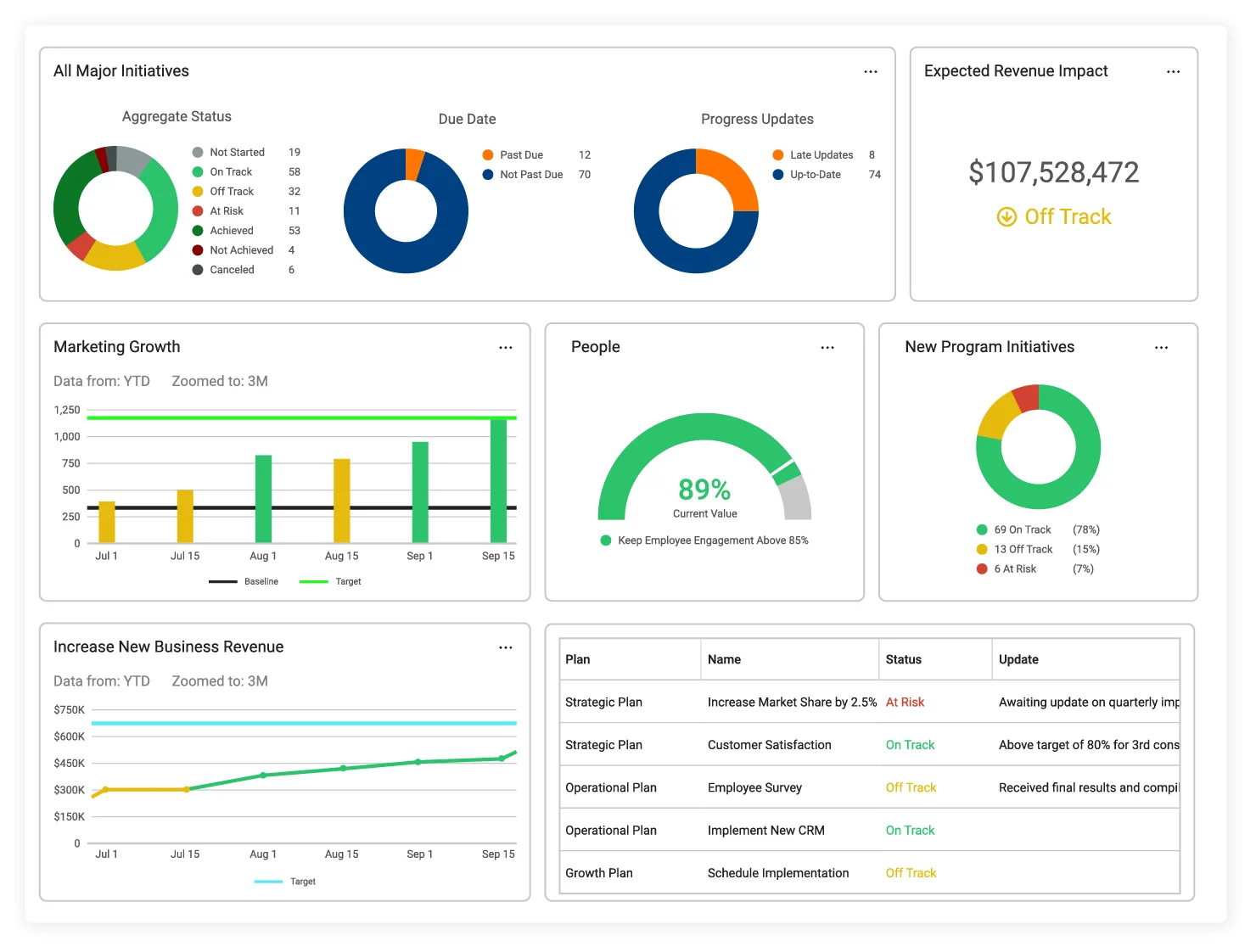
AchieveIt focuses on one problem that many strategy platforms struggle with: getting people to actually update their plans. Employees can respond to email reminders instead of logging into the platform every time they need to report progress. That makes it useful for teams where adoption is the bigger challenge.
Key Features
- Executives can update progress by responding to an email, no login required
- Automated progress reminders with configurable frequency and escalation
- Centralized strategic plan dashboard with real-time visibility across initiatives
- Document sharing and timeline management connected to goal progress
- Multiple strategy frameworks including Balanced Scorecard and OKR support
Pros
“I like that AchieveIt is user-friendly, making it easy for team members to enter updates. It offers multiple options to present the data, which helps me share information with team leads effectively. I find having all my organizational indicators and targets in one place convenient and it's easy to track the progress of team members in completing specific tasks.” – G2 reviewer
- Email reply updates let executives log progress by replying to an email, no login required
- Valuable for organizations implementing a strategy program for the first time
- Built for non-technical plan participants (department heads and program managers, not strategy staff)
- Supports Balanced Scorecard and OKRs
Cons
“The dashboard graphs and charts feel limited, and I wish we had more features and abilities. Also, the safe reports feel limited, and there are specific things I know other systems can do but can't currently.” – G2 reviewer
- Dashboard visualization is limited compared to ClearPoint or Spider Impact
- OKR mechanics are lighter than enterprise OKR tools
- No self-serve path and no published pricing
- 20-user minimum rules out small teams and limits piloting before a full rollout
Pricing
- Custom quote. Pricing is not publicly listed.
- 20-user minimum across all plans.
- No free trial available.
Wrong for: Teams that need deep OKR mechanics or board-level KPI reporting. AchieveIt is optimized for plan adoption and update compliance.
8. Spider Impact
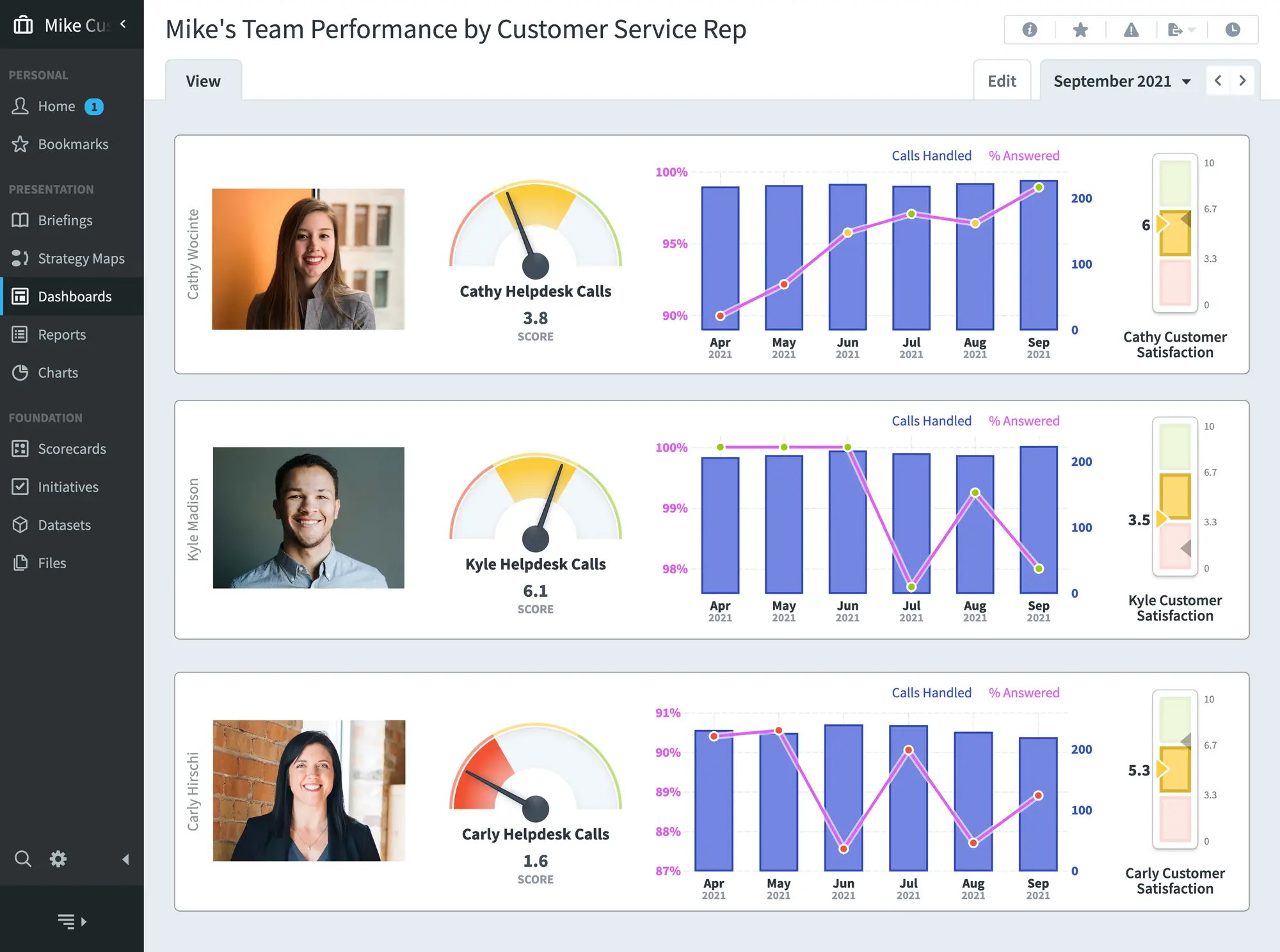
Spider Impact is particularly relevant if you work in government or another regulated environment. Its FedRAMP authorization gives it an advantage that most strategy platforms can’t offer. Outside those use cases, though, its dated interface and smaller user base may make it less appealing.
Key Features
- FedRAMP authorization for US federal government and regulated industry deployments
- Automated KPI data consolidation from multiple source systems
- Balanced Scorecard support with customizable strategy maps and dashboards
- Scheduled reporting with automated distribution to stakeholders
- Multi-department visibility for government and public sector strategy management
Pros
“The most impressive aspect of Spider Impact is its ability to help us control the narrative with our clients effectively. Reporting is made effortless, and the visualisation and data control features are exceptional.” – Capterra reviewer
- Carries FedRAMP authorization, which few strategy platforms have
- KPI data consolidation from multiple source systems reduces the manual update burden on compliance teams
- Deep, configurable Balanced Scorecard support
- Free trial available, which is rare for a regulated-industry platform
Cons
“There’s a small learning curve initially, but it’s well worth the investment in time.” – Capterra reviewer
- Interface is consistently described as dated compared to modern SaaS tools
- No OKR support or check-in cadence: a reporting tool, not a strategy adoption platform
- Limited relevance outside government and regulated industries
Pricing
- Custom quote. Contact Spider Strategies directly for pricing.
- Free trial available per Capterra listing
Wrong for: Commercial organizations without regulatory reporting requirements, and teams looking for an OKR management tool.
9. Perdoo
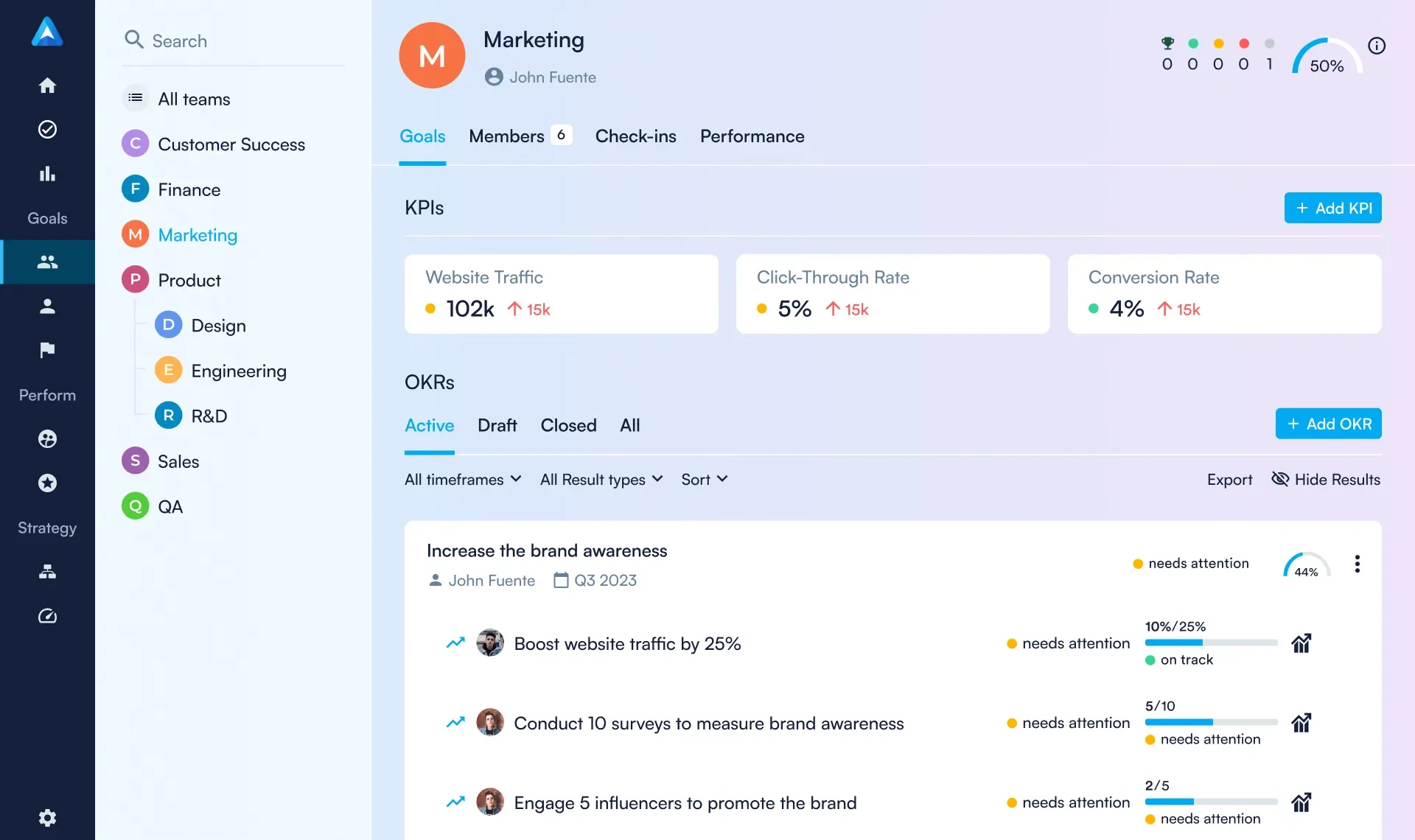
Perdoo keeps strategy management relatively straightforward by connecting your company goals to OKRs and KPIs through a visual strategy map. Its free plan and transparent pricing also make it easier to try without talking to sales. However, it doesn’t go as deep into reporting or performance management as some of the larger platforms.
Key Features
- Visual strategy map connecting company vision to OKRs and KPIs at team and individual level
- KPI boards for month-to-month metric tracking alongside OKR cycles
- 1-on-1 meeting support and performance review tools built into the platform
- EU data residency with Frankfurt-based servers and documented compliance roadmap
- Self-serve pricing calculator with volume discounts from 100 users
Pros
“What I like most about Perdoo is that it’s very easy to use while still offering all the functionality we need to manage our OKRs effectively. The platform is highly customisable, allowing us to adapt it to our processes rather than changing our processes to fit the tool." – G2 reviewer
- Self-serve pricing and free tier for up to 5 users
- Visual strategy map connects company OKRs to team KPIs
- EU data residency, Frankfurt servers, and SOC 2 Type II certified
- Self-serve pricing calculator with volume discounts from 100 users
Cons
"The main limitation from a HR Perspective is there isn’t a HR view option to track 1:1's or see performance reviews. These are only visible to the team member and their direct manager." – G2 reviewer
- $10,000 enterprise minimum, which is a significant jump from the self-serve $10/user/month plan
- Mobile app is notably weaker than the web experience
- KPI update workflows for monthly tracking can be confusing alongside OKR check-in cadences
- Microsoft Teams SSO integration has had reliability issues per recent reviews
Pricing
- Free for up to 5 users
- Strategy and Goals plan at $10 per user per month
- Enterprise contracts require a minimum of $10,000 and a sales conversation
Wrong for: Organizations that need board-level scorecard reporting or a deep performance management integration. Perdoo is an OKR and KPI tool, not a full strategy execution platform.
10. Workpath
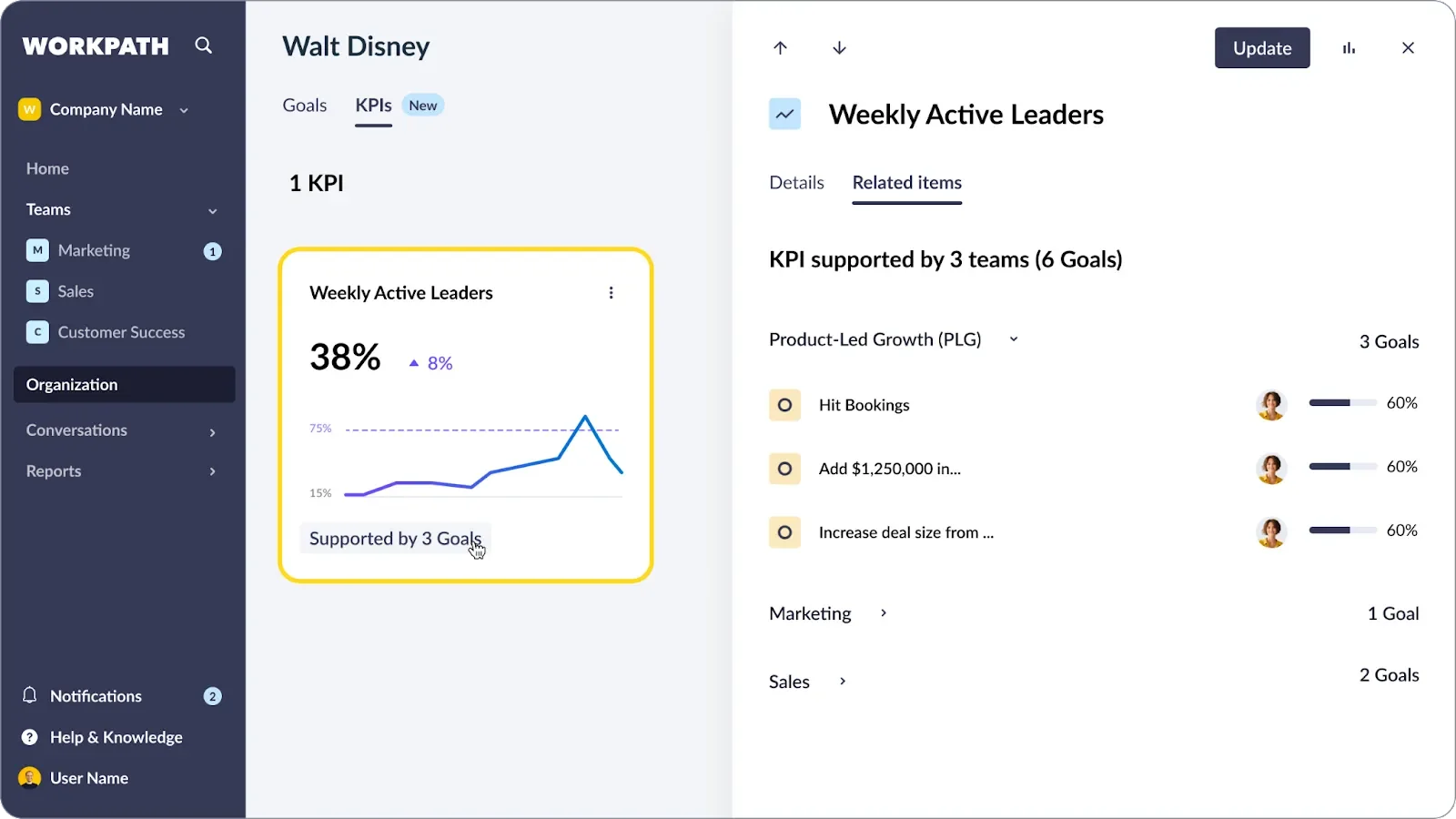
Workpath is especially worth considering if you’re based in Europe and need strong data protection and compliance. It combines those requirements with support for several strategy frameworks and newer AI features. The main drawback is that you can’t test it through a self-serve plan before talking to sales.
Key Features
- GDPR-compliant EU data residency with ISO 27001 and TISAX certification
- Multi-framework support: OKRs, Hoshin Kanri, and SAFe in a single platform
- AI Agent Hub with purpose-built agents for planning, risk detection, and reporting
- Viva Goals Migration Program for organizations transitioning from the discontinued Microsoft product
- Integration with major HRIS, project management, and collaboration tools
Pros
"I appreciate its user-friendly interface and ease of use. The software is designed to be intuitive and customizable, making it easy for businesses of all sizes to streamline their workforce management processes." – G2 reviewer
- ISO 27001 and TISAX certified with explicit EU data residency
- OKRs, Hoshin Kanri, and SAFe in one platform
- Viva Goals Migration Program provides free transition support and data migration for displaced Viva Goals customers
- AI Agent Hub for planning, risk detection, and board reporting: configurable by leadership without engineering support
Cons
"One area with room for improvement is the integration with the Microsoft Office suite, which isn’t yet as seamless as some of the other tools Workpath connects with." – G2 reviewer
- Microsoft Teams integration is less developed than Teamflect or Betterworks
- No self-serve evaluation path; every assessment requires a sales conversation
- Limited market presence outside the EU
Pricing
- Custom quote only
- No self-serve trial available
Wrong for: Organizations outside the EU where data residency compliance is not a requirement, and teams looking for a self-serve evaluation path.
How to Choose the Right Strategy Execution Software
FAQs About Strategy Execution Software
What is strategy execution software?
Strategy execution software helps organizations translate a strategic plan into work that can be tracked, managed, and measured. At a minimum, these platforms model the connection between high-level priorities and the goals, KPIs, and initiatives that correspond to them.
What is the difference between strategy execution software and OKR software?
OKR software manages the goal cycle: setting objectives, tracking key results, and running check-ins within that framework. Strategy execution software covers more ground, including strategy structure modeling, multi-framework support, and reporting tools for leadership and boards.
How much does strategy execution software cost?
Most platforms quote custom pricing for serious deployments. The exceptions with published pricing are Perdoo (free up to 5 users; $10 per user per month for the Strategy and Goals plan), Teamflect (free up to 10 users; Essential at $7 per user per month billed annually), and Betterworks ($8 per user per month for the Performance plan; $9 for Performance + Talent Intelligence). All other platforms require a sales conversation for pricing. Do not budget based on third-party estimates for these tools.
Do you need strategy execution software if you already run OKRs?
Not necessarily. If your OKR program is working well and strategy is genuinely reaching the people responsible for execution, adding a separate strategy layer may just create redundancy. However, strategy execution software earns its place when the connection between strategy and the goal cycle isn't visible, when leadership needs reporting infrastructure that an OKR tool can't provide, or when the strategy lives in a deck that nobody references between annual planning cycles.
.png)