

.svg)
Running 360 feedback across a large organization comes with a few extra challenges. You have more employees and more feedback to manage, so the right software can make it much easier to keep everything organized.
You also need to consider rater privacy. Your employees are more likely to give honest feedback when they know their responses are handled appropriately and their comments cannot easily be traced back to them.
We looked at how each platform handles the feedback process, from setting up assessments and managing raters to reviewing results and turning feedback into action. You’ll also want to consider how well each option can support your organization as your program grows.
If you’re part of a smaller organization, you may find a better fit in our 360 feedback software comparison.
360 Feedback Platforms at a Glance
You’ll see some clear differences between the platforms below. Use the table to narrow down your options before diving into the full breakdown.
What to Look for in Enterprise 360 Feedback Software
360 feedback gets harder to manage as the program expands. More employees and teams can mean more administrative work for HR, particularly when feedback cycles need to run across different parts of the organization.
Can It Handle Your Program?
Manual setup becomes difficult once feedback cycles involve a large number of employees. Rater nominations and reminders alone can create a lot of repetitive work for HR.
Bulk setup and automated workflows can reduce that workload. Flexible processes also matter when different teams need to run feedback cycles in slightly different ways.
Will Raters Feel Safe?
Employees are less likely to give honest feedback when they’re worried their responses could be traced back to them. Privacy controls need to hold up even when feedback comes from a small group.
Minimum rater thresholds can prevent reports from revealing feedback when there aren’t enough responses. Comment settings also deserve attention since written feedback can sometimes make a person identifiable.
Can You Use Your Own Framework?
A generic competency model may not reflect how your organization defines effective leadership. Most enterprises already have a framework in place, so the software needs to accommodate it.
Custom questions and rating scales give HR more control over how each assessment is structured. Multilingual support is also important when the same program runs across different regions.
Are the Results Useful Afterward?
A 360 assessment has limited value if the final report is little more than a collection of scores. Employees need enough context to understand what their feedback means and where they can improve.
Sample reports can show how clearly the platform presents those insights. Development planning can also help connect the assessment with what employees do after receiving their results. Employee development software can support that ongoing process.
Does It Work With Your Existing Setup?
Employee information shouldn’t have to be maintained across multiple systems just to run a feedback cycle. Integrations with existing HR systems can reduce that manual work and keep employee data consistent.
Data residency can also become a concern for global organizations. Getting those technical requirements right early can prevent a lot of cleanup later.
How We Evaluated Each Software
Every product went through the same evaluation process. The focus was on how well each platform works for enterprise 360 feedback rather than simply counting features.
1. 360 Feedback Tools
The core feedback experience was a major part of the review. We looked at how the process works from setup through reporting and whether the platform keeps things manageable for both HR teams and employees.
2. Enterprise Setup
Enterprise feedback programs bring more administrative complexity than a standard survey. We looked at how each platform handles that workload and whether it can support larger organizations without making every cycle harder to manage.
3. Development Follow-Through
Feedback needs to translate into something employees can actually use. Platforms scored higher when their results could feed into development work instead of stopping at the final report.
4. HR Tech Fit
360 feedback rarely sits in isolation. We considered how easily each platform fits into an existing HR tech stack and whether employee information can move between systems without creating extra manual work.
5. Reviews and Pricing
Customer reviews helped us gauge what using each platform is like beyond the product demo. Pricing was also part of the evaluation, with more weight given to platforms that provide some visibility into costs before a sales conversation.
Top 10 Enterprise 360 Feedback Platforms
Here is a closer look at each platform, including where it stands out and where you may run into limitations:
1. Betterworks
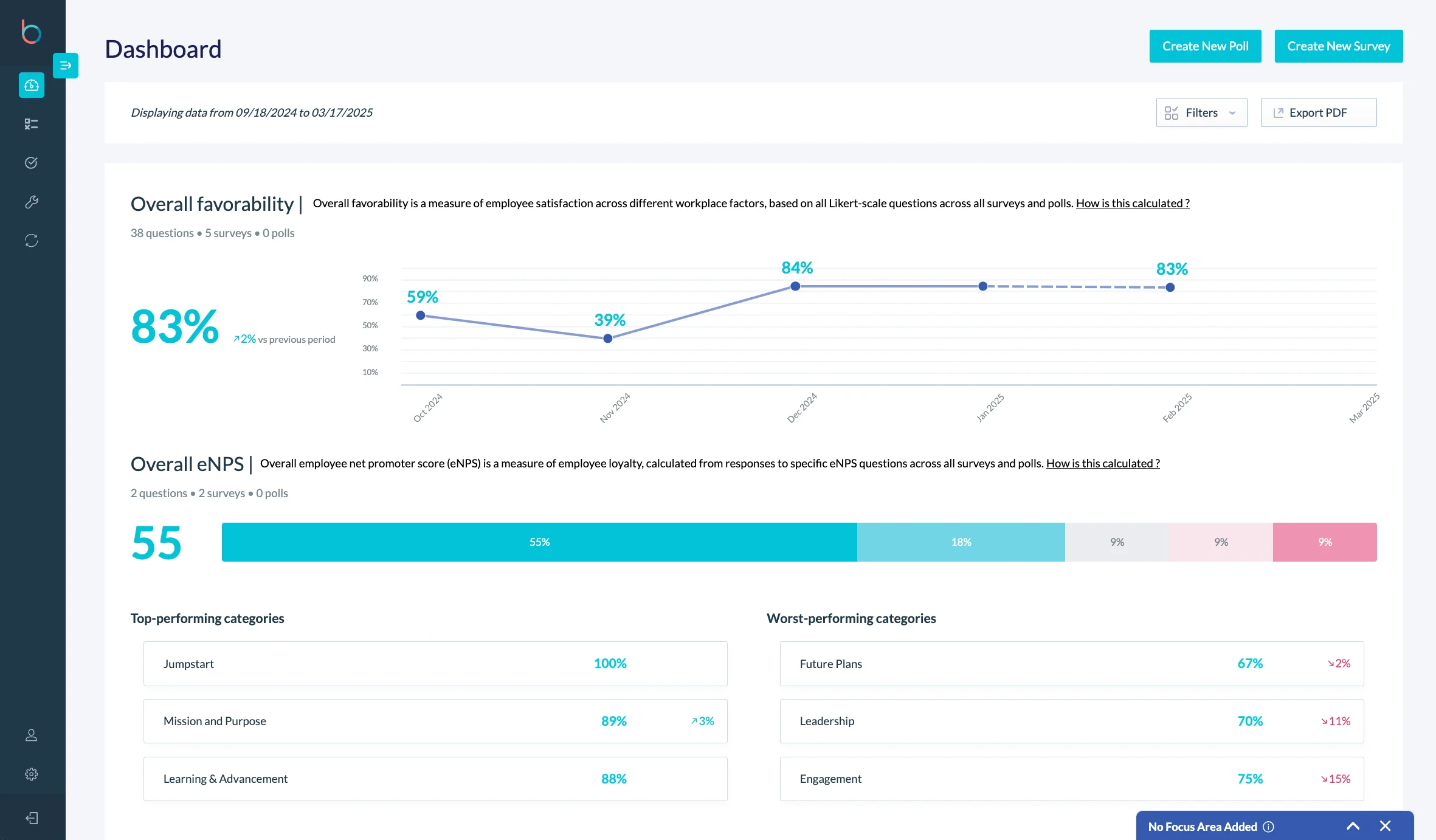
Betterworks works well for companies that want 360 feedback to be part of a larger performance process. Rather than treating feedback as a separate annual event, the platform connects it with goals, reviews, manager check-ins, and calibration.
That connection matters when HR needs to compare feedback with actual performance data. Companies already using Workday or SAP SuccessFactors will get the most from Betterworks because the platform is built to sit alongside those systems.
Key Features
- Self, manager, peer, and upward feedback
- Parallel review workflows
- 9-box grids and rating distributions for calibration
- Goal alignment and manager check-ins
- Workday and SAP SuccessFactors integrations
- Slack, Teams, Outlook, and Google Workspace connections
Pros
“Betterworks offers a modern interface for tracking goals, sharing feedback, and collaborating with others. Also I really appreciate the AI tools to enhance feedback texts, this is maybe my major advantage. In addition I never had issues with performance - the system seems to be stable and scalable.” – G2 reviewer
- Useful for companies that need more consistent ratings
- Strong HRIS integrations for larger HR teams
- Keeps feedback connected to goals and reviews
Cons
“I feel the user interface could be a little more user-friendly, some features take time to load, and the navigation can occasionally feel confusing. A cleaner layout and simpler workflows would make it more efficient, the graphics as well.” – G2 reviewer
- Setup can take time
- Mobile use is less polished than desktop
Pricing
- Performance starts at $8 per user/month
- Performance + Talent Intelligence starts at $9 per user/month
- Enterprise packages use custom pricing
- Implementation is a separate one-time cost
2. Teamflect
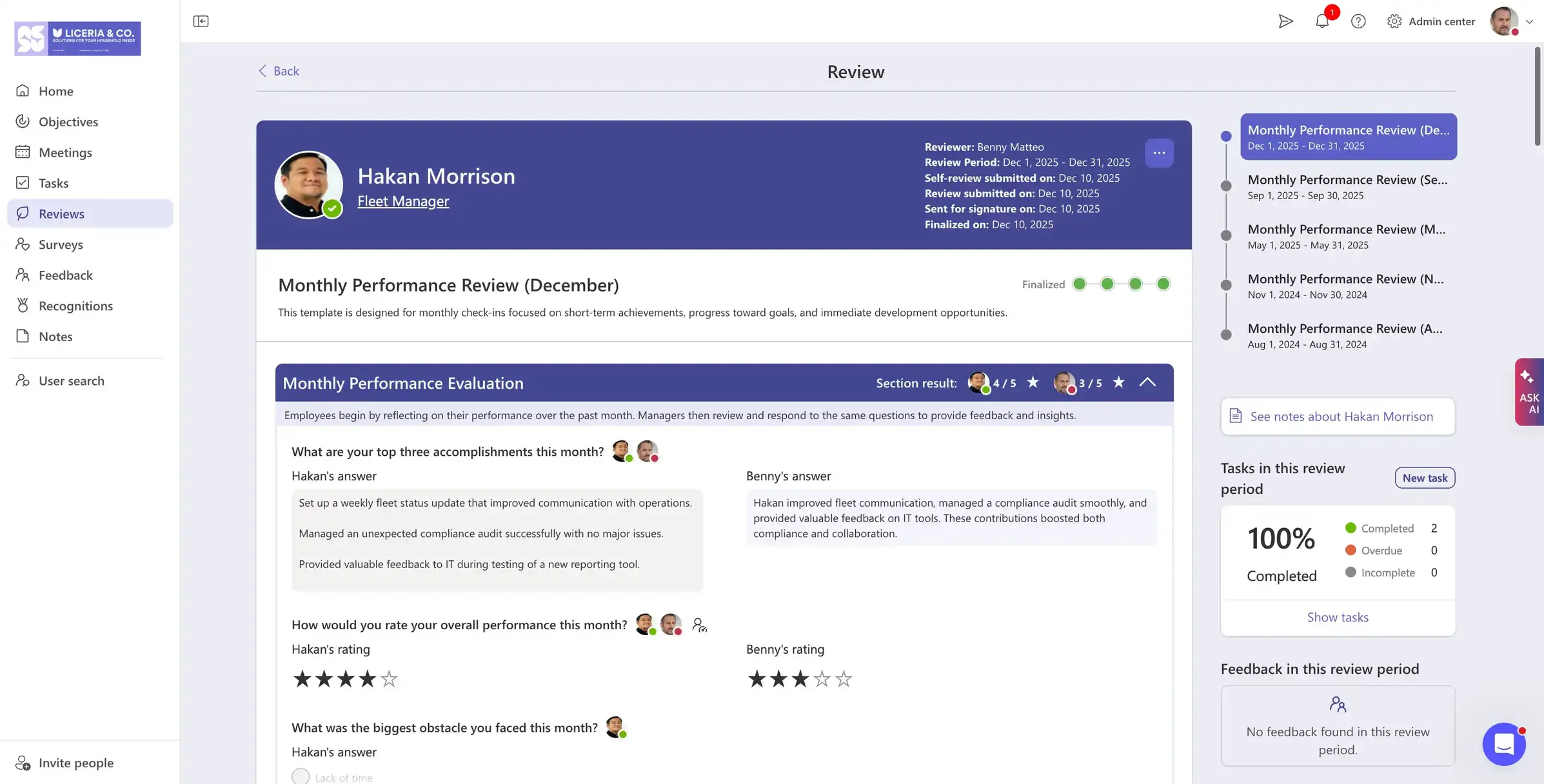
Teamflect makes the most sense if your company already lives in Microsoft 365. Employees can complete feedback, check-ins, and reviews inside Teams and Outlook, so you're not asking them to remember another platform.
The main advantage is its integration with Microsoft 365. Teams already using Microsoft tools can keep feedback and performance reviews within the platforms they use every day.
Key Features
- 360-degree feedback cycles
- Performance reviews and 1:1s
- Goals and OKRs
- Recognition and engagement tools
- Teams and Outlook workflows
- Microsoft 365 administration and SSO support
Pros
“Completing review cycles inside Microsoft Teams has removed the usual chase for form submissions. Managers and employees work in the same environment they already use, which has improved both speed and consistency.” – G2 reviewer
- Employees can complete work where they already communicate
- Less need for separate logins
- Free plan and paid tiers are published
Cons
“On Integrations, it works best within the Microsoft ecosystem, so it may feel limiting for companies using a wider mix of third-party tools.” – G2 reviewer
- Only makes sense for Microsoft 365 companies
- No core HRIS functionality for enterprise HR data
Pricing
- Free for up to 10 users with full functionality
- Paid plans start at $11 per user/month (annual billing)
- Monthly billing is $9 and $14 per user/month
3. SAP SuccessFactors
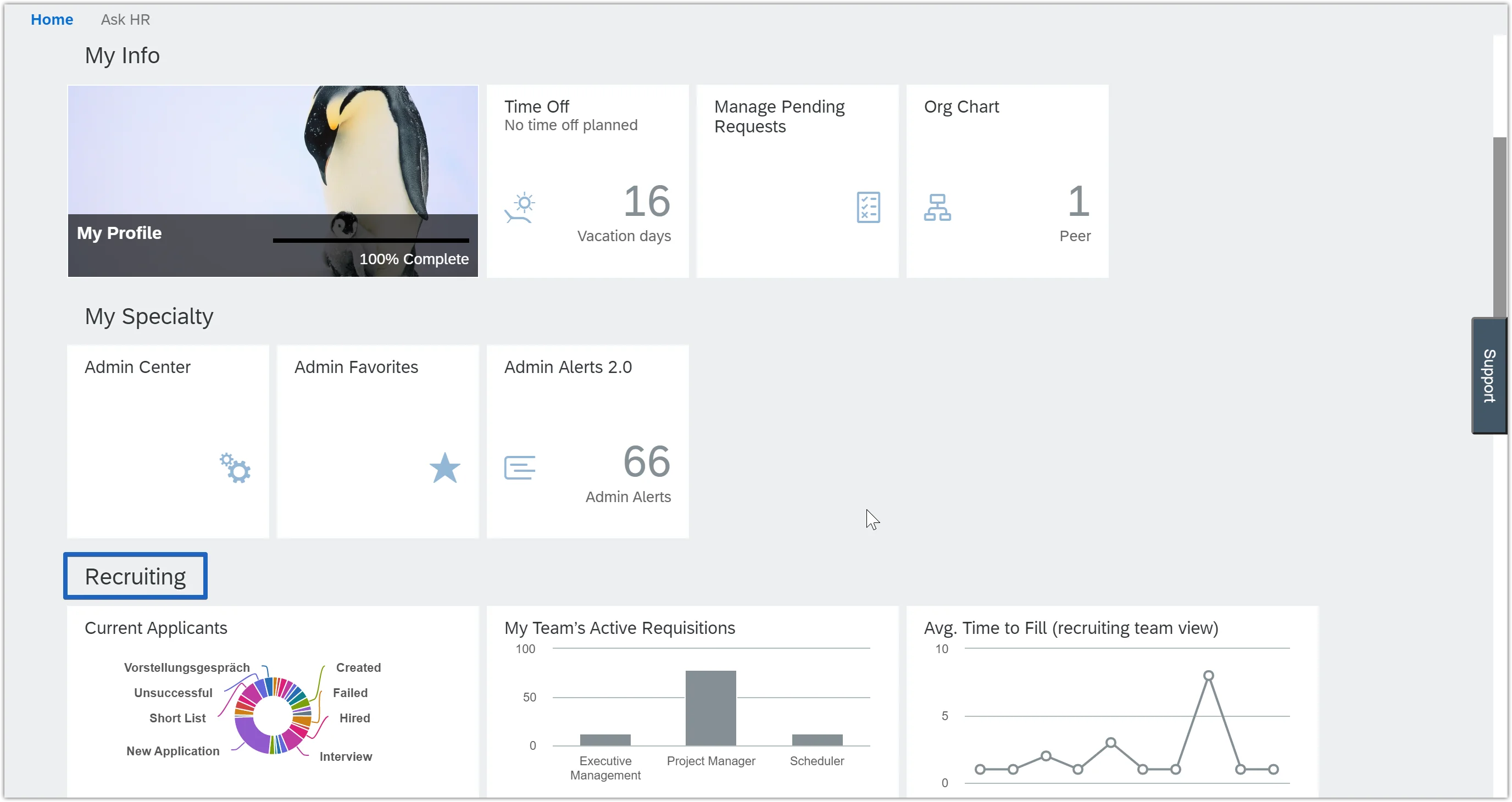
SAP SuccessFactors is a practical option for global companies already using SAP for HR. Employee data, reporting lines, talent profiles, and succession information are already in the system, which cuts down on manual setup for a 360 cycle.
However, SuccessFactors is not a lightweight product. HR teams usually need experienced administrators or outside support to configure it well.
Key Features
- Multi-rater feedback within talent processes
- Goals and performance reviews
- Succession planning and calibration
- Global workforce and language support
- Role-based permissions
- Live SAP employee data
Pros
“What I like best about SAP SuccessFactors HCM is its ability to manage the entire employee lifecycle in one platform, from recruitment and onboarding to performance management and learning. The user interface is intuitive and easy to navigate, which helps employees and managers complete HR tasks quickly without extensive training.” – G2 reviewer
- No separate employee upload for SAP customers
- Works well for global talent programs
- Can connect feedback with succession planning
Cons
“What I dislike about SAP SuccessFactors HCM is that some processes can feel a bit lengthy, particularly when several approvals are required. The portal can also be slow to respond at times, which makes it harder to quickly access attendance, leave, or employee information when you need it.” – G2 reviewer
- Longer implementation process
- Higher total cost
- Not a good fit outside the SAP ecosystem
Pricing
- Custom enterprise pricing
- Cost varies by modules, workforce size, services, and contract terms
- No public standard list price
4. Culture Amp
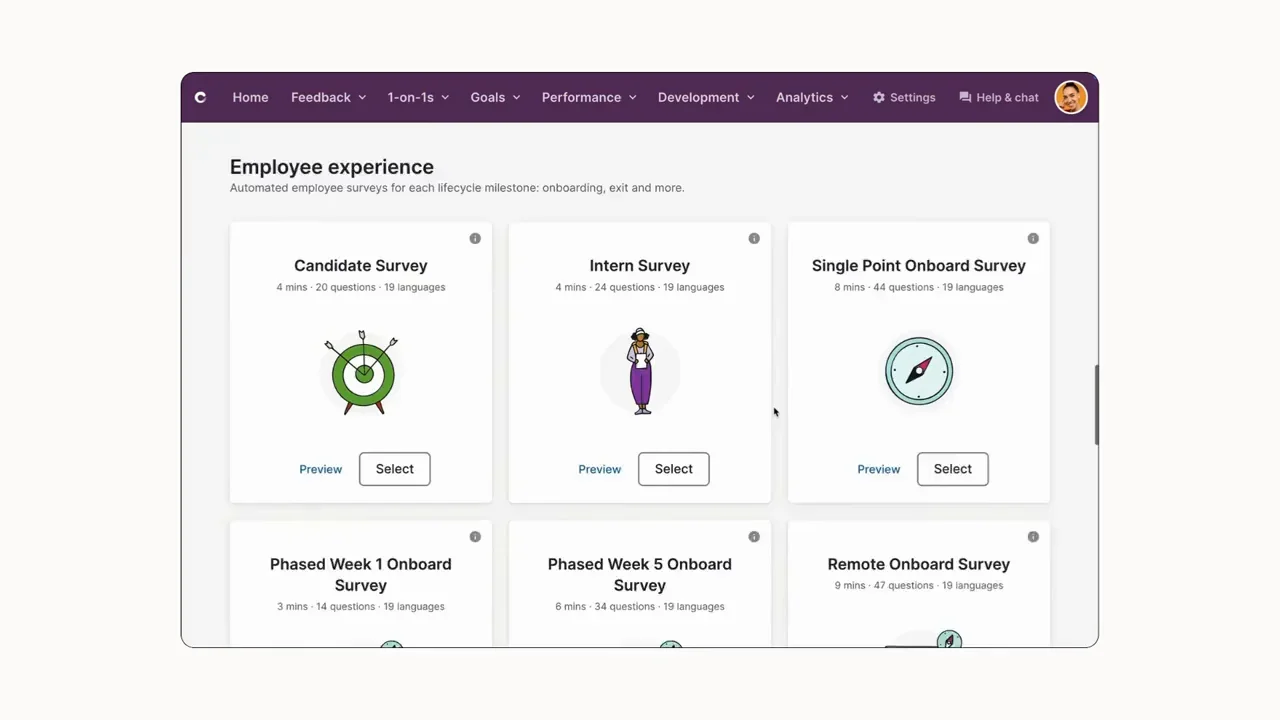
Culture Amp is a strong choice when you want to look beyond individual scores. Its reporting and benchmark data give HR a better view of patterns across departments, manager groups, and employee populations.
That is useful when feedback needs to hold up in front of leadership or inform a wider people strategy. On the other hand, companies looking for deep enterprise talent-suite workflows may want to compare it with SAP or Workday.
Key Features
- Multi-rater feedback and performance reviews
- Custom question design
- Engagement surveys and benchmarks
- People analytics and demographic views
- Development goals and manager workflows
- Enterprise permissions and integrations
Pros
“I love that you're provided set questions to use within the surveys, and you're also able to amend and change as you require. You have complete control of your surveys, and the data is rich once completed, which you can analyse and delve into.” – G2 reviewer
- Good reporting for people teams
- Easy for managers and employees to use
- Connects feedback with engagement data
Cons
“I dislike the portal in that you have to click lots of sections to get the specific information you need - I wish this was easier or more intuitive. It can be a bit slow at times too with all the data and information.” – G2 reviewer
- Survey governance is needed to avoid fatigue
- Some performance needs may require a deeper system
- Pricing is quote-based
Pricing
- Custom pricing
- Cost depends on employee count, selected products, and service tier
- Products are billed annually
5. Qualtrics EmployeeXM
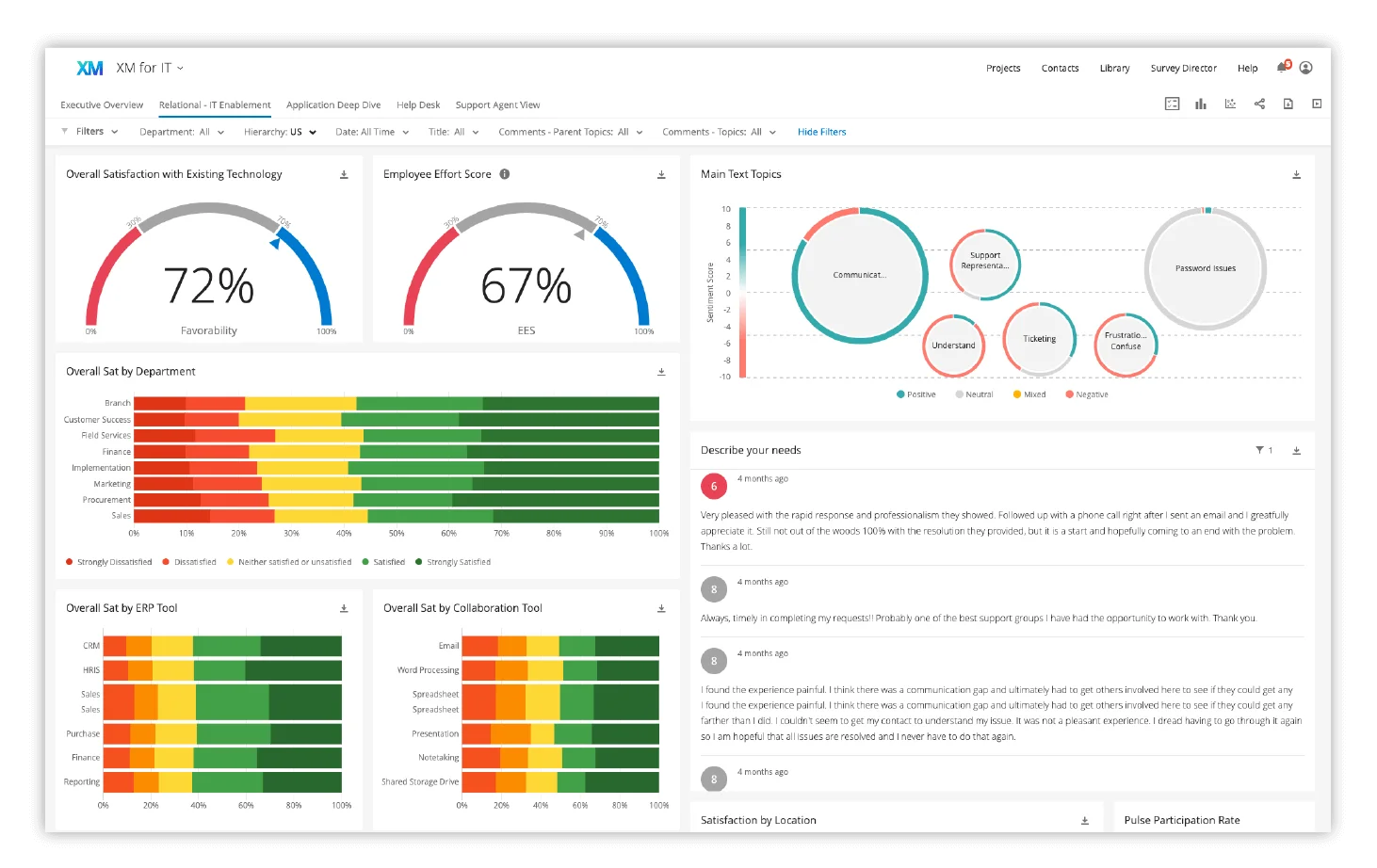
Qualtrics EmployeeXM is better suited to companies treating 360 feedback as a serious research and measurement project. Survey logic and reporting controls go deeper than what you will find in most performance-management platforms.
You’ll find that this type of depth comes with a learning curve. Teams without survey expertise may spend more time building and maintaining the program than they expect.
Key Features
- Advanced survey logic and question design
- Role-based access and confidentiality controls
- Segmented dashboards and analytics
- Multi-language deployment
- Automated workflows and reminders
- Enterprise integrations and APIs
Pros
“I use Qualtrics Employee Experience to gauge employee satisfaction and host a virtual suggestion box. I love how I can easily customize interactions for each department while keeping the core consistent.” – G2 reviewer
- Deep survey controls
- Useful for global research programs
- Flexible reporting and privacy settings
Cons
“The dashboards are somewhat limited in their ability to display information. Calculated fields are difficult if not impossible to display and certain visuals are very limited in how you can leverage them.” – G2 reviewer
- Not a simple plug-and-play performance tool
- Needs people who understand survey design
- Implementation is sales-led
Pricing
- Custom enterprise pricing
- Cost depends on employee population, modules, and program complexity
- No public self-serve price or free trial
6. Workday Talent
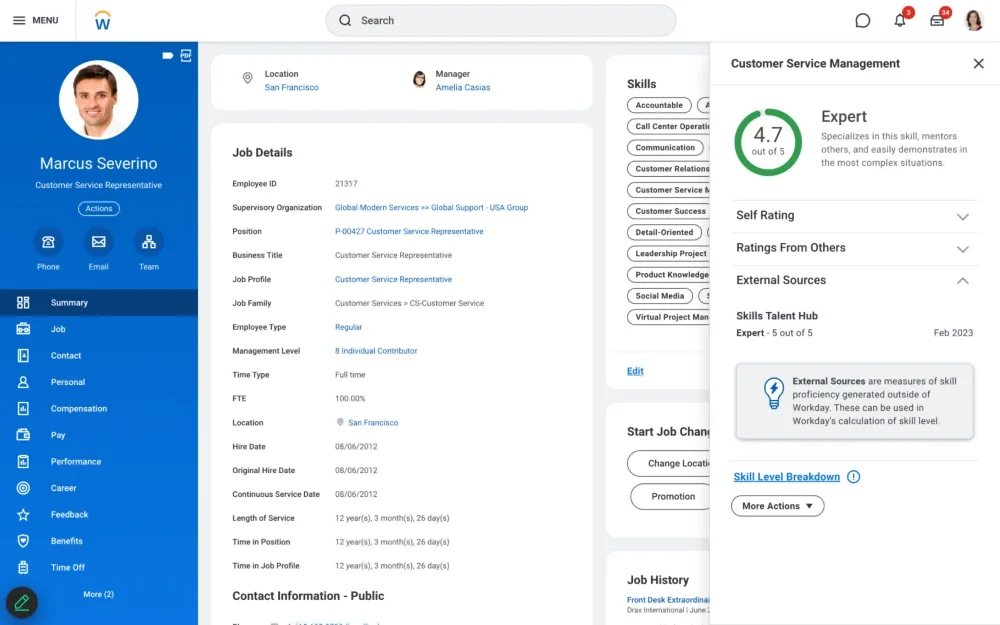
Workday Talent is the obvious place to start if your company already runs Workday. Feedback stays connected to employee records, reporting lines, goals, and talent data, so HR does not have to keep moving information between systems.
Companies without Workday should look elsewhere. Workday’s value here comes from staying inside an existing system, not from being a standalone 360 tool.
Key Features
- Feedback and reviews tied to Workday records
- Live organizational data
- Goals, talent profiles, and development plans
- Talent reviews and succession planning
- Enterprise security and workflow controls
- Global workforce configuration
Pros
“I appreciate how Workday Talent Management allows us to track annual performance metrics and employee progress effectively. It makes it easy to organize groups based on manager hierarchy, which helps divide work among HRBPs. The tool's integration with Workday HCM is valuable, as it enables us to draw in data, including demographic information, to better support employee development.” – G2 reviewer
- No separate employee-data sync
- Connects feedback with succession data
- Fits complex governance requirements
Cons
“One of the main drawbacks of Workday Talent Management is its complexity and steep learning curve, particularly for new users or smaller organizations without dedicated HR tech support. The interface, while powerful, can feel unintuitive at times, requiring multiple clicks to complete tasks that could be more streamlined.” – G2 reviewer
- Only valuable for Workday customers
- Specialist support is often needed
- Less modern user experience than some newer tools
Pricing
- Custom pricing through Workday agreements
- Cost depends on selected Talent and HCM modules
- No self-serve list pricing
7. Lattice
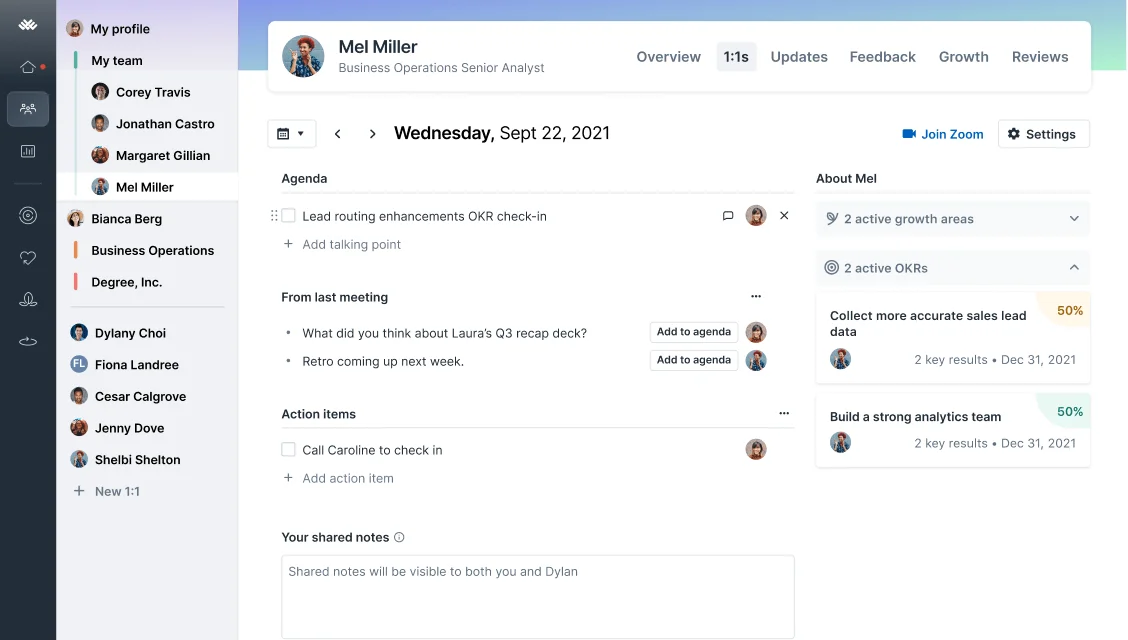
Lattice gives HR teams a cleaner, more modern way to run feedback, reviews, goals, engagement, and compensation processes. Many companies prefer it over legacy HCM tools because managers and employees can usually get comfortable with it more quickly.
Lattice can support larger companies, but it's worth testing the reporting and calibration tools against your real employee numbers. Very complex global programs may need more depth than the platform offers out of the box.
Key Features
- 360 reviews and feedback
- Performance reviews and calibration
- Goals and OKRs
- Engagement surveys and analytics
- Compensation and growth modules
- Slack, Teams, HRIS, and SSO integrations
Pros
“I like the update feature a lot, as updates are now more consolidated for our managers who have multiple direct reports. The new Lattice AI agent is extremely helpful, as it helps managers review faster. Reviews are now more streamlined and easier for both the employee and manager to complete.” – G2 reviewer
- Modern experience for managers and employees
- Strong customer-review volume
- Covers several people-management needs
Cons
“I don't like that the AI agent and one-on-ones in Lattice can't be accessed in a group setting. It would be a lot more helpful for managers with multiple direct reports or companies that work in pod format to share insights across teams.” – G2 reviewer
- Check reporting depth for very large programs
- Extra modules can raise the total cost
- Custom workflows may need support
Pricing
- Talent Management starts at $11 per person/month
- Engagement and Grow add-ons start at $4 per person/month
- Compensation and Core AI add-ons start at $6 per person/month
- Enterprise bundles and implementation costs require a quote
8. Workhuman Conversations
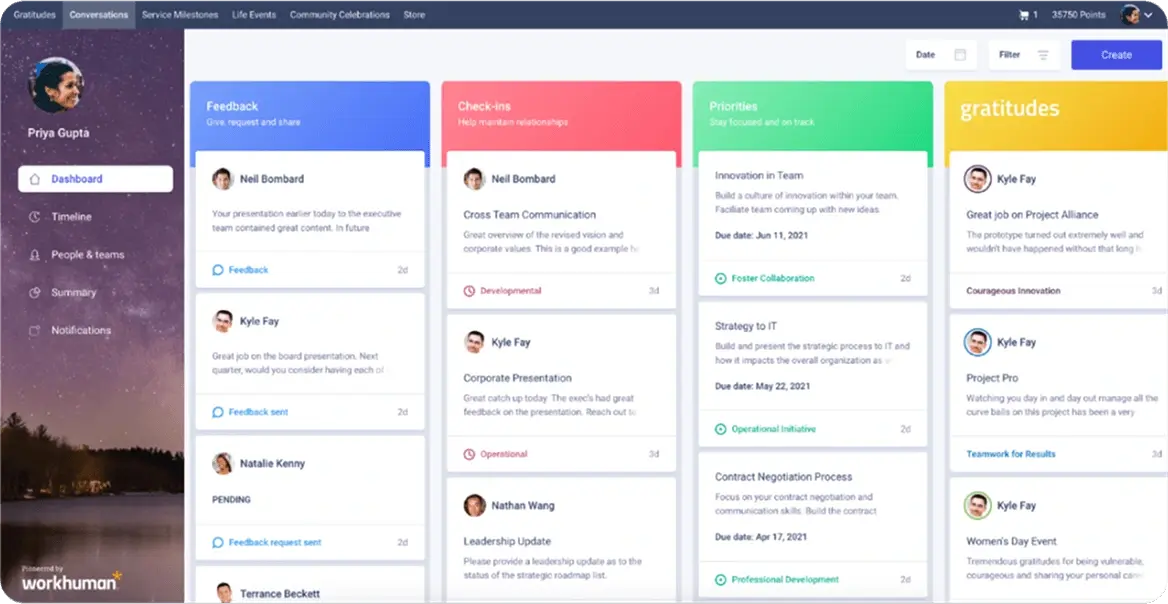
Workhuman Conversations is worth considering if your company already runs a large recognition program and wants feedback to happen more often than once a year. The product puts conversations and recognition close together, which can make feedback feel less formal and easier to build into everyday work.
However, a formal leadership 360 program may need more structure than a recognition-led platform offers. Companies should look closely at reporting and assessment setup before choosing it for that use case.
Key Features
- Continuous feedback and Conversations
- Recognition and social feed
- Performance and development insights
- Global recognition program support
- HRIS connector ecosystem
- Enterprise analytics and administration
Pros
“I love how easy and interactive it is. The push notifications work great for amplifying the recognition happening across the organization. We have just as many comments as we do awards, which is great to see and really shows the interaction on the home feed. I also love the addition of “Reward stories" which gives our associates visibility into what other associates are redeeming their points for on the storefront.” – G2 reviewer
- Large base of verified customer reviews
- Recognition can encourage regular participation
- Supports continuous feedback habits
Cons
“Overall the platform is pretty straight forward, it is easy to browse and navigate. The platform design could have a more modern feel for a better visual design. AI could be used to promote products that have a better redemption rate.” – G2 reviewer
- Not built solely for formal 360 assessments
- Recognition-first setup may not suit every program
- Trial access can be limited
Pricing
- Custom pricing for mid-market and enterprise customers
- Cost varies by program size, modules, and service requirements
- Trial eligibility depends on organization size and scope
9. Cornerstone

Cornerstone stands out when your main concern is what happens after feedback is collected. A manager can use identified skill gaps to guide employees toward learning content, development plans, and longer-term talent opportunities.
That is a real advantage for companies already using Cornerstone for learning. The platform has a lot of moving parts, though, so it needs a clear owner and a solid rollout plan.
Key Features
- Multi-rater feedback and performance reviews
- Learning management and content assignment
- Skills and development planning
- Succession and talent mobility
- Enterprise reporting and permissions
- Global deployment options
Pros
“I like the goal-tracking feature that allows employees and managers to review progress throughout the year instead of waiting for annual appraisals. The system also makes it easy to record achievements, share feedback, and maintain performance history in one place. This helps make performance discussions more objective and transparent.” – G2 reviewer
- Clear link between feedback and learning
- Good fit for larger talent programs
- Supports development beyond the review cycle
Cons
“The user interface could be more intuitive for occasional users. Some appraisal workflows involve multiple screens and approvals, which can make the process longer than necessary. Faster report generation and a more mobile-friendly experience would also improve usability.” – G2 reviewer
- Can feel complicated for new users
- Needs planning and internal ownership
- Pricing requires a quote
Pricing
- Custom pricing
- Cost varies by selected Learning, Performance, Skills, Recruiting, and Talent modules
- Request a scoped enterprise proposal
10. Explorance Blue 360
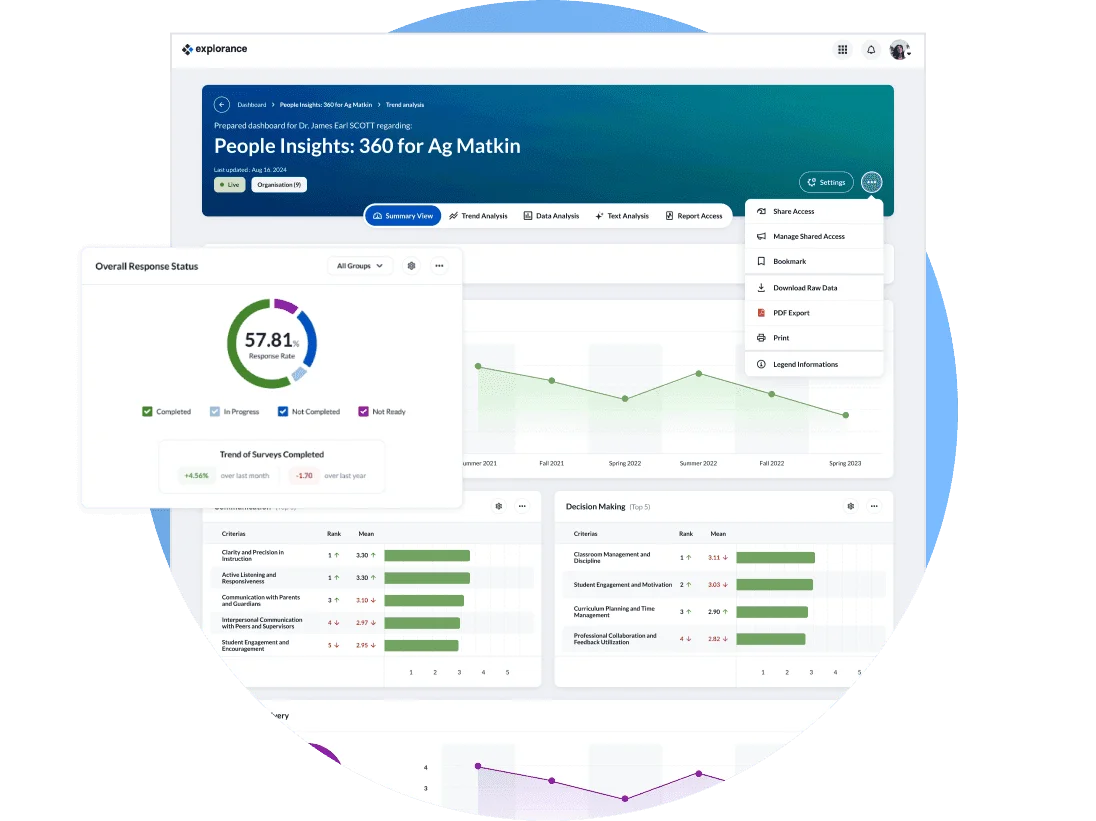
Explorance Blue 360 is a dedicated feedback tool for large institutions that need more control than a standard performance platform can offer. Universities, public-sector organizations, and other complex employers often need custom questions, detailed confidentiality rules, and a process that works for many different respondent groups.
Blue 360 can handle that level of customization. With this in mind, the platform is usually a better fit for teams with experienced administrators than for companies looking for a simple out-of-the-box 360 process.
Key Features
- Dedicated multi-rater 360 feedback workflows
- Custom competencies, questions, and rating scales
- Rater nomination and automated reminders
- Confidentiality and respondent-protection controls
- Individual and aggregate reports
- HRIS and portal integration options
Pros
“I really appreciate Blue for its automation and dynamic scheduling capabilities, which are exceptional for handling the entire life cycle. The smart dynamic rules that can be set up based on specific timelines or milestones are incredibly useful. Additionally, the automated email and text message reminders are highly effective.” – G2 reviewer
- Built for configurable 360 programs
- Works well for complex institutions
- Does not require a full performance suite
Cons
“Sometimes it is challenging that customizations or exception cases are so cumbersome to exist.” – G2 reviewer
- Smaller review base than broader HR platforms
- Experienced admins are important
- Pricing is not public
Pricing
- Custom annual subscription pricing
- Cost depends on institution size, users, features, and deployment model
- Request a quote for cycle volume, integrations, and implementation services
Final Thoughts
Enterprise 360 feedback works best when the process is straightforward for everyone involved. You need an approach that keeps administration manageable for HR while giving employees a feedback experience they can trust and understand.
As your program expands, scalability becomes just as important as the feedback itself. Privacy controls, integrations, and flexible workflows can make a big difference in how easily you can manage the process across your organization.
The goal is not to add another tool to your HR tech stack. Instead, it’s to make 360 feedback easier to manage and, more importantly, make the results useful once the feedback is in.
If you’re comparing your options, it may also help to look at enterprise performance management software, performance management software, or performance review software to see how different tools fit into your broader performance strategy.
.png)