
.svg)
Setting goals builds stronger organizational bonds, boosts workplace optimism, and drives employee performance. Meanwhile, defined, shared objectives also help individuals set meaningful targets and make effective decisions to support the team.
Aligning with these principles requires clear tracking, which makes finding the right OKR software essential for managing those shared goals without administrative friction.
The search for that platform usually starts with vendor pricing pages, where every provider claims to offer the most generous free plan while competitor charts disagree. If you have looked for free tools recently, you’ve likely seen conflicting user caps. That contradiction is why this list exists.
We verified every limit directly on vendor pricing pages rather than competitor sites and noted the check date. Eight tools made the cut because padding a list for a round number wastes your time.
This guide is built for founders, team leads, or HR generalists starting OKRs this quarter working with a limited budget, or would want to understand the software first before committing to buy what could be the best OKR software for their organization. Keep in mind that as well that what counts as "free" varies more than most buyers expect, and that's where we start.
What "Free OKR Software" Actually Means
Navigating software pricing requires separating perpetual plans from temporary windows and generalized workspaces. This breakdown clarifies those distinctions before comparing the available options.
1. Free Plan
An OKR software with a free plan offers permanent access with no expiration date, capping out only on user count or feature depth. Teamflect, Perdoo, and Weekdone run genuine free plans of this kind, each with a different seat ceiling.
2. Free Trial
A free trial grants full access for a strict window, usually 14 to 30 days, before requiring payment. Mooncamp and Tability fall here: full access for two weeks with no permanent free tier behind them.
3. Freemium Tier Inside a Broader Tool
A freemium tier offered inside a broader paid tool means embedding goal tracking inside a wider work-management product whose free plan was not built specifically for OKRs. ClickUp and Notion work this way. Seat limits tend to be generous, but dedicated OKR logic is often thin or absent entirely.
4. Open Source and Self-Hosted
An open source or self-hosted software eliminates license fees while shifting hosting, upgrades, and maintenance to internal teams. None of the eight tools below are open source, because developer time spent on self-hosting adds a cost that makes the software no longer free.
What to Look For in a Free OKR Tool
Before committing a quarter of goal data to a free tracking platform, evaluate the following five factors to avoid unexpected limits and maintain workflow consistency.
1. User Cap and What Happens When You Hit It
A user cap is the single most important number on any pricing page. Some tools simply block the next signup. Others let everyone stay logged in but hide features until someone upgrades. Confirm which behavior applies before inviting the whole team, not after.
2. OKR and Cycle Limits
OKR and cycle limits dictate how many objectives you can run at once, how many quarters of history stay visible, and whether last quarter’s OKRs vanish the moment a new cycle opens. A free plan can be generous on seats and still stingy on history.
3. Check-in Workflow on the Free Plan
A reliable check-in workflow is critical because OKRs fail without a habit of weekly updates, yet a fair number of free tiers withhold exactly that workflow. Verifying whether check-ins survive on the free plan predicts whether a team actually keeps its goals current better than any feature list does.
4. Integrations Withheld
Withheld integrations like Slack, Microsoft Teams, and Jira connections are routinely paid-only features. For a small team running its workflow through Slack, losing that prompt is often what quietly ends the update habit within a month. Our top 10 employee engagement software guide covers other ways to keep that habit alive past launch week.
5. Data Export
Check whether you can pull your objectives out in a usable format without paying. Almost nobody checks this before committing a quarter of goal data to a new tool, and a free plan with no export path is a lock-in wearing a discount.
Top HR Software’s List of Free OKR Software Plans at a Glance
Top HR Software’s List of the 8 Best Free OKR Software Tools
Top HR Software rounded up the top free tools available for teams looking to manage performance without committing to software budgets right away. We established the list below by checking vendor pricing pages for every cap, limit, and rule, ensuring no competitor estimates were repeated.
1. Teamflect
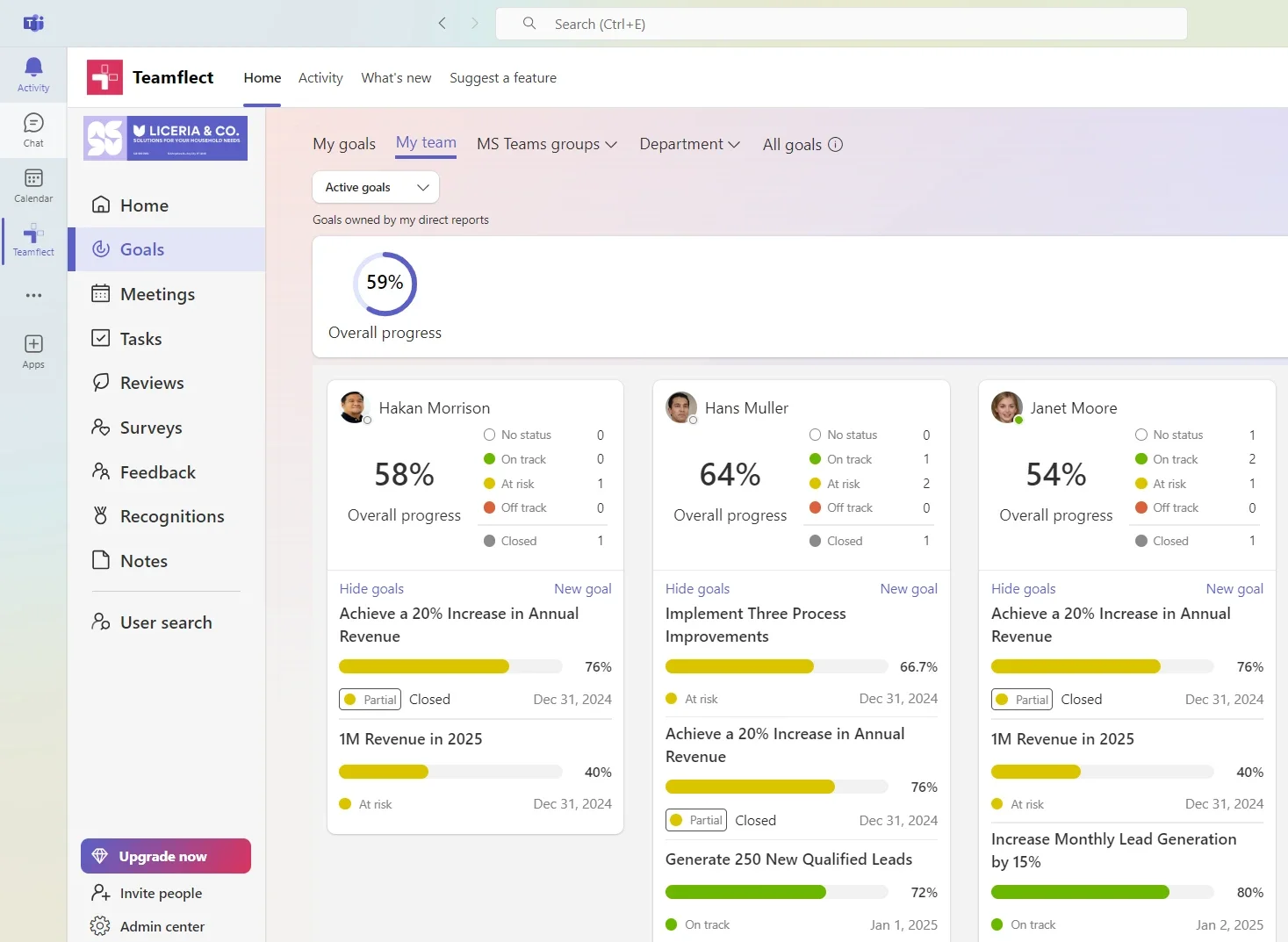
Teamflect runs OKRs alongside performance reviews, feedback, and 1:1s natively inside Microsoft Teams, and the free Starter plan keeps the OKR module without a countdown clock. For a Microsoft 365 team, that removes the usual adoption barrier of asking people to check a second app.
Free Plan Includes
- Goals & OKRs module alongside reviews, feedback, surveys, and recognition
- Up to 10 users on Starter, no credit card required
- Native Microsoft Teams and Outlook integration, not gated to a paid tier
- Task sync with Microsoft Planner and To-Do
Free Plan Limits
- Hard cap at 10 users
- Data export and Power BI usage-analytics reporting sit on Essential and above
- The AI Agent is limited on Starter rather than unlimited
Integrations
- Native to Microsoft Teams and Outlook
- Connects to major HRIS platforms for employee data sync
- SSO through Microsoft Entra ID on paid tiers
Pros and Cons
Pros: "Performance cycles run natively inside Microsoft Teams, which has improved completion rates." – G2 review
- Managers no longer treat reviews as a separate system to log into.
- The Starter plan needs no credit card, removing the usual procurement step for a pilot.
Cons: "For Pricing/ROI, it may feel less cost-effective for smaller teams that only need a simple feedback or review tool." – G2 review
- Requires a Microsoft 365 environment; not viable for Google Workspace teams.
Pricing
- Starter: Free for up to 10 users, with extensive inclusions
- Essential: $7 per user per month, with implementation and support
- Professional: $11 per user per month, adding advanced integrations and features
- Enterprise: Custom pricing for dedicated infrastructure and security controls
2. Perdoo
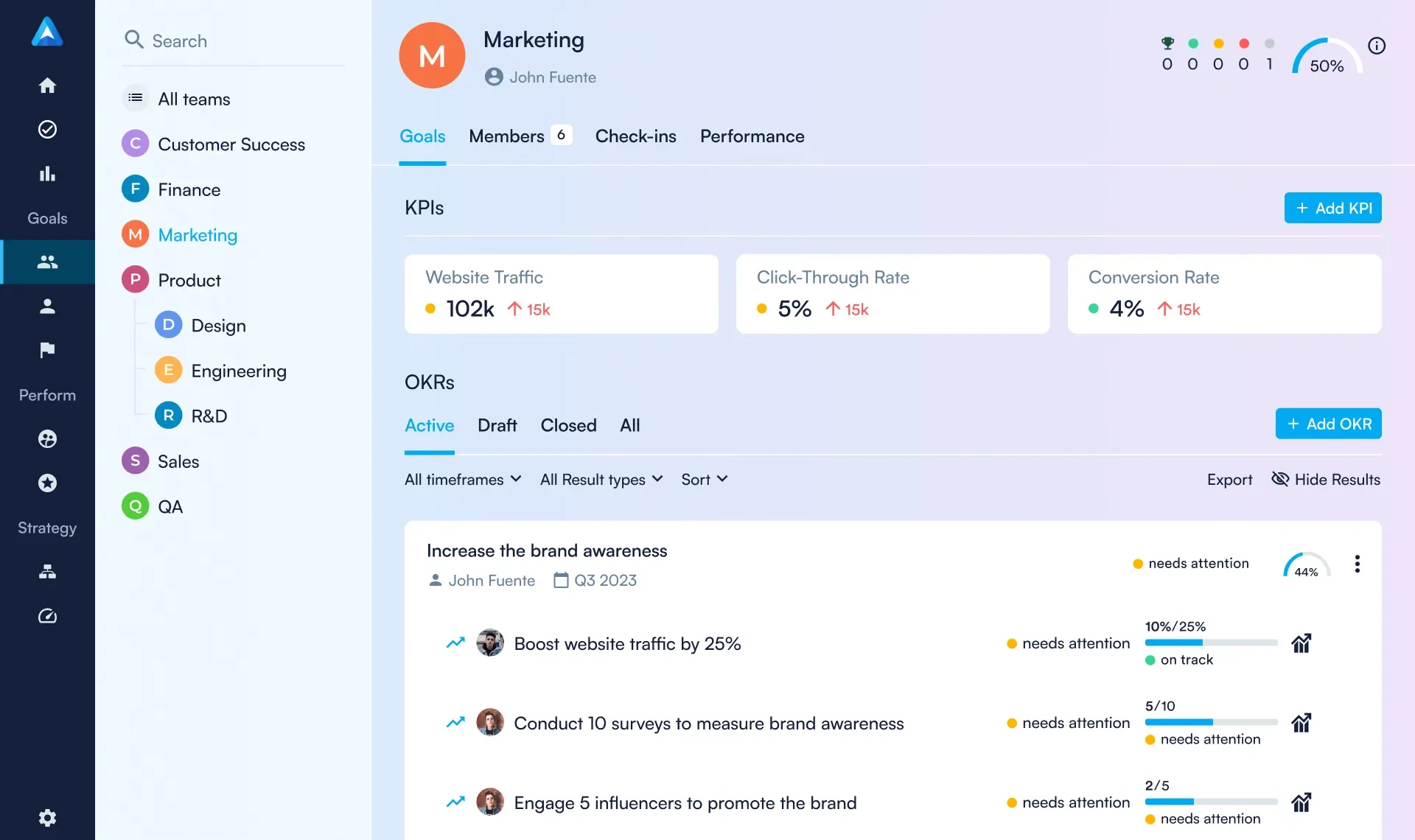
Perdoo offers its Strategy Map on the free plan, letting a team of five connect daily objectives to long term company goals without paying for features competitors usually gate behind paid tiers.
Free Plan Includes
- OKRs, KPIs, Strategy Maps, and Cascade Views
- Check-ins, reviews, 1:1s, pulse surveys, and kudos
- Slack and Microsoft Teams integration built into the free tier
- Up to 5 users, no time limit
Free Plan Limits
- Hard cap at 5 users
- SSO, SCIM, and API access require Premium
- No data export or Excel Online connector on free
Integrations
- Slack and Microsoft Teams on the free plan
- Excel Online, Jira, Power BI, and Salesforce on paid tiers
Pros and Cons
Pros: "It provides a clear structure for setting a strategic agenda for a company." – Capterra review
- The Strategy Map ships free, a genuine differentiator among free OKR plans.
- Weekly check-in infrastructure is included, not sold as an add-on.
Cons: "The main area for improvement would be the pricing model." – G2 review
- No monthly billing on paid tiers; the shortest commitment is a quarter.
- Data export sits behind Premium, so free users can't pull OKRs out themselves
Pricing
- Billing: Annual or quarterly in EUR or USD, with volume-based discounts and no setup fees
- Free: $0 for up to five users
- Premium: $7.20 per user per month (annual billing, 100 users)
- Supreme: $8.80 per user per month (annual billing, 100 users), with custom dashboards and view-only licenses
3. Weekdone
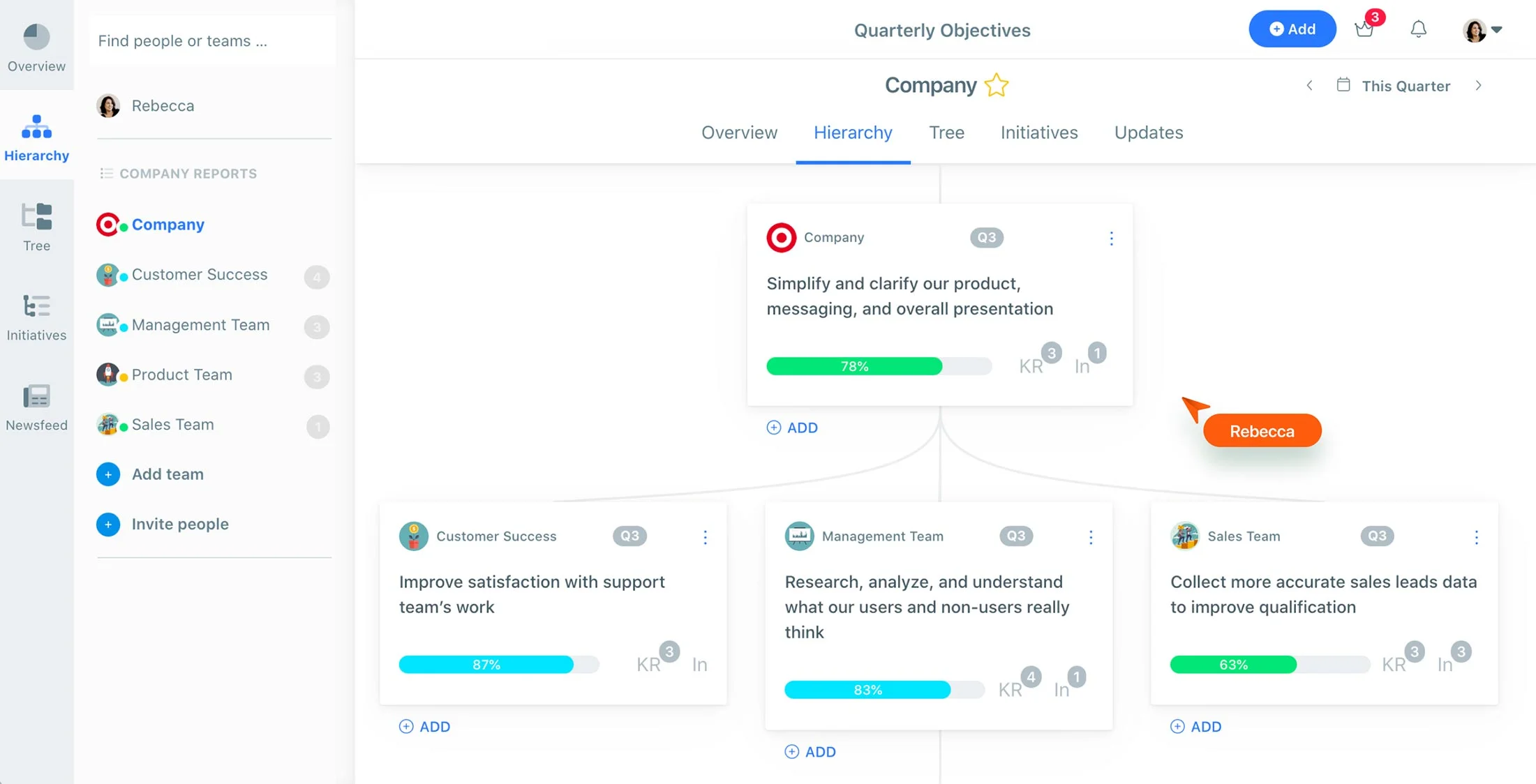
Weekdone's whole product is the weekly check-in, which suits a team running OKRs for the first time more than feature depth does. The free plan includes a dedicated OKR coach, a benefit most competitors reserve for paying customers.
Free Plan Includes
- Full OKR and weekly PPP (Plans, Progress, Problems) planning workflow
- A personal OKR coach with onboarding and quarterly review sessions
- Slack, Microsoft Teams, Jira, Asana, and 1,500+ Zapier integrations
- Up to 3 users, all features unlocked
Free Plan Limits
- Hard cap at 3 users; a 4th user forces an upgrade
- Paid pricing scales in volume bands, starting near $9.86/user/month for 4–6 users
- No enterprise or SSO tier in Weekdone's current lineup
Integrations
- Slack, Microsoft Teams, Jira, Asana, Basecamp, and Google Tasks
- Over 1,500 apps via Zapier
- All integrations included at every tier
Pros and Cons
Pros: "Great for planning ahead, simple and easy to use, with a smooth interface." – Capterra review
- Account setup is fast, with almost no onboarding friction.
- Coaching and quarterly reviews ship free on every plan, including the smallest tier.
Cons: "Pricing for the Upgrade plans are expensive for maintaning 3 or more members." – G2 review
- The free cap is tight: Weekdone's own pricing page lists 3 users, not the 2 this reviewer cites, so confirm the current number before you plan headcount around it.
- Pricing jumps quickly for the 4th user and beyond.
Pricing
- Billing: Annual or monthly
- Free: Up to three users
- Paid: Scales by company size, starting at $90 per month for 4 to 10 users (annual billing)
- Trial: 14 days for larger teams
4. Mooncamp

Mooncamp deserves a direct correction before anything else: it does not run a permanent free plan. Every source we checked, including Mooncamp's own pricing page, lists a 14-day free trial rather than a lasting free tier. It earns a spot on this list because the trial covers a full OKR-setup sprint, not because "free" applies indefinitely.
Trial Includes
- Fully customizable goal system with unlimited hierarchy levels
- Reporting, analytics, and check-ins
- Slack, Microsoft Teams, and Jira integrations
- No credit card required to start
What Ends After 14 Days
- Every feature above; there's no reduced free tier to fall back on
- Continued access requires moving to Essential or Professional
- SAML SSO is a paid add-on even on the entry tier
Integrations
- Microsoft Teams, Jira, Slack, Excel, and Google Sheets
- Available during the trial and on both paid tiers
Pros and Cons
Pros: "I found the customer support absolutely amazing." – G2 review
- Support replied within minutes and offered to resolve the issue live.
- The interface is clean enough that migrating teams tend to onboard fast.
Cons: "Updating progress on goals was a little difficult at first." – Capterra review
- No permanent free plan; every source we checked confirms a 14-day trial only.
- The Planning feature was still in beta as of our last check.
Pricing
- No free tier; free trial available on paid plans
- Essential: €7 (~$7.96) per user per month, minimum five users
- Professional: €10 (~$11.38) per user per month, minimum five users
- Enterprise: Custom pricing, minimum 100 users
5. Tability

Tability is built around the weekly check-in rather than the plan you're on, and that emphasis is deliberate. Like Mooncamp, it does not offer a permanent free plan; every pricing source we checked confirms a 14-day trial only, so treat "free" here as a short pilot window rather than an ongoing option.
Trial Includes
- AI-assisted goal writing and a strategy map
- Weekly check-ins with automated retrospectives
- Kanban view and Slack integration
- No card required to start
What Ends After 14 Days
- Full feature access reverts to Basic or Premium pricing
- Automated check-ins and custom dashboards require Premium specifically
- SAML SSO isn't available below Premium
Integrations
- Slack on the Basic plan
- Full integration suite and SAML SSO on Premium
Pros and Cons
Pros: "I find Tability simple, but with diverse usage possibilities." – G2 review
- Weekly check-ins can start within hours of signup.
- AI-assisted goal quality scoring is a genuine differentiator at this price point.
Cons: "Due to the tight timeline of new features, some UI components lack good UX." – Capterra review
- No permanent free plan; budget a firm 14-day pilot window, not an ongoing option.
- No native HRIS-level depth for organizations that need it.
Pricing
- No free tier; 14-day free trial on paid tiers
- Basic: $6 per user per month billed yearly, for goal tracking
- Premium: $10 per user per month, with advanced reporting and SSO
- Agentic: $20 per user per month, with workflow automation features
- Enterprise: Custom pricing, with dedicated support and regional hosting options
6. ClickUp
.webp)
ClickUp's Free Forever plan is genuinely unusual: unlimited users, unlimited tasks, at no cost. The catch matters for this specific list: Goals, the feature that actually tracks OKRs, is not included on Free Forever. It ships starting on the Unlimited plan at $7/user/month, confirmed directly on ClickUp's own pricing page.
Free Plan Includes
- Unlimited users and unlimited tasks
- List, Board, and Calendar views, plus Kanban boards
- Collaborative Docs and basic automations (100 runs/month)
- 100MB of total storage
Free Plan Limits
- Goals & Portfolios, the OKR-tracking feature itself, requires the Unlimited plan
- 100 automation runs per month, which active teams exhaust fast
- Limited integrations and a single dashboard on free
Integrations
- Limited integration set on Free Forever
- Full library and unlimited dashboards on Unlimited and above
Pros and Cons
Pros: "It was finally all in one place." – Capterra review
- Unlimited users on the free plan is rare in this category.
- Slack integrations worked on the first try, per this reviewer.
Cons: "I think the AI Brain2 is a little too expensive and the limits on some of the free features are frustrating." – G2 review
- Free Forever doesn't include Goals, the actual OKR-tracking feature; that requires Unlimited ($7/user/month).
- Free-tier feature limits are frustrating once a team gets active.
Pricing
- Free Forever: Freemium tier with 60MB storage and one form
- Unlimited: $7 per user per month yearly ($10 monthly)
- Business: $12 per user per month yearly ($19 monthly)
- Enterprise: Custom pricing
- Annual discount: Up to 30% on paid tiers
- AI add-ons (monthly or yearly, up to 20% off): Brain AI at $9 per user per month and Everything AI at $28 per user per month, with extra AI Super Credits available
7. Notion
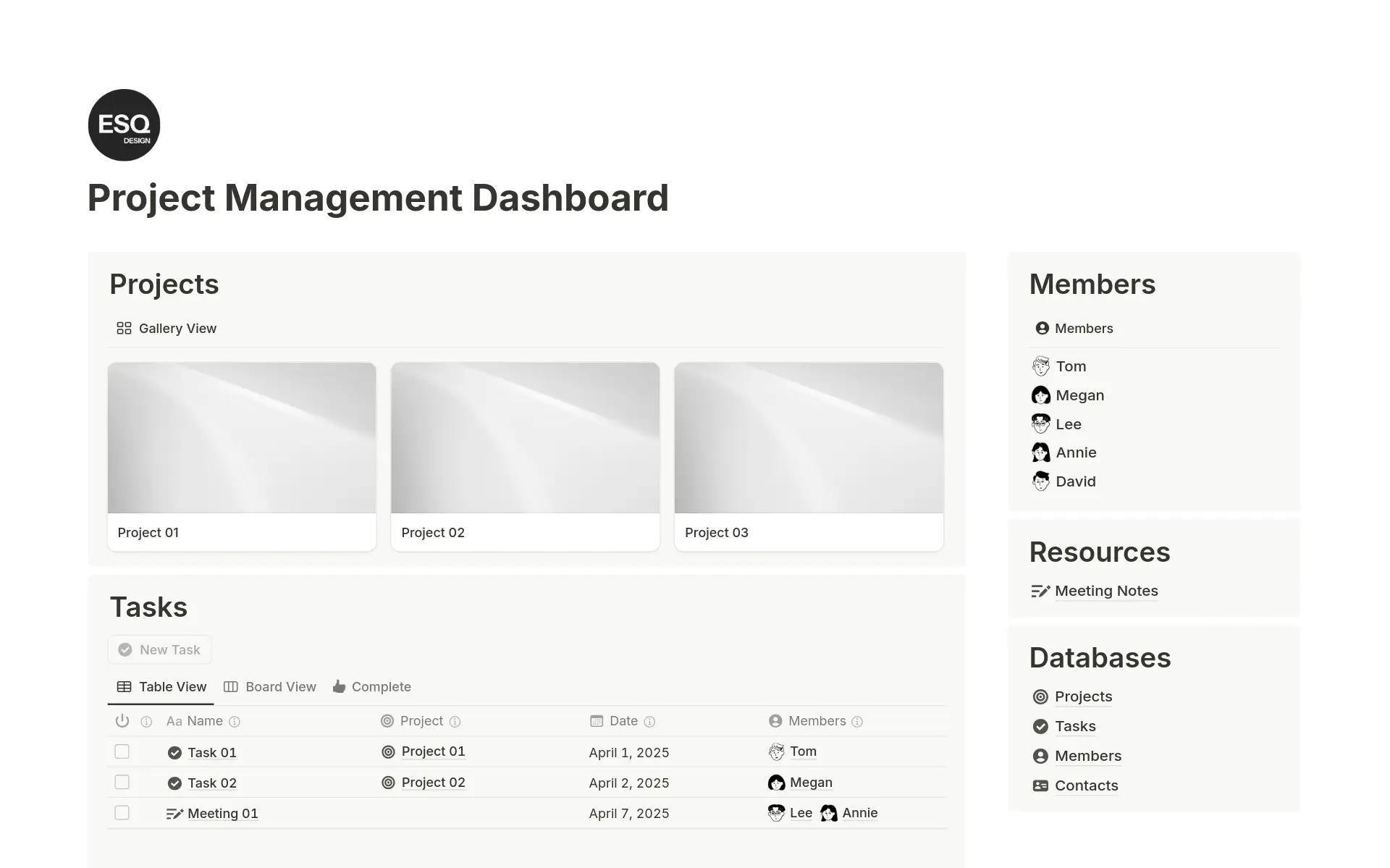
Notion isn't an OKR tool. It's a workspace, and a generous one on the free plan, but every OKR structure inside it is something your team builds and maintains by hand. It earns a place here because a large share of readers will otherwise track goals in a spreadsheet, and Notion at least gives that spreadsheet real structure.
Free Plan Includes
- Unlimited pages and blocks for individual use
- Notion Calendar and basic templates, including community OKR templates
- Sync across desktop, web, and mobile
- Up to 10 guest collaborators
Free Plan Limits
- No native OKR or Goals object; you build tracking with databases and formulas yourself
- 7-day page history, so a deleted database has a one-week recovery window
- 5MB file upload cap per file
Integrations
- Basic integrations on the free plan
- Broader third-party sync and admin-level connectors on Business
Pros and Cons
Pros: "I particularly appreciate its flexibility because I can create pages that fit my needs." – Capterra review
- Templates save setup time for administrative and OKR-tracking work alike.
- No OKR-specific paywall exists, because there's no OKR-specific feature to gate.
Cons: "The main thing I dislike about Notion is that it can sometimes feel overwhelming." – G2 review
- Building an OKR system yourself means check-in discipline falls entirely on your team.
- The 10-guest cap arrives faster than a growing team expects.
Pricing
- Free: For individuals and small teams, with basic integrations and a Notion AI trial
- Billing: Monthly or yearly, with up to 20% savings on yearly
- Plus: $10 per member per month for small teams
- Business: $20 per member per month, with advanced collaboration and AI tools
- Enterprise: Custom pricing for advanced security and controls
8. ONES.com
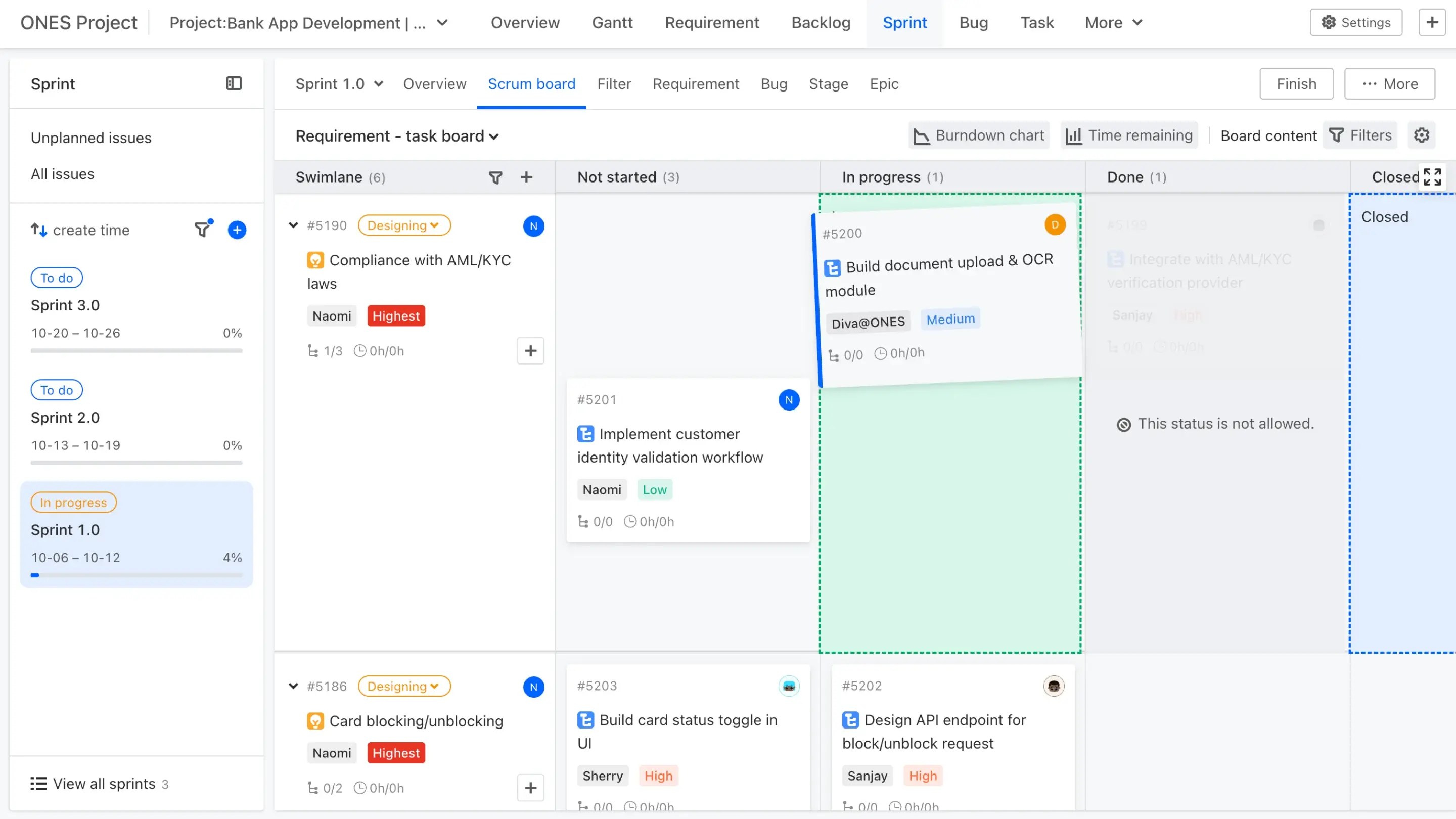
ONES.com offers the most generous free seat count on this list. It supports up to 30 users on its free plan, while its paid tiers offer annual or monthly billing accompanied by a 30-day free trial.
Free Plan Includes
- ONES Project with core project management and custom goal fields
- Unlimited projects, dashboards, and automation, per the vendor
- Cloud, on-premise, and private cloud deployment options
- Up to 30 users
Free Plan Limits
- ONES Wiki is sold as a separate subscription, not bundled free
- G2 and Capterra list this as a free trial, not a permanent plan; treat the 30-user figure with caution until you verify it yourself
- Thin third-party review base limits independent confirmation
Integrations
- Jira-style workflow integrations and API access
- ONES Wiki integrates natively but costs extra
Pros and Cons
Pros: "There are several functions that help to create a handsome report." – Capterra review
- Full project-management depth sits alongside goal tracking in one subscription.
- On-premise deployment is uncommon among the other tools on this list.
Cons: "Overall ONES.com has poor features with a learning curve." – G2 review
- Not a dedicated OKR tool; goal tracking needs manual setup to mirror a cycle.
- G2 and Capterra list this as a free trial, not a standing plan, despite the vendor's own 30-user claim; verify directly before you commit.
Pricing
- Free: Up to 30 users, with limits including 20 AI credits per user per month
- Paid: Annual or monthly billing, a 30-day free trial, and pricing based on team size
- Standard: 80.50perseatperyear(17,900 total annually for 200 employees)
- Business: 140perseatperyear(31,200 total annually for 200 employees)
- Enterprise: 210perseatperyear(46,800 total annually for 200 employees), with custom support and a 99.95% uptime SLA
- ONES Desk add-on: $42 per seat per year
When Free Stops Working
Most teams on a free OKR plan hit a real ceiling inside two quarters, making it essential to identify these operational limits before discovering them mid-cycle. The following transition triggers indicate when a team has outgrown a zero-cost tracking setup:
- Adding a second team: Teamflect caps out at 10 users, Perdoo at 5, and Weekdone at 3, meaning a second small team instantly breaches the limit. Weekdone requires upgrading to paid tiers starting at $9.86 per user per month the moment user counts cross that 3-person threshold.
- Wanting OKR history across cycles: Several free tiers quietly limit how far back you can see. Confirm cycle history specifically rather than assuming past quarters remain visible.
- Needing Slack or Teams prompts to sustain check-ins: Perdoo and Weekdone include these notification features on free tiers, whereas platforms like ClickUp and Notion lack native OKR check-in logic entirely on their free plans.
- Reporting to stakeholders who do not log in: Export gaps show up during executive reporting. Confirm export availability before a stakeholder asks for a clean copy of last quarter's results and you discover there is no download path.
If any of these triggers hits your team this quarter, our best OKR software for startups guide covers paid tools built for exactly that jump, and our best OKR software for mid-size companies guide covers the next tier past that. Check export before you commit a quarter of goal data to any free plan, not after you need it back.
FAQs: Free OKR Software
Is there a genuinely free OKR tool, or are they all trials?
Permanent free tiers and temporary trials both exist in the market. Teamflect, Perdoo, and Weekdone, for example, offer permanent free plans with user caps. On the other hand, Mooncamp and Tability offer 14-day trials with no permanent free tier.
How many users can you get on a free OKR plan?
User limits vary widely depending on the provider's plan design. For example, Weekdone caps users at 3, Perdoo at 5, and Teamflect at 10, whereas ClickUp and Notion allow unlimited users without native OKR structures on their free tiers.
Can you run OKRs in a spreadsheet instead?
Manual document and spreadsheet tools can track goals, but they require manual formula updates to cascade objectives and lack automated reminders for weekly check-ins. Notion serves as an intermediate option, providing more structure than a basic sheet while offering less automation than a dedicated platform.
What do free OKR plans usually withhold?
Free plans commonly restrict data exports, single sign-on (SSO), advanced reporting, and third-party integrations with tools like Slack or Jira. Some platforms also withhold the core recurring check-in workflow entirely on their free tiers.
When should a team move to a paid OKR tool?
Teams typically upgrade when they hit user caps, require past cycle history that free plans delete, or need to export goal data for external stakeholders. Most organizations on free tiers reach one of these operational limits within two quarters.
.png)