.svg)

.svg)
.svg)
.svg)
If your company is growing and you are tired of managing HR, IT, and finance across a dozen disconnected tools, Rippling is likely already on your radar. It is one of the most talked-about workforce management platforms on the market right now, and for good reason.
This software review breaks down what Rippling actually does, what it does well, where it has room to improve, and how it stacks up against other HR software options worth considering.
What Is Rippling?
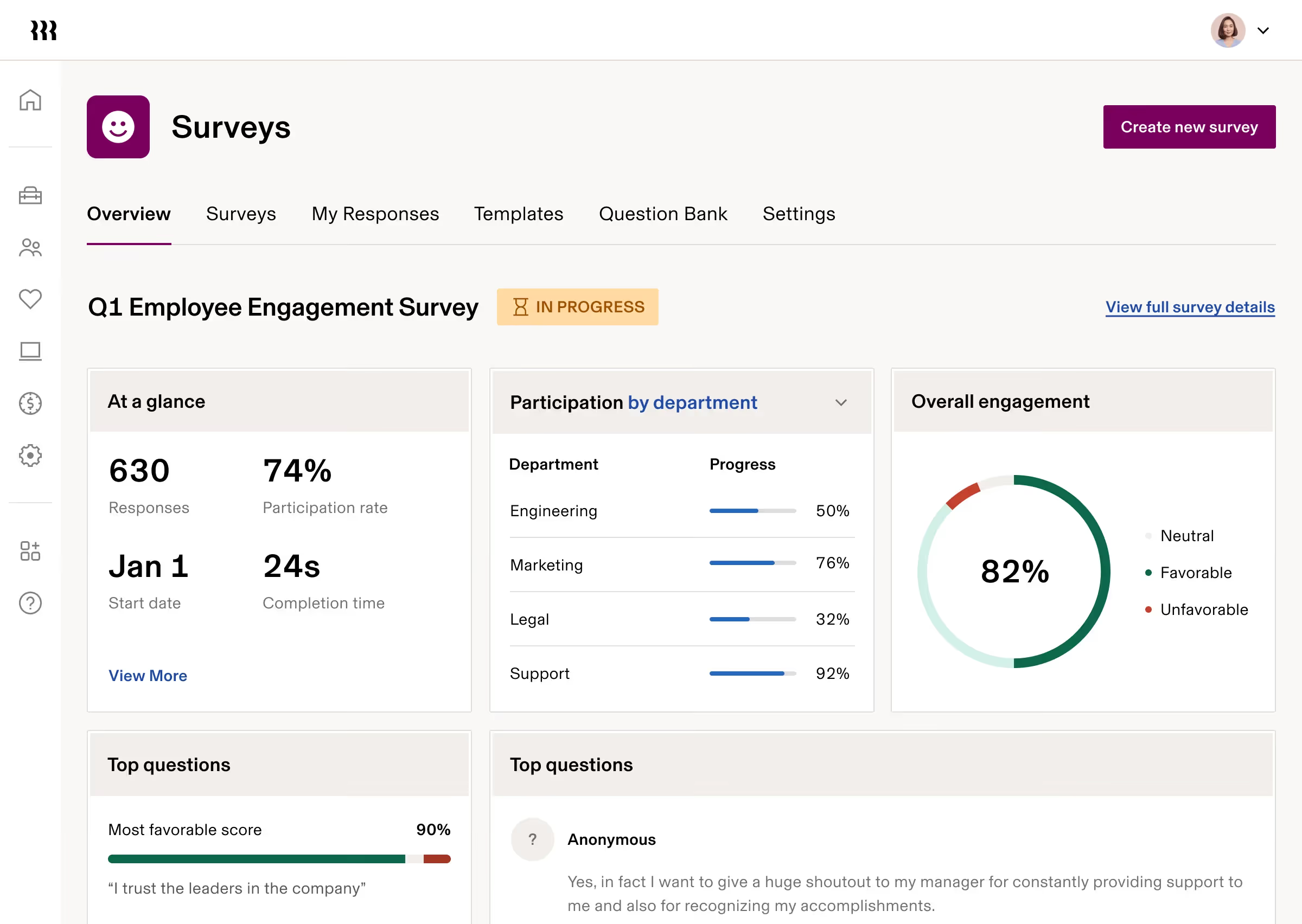
Rippling is a workforce management platform that brings HR, IT, and finance operations together in one place. Unlike traditional HR software that focuses solely on people management, Rippling is built around a unified employee data model that connects every part of how a business runs its workforce.
When you onboard a new hire in Rippling, the platform can automatically provision their apps, ship their laptop, add them to payroll, enroll them in benefits, and assign their training courses. All of that happens from a single system, without manual handoffs between teams.
Rippling HR software is designed for businesses of all sizes, from startups scaling quickly to mid-market companies managing complex, multi-country workforces. Its breadth of functionality sets it apart from point solutions that handle only one piece of the workforce puzzle.
Key Features of Rippling
Rippling covers a wide range of workforce operations across main product areas including HCM, IT, and Finance. Here’s a closer look at what each area includes.
1. HR and Payroll
Rippling handles both US and global payroll, with support for federal, state, and local tax filing. Payroll runs in minutes rather than hours, with direct deposit, multiple pay rates, job codes, and workers' comp built in. Time off tracking, PTO management, and approval workflows are all connected directly to payroll so that nothing falls through the cracks.
2. Benefits Administration
HR teams can manage all employee benefits from a single platform, including medical, dental, and vision plans, FSA, HSA, and commuter benefits. New hire enrollment and open enrollment are handled online, with payroll deductions syncing automatically. Rippling also supports ACA and COBRA administration, taking the compliance work off HR's plate.
3. Time, Attendance, and Scheduling
Rippling's time and attendance tools integrate fully with payroll and leave management. Managers can build and manage schedules, set overtime and break policies, configure approval chains, and monitor attendance in real time. Employees can clock in through a mobile app or kiosk, and the data flows straight into payroll.
4. Recruiting and Headcount Planning
Rippling supports the full hiring lifecycle, from sourcing candidates to extending offers. Teams can track hiring progress, require approvals for off-plan headcount, and keep HR, finance, and recruiting aligned without spreadsheets. Personalized recruiting dashboards give every stakeholder a clear view of where things stand.
5. Performance Management and Learning
HR teams can run 360-degree performance reviews, calibrate ratings, track goals and OKRs, and tie compensation decisions directly to performance data. On the learning side, Rippling includes pre-built compliance courses, automated enrollment, harassment training, and the ability to build and upload custom courses.
6. IT Management
Rippling's IT capabilities go well beyond what most HR platforms offer. Teams can provision and deprovision apps automatically when employees join or leave, manage single sign-on, enforce multi-factor authentication, and remotely manage devices. Zero-touch laptop deployment means new hires can receive a fully configured device without IT lifting a finger.
7. Spend Management
Rippling Spend covers corporate cards, expense management, and bill pay in one place. Companies can issue branded physical and virtual cards, set custom spending policies, reimburse employees in over 100 countries, and sync everything to their general ledger automatically. Approval chains and spending controls are configurable to match how each organization operates.
How Rippling Works
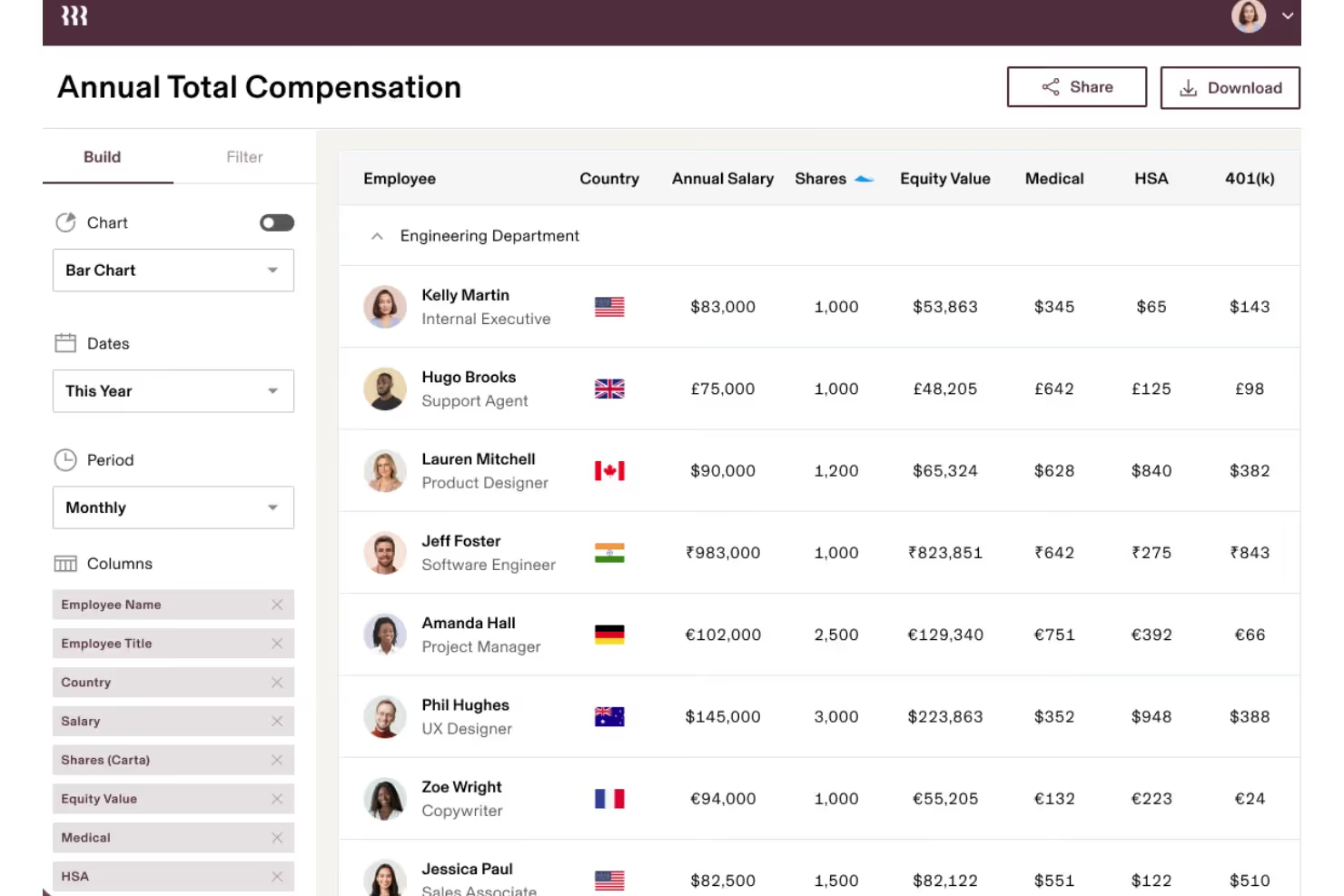
Rippling is built on a single source of truth for employee data. When a record changes in one part of the platform, it updates everywhere else automatically. That means no duplicate data entry, no syncing between disconnected tools, and no gaps in compliance.
New hires go through a single onboarding flow that triggers actions across HR, IT, and finance simultaneously. Managers can make changes to an employee's role, location, or compensation, and the downstream effects across payroll, benefits, and app access happen without additional manual steps.
The platform also includes Workflow Studio, a tool for building custom automations without writing code. HR and IT teams can create logic-based workflows that respond to employee events, approvals, policy changes, and more.
Pros and Cons
Understanding both sides of a platform helps set realistic expectations. Here is a straightforward look at where Rippling excels and where some users have noted friction.
Pros: “What I like best about Rippling is the platform’s ability to bring multiple HR functions together in one system. It provides a centralized place to manage employee data, payroll, and other HR operations, which helps streamline processes and improve efficiency.” - G2 Review
- Unified platform covering HR, IT, and finance in one system
- Fast, reliable payroll with strong compliance support
- Powerful automation tools that reduce manual work across teams
- Broad integration library with 500-plus third-party apps
- Strong global capabilities including international payroll and employer of record services
- IT management features that most HR platforms do not offer
- Highly configurable workflows and approval chains
Cons: “Pricing is not transparent and can be confusing since everything is modular. You don’t really know the full cost until you talk to sales and start adding features.” - Capterra Review
- The breadth of features can feel overwhelming during initial setup
- Pricing is modular, so costs can add up depending on which products are selected
- Smaller businesses with very simple needs may not require the full platform's depth
- Some users report a learning curve when configuring advanced automations
User Experience and Interface
Rippling holds strong ratings across major software review platforms, consistently earning scores in the 4.8 to 4.9 out of 5 range. Users frequently highlight the intuitive interface, the speed of payroll processing, and the time saved through automation as standout strengths.
The mobile app supports core HR tasks including clock-in, time off requests, payslip access, and team communication. For managers and employees who need access on the go, the app covers the most common daily needs.
HR administrators tend to praise the onboarding flow and the depth of automation available once the system is configured. Some users note that reaching the platform's full potential takes time investment
Pricing and Plans
Rippling uses a modular pricing model. The core platform starts at a base rate, with individual products such as payroll, benefits administration, device management, and expense management available as add-ons. This means businesses can build a package that fits their actual needs rather than paying for features they will not use.
Pricing is available through a custom quote, which accounts for company size and the specific combination of products selected. Organizations interested in the platform can request a quote directly through Rippling's website.
For businesses that want to consolidate multiple tools into one system, the modular approach often proves more cost-effective than maintaining separate vendors for HR, IT, and finance.
Best Use Cases
Rippling is built to handle workforce complexity. It works best in specific situations where its depth and integration capabilities provide the most value.
The platform is well-matched for:
- Fast-growing companies that need a scalable system to support rapid headcount changes
- Businesses looking to consolidate HR, IT, and finance tools into one platform
- Companies with remote or distributed teams that need centralized device and app management
- Organizations managing international employees or contractors across multiple countries
- HR and ops teams that want to reduce manual work through automation
- Businesses already managing payroll, benefits, and IT separately and feeling the friction
It is less suited for very small businesses with minimal HR needs, or organizations that only require a single-function tool like a basic payroll processor.
Alternatives and Competitors
When evaluating Rippling, most organizations also consider a few other platforms. Here is how it compares to the most common alternatives:
- BambooHR: This platform provides solid core HR features for mid-sized businesses but lacks integrated IT management and spend tools.
- Workday HCM: A comprehensive enterprise suite for large organizations, though its high price and complex implementation may be impractical for smaller companies.
- Sage People: This salesforce-based system offers strong global HR analytics but requires separate vendors for IT and spend management.
- HiBob: While this modern platform excels at employee engagement, it does not match the breadth of global payroll or IT controls found in other suites.
- Oracle HCM: An enterprise-grade suite built for workforce planning that often involves significant implementation complexity for non-enterprise users.
Final Verdict
Rippling is one of the most complete workforce management platforms available today. Its ability to connect HR, IT, and finance in a single system built on unified employee data is a genuine differentiator, not just a marketing claim.
For companies that are growing, managing distributed teams, or simply frustrated by the inefficiency of running multiple disconnected tools, Rippling offers a compelling way to bring everything together. The platform requires thoughtful setup to get the most out of it, but the payoff in time saved and operational clarity is substantial.
If you are evaluating HR software and want a platform that can grow with your business across departments, not just headcount, Rippling is worth a serious look.
.avif)
.avif)