
.svg)
Managing HR at scale requires syncing performance, payroll, and compliance to avoid delays. Deloitte’s 2026 Global Human Capital Trends survey reveals that 70% of leaders prioritize agility as their top strategy for the next three years. To remain nimble, enterprise teams must replace disconnected systems and manual workarounds with tools that prioritize supporting people over managing software.
This guide highlights the 10 best HR platforms built for these demands, evaluated on features, pricing, and feedback from G2 and Capterra. For those in fast-moving environments, Teamflect ranks first for its ability to simplify performance management within Microsoft 365.
What to Look for in Enterprise HR Software
Enterprise HR software needs to do more than store employee records. At scale, the right platform has to support complex workflows, connect with tools already in use, and hold up as the organization grows.
1. Comprehensive Feature Integration
A robust platform serves as a centralized hub for the entire employee lifecycle, moving beyond basic databases to sync performance reviews, payroll, and career development. By consolidating these functions, organizations eliminate fragmented data silos and ensure that compliance and tax regulations are handled automatically. This unified approach creates a single source of truth that reduces manual entry errors across all departments.
2. System Interoperability
Enterprise teams rely on a diverse tech stack, making it vital for HR software to function within existing digital environments. Direct connections to tools like Slack or Microsoft Teams allow staff to manage requests without switching applications, while open APIs ensure that IT and finance systems update in real time. When these tools talk to each other, administrative tasks like hardware provisioning for new hires become automated and frictionless.
3. Long-Term Scalability
Software must remain performant as a company grows from hundreds to thousands of employees and expands into new global regions. True enterprise solutions accommodate shifting organizational structures and matrix reporting without requiring a total system overhaul. This flexibility ensures that the platform supports multiple languages, local labor laws across PEO and EOR arrangements, and increasing data loads without a drop in speed or usability.
4. Financial Transparency
The initial quote for enterprise software often excludes the long-term costs associated with implementation and feature expansion. Organizations should look for clear breakdowns of per-user or modular fees and inquire about potential charges for API access or data storage. Identifying these variables early prevents unexpected budget overruns and ensures the total cost of ownership remains sustainable over a multi-year contract.
5. Deployment and Ongoing Assistance
Transitioning to a new system is a high-stakes project that requires a clear timeline for data migration and configuration. Evaluating the level of vendor support, such as dedicated account managers or 24/7 technical help, is essential to minimize downtime during the rollout. Understanding the internal resources needed for onboarding helps prevent delays and ensures the team is fully prepared for the switch.
The 10 Best HR Software for Enterprises in 2026
Modern enterprise HR platforms have shifted from simple record-keeping to becoming central engines for organizational strategy. Selecting the right software now requires balancing traditional payroll and compliance needs with the demand for a frictionless employee experience that fits naturally into the daily flow of work.
1. Teamflect: Best HR Software for Microsoft 365 Teams
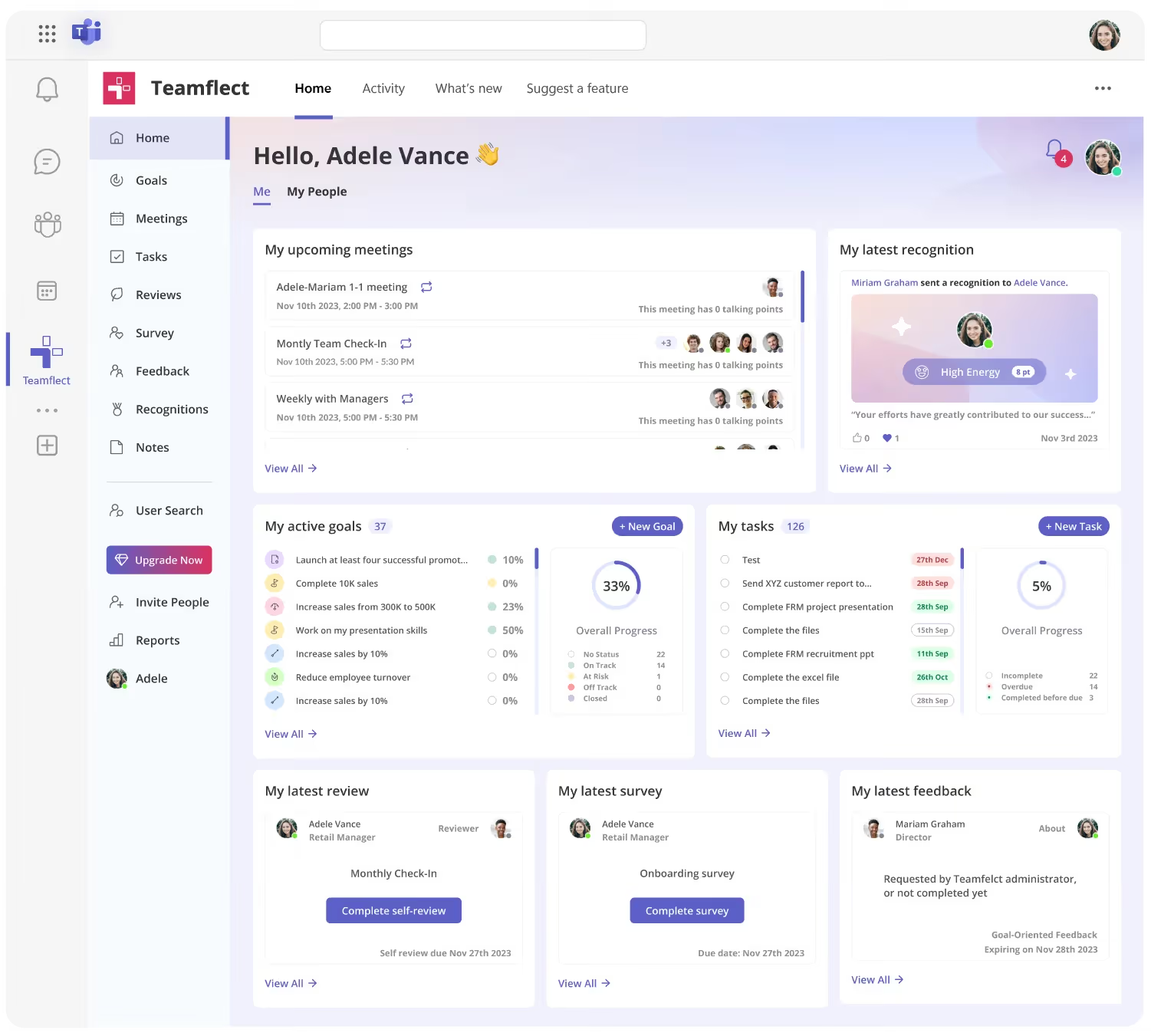
Teamflect earns the top spot on this list because of how naturally it fits into the way enterprise teams already work. Built as a native Microsoft Teams application, it brings performance management, goal tracking, feedback, and employee recognition into the same environment your organization uses every day. There is no separate login, no context switching, and no additional platform for employees to learn.
For enterprises running on Microsoft 365, this distinction matters. Most HR software sits outside the daily workflow, which leads to low adoption and inconsistent usage. Teamflect solves that by putting performance management where people already spend their time.
Beyond the integration, Teamflect covers the core features enterprise HR teams need: structured performance reviews, OKR and goal tracking, continuous feedback, 360-degree appraisals, and AI-assisted coaching. It is particularly well-suited for organizations that want to move away from annual review cycles toward a more consistent, ongoing approach to employee development.
Key Features
- Performance reviews: Run structured review cycles with customizable templates and automated reminders
- Goal and OKR tracking: Set, align, and monitor individual and team goals directly inside Teams
- Continuous feedback: Share and request feedback in real time without leaving the Teams environment
- 360-degree feedback: Collect input from peers, managers, and direct reports for a fuller picture of performance
- Employee recognition: Send recognition tied to company values to reinforce positive contributions
- AI coaching: Get personalized development suggestions based on performance data and review history
- 1-on-1 meeting tools: Structure regular check-ins with shared agendas and follow-up tracking
- Analytics and reporting: Track engagement, review completion, and goal progress across the organization
What Makes Teamflect Stand Out
- The only major HR platform built to run entirely inside Microsoft Teams, with no separate app required
- Strong AI features that support coaching and development without manual configuration
- Accessible pricing with a free plan for small teams and non-profit discounts of up to 60%
- Designed for daily use, not just review cycles, which leads to consistently higher adoption rates
Pros and Cons
Pros: "What I like best about Teamflect is how easy it is to use while still providing useful tools for managing performance and feedback. It integrates well with Microsoft Teams, which makes it convenient to complete reviews, track goals, and give recognition without needing to switch platforms." - G2 Review
- Runs natively inside Microsoft Teams with no additional login required
- Covers performance reviews, goals, feedback, and recognition in one place
- Quick to set up and easy for employees to adopt
- AI-driven coaching features that support ongoing development
- Generous free plan and competitive pricing across all tiers
Cons:
- Works best for organizations already operating within the Microsoft 365 environment
Pricing
- Starter: Free (up to 10 users)
- Essential: $7/user/month (billed annually)
- Professional: $11/user/month (billed annually)
2. Rippling: A Flexible Platform for Enterprises That Want to Consolidate Tools
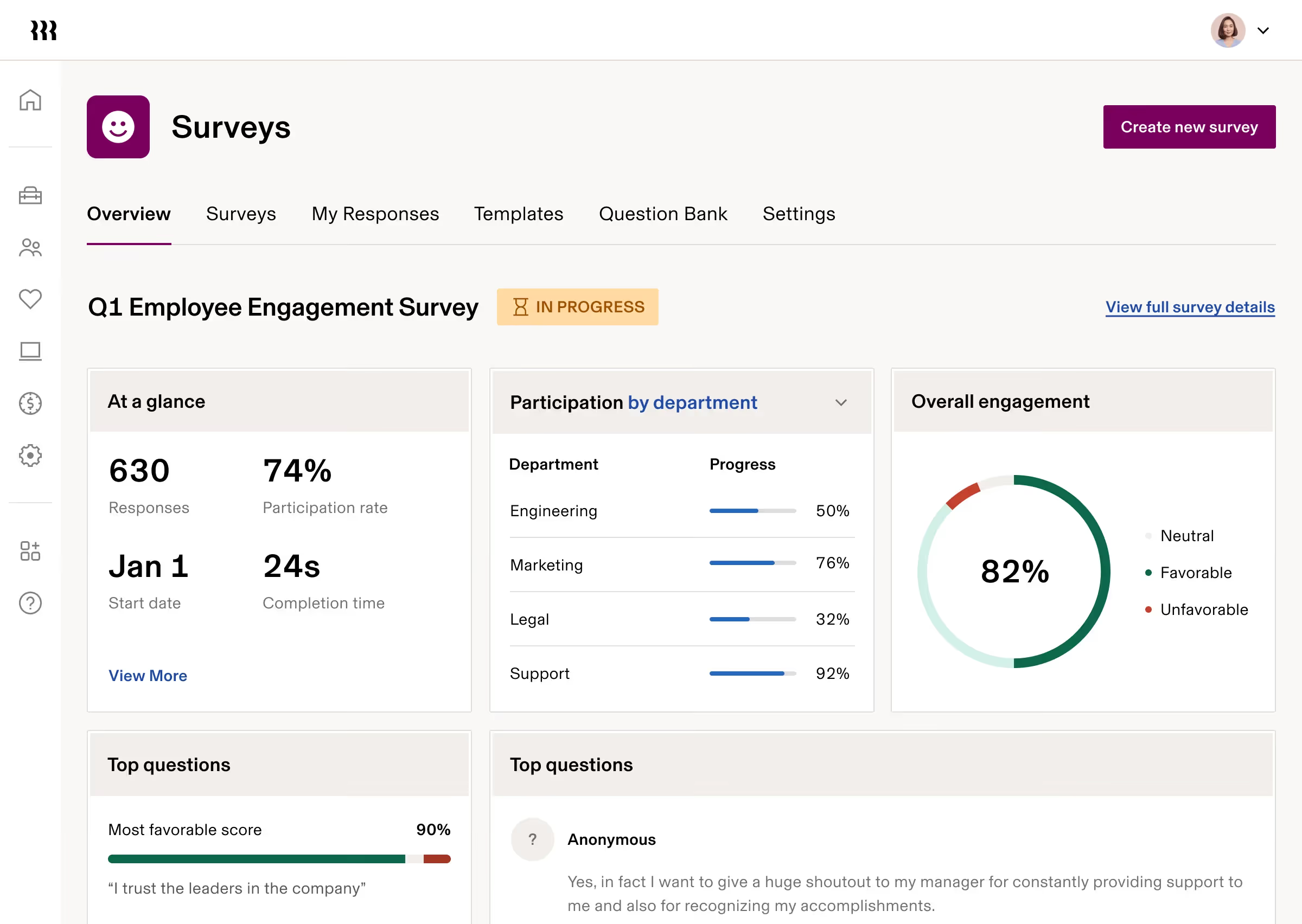
Rippling brings HR, IT, and finance management together into one modular system. Enterprises that are tired of managing separate platforms for payroll, device management, and workforce data will find its consolidated approach appealing. It is also built with growth in mind, offering features that organizations may not need immediately but can activate as they scale.
Key Features
- Unified HR, IT, and spend management across one platform
- Modular structure so organizations pay only for what they use
- Automated onboarding and offboarding workflows
- Global payroll and compliance tools
- Broad third-party integration library
- Role-based access controls and permissions
Best For
- Enterprises looking to reduce tool sprawl by consolidating HR, IT, and finance
- Organizations with both domestic and international workforce needs
- Teams that anticipate growth and want a platform that can scale with them
Pros and Cons
Pros: "Rippling had all the existing features that we liked, solved the pain points we had with our existing systems and helped to reduce overall platform complexity. Rippling also has many features that we don't need yet but anticipate needing as we continue to grow." - G2 Review
- Reduces platform complexity by consolidating multiple tools
- Strong automation across HR and IT workflows
- Scales well as organizations add headcount and features
Cons: "Pricing is not transparent and can be confusing since everything is modular. You don't really know the full cost until you talk to sales and start adding features." - Capterra Review
- Total cost is difficult to estimate without a sales conversation
- The modular structure can make budget planning less predictable
Pricing
- Custom pricing for Platform, HCM, IT, and Spend modules.
- Contact Rippling directly for a quote.
3. Workday HCM: A Comprehensive Solution for Large-Scale HR Operations

Workday HCM is one of the most widely adopted enterprise HR platforms on the market. It centralizes employee data, performance tracking, career development, and workforce planning into a single system, giving HR leaders a broad view of the organization without relying on separate tools. It is a strong fit for large enterprises with complex HR and operational needs.
Key Features
- Centralized employee records and workforce data
- Performance management and career development tools
- Succession planning and talent management
- Strong reporting, analytics, and dashboards
- Payroll and benefits administration
- Global compliance support
Best For
- Large enterprises managing complex, multi-department HR operations
- Organizations that need strong analytics and reporting across workforce data
- HR teams looking to reduce manual processes and improve data accuracy
Pros and Cons
Pros: "Overall, Workday HCM has been very positive. It does streamline many HR processes, reducing manual effort and improving data accuracy across the organization. The comprehensive view of our workers makes it easier to manage employee information, performance, and career development in one place." - Capterra Review
- Reduces manual HR work and improves data accuracy
- Broad feature set covering the full employee lifecycle
- Well-suited for complex enterprise structures
Cons: "Implementations of the system can be challenging for organizations to handle and typically are difficult projects, resulting in work that flows over to Production thereafter." - G2 Review
- Implementation is a significant project that requires dedicated resources
- Post-launch configuration work is common for complex organizations
Pricing
- Custom pricing.
- A 30-day free trial is available.
4. HROne: A Practical HR Platform with Strong Payroll Transparency
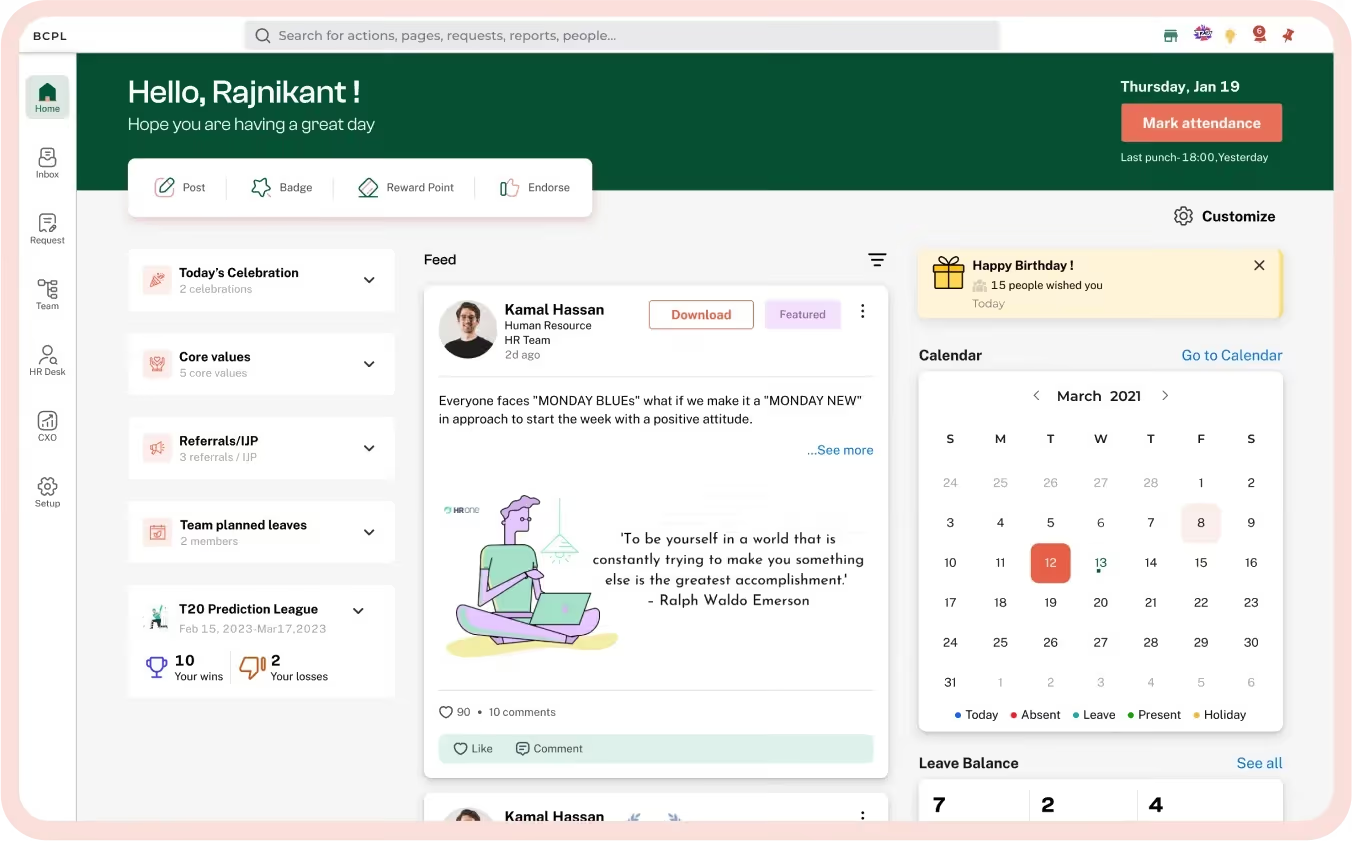
HROne is built to help HR teams cut down on paperwork and bring structure to day-to-day operations. Its standout strengths are attendance tracking, payroll visibility, and the digitization of manual HR processes. For enterprises dealing with high administrative volume, it offers a straightforward path to getting those workflows online and organized.
Key Features
- Attendance and leave management
- Payroll processing with transparent salary and tax breakdowns
- HR process digitization and workflow automation
- Onboarding and employee lifecycle management
- Compliance and reporting tools
- Benefits administration
Best For
- Enterprises with high volumes of manual HR tasks that need digitizing
- Organizations that want clear payroll and compensation transparency
- HR teams managing large hourly or salaried workforces
Pros and Cons
Pros: "It facilitates accurate and efficient attendance tracking. It helped us to digitalize HR processes and reduce paperwork. It provides transparency on salary calculations, tax deductions, benefits, etc." - Capterra Review
- Significant reduction in manual HR administration
- Clear, transparent payroll and tax reporting
- Practical digitization tools that are easy to adopt
Cons: "Some workflows take a few extra clicks to complete, especially when navigating between modules. While the system is powerful, new users may need a short learning period to understand where certain settings or reports are located." - G2 Review
- Navigation between modules can require extra steps
- New users may need time to get fully comfortable with the interface
Pricing
- Contact HROne directly for enterprise pricing details.
5. SAP SuccessFactors HCM: A Globally Trusted Platform for Enterprise Compliance

SAP SuccessFactors HCM covers the full employee lifecycle, from recruitment through retirement, with strong localization and compliance support for global organizations. It is one of the more established enterprise HR solutions on the market and carries a track record across industries and regions. Organizations with complex, multi-country workforce needs will find its depth particularly relevant.
Key Features
- Full employee lifecycle managementBCV
- Performance and goal management tools
- Learning and development modules
- Global payroll and compliance support
- Succession and career development planning
- Workforce analytics and reporting
Best For
- Global enterprises managing employees across multiple countries and jurisdictions
- Organizations that need strong regulatory compliance and localization support
- HR teams looking for a platform that covers the complete employee lifecycle
Pros and Cons
Pros: "Very reliable to use and easy to understand and easy to use. And easy to upload photos and comments." - Capterra Review
- Reliable platform with a long enterprise track record
- Broad feature coverage across the full employee lifecycle
- Strong global compliance and localization capabilities
Cons: "While the UI has improved over the years, it remains inconsistent across modules. Navigation can be clunky, and users often face a steep learning curve." - G2 Review
- Inconsistent user interface across different modules
- Steeper learning curve compared to more modern HR platforms
Pricing
- Basic: ₹4950/month (~$52.65/month)
- Professional: ₹6500/month (~$69.14/month)
- Enterprise: Custom pricing
6. UKG Ready: A Workforce Management Tool Built for Shift-Based Operations

UKG Ready is a workforce management platform designed for organizations with high volumes of hourly or shift-based employees. It covers scheduling, time and attendance, payroll, and HR administration in one place, making it a practical choice for industries like retail, healthcare, and manufacturing where workforce planning is a daily priority.
Key Features
- Time and attendance tracking
- Employee scheduling and shift management
- Payroll processing and tax compliance
- HR and benefits administration
- Mobile access for managers and employees
- Workforce analytics and reporting
Best For
- Enterprises managing large hourly or shift-based workforces
- Organizations in retail, hospitality, or healthcare that need scheduling tools
- HR teams looking for a straightforward, all-in-one workforce management platform
Pros and Cons
Pros: "This software was easy to use. It was especially good when trying [to] run a small retail business with only a few employees." - Capterra Review
- Approachable and easy to use for managers and employees alike
- Practical for retail and service-based workforce management
- Covers scheduling, time tracking, and payroll in one place
Cons: "I have encountered bugs on various occasions and I find that the implementation and set up time can be extensive compared to other applications." - G2 Review
- Some users have reported bugs during use
- Setup and implementation can take longer than expected
Pricing
- Custom pricing.
- Contact UKG directly for enterprise quotes.
7. Oracle PeopleSoft: A Reporting-Heavy Platform for Complex Enterprises
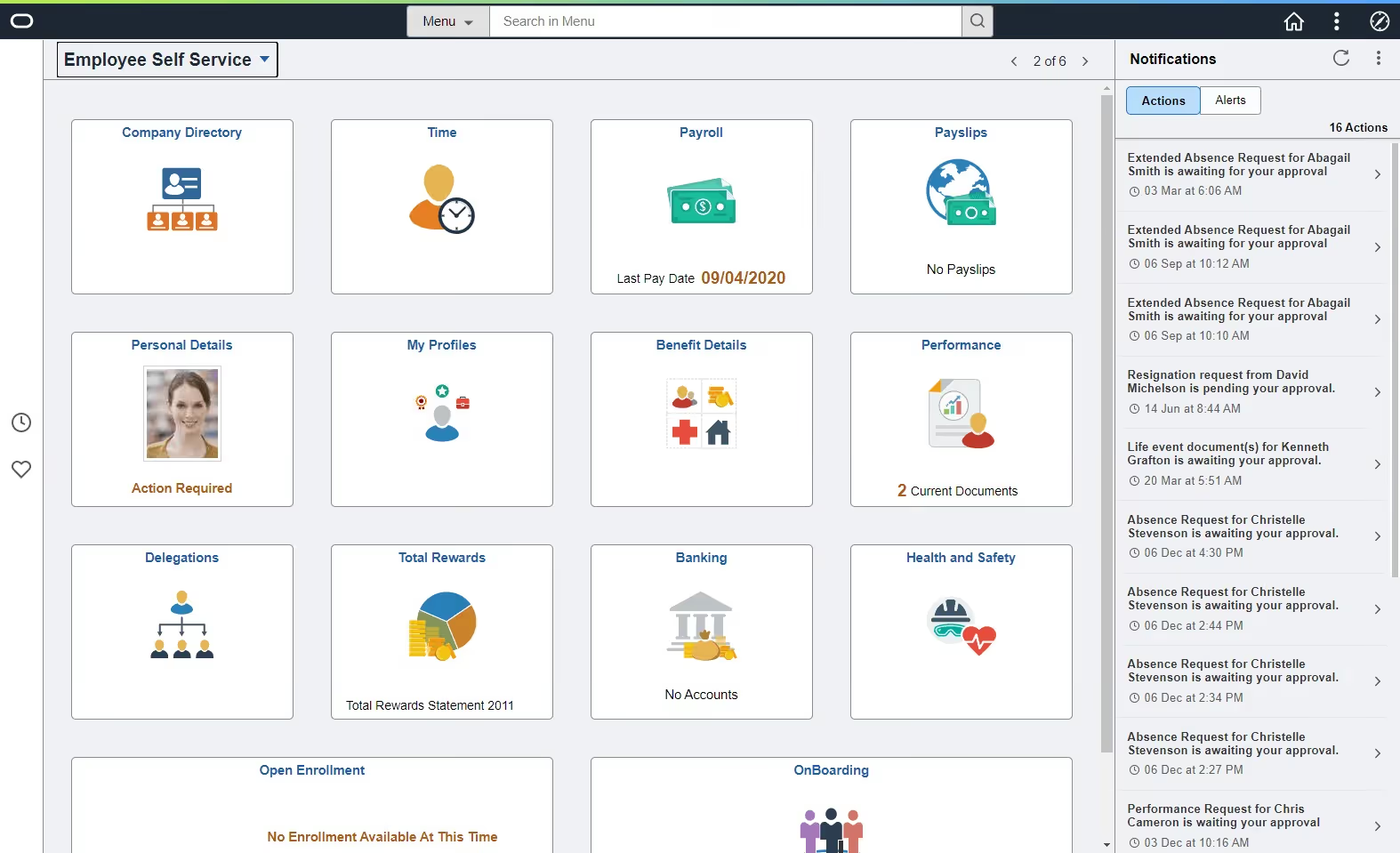
Oracle PeopleSoft is a long-standing enterprise HR and business management system known for its depth in reporting, auditing, and organizational data management. It is built for large organizations with sophisticated compliance needs and teams that rely heavily on detailed workforce data. Configuring it properly requires investment, but the output is a highly capable, customizable system.
Key Features
- Advanced reporting and audit capabilities
- HR, finance, and operations management in one platform
- Highly configurable organizational structures
- Strong data security and role-based access controls
- Payroll and benefits administration
- Compliance management tools
Best For
- Large enterprises with dedicated IT and implementation resources
- Organizations with strict audit and compliance reporting requirements
- HR and finance teams that need deep, customizable data management
Pros and Cons
Pros: "Great product for large companies and very user friendly. My team uses it most for audits and reporting." - Capterra Review
- Well-suited for complex, large-scale organizational structures
- Highly regarded for audit trails and detailed reporting
- User-friendly once the system is properly configured
Cons: "It's a large tool, and it takes a lot of overhead to set up and configure properly." - G2 Review
- Significant setup and configuration effort required
- Best suited for organizations with dedicated IT or implementation partners
Pricing
- Custom pricing.
- Contact Oracle directly for enterprise quotes.
8. ADP Workforce Now: A Reliable Payroll and HR Platform with Wide Adoption

ADP Workforce Now is one of the most widely used payroll and HR platforms in the enterprise space. It covers payroll processing, tax compliance, benefits administration, and time tracking in a single system. Its mobile app is well-regarded, and the platform's self-service documentation makes it practical for day-to-day use across large teams.
Key Features
- Payroll processing and tax compliance
- Benefits enrollment and administration
- Time and attendance tracking
- Mobile app for employee and manager self-service
- Reporting and workforce analytics
- Compliance management tools
Best For
- Enterprises that need a proven, reliable payroll platform with a long track record
- HR teams managing benefits and compliance across large employee populations
- Organizations that want strong mobile accessibility for employees and managers
Pros and Cons
Pros: "Mobile app works great as well as the website. Customer support and FAQs are very helpful. Communication is great. Must-use modern software like ADP. One stop for all your pay issues." - Capterra Review
- Strong mobile app and web experience
- Comprehensive payroll and tax management
- Helpful self-service documentation for day-to-day queries
Cons: "Customer support isn't great. Long wait and slow communication when you run into bugs." - G2 Review
- Customer support response times can be slow during technical issues
- Long wait times reported when dealing with bugs or platform errors
Pricing
- Custom pricing.
- Contact ADP directly for enterprise quotes.
9. BambooHR: A User-Friendly HR Platform with Transparent Pricing

BambooHR is a well-established HR platform covering employee records, time off management, onboarding, and performance reviews. It is notably easier to get up and running than many enterprise alternatives, and its transparent, per-user pricing makes it straightforward to budget for. For enterprises that want solid core HR functionality without a long implementation project, it is a dependable option.
Key Features
- Employee records and HR data management
- Time off and leave tracking
- Onboarding workflows and document management
- Performance management and review tools
- Employee self-service portal
- Reporting and HR analytics
Best For
- Enterprises that want a straightforward HR platform with minimal implementation complexity
- HR teams that prioritize ease of use and employee self-service
- Organizations that prefer transparent, predictable per-user pricing
Pros and Cons
Pros: "My overall experience with BambooHR has been moderate. It helps with tracking employee records and managing time off conveniently." - Capterra Review
- Clean, approachable interface that employees and HR teams adopt quickly
- Reliable for core HR tasks like records management and leave tracking
- Transparent pricing with no hidden tiers
Cons: "Pricing has gone up so, like most things, that's not ideal. Integrations with Outlook and Microsoft 365 could be better. An ability to sync up your time off with your work calendar, for example." - G2 Review
- Pricing has increased over recent years
- Microsoft 365 and Outlook integrations have room for improvement, particularly around calendar syncing
Pricing
- Core: $10/user/month
- Pro: $17/user/month
- Elite: $25/user/month
10. Deel HR: A Strong Option for Global Hiring and Distributed Teams

Deel HR is built for enterprises managing employees and contractors across multiple countries. It simplifies international hiring, contract creation, and global payroll in one platform, making it particularly useful for organizations with distributed workforces. Employees can access contracts, pay details, and HR information without needing to contact HR directly.
Key Features
- International hiring and contractor management
- Global payroll processing across multiple countries
- Contract creation and compliance tools
- Equipment and IT management modules
- Employee self-service for contracts and pay information
- Multi-currency and multi-jurisdiction payroll support
Best For
- Enterprises with employees or contractors in multiple countries
- HR teams managing international compliance and cross-border payroll
- Organizations building or scaling a distributed, remote-first workforce
Pros and Cons
Pros: "What I like most about Deel HR is how easy it makes it to hire, create contracts, and set an hourly rate, so employees can find all the information they need in one place." - G2 Review
- Simplifies international hiring and contract management considerably
- Employees have direct access to their pay and contract details
- Strong multi-country payroll and compliance support
Cons: "Nothing specific, it's just that there are so many features that I sometimes tend to feel lost just trying to figure things out." - Capterra Review
- The volume of features can feel overwhelming for new users
- Some country-specific features, such as the Deel card, are not available in all regions
Pricing
- Hire (Enterprise): $899/user/month
- Manage: $5 to $56/user/month depending on modules selected
- Pay: $29/user/month (Global), $24/user/month (US)
- Equip: $10 to $99/user/month depending on modules selected
How to Pick the Right Enterprise HR Software for Your Team
With so many platforms available, narrowing down the options can feel like a project in itself. Here is a practical framework to help you get to a shortlist faster.
1. Start With Your Biggest Pain Points
If payroll accuracy is the main issue, platforms like ADP Workforce Now or Rippling are worth prioritizing. If performance management and employee development are the focus, Teamflect or Workday HCM are stronger fits.
2. Match the Tool to Your Tech Environment
Enterprises running on Microsoft 365 will get significantly more value from Teamflect because of its native Teams integration. If your organization is platform-agnostic, the integration question becomes less of a deciding factor.
3. Think About Your Implementation Capacity
Some platforms on this list, including Oracle PeopleSoft and Workday HCM, require substantial setup investment. If your HR or IT team does not have bandwidth for a long deployment, look at tools with faster onboarding timelines.
4. Be Clear on Budget Structure
Some platforms offer transparent per-user pricing, like BambooHR and Teamflect. Others, like Rippling and ADP, use custom pricing that requires a sales conversation. Both approaches are valid, but knowing which model fits your finance team's planning process will save time.
5. Take Advantage of Free Trials
Teamflect and Workday HCM both offer 30-day trials. Use them. Seeing a platform in action with your actual team and workflows is far more informative than any feature list.
Final Thoughts
Selecting the right enterprise HR software is a balancing act between technical capability and cultural fit. The platforms highlighted here address a wide spectrum of organizational needs, from global payroll and strict regulatory compliance to workforce scheduling and deep performance analytics.
The ideal choice for your team depends on where your current administrative bottlenecks exist and the level of complexity your IT resources can realistically manage during a rollout. It also means choosing one that your employees will actually use and that provides your leadership with the data-driven clarity needed to support a growing workforce.
Frequently Asked Questions About Enterprise HR Software
What is enterprise HR software and why does it matter?
Enterprise HR software is a platform designed to manage the full range of human resources functions at scale. This includes employee records, payroll, performance management, compliance, onboarding, and workforce analytics.
At the enterprise level, managing these functions manually or across disconnected systems creates risk, slows down HR teams, and makes it harder to support employees effectively. A well-chosen platform centralizes these processes, reduces administrative overhead, and gives HR leaders the visibility they need to make good decisions.
How much does enterprise HR software typically cost?
Pricing varies considerably depending on the platform, the number of users, and the features selected. Some tools, like BambooHR, start at $10 per user per month with transparent tier-based pricing. Others, like Workday HCM, Rippling, and ADP Workforce Now, use custom pricing that scales with organizational complexity.
Enterprise platforms with modular structures can also add up quickly once additional features are activated. It is worth requesting a detailed quote early in the evaluation process to avoid surprises later.
What is the best free HR software for enterprises?
Teamflect offers the most capable free plan on this list, covering up to 10 users with access to core performance management features. It also offers a 30-day free trial on paid plans, which gives larger teams a chance to test the full feature set before committing.
Workday HCM also provides a 30-day trial. For enterprises that want to evaluate a platform thoroughly before purchasing, these options are a good starting point.
How long does it take to implement enterprise HR software?
Implementation timelines vary widely. Simpler platforms like BambooHR and Teamflect can be up and running within days or weeks. More complex systems like Oracle PeopleSoft, SAP SuccessFactors, and Workday HCM typically require months of planning, configuration, and testing before full deployment.
The key factors are organizational size, the number of integrations required, data migration complexity, and the availability of internal or vendor-side implementation support. Building a realistic timeline before selecting a platform will help set expectations across HR, IT, and leadership tea