.webp)


.svg)
Most HR teams don't realize they're asking the wrong question when they start shopping for benefits administration software. The real question isn't which platform has the most features. It's whether you need a dedicated benefits platform or a benefits module built into the HR and payroll system you already use.
That distinction shapes everything. A 40-person company running Gusto or Rippling for payroll probably doesn't need a separate benefits platform. A 700-person organization managing five carrier relationships, self-funded plans, Affordable Care Act (ACA) reporting, Continuation of Health Coverage (COBRA), and dependent verification likely does.
Two types of buyers tend to land on this page. The first already has an HRIS and payroll tool and wants to know whether the benefits module inside that system is sufficient, or whether a dedicated platform like PlanSource or Benefitfocus would handle what their current tool can't.
The second is running a benefits program complex enough that their HRIS's native benefits functionality isn't keeping up. They need a purpose-built benefits platform that connects cleanly to their existing payroll and HR stack.
This list covers both profiles. Tools are ranked on carrier connectivity, payroll integration, employee enrollment experience, compliance tooling, and verified user ratings from G2 and Capterra. Each entry is clearly labeled: all-in-one HR/payroll platform with a benefits module, dedicated standalone benefits platform, or PEO model.
Before the full rankings, here's a short video covering our top 5:
What to Look for in Benefits Administration Software
Before comparing platforms, four criteria separate the tools that reduce HR workload from the ones that add to it.
1. Payroll Integration: Are Deductions Automatic or Manual?
This is the most consequential operational question in the category. When an employee changes their health plan during open enrollment, that change must flow to payroll automatically so deductions are correct from the first paycheck.
Platforms where benefits and payroll share a single data model handle this in real time without any manual reconciliation. Dedicated benefits platforms that connect to a separate payroll system via API can handle it cleanly too, but only when the integration is properly configured and tested.
Before signing with any vendor, ask directly: when an employee makes a life event change, how does that update their payroll deduction? How long does it take to take effect? What happens if payroll runs before the benefits system has pushed the update? The answers will tell you exactly how much error-correction your HR team will be absorbing each month.
2. Carrier Connectivity: Real-Time EDI or Manual File Uploads?
Benefits enrollment changes need to reach your insurance carriers to actually activate coverage. Platforms with direct carrier connections transmit eligibility updates, life event changes, and enrollment data through Electronic Data Interchange automatically. Platforms without direct carrier connections require HR to upload files manually, which introduces both lag and errors.
ADP connects to 900+ insurance carriers in real time. PlanSource connects to 700+ systems. Rippling automates carrier sync as part of its enrollment workflow. But the headline number matters less than whether your specific carriers are on the list.
Ask vendors which carriers they connect to directly with real-time EDI, and what the fallback process looks like for any that aren't. The answer for your actual carrier relationships matters far more than the total count.
3. Employee Experience: Will People Understand Their Options?
Open enrollment decisions are among the most financially meaningful choices employees make each year. A confusing enrollment interface produces poor plan selection, a spike in calls to HR, and employee frustration that has nothing to do with the quality of the benefits program itself.
Look for platforms that offer guided enrollment in plain language, decision support tools that help employees compare options based on their family situation and expected usage, mobile access for employees enrolling on their phones, and total compensation statements that make the full value of the package visible alongside salary.
AI-powered decision support is becoming a meaningful differentiator for organizations with complex plan offerings.
4. Compliance: ACA, COBRA, and Dependent Verification
Benefits administration carries real regulatory exposure. ACA reporting (Forms 1094-C and 1095-C) must be accurate and filed on time, or penalties apply. COBRA administration must be triggered correctly when employees lose eligibility. Dependent verification must identify ineligible dependents before they generate plan costs.
Look for ACA reporting that is automated and handled by the vendor, not something your HR team has to file manually. Check that COBRA notices go out automatically and that elections are tracked without manual intervention. For multi-state organizations, confirm the platform tracks state-specific benefits and leave laws that differ from federal requirements.
The 10 Best Benefits Administration Software in 2026
Managing modern employee benefits is complex, especially with distributed teams and shifting compliance laws. Modern benefits administration software solves this challenge by automating enrollment, handling deductions, and providing self-service portals that eliminate manual errors.
To help you find the right fit for your team, here is an evaluation of the top platforms leading the market this year.
Rippling: Best All-in-One HR and Benefits for Mid-Market Organizations
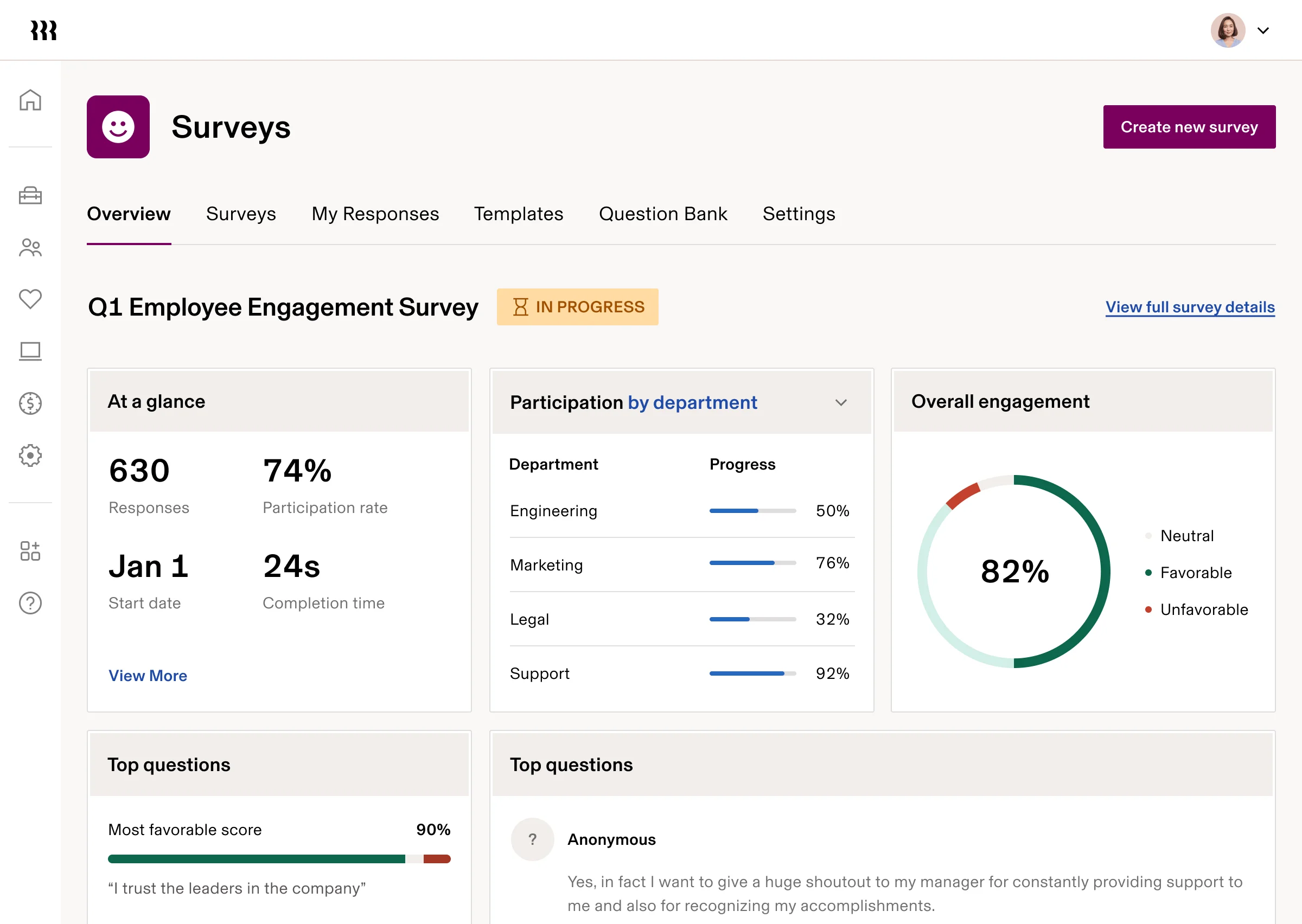
Rippling is an all-in-one HR, IT, and payroll platform with a benefits administration module built directly into the same data layer as payroll. When an employee updates their health plan, their payroll deduction updates automatically, removing the need for API calls or manual files. That tight integration is the single clearest reason mid-market HR teams choose Rippling over BambooHR or other standalone benefits platforms.
For organizations managing health, dental, vision, life insurance, 401(k), FSA, HSA, HRA, commuter benefits, and voluntary benefits in one place, Rippling's unified employee record removes the reconciliation work that dedicated point solutions typically introduce.
It's best suited for US-based companies of 50 to 1,000 employees already invested in consolidating their HR and IT stack.
Key Features
- Unified benefits and payroll data model: enrollment changes sync to payroll deductions in real time
- Covers medical, dental, vision, life, AD&D, 401(k), FSA, HSA, HRA, commuter, and voluntary benefits
- Automated carrier connections with direct EDI feeds for major US carriers
- ACA and COBRA compliance built into the benefits workflow
- Benefits eligibility rules configurable by employee location, role, or employment type
- Self-service enrollment portal for open enrollment and life events
Pros and Cons
"Going through 3 diff providers in 4 years, rippling has been the easiest to work through and implement." — Capterra reviewer
- Enrollment changes reach payroll without any manual reconciliation step, which is rare outside fully unified platforms
- Carrier sync is automated, reducing the manual file uploads that standalone benefits tools often require
- Benefits eligibility rules can be configured by location, which matters for multi-state organizations
"It’s pretty simple to use, but it could offer better services to truly feel like a complete one-stop shop for HR tasks. Performance is also a bit lacking, especially when it comes to AI integration." — G2 review
- Pricing is modular and not publicly listed; the per-module cost structure can become opaque as you add features
- Customer support quality is a consistent concern across reviews, particularly for international payroll issues
- Implementation can be time-intensive given the breadth of the platform
Pricing
Starts at $8/user/month. Full platform cost depends on modules selected. Custom quotes required. Pricing verified May 2026.
Gusto: Best for US Small Businesses Wanting Payroll and Benefits Together
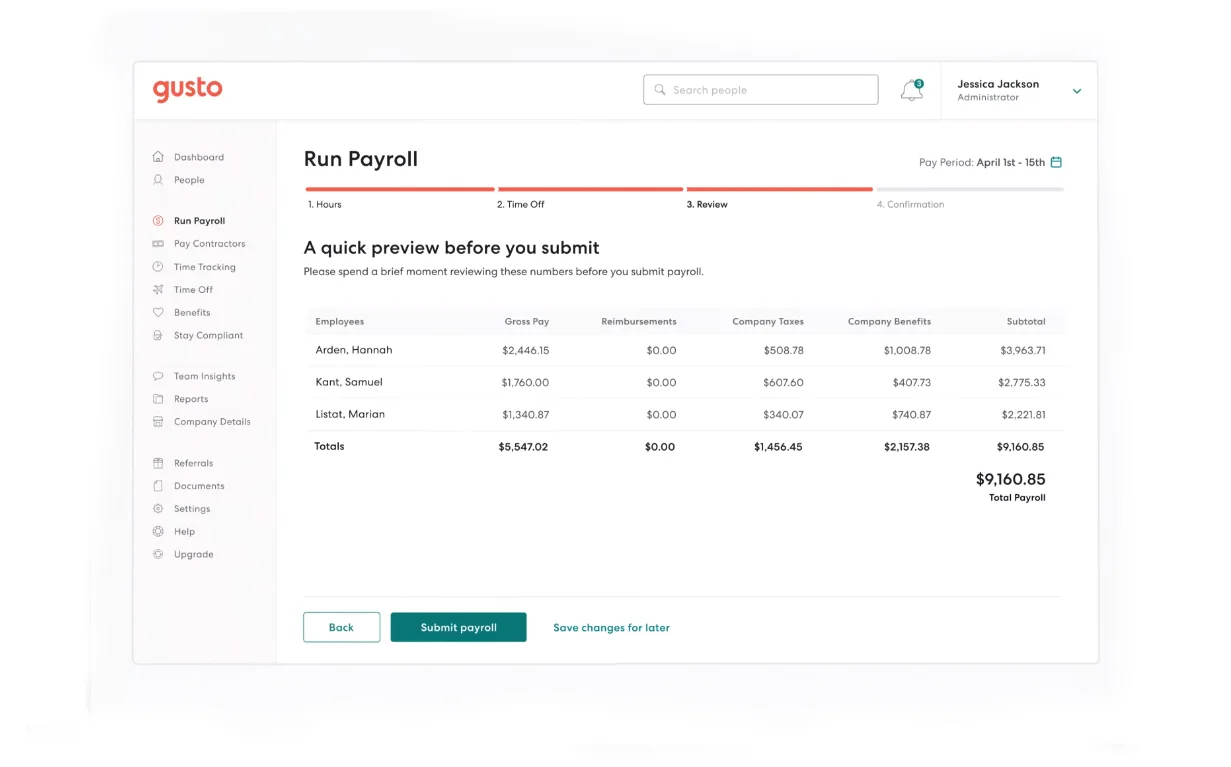
Gusto is an all-in-one payroll and HR platform built for US small businesses. Its benefits module covers medical, dental, vision, 401(k), FSA, HSA, commuter benefits, life insurance, and COBRA, all connected directly to payroll so deductions are always in sync. For sub-100-employee companies that don't have a dedicated HR team, Gusto is the most common starting point in the category.
It isn't a standalone benefits platform and wasn't designed for large organizations with complex multi-carrier programs. But for the small business owner or solo HR generalist who needs to offer competitive benefits without building out a separate stack, it hits the right balance of coverage and manageability.
Key Features
- Benefits module covers medical, dental, vision, life insurance, 401(k), FSA, HSA, commuter, and COBRA
- ACA compliance and HIPAA support included
- Licensed benefits advisors available to help employees choose plans
- Automatic payroll deduction sync when employees update benefits elections
- Employee self-service enrollment portal with plan comparison tools
- Integrations with accounting tools including QuickBooks and Xero
Pros and Cons
"It is easy to use as a small business so that I don't have to hire a separate accountant to do my payroll. They manage my state and federal taxes and help with onboarding new staff." — G2 review
- Benefits and payroll share the same system, so deduction errors from manual reconciliation essentially disappear
- Licensed benefits advisors give small businesses access to guidance that would otherwise require a broker relationship
- Simple plan pricing ($49/month + $6/person) is predictable for small teams watching budget closely
"The mobile app has some limitations compared to the desktop website. It would be easier and quicker if there were more options to type in your time rather than using the 'rolling' numbers option. " — G2 review
- Benefits features are less comprehensive than dedicated benefits platforms; complex multi-carrier setups or self-funded plans are outside its scope
- Reporting and analytics for benefits data are limited compared to enterprise platforms
- Not suited for organizations outside the US
Pricing
Gusto’s pricing structure is designed to fit teams of all sizes, starting with the Simple plan at $49 per month, plus an additional $6 per person each month. For growing teams that need more features, the Plus plan is available for $80 per month, with a per-person fee of $12 monthly. Finally, larger organizations can utilize the Premium plan, which is priced at $180 per month along with $22 per person each month.
ADP Workforce Now: Best for Mid-Market to Enterprise Organizations With Multi-Carrier Benefits
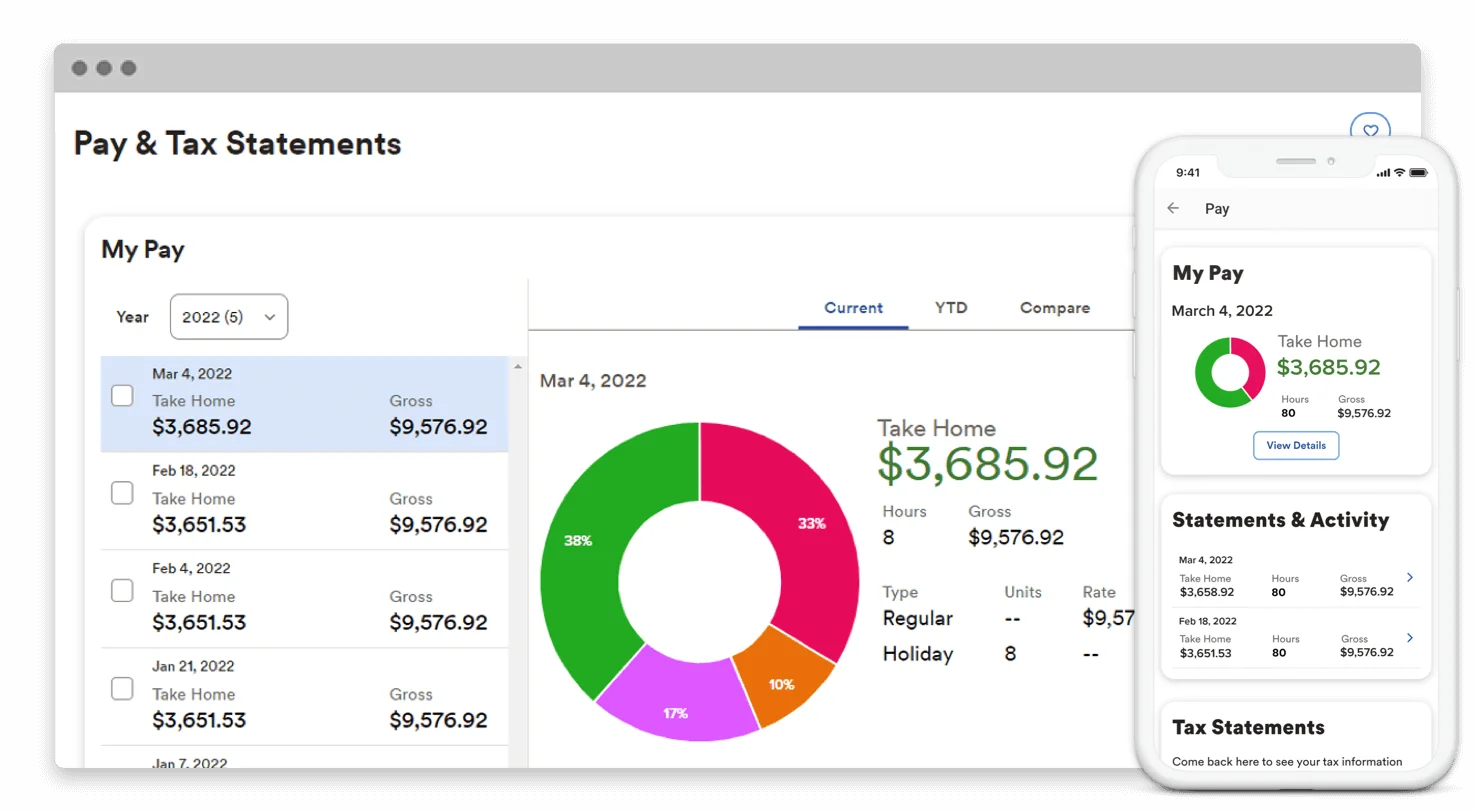
ADP Workforce Now is an all-in-one HCM platform with one of the largest carrier networks in the benefits administration category. ADP connects to 900+ insurance carriers through real-time EDI feeds, which is a number that matters for large organizations managing multiple carrier relationships across states or benefit types.
ACA reporting is automated, and ADP has been recognized by NelsonHall as a leader across five benefits administration market segments: Overall, Digital, Health and Welfare, Marketplace, and Total Benefits Outsourcing.
It's best suited for organizations in the 50 to 10,000 employee range that want benefits, payroll, and core HR under one vendor rather than managing integrations between separate systems. The tradeoff is cost and setup complexity; this isn't a tool you configure over a weekend.
Key Features
- Real-time EDI connections to 900+ insurance carriers
- ACA reporting automation (1094-C/1095-C) handled by ADP, not delegated to HR
- COBRA administration with automated eligibility and notice generation
- Benefits benchmarking via ADP DataCloud for plan cost comparisons
- Multi-state compliance tracking for benefits and leave law variations
- Employee self-service portal with mobile enrollment access
Pros and Cons
"I like the chat and cobrowse feature, 'Things to Do', 'What's New', and 'Learn' feature in ADP Workforce Now because they are easier to use and I can get help fast." — G2 reviewer
- The 900+ carrier connections is the largest real-time EDI network in the category, which is relevant for organizations managing multiple carriers
- ACA reporting automation removes a compliance task that HR teams often handle manually on other platforms
- Multi-state compliance tools are built for organizations operating across different regulatory environments
"I will see the website works better than the app most of the time, but it's still like you access all the information you need." — Capterra reviewer
- Custom pricing with no publicly listed rates makes budgeting difficult without a sales conversation
- Implementation is complex for organizations without dedicated HRIS resources or implementation support
- Interface, while functional, can require more navigation steps than newer platforms
Pricing
Custom pricing based on organization size, modules, and contract terms. Modules include Select, Plus, and Premium (most popular).
PlanSource: Best Dedicated Benefits Platform for Mid-Market Employers and Brokers
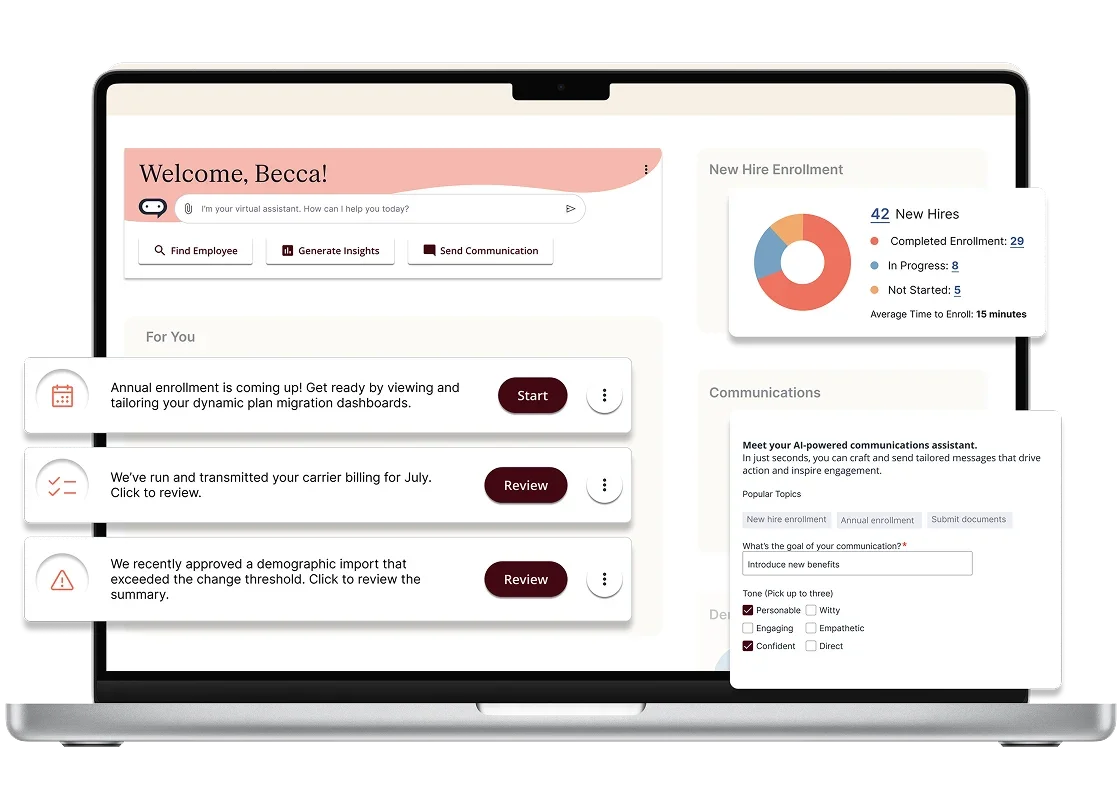
PlanSource is a dedicated standalone benefits administration platform, not a module inside an HRIS or payroll system. It was built specifically for benefits workflows: open enrollment, life events, carrier data exchange, dependent verification, and broker management. Organizations that choose PlanSource typically have a separate HRIS and payroll tool and want a purpose-built benefits layer that connects to both.
It connects to 700+ systems and carriers and includes AI-powered tools for plan decision support (DecisionIQ) and dependent document verification (DependentIQ, which automatically processes 98% of dependent documents without manual review). PlanSource is best suited for mid-market employers and the brokers who manage benefits programs on their behalf.
Key Features
- Dedicated benefits platform connecting to 700+ carriers and HRIS/payroll systems
- DecisionIQ: AI-powered decision support that recommends plans based on employee usage and family profile
- DependentIQ: automated dependent document verification, processing 98% of documents without manual HR review
- Broker portal for managing multiple employer relationships from a single interface
- Open enrollment, life event, and ongoing administration workflows
- ACA, COBRA, and HIPAA compliance tooling
Pros and Cons
"This is a nice HR software that puts all the employee info in one place. It is nice to know for most of your employee paperwork and info is located here." — Capterra reviewer
- DecisionIQ's AI-driven plan recommendations are a meaningful differentiator for organizations where employees consistently choose sub-optimal plans during open enrollment
- DependentIQ's automated document verification removes a time-consuming manual task that most platforms leave entirely to HR
- Broker relationship management functionality makes it a strong fit for organizations that work through benefits brokers rather than managing plans directly
"I am not the biggest fan of the layout and design. The navigation is not as user friendly as it could be." — G2 reviewer
- As a standalone platform, it requires a clean integration with your payroll system for deductions to sync automatically; that integration needs to be tested and maintained
- Implementation cost and timeline can be significant for mid-market organizations without dedicated benefits technology resources
- G2 rating sits at 4.0/5 (145 reviews), with some reviewers noting responsiveness concerns during support escalations
Pricing
Custom pricing. Contact PlanSource for a quote.
Benefitfocus: Best Enterprise Benefits Platform With Deep Carrier Ecosystem and Compliance Tooling
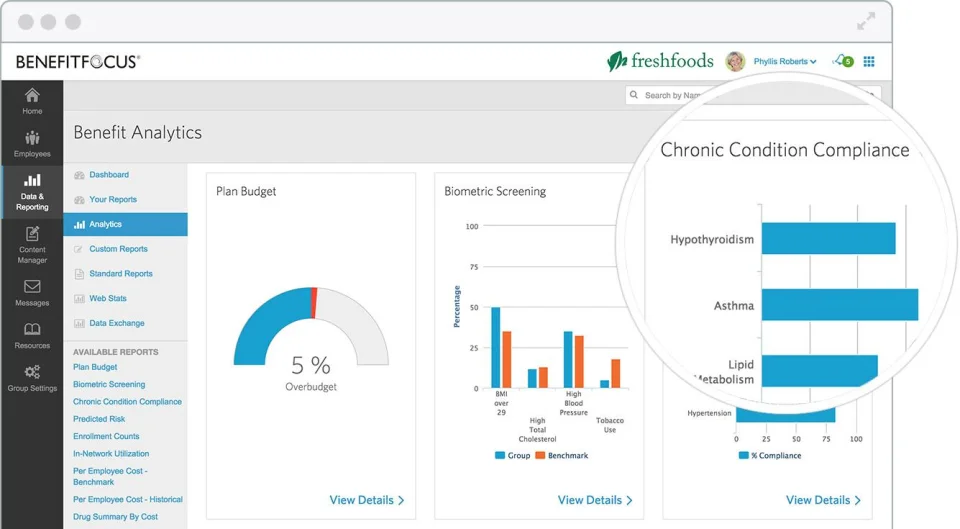
Benefitfocus is a dedicated benefits administration platform used by employers, brokers, and insurance carriers. It was founded in 2000 and has spent over two decades building the carrier integrations, compliance workflows, and voluntary benefits catalog that large employers need. Over 900 large employers use the platform to manage benefits administration at scale.
The platform is designed for organizations that treat benefits as a strategic program requiring its own dedicated infrastructure. That means extensive carrier connections, AI-driven enrollment guidance, personalized decision support, a broad voluntary benefits catalog, and serious ACA, COBRA, and HIPAA compliance tooling.
It's best suited for employers with 500 or more employees where benefits complexity justifies a purpose-built platform rather than an HRIS module.
Key Features
- Dedicated enterprise benefits platform with extensive carrier integrations
- AI-powered enrollment guidance and personalized decision support for employees
- Voluntary benefits catalog covering supplemental health, financial wellness, and lifestyle benefits
- ACA reporting, COBRA administration, and HIPAA compliance tooling
- Benefitfocus Marketplace for voluntary and ancillary benefit offerings
- Benefits communications tools for open enrollment campaigns and employee education
Pros and Cons
"I like how it presents all the options for benefits in a clear way including side-by-side comparisons. This was the easiest it's ever been for me to enroll in healthcare and other insurance benefits." — Capterra reviewer
- The voluntary benefits catalog gives large employers the ability to offer supplemental and lifestyle benefits that smaller platforms don't support
- AI-driven enrollment guidance is designed for complex plan portfolios where employees need help understanding their options
- Compliance depth for ACA, COBRA, and HIPAA is built for large organizations where errors carry significant financial exposure
"The representative does their best to help your team and try hard to get an answer. Although representatives work hard to find answers their team around them takes a month to complete a project. " — G2 reviewer
- Account management and customer support quality are a consistent concern in critical reviews, with multiple users citing extended resolution timelines and high account manager turnover
- G2 rates Benefitfocus at 4.2/5 across 30 reviews; this is a smaller review base than most platforms on this list, which makes the score harder to interpret with confidence
- As a standalone platform, it requires an integration with your HRIS and payroll for data to stay in sync
Pricing
Custom pricing. Contact Benefitfocus for a quote. Pricing verified May 2026.
Paycor: Best for US Mid-Market Organizations Wanting HCM With Integrated Benefits
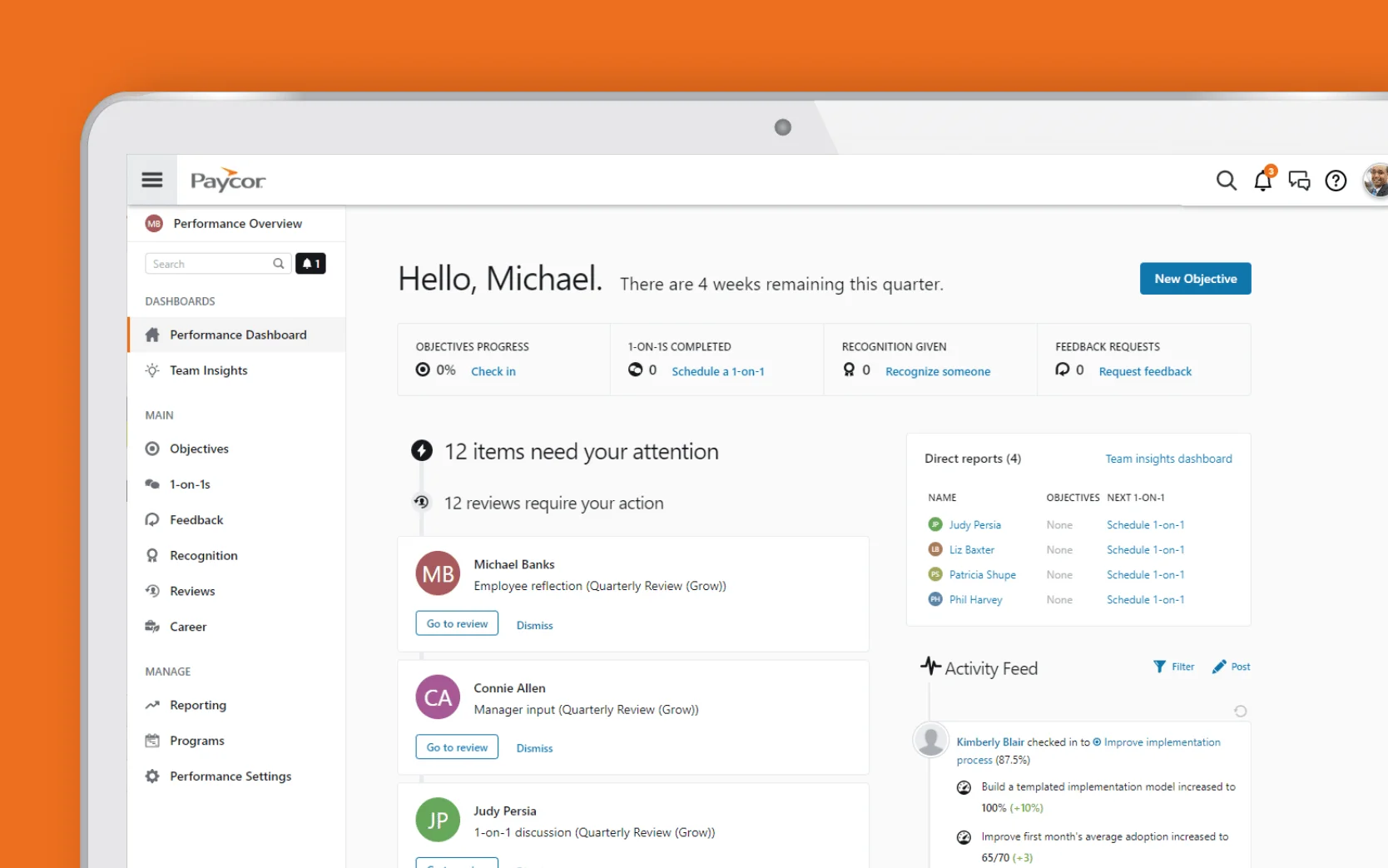
Paycor is an all-in-one HCM platform covering HR, payroll, time tracking, and benefits administration for US mid-market organizations. Its benefits module is built on bswift's technology (Paycor has been powered by bswift for benefits administration since their partnership), connecting directly to payroll deductions so enrollment changes and life events flow through without manual reconciliation.
It's designed for US companies with 200 to 1,000 employees that want a single vendor for HR, payroll, and benefits rather than managing separate systems with separate integrations. The platform handles open enrollment, carrier connections, and multi-state compliance within the same HCM suite employees use for everything else.
Key Features
- HCM suite covering HR, payroll, time, and benefits in one platform
- Benefits enrollment connected directly to payroll deduction workflows
- Mobile-friendly employee self-service for open enrollment and life event changes
- Carrier connections with automated eligibility data exchange
- ACA compliance reporting and COBRA administration
- Multi-state benefits and compliance support for US organizations
Pros and Cons
"There is flexibility in creating reports, which was helpful when looking for historical data. " — G2 review
- Single-vendor HCM means benefits enrollment, payroll deductions, and HR data stay in sync without managing a separate integration
- Mobile enrollment is well-regarded in user reviews, which matters for organizations with employees who don't sit at a desk during open enrollment
- Multi-state compliance coverage is included, reducing the manual tracking burden for HR teams operating across several states
"There are occasional system glitches. There are some inconsistencies in navigation that make some tasks more time consuming. " — Capterra review
- G2 rates Paycor at 3.9/5 from 1,300+ reviews; lower than the all-in-one platforms that lead this list
- Custom pricing requires a sales conversation before you can budget accurately
- Some reviewers note that advanced reporting and analytics require configuration support rather than working out of the box
Pricing
Custom pricing. Contact Paycor for a quote.
Justworks: Best PEO Model for Small Businesses Wanting Access to Large-Group Benefits
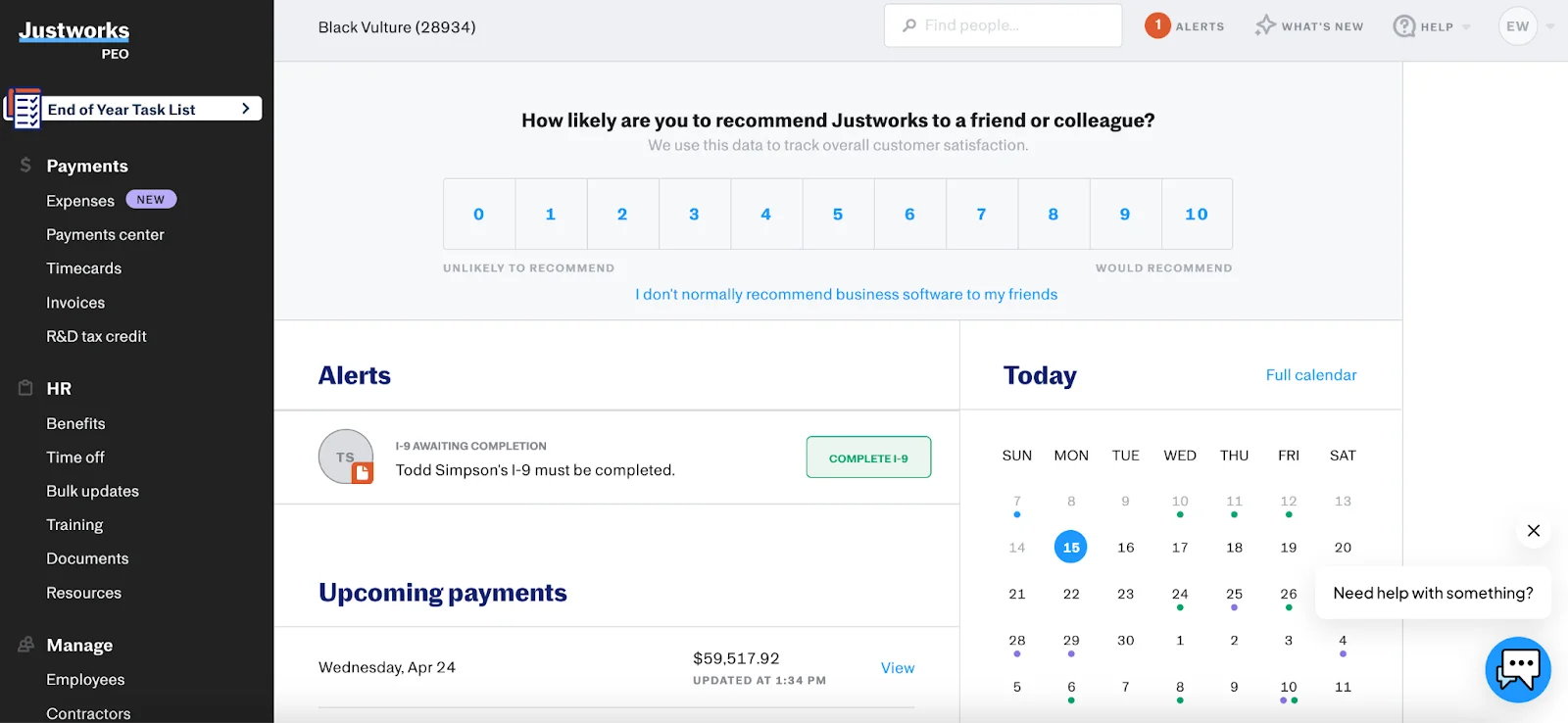
Justworks operates on a Professional Employer Organization (PEO) model, which works differently from every other tool on this list. In a PEO arrangement, Justworks becomes the employer of record for your employees for benefits and compliance purposes, which gives your company access to large-group insurance rates that a 20-person or 50-person company couldn't negotiate independently.
Your employees get access to fertility support, mental health care, travel coverage, dental, vision, and life insurance at rates typically available only to Fortune 500 companies.
This model is a meaningful advantage for small businesses where benefits quality is a recruiting differentiator. The tradeoff is that you're working within Justworks' carrier relationships and plan structures, not designing a custom benefits program from scratch.
Key Features
- PEO model providing access to large-group benefits rates for companies of 1–200 employees
- Benefits catalog includes medical, dental, vision, mental health, fertility support, and travel coverage
- Payroll, benefits, and compliance handled in one platform with no separate integrations to manage
- COBRA administration, ACA compliance, and multi-state regulatory support
- Employee self-service portal rated highly for ease of use across G2 and Capterra reviews
- HR support team available to employees and administrators
Pros and Cons
"They have centralized certain HR features that makes it easy to onboard new employees and manage payroll." — G2 reviewer
- Small businesses gain access to benefit plans they couldn't independently negotiate, which is the core value proposition of the PEO model
- G2 rates Justworks at 4.6/5 from 1,100+ reviews, one of the higher satisfaction scores among PEO platforms
- The support model is consistently praised in reviews, with users noting responsive HR expertise available alongside the platform
"It takes a little while to learn all of the features of justworks which is not a negative, it's a good platform." — Capterra reviewer
- Plan design flexibility is limited by the PEO model; you're selecting from Justworks' carrier relationships, not building a custom benefits program
- Pricing at $109/employee/month (Plus plan) adds up quickly as headcount grows; organizations over 200 employees may find the cost difficult to justify versus a standalone platform
- Scaling beyond 200 employees often prompts a switch to a traditional HRIS with direct carrier relationships
Pricing
Three distinct pricing options are available to manage workforce needs efficiently with Justworks.
The standard Payroll tier charges a $50 monthly base fee plus $8 per employee each month for core HR tools, expert support, and time tracking.
For organizations seeking deeper compliance and professional consulting without a base fee, the PEO Basic plan costs $79 per employee each month and includes 401(k) access and 24/7 support.
Finally, the comprehensive PEO Plus plan costs $109 per employee each month with no base fee, building on the Basic package by adding premium benefits such as health insurance administration, HSA/FSA accounts, mental health benefits, and fertility benefits.
bswift: Best Enterprise Enrollment Platform for Large, Complex Benefits Programs
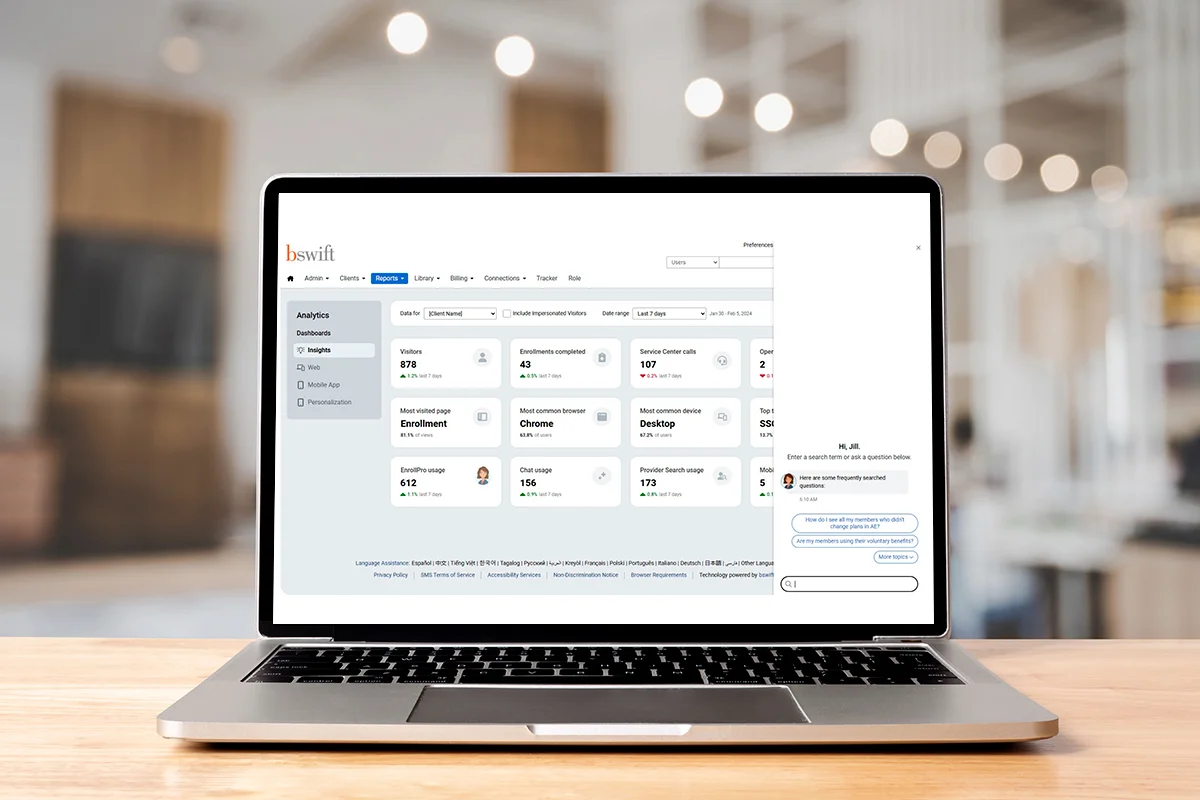
bswift is an enterprise-grade benefits administration platform that handles large-scale enrollment, complex compliance requirements, and AI-powered enrollment experiences for organizations with 1,000 or more employees. It has operated as a subsidiary of CVS Health since 2014, which is a context worth knowing for buyers in the healthcare sector, where the CVS relationship can be relevant to procurement decisions.
The platform's primary strength is managing high-complexity benefits programs at scale: sophisticated EDI carrier connectivity, ERISA compliance tooling, ACA reporting, COBRA administration, and an AI-powered enrollment experience designed to reduce HR's involvement in the enrollment process.
Key Features
- Enterprise benefits administration built for 1,000+ employee organizations with high plan complexity
- AI-powered enrollment experience designed to reduce employee confusion and HR support calls
- EDI carrier connectivity for large-scale eligibility data exchange
- ACA reporting, COBRA administration, and ERISA compliance tooling
- Dependent eligibility verification with audit trail documentation
- Dedicated implementation and account support for large enterprise deployments
Pros and Cons
“I appreciate that we can view all of our benefit options, and I find the system easy to use. It also integrates smoothly with Paylocity, which is very convenient." — G2 reviewer
- Built for enterprise-scale enrollment complexity that most mid-market platforms can't support, such as multiple plan types, dependent verification, complex eligibility rules
- CVS Health ownership gives it credibility and infrastructure depth in the healthcare benefits space specifically
- Implementation support is available for large organizations that need hands-on assistance configuring complex plan rules
"I dislike that bswift’s website can be slow and occasionally unresponsive, which can delay benefit administration tasks and impact overall efficiency." — Capterra reviewer
- G2 rating of 3.8/5 (31 reviews) is the lowest on this list; the small review base makes it hard to generalize, but the critical themes around support and system reliability are consistent
- Custom pricing with no publicly listed rates; the sales and procurement process for enterprise platforms like this can be lengthy
- Not suited for organizations under 500 to 1,000 employees; the platform's complexity and cost structure don't match smaller-scale needs
Pricing
Custom pricing. Contact bswift for a quote.
BambooHR: Best for SMBs Already on BambooHR That Want to Add Benefits
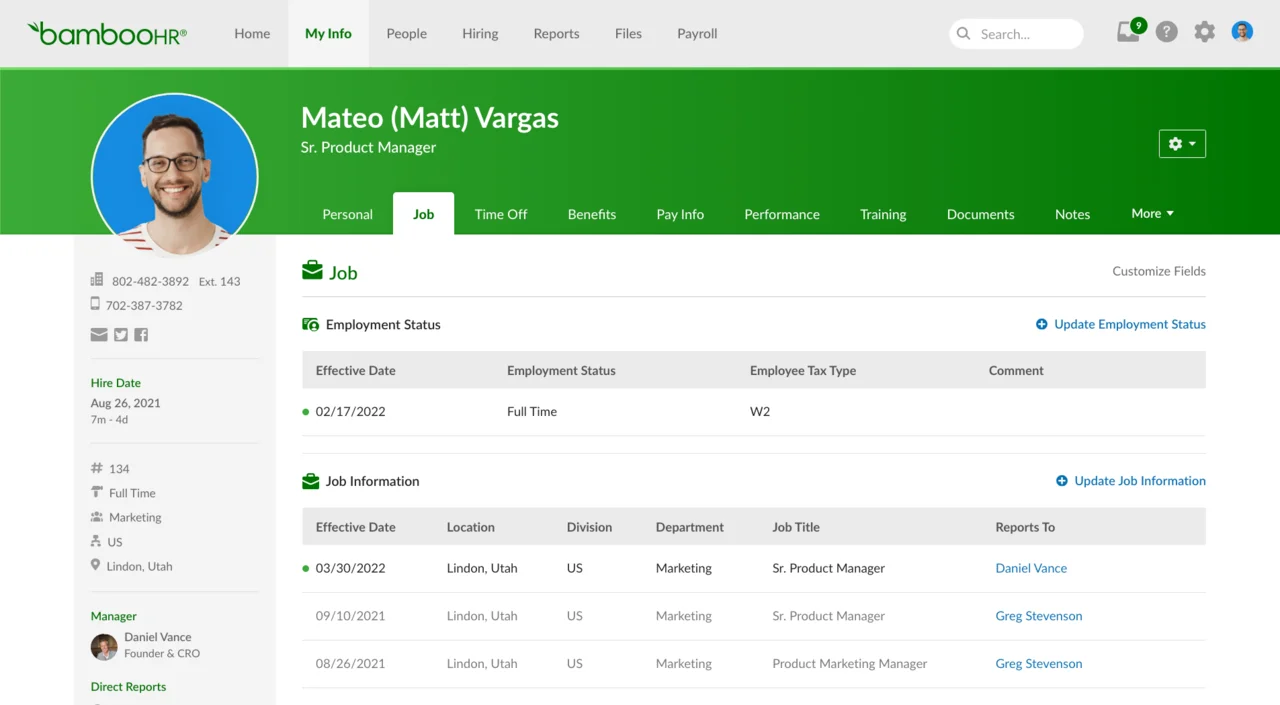
BambooHR is an HRIS platform, so benefits administration is an add-on module, not the core product. For organizations already using BambooHR for employee records, time tracking, and HR workflows, the benefits module offers a way to add enrollment, carrier connections, and reporting without introducing a new vendor.
It covers standard benefits enrollment workflows, carrier integrations, and customizable reporting. The benefits module is a consolidation play for existing BambooHR customers, not a reason to choose BambooHR from scratch if benefits administration is your primary need.
Key Features
- Benefits administration add-on to BambooHR's core HRIS
- Enrollment workflows for open enrollment and life event changes
- Carrier integrations for eligibility data exchange
- Benefits reporting with customizable views
- Employee self-service enrollment connected to the broader BambooHR employee record
- Integrates with BambooHR's payroll module for deduction sync (payroll module sold separately)
Pros and Cons
"Bamboo has been easy to setup and easy to use, for both management and staff. The on boarding team was great and the experience has been positive." — Capterra reviewer
- For existing BambooHR customers, adding the benefits module means enrollment data, employee records, and time-off all live in one system without a new integration to manage
- Clean interface is consistently praised in reviews; employees can navigate enrollment without significant training
- Carrier integrations handle standard eligibility data exchange for typical US benefits programs
"Sometimes the Time Off section is hard to follow, although that may just be due to how we have it set up." — G2 reviewer
- The benefits module is an add-on to an HRIS, not a dedicated benefits platform; complex carrier programs, voluntary benefits catalogs, or large-scale dependent verification aren't within its scope
- Payroll in BambooHR is a separate add-on (powered by an acquired partner) and reviewers consistently note it lacks the automation depth of platforms like Rippling or ADP
- Pricing for the benefits add-on is by quote; transparency on total platform cost requires a conversation with sales
Pricing
BambooHR offers three tiered per-employee, per-month plans: the Core plan at $10 for foundational HR automation, hiring, and basic compliance; the Pro plan at $17, which adds performance management and expanded employee experience tools; and the Elite plan at $25, which includes everything in Pro plus compensation management, custom analytics, and HR benchmarks.
TriNet: Best PEO Model for SMBs and Mid-Market Organizations Needing Benefits With Full HR Support
.webp)
TriNet is a Professional Employer Organization, which means it operates on a co-employment model where TriNet becomes the employer of record for benefits and compliance purposes.
The practical result is that your employees get access to health insurance, retirement, mental health, and other benefits at rates negotiated across TriNet's client base rather than your organization's headcount alone.
Where TriNet differentiates from Justworks is in scope and industry specialization. TriNet has operated for over 30 years and brings industry-specific HR expertise across tech, nonprofit, hospitality, and professional services.
For organizations with 5 to 500 employees that want benefits, payroll, compliance, and assigned HR professionals under one arrangement, TriNet is the most established PEO option in this category.
Key Features
- PEO model providing access to enterprise-level group benefits for 5–500-employee organizations
- Benefits include medical, dental, vision, mental health, retirement, and voluntary benefits
- Industry-specific HR expertise across tech, nonprofit, hospitality, and professional services
- ACA compliance, COBRA administration, and multi-state regulatory support
- Payroll processing, time tracking, and performance management included on the platform
- Assigned HR professionals and dedicated relationship managers available to clients
Pros and Cons
"TriNet helps us manage payroll, talent acquisition and retention, support for our employees, access to "big company" benefits and helps our management team with proactive risk mitigation and data compliance." — Capterra reviewer
- Co-employment model gives small organizations access to benefits quality they couldn't secure independently, which is a real talent acquisition and retention advantage
- Industry-specific HR expertise is a differentiator for clients in specialized sectors where HR compliance requirements are more complex
- 30+ years in the PEO market reflects a track record that newer PEO platforms can't match
"While there is a learning curve when first getting started, the depth of features ultimately makes payroll and expense reporting more efficient once you’re familiar with the system." — G2 reviewer
- G2 rates TriNet at 4.1/5 from 1,200+ reviews; critical reviews point to post-sales support inconsistency and a gap between what is promised at signing and what is delivered during implementation
- Custom pricing based on employee count and services makes direct cost comparison with other platforms difficult before a sales conversation
- The PEO model means limited flexibility in plan design; organizations with a specific benefits strategy they want to own directly may find the co-employment structure constraining
Pricing
Custom pricing based on employee count and services.
How to Find the Right Benefits Administration Software for Your Team
The right platform depends less on feature checklists and more on a few foundational questions about how your organization actually works.
If you're under 100 employees and already using Gusto or a comparable small-business payroll software, check whether the benefits module inside your existing system covers your plan types before evaluating anything else. A separate benefits platform may be more integration work than it's worth at your scale.
If you're 100 to 500 employees running a standard benefits program through a broker, PlanSource or Paycor are worth a direct comparison. The deciding factor is usually whether you want benefits purpose-built with a dedicated platform, or tightly embedded in your HCM suite.
If you're 500+ employees managing multiple carriers, self-funded plans, or complex voluntary benefits, a dedicated platform is likely necessary. Your HRIS's native benefits module probably can't handle the compliance depth or carrier relationship management at that scale.
If you're a small or growing company that wants access to large-group benefits without building a full HR stack, the PEO model through Justworks or TriNet removes the most operational complexity, at the cost of plan design flexibility and per-head cost as you scale.
If you're already on Rippling or BambooHR and looking to expand into benefits, check the native module first. The integration work of adding a standalone benefits platform often isn't worth it unless your benefits program has outgrown what the native module can do.
Start Comparing Benefits Administration Platforms
The tools on this list serve a wide range of organizational sizes, benefits complexity levels, and technology philosophies. Most offer demos rather than free trials, so book time with the two or three vendors that match your buyer profile and test the workflows that matter most to your HR team: open enrollment setup, a life event change, and a payroll deduction sync. How each platform handles those three scenarios will tell you more than any feature list.
Frequently Asked Questions About Benefits Administration Platforms
What is a benefits administration software?
Benefits administration software helps HR teams manage employee benefits programs: open enrollment, life event changes, carrier data exchange, ACA and COBRA compliance, and ongoing plan administration. Some platforms are built specifically for benefits administration; others offer it as a module within a broader HR or payroll system.
What is the difference between a standalone benefits platform and an HRIS with a benefits module?
A standalone benefits platform is built around benefits workflows and connects to a separate HRIS and payroll system via integration. A payroll or HRIS platform with a benefits module keeps benefits and payroll in the same system, which simplifies deduction sync but may limit benefits-specific functionality for complex programs. Neither is inherently better; the right model depends on your benefits, complexity, and what you already have in place.
What is a PEO, and how does it differ from a standard benefits platform?
A Professional Employer Organization like Justworks or TriNet enters a co-employment arrangement with your company, becoming the employer of record for benefits and compliance purposes. This gives your employees access to group insurance rates negotiated across the PEO's entire client base, which is a meaningful advantage for small businesses.
The tradeoff is that you work within the PEO's carrier relationships and plan structures rather than designing a custom benefits program. Standard benefits platforms give you more control over plan design but require you to negotiate and manage carrier relationships directly or through a broker.
How much does benefits administration software cost?
All-in-one platforms with benefits modules range from $6 to $12/user/month for small-business tools like Gusto to custom enterprise pricing for ADP Workforce Now and Paycor. Dedicated standalone benefits platforms are all custom-quoted. PEO models typically run $59 to $109/employee/month depending on the plan.
What should I look for in open enrollment software specifically?
For open enrollment, prioritize employee-facing simplicity: guided plan comparison, decision support tools that explain plan differences in plain language, and mobile access for employees who enroll on their phones.
On the HR side, look for automated carrier file transmission so enrollment changes reach your carriers without manual uploads, and confirmation that payroll deductions update automatically once enrollment closes.
Platforms with AI-powered decision support can meaningfully reduce poor plan selection in organizations with complex plan offerings.
.avif)