.webp)
.svg)

.svg)
.svg)
.svg)
If you run a small business and payroll still feels more stressful than it should, Gusto was built with you in mind. It is one of the most widely used payroll and HR platforms for small US businesses, and its reputation for making payroll straightforward has made it a go-to choice for founders and HR generalists alike. But a strong reputation is not the same as the right fit.
This Gusto review breaks down what the platform actually does, where it holds up, and where it falls short, so you can make an informed call before signing up.
Here's a video covering Gusto's payroll platform in more detail:
What Is Gusto?
Gusto is a cloud-based payroll, HR, and benefits platform built specifically for small businesses in the United States. It automates payroll processing, tax filing, benefits enrollment, and core HR tasks in one system, reducing the need for manual work or a dedicated HR team.
More than 400,000 businesses use Gusto to pay their employees and contractors, manage benefits, and handle compliance. The platform covers W-2 employees and 1099 contractors across all 50 states, making it a practical choice for most domestic payroll needs.
One important constraint worth noting upfront: Gusto is a US-only product. If your team includes international employees, you would need Gusto Global, which is a separate product with separate pricing.
For businesses operating purely within the US, that limitation rarely comes into play, but it is worth knowing before you go further in your evaluation.
Key Features of Gusto
Gusto's feature set is centered on payroll, with HR and benefits tools built around it. Here is a closer look at what each area covers.
1. Payroll Processing
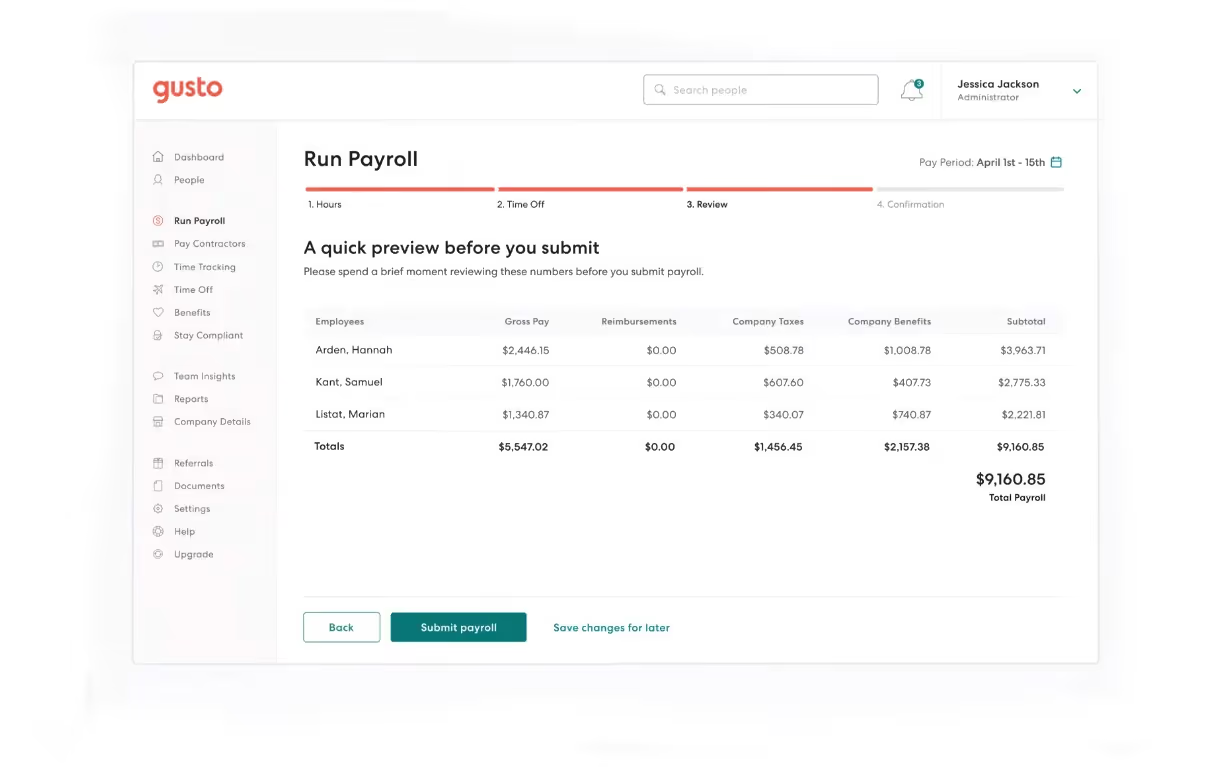
Gusto payroll handles W-2 employees and 1099 contractors across all 50 states. Every plan includes unlimited payroll runs per month, which is a real advantage over platforms that charge per run. Off-cycle payrolls and bonus runs are included without additional fees.
Federal, state, and local tax calculations are handled automatically, with filing and payment done on your behalf. On the Simple plan, direct deposit takes four days. Upgrading to Plus or Premium brings that down to next-day direct deposit. Multi-state payroll is only available on Plus and Premium, so if your team is spread across multiple states, the Simple plan will not cover you.
2. Benefits Administration
Gusto offers health insurance administration through its own brokerage and partner networks, covering medical, dental, and vision plans. Retirement options include 401(k) plans, along with FSA, HSA, commuter benefits, and life insurance.
Open enrollment and new hire enrollment are handled online, with payroll deductions syncing automatically. ACA and COBRA administration are included. Health insurance administration is part of every plan, though the insurance premiums themselves are a separate cost, paid directly to the carrier.
3. Hiring and Onboarding
Gusto supports job posting to major job boards, offer letter templates, and background checks through a Checkr integration. Once a candidate accepts an offer, new hire onboarding is handled digitally. Employees complete their own I-9, W-4, and direct deposit setup through a self-service portal, which saves HR teams significant back-and-forth.
New hire state reporting is automatic, and onboarding checklists can be customized by role or department. For small teams without a dedicated HR function, these tools cover the basics without much configuration required.
4. Time Tracking and PTO
PTO policies, holiday pay, and accrual tracking are included in all base plans. Time tracking, however, is a separate add-on at $6 per person per month and is not included in base pricing. For businesses with hourly workers, that is an important cost to factor in from the start.
When time tracking is enabled, it integrates directly with payroll, so hourly calculations feed into payroll runs without manual entry. The integration is clean, but the add-on pricing does mean the effective per-person cost is higher than the base plan rates suggest.
5. AI Assistant (Gus)
Gus is Gusto's built-in AI assistant, available as an opt-in feature within the platform. It handles common HR questions, pulls data reports, and can process time-off approvals through a conversational interface. It can also surface company policy information and flag compliance reminders based on your setup.
Gus is a useful tool for routine admin tasks, though it is more limited in scope compared to the automation capabilities available in more complex platforms. For small teams handling straightforward HR needs, it covers the day-to-day questions well.
6. Integrations
Gusto connects with roughly 150 third-party tools, including QuickBooks, Xero, FreshBooks, Slack, Asana, and DocuSign. The accounting software integrations are particularly strong, which matters for finance-led buyers who want payroll data to flow cleanly into their books.
The integration library is smaller than some competitors. For organizations managing a complex existing tech stack, it is worth confirming that your specific tools are supported before committing.
How Gusto Works
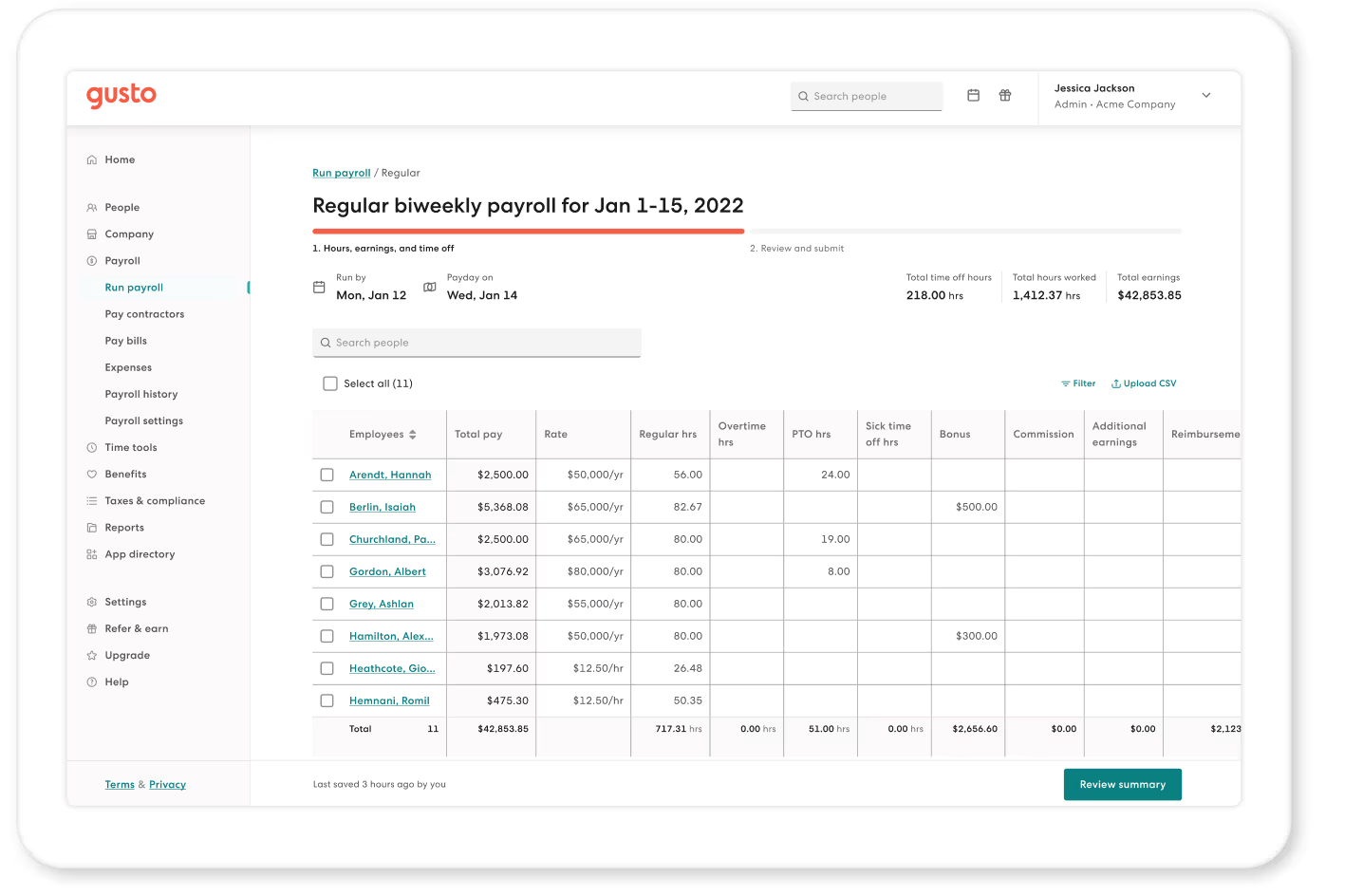
Getting started with Gusto follows a straightforward path. You add your employees, enter their pay details, and set a payroll schedule. From there, running payroll takes a few minutes. The platform calculates taxes automatically, files and pays them on your behalf, and sends direct deposits to employees.
Employee self-service handles a lot of the administrative side. New hires receive an invitation to complete their own onboarding documents, including tax forms and direct deposit details, without HR needing to collect and enter that information manually. Employees can also access their pay stubs, benefits information, and PTO balances through the same portal.
The Gus AI assistant sits within the platform and can answer HR questions, generate reports, and handle routine approvals on demand. The overall experience is built around reducing the number of steps between deciding to run payroll and actually having it done.
Pros and Cons
Every platform has strengths and limitations. Here is an honest look at both sides of Gusto.
Pros
"I like Gusto's user-friendly interface; it's very simple to get where you need without any difficulty. I also value the time tracking feature because it truly captures how much time people spend per project. … The initial setup of Gusto was very easy." — G2 Review
- Consistently ranked as one of the most intuitive platforms for non-experts.
- Ideal for businesses that pay bonuses or off-cycle commissions frequently.
- Handles all federal, state, and local filings at no extra cost.
- Employees keep their portal access even after they leave the company.
Cons
"When it comes to disputes, Gusto is the least helpful in that department. It doesn't seem like they actually investigate when your card is stolen." — Capterra Review
- Many users report long wait times or difficulty reaching human help for complex tax issues.
- Add-ons for 401(k) administration, time tracking, and multi-state filing can significantly increase the monthly bill.
- The base tier lacks multi-state payroll and has a slower (4-day) direct deposit speed.
- Not a native fit for companies with a heavy international presence without paying for the Global add-on.
User Experience and Interface
Gusto holds a 4.6 out of 5 on G2 across more than 9,000 reviews and a 4.6 out of 5 on Capterra across more than 4,000 reviews. Users on both platforms consistently praise the payroll interface, the clarity of the employee self-service portal, and how quickly teams get up and running.
The Trustpilot picture is different. A 2.5 out of 5 from over 2,300 reviews reflects a pattern that shows up across multiple review sources: the interface and day-to-day payroll experience are praised, but support when something goes wrong is a documented failure point. Complaints about tax filing errors, delayed responses, and unresolved issues appear regularly in lower-rated reviews.
For small businesses with straightforward payroll needs and minimal support interactions, Gusto's core experience holds up well. For businesses where a payroll error or tax issue would be a serious operational problem, the support track record is worth weighing carefully.
Best Use Cases
Gusto is built for organizations that need a reliable, automated system without the overhead of a large enterprise suite.
- Startups and Small Businesses: Especially those with 1 to 50 employees who don’t have a full-time HR manager.
- Companies using QuickBooks/Xero: The sync between these tools and Gusto is one of the best in the industry.
- W-2 and 1099 Mixes: Businesses that rely on a blend of full-time staff and frequent contractors.
Gusto Alternatives and Competitors
If Gusto’s U.S. focus or support model isn’t a fit, several alternatives offer better automation, global reach, or deeper HR tools.
- Rippling: Best for tech-forward teams needing a unified platform for HR, IT, and payroll with heavy automation.
- Paylocity: A strong mid-market contender that provides deeper workforce management, custom reporting, and more robust employee engagement tools for growing organizations.
- Paychex: Better for established businesses requiring robust compliance support and a dedicated point of contact.
- Deel: The go-to option for companies hiring internationally that need to manage global payroll and compliance across multiple countries.
- BambooHR: Best for mid-sized companies shifting focus from simple payroll to employee engagement and culture management.
When choosing, weigh your growth plans, whether you have international staff, and how much you value a unified "all-in-one" system versus a standalone payroll tool.
Pricing and Plans
Gusto payroll pricing is transparent and published directly on its website. The following figures are verified as of May 2026.
- Simple: $49/month base + $6/month per person. Single-state payroll, basic hiring tools, employee self-service, and benefits administration. Direct deposit takes four days. Time tracking and multi-state payroll are not included.
- Plus: $80/month base + $12/month per person. All Simple features, plus multi-state payroll, next-day direct deposit, time tracking integration, and advanced HR tools. This is the tier where most growing teams land. The jump from Simple to Plus adds $31 to the base monthly cost, which is where buyers most often encounter an unexpected increase.
- Premium: $180/month base + $22/month per person. Includes everything in Plus, along with a dedicated HR advisor, priority support, and full migration support.
- Contractor Only: $35/month base + $6/month per contractor (original price; $0/month base for a limited time). For businesses that pay 1099 workers only and do not have W-2 employees.
The Simple plan covers the basics well, but businesses with hourly workers or multi-state teams will likely need Plus from the start. It is worth mapping your specific needs against each tier before choosing, since add-ons can push the effective per-person cost above what the base rates suggest.
Final Verdict
Gusto is a well-built platform for what it was designed to do: make payroll straightforward for small US businesses. The payroll experience is clean, the pricing is transparent, and the benefits administration is more complete than most platforms at this price point.
It works best for businesses with 5 to 100 employees, a US-based team, and a need for payroll to run reliably without requiring a dedicated HR professional. If your workforce is primarily salaried with straightforward payroll needs, the Simple or Plus plan will cover most of what you need.
It is less well-suited for businesses approaching or beyond 100 employees, teams with international workers, or organizations that need deep performance management tools alongside payroll. The customer support track record is a real consideration, particularly for businesses where a payroll or tax filing error would be difficult to absorb.
If you are still weighing your options, our top payroll software and top AI-powered HR software lists cover the broader market.
.avif)
.avif)