

.svg)
Finding the right people is critical to any organization, yet the hiring process often feels slow and disorganized. When resumes sit in inboxes and interview notes remain stuck in spreadsheets, top talent slips away. The best recruiting software solves this by centralizing job postings, candidate communication, and scheduling into one clear workflow.
Beyond efficiency, a smooth process pays off long-term. Data shows that employees who had an exceptional candidate experience are 3.2 times as likely to feel a strong connection to their company culture.
This guide breaks down the top 10 recruiting tools in 2026, including features, pricing, and user feedback, to help you build a process that secures the right talent and sets them up for success.
Quick Comparison: Top Recruiting Software at a Glance
Here is a side-by-side look at all ten tools covered in this guide, including starting prices, trial availability, G2 ratings, and the one thing that makes each platform stand out.
What to Look for in Recruiting Software
Not all recruiting platforms are built the same. Before committing to one, it helps to know what actually matters when evaluating your options. Here are some factors to consider when choosing a recruiting software:
- Core applicant tracking features: At a minimum, your recruiting software should handle job requisitions, candidate pipelines, resume parsing, interview scheduling, and offer management. These are non-negotiable. Anything built on top is a bonus.
- Integration with your existing tools: Recruiting software that connects with your HRIS, payroll system, job boards, and communication platforms saves significant time. If your team uses Microsoft 365, native integration with Teams and Outlook makes adoption much easier.
- AI and automation capabilities: The best recruiting software platforms now use AI to match candidates to roles, parse resumes, draft job descriptions, and automate routine follow-up. These features meaningfully reduce time-to-hire.
- Scalability: A tool that works for ten open roles should also work for two hundred. Consider how pricing scales, how workflows can be adjusted, and whether the platform can handle high-volume hiring if your needs change.
- Pricing transparency and total cost: Some platforms charge per user, others per job posting, and a few use entirely custom pricing. Be sure to account for implementation fees, onboarding costs, and add-on charges before you commit.
- Support and onboarding: When you run into problems during a live hire cycle, you need help quickly. Look for vendors with dedicated support teams, clear documentation, and strong onboarding programs.
Choosing the right platform is about more than just checking boxes; it is about finding a tool that fits your team's specific workflow. The goal is to reduce manual tasks so your recruiters can focus on talking to people rather than managing spreadsheets.
Top 10 Recruiting Software in 2026
Finding the right recruitment technology responds to the need to manage a complex ecosystem of talent in a shifting labor market. The following platforms stand out for their ability to streamline the hiring process while helping teams make more informed, data-backed decisions.
1. iCIMS
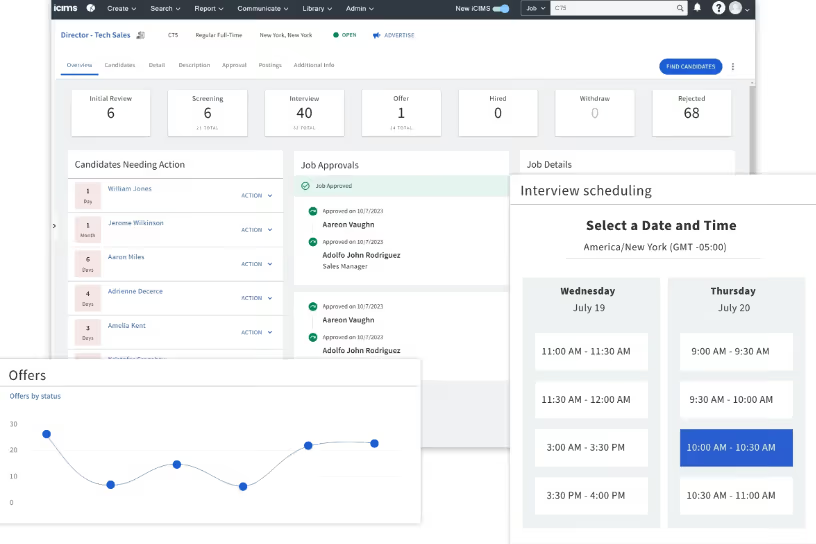
iCIMS has been a fixture in enterprise talent acquisition for over two decades. Its Talent Cloud platform covers the full hiring cycle, from candidate sourcing and relationship management to onboarding, and connects with more than 800 third-party applications. Large organizations handling high volumes of hiring across multiple locations or business units will find it well-equipped for the task.
The platform's AI capabilities have expanded significantly, with built-in tools for resume screening, candidate matching, and interview scheduling automation. iCIMS also supports employer branding through customizable career sites and recruitment marketing campaigns.
Key Features
- Configurable ATS with role-based workflows for complex, high-volume recruiting
- AI-powered candidate matching and resume screening to reduce manual review time
- Recruitment marketing suite with branded career sites and automated candidate communications
- Text-based recruiting tools via the TextRecruit add-on
- 800+ partner integrations including ADP, Workday, UKG Pro, and LinkedIn
- Advanced reporting and analytics with 360-degree visibility into hiring metrics
Best For
- Large enterprises managing high-volume or multi-location hiring programs
- Organizations in healthcare, retail, manufacturing, and financial services
- HR teams that need deep integration with existing HRIS and payroll systems
Pros and Cons
Pros: “The automation between the candidate stage and the reference check remains seamless. We’ve seen a consistent turnaround of under 48 hours, which allows us to close offers much faster in a competitive market” - G2 Review
- Extensive integration ecosystem covers nearly any HR tech stack
- Highly configurable workflows adapt to complex organizational structures
- Strong customer support rated positively by the majority of users
- Proven at enterprise scale across a wide range of industries
Cons: “The most challenging feature of iCIMS is sending out the emails to candidates not selected. It doesn’t filter the categories well even if “rejection” is selected. Instead I have to spend more time scrolling the list to find what is needed.” - Capterra Review
- Custom pricing model with no publicly listed tiers makes budgeting difficult upfront
- Steep learning curve for new users, especially without prior enterprise ATS experience
- Some users report that custom reporting requires IT involvement to set up correctly
Pricing
- iCIMS uses custom, quote-based pricing tailored to company size and modules selected.
- There’s no free plan or standard trial.
2. Zoho Recruit
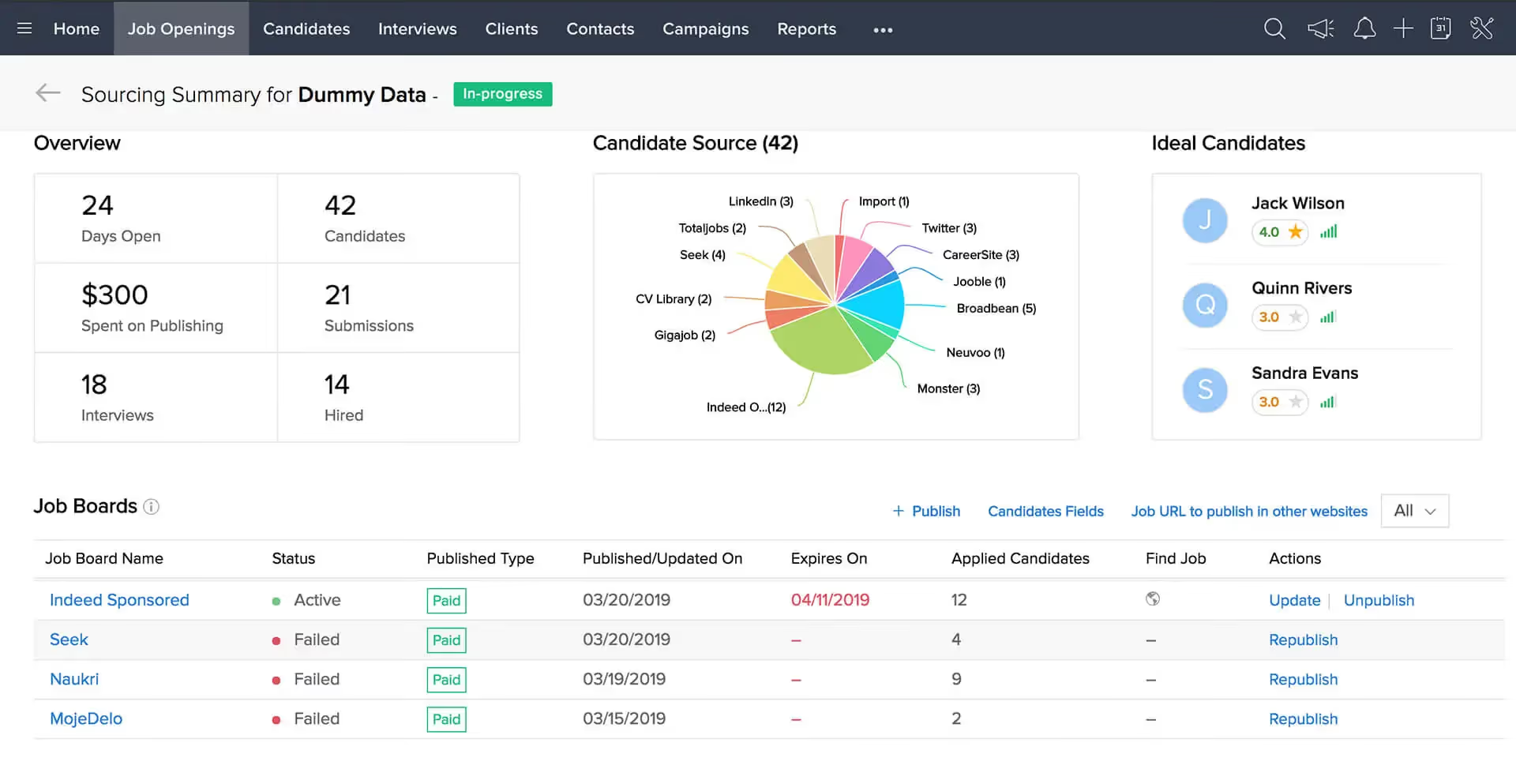
Zoho Recruit is a cloud-based applicant tracking system built for both in-house HR teams and staffing agencies. It covers the full recruiting cycle and is particularly well-suited for businesses already using other Zoho products, as it connects naturally with Zoho CRM, Zoho Mail, and the broader Zoho suite.
The AI-powered resume parser (driven by Zia, Zoho's AI assistant) extracts candidate information automatically, reducing manual data entry and helping teams move faster through the screening process.
Key Features
- AI-driven resume parsing and candidate matching powered by Zia
- Customizable hiring pipelines and workflow automation
- Job posting to multiple boards directly from the platform
- Built-in candidate CRM for both corporate HR and staffing agencies
- Interview scheduling and calendar integration
- Branded career site with a free plan available
Best For
- Small to mid-sized businesses looking for a cost-effective, full-featured ATS
- Staffing agencies that need both CRM and applicant tracking in one tool
- Organizations already using other Zoho products
Pros and Cons
Pros: "I like the simplicity of using Zoho Recruit and I also find that the initial setup was very simple." - G2 Review
- Affordable pricing, especially competitive for solo recruiters and small teams
- Strong integration with the Zoho ecosystem reduces tool fragmentation
- Free plan available for getting started with basic features
- Highly customizable pipelines and automation rules
Cons: "Some of the more advanced reporting features take a bit of time to set up, and the interface can feel slightly busy until you customise it. A few integrations require additional configuration that might be tricky for non-technical users." - Capterra Review
- Learning curve for advanced features and custom workflow setup
- Mobile app functionality is more limited compared to the desktop version
- Customer support response times can be slow, particularly on lower-tier plans
Pricing
- Free Plan: Available for one active job posting
- Standard Plan: $25/user/month (billed annually)
- Professional Plan: $50/user/month (billed annually)
- Enterprise Plan: $75/user/month (billed annually)
3. SmartRecruiters
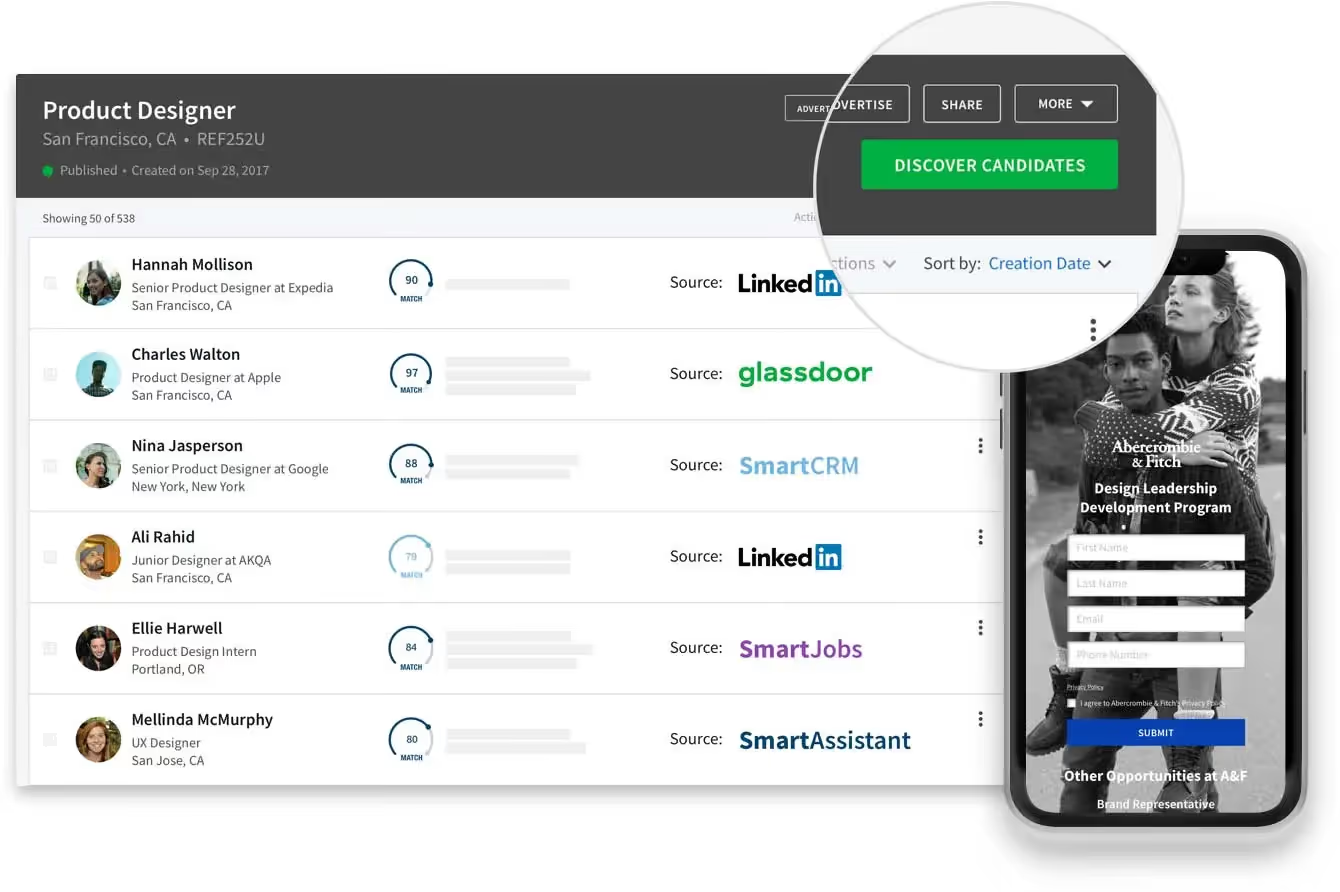
SmartRecruiters is designed as a full talent acquisition suite, combining an applicant tracking system, candidate relationship management tools, and a robust marketplace of third-party recruiting services.
It integrates with SAP SuccessFactors, making it a natural fit for organizations already running SAP HCM. Its interface takes cues from social media platforms, with a clean and intuitive layout that makes it easier for hiring teams to collaborate on candidates.
The platform supports both corporate hiring and high-volume recruitment and offers AI-driven features for screening and candidate prioritization across the entire pipeline.
Key Features
- Integrated ATS and CRM in a single talent acquisition suite
- Native integration with SAP SuccessFactors for unified HR workflows
- AI-powered screening and candidate prioritization
- Open marketplace with 300+ third-party recruiting integrations
- Collaborative candidate review tools with shared scorecards and hiring team visibility
- Recruitment marketing tools and branded career pages
Best For
- Enterprises already using SAP SuccessFactors or the broader SAP HCM suite
- Large organizations managing collaborative, multi-stakeholder hiring processes
- HR teams looking for a modern interface that simplifies recruiter and hiring manager collaboration
Pros and Cons
Pros: "My overall experience with SmartRecruiters was okay. There were candidates that stood out and those who didn't, in the end, we found some good leads." - Capterra Review
- Modern, social media-style interface that many recruiters find easy to adopt
- Strong collaboration features for distributed hiring teams
- Extensive third-party marketplace covers a wide range of sourcing and screening tools
- Scales well for both corporate and high-volume hiring use cases
Cons: “For new users, it feels a bit complicated to use. Because there are a lot of features and options, it will take some time to learn everything. It would be helpful if there is a tutorial guide or document present.” - G2 Review
- Setup can be time-intensive due to configuration requirements
- Some users report occasional platform downtime
- Certain integrations, including posting to Indeed, have caused difficulties for some teams
Pricing
- Custom pricing is available based on company size and module requirements.
4. Greenhouse Recruiting
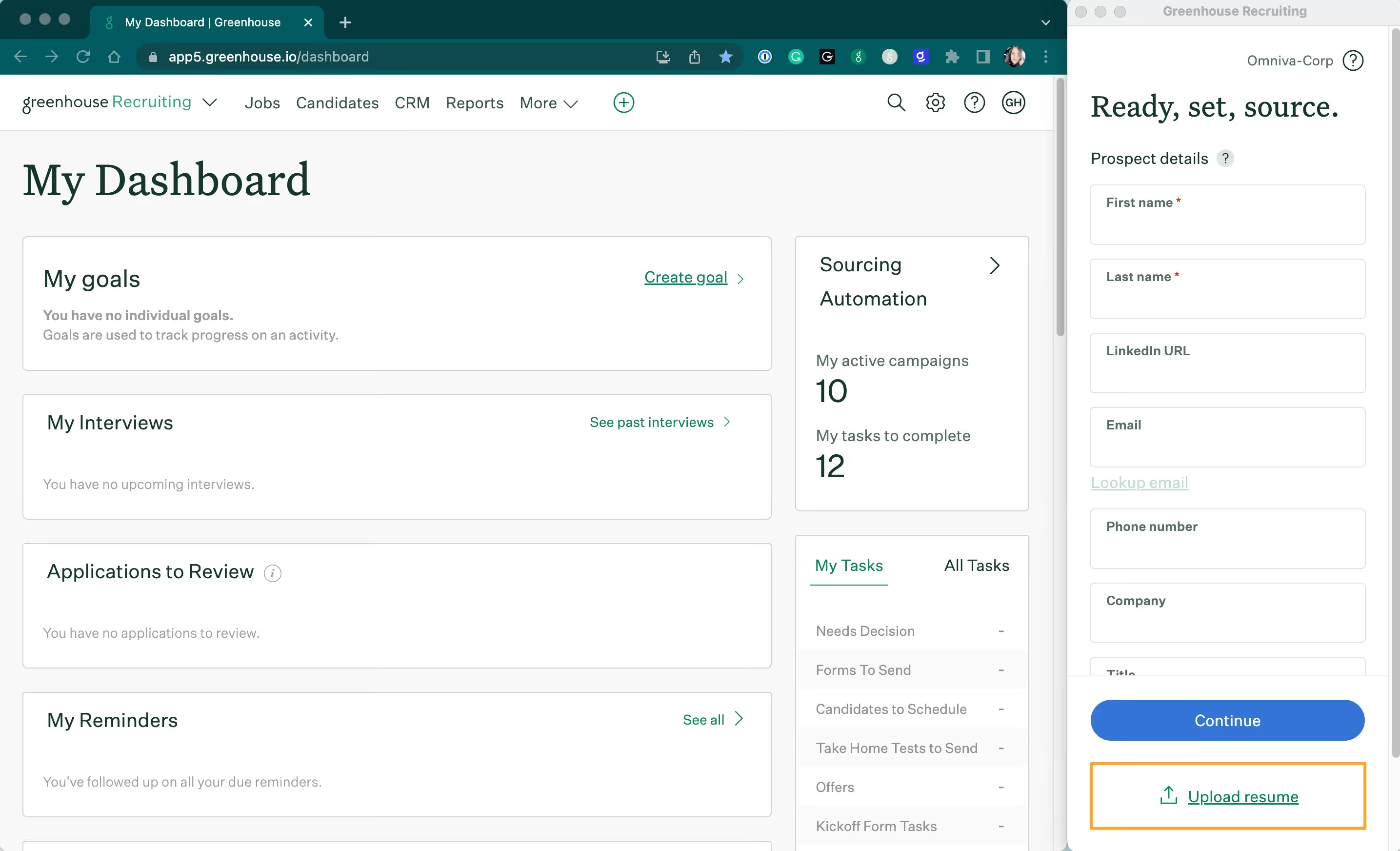
Greenhouse has earned a strong reputation for its structured approach to recruiting. The platform is built around the idea that better hiring decisions come from consistent, structured interviews and bias-reduction tools. It gives hiring teams customizable interview kits, standardized scorecards, and a clean candidate pipeline view that makes collaboration between recruiters and hiring managers much easier.
Greenhouse also integrates with a wide range of tools, including Workday, BambooHR, and most video interview platforms, making it flexible enough to fit into most existing HR tech stacks.
Key Features
- Structured interview kits with standardized questions and scoring criteria
- Customizable candidate pipelines with automated stage-based communication
- Offer management and approval workflows
- DEI tools including EEOC demographic reporting and bias-reduction features
- Real-time reporting and hiring analytics
- Integrations with Workday, ADP, BambooHR, and 450+ other tools
Best For
- Mid-sized to large organizations focused on structured, consistent hiring processes
- Companies prioritizing DEI and bias-free candidate evaluation
- HR teams that want detailed hiring analytics and pipeline reporting
Pros and Cons
Pros: "Greenhouse is so easy to use and so easy for employees to refer to their friends and colleges. Out of all the platforms I’ve used this is the easiest." - Capterra Review
- Highly structured interview and evaluation tools lead to more consistent hiring decisions
- Clean, intuitive interface reduces training time for hiring managers
- Excellent integration depth with leading HRIS and HR tech platforms
- Strong DEI and compliance reporting capabilities
Cons: “Reporting is still lacking in my opinion. More intuitive dashboards similar to GEM would be great to see. There are also scheduling features that could be improved.” - G2 Review
- Custom pricing with no public tiers can make budgeting harder
- Some users report that ad-hoc reporting is less flexible than expected
- Can feel like more platform than smaller teams actually need
Pricing
- Greenhouse offers tiers based on hiring volume and modules, which are quote-based.
5. Phenom Intelligent Talent Experience
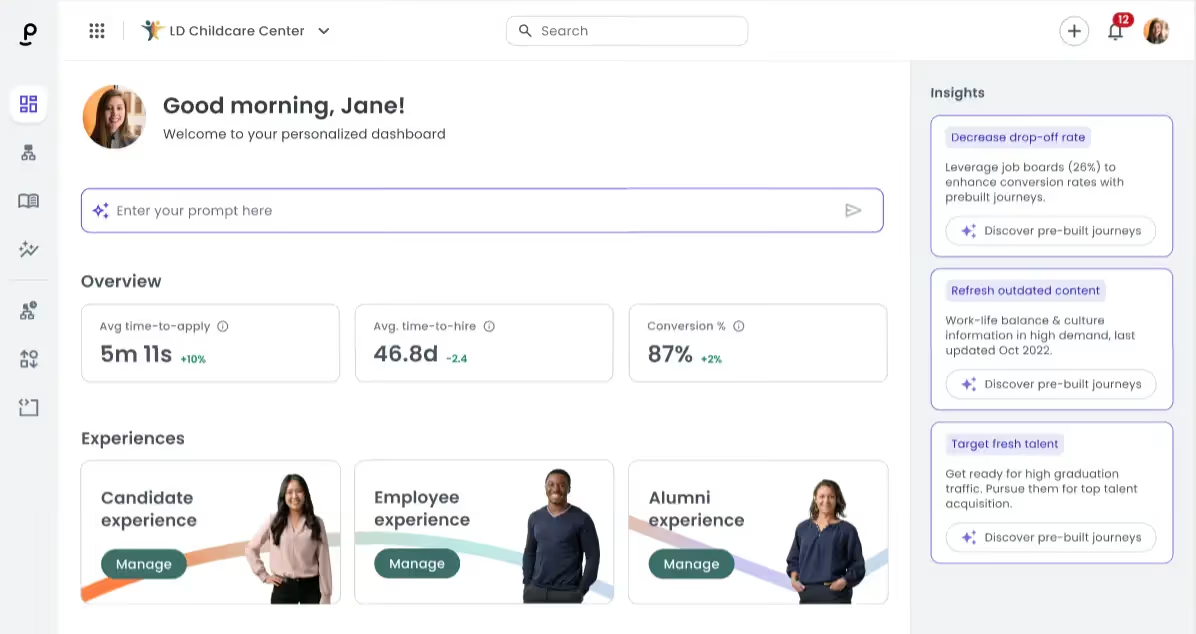
Phenom takes a different approach than most ATS platforms. Rather than focusing purely on applicant tracking, it is built around the idea of personalizing the entire talent experience, for candidates, employees, recruiters, and hiring managers alike.
Its AI-powered career site personalizes job recommendations based on visitor behavior, and its chatbot handles candidate engagement, interview scheduling, and common questions without recruiter involvement.
The platform is best suited for large enterprises with significant hiring volume and the internal resources to configure and maintain a complex system. Organizations that commit to Phenom fully tend to see strong results in candidate engagement and pipeline quality.
Key Features
- AI-driven career site that personalizes job recommendations based on candidate behavior
- Candidate relationship management with automated nurture campaigns
- Internal mobility tools for identifying and developing existing talent
- Video assessments integrated directly into the candidate experience
- Advanced analytics and reporting on candidate drop-off, pipeline health, and hiring efficiency
Best For
- Large enterprises with complex, high-volume hiring programs
- Organizations investing in employer brand and candidate experience as a competitive advantage
- Companies using Workday, SAP SuccessFactors, Oracle, or iCIMS as their primary ATS
Pros and Cons
Pros: "Phenom AI makes my job so much easier. I utilize it on a daily basis especially when contacting leads or declining candidates." - G2 Review
- Career site personalization is among the best available in the market
- AI chatbot handles a meaningful volume of candidate interactions reliably
- Deep integrations with major ATS platforms make it work well as an enhancement layer
- Internal mobility features support retention alongside talent acquisition
Cons: "Filters limit applicants, some errors when generating candidates." - Capterra Review
- Enterprise pricing is significant, typically $50,000 to $200,000+ annually depending on modules
- Implementation timelines can stretch to six months or more without dedicated internal resources
- Support quality has been a consistent concern in user feedback
Pricing
- Custom pricing based on company size and modules selected.
6. Workday Recruiting
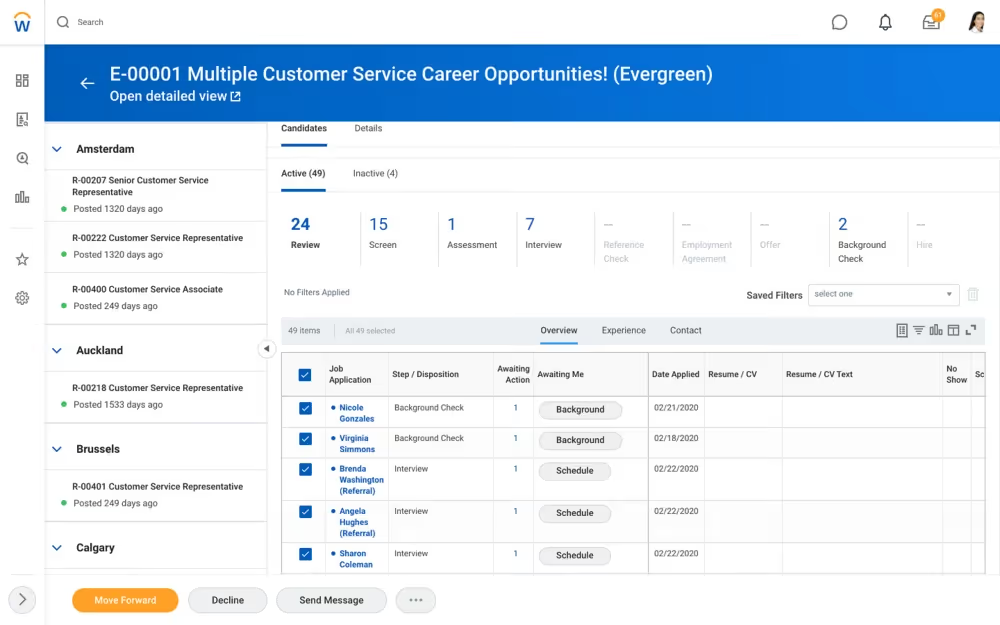
Workday Recruiting is the talent acquisition module within the broader Workday Human Capital Management platform. For organizations already using Workday HCM, the recruiting module offers a compelling advantage: hiring data flows directly into HR records without any manual transfer, eliminating duplicate entry and improving data accuracy across the employee lifecycle.
The platform covers the full recruiting workflow from requisition management and candidate sourcing to interview scheduling and onboarding integration. Recent additions including HiredScore (AI-powered candidate grading) and Paradox (an AI scheduling assistant) have improved the platform's automation capabilities.
Key Features
- Fully integrated with Workday HCM, eliminating data handoffs between systems
- AI-powered candidate grading and rediscovery tools via HiredScore
- Automated interview scheduling with Paradox integration
- Real-time recruiting dashboards and workforce planning analytics
- Configurable approval workflows for requisitions, offers, and onboarding
- Mobile-friendly interface for on-the-go hiring decisions
Best For
- Organizations already on the Workday HCM platform
- Large enterprises that want a single system for HR, payroll, and talent acquisition
- HR teams that prioritize data integrity and reporting across the full employee lifecycle
Pros and Cons
Pros: "The best thing I like about using workday is that it is very easy to understand and that you can use it anytime and it makes the process of logging in and out for us easy." - G2 Review
- Deep integration with Workday HCM means a genuinely unified employee record from application to exit
- Strong analytics and real-time dashboards for talent acquisition leaders
- AI capabilities have improved meaningfully with the addition of HiredScore and Paradox
- Mobile-friendly and accessible across devices
Cons: "While Workday Recruiting offers many advantages, some users have found its reporting capabilities to be less intuitive, and customization options might require a bit of a learning curve for more complex configurations." - G2 Review
- Steep learning curve, particularly for recruiters who are not daily power users of Workday
- Workflows can feel rigid and require admin involvement for changes
- Some users find the platform better suited to HR administration than active recruiting work
Pricing
- Workday Recruiting uses custom subscription pricing.
- Implementation costs are significant and vary based on company size.
7. ADP Talent Acquisition
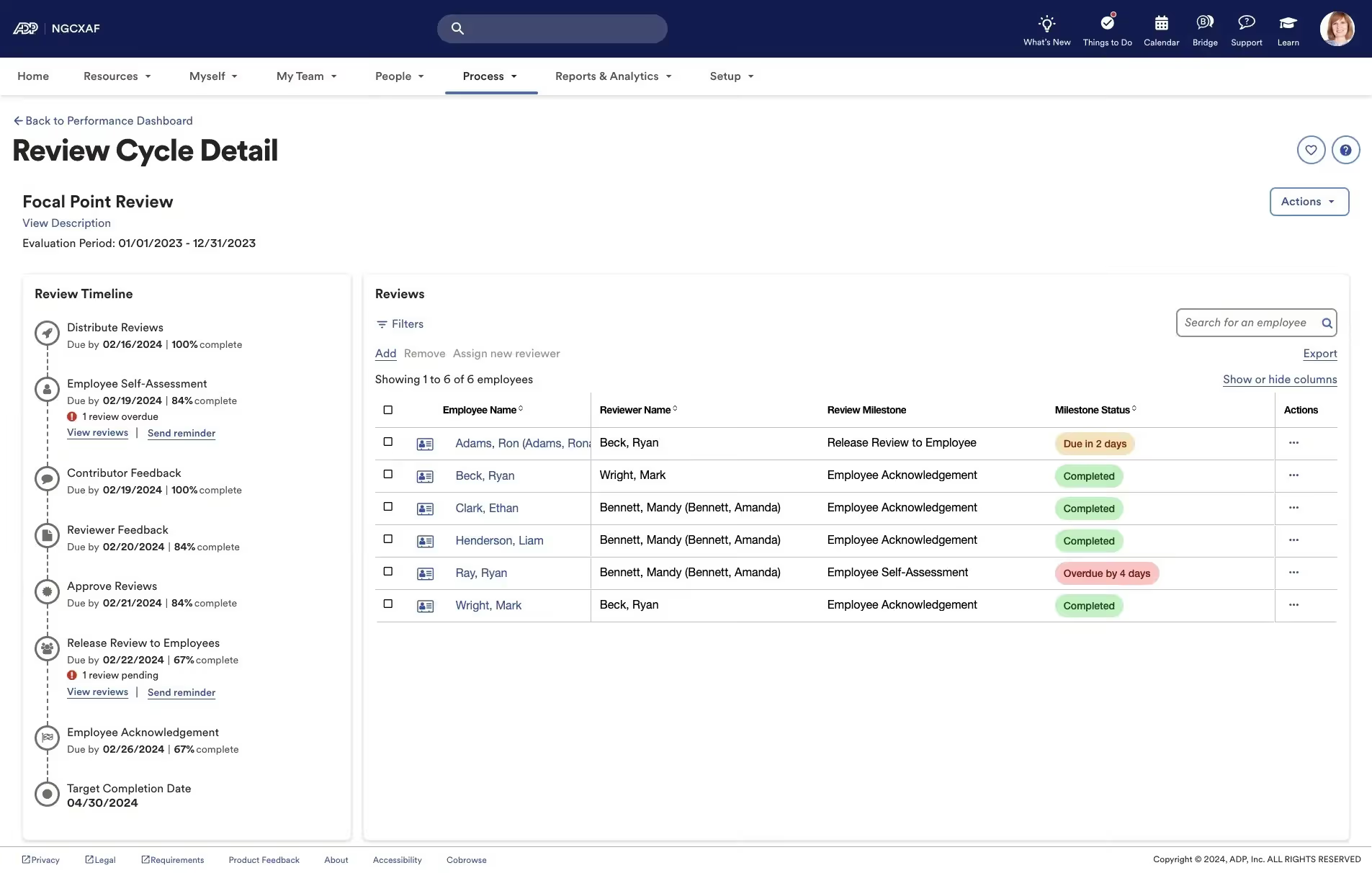
ADP Talent Acquisition is the recruiting component of the ADP Workforce Now and ADP Vantage HCM platforms. For organizations that already use ADP for payroll and HR administration, the talent acquisition tools offer a notable advantage: new hires move directly from the candidate pipeline into payroll onboarding without any data re-entry.
The platform supports job posting to over 25,000 job boards, applicant tracking, background check integration, and structured onboarding. It is best suited for mid-sized to large organizations that want recruiting functionality within the same ecosystem as their payroll and HR data.
Key Features
- Integrated applicant tracking within the ADP HCM platform
- Job posting to 25,000+ job boards including ZipRecruiter
- Automated candidate screening and background check integration
- Structured onboarding that connects directly to ADP payroll processing
- Compensation benchmarking using ADP's data from over 30 million employees
- Role-based access controls and compliance audit tools
Best For
- Organizations already using ADP Workforce Now or ADP Vantage HCM
- Mid-sized to large companies that want recruiting and payroll in the same system
- HR teams that need compliance support and compensation benchmarking built in
Pros and Cons
Pros: "Overall, I have had nothing but great experiences with ADP from a medical field profession to a legal field profession and appreciate the availability and help that is given from the easy use and access of this application." - Capterra Review
- Native integration with ADP payroll reduces onboarding friction significantly
- Compensation benchmarking data from a large employer dataset is a differentiator
- Compliance tools are built into the platform for regulated industries
- Strong implementation support from ADP's customer success team
Cons: “Consequently, having a dedicated account manager has its drawbacks occasionally. It becomes challenging to get in touch with them in an emergency, so we must call their helpline, which takes longer to connect with someone who can help.” - G2 Review
- Recruiting-specific functionality is less advanced than standalone ATS platforms
- Some users find the recruiting interface less intuitive than the rest of the ADP platform
- Custom pricing makes upfront cost comparisons difficult
Pricing
- Custom pricing based on company size and modules selected.
- ADP does not publish standard rates.
- Contact ADP directly for a quote based on your workforce size and requirements.
8. JazzHR
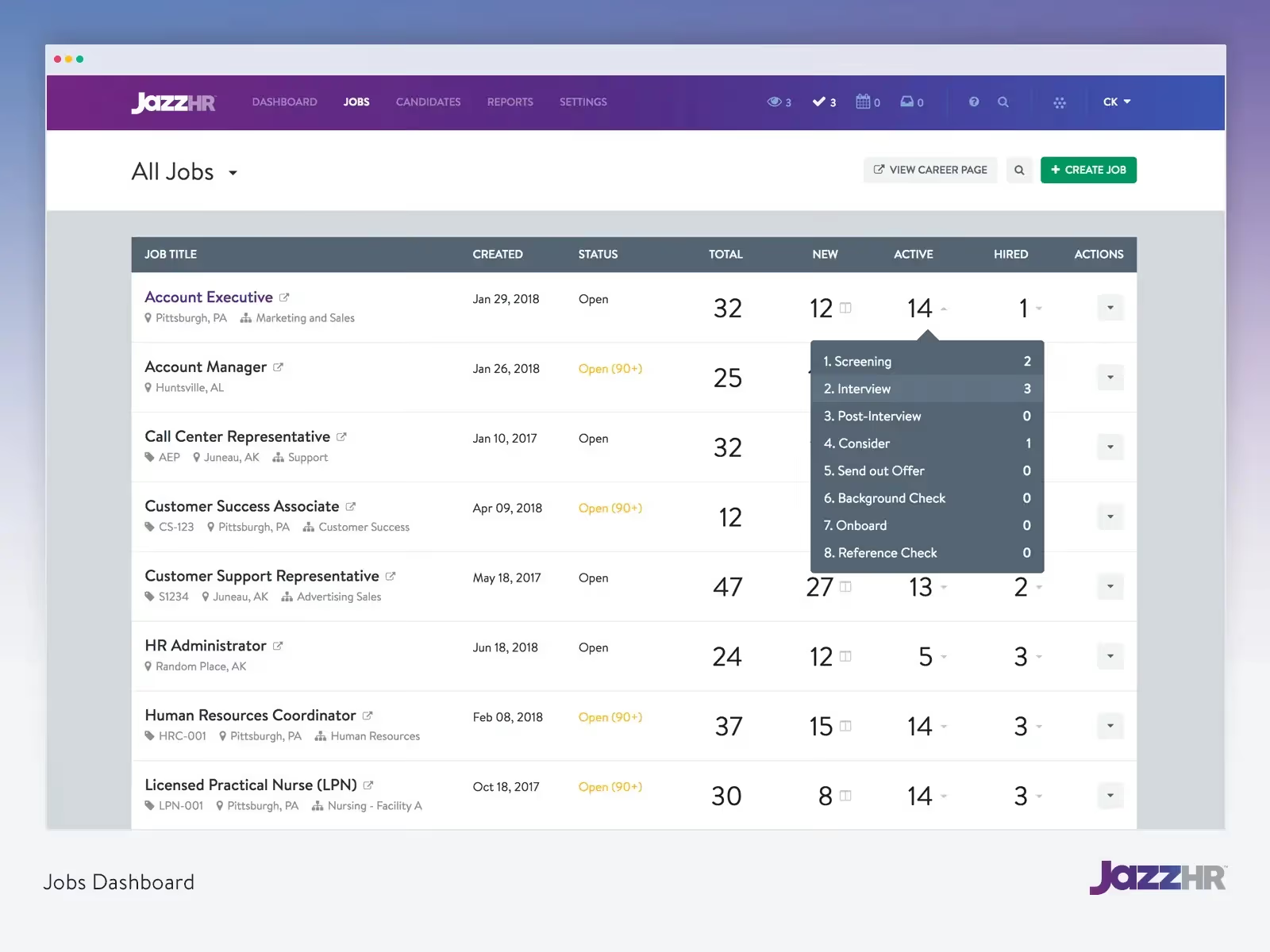
JazzHR is one of the most popular affordable recruiting tools for small and mid-sized businesses. It focuses on doing the fundamentals well: job posting, applicant tracking, candidate pipeline management, and hiring team collaboration. The interface is clean and straightforward, and most users can get up and running in a short time without dedicated training.
The platform integrates with popular job boards and includes e-signature functionality for offer letters. It is part of the Employ Inc. family alongside Lever and Jobvite, which adds product development resources and integration options.
Key Features
- Customizable hiring workflows with stage-based automation
- Job posting syndication to multiple free and paid job boards
- Resume parsing and candidate tagging for easy pipeline management
- Collaborative hiring tools with interview guides and candidate scorecards
- E-signature for offer letters and compliance forms
- AI-powered TalentFit candidate filtering
Best For
- Small to mid-sized businesses with focused hiring needs and limited budgets
- Growing teams that need a quick-to-implement ATS without enterprise complexity
- Organizations replacing email and spreadsheet-based recruiting
Pros and Cons
Pros: "I like that you can add as many templates as you want so the candidate emails are quicker to send for recruiting. I love that we can have different teams taking care of different jobs, so as a recruiter you only see the jobs you’re handling." - Capterra Review
- Simple, intuitive interface with minimal training required
- Easy job posting with broad syndication across major boards
- Strong collaboration tools for small hiring teams
Cons: "One potential downside of JazzHR is that it can be a bit overwhelming at first, as it offers a wide range of features and customization options. However, with a little training and practice, users can quickly get up to speed and take full advantage of its capabilities." - Capterra Review
- Reporting and analytics are basic compared to enterprise platforms
- Integration with some external systems can be limited
- Some users have reported challenges with the cancellation process
Pricing
- Hero Plan: $110/month (up to 3 open jobs; $9 per additional job)
- Plus Plan: $350/month (up to 200 open jobs)
- Pro Plan: Custom pricing
9. Keka HR
.avif)
Keka HR is a comprehensive HR and payroll platform built for growing businesses, particularly those in India and other Asia-Pacific markets. Its recruiting module, Hiro, connects applicant tracking directly with the rest of Keka's HR features, including payroll, attendance, performance management, and onboarding.
For businesses that want a single platform to manage the full employee lifecycle from sourcing to separation, Keka is a strong option. The platform integrates with LinkedIn, Naukri, Indeed, and 15+ other job boards, and supports SOC 2 Type II and ISO/IEC 27001:2022 compliance.
Key Features
- Integrated ATS (Hiro) within the full Keka HRMS platform
- AI-powered job description generation and candidate shortlisting
- Flexible, customizable hiring pipelines with built-in approval workflows
- Job posting to LinkedIn, Naukri, Indeed, and 15+ boards from one place
- Candidate data flows directly into Core HR, Payroll, and Performance modules
- Interview scheduling with automated feedback capture and panel summaries
Best For
- Growing businesses in India and Asia-Pacific looking for an all-in-one HRMS with recruiting
- Mid-sized organizations that want candidate data to flow directly into HR and payroll without re-entry
- HR teams that need recruiting, onboarding, performance, and payroll in a single platform
Pros and Cons
Pros: "Keka is a simple and easy-to-use tool that helps employees manage their basic work related tasks. Instead of contacting HR for everything, employees can apply for leave, check attendance." G2 Review
- Comprehensive HRMS integration reduces administrative work across the employee lifecycle
- Competitive pricing for the breadth of features offered
- Active product development with regular feature updates
- Dedicated Customer Success Manager available for onboarding and support
Cons: "I have noticed there are lagging issues with the software and it is hard to get help when this occurs. I have had issues trying to reach customer support." - Capterra Reviews
- Mobile app performance can lag, which affects employees relying on on-the-go access
- Some users report that the interface feels less polished than newer platforms
- Payroll and recruitment modules may require additional setup time for non-Indian organizations
Pricing
- Keka uses custom, quote-based pricing based on company size and selected modules.
- Contact Keka for a detailed quote.
- A free trial is available.
10. Oracle Talent Management
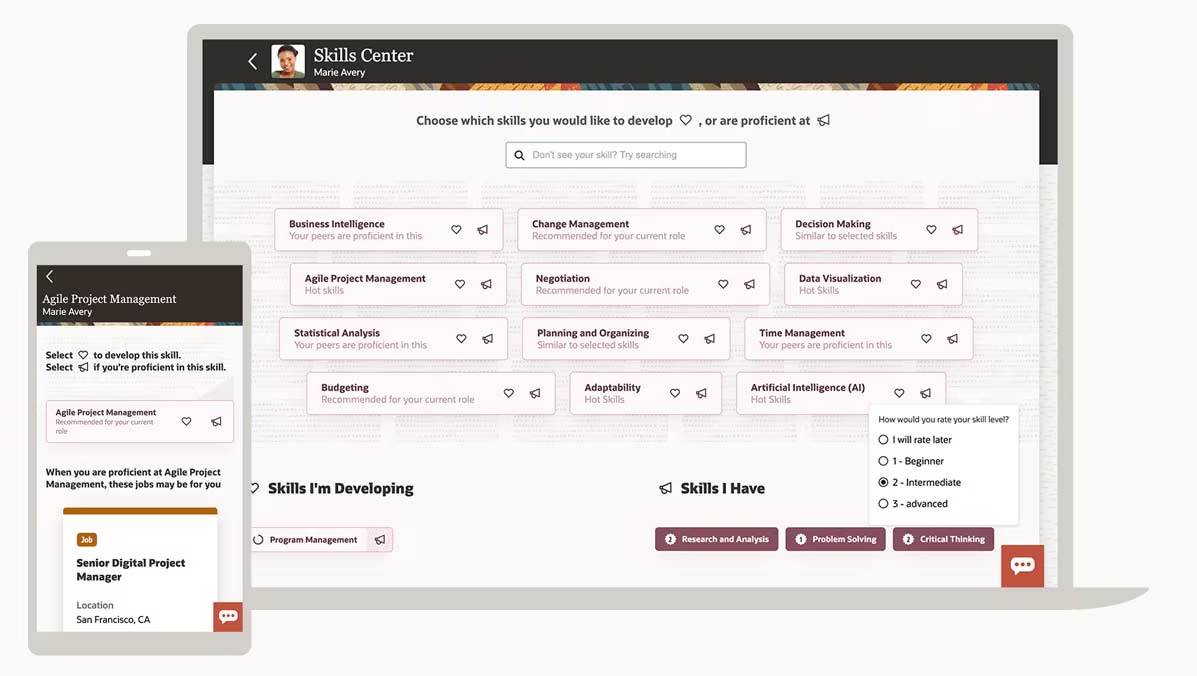
Oracle Talent Management, formerly Taleo, is part of Oracle Cloud HCM and offers a full-suite approach to talent acquisition and management. The platform covers recruiting, onboarding, performance management, learning, and succession planning in one system. It is built for large and complex organizations that need a single, auditable system of record for all talent activity.
Oracle's AI capabilities support automated candidate matching, self-scheduled interviews, and skills-based job recommendations. The platform is particularly strong for organizations in regulated industries such as healthcare, financial services, and government.
Key Features
- Full talent lifecycle management from recruiting to succession planning in one platform
- AI-powered candidate matching, job description generation, and interview recommendations
- Native CRM tools for talent pipelining and recruitment marketing
- Skills gap analysis and career development planning integrated with recruiting
- Integration with Oracle HCM Cloud and third-party HRIS systems
- Compliance and reporting tools for EEOC, GDPR, and other regulatory requirements
Best For
- Large enterprises with over 1,000 employees running complex, multi-jurisdiction hiring programs
- Organizations in regulated industries needing robust audit trails and compliance reporting
- Companies already using Oracle HCM Cloud for payroll and HR management
Pros and Cons
Pros: "Taleo helps us to create an offer for candidates, it is easy to use." - G2 Review
- Comprehensive suite covers every stage of the talent lifecycle
- Strong compliance and audit trail features for regulated organizations
- Deep integration with Oracle HCM provides consistent data across HR functions
- Active AI investment with new features rolling out regularly
Cons: “Performance and speed was a little bit slow and the overall UI and functionality felt outdated and led to slow loading.” - Capterra Review
- High cost, with many users noting that module pricing adds up quickly
- The user interface has a steeper learning curve and is considered less modern than newer platforms
- Performance issues and bugs have been reported by a notable share of users
Pricing
- Oracle Talent Management uses custom, enterprise pricing.
- Scales based on modules and organizational size.
- Contact Oracle for a customized quote.
.avif)