
.webp)
.svg)
Payroll management is a high-stakes responsibility for any HR team. A single missed deadline or tax filing error results in more than just financial penalties; it can damage employee trust. Modern payroll software mitigates these risks by replacing manual spreadsheets with automation. In fact, switching to an automated system can reduce processing errors by 50% while reclaiming 25% of your team's time.
This guide details the top 10 payroll platforms for 2026. We evaluated each based on features, pricing, and user feedback from G2 and Capterra to help you choose with certainty.
Watch our top 5 payroll software picks below, where we walk through pricing, features, and who each platform fits best:
What to Look for in Payroll Software
Choosing the right payroll system is a high-stakes decision. A mistake in this area doesn’t just cause administrative headaches; it can lead to legal penalties and frustrated employees. To find a solution that actually reduces your workload, evaluate potential vendors across these five key areas.
1. Core Automation and Compliance
Reliable software eliminates manual math by calculating and filing federal, state, and local taxes automatically. Look for a "no-penalty" guarantee where the vendor assumes liability for filing errors and keeps the system updated with the latest labor laws. This ensures your business stays compliant with shifting regulations without constant oversight. By learning the payroll best practices, this covers the process discipline around it, like classification, recordkeeping, and pre-run verification, that the best tool in the world won't do for you.
2. Integration and Data Flow
Payroll functions best when it connects directly to your accounting, time-tracking, and benefits systems. A platform that lacks these connections forces manual data entry, which creates extra work and increases the risk of human error. Ensure your chosen tool pushes data directly to your general ledger to keep your financial records accurate and current.
3. Scalability and Pricing
A tool that suits a small team might become a bottleneck as you hire more people or expand into new regions. Evaluate the "per-employee" costs and check if the platform can handle multi-state or international tax requirements. Choosing a scalable system early prevents the need for a disruptive and costly migration as your company grows. Paycor is worth evaluating at this stage for mid-sized companies outgrowing a small-business payroll tool but not yet needing enterprise-level complexity.
4. Employee Self-Service
Modern systems reduce administrative burdens by allowing staff to manage their own information through a secure portal. Employees should be able to download tax forms, view pay stubs, and update banking details or withholding amounts independently. This transparency improves the worker experience while cutting down on routine inquiries for your HR team.
5. Implementation and Support
Setting up new payroll software is a technical challenge that requires precise data migration from your old system. Prioritize vendors that offer dedicated onboarding assistance and responsive human support to help resolve issues before a deadline. High-quality support ensures your first few pay runs go smoothly and avoids costly delays for your team.
Top 10 Payroll Software in 2026
Choosing the right software ensures that your administrative tasks remain accurate and your team stays focused on their core responsibilities. This selection identifies platforms that simplify complex tax filings and integrate seamlessly into your current workflows.
1. Paylocity

Paylocity stands out from other payroll platforms because it takes employee engagement as seriously as it does payroll processing. Alongside core payroll, benefits, and time tracking, it offers a community hub, peer recognition tools, and Employee Voice surveys that help HR teams keep a real-time pulse on how their workforce is doing.
The platform is designed for mid-sized to enterprise organizations and has earned a G2 rating of 4.5/5 based on over 5,000 reviews. Users frequently highlight the quality of reporting and the intuitive time-tracking system. For organizations that want payroll and engagement in a single platform, Paylocity is one of the most complete options at this price point.
Key Features
- Full payroll processing with automated tax filings and compliance tracking
- Benefits administration with employee self-service enrollment
- Time and attendance with scheduling and expense management
- Employee engagement tools including community hub, recognition, and surveys
- Recruiting and onboarding workflows with applicant tracking
- Compensation management and workforce analytics
- Global payroll support in 100+ countries
- Open API and 60+ integrations with HR and productivity tools
Best For
- Mid-sized to enterprise organizations wanting payroll and engagement in one platform
- Companies with deskless or mobile workforces
- HR teams that want data-driven insights into engagement and retention
Pros
"find Paylocity's interface to be user-friendly. I appreciate the step-by-step guidance for payroll which makes it easy. As someone who is newer to payroll, I found learning the program to be simple to understand." — G2 Review
- Strong community and recognition features that go beyond standard payroll tools
- Mobile app is highly rated for field and deskless worker access
- Flexible API with a wide range of third-party integrations
Cons
"Implementation was a nightmare. We went through many different people to get it done. No one seemed to know what to do. They knew we were starting January 1st and no one was ready for it." — Capterra Review
- Pricing is not published; requires direct engagement with sales
- Implementation can be complex with a notable learning curve
- Support response quality is inconsistently rated across user reviews
Pricing
- Custom pricing; contact Paylocity for a quote
- Pricing varies by module selection and company size
- No free plan; demo available on request
2. RUN Powered by ADP
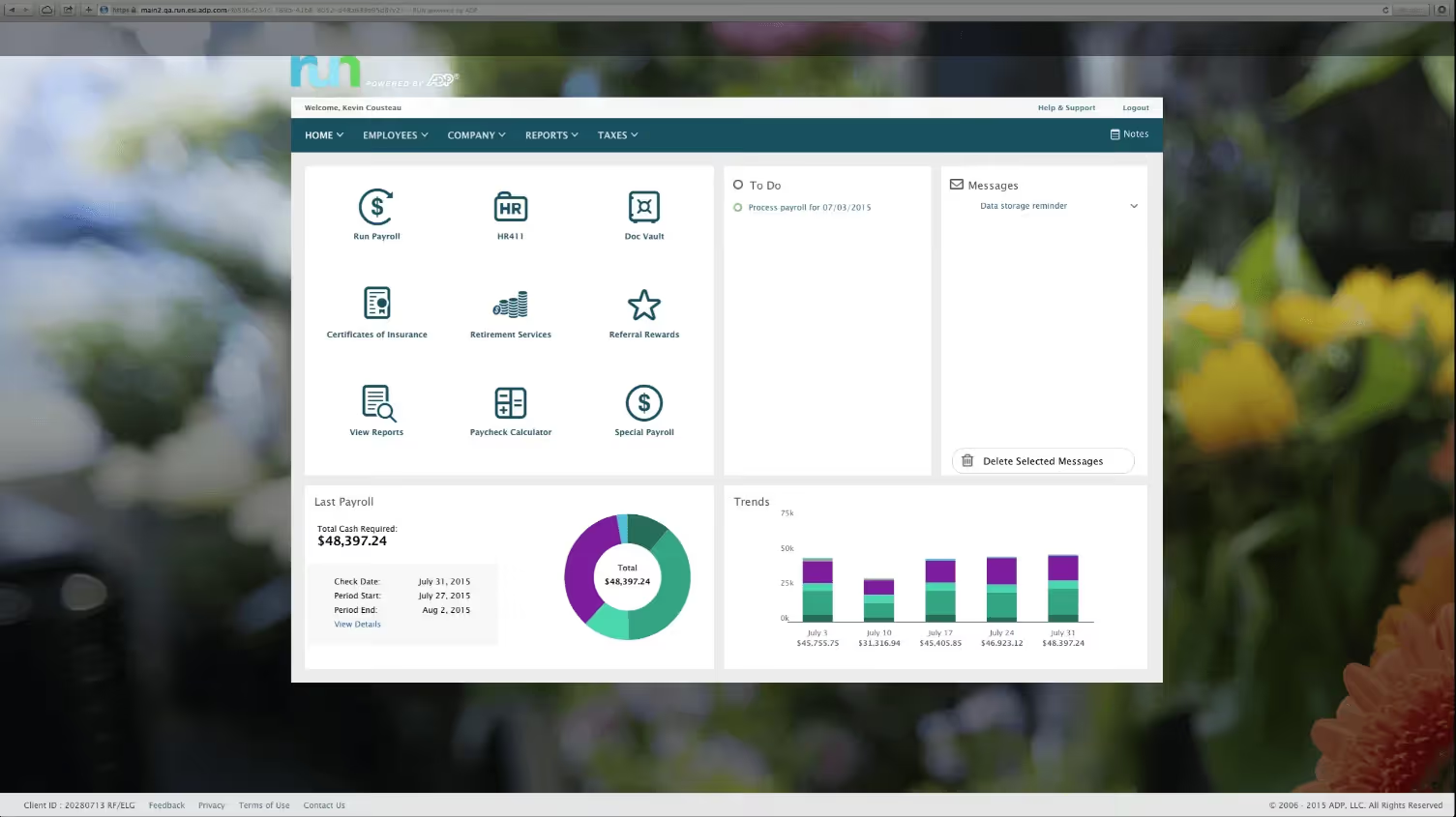
RUN Powered by ADP has consistently ranked as the top-rated small business payroll product on G2, earning the position again in the Winter 2026 report. With over 900,000 small business clients, it has earned that reputation by keeping payroll simple, accurate, and compliant — especially for companies with fewer than 50 employees.
The platform handles federal, state, and local tax filings automatically. Its AI-powered error-flagging tool catches common payroll mistakes before submission, which gives business owners with little payroll experience real confidence in each run. For teams that want to put payroll on autopilot, the RUN & DONE feature processes recurring payroll automatically on a set schedule.
Key Features
- Automated payroll processing with federal, state, and local tax filing
- AI-powered anomaly detection to flag errors before payroll runs
- Direct deposit, Wisely debit card, and flexible pay options
- Benefits administration including health insurance and retirement
- Employee self-service portal and mobile app
- Recruiting tools and simplified onboarding workflows
- Time tracking with automated timecard integration
- 24/7 customer support via phone and live chat
Best For
- Small businesses with 1 to 49 employees needing reliable, easy-to-use payroll
- Teams without dedicated HR staff who need guided compliance support
- Business owners who want payroll to run automatically without constant oversight
Pros
"Functions well with guidance from support to help implement report processes. Used with our administration can be a very powerful tool to address HR and payroll issues when changes are unavoidable." — Capterra Review
- Clean, well-organized interface with minimal learning curve
- 24/7 live chat and phone support with generally positive response times
- Strong track record of tax compliance and error resolution
- Recently added SAP SuccessFactors integration for global teams
Cons
"Forcing me to update my password on a regular basis is a major pain. If you google it, you will find that the industry experts actually discourage updating passwords on a regular basis." — G2 Review
- Limited advanced HR functionality compared to enterprise platforms
- Pricing requires a custom quote; no publicly listed rates
- May not scale well beyond 50 employees without upgrading to a different ADP product
Pricing
- Four tiers available: Essential, Enhanced, Complete, and HR Pro
- Pricing is custom; contact ADP for a quote
- No free plan or free trial
- Up to 6 months free for new customers (promotional offer, terms vary)
3. Gusto

Gusto has built a strong reputation among small and mid-sized U.S. businesses for making payroll simple without hiding fees or burying essential features in expensive tiers. Its transparent pricing, unlimited payroll runs, and built-in benefits administration make it a practical choice for companies that want a clean, predictable HR and payroll tool.
Ranked as G2's top payroll product for customer satisfaction in 2026, Gusto is particularly well suited for teams under 100 employees operating entirely within the United States. The platform handles multi-state payroll, W-2 and 1099 filings, and benefits in one place. Its Gusto Global feature extends EOR capabilities to international hires, powered in part by Remote.
Key Features
- Automated payroll with tax filing across all 50 states
- Benefits administration including medical, dental, vision, and 401(k)
- W-2 and 1099 forms handled automatically
- Employee self-service app for pay stubs, benefits, and time-off requests
- Contractor payments and 1099 generation
- AutoPilot option for fully automated recurring payroll
- Gusto Global for international EOR hiring in select countries
- 24/7 phone support on higher tiers
Best For
- U.S.-based small businesses wanting simple, transparent payroll
- Teams that pay a mix of W-2 employees and 1099 contractors
- HR leaders who want payroll and benefits administration in a single platform
Pros
"This is a great program for new businesses starting up and small size businesses. I have used it for payroll." — Capterra Review
- Transparent pricing with no surprise fees on core payroll features
- Average payroll run takes around 8 minutes
- Strong benefits marketplace with over 3,500 health insurance plan options
- Accountant-friendly dashboard for multi-client payroll management
Cons
"I think the user layout of the Home Screen could be laid out more conveniently, some of the interfaces are kind of hard to navigate/read." — G2 Review
- Multi-state payroll requires an upgraded plan
- Customer support quality can vary depending on issue complexity
- Not built for teams outside the U.S. or those with complex international needs
Pricing
- Simple: $49/month base + $6/user/month
- Plus: $80/month base + $12/user/month
- Premium: $180/month base + $22/user/month
- Free trial available; no free plan
- International contractor payments available as an add-on
4. Rippling
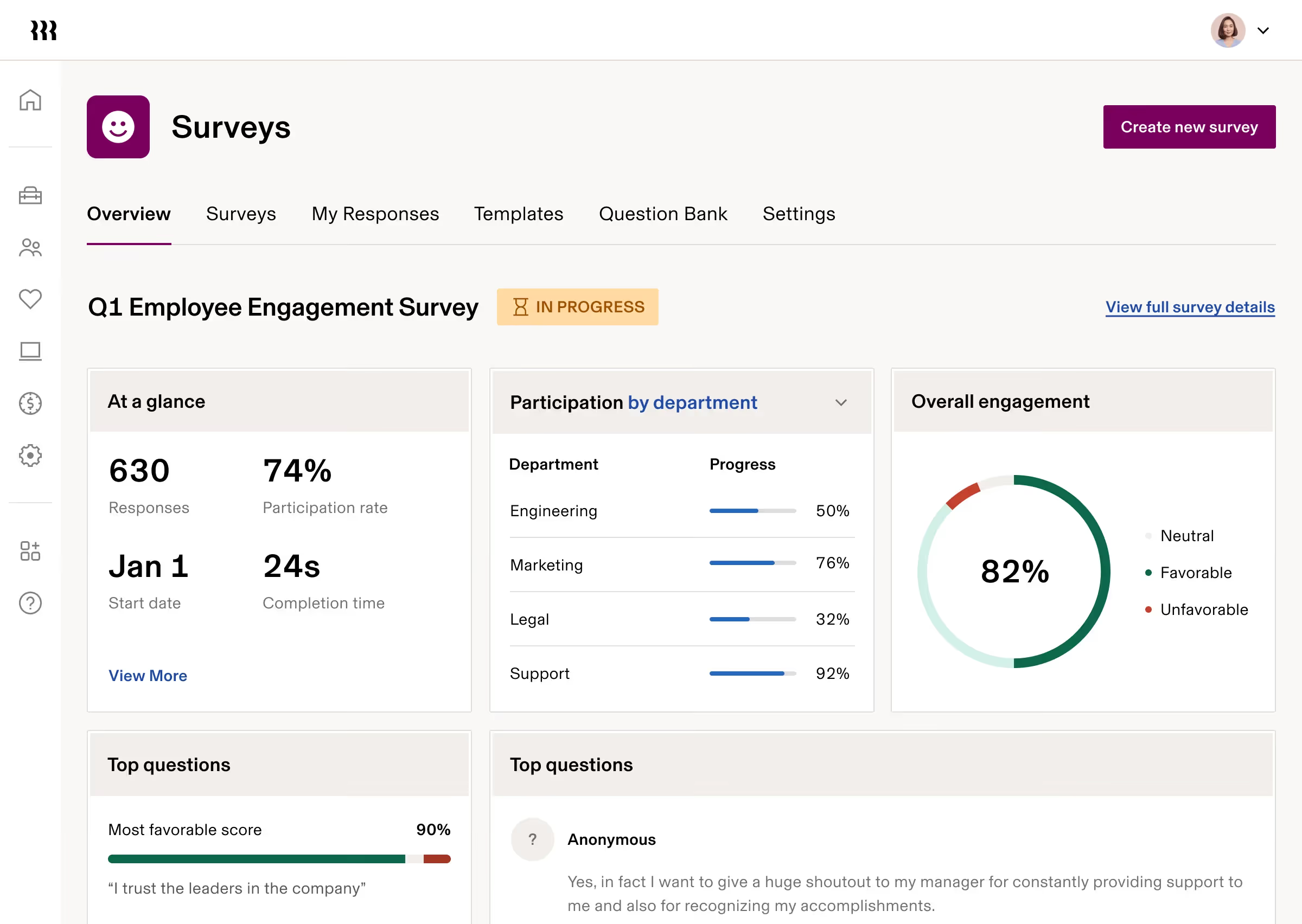
Rippling takes a different approach from most payroll tools. Rather than offering standalone payroll, it connects HR, payroll, IT, and finance in a single platform. When an employee is added, Rippling can automatically trigger device provisioning, software access, benefits enrollment, and payroll setup simultaneously. For companies managing remote or hybrid teams across multiple states or countries, that level of automation makes a meaningful difference.
The platform has a G2 rating of 4.8/5 across over 11,000 reviews and consistently scores among the highest for ease of use. Payroll can reportedly be completed in as little as 90 seconds, and the platform covers over 185 countries for global payroll needs.
Key Features
- Unified payroll with HR, IT, and finance management
- Global payroll in 185+ countries
- Automated employee onboarding with device and software provisioning
- 650+ app integrations across HR, accounting, and productivity tools
- Time and attendance tracking with automated payroll sync
- Benefits administration including health, dental, and 401(k)
- Advanced workflow automation across modules
- Expense management and corporate cards via Rippling Finance
Best For
- Mid-sized companies that need HR and IT managed from one platform
- Fast-growing teams hiring across multiple states or internationally
- Organizations frustrated by disconnected HR and IT systems
Pros
"Easy to use, and excellent and well managed UI with all features available right on. When coming from a different tooling, it is always a must thing that the new tool must have all features and Rippling has not disappointed us in any sense." — Capterra Review
- Among the highest ease-of-use scores in the payroll category on G2
- Modular pricing lets you pay for only the features you actually need
- Cross-module automation saves significant time on onboarding and offboarding
Cons
"Still a lot of offline paperwork and configuration to do. UX is terrible to navigate." — G2 Review
- Initial setup and role/permission mapping can be time-consuming
- Pricing is modular and can increase significantly as more modules are added
- No free plan; pricing requires a custom quote
Pricing
- Add-on modules priced separately (HR, IT, Finance)
- Custom quote required for full pricing
- No free plan; demo available on request
5. Deel Payroll
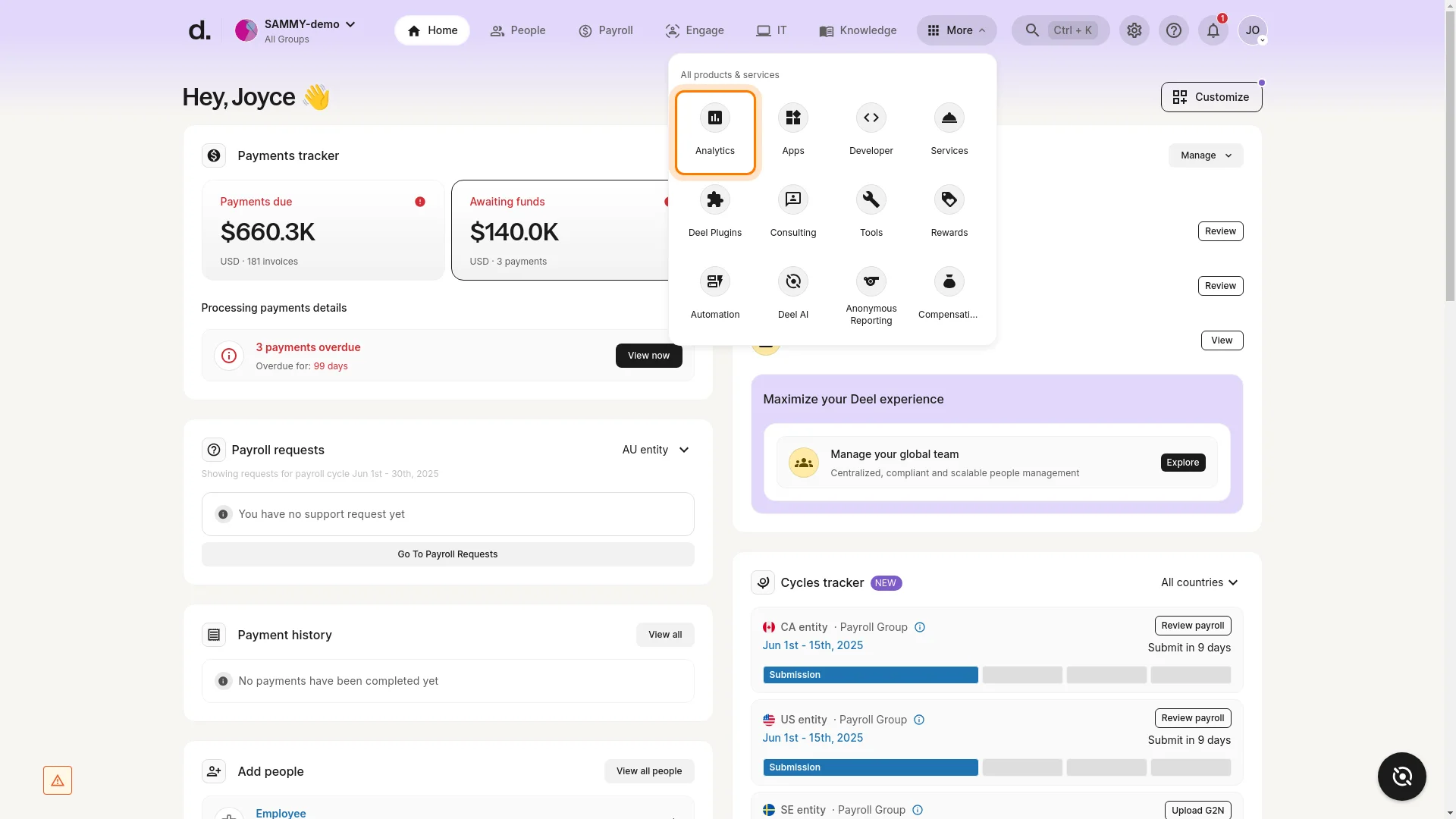
Deel was built specifically for companies hiring across borders. It supports payroll, contractor management, and Employer of Record services in over 150 countries, with payments processed in 120+ currencies. For organizations with international teams, whether employees or contractors, Deel removes much of the complexity involved in staying compliant with local labor laws.
The platform recently earned strong user reviews on G2, with a 4.7/5 rating based on over 6,000 reviews. Users frequently cite accurate, on-time payments and solid compliance handling as its strongest attributes. The EOR service allows companies to hire full-time employees abroad without establishing local legal entities.
Key Features
- Global payroll processing in 120+ currencies across 150+ countries
- Employer of Record (EOR) services for hiring without local entities
- Contractor management with localized agreements and automated invoicing
- US Payroll with automated federal, state, and local tax filing
- Employee self-service dashboard for payslips, time off, and benefits
- Equity management and ESOP administration
- Background checks and immigration support as add-ons
- Integrations with QuickBooks, Xero, BambooHR, and Greenhouse
Best For
- Companies hiring employees or contractors in multiple countries
- Startups and tech companies building globally distributed teams
- Organizations that need EOR services without setting up foreign entities
Pros
"Payments are made in time. It's easy to use. And features like invoicing are automated." — G2 Review
- Strong compliance coverage across 150+ countries
- Multi-currency payment options including bank transfers and digital wallets
- Deel HR plan is free, covering document storage, time off, and employee directory
Cons
"The only minor drawback is the withdrawal fees associated with certain local bank transfers in specific regions, which can feel a bit high compared to standard wire transfers." — Capterra Review
- EOR pricing is among the higher end in the market at $599/user/month
- Support response times can slow during high-traffic periods
- Total cost can be difficult to predict given the tiered pricing model
Pricing
- US: Starts at $24/user/month
- Global: Starts at $29/user/month
6. UKG Ready
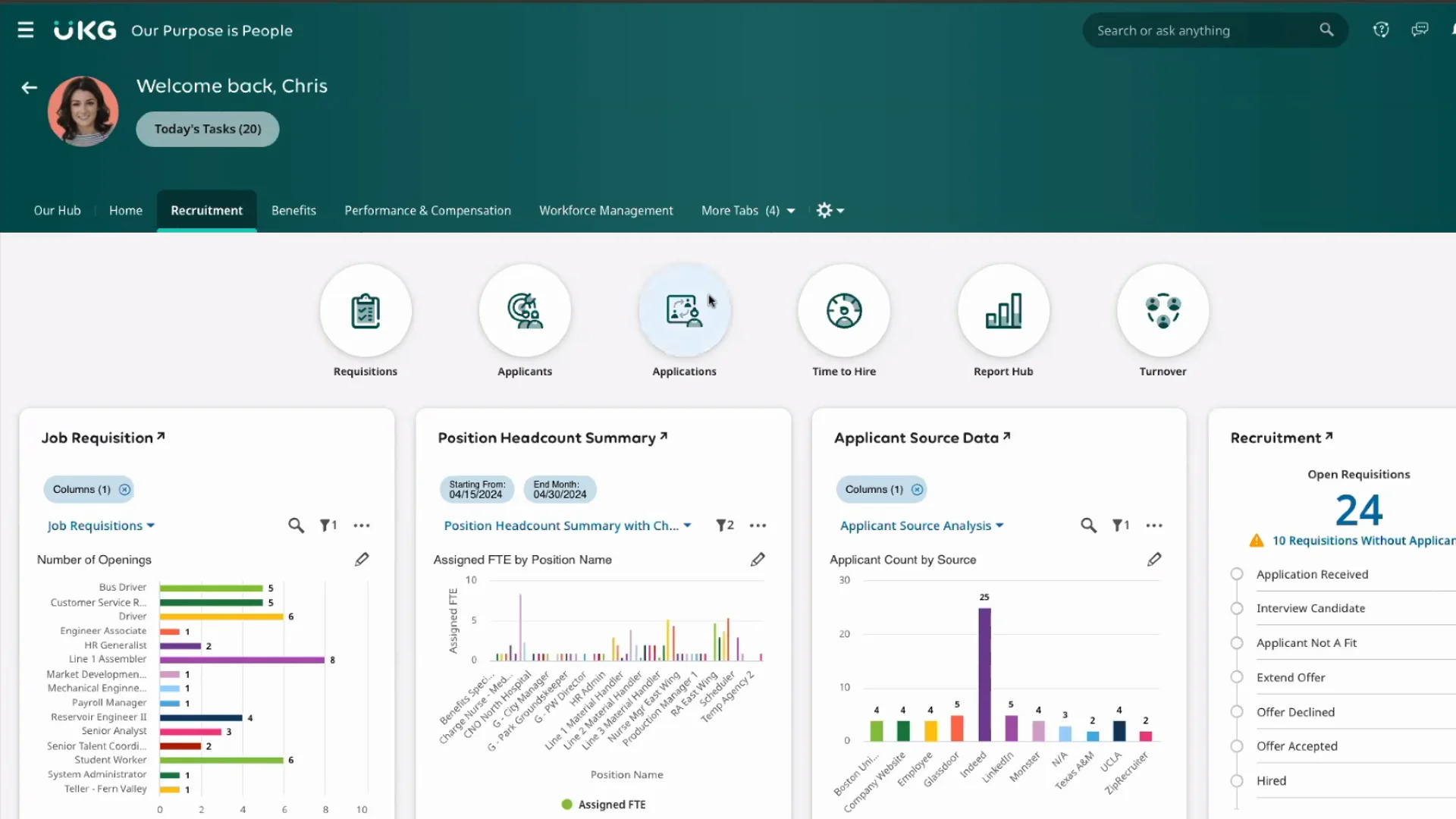
UKG Ready is the HCM offering from UKG designed for smaller organizations that need more than just payroll. The platform covers HR, payroll, benefits, time and attendance, and scheduling in one suite. Continuous background payroll calculations reduce processing time, and automatic compliance updates keep organizations current with changing regulations.
UKG Ready tends to score well for time and attendance management specifically, with G2 users noting that its scheduling and timecard features are more detailed than many competing tools at a similar price point. It is particularly well-suited for industries with complex shift structures, such as retail, healthcare, and hospitality.
Key Features
- Automated payroll with real-time calculations running in the background
- Time and attendance tracking with flexible pay rules for multiple positions and shift types
- Benefits administration with employee self-service enrollment
- ACA compliance reporting and automatic regulatory updates
- Configurable HR workflows and forms
- Talent management including applicant tracking and onboarding
- Mobile app for employees and managers
- Scheduling tools with shift management and labor forecasting
Best For
- Small to mid-sized businesses with hourly workforces or complex scheduling needs
- Organizations in retail, healthcare, or hospitality managing shift differentials
- HR teams that want payroll, time, and HR management in a single system
Pros
"I really like all the features in UKG Ready and its easy-to-use interface. It's an all-in-one platform and has so many uses.." — Capterra Review
- Outperforms many competitors on time and attendance management
- Strong reporting and analytics with customizable dashboards
- Good customer support scores relative to competitors in the same tier
Cons
"Sometimes it's hard to log in, but other than that, it's pretty good." — G2 Review
- Customer support quality is inconsistently rated across user reviews
- Some users report difficulty accessing help through tickets rather than direct calls
- Implementation can require significant configuration for complex organizations
Pricing
- Custom pricing; contact UKG for a quote
- Multiple tiers available depending on modules selected
- No free plan; demo available on request
7. Remote: Global HR and Payroll Built for International Teams
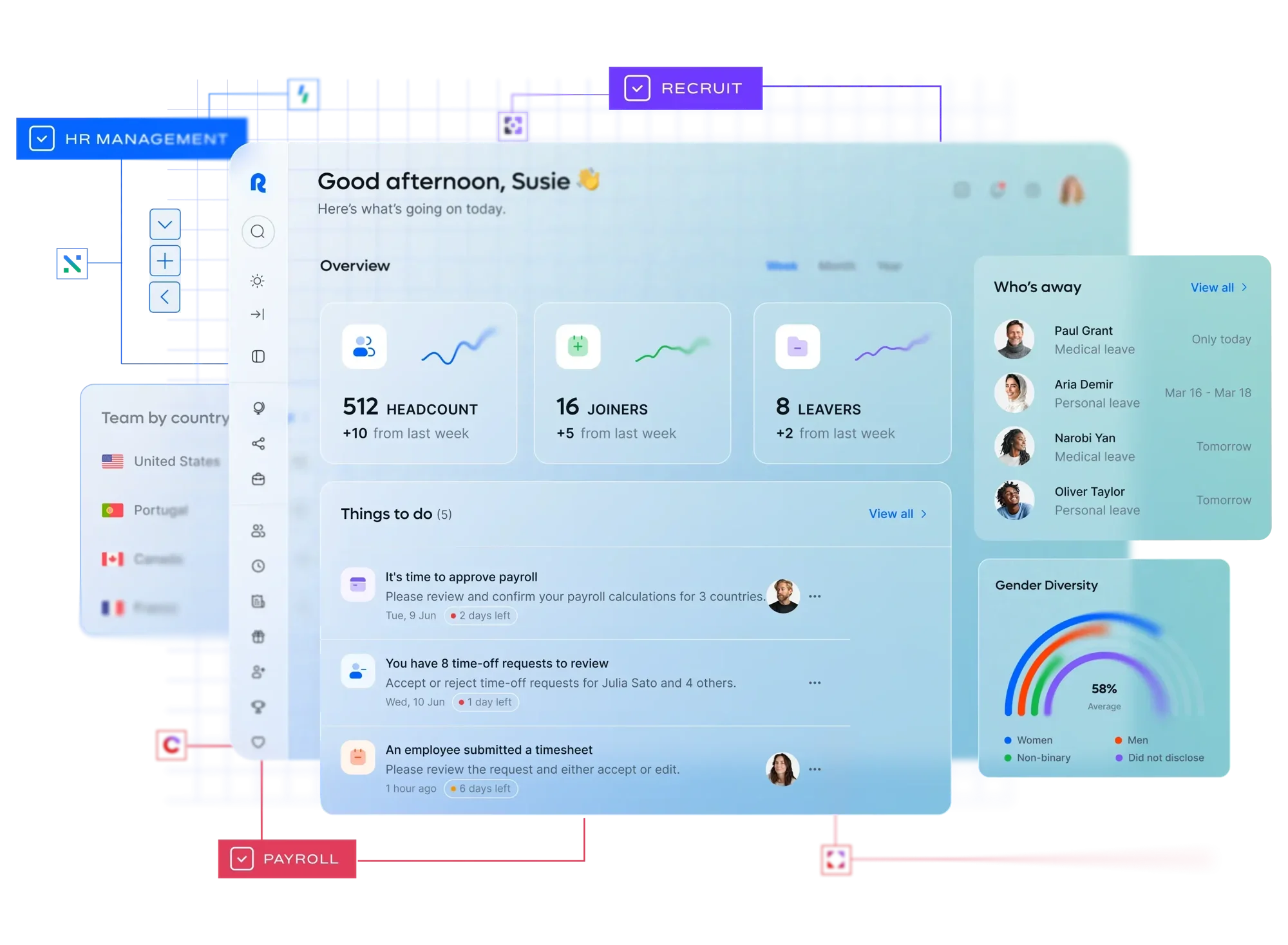
Remote is an all-in-one platform for hiring, paying, and managing employees and contractors across more than 190 countries. Unlike platforms that rely on third-party partners for in-country compliance, Remote uses its own legal infrastructure in most of its supported markets. This reduces risk for employers and means fewer handoffs when something needs to be resolved.
The platform is well-regarded for its user experience. Users on G2 and Capterra consistently describe it as intuitive and easy to navigate, especially for contractors and employees accessing payslips, time off, and benefits on a self-service basis. Remote's free HR management tool includes onboarding, employee directory, and contract management at no cost.
Key Features
- EOR services for hiring full-time employees in 190+ countries
- Global payroll with country-by-country compliance and multi-currency payments
- Contractor management with localized agreements and automated invoicing
- Free HR management tool with onboarding and employee directory
- Benefits administration in partnership with Kota (health and retirement plans)
- Equity management and ESOP support
- Performance management tools including goal tracking and review cycles
- Integrations with BambooHR, Workday, Greenhouse, QuickBooks, and Xero
Best For
- Companies building remote-first teams across multiple countries
- Startups expanding internationally for the first time
- HR teams that want EOR, contractor management, and payroll in one place
Pros
"I can process payroll easily by managing my employees through email notifications. It is very secure and the learning curve is easy to manage." — Capterra Review
- Clean, modern interface that most users find easy to adopt quickly
- Free HR management tier lowers the entry cost for smaller teams
- Strong compliance infrastructure with owned entities in most markets
Cons
"Remote has a bit limited options when it comes to employee benefits - my out-of-pocket expenses are slightly higher than I'd like when it comes to my overall compensation package." — G2 Review
- Support experience is mixed; urgent issues can take longer to resolve
- Reporting capabilities are relatively basic compared to enterprise competitors
- Some onboarding and verification processes can be slower in certain countries
Pricing
- $43 per /user/month
- No free trial for paid plans
8. HROne
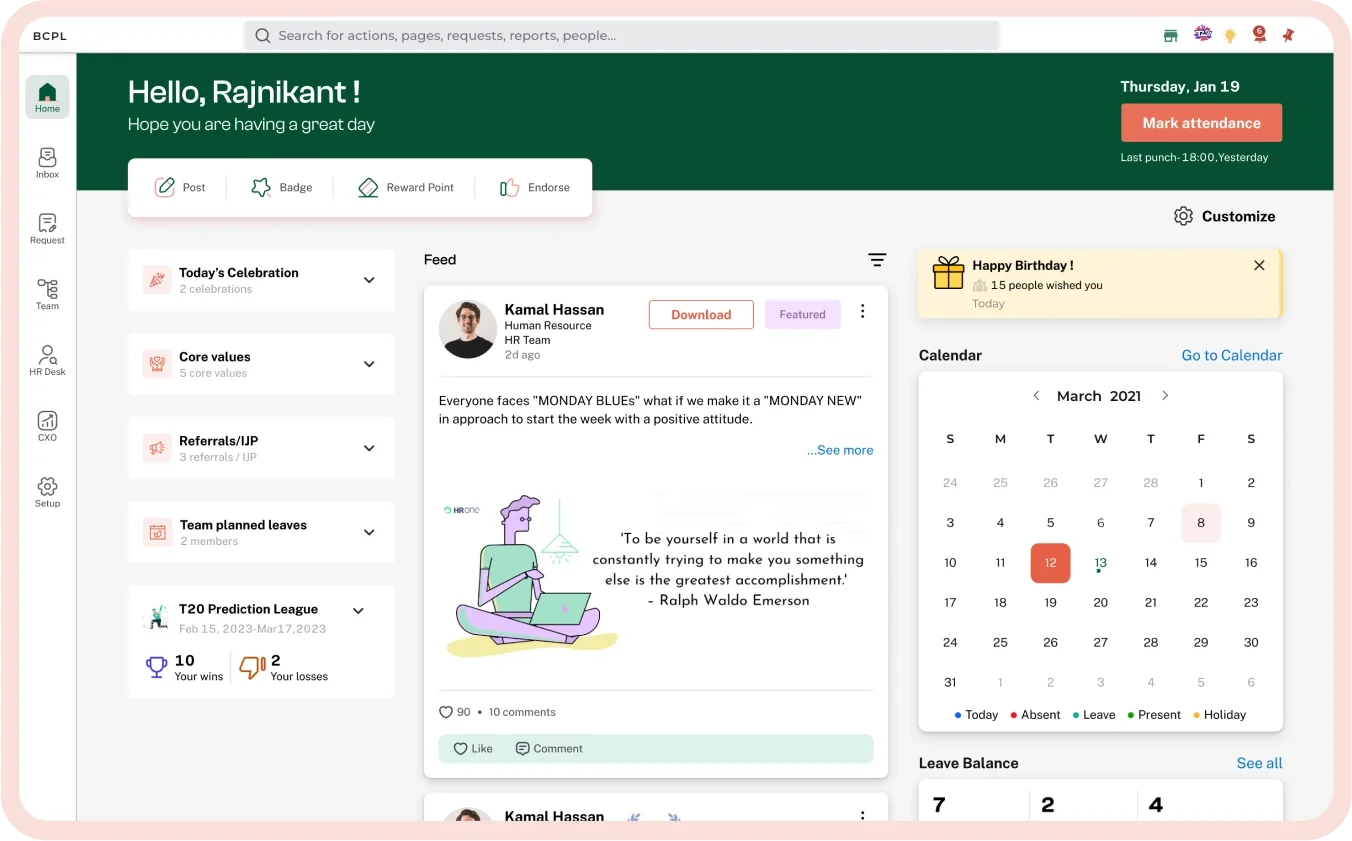
HROne is India's most widely adopted HR software platform, serving over 2,000 organizations across industries including manufacturing, healthcare, and technology. It covers the full employee lifecycle from recruitment and onboarding through payroll, attendance, and exit, with over 10 functional modules available on a per-employee-per-month basis.
The platform earned a spot in G2's 2026 Best Software Awards, ranking among the top 10 for Highest Satisfaction Products and the top 50 globally in HR software. Its recently launched One AI agent lets HR professionals complete tasks using voice or text commands, reducing the time spent navigating menus and running manual processes.
Key Features
- Full payroll processing with automated tax and statutory deductions
- Attendance tracking with mobile punch, biometric, and web options
- Leave management with customizable accrual policies
- Recruitment and onboarding management with task checklists
- Performance appraisal and goal-setting tools
- InboxforHR: a Gmail-inspired interface for managing daily HR tasks
- One AI: voice and text-based AI agent for executing HR tasks hands-free
- WhatsApp and Microsoft Teams bots available as add-ons
- Over 19 third-party integrations including payroll outsourcing and background verification
Best For
- Companies operating primarily in India with complex statutory compliance needs
- Organizations with large hourly or field-based workforces
- HR teams looking to automate repetitive processes without a steep learning curve
Pros
"It helped us to digitalize HR processes and reduce paperwork. It provides us transparency on salary calculations, tax deductions, benefits, etc." — Capterra Review
- Broad feature coverage across the full employee lifecycle
- Mobile app supports over 110 HR tasks for on-the-go management
- Ranked among the top HR platforms globally for ease of use and satisfaction
Cons
"Sometimes I face issues with third-party tool integrations. For example, Google Meet and the calendar don't work properly at times, and some hiring portals also don't function as expected." — G2 Review
- Some users report slow loading times and occasional platform instability
- Custom reporting requires advanced configuration; limited out-of-the-box report flexibility
- Minimum plan commitment of 50 employees may not suit smaller teams
Pricing
- Basic: ₹4950/month (~53.59 USD/month for 50 Users)
- Professional: ₹6500/month (~70.37 USD for 50 Users)
- Enterprise: Custom quote (for 50+ Users)
9. Paychex Flex
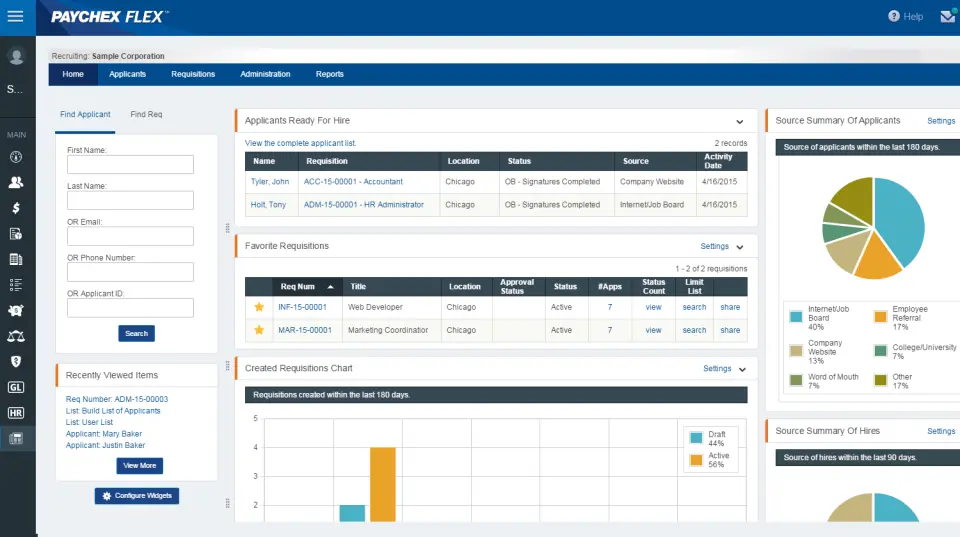
Paychex Flex is one of the most established payroll platforms in the U.S. market, serving over 680,000 businesses ranging from single-employee operations to organizations with thousands of staff. Built on more than four decades of payroll expertise, it handles the full payroll and HR lifecycle — from hiring and onboarding through tax filing, benefits administration, and compliance.
The platform holds a 4.2/5 rating on both G2 and Capterra based on thousands of combined reviews. Users consistently highlight the platform's reliability for recurring payroll runs, its dedicated payroll specialists on higher-tier plans, and its broad integration library of 300+ connected applications. For businesses that want a proven, scalable platform backed by deep compliance expertise, Paychex Flex is a dependable choice.
Key Features
- Automated payroll processing with federal, state, and local tax filing
- Three plan tiers: Essentials, Select, and Pro, scaling with business complexity
- Dedicated payroll specialist assigned to Select and Pro accounts
- Benefits administration including health insurance, 401(k), and workers' comp
- Time and attendance tracking with flexible scheduling and shift rules
- Employee self-service portal and mobile app for iOS and Android
- Applicant tracking, onboarding tools, and new hire reporting
- 300+ third-party integrations including QuickBooks, Xero, Sage, and Indeed
- Workforce analytics and customizable reporting dashboards
Best For
- Small to mid-sized U.S. businesses that need a proven, full-service payroll platform
- Organizations that want a dedicated payroll specialist on call
- Companies managing multi-state payroll with complex compliance requirements
Pros
"The fact that payroll can be submitted the day before the payday is convenient instead of submitting it two days prior. Have some more flexibility." — G2 Review
- One of the most established payroll providers in the U.S. with deep compliance expertise
- Dedicated payroll specialists on higher-tier plans set it apart from self-service competitors
- Broad integration ecosystem covers accounting, time-tracking, and HR tools
- Scales effectively from 1-employee businesses to large multi-location organizations
Cons
"My assigned account representatives are nearly impossible to get ahold of via phone and are slow to reply to emails." — Gartner Peer Insights
- Pricing is not publicly listed; requires a sales conversation to get a quote
- Customer support quality is inconsistently rated, with some users reporting slow resolution times
- The interface can feel dated compared to newer platforms like Rippling or Gusto
Pricing
- Three tiers: Essentials, Select, and Pro
- Custom pricing based on employee count and modules selected; contact Paychex for a quote
- No free plan; promotional offers (e.g., discounted first months) available periodically
10. ADP Workforce Now
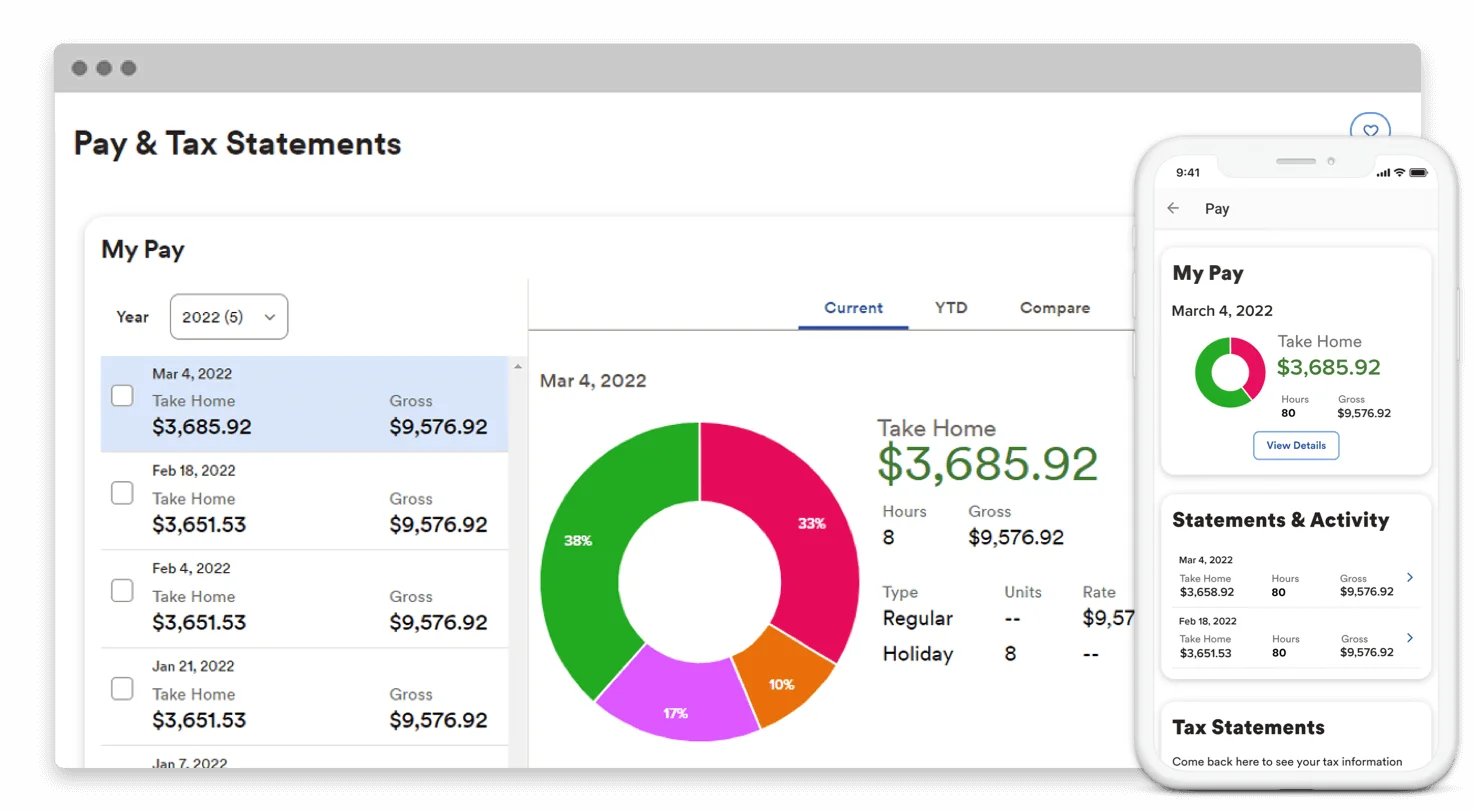
ADP Workforce Now is the enterprise-grade complement to RUN Powered by ADP, built for organizations with 50 to 1,000 employees that need a more comprehensive HCM suite. It covers payroll, benefits, time and attendance, talent management, and analytics on a single cloud-based platform, with a strong emphasis on compliance and reliability.
ADP's payroll infrastructure processes pay for roughly one in six Americans, and that scale brings genuine advantages in tax expertise, regulatory monitoring, and data benchmarking. ADP DataCloud lets HR teams compare compensation, turnover, and other metrics against real-world industry data. The ADP Assist AI tool flags payroll anomalies before they become errors.
Key Features
- Comprehensive payroll processing with automated multi-state tax filings
- Benefits administration with carrier connections and employee self-service enrollment
- Time and attendance with touchless kiosks, geofenced mobile punching, and scheduling
- Talent management including applicant tracking, onboarding, and performance tools
- ADP Assist: AI-powered anomaly detection and payroll validation
- ADP DataCloud: real-time workforce benchmarking against industry data
- 700+ marketplace integrations with third-party HR and business tools
- Global payroll capabilities via Celergo for international operations
Best For
- Organizations with 50 to 1,000 employees needing a full HCM suite
- Companies managing multi-state payroll or complex compliance requirements
- HR teams that want workforce analytics and benchmarking alongside payroll
Pros
"The individualized customer service. The product is great and covers your needs but needs updating. For the most part, the modules have a seamless work flow." — Capterra Review
- Industry-leading payroll accuracy and compliance coverage
- One of the most established ecosystems of third-party integrations available
- Strong mobile app for employee self-service and manager oversight
Cons
"Timecard edits don't always sync instantly. If a manager approves a late change, I sometimes have to refresh or wait before it shows up in payroll." — G2 Review
- Pricing is not publicly available and requires a sales conversation
- Implementation complexity and learning curve can be significant
- Some users report frequent mobile login friction and occasional system glitches
Pricing
- Custom pricing; contact ADP for a quote
- No free plan or free trial
- Demo available on request
How to Choose the Right Payroll Software for Your Team
Selecting a payroll system is a high-stakes decision that impacts your financial accuracy and your team's day-to-day experience. To find a solution that simplifies your workload, evaluate potential vendors across these five key areas.
1. Organizational Size and Structure
Your current footprint and growth plans should dictate your software choice. Small teams with standard domestic needs often thrive on automated platforms for straightforward tax filing. However, as you expand, the complexity of managing multi-state tax nexus or international compliance requires more robust systems to avoid legal complications.
2. Native Ecosystem Integration
The effectiveness of a tool depends on how well it fits into your daily workflow. For organizations using Microsoft 365, choosing a platform that operates natively within Microsoft Teams reduces the friction of learning new software. This proximity ensures that payroll and communication stay in one place, increasing the likelihood that your staff will use the system correctly.
3. Feature Prioritization and EOR Needs
Identify non-negotiable features before engaging with sales teams. If you manage a global workforce without local entities, prioritizing "Employer of Record" (EOR) services is essential for handling international contracts. Conversely, domestic businesses might focus on built-in benefits administration or advanced time-tracking over global reach.
4. Total Cost of Ownership
Evaluating software requires looking beyond the initial per-employee sticker price. Many providers offer a low base rate but charge extra for critical modules like advanced reporting or benefits sync. To avoid budget surprises, request an itemized quote based on your specific headcount and the exact features your finance team needs to operate.
5. Technical Connectivity and Data Flow
Payroll functions best as a bridge between your accounting software and time-tracking tools. A system that lacks connectivity forces your staff to manually export data, which invites human error and creates administrative bottlenecks. Prioritize platforms that offer deep integrations with your current tech stack to ensure your financial records remain accurate.
Final Thoughts
Choosing the right payroll software is a decision that impacts every corner of your organization, from accounting accuracy to employee morale. While the options for 2026 are more capable than ever, the best fit depends on where your team does its work and how you plan to scale.
Before making a final choice, take advantage of free trials and demos to see how these tools handle your specific workflows. Focus on long-term scalability and integration depth to ensure the platform you choose today can still support you as your headcount grows.
Frequently Asked Questions
What is payroll software and why do you need it?
Payroll software automates the calculation, processing, and reporting of employee compensation, including tax withholding, benefits deductions, and direct deposit. Without it, payroll runs are handled manually, which increases the risk of errors, tax penalties, and compliance issues. A good payroll platform also creates an auditable record of every pay run, which is essential for both internal governance and regulatory reporting.
How much does payroll software typically cost?
Pricing varies widely depending on team size, features, and vendor. Simple tools like Gusto start at around $40 per month plus a per-user fee. Mid-range platforms typically fall between $8 and $30 per employee per month. Enterprise solutions like ADP Workforce Now or UKG Ready are quote-based and generally run higher. Global features like EOR services can add $300 to $700 or more per employee per month.
What is the best free payroll software?
Teamflect offers a genuinely free plan for teams of up to 10 users, covering core performance management and HR engagement features. Deel HR is also free and handles document storage, time off, and employee directory functions. Remote's HR Management tool is free and covers onboarding and contract management. Most traditional payroll processing tools do not offer a free tier, though several provide free trials.
How long does it take to implement payroll software?
Implementation time depends on team size, data complexity, and the vendor's onboarding process. Simple platforms like Gusto or RUN by ADP can be set up in a day or two. Mid-market platforms like Paylocity or Rippling typically take two to eight weeks with dedicated onboarding support.
Enterprise platforms like ADP Workforce Now can take longer, particularly when multiple modules are being configured simultaneously. Platforms with native integrations, like Teamflect within Microsoft Teams, tend to have shorter time-to-value because there is no separate environment for employees to learn.
.png)