
.svg)
Team output is difficult to coordinate. When tasks go missing or deadlines fail, the culprit is often a lack of structure. Research indicates that successful time management relies on three equal pillars: awareness, arrangement, and adaptation. But focusing only on scheduling ignores most of what makes a team productive, which is why a new app often fails to improve results alone.
Task management software addresses this by focusing on daily execution. These tools help teams assign work, set priorities, and track progress so nothing is forgotten. Whether you need a lean interface or advanced automation, the right tool must support your actual workflow.
This guide reviews the 10 best task management software options for 2026. We provide a direct look at features and pricing to help you find a solution that bridges the gap between planning and efficiency.
If you're also thinking about broader people operations, check out our roundups on the best HR software for enterprises and top OKR software to see how task management fits into your wider HR and productivity stack.
We've also broken down the top 5 task management platforms in this video:
How We Evaluated the Best Task Management Software
Not every task management app is built the same way, and a tool that works beautifully for a five-person startup can fall apart at 200. To keep these rankings grounded, we focused on a few consistent factors.
1. Core Functionality
The basics need to work well: task creation, assignment, due dates, subtasks, and status tracking. Tools that make these interactions clunky don't make the list regardless of their feature count.
2. Team Collaboration
The best task tracking software should make it easy for people to work together, whether that means comments, real-time updates, or shared views.
3. Integration Quality
A task management system that doesn't connect to your existing tools creates more overhead. We paid close attention to native integrations with platforms like Microsoft Teams, Slack, and common HR or project management tools.
4. Pricing Transparency
We checked each vendor's pricing page directly, noted what's included in free tiers, and flagged where costs tend to climb with add-ons.
Real User Feedback
Ratings and reviews from G2 and Capterra were used throughout to ground assessments in actual user experience, not just marketing copy.
10 Best Task Management Software in 2026
The right task management software now serves as a central hub for communication and automated workflows. In 2026, these tools are essential for keeping projects on track and ensuring individual tasks align with broader goals.
Here are the top solutions for staying organized and meeting objectives this year.
1. Asana — Best for Cross-Functional Team Task Management at Scale
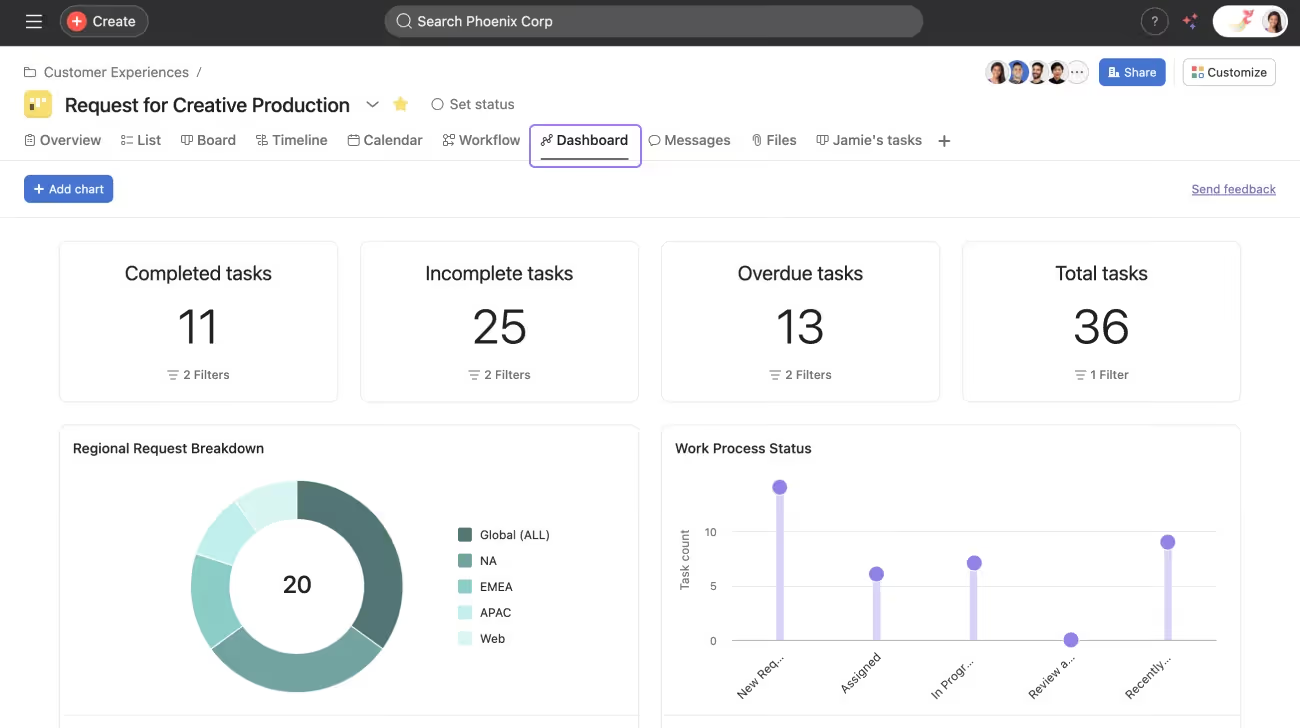
Asana is one of the most widely adopted task management tools for teams that need to coordinate work across multiple departments. It handles task assignment, dependencies, deadlines, and project tracking without requiring users to dig through a complicated setup.
The platform's strength is in its flexibility. Teams can work in list view, kanban boards, timeline (Gantt-style), or calendar format depending on what suits them. For organizations where different teams have different working styles, that adaptability matters.
Key Features
- Task creation with subtasks, assignees, due dates, and custom fields
- Multiple project views: list, board, timeline, and calendar
- Task dependencies and milestone tracking
- Workflow automation with rule-based triggers
- Reporting dashboards and workload management
- Integrations with Slack, Microsoft Teams, Google Workspace, and 200+ tools
- Goal tracking tied to project work
Pros
"I like that you are able to track your tasks and due dates. I really like that you are able to prioritize and categorize your projects." — G2 review
- Strong cross-team visibility without requiring admin intervention
- Free plan available with solid core features for smaller teams
- Clean interface that most users pick up quickly
Cons
"It has some quirks at times but overall the system works as it should from what I have seen the last several years." — Capterra review
- Advanced features like portfolios and workload views are locked to higher tiers
- Can feel over-engineered for small teams with simple needs
- Automation rules have limits on lower-tier plans
Pricing
- Personal: Free
- Starter: $10.99/user/month (billed annually)
- Advanced: $24.99/user/month (billed annually)
- Enterprise: custom pricing
Mini-Verdict
Asana is a strong fit for mid-sized and larger teams managing cross-functional work with multiple stakeholders. Teams that just need a simple to-do list may find it to have more features than they actually need.
2. ClickUp — Best for All-in-One Task, Docs, and Project Management
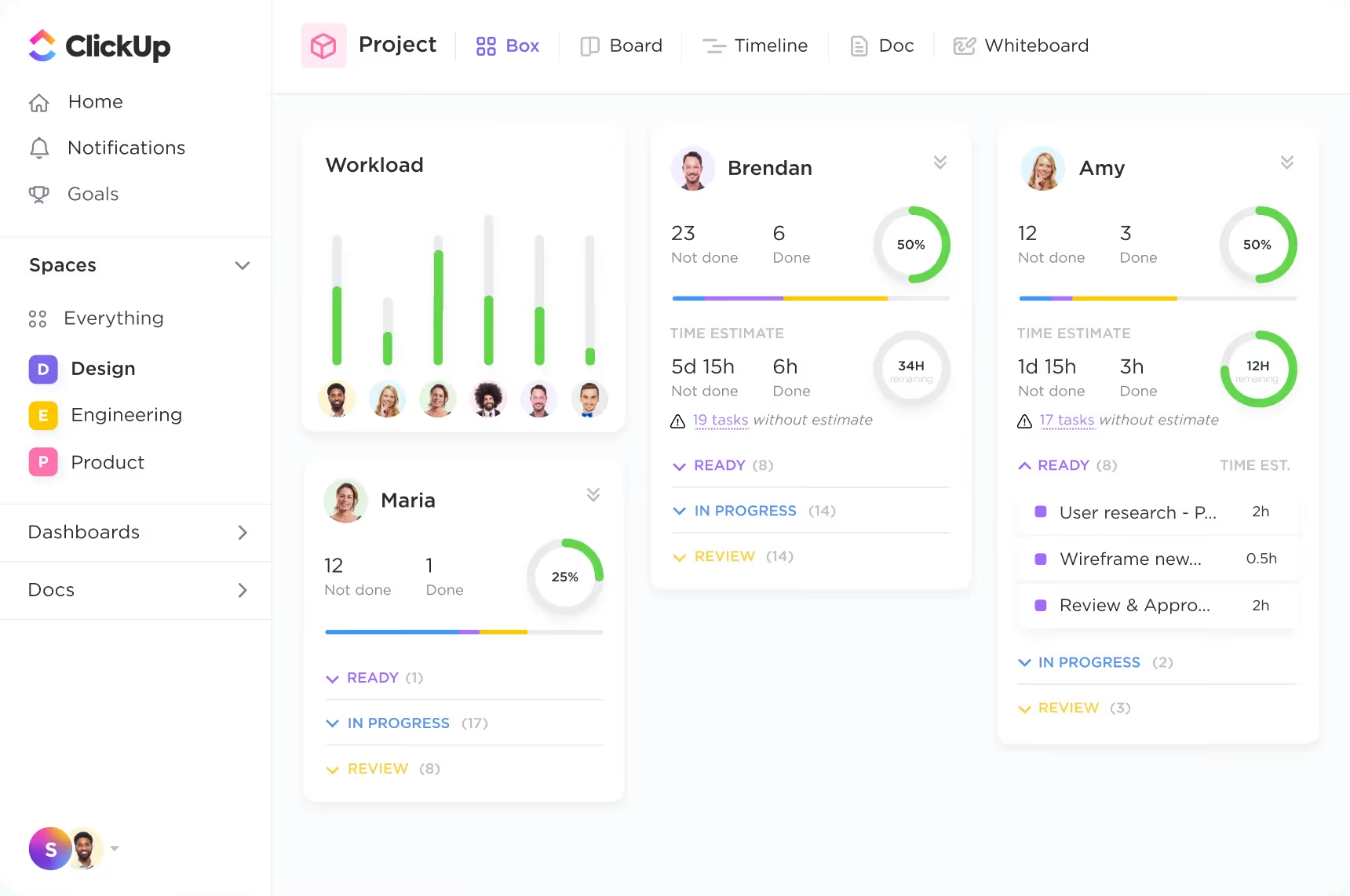
ClickUp positions itself as a single platform to replace multiple tools, covering task management, documents, whiteboards, goals, and reporting under one roof. For teams frustrated by app-switching, that consolidation is a genuine draw.
It's one of the most feature-dense options on this list. That breadth is its main appeal, but it also comes with a steeper learning curve than most alternatives.
Key Features
- Tasks with subtasks, dependencies, time tracking, and priorities
- Docs and wikis built directly into the workspace
- Kanban boards, Gantt charts, list view, and calendar
- Goal tracking with measurable targets
- Workflow automation across tasks, statuses, and assignments
- 1,000+ integrations including Slack, GitHub, and Microsoft Teams
- Custom dashboards and reporting
Pros
"I love using ClickUp to manage my business. This is how I keep track of everything from clients, content, projects, collaborations." — Capterra review
- Generous free plan with a wide range of features
- Highly customizable for teams with specific workflows
- Strong value at mid-tier pricing given the feature depth
Cons
"There's a learning curve, basically, to get yourself up to speed... it could be a bit daunting and overwhelming at first. The notification management, I'm not a big fan of." — G2 review
- Notification management can become noisy without careful configuration
- Performance can lag on large workspaces with many tasks
- The depth of options can slow down onboarding for new team members
Pricing
- Free Forever
- Unlimited: $7/user/month
- Business: $12/user/month
- Enterprise: Custom pricing
Mini-Verdict
ClickUp works well for teams that want to consolidate tools and are willing to spend time on initial setup. Teams looking for something quick to deploy with minimal configuration may find it more than they bargained for.
3. monday.com — Best for Visual, Customizable Task Workflows

monday.com's core strength is its visual flexibility. Teams can build task boards, timelines, and tracking views that match how they actually work, rather than adapting to a rigid structure. It's widely used across industries, from marketing and operations to product and client services.
The platform centers on a "work OS" concept, meaning it's designed to handle many types of workflows beyond traditional task lists.
Key Features
- Customizable boards with task columns, statuses, and labels
- Gantt charts, kanban boards, calendar, and map views
- Automations for recurring tasks, status changes, and notifications
- Workload tracking across team members
- Integrations with Slack, Zoom, Microsoft Teams, and 200+ apps
- Dashboards pulling data across multiple boards
- Forms for collecting and converting requests into tasks
Pros
"Monday is so versatile—we use it for meetings, progress tracking on projects, tracking bugs, cross-team information visibility, and even our company directory." — Capterra review
- Highly visual interface that most team members adopt without much training
- Strong automation options without requiring technical skills
- Good multi-team visibility across departments
Cons
"There's definitely a learning curve to setting up monday.com Work Management so it conveys information clearly to someone who didn't build it." — G2 review
- No free plan; entry-level paid plan has user minimums
- Pricing can add up quickly for larger teams
- Some advanced features require higher-tier subscriptions
Pricing
- Free: Free forever for up to 2 seats
- Basic: $9/user/month (billed annually, minimum 3 users)
- Standard: $12/user/month (billed annually)
- Pro: $19/user/month (billed annually)
- Enterprise: custom pricing
Mini-Verdict
monday.com suits operations, marketing, and cross-functional teams that want a highly visual task management system with strong automation. It's less ideal for very small teams or those with tight budgets.
4. Trello — Best for Simple Kanban-Style Task Management

Trello is one of the most recognizable kanban tools in the category. Its card-and-board system is approachable and fast to set up, making it a natural starting point for teams that are new to structured task tracking.
It doesn't try to do everything, and that's part of the appeal. For teams that want a clear, visual way to move tasks through stages, Trello delivers without overwhelming users with options.
Key Features
- Kanban boards with drag-and-drop cards
- Checklists, attachments, due dates, and labels on each card
- Power-Ups (add-ons) for calendar, automation, and integrations
- Butler automation for rule-based task actions
- Board templates for common use cases
- Mobile apps for iOS and Android
- Free tier with unlimited cards
Pros
"What I liked most about Trello is its simplicity and visual approach to project management. The board and card system makes it easy to organize tasks and track progress." — Capterra review
- Extremely easy to get started; most users are up and running same day
- Free plan is genuinely useful for small teams and personal use
- Clean interface with low cognitive load
Cons
"The boards can get pretty cluttered when a project scales up or has too many moving parts. I also find the notification system a bit overwhelming." — G2 review
- Limited reporting and analytics compared to more advanced tools
- Not well-suited for complex projects with many dependencies
Pricing
- Free: available for up to 10 collaborators per Workspace
- Standard: $5/user/month (billed annually)
- Premium: $10/user/month (billed annually)
- Enterprise: $17.50+/user/month (billed annually)
Mini-Verdict
Trello is a great fit for small teams, freelancers, and anyone who wants a low-friction kanban system. Teams managing complex, multi-step projects with dependencies will likely outgrow it.
5. Teamflect — Best for Microsoft Teams Task Management Linked to Performance and Goals
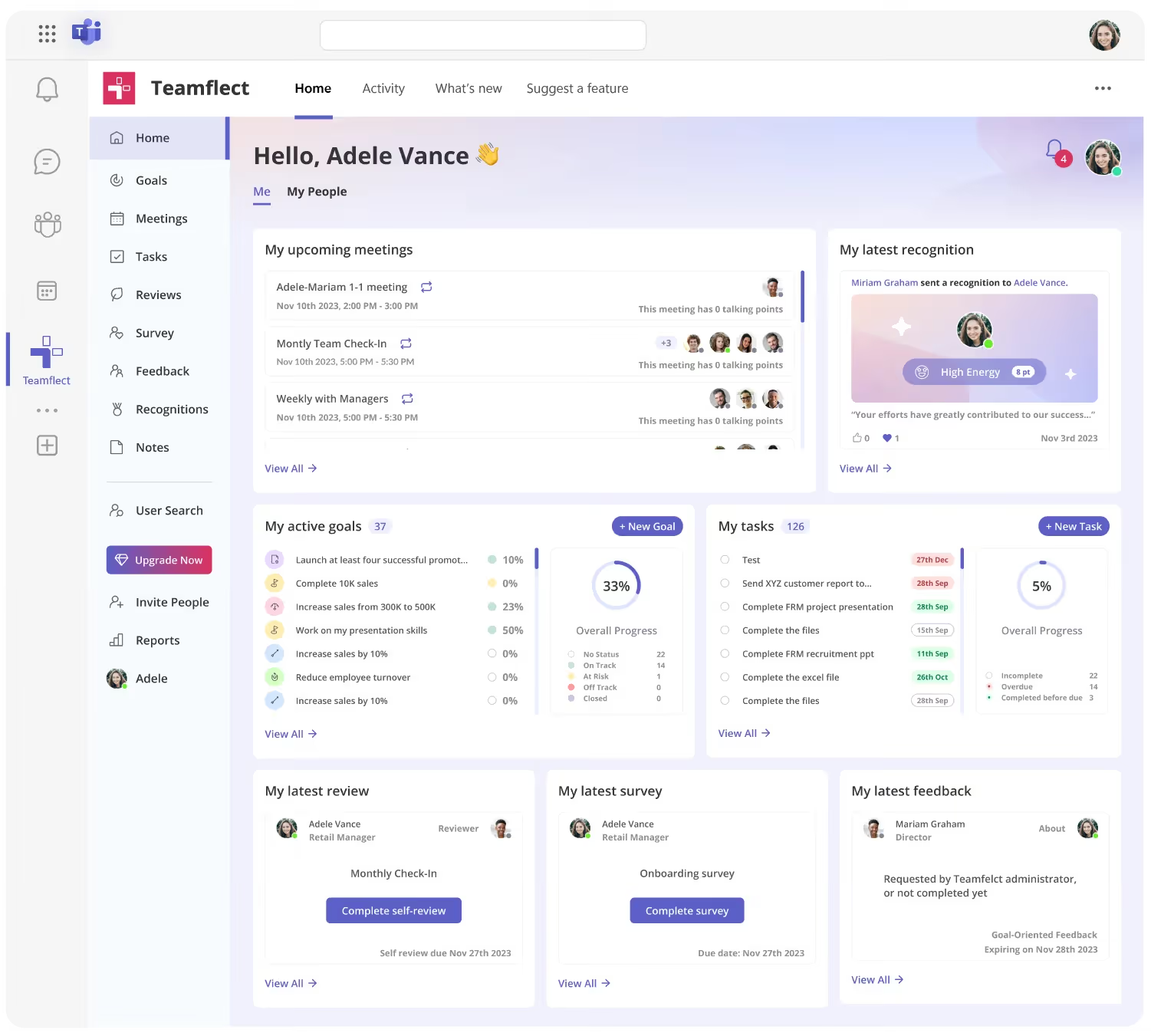
Teamflect takes a different approach from most tools on this list. Rather than operating as a standalone task management app, it's built to work entirely inside Microsoft Teams. If your organization runs on Microsoft 365, that integration removes a layer of friction that often kills adoption.
Tasks in Teamflect aren't disconnected to-do items. They connect directly to goals, performance reviews, and 1-on-1 meeting agendas, giving managers and employees a clearer line between daily work and broader priorities. The platform also integrates with Microsoft Planner, so teams already using Planner can surface and manage those tasks within Teamflect's interface.
Key Features
- Task management built natively inside Microsoft Teams
- Tasks linked to individual and team goals, OKRs, and performance reviews
- Microsoft Planner integration for unified task visibility
- 1-on-1 meeting module with task tracking tied to meeting agendas
- 360-degree feedback, recognition, and engagement surveys within Teams
- AI-assisted features for goal suggestions and review summaries
- Power BI-connected analytics dashboards for HR and managers
Pros
"I like that Teamflect is easy to use. The interface is clear, and I don't need extensive instructions. I can use it from both my laptop and my phone, and it works well on both. It saves an incredible amount of time." — G2 review
- No separate login or app switching; everything lives in Microsoft Teams
- Tasks connect directly to performance and goal data, which most task tools don't offer
- Free plan available for teams of up to 10 users with no feature restrictions
Cons
"I wish there was a way to transfer a topic to another meeting if you were not able to get to that topic in the current meeting." — Capterra review
- Requires a Microsoft 365 environment; not suitable for teams on Google Workspace or other ecosystems
- Not a standalone task management tool; better suited for HR-adjacent and manager workflows than raw task volume
Pricing
- Free: up to 10 users
- Essential: $7/user/month (billed annually)
- Professional: $11/user/month (billed annually)
- Nonprofits receive up to 60% off annual contracts
Mini-Verdict
Teamflect is the right choice for Microsoft 365 organizations that want task management tied to performance, goals, and structured manager-employee workflows. Teams looking for a general-purpose task tracker outside the Microsoft ecosystem should look elsewhere.
6. Todoist — Best for Personal and Small-Team Task Management
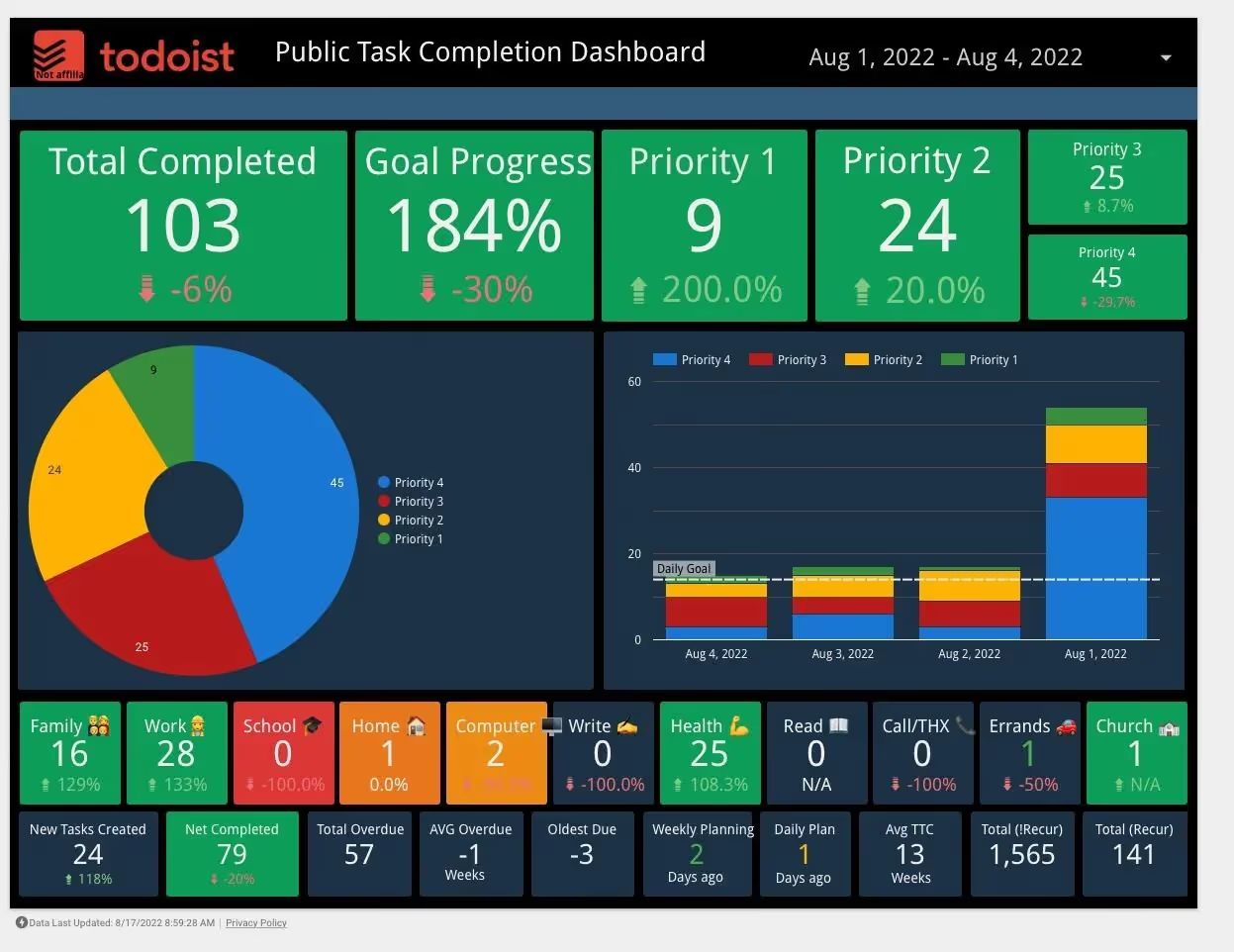
Todoist has built a loyal user base by doing one thing well: making it easy to capture, organize, and prioritize tasks without getting in the way. Its clean interface and natural language input make it one of the fastest tools to use day-to-day.
It works for both individual use and small team collaboration. The app is available across every major platform, including browser, desktop, and mobile, so tasks stay accessible regardless of where you're working.
Key Features
- Natural language task entry with automatic date and priority recognition
- Projects, sections, and labels for task organization
- Recurring tasks and reminders
- Kanban board view alongside list view
- Task comments, file attachments, and assignees for team use
- Filters for custom task views
- Integrations with Google Calendar, Slack, and Microsoft Teams
Pros
"Good simple tool to manage your daily tasks. Clean interface that's super intuitive, even for beginners." — Capterra review
- Fast to set up and easy for non-technical users to adopt
- Cross-platform availability, including offline mode
- Free plan covers the basics for individuals and small teams
Cons
"I would like to see improvements in visual flexibility, in the form of a more compact view which allows to display more tasks on a single screen at one time, and to have more customization options for colors and project templates." — G2 review
- Limited reporting and team-level analytics
- Advanced collaboration features require paid plans
Pricing
- Beginner: Free for up to 5 personal projects
- Pro: $5/user/month
- Business: $8/user/month
Mini-Verdict
Todoist suits individuals and small teams that want a clean, fast, and dependable task management app without a steep learning curve. Larger teams with complex workflows will find it too lightweight.
7. Microsoft Planner — Best for Microsoft 365 Organizations Already in the Ecosystem

Microsoft Planner is a straightforward task and project tracking tool built into Microsoft 365. For organizations already paying for a Microsoft 365 subscription, Planner is included at no additional cost, making it one of the most cost-effective options on this list.
It covers the core requirements: task assignment, due dates, checklists, kanban boards, and progress tracking. It connects natively to Teams, Outlook, and the broader Microsoft 365 environment, which reduces setup friction for teams already working in that ecosystem.
Key Features
- Kanban-style task boards with labels, priority levels, and progress buckets
- Task assignment with due dates, checklists, and file attachments
- Microsoft Teams integration for accessing plans directly in channels
- Integration with Microsoft To Do for individual task management
- Planner hub for a combined view of all assigned tasks
- Basic reporting on task completion and workload
- Available in Microsoft 365 Business and Enterprise plans
Pros
“Overall, it’s a practical, lightweight project management tool that supports better team coordination and productivity without adding unnecessary complexity.” — G2 review
- No additional cost for Microsoft 365 subscribers
- Tight integration with Teams, Outlook, and SharePoint reduces context switching
- Familiar interface for teams already using Microsoft products
- Low barrier to adoption for non-technical users
Cons
“The customization options are also fairly minimal, which can feel restrictive when you’re trying to support more complex workflows. It works best within the Microsoft ecosystem, so integration with non-Microsoft tools remains limited.” — G2 review
- Limited compared to dedicated task management tools; lacks advanced automation and reporting
- Not suitable for teams outside the Microsoft 365 ecosystem
- Feature development moves more slowly than dedicated task management competitors
- No standalone free plan outside of Microsoft 365 subscriptions
Pricing
- Microsoft Planner: Included in Microsoft 365
- Planner Plan 1: $10/user/month (paid annually, with auto-renew)
- Planner and Project Plan 3: $30/user/month (paid annually, with auto-renew)
- Planner and Project Plan 5: $55/user/month (paid annually, with auto-renew)
Mini-Verdict
Microsoft Planner makes sense for Microsoft 365 organizations that want basic task coordination without adding another tool or cost. Teams that need robust automation, detailed reporting, or advanced project tracking will need to supplement it or switch to a dedicated platform.
8. Notion — Best for Teams Combining Task Management With Documentation
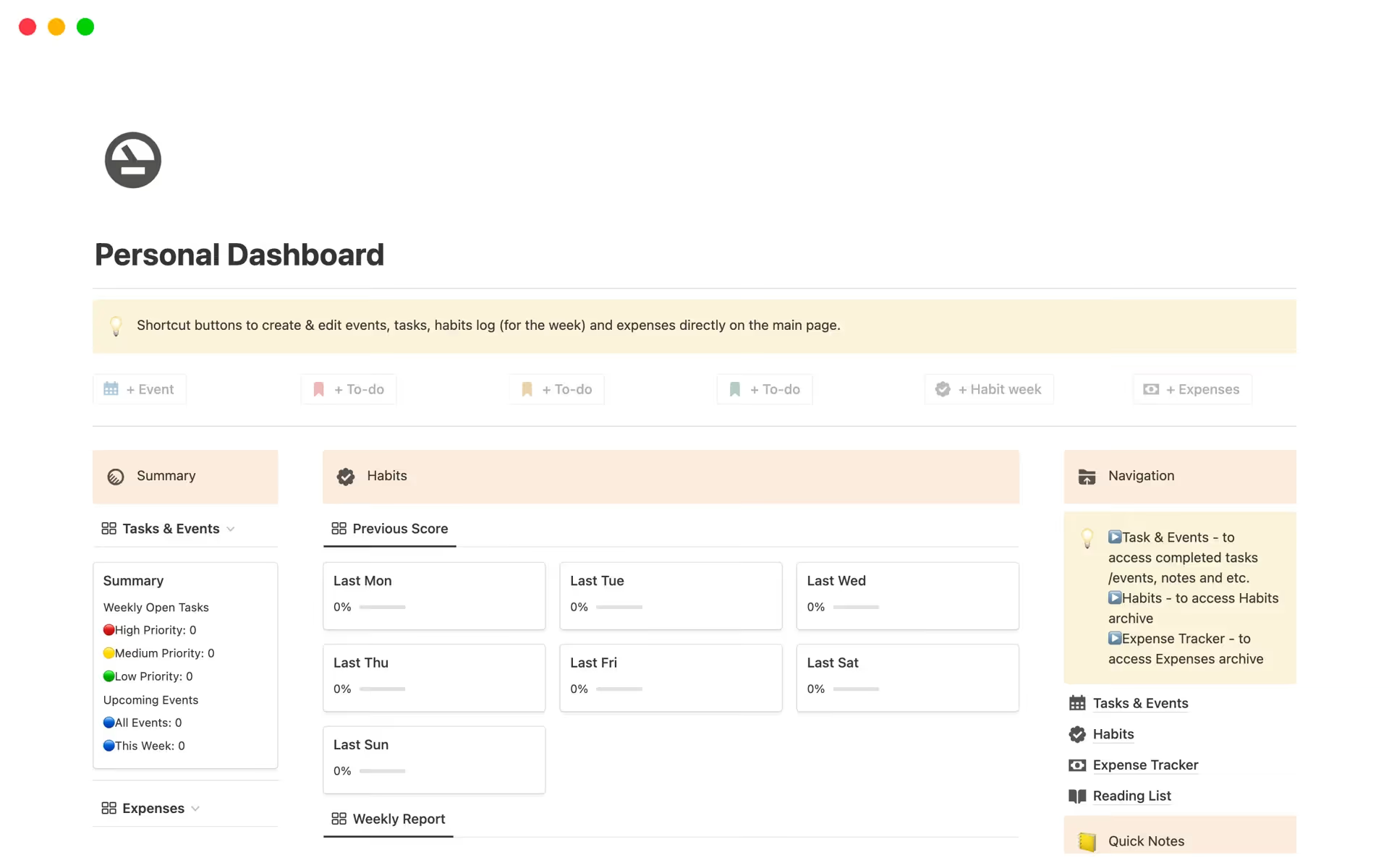
Notion sits at the intersection of task management and knowledge management. Teams use it to track tasks, write documentation, manage databases, and organize company information all within a single workspace. That flexibility is its main draw.
The tradeoff is that Notion is highly open-ended. Unlike purpose-built task management apps, it requires users to build or adopt templates before it functions as an effective task tracker.
Key Features
- Pages and databases that double as task lists, project trackers, and wikis
- Kanban boards, calendar, gallery, and table views for task databases
- Task properties: assignees, due dates, status, priority, and custom fields
- Linked databases for connecting tasks across different projects
- Notion AI for drafting, summarizing, and automating content
- Integrations with Slack, GitHub, Google Drive, and Jira
- Templates library for common use cases
Pros
“What I like best about Notion is its flexibility and ability to act as an all-in-one workspace. I can plan my studies, track my daily routine, manage tasks, and organize everything in a structured way—from detailed modules to everyday activities.” — G2 review
- Combines task tracking and documentation in one workspace, reducing tool sprawl
- Highly flexible for teams that want to build their own workflows
- Free plan is available with generous page limits
- Strong for async teams that rely heavily on written documentation
Cons
“At the beginning, it takes some time to understand how to create pages and set up tasks properly. Also, sometimes it feels slightly slow when working with multiple entries. However, once everything is set up, it works well for daily use.” — G2 review
- Requires meaningful setup before it functions as a reliable task manager
- Not ideal for teams that need detailed task reporting or workload visibility
- Performance on large, complex workspaces can be sluggish
Pricing
- Free: available for individuals
- Plus: $10/user/month (billed annually)
- Business: $15/user/month (billed annually)
- Enterprise: custom pricing
Mini-Verdict
Notion works well for teams that want to combine task tracking with a central knowledge base. Teams that need structured task management out of the box, with reporting and workload features, should choose a dedicated tool instead.
9. Wrike — Best for Enterprise Task and Project Management
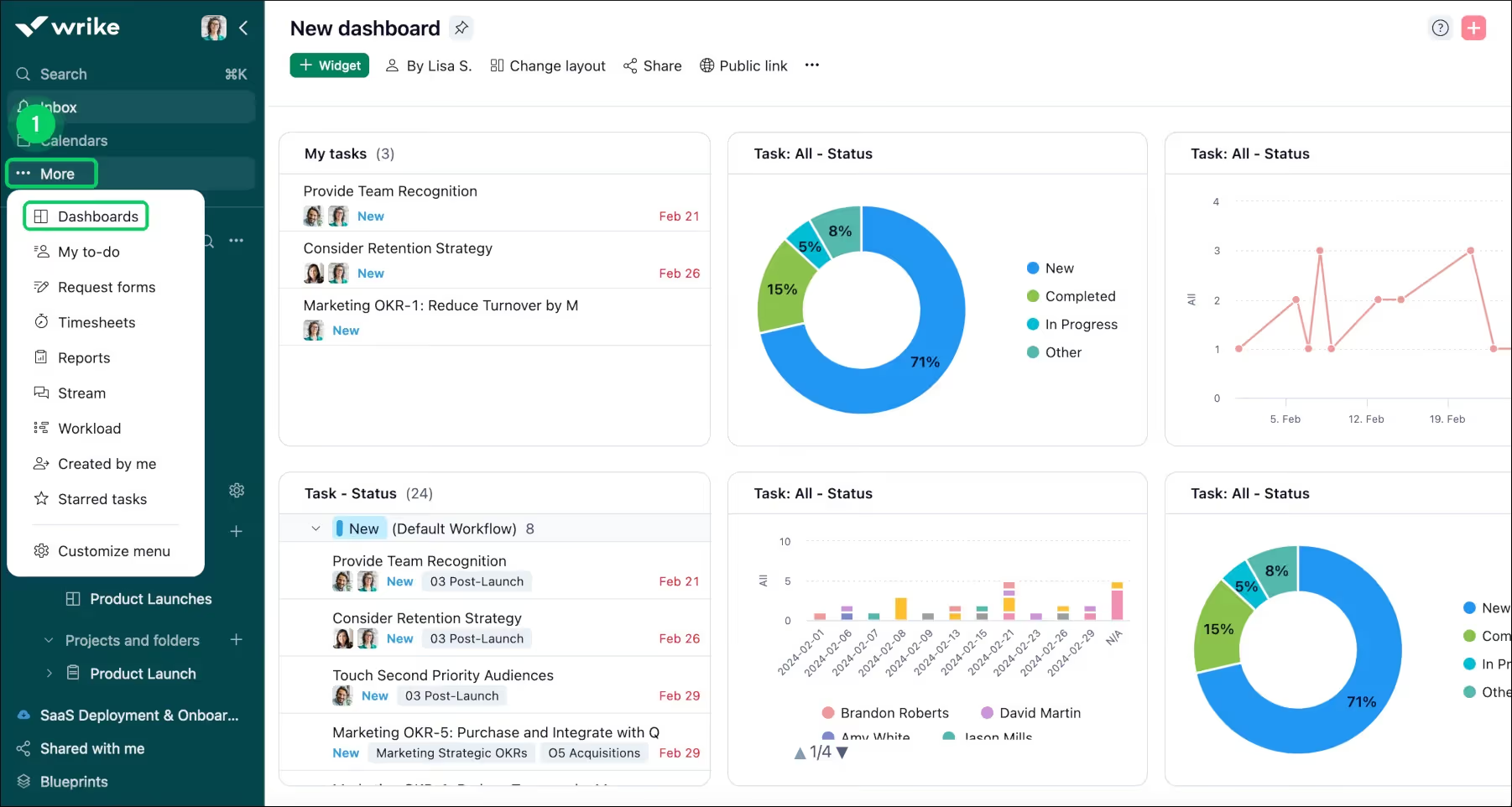
Wrike is built for organizations managing large volumes of work across multiple teams. It covers task management, project planning, resource allocation, and reporting in a single platform, and its customization options make it adaptable to a range of enterprise workflows.
The platform is particularly strong for teams that need detailed reporting and visibility into how work progresses across departments. It's used widely in marketing, creative, operations, and professional services organizations.
Key Features
- Task management with subtasks, dependencies, and custom statuses
- Gantt charts, kanban boards, table view, and dashboards
- Resource management and workload tracking
- Workflow automation with conditional logic
- Proofing and approval tools for creative and content teams
- 400+ integrations including Salesforce, Microsoft Teams, and Adobe Creative Cloud
- Advanced reporting with custom report builder
Pros
“What I like most about Wrike is the visibility it gives me across projects, tasks, and my team’s workload—all in one place. The dashboards, reports, and task updates help me stay organized, follow progress more quickly, and keep team coordination running smoothly.” — G2 review
- Strong cross-team visibility and reporting for larger organizations
- Flexible enough to support both agile and waterfall project approaches
- Free plan available for basic task management
- Dedicated customer success support on enterprise plans
Cons
“Wrike is not very user-friendly, and its project structure doesn’t effectively support practical project management. The calendar views are difficult to navigate, customization tools can stop working unexpectedly, tagging projects is cumbersome, and there are no pre-built sections or tags for tracking budgets.” — G2 review
- Steeper learning curve compared to simpler task management apps
- Cost can climb quickly once advanced features and larger teams are involved
- Some integrations require additional configuration to work reliably
Pricing
- Limited free plan available; no credit card required
- Team: $10/user/month (billed annually)
- Pinnacle and Apex: custom pricing
Mini-Verdict
Wrike is a strong choice for enterprise teams managing complex, multi-team projects with real reporting needs. Smaller teams or those with simpler workflows will find it more platform than they need.
10. Jira — Best for Software Development and Engineering Task Management
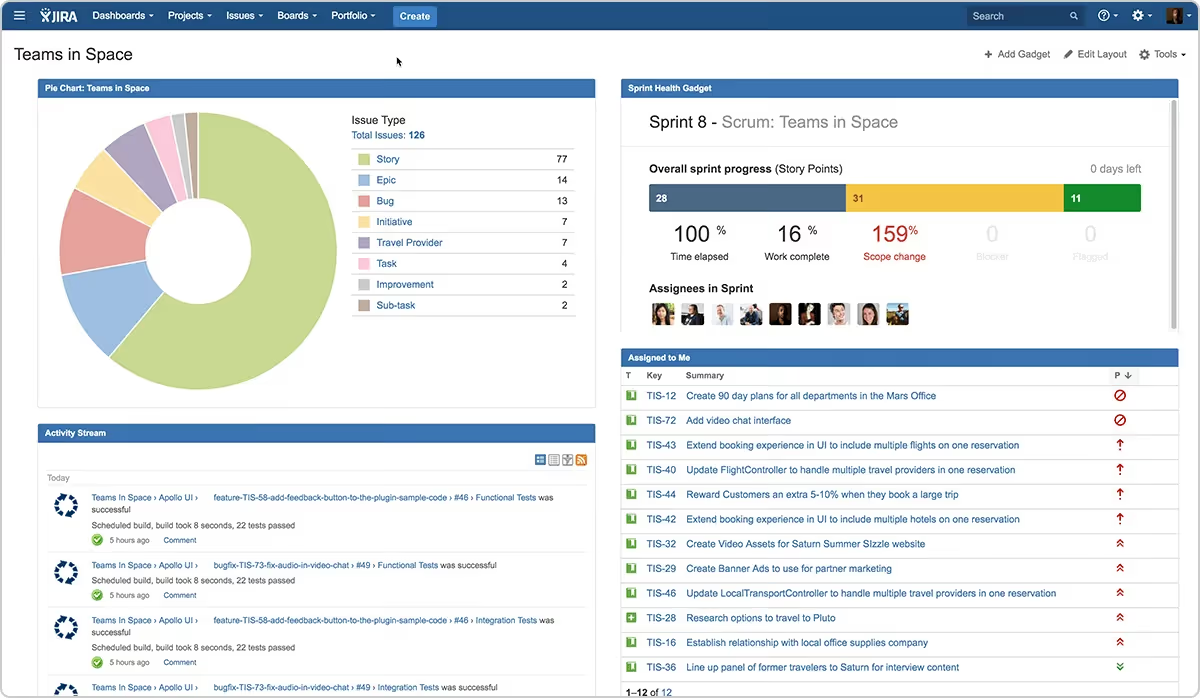
Jira is the standard task and issue tracking tool for software development teams. Built around agile methodologies, it gives engineering teams a structured environment for managing sprints, bug tracking, feature development, and release planning.
It's not designed for general business task management. The interface and terminology are oriented toward developers, and teams outside engineering typically find it less intuitive than other options on this list.
Key Features
- Issue and task tracking with custom issue types and workflows
- Sprint planning and backlog management for agile teams
- Scrum and kanban boards
- Task dependencies, story points, and epic tracking
- Roadmaps for release and milestone planning
- Automation rules for status changes, assignments, and notifications
- Integrations with GitHub, Bitbucket, Confluence, Slack, and Microsoft Teams
Pros
“Wrike introduces new features constantly. Especially for admins [there] have been a lot of new reporting possibilities for big [accounts] which help a lot.” — G2 review
- Industry standard for agile software development workflows
- Highly configurable for teams with specific engineering processes
- Free plan available for up to 10 users
- Strong integration with developer tools like GitHub and Bitbucket
Cons
“One minor complaint is seat allocation. Especially with allowing clients into the Wrike board to view tasks and progress. We have to be really selective with the seats allowed, which is fine, but sometimes it is a bit limiting.” — G2 review
- Not suited for non-technical teams; terminology and interface assume development context
- Can require significant admin work to configure and maintain
- Pricing increases notably at scale
Pricing
- Free: up to 10 users
- Standard: $7.91/user/month
- Premium: $14.54/user/month
- Enterprise: custom pricing
- Free trial available on paid plans
Mini-Verdict
Jira is the right choice for software development and engineering teams that need a purpose-built agile task management system. Non-technical teams will find the learning curve steep and the feature set misaligned with general business workflows.
How to Choose the Right Task Management Software for Your Team
With so many options available, the right task management tool usually comes down to a handful of practical questions rather than a feature checklist.
1. Consider Your Team's Size and Complexity
Small teams with straightforward workflows rarely need enterprise-grade task management systems. A tool like Todoist or Trello can cover daily work without the overhead of setup and administration. As team size grows and projects become more interdependent, platforms like Asana, ClickUp, or Wrike offer the structure and reporting needed to stay on top of work at scale.
2. Match the Tool to Your Existing Tech Stack
If your organization runs on Microsoft 365, integrating a task management app that connects natively to Microsoft Teams reduces friction significantly. Teamflect is built for this scenario, linking task management directly to performance and goals within Teams. Microsoft Planner is a lighter option already included in most Microsoft 365 subscriptions. For teams on Google Workspace or other platforms, Asana, ClickUp, and monday.com offer strong native integrations.
3. Decide What "Task Management" Means for Your Team
Some teams need a simple to-do list with deadlines. Others need kanban boards, Gantt charts, task dependencies, and workload tracking. Engineering teams running agile sprints have different needs than marketing teams coordinating campaign deliverables. The best task tracking software for your team is the one built around how your team actually works, not a generic fit.
For teams where tasks connect to broader HR functions like performance reviews, one-on-one meetings, or goal setting, it's worth considering how your task management tool fits into your overall HR stack. Our guides on one-on-one meeting software and 360-degree feedback tools can help with that planning.
4. Think About Adoption, Not Just Features
The best-featured task management system on paper fails if your team doesn't use it consistently. Prioritize tools with clean interfaces, low onboarding friction, and strong mobile apps. Check G2 and Capterra ratings specifically for ease of use, not just overall score. A tool with a 4.3 overall rating and strong ease-of-use marks often outperforms a 4.8 tool that requires weeks of configuration before delivering value.
5. Factor in Long-Term Costs
Many task management apps offer attractive entry-level pricing that climbs once you add users, unlock reporting features, or enable integrations. Build your cost estimate around the features you actually need, not just the base tier. Free tiers from tools like Asana, ClickUp, and Trello are genuinely useful starting points, but most growing teams will eventually move to paid plans.
Start Managing Tasks More Effectively
The tools on this list cover a wide range of team sizes, workflows, and budgets. Whether you need a lightweight kanban app for a small team or an enterprise-grade task management system for a large organization, there's a practical option here.
Take advantage of free trials before committing. Most tools on this list offer at least a free tier or trial period, which gives you enough time to test whether the workflow actually fits your team's habits. The right tool is the one your team will still be using six months after onboarding.
Frequently Asked Questions
What is task management software?
Task management software is a tool that helps individuals and teams create, assign, track, and complete work items in an organized way. At its core, it provides a shared system for knowing what needs to be done, who's responsible, and when it's due.
Most platforms include features like task assignment, due dates, priority levels, status tracking, and notifications. More advanced tools add workflow automation, subtasks, task dependencies, and reporting.
What is the difference between task management software and project management software?
Task management software focuses on individual work items: creating tasks, assigning them, setting deadlines, and tracking completion. Project management software covers a broader scope, including project planning, resource allocation, budgets, timelines, and stakeholder reporting.
In practice, many tools blend both categories. Asana and ClickUp, for example, handle both task-level tracking and broader project planning. The distinction matters most when deciding how much structure your team needs.
A team managing daily work in a straightforward way may only need task management. A team coordinating multi-phase projects across departments likely needs project management features too.
What is the best task management software?
There's no single best option for every team. Asana is a strong choice for cross-functional teams managing complex workflows. ClickUp suits teams that want to consolidate multiple tools into one.
Teamflect is the right fit for Microsoft 365 organizations that want task management tied to performance and goals. Trello and Todoist work well for smaller teams that want simplicity. The best tool depends on your team's size, existing tech stack, and how you work.
What is the best free task management software?
Several tools on this list offer genuinely useful free plans. ClickUp's free tier includes unlimited tasks and a wide feature set. Asana's free plan covers basic task management for up to 15 users. Trello's free plan offers unlimited cards and up to 10 boards per workspace.
Teamflect is free for teams of up to 10 users with no feature restrictions. Jira is also free for up to 10 users. The best free task management app depends on your team size and what features you can't live without.
How do you choose task management software for your team?
Start by identifying your team's most common pain points: missed deadlines, unclear ownership, difficulty tracking progress, or lack of integration with existing tools. Then match those needs to what different platforms offer.
Consider team size, existing software (especially if you're on Microsoft 365 or Google Workspace), required features, and long-term pricing. Use free trials to test adoption before committing. The right task management system is one that your team will use consistently, not just in the first week.
How does task management software integrate with Microsoft Teams, Slack, and other collaboration tools?
Most leading task management tools offer integrations with Microsoft Teams and Slack, though the depth of those integrations varies.
Some tools provide basic notifications, sending task updates or reminders into a Teams channel or Slack workspace. Others offer deeper two-way integrations, letting users create, update, or complete tasks directly from within Teams or Slack without switching apps.
Teamflect operates entirely inside Microsoft Teams, which makes it distinct from tools that treat Teams as one of many notification channels. Microsoft Planner is also natively embedded in Teams for Microsoft 365 users. For Slack-first teams, ClickUp, Asana, and monday.com all offer strong Slack integrations that go beyond basic alerts.
How much does task management software cost?
Pricing ranges considerably across this category. Entry-level paid plans for tools like Todoist and Trello start around $4 to $5/user/month. Mid-tier options like Asana, ClickUp, and Teamflect run $7 to $13/user/month depending on the plan. Enterprise platforms like Wrike and monday.com can reach $20 to $25/user/month or higher on advanced tiers.
Several tools offer free plans that work well for small teams or individuals. Microsoft Planner is included in most Microsoft 365 subscriptions, making it effectively free for organizations already paying for that ecosystem.
Always factor in the cost of features you'll actually use rather than the base price, since advanced reporting, integrations, and admin controls are often gated behind higher tiers.
Final Thoughts
The task management software market has no shortage of capable tools. What separates a good fit from a poor one is how well a platform matches the way your team actually works, not how many features it lists on its pricing page.
Start with your team's real workflow. If you're in a Microsoft 365 environment and want tasks connected to performance conversations, Teamflect is worth a close look. If you need a powerful all-in-one tool for a growing team, ClickUp or Asana are reliable choices. If simplicity is the priority, Trello and Todoist deliver without the overhead.
Use free trials, check adoption after the first few weeks, and don't be afraid to switch if the tool isn't sticking. The right platform is the one your team opens every morning without being asked.