.svg)
Operations leaders rarely start looking for employee scheduling software because things are running smoothly. Instead, the search begins when a manager builds next week's roster in a spreadsheet at 11 p.m., three shifts go uncovered, and someone questions whether the setup complies with local predictive scheduling regulations. Staff scheduling software exists to eliminate this manual scramble by building, publishing, and adjusting shift schedules for hourly and shift-based teams.
This capability is urgently needed, given that 62% of workers in the United States lack superior shift arrangements, a circumstance prior studies indicate causes reduced output and increased staff attrition.
To solve these challenges, this guide ranks the 10 best employee scheduling software platforms for 2026, drawn from real G2 and Capterra reviews, published pricing, and hands-on research into how each tool handles shift building, labor forecasting, and compliance. The list spans small-team schedulers, industry-specific tools built for restaurants and field service, and enterprise workforce management suites.
What to Look for in Employee Scheduling Software
Before comparing individual products, it helps to know which criteria actually separate a good scheduling tool from one that looks fine in a demo and falls apart in week three.
1. Industry and workforce fit
Scheduling needs shift sharply depending on the business. A restaurant managing tip pools and split shifts needs different tools than a 24/7 hospital ward or a field team dispatched across a metro area. Match the software to your shift patterns first. A general small-business scheduler will not handle a complex rotation, and an industrial-grade platform is more than a ten-person coffee shop needs.
2. Labor cost forecasting and budgeting
The real payoff of scheduling software is controlling labor spend, not just putting names on a calendar. Look for tools that forecast demand, flag overtime before it happens, and let you schedule against a sales or labor budget. A tool that only displays shifts leaves the cost-control work to you.
3. Shift swapping and employee self-service
A large share of a manager's week disappears into approving shift swaps and covering last-minute call-outs. Favor platforms where employees can trade shifts, claim open shifts, and set their own availability, with manager sign-off built in. A genuine shift swap app removes that burden instead of just digitizing it.
4. Fair workweek laws and predictive scheduling compliance
A growing list of U.S. cities and states, including Oregon, New York City, San Francisco, Chicago, and Philadelphia, have implemented “Fair Workweek Laws,” which means they now require advance schedule notice and predictability pay for last-minute changes.
If your locations fall under one of these predictive scheduling laws, prioritize a tool that builds compliance into the scheduling workflow rather than treating it as an afterthought. The penalties for missing this are not theoretical.
5. Mobile delivery and integrations
Shift workers manage their lives from a phone, so a real mobile app with push notifications is not optional. Confirm the tool connects cleanly to your payroll system, your POS if you run a restaurant or retail floor, and any existing time-tracking software, so scheduled hours reach payroll without anyone re-typing them.
How We Evaluated Each Software
Every platform below was scored against the same five criteria. The ranking reflects how each tool performs for its intended industry and workforce size, not a single universal winner. A tool ranked ninth on this list may be the strongest option for a specific use case, and we say so in that entry.
1. Scheduling Depth
We examined the foundational mechanics required of any workforce management tool. This includes shift creation, template generation, recurring rotations, shift swaps, open-shift coverage, and labor forecasting. A platform must excel at these primary duties before secondary features are taken into account.
2. User Satisfaction (G2 and Capterra)
Our assessment incorporates verified user ratings and review counts current as of July 2026. We applied a weighting methodology that ensures platforms with robust, well-established review histories carry more statistical weight than newer solutions with limited user feedback.
3. Compliance Features
We evaluated support for Fair Workweek mandates, predictive scheduling rules, break and overtime tracking, and audit-ready record-keeping. Platforms that actively flag compliance violations received higher marks than those merely storing historical data.
4. Mobile Experience and Ease of Use
We evaluated whether mobile applications are intuitively designed for shift workers to navigate on day one, alongside how efficiently managers can construct functional rosters without undergoing lengthy training cycles.
5. Integrations
We reviewed critical connections with payroll systems, point-of-sale terminals, and time-tracking software, ensuring that scheduled hours flow seamlessly into payroll processing without requiring manual data re-entry.
Employee Scheduling Software Comparison
The 10 Best Employee Scheduling Software in 2026
Following our evaluation criteria and selection methodology, here are the 10 best employee scheduling software solutions for 2026, ranked by their strengths across different industries, team sizes, and operational needs.
1. Deputy
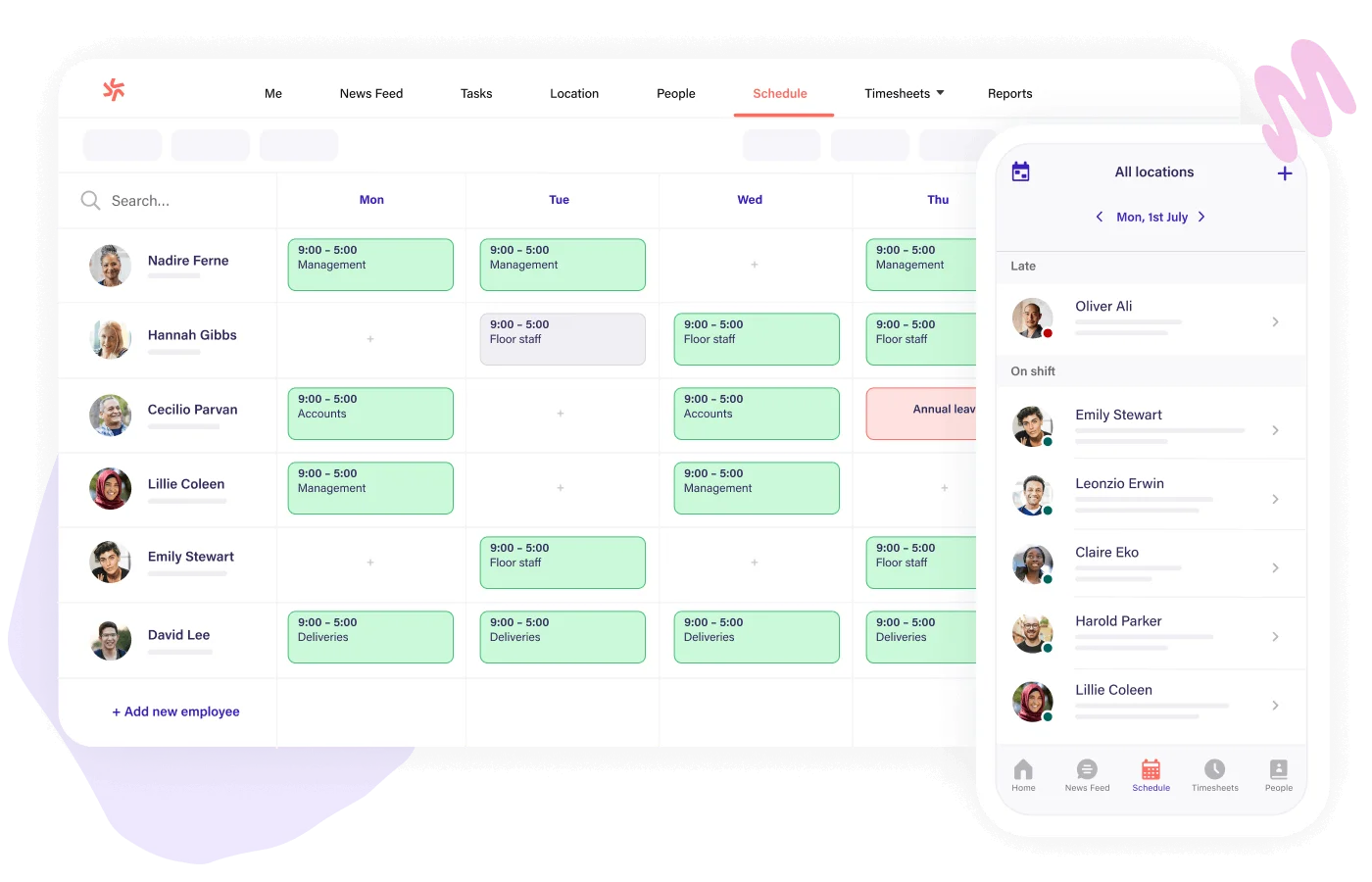
Deputy is an all-in-one scheduling and time clock platform built for hourly workforces in retail, hospitality, and healthcare, and it earns the top spot here because it does the core job, building and forecasting shifts, better than any general-purpose competitor on this list.
Auto-scheduling assigns shifts based on availability, skill, and labor budget, cutting the manual back-and-forth that eats a manager's week. Deputy also bakes overtime and break-rule flags directly into the schedule builder rather than treating compliance as a separate report.
Key Features
- Auto-scheduling based on availability, skills, and labor budget
- Demand-based forecasting using historical sales and traffic data
- Fair Workweek and predictive scheduling compliance flags
- Facial recognition and GPS-based time clock
- Shift swapping and open-shift coverage through the mobile app
- 300+ integrations, including major payroll and POS systems
Pros and Cons
Pros: "I like how easy it is to use and understand the deputy platform. I used deputy with previous companies which i have worked for." - Capterra review
- Onboarding a new manager typically takes under a day, according to multiple G2 reviewers
- Auto-scheduling handles multi-location rostering without a separate module
- Compliance flags catch overtime and break violations before publishing, not after
Cons: "Some features take a little exploration to fully learn, especially for new users or teams that don't use scheduling apps often." - G2 review
- Advanced reporting and SSO are gated to the higher Pro tier
- Per-user pricing adds up quickly for large seasonal workforces
- Some smaller teams report the platform includes more than they need
Pricing
- Lite: $5/user/month
- Core: $6.50/user/month
- Pro: $9/user/month
- Custom Enterprise plans available
- Optional add-ons: Deputy HR (+$2/user/month), Analytics+ (+$1.50/user/month)
2. When I Work
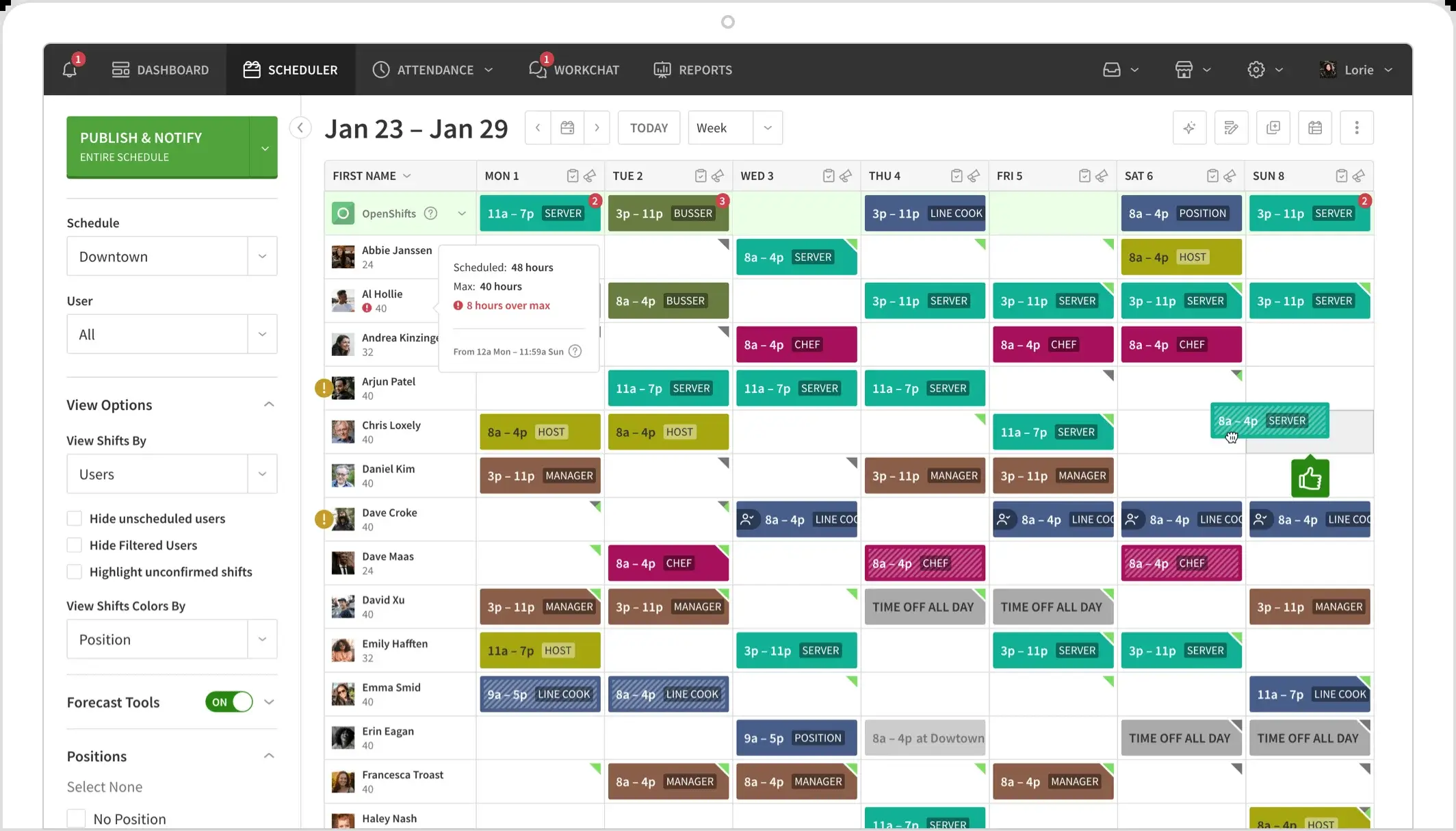
When I Work is a small-business scheduling app built around speed, and it fits teams that want to be live the same day rather than after a weeks-long rollout. Shift swaps, availability requests, open shifts, and team messaging all sit in one clean mobile interface that shift workers adopt without much prompting. Labor forecasting is lighter than Deputy or 7shifts, which is the trade-off for a genuinely low learning curve.
Key Features
- Auto-scheduling with drag-and-drop editing
- Shift swap requests with manager approval
- Team messaging built into the same app employees already check
- Availability and time-off requests
- Optional time and attendance add-on
- Payroll integrations including Gusto, ADP, and QuickBooks
Pros and Cons
Pros: "It was super easy to use for getting my schedule calendar and was easy to clock in and out for my shifts." - Capterra review
- A 15-person team can typically be fully scheduled within a single afternoon
- Free 14-day trial requires no credit card
- Nine payroll integrations cover most small-business setups out of the box
Cons: "It would be really lovely if there were a way to see availability for all employees at once so scheduling could be a little more seamless. This is a frustration that our managers have dealt with a lot." - G2 review
- Time and attendance is a separate paid add-on, not included in the base plan
- Labor forecasting depth trails Deputy and 7shifts
- Complex 24/7 rotations stretch the platform past its comfort zone
Pricing
- Essentials: $2.50/user/month — basic scheduling and messaging
- Advanced: $6.00/user/month — time tracking, attendance controls, labor sharing
3. Homebase
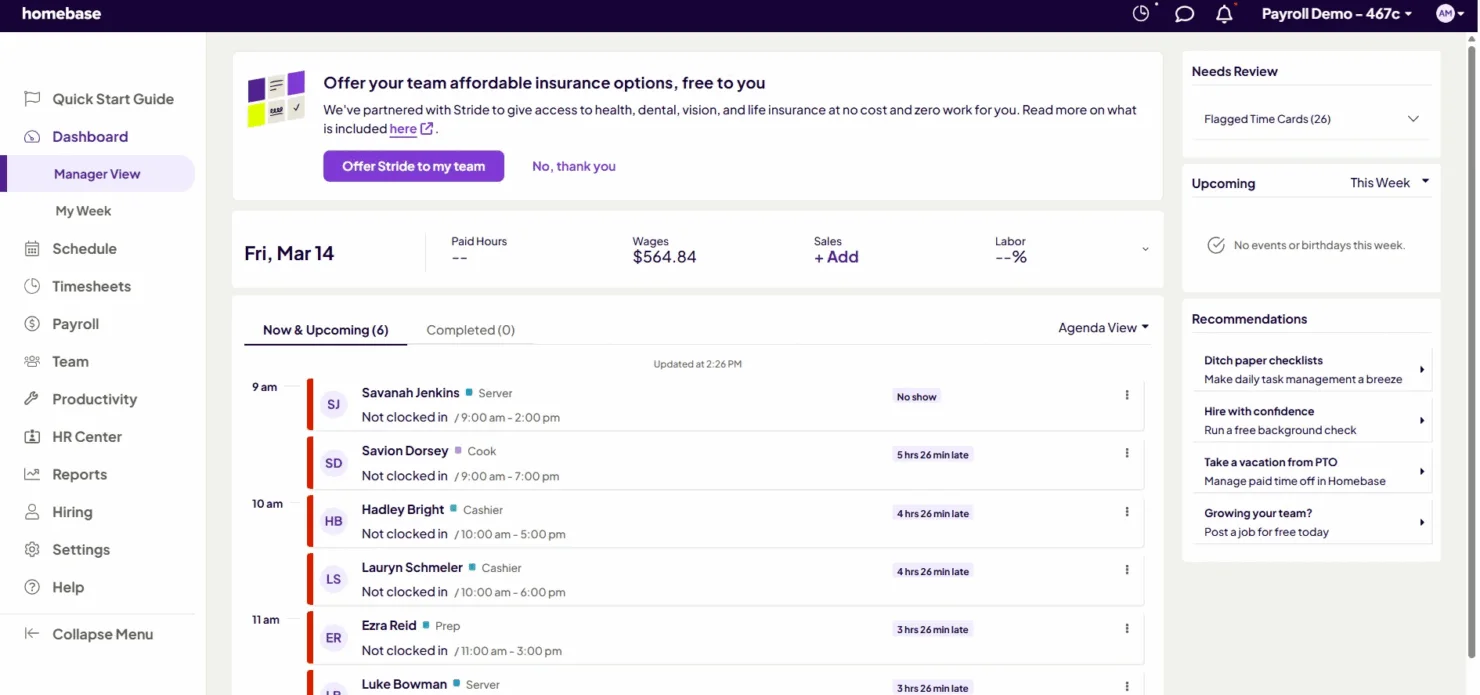
Homebase is a free scheduling and time clock platform aimed squarely at small hourly teams running a single location, retail shops, cafes, and local service businesses that do not want to pay for software until they have to. The free Basic plan covers real scheduling and time tracking, not a crippled trial version, which is rare in this category. Multi-location management and payroll require an upgrade, but the entry point genuinely works.
Key Features
- Free scheduling and time clock for one location
- Labor cost tracking against a set budget
- Team messaging and shift reminders
- Hiring and onboarding tools bundled in higher tiers
- Payroll add-on with tax filing in supported states
- Mobile app for both managers and hourly staff
Pros and Cons
Pros: "It's very simple and user-friendly. It does payroll, time tracking and scheduling all in one place. Previously, we had to use two separate apps to get all these features." - Capterra review
- The free tier includes real scheduling and time tracking, not a stripped demo
- Popular with restaurants and retailers replacing a paper schedule for the first time
- Payroll bundling removes the need for a second vendor at small scale
Cons: "The website isn't as easy as the actual app." - G2 review
- Multi-location scheduling and advanced features require a paid plan
- Payroll is available only in a limited set of states
- Complex rotation scheduling is not this platform's strength
Pricing
- Free Basic plan for one location, up to 10 employees
- Essentials: $24/location (annual billing)
- Plus: $56/location (annual billing)
- All-in-One: $96/location (annual billing), unlimited employees
4. Connecteam
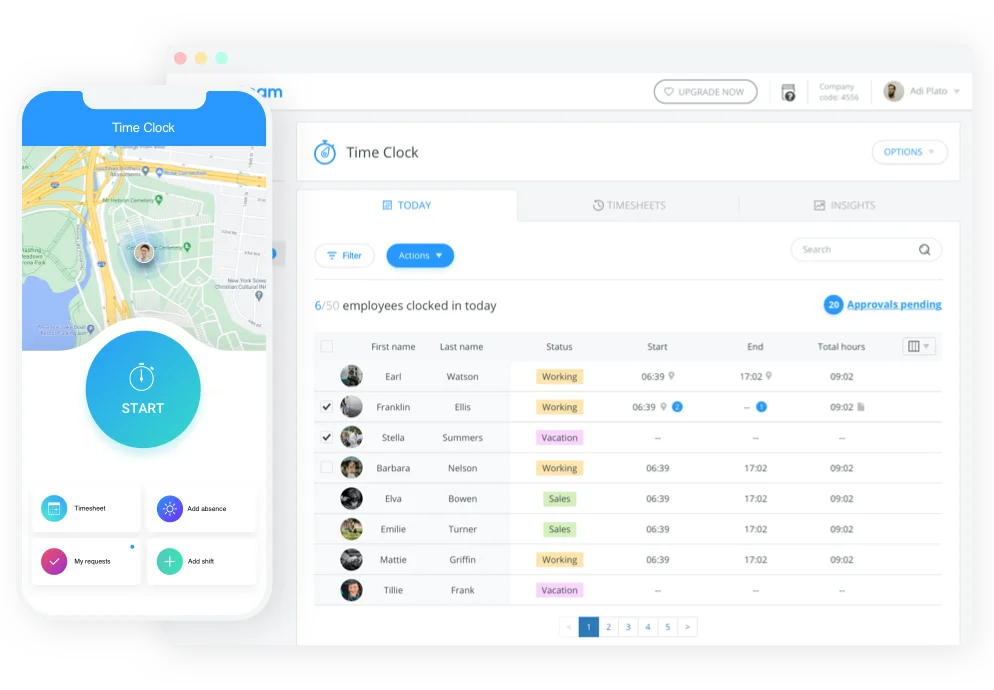
Connecteam is a deskless, all-in-one operations app that bundles scheduling with team communication, task checklists, and a mobile time clock, built for non-desk workforces in field services, retail, and hospitality. Scheduling is one strong module inside a broader app rather than the sole focus, which suits operators who want fewer vendor relationships. A free plan for up to 10 users lowers the barrier for small teams testing the waters.
Key Features
- Drag-and-drop shift scheduling with templates
- In-app group chat and company-wide announcements
- Task checklists tied to individual shifts
- GPS-verified mobile time clock
- Shift swap and open-shift claim requests
- Transparent, published pricing tiers
Pros and Cons
Pros: "I love being able to communicate with my team through an app and making group chats. The scheduling feature is also great." - Capterra review
- Free plan for up to 10 users removes procurement friction for small pilots
- Combining scheduling, chat, and tasks reduces the number of apps a shift worker has to open
- Reviewers consistently rate the mobile experience above category average
Cons: "I wish there was a little more of an audit trail for the meetings but I'm not sure that would be helpful for everyone. We just like to know who booked or moved or cancelled meetings. If they are cancelled then we don't see them anymore." - G2 review
- Labor forecasting is lighter than dedicated scheduling specialists like Deputy or 7shifts
- Scheduling is one module in a broader operations suite, not a standalone focus
- Reporting depth trails purpose-built enterprise workforce management tools
Pricing
- Free plan for up to 10 users
- Basic: $29–$35/month (first 30 users)
- Advanced: $49–$59/month
- Expert: $99–$119/month
- Custom Enterprise options available
- 14-day free trial on paid plans
5. 7shifts
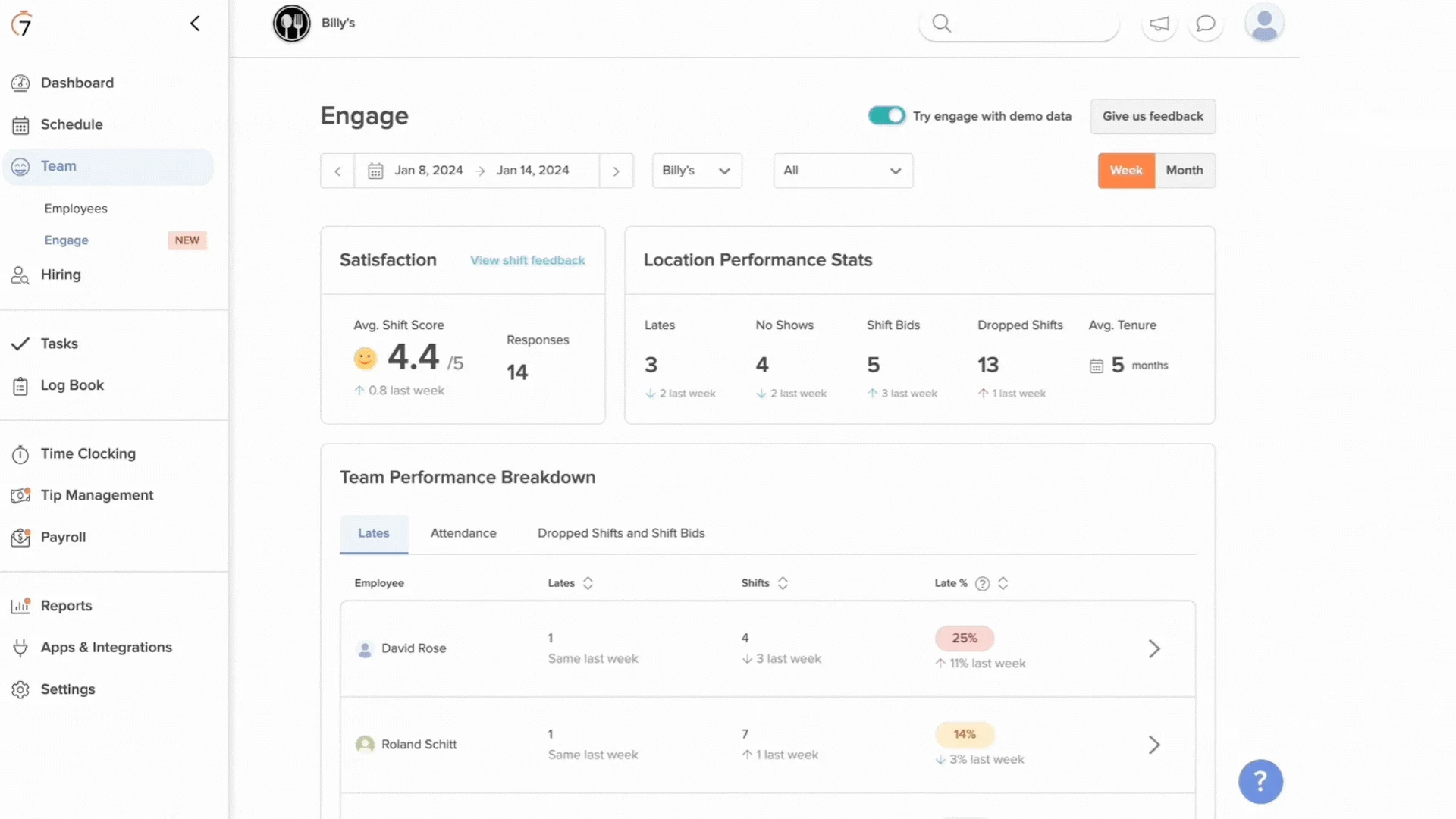
7shifts is a restaurant-specific scheduling platform built from the ground up for food service, and that focus shows in details generic tools miss: tip pooling, POS-integrated labor forecasting, and role-based scheduling by front-of-house and back-of-house position.
Labor cost tracking pulls directly from sales data through Toast and other POS systems, giving restaurant managers a real-time view of labor as a percentage of sales rather than a static headcount plan.
Key Features
- Labor forecasting tied directly to POS sales data
- Native tip pooling and tip payout distribution
- Role and department-based scheduling for restaurant shifts
- Manager log book for shift notes across a team
- Fair Workweek compliance tools for covered jurisdictions
- 65+ POS and payroll integrations
Pros and Cons
Pros: "It's clean, I like the drag and drop features, and the tip pooling is also easy enough to use." - G2 review
- The free Comp plan supports a single location with up to 15 employees
- Toast POS integration gives real-time labor-versus-sales visibility
- Restaurant-specific role scheduling handles split shifts more cleanly than general tools
Cons: "Pricing has increased, support is less than it has been in prior years, and it has been down frequently." - Capterra review
- Pricing is per location, so a multi-unit group pays regardless of headcount at each site
- Tip pooling, task management, and auto-scheduling are gated to higher tiers
- Built specifically for restaurants, so the fit outside food service is thin
Pricing
- Comp plan: free for one location, up to 15 employees
- Comp (paid): 39.99CAD (~28.49 USD) per location/month
- Pro: scales up to ~79.99CAD (~56.99 USD)
- Premium: scales up to ~134.99CAD (~96.18 USD)
6. Sling
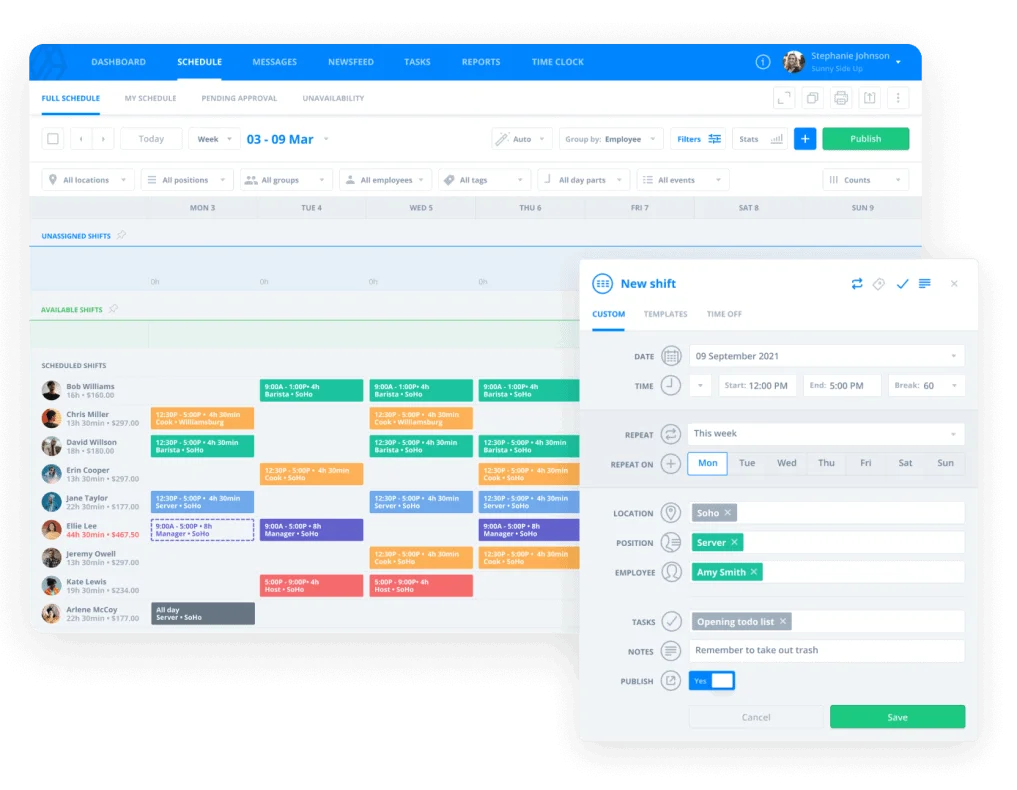
Sling is a budget-first scheduling app with the most generous free tier in this category: unlimited scheduling, team messaging, and task management for up to 30 users at no cost. That makes it a strong fit for cost-conscious small businesses that need real scheduling now and can add time tracking or labor-cost reporting later. The trade-off is lighter analytics and fewer integrations than premium competitors.
Key Features
- Free scheduling for up to 30 users
- Built-in team messaging and company newsfeed
- Labor-cost tracking against a set budget
- Task management with checklists tied to shifts
- Shift swap and time-off request workflows
- Optional time clock with geofencing
Pros and Cons
Pros: "Sling makes it easy to connect with coworkers especially in different departments. It is helpful for managing schedules and sending important information. It is very user friendly." - G2 review
- Free tier covers unlimited scheduling for up to 30 people, a rare commitment at that price
- Built-in messaging removes the need for a separate group chat tool
- Premium tiers stay well below Deputy or 7shifts on a per-user basis
Cons: "I felt the app has features that could be updated for better usage, like employee adjust shift with management approval, forms, etc." - Capterra review
- POS integration is limited to the top Business tier
- No built-in payroll processing; hours export to a third-party provider
- Reporting stays basic compared to Deputy or 7shifts at similar price points
Pricing
- Free plan for up to 30 users — basic scheduling and messaging
- Premium: $1.70/user/month — adds time tracking, overtime management, labor cost controls
- Business: $3.40/user/month — advanced reporting, kiosk tracking, absence management, PTO tools
- All tiers billed annually
7. Legion
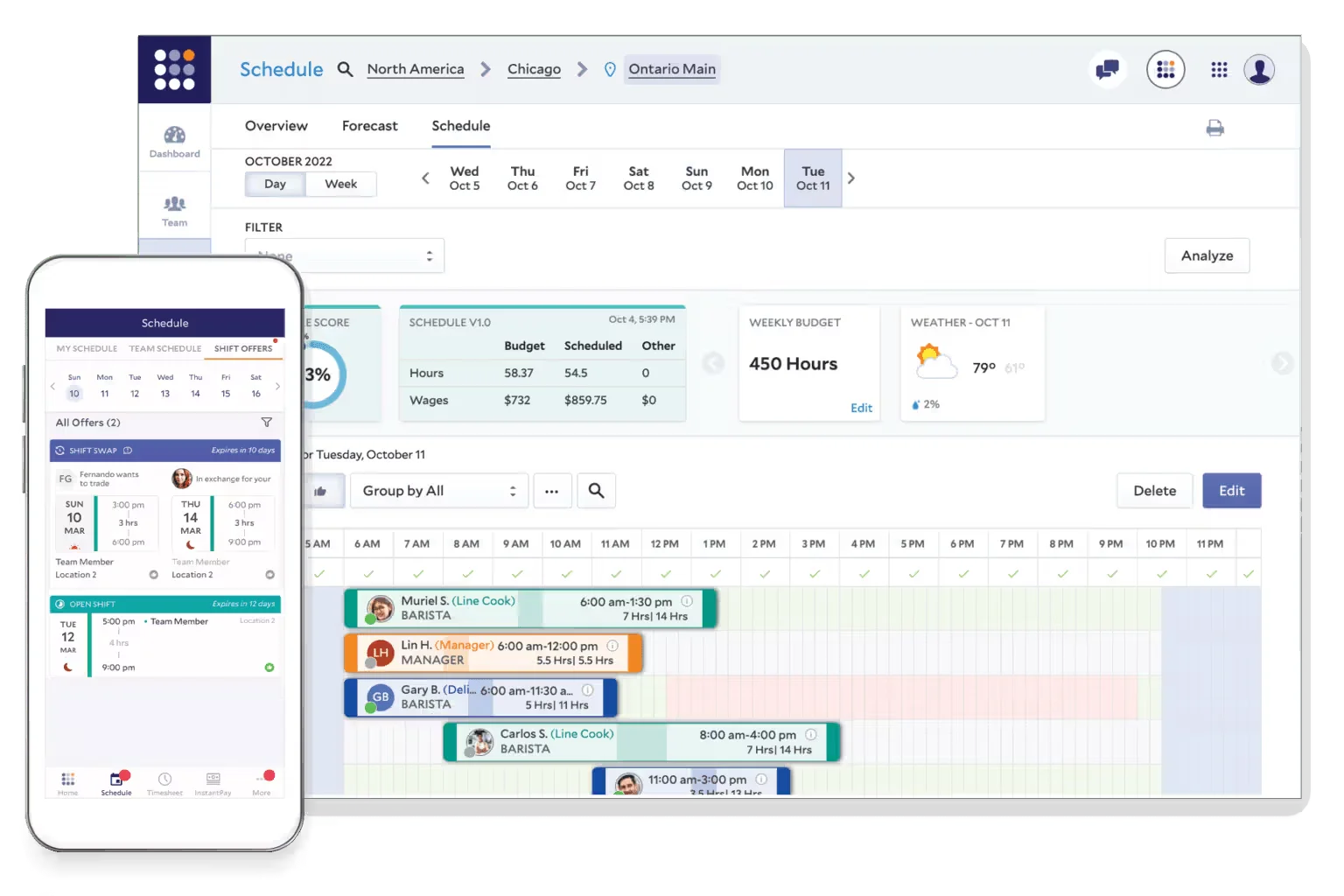
Legion is an AI-powered workforce scheduling platform built for enterprise retail and hospitality chains that need demand-driven scheduling at real scale. Its forecasting engine uses historical and real-time demand signals to generate schedules automatically, then adjusts as conditions change. That depth is aimed at multi-hundred-location operators, not a single restaurant or retail shop deciding between a spreadsheet and its first scheduling tool.
Key Features
- AI-driven demand forecasting across large, multi-location operations
- Automated schedule generation optimized against labor budget
- Real-time schedule adjustments as demand shifts
- Employee self-service mobile app for shifts and availability
- Compliance visibility that flags labor law violations in real time
- Integration with existing payroll and HRIS systems
Pros and Cons
Pros: "I can see my schedule as clear as day. I can observe my schedule quite clearly, see who I would be working with or to even offer up shifts. I like everything with the app." - Capterra review
- AI forecasting reduces manual schedule-building for large, multi-site operators
- Real-time compliance visibility helps large chains manage labor law risk across jurisdictions
- Mobile self-service tools cut down routine administrative requests to managers
Cons: "Some glitches when you navigate between tabs." - G2 review
- Custom, quote-only pricing makes early budgeting difficult
- Implementation reportedly takes longer than SMB-focused competitors
- Overkill for a single location or a small hourly team
Pricing
- No published pricing
- Plans quoted individually based on headcount, locations, and selected modules
- Contact sales for an estimate
8. Shiftboard (ScheduleFlex)
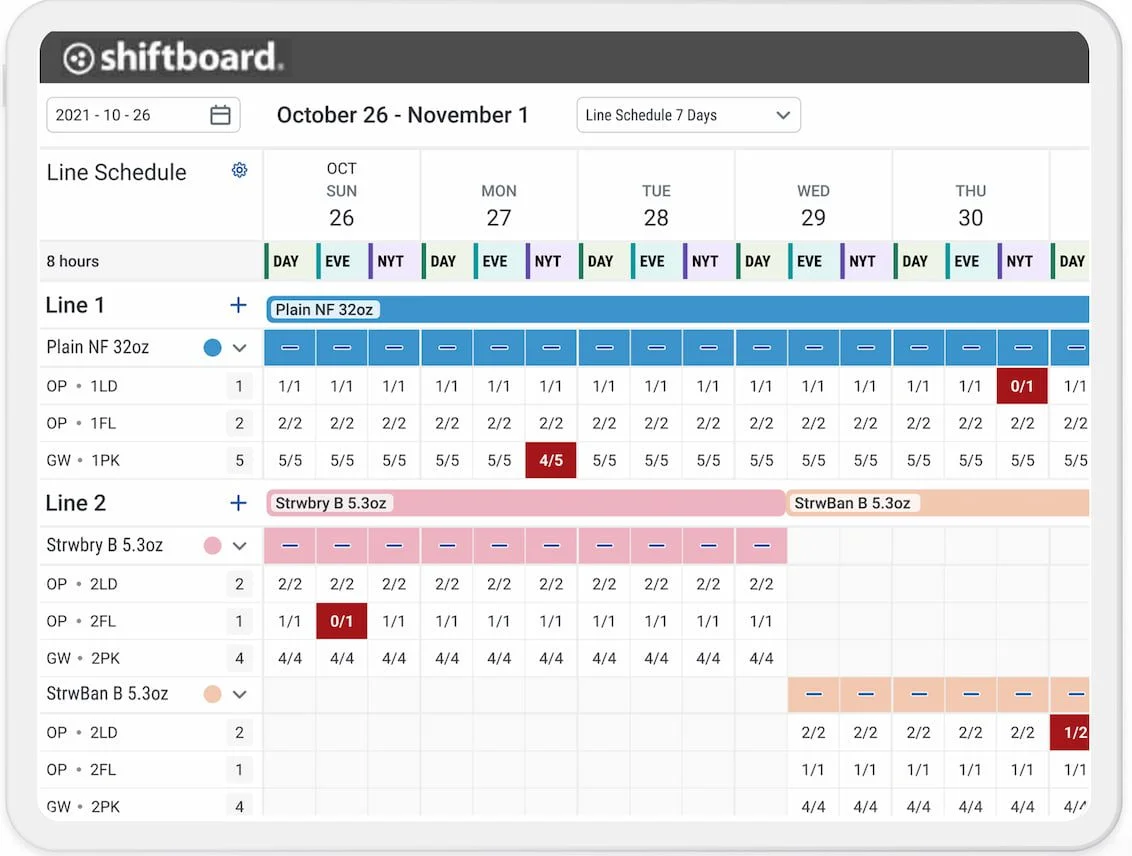
Shiftboard's ScheduleFlex product is built for industrial, manufacturing, and healthcare operations running complex, round-the-clock rotations where staff need specific credentials to be eligible for a given shift.
Day-of scheduling tools handle last-minute call-outs and demand spikes by automatically matching qualified, available staff to open slots, which matters more in a hospital or plant than in a retail store with predictable hours.
Key Features
- Credential and qualification-based shift assignment
- Day-of scheduling tools for last-minute coverage gaps
- Self-service profile and availability management for employees
- Multiple calendar views for complex rotation patterns
- Mobile-first design for frontline staff
- Time and attendance tracking alongside scheduling
Pros and Cons
Pros: "Allowing our staff to log in and be involved in their own profile maintenance has taken an administrative burden off of our team." - G2 review
- Credential-based matching fits regulated industries that generic schedulers cannot handle
- Employee self-service on profile data lightens the administrative load on managers
- Reviewers in mid-market and enterprise segments rate ease of setup consistently high
Cons: "Shiftboard will sign you out often, which can be irritating when working longer days tracking agents. If an agent picks up a shift, Shiftboard does not automatically update if it is within a certain amount of time; you may have to refresh the page, which can interrupt productivity and current views to see real-time adjustments." - G2 review
- Built for complexity, so it carries more setup overhead than SMB-focused tools need
- Session timeouts and manual refreshes frustrate users managing long shifts
- Interface reads less polished than consumer-style scheduling apps
Pricing
- Custom, quote-based pricing; exact figures not publicly disclosed
- Third-party estimates place starting prices between $2 and $6/user/month
- Typically requires minimum user thresholds or implementation fees depending on deployment
9. Skedulo
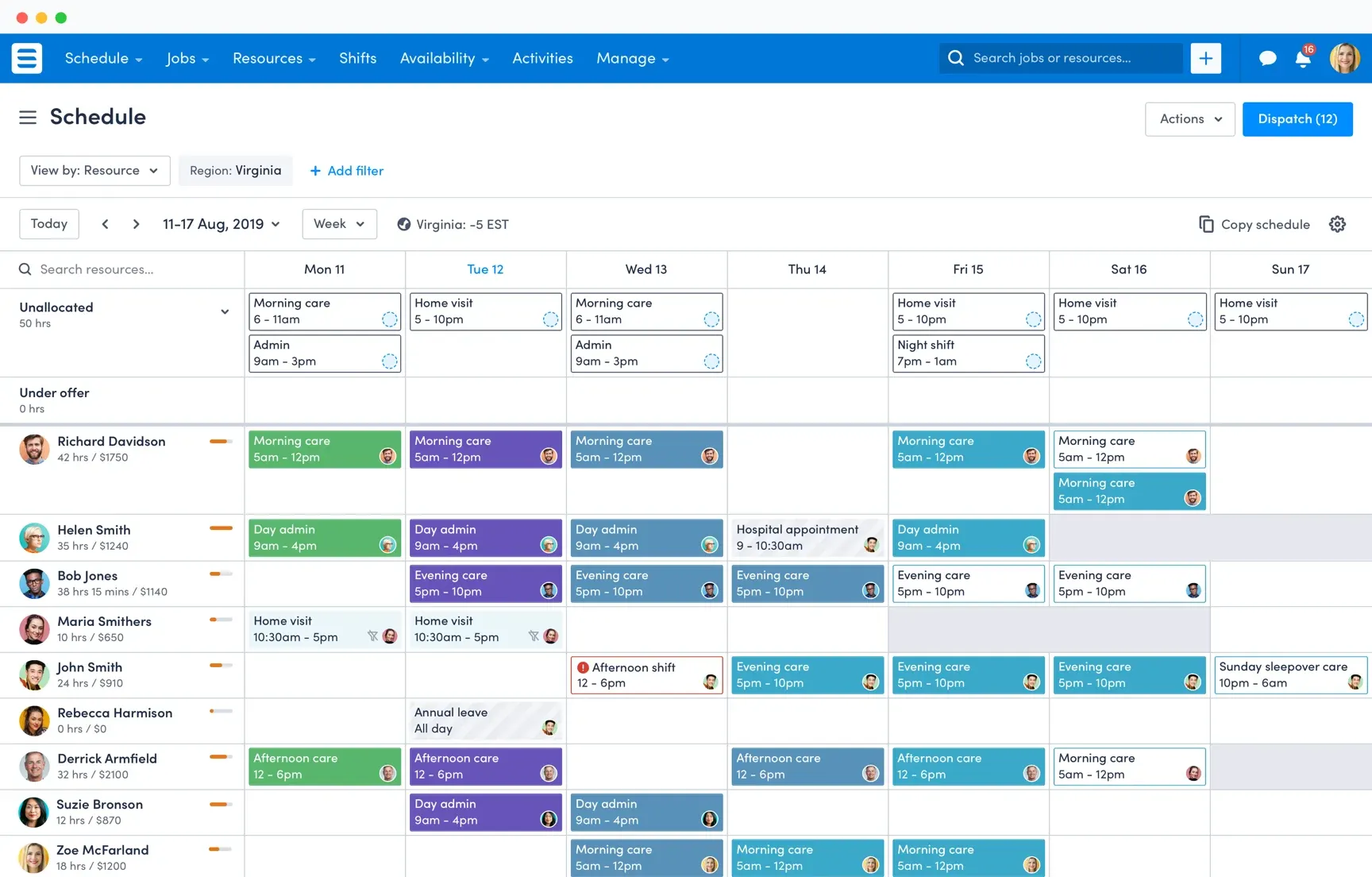
Skedulo is a deskless workforce scheduling platform purpose-built for field service teams: home healthcare visits, utility technicians, and any workforce dispatched to a job site rather than a fixed location. Route-aware scheduling considers travel time and location when assigning jobs, and the mobile app gives field staff the job details they need without a call back to the office. It is not built for a fixed-location shift team; that is not its market.
Key Features
- Route-aware, location-based job scheduling and dispatch
- Mobile job management for field and deskless workers
- Real-time visibility into job status and workforce utilization
- Salesforce-native integration for CRM-driven scheduling
- Actionable analytics on workforce utilization
- Support for healthcare, utilities, and field service compliance needs
Pros and Cons
Pros: "Skedulo is great when it comes to scheduling and tracking appointments. I enjoy that we can integrate our customer's information and our calendars with ease." - Capterra review
- Route-aware dispatch is a genuine differentiator for field teams covering wide territories
- Native Salesforce integration suits organizations already running on that CRM
- Used at scale by organizations like DHL and the American Red Cross for mobile job coordination
Cons: "I do not like when occasionally it will show that I haven't clocked out when I did! This doesn't happen often, but sometimes it does!" - G2 review
- No published pricing, so early budget conversations require a sales call
- Built specifically for field and deskless work, a poor fit for fixed-location shift teams
- Setup for advanced routing features adds real implementation time
Pricing
- Custom, per-user monthly subscription model
- Minimum license requirements enforced
- Volume-based pricing available for large deployments via sales team
10. UKG Pro Workforce Management
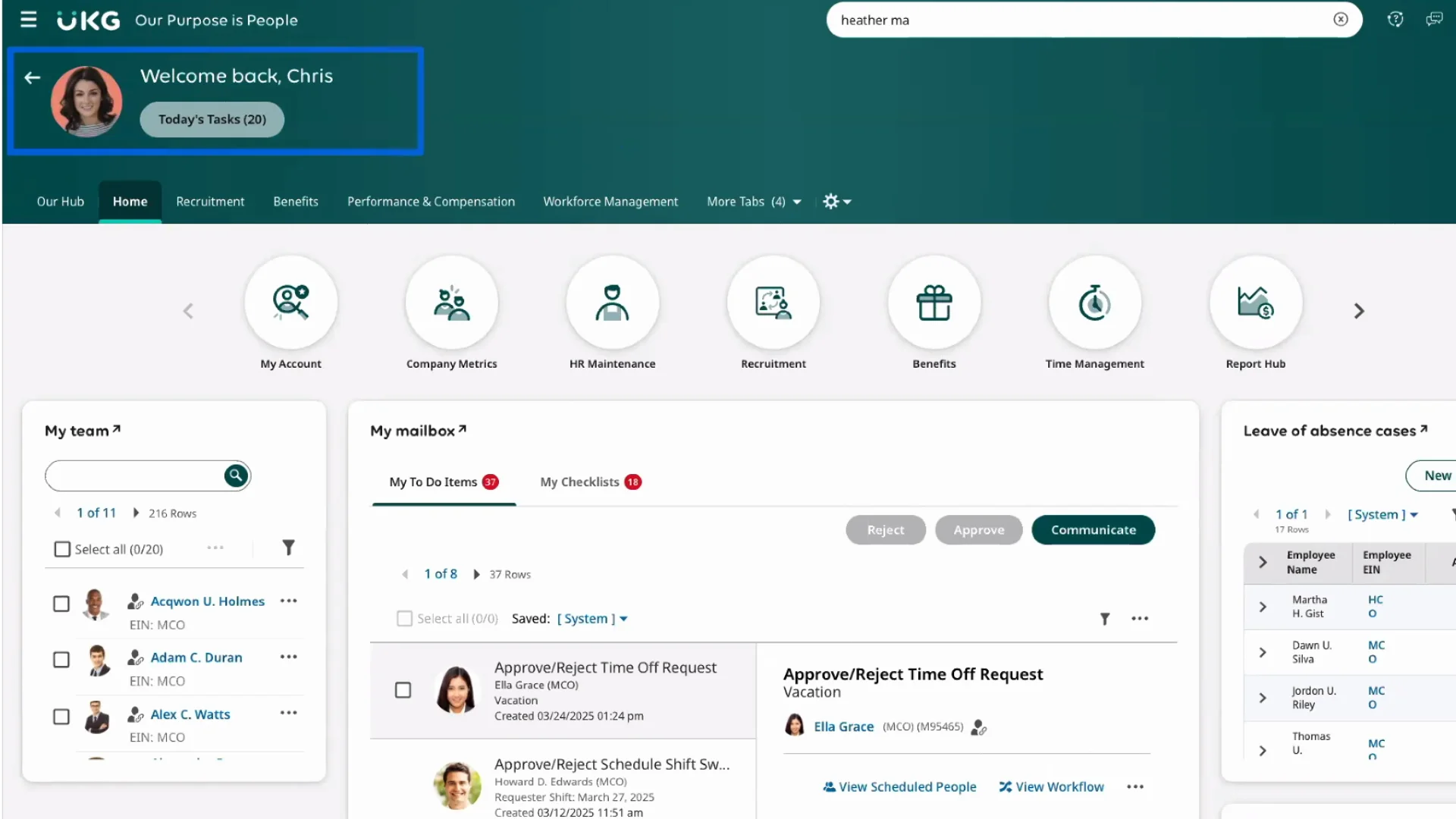
UKG Pro Workforce Management delivers enterprise-grade scheduling inside a full workforce management suite, aimed at large, complex organizations that need scheduling, forecasting, and compliance tracking under one HCM umbrella rather than as a standalone tool.
That breadth is the point: payroll, time and attendance, and scheduling share the same data model, so a schedule change flows through to labor cost reporting without a separate export step.
Key Features
- Advanced labor forecasting and demand-based scheduling
- Compliance tracking across multiple jurisdictions and labor rules
- Shared data model connecting scheduling, time tracking, and payroll
- Manager and employee self-service via mobile app
- Workforce analytics across time, attendance, and labor cost
- Integration within the broader UKG Pro HCM suite
Pros and Cons
Pros: "UKG Pro has been a reliable tool for managing employee information. From candidate processing to payroll to benefits management, it does it all. It has a good value for the money and a high level of support behind it." - Capterra review
- Scheduling, time tracking, and payroll share one data model, cutting reconciliation work
- Strong fit for organizations already running other UKG or HCM modules
- Compliance tracking scales across multiple states and labor jurisdictions
Cons: "I would like the reports to include more detailed information in the comments used to justify overtime, so that it is possible to more clearly identify the reason for the additional hours and facilitate their review and tracking." - G2 review
- Implementation typically runs months, not weeks, for a full deployment
- Overkill for organizations under roughly 1,000 employees
- Interface carries more weight than purpose-built SMB schedulers
Pricing
- Custom, quote-based pricing tailored to organization size and modular needs
- No public figures disclosed
- Independent estimates range from £2.00 (~2.68USD)to £7.50(~10.06 USD) per user/month
- Usually accompanied by implementation and deployment fees
How to Choose Employee Scheduling Software
The right pick depends more on your industry and workforce size than on any single feature checklist.
- If you run a restaurant or food service business, 7shifts is the clear starting point for tip pooling, POS-linked labor forecasting, and role-based scheduling built specifically for food service shifts.
- If you're a small hourly team on a tight budget, Homebase or Sling both offer real, usable free tiers; Homebase suits a single retail or service location, while Sling's free plan stretches further for teams up to 30 people.
- If you operate in a Fair Workweek jurisdiction, prioritize Deputy, 7shifts, or Shiftboard, all of which build predictive scheduling compliance into the schedule builder rather than bolting it on as a report.
- If you manage a field or mobile workforce, Skedulo's route-aware dispatch handles the location logic that fixed-location schedulers were never built for.
- If you're running a large, multi-hundred-location enterprise, Legion or UKG Pro Workforce Management bring the forecasting depth and compliance scale that smaller tools cannot match.
Finding the correct platform ultimately comes down to matching your operational complexity and budget with a tool built for your specific workflow. Assessing your team’s unique requirements against these strengths will point you toward the most sustainable solution.
Final Word
A scoring rubric narrows the field, but no framework replaces watching a tool handle your actual roster. Pull your most chaotic week from the last quarter, the one plagued by call-outs and shift swaps, and run it through a live demo with two or three vendors from this list before committing to a contract.
Ultimately, industry fit matters far more than an inflated feature count. While Deputy stands out as a strong general-purpose option for retail, hospitality, and healthcare, a restaurant operation is usually better served by 7shifts, a mobile crew by Skedulo, and a continuous industrial schedule by Shiftboard.
Begin by matching your workforce type to the right category, then use the compliance and labor-cost criteria outlined above to finalize your shortlist.
.png)