.svg)
Choosing HR software sounds straightforward until you're three demos deep, staring at feature comparison spreadsheets that all look the same. Most buyers make the same mistake: they start evaluating products before they've figured out what they actually need. The result is a system that gets implemented, underused, and eventually replaced at significant cost.
Getting this decision wrong is expensive. There are implementation fees, data migration headaches, and the organizational friction of retraining your team on a new platform 18 months later. Before you book a single demo, you need a clear framework for what you're looking for and why.
This guide walks you through exactly that. No vendor recommendations, no feature rankings, just a practical decision-making process that puts you in control of the conversation before vendors get a chance to shape it for you.

Step 1: Know Which Type of HR Software You Actually Need
The HR software market is crowded with products that all claim to do everything. In practice, they don't, and conflating categories is one of the main reasons buyers end up evaluating the wrong tools entirely. Before you request a single demo, get clear on what category of software actually applies to your problem.
5 Main HR Software Categories
1. HRIS (Human Resource Information System)
An HRIS is your central employee database. It handles core data like employee records, onboarding workflows, PTO tracking, and basic compliance. If your team is still managing this in spreadsheets or scattered across email threads, an HRIS is likely your starting point. Common examples include BambooHR, HiBob, and Rippling.
2. Payroll Software
Payroll software handles compensation processing, tax filing, and benefits administration. It is a distinct category from HRIS, though many platforms now bundle both. If payroll accuracy and compliance are your primary concern, tools like Gusto, ADP, and Paychex are built specifically for this. Paycor is another established name in this category, particularly for mid-market companies that want payroll and HR combined in one system.
3. Performance Management Software
Performance management platforms are built around reviews, goal-setting, continuous feedback, and employee development. These are not HR administration tools. They serve a different purpose and a different audience, primarily managers and HR business partners. Lattice, 15Five, and Teamflect are examples in this category. If this is your primary need, see our guide to performance management software.
4. ATS (Applicant Tracking System)
An ATS manages your recruiting pipeline: job postings, candidate tracking, interview scheduling, and offer management. If your main pain point is hiring volume and coordination, you likely need an ATS before anything else. Greenhouse, Lever, and Workable are well-established options in this space.
5. All-in-One Platforms
Some platforms combine several of the above into a single system. Rippling, Workday, and UKG are examples. These can be powerful, but they come with more complexity and higher cost. If you only need one or two functions, a focused point solution usually delivers more value at a comparable or lower price.
Step 2: Match the Software to Your Company Size
Not every platform is built for every stage of growth. The features that matter at 30 employees are very different from what matters at 500. Choosing a tool sized for the wrong organization creates either unnecessary complexity or a ceiling you'll hit quickly.
Small Businesses (Under 100 Employees)
At this size, simplicity and transparency matter most. You probably don't have a dedicated HR team, so the tool needs to be easy to set up and manage without deep technical resources. Prioritize clean payroll, straightforward pricing, and a minimal learning curve. Platforms like Gusto, BambooHR, and entry-level Rippling plans are worth evaluating. For more tailored options, see our best HR software for small businesses roundup. Teams whose main gap is goal tracking rather than a full HR system tend to fit better with OKR software built for startups, where the pricing and feature set match a leaner stage.
Mid-Market (100 to 1,000 Employees)
At this range, you start needing HRIS depth: organizational charts, custom onboarding flows, integration with your existing tools, and reporting that goes beyond headcount. Workflow configurability becomes important as your HR processes grow more structured. HiBob, Personio, and Rippling are strong candidates here.
Enterprise (1,000+ Employees)
Enterprise-scale HR requires granular permissions, multi-country compliance support, custom workflows, and dedicated implementation resources. SSO integration and robust security certifications are non-negotiable at this level. Workday and SAP SuccessFactors are the dominant platforms in this segment, though the implementation investment is significant. See our best enterprise HR software guide for a deeper look.
Step 3: Define Your Must-Have Features Before You See a Demo
One of the most common mistakes buyers make is letting vendors lead the demo. When a vendor controls the narrative, you end up evaluating their strengths rather than your requirements. Before any conversation with a vendor, work through the following feature areas and decide which ones actually apply to your organization.
Payroll and Compliance
How many states do you run payroll in? Do you have international employees or a significant contractor population? The more complex your payroll situation, the more you need a platform with strong native payroll capabilities, not just a third-party integration.
Core HR Data
What is your team currently managing in spreadsheets that you want to move into a system? Employee records, org charts, document storage, and onboarding checklists are the basics. Get clear on what data you need to centralize before evaluating how platforms handle it.
Performance Management
Are performance reviews currently happening in your organization? If so, who owns them and what cadence do they run on? Some platforms treat performance as a module bolted onto an HRIS. Others are built specifically for this use case and do it significantly better.
Recruiting
How many open roles do you typically manage per quarter? If the answer is fewer than five, a lightweight applicant tracking feature may be enough. Higher volume or competitive hiring environments usually call for a dedicated ATS.
Employee Engagement
Is measuring employee sentiment a current priority for your leadership team? If so, look for platforms with built-in pulse surveys. If your organization is already dealing with survey fatigue, be selective: adding another survey tool without a clear action plan can make things worse.
Reporting and Analytics
Who needs access to HR data in your organization? If it is HR administrators only, basic reporting will do. If managers and executives need visibility into headcount, turnover, or performance trends, you need a platform with meaningful analytics built in, not gated behind an enterprise tier
Integrations
What tools are already in your stack? Payroll, accounting software, Slack, Microsoft Teams, your project management platform. The more your HR software integrates with existing tools, the higher your adoption will be. Platforms that live in isolation often get abandoned.
Step 4: Understand Total Cost of Ownership
The price a vendor quotes in the first conversation rarely reflects what you will actually pay. Understanding the full cost of ownership before you commit protects you from budget surprises six months in.
Per-User-Per-Month Pricing
This is the standard pricing model in HR software. HRIS platforms typically range from $5 to $15 per user per month. Full-suite platforms with payroll, performance, and recruiting combined usually run $10 to $25 per user per month. These are general ranges; always verify current pricing directly with vendors, as rates shift.
Module Add-Ons
Platforms like BambooHR and Rippling charge separately for payroll, time tracking, and performance features. The base subscription price often reflects only the core HR data module. Build out the full feature set you actually need before comparing sticker prices across platforms.
Implementation Costs
Mid-market platforms often include onboarding support in the subscription. Enterprise platforms are a different story. Expect implementation costs ranging from $5,000 to $50,000 or more depending on complexity, custom integrations, and data migration scope. This cost is rarely included in the initial quote.
Switching Costs
This is the most underestimated cost in the category. When an HR system doesn't work out, the expense of migrating data, retraining staff, and absorbing productivity loss during the transition can exceed what you paid for the original implementation. Ask every vendor what a typical offboarding process looks like for a departing customer. Their answer tells you a lot about how confident they are in their own product.
Step 5: Evaluate Vendors the Right Way
A well-run vendor evaluation protects you from making a choice based on a polished demo environment rather than real-world performance. These questions and red flags are designed to cut through the sales experience and show you what the platform actually delivers.
Questions to Ask Every Vendor
- "Can you show us a real customer similar to our size and industry, not a demo environment with placeholder data?"
- "Which features in this proposal require an upgrade to access?"
- "What does a typical implementation timeline look like for a company our size?"
- "What is your average support response time for payroll and billing issues?"
- "What does the offboarding process look like if we decide to switch platforms?"
Red Flags to Watch For
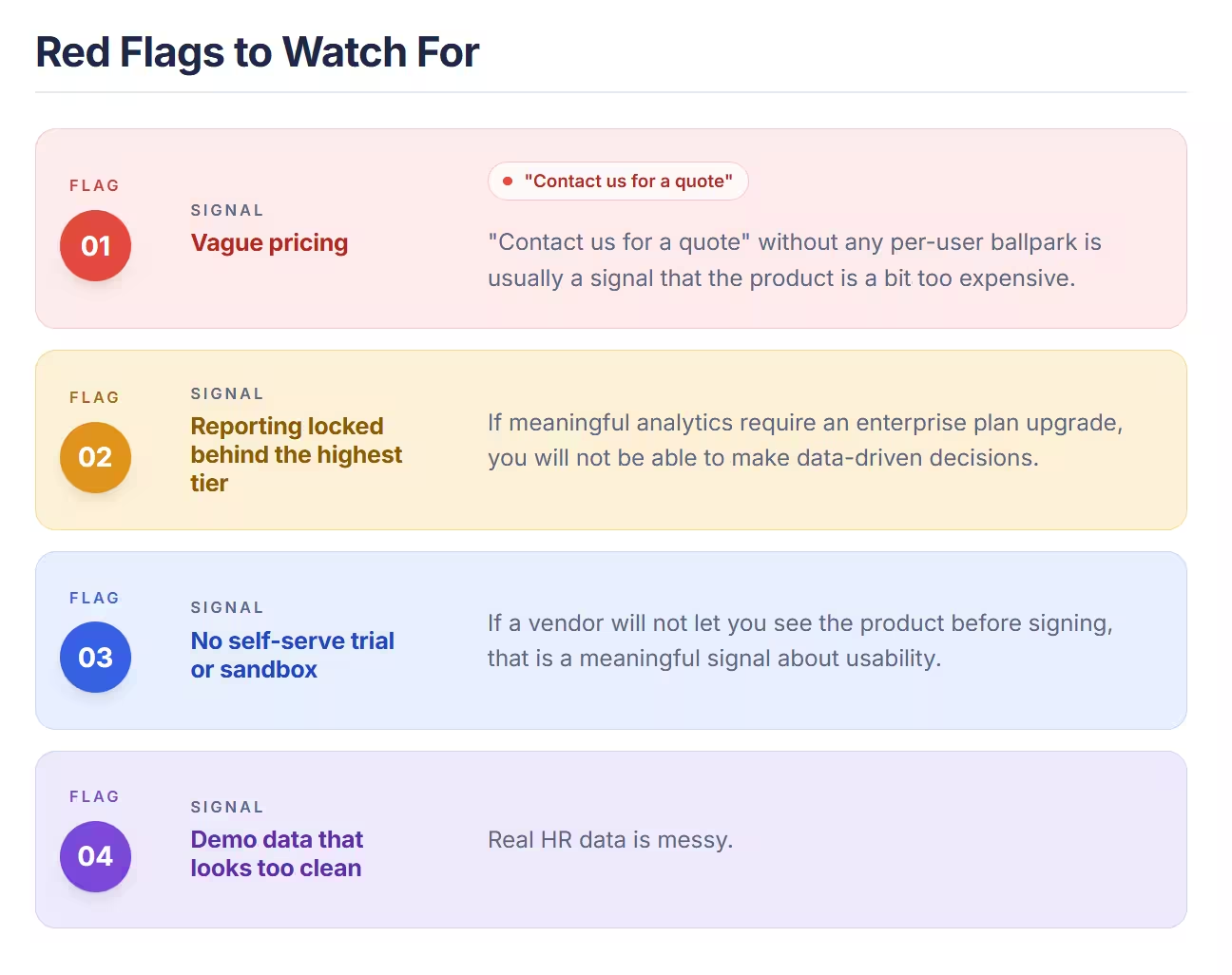
- Vague pricing: "Contact us for a quote" without any per-user ballpark is usually a signal that the product is priced above your range or the sales process involves significant pressure. Transparent vendors give you a range early.
- Reporting locked behind the highest tier: If meaningful analytics require an enterprise plan upgrade, you will not be able to make data-driven decisions about your workforce without paying significantly more than you expected.
- No self-serve trial or sandbox: If a vendor will not let you see the product before signing, that is a meaningful signal about usability. Platforms that are confident in their product give you access early. Those that are not tend to delay it until after you are committed.
- Demo data that looks too clean: Real HR data is messy. If a vendor refuses to demonstrate the platform with realistic scenarios and sticks to carefully curated demo environments, ask yourself what they are not showing you.
Find the Right HR Software for Your Situation
The right starting point depends on what you actually need. Use the links below to go deeper on the category that fits your situation best.
- Need payroll first? Start with our top payroll software roundup.
- Performance management is your priority? Review our top performance management software picks.
- Need flexible, custom review workflows? Check out PerformYard's performance platform.
- Exploring AI-powered options? See our guide to AI-powered HR software. Whatever tool ends up in your stack, ChatGPT prompts for HR teams tend to shape how much value it actually delivers day to day.
- Evaluating specific platforms? Compare BambooHR vs HiBob or Teamflect vs Perdoo.
The goal is not to find the most feature-rich platform. It is to find the one that fits your organization's size, structure, and actual priorities today, with enough flexibility to grow with you. Start with the category that matches your most pressing problem, get clear on your requirements before you talk to anyone, and hold vendors accountable to showing you the real product.
.avif)