
.svg)
Managing a remote workforce requires solving four distinct problems: cross-border payroll, time-zone coordination, tracking productivity, and driving engagement. With 60% of remote-capable employees preferring hybrid setups, one-third wanting fully remote work, and less than 10% favoring on-site structures, building a functional ecosystem is critical.
We have selected 12 tools that cover global HR/EOR services, project coordination, and analytics. Each is categorized by its exact function, as payroll software cannot manage tasks and project trackers cannot pay international contractors.
A quick editorial note: we have excluded invasive surveillance software that relies on keystroke logging or stealth screenshots. The best distributed teams focus on outcomes rather than monitoring activities, and these tool selections reflect that philosophy.
What Is Remote Workforce Management?
Workforce management (WFM) is the strategic process of allocating staff and software resources to maximize operational efficiency and productivity. At its core, WFM ensures you have the right mix of people available for the job by accurately forecasting workloads, hiring the right experts, and assigning tasks at the optimal time.
While managing these moving parts manually is complex, the process can be made significantly more efficient by utilizing the best workforce management software available, which automates scheduling, tracks time, and unifies team data.
When a company operates without a centralized headquarters, these core operational principles translate directly into remote workforce management.
Remote workforce management adapts these processes to hire, pay, coordinate, track, and engage employees who work outside a central office. It typically spans four sub-categories: global HR and payroll for distributed teams, time tracking and productivity analytics, work and project coordination, and all-in-one operations platforms for non-desk workforces. The right software depends on which part of that specific stack you are filling.
What to Look for in Remote Workforce Management Software
Choosing the right platform requires filtering out general software and focusing on features built specifically for distributed teams. Here’s what to prioritize when assessing your choices:
1. Identify Which Part of the Remote Stack You Need
The remote workforce management category spans global HR and payroll, time tracking, work coordination, and employee engagement. A global EOR platform will not help you manage project deadlines, and a project coordination tool will not process payroll in Brazil. Match the tool to the specific gap you are filling before comparing feature lists.
2. Async-First Design and Timezone Support
Remote teams span timezones, and many collaboration tools were built with in-office assumptions baked in. Look for tools that support asynchronous work: flexible scheduling, timezone-aware notifications, and recorded updates that do not require everyone to be online at the same time.
3. Productivity Insight With Transparency, Not Surveillance
If time or activity tracking is part of what you need, favor tools that are transparent with employees about what is being measured and why. Covert monitoring, such as hidden screenshots or keystroke logging without employee knowledge, damages trust and carries legal exposure in many jurisdictions. The tools on this list were selected with that standard in mind.
4. Integration Across Your Remote Stack
Remote management typically requires several tools working in parallel: an HRIS, a payroll system, a communication platform like Slack or Teams, and a project tool. Verify that integrations are real-time and stable on the systems you already run, not just listed on a features page.
5. Global and Compliance Fit
If any part of your team is international, prioritize tools with native global payroll, EOR capabilities, and multi-country compliance support. Domestic-only tools create immediate gaps the moment you hire across borders. For teams that are fully domestic, this criterion drops in priority, but it is worth checking before you scale. The right structure often comes down to PEO vs EOR, a distinction that matters more for compliance risk than the tool itself.
How We Evaluated Each Software
To build a definitive list of the best remote workforce management platforms, we conducted a rigorous screening process of active tools as of May 2026. Our research relies on a blend of developer documentation, hands-on testing, and deep-dive sentiment analysis across trusted aggregators like G2 and Capterra.
Crucially, our evaluation weights high review volume over a flawless star rating alone. A 4.5-star rating backed by only 40 reviews often lacks statistical significance; conversely, a 4.3-star average sustained across 4,000 independent reviews demonstrates true market endurance and reliability under varied operational demands.
No vendor paid for inclusion or ranking on this list. Instead, every platform was scored against five core performance criteria:
1. Sub-Category Fit and Operational Depth
We evaluated tools based on their actual capability within their designated function, ignoring superficial marketing checklists. For instance, an EOR platform was judged on the legal stability of its local entities and tax compliance accuracy, while project tools were assessed on advanced dependency mapping rather than basic task lists.
2. User Satisfaction and Review Integrity
We analyzed verified G2 and Capterra data, filtering for recency to reflect current software builds. Our team specifically combed through critical and mid-tier reviews to isolate recurring pain points, such as API failures or poor customer support, ensuring a platform's high score holds up under daily operational pressure.
3. Remote-First Architecture and Async Design
We prioritized platforms built natively for asynchronous, timezone-spanning workflows over legacy office software with remote features bolted on. Selected tools include specific UX design choices like timezone-aware notifications, flexible scheduling modules, and centralized documentation hubs that eliminate the need for live meetings.
4. Transparency in Monitoring and Outcome-Focused Metrics
We heavily penalized invasive surveillance mechanisms like hidden screenshots, keystroke logging, and mouse-movement tracking, which damage trust and carry legal risks. Instead, we selected transparent systems that give employees full visibility into their tracked data, focusing on objective project delivery rather than constant surveillance.
5. Integration Ecosystem and Global Capability
A remote tool must connect with your existing tech stack. We evaluated how effectively these platforms link with core systems like Slack, Microsoft Teams, and accounting ledgers. Where cross-border operations apply, we also verified the tool's ability to handle localized labor laws, multiple currencies, and international data privacy regulations.
The 12 Best Remote Workforce Management Software Platforms in 2026
To help you choose the right software for your operational setup, we have compiled the market's leading options. Each entry focuses on solving a distinct part of the remote stack, ranging from international compliance to operational logistics, ensuring you can match the technology to your organization's exact needs.
Here is our detailed analysis of the top performers in the market.
1. Deel
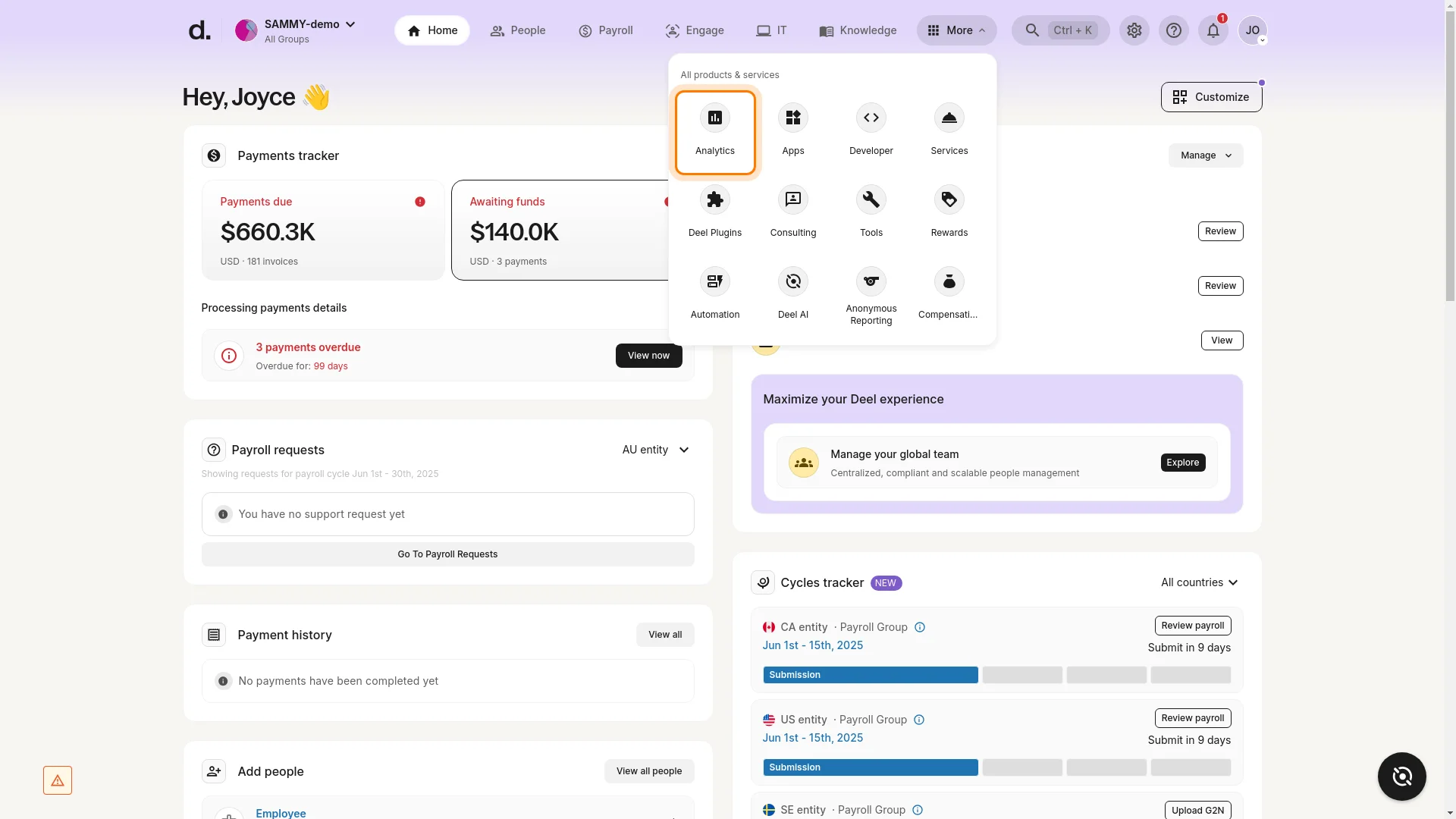
Deel sits at the top of this list because it addresses the hardest problem in remote workforce management: legally employing and paying people in countries where your company has no legal entity. Operating across 150+ countries with a combination of owned entities and verified local partners, Deel handles contractor payments, full-time EOR employment, and multi-country payroll software from a single platform.
Key Features
- EOR services in 150+ countries, covering employment contracts, local benefits, and statutory compliance
- Contractor management with multi-currency payments and locally compliant contracts
- Deel Payroll for organizations running their own entities abroad
- Built-in immigration support and visa management for internationally mobile employees
- Compliance documentation, local tax filings, and IP protection agreements handled in-platform
- Integrations with BambooHR, Workday, NetSuite, QuickBooks, and Slack
Pros and Cons
Pros: "Outstanding tool for payments and contract management. Very intuitive and easy to set and link to my domestic bank account." - Capterra review
- Global reach is broad. Few competitors match 150+ country coverage, which matters for organizations hiring in less common markets.
- Contractor and EOR workflows are handled in the same platform, useful for teams that mix both employment types across markets.
- Compliance documentation is generated and maintained in-platform, reducing the manual overhead of managing local legal requirements across multiple countries.
Cons: "Sometimes, he takes longer than he should to send the money from one account to another, which ends up being inconvenient when I need the transfer to be faster." - G2 review
- Country coverage uses a hybrid model: Deel owns legal entities in some markets and uses local partners in others. The compliance assurance differs between the two, and buyers should verify which model applies to their key hiring markets.
- The platform depth extends beyond global employment into HR workflows, but those broader features are still maturing relative to dedicated HRIS platforms.
Pricing
Deel's monthly per-worker pricing is $49 to $325 for contractors, $125 for US PEO, and $599 to $899 for Employee of Record (EOR). Recruitment starts at $99 per hire, while applicant tracking and extra setup services require custom quotes.
2. Rippling
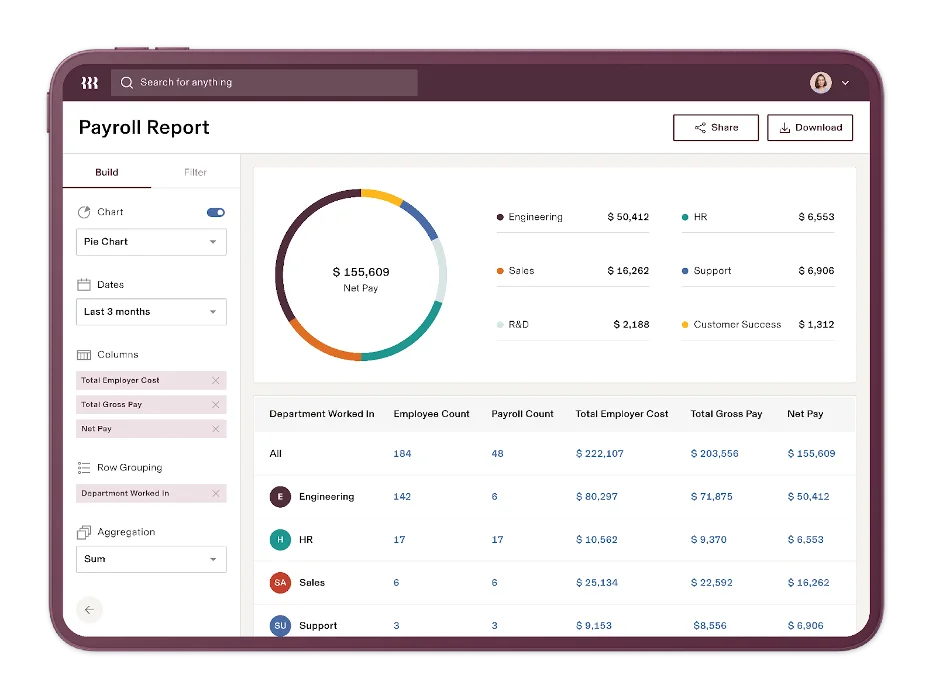
Rippling's defining feature for remote teams is something most HR platforms do not offer at all: IT device management alongside HR, payroll, and benefits in the same system.
When a new hire joins from a different country or city, Rippling can provision their laptop, set up software access, run payroll, and enroll them in benefits from a single admin workflow. That full-cycle automation is what separates it from HR-only alternatives and the best HRIS software guide for comparison across the HRIS category.
Key Features
- Unified HR, IT, and payroll platform with single-record employee data across all three modules
- Remote device provisioning and management, including app access, device enrollment, and offboarding wipes
- Global payroll and EOR through Rippling Global, covering 185+ countries
- Benefits administration with international benefits support
- Workflow automation engine that triggers onboarding and offboarding actions across HR and IT simultaneously
- Integrations with 600+ apps including Slack, Google Workspace, Microsoft 365, and Salesforce
Pros and Cons
Pros: "The interface makes it easy to use and navigate. It’s simple to spot important information quickly, and there’s a wide range of options and features to choose from. The onboarding process was straightforward, and I didn’t have to reach out for any additional training." - G2 review
- The IT module is a genuine differentiator. Remote teams that currently manage device provisioning and software access in a separate system will find the consolidation meaningful.
- Single-record employee data means changes in HR propagate automatically across payroll and IT, reducing the duplicate-entry errors common in multi-system remote stacks.
- The workflow automation engine handles complex onboarding sequences without manual coordination between HR and IT teams.
Cons: "The amount of emails my new hires get during onboarding. That is the only complaint that I have at this time." - Capterra review
- Pricing is modular and not fully transparent without a sales conversation. Organizations adding several modules can find the total cost climbs significantly from the base plan.
- Support is primarily ticket-based, which can be slow for time-sensitive payroll or compliance issues.
- The platform's breadth means a real learning curve for admin teams new to unified HR and IT management.
Pricing
Rippling provides customized pricing for its business management platform rather than fixed rates. To obtain a price quote, businesses must submit a request form detailing their company name, employee count, and headquarters location.
3. monday.com
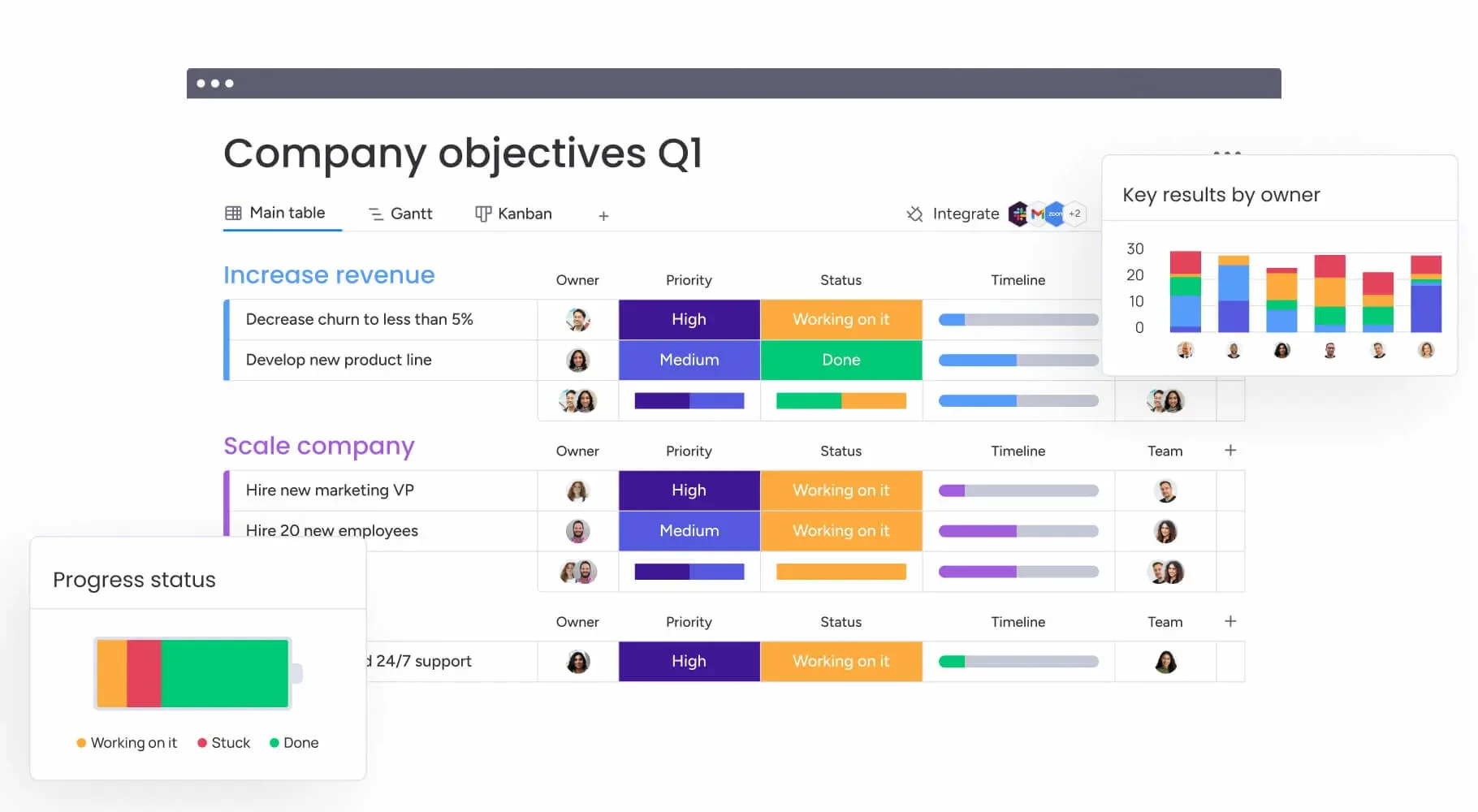
monday.com belongs in the work coordination sub-category, not HR or payroll. Its strength for remote teams is flexibility: boards, timelines, and automations that can be configured to fit almost any project structure, with async-friendly features that keep distributed teams aligned without requiring overlapping hours. monday.com does not manage people in the HR sense, but it manages work effectively across timezones.
Key Features
- Customizable boards for project tracking, task assignment, and status updates across distributed teams
- Timeline and Gantt views for project planning across multiple timezones
- Automations for recurring tasks, deadline reminders, and status notifications without manual follow-up
- Workload view showing individual capacity across the team in real time
- Async update features including video updates, file sharing, and comment threads on tasks
- Integrations with Slack, Microsoft Teams, Google Workspace, Zoom, Salesforce, and 200+ others
Pros and Cons
Pros: "I really like how customizable the boards and columns are." - G2 review
- The visual flexibility is genuinely broad. Teams can configure monday.com for sprint management, content calendars, client projects, and operational workflows without needing separate tools for each.
- Async collaboration features, including threaded comments and file attachments on tasks, reduce the number of check-in meetings needed to keep distributed teams current.
- The automation builder requires no coding and handles a meaningful portion of routine coordination overhead.
Cons: "Some of the integrations requires a lot of effort and configuration to get the desired functionality.” - Capterra review
- monday.com is not an HR, payroll, or time-tracking tool. Organizations looking to cover more of the remote stack will need it as part of a broader set.
- Pricing scales quickly at larger team sizes, particularly when moving from the Standard to the Pro plan for advanced features like time tracking and private boards.
Pricing
Billed annually for a 10-seat team, pricing features three paid tiers: Basic at $9 per seat/month ($90 total), Standard at a discounted $12 per seat/month ($120 total), and Pro at a discounted $19 per seat/month ($190 total), each scaling up in AI credits and workflow features. A custom-priced Enterprise plan offers tailored scaling and security, while a basic free-forever option is restricted to 2 seats.
4. ClickUp
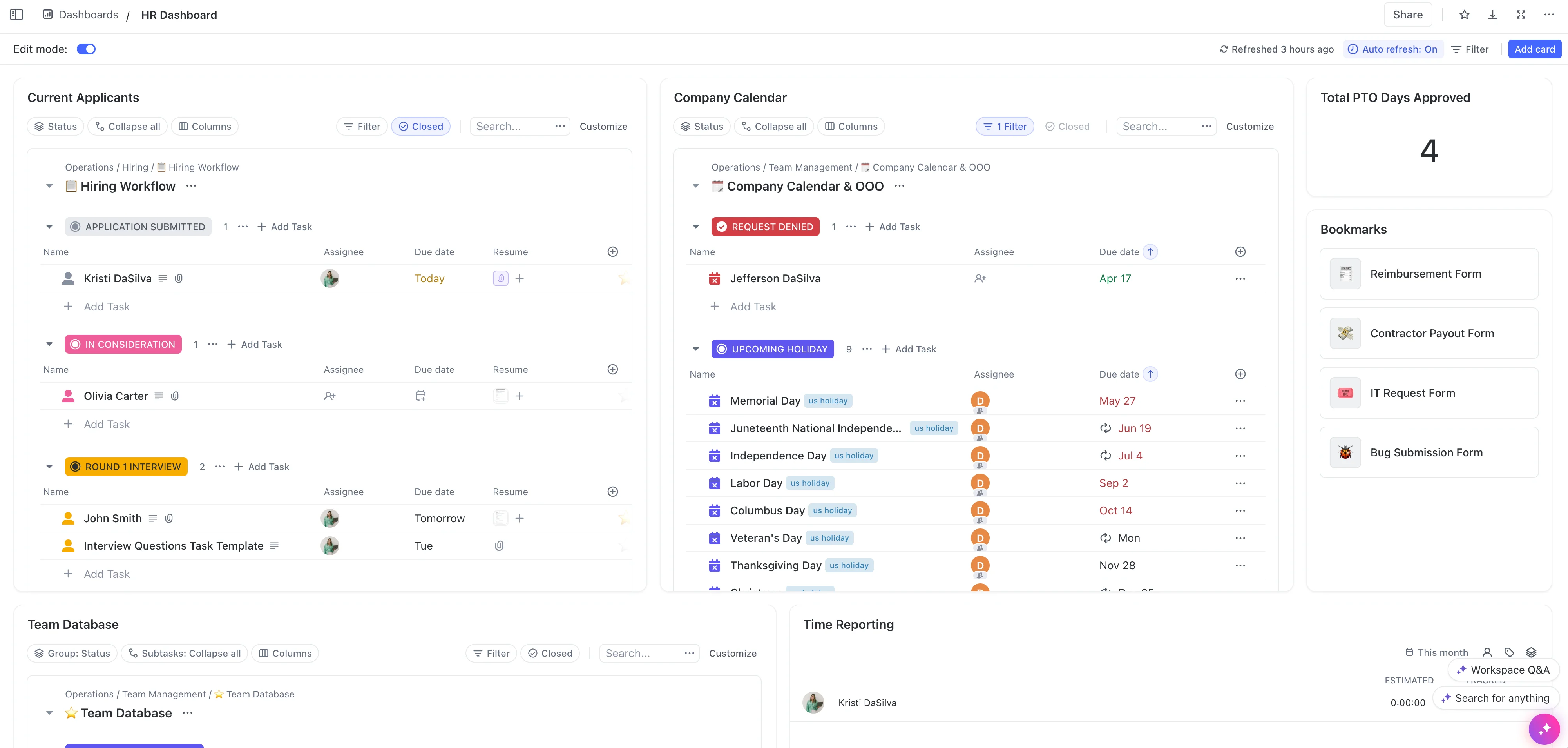
ClickUp addresses a specific problem common to remote teams: tool sprawl. Project tracking in one place, documentation in another, goals in a third. ClickUp combines tasks, docs, goals, whiteboards, and time tracking in one workspace. For fully remote teams trying to reduce the number of tabs open at any given time, that consolidation has real practical value.
It sits in the work coordination sub-category alongside monday.com, but leans more heavily toward teams that want docs and tasks in the same environment.
Key Features
- Tasks, subtasks, and nested lists with custom statuses, assignees, and due dates
- Built-in docs and wikis for team knowledge bases and async documentation
- Goals and OKR tracking connected to tasks and projects
- Native time tracking with reporting for billable hours and productivity
- Whiteboards for async visual collaboration
- Integrations with Slack, Google Workspace, GitHub, Figma, Zapier, and 1,000+
Pros and Cons
Pros: "ClickUp has some good features. Their dashboard is nice and pretty easy to navigate. The collaboration is high quality too. I'm able to communicate well with my supervisor on projects we have to accomplish on a timeline." - Capterra review
- The breadth of ClickUp's workspace, from docs to tasks to goals, genuinely reduces the number of tools a remote team needs to run day-to-day operations.
- The free plan is one of the most capable in the project management category, making it accessible for smaller remote teams with tight budgets.
- Customization at the task and workspace level is deep enough that most remote team workflows can be adapted into ClickUp without significant workarounds.
Cons: "The only thing I don't like is the search option. It takes time for the software to find some tasks. It's frustrating when you want to look for something and sometimes the AI pops up immediately instead of asking before opening." - G2 review
- Feature density is ClickUp's main friction point. New users face a real learning curve, and admin teams sometimes spend significant time configuring the workspace before it is usable.
- At very large scale, some users report performance slowdowns, particularly in workspaces with extensive nested tasks and large file attachments.
Pricing
ClickUp's annual pricing features three tiers: a limited Free Forever plan for individuals, the Unlimited plan at $7 per user/month for small teams, and the Business plan at $12 per user/month for mid-sized teams.
5. Hubstaff
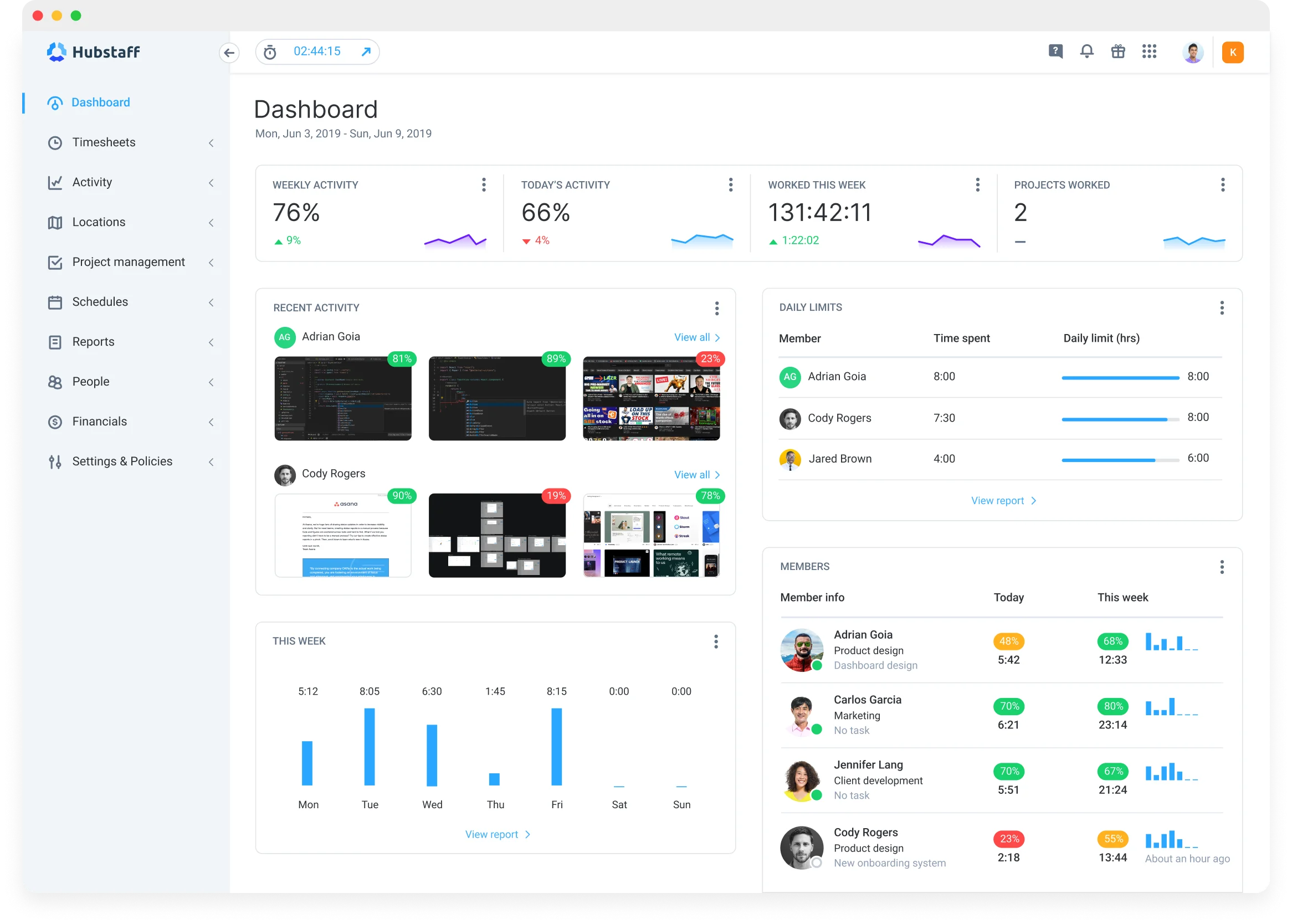
Hubstaff fits in the time tracking and productivity analytics sub-category, serving remote teams that need verifiable data on where hours are going, without veering into covert monitoring territory. It offers time tracking, optional screenshot capture (disclosed to employees), GPS tracking for field teams, and productivity reporting. The distinction that earns it a place on this list: Hubstaff's monitoring features are designed to be visible to employees, not hidden.
Key Features
- Time tracking via desktop, mobile, and browser apps with idle detection
- Optional screenshot capture at configurable intervals, with employees aware it is active
- GPS and location tracking for field-based and mobile remote workers
- Productivity reports broken down by app usage, URLs visited, and active time
- Payroll integration based on tracked hours, with support for multiple pay rates
- Integrations with Asana, ClickUp, Jira, QuickBooks, Gusto, and 30+ others
Pros and Cons
Pros: "It is easy to use and helps track time accurately. It helps to evaluate the team productivity. Reports are useful and work well for remote teams." - Capterra review
- The transparency architecture matters. Employees can see what is being tracked, which reduces the trust erosion that follows covert monitoring tools when employees eventually discover them.
- GPS tracking fills a real gap for organizations with field-based remote workers who are not desk-bound.
- The payroll integration based on tracked hours closes the loop between time data and compensation without a manual export step.
Cons: "The interface can be a bit confusing for new users and sometimes syncing can be slightly slow." - G2 review
- Hubstaff remains primarily a tracking tool. It does not coordinate projects, manage HR records, or handle payroll processing on its own. It needs to sit alongside other tools in the remote stack.
- Even with transparent deployment, some employees experience discomfort with activity monitoring. Organizations should communicate clearly about what is tracked and why before rolling it out.
Pricing
Monthly per-seat pricing spans four tiers (with a two-seat minimum for paid plans): Starter ($4.99) for basic tracking, Grow ($7.50) for reporting and one integration, Team ($10.00) for scheduling and payments, and Enterprise ($25.00, billed annually) for custom setup. Optional features like advanced insights, extra storage, and location tracking can be added starting at $1.67 to $3.33 per seat.
6. Connecteam
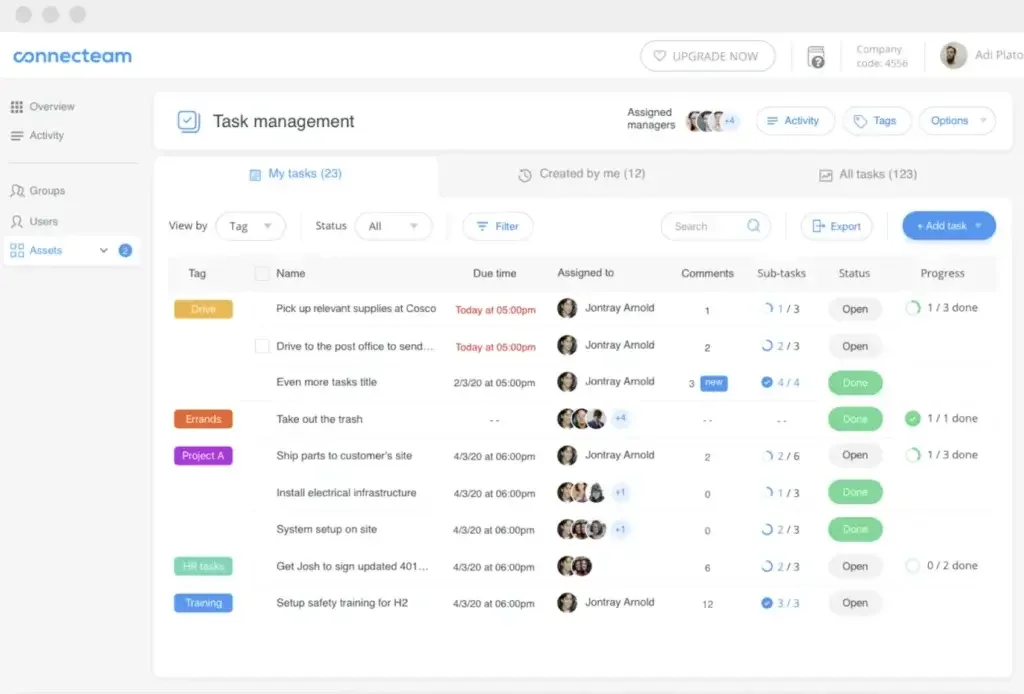
Connecteam serves a part of the remote workforce that most tools on this list largely ignore: non-desk, frontline, and field-based workers. Retail staff, logistics teams, cleaning crews, healthcare aides, and similar workforces that are distributed by nature but not knowledge workers. Connecteam bundles scheduling, team communication, task management, time tracking, and HR documentation in a mobile-first platform with a free tier for small teams.
Key Features
- Employee scheduling with shift assignment, swap requests, and manager approval workflows
- Time clock with GPS stamping and geofencing for distributed field workers
- In-app team communication including group chats, updates, and announcements
- Task management with checklists, forms, and completion tracking
- Digital HR documentation: onboarding flows, policy acknowledgment, and training modules
- Free plan for teams up to 10 users; transparent published pricing for larger teams
Pros and Cons
Pros: "Connecteam is user friendly and very easy to learn. It was nice to have the walk-through when you start using it but it's almost unncessary, it's that easy!" - G2 review
- Mobile-first design is a genuine differentiator for frontline and field-based workforces. The app works on the devices distributed workers actually carry.
- The free plan for up to 10 users is one of the more generous in the category, allowing small teams to run a complete operational workflow before committing to paid tiers.
- Scheduling, communication, and time tracking in one platform reduces the coordination overhead that comes from running those three functions in separate tools.
Cons: "Difficult to get started and set up. Pay rates for differing people and amounts are a little clunky." - Capterra review
- Connecteam is built for frontline and operational workforces. Desk-based knowledge teams, product teams, or engineering organizations will find it less suited to their workflows.
- Communications depth does not match dedicated internal comms platforms. Teams with complex communication needs may find the in-app messaging limiting compared to Slack or Teams.
Pricing
The platform is entirely free for up to 10 users. For larger teams, annual pricing applies per hub across three main tiers for the first 30 users, plus a fee for each extra user: Basic at $29/month (+$0.50 to $0.80/user), Advanced at $49/month (+$1.50 to $2.50/user), and Expert at $99/month (+$3.00 to $4.20/user). A custom-priced Enterprise plan is available for tailored corporate scaling.
7. Time Doctor
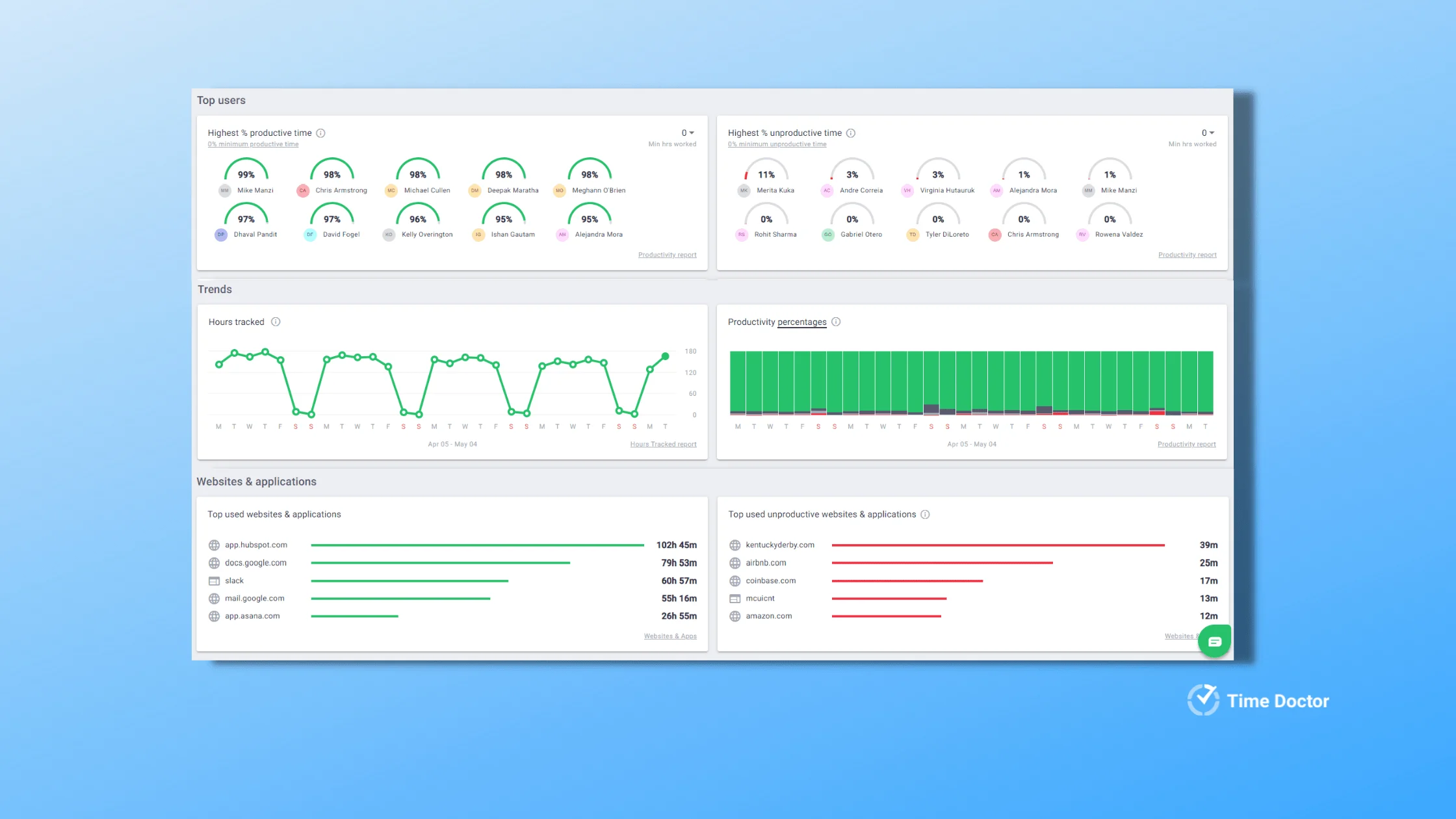
Time Doctor belongs in the same time-tracking sub-category as Hubstaff, but leans further into granular productivity data. It captures time at the task level, tracks websites and applications in use, and generates detailed reports on where hours go across individuals and teams. It is the right choice for remote organizations that need specificity in their productivity data, provided they deploy it transparently. Used without clear employee communication, it crosses into surveillance territory quickly.
Key Features
- Task-level time tracking with project and client assignment
- Website and application monitoring with categorization into productive and unproductive time
- Optional screenshot capture at adjustable intervals, visible to the employee
- Detailed productivity reports at the individual, team, and project level
- Idle time detection and alerts for extended inactivity periods
- Integrations with Asana, Jira, Trello, Salesforce, Slack, and 60+ others
Pros and Cons
Pros: "The agent is lightweight on system resources. The web dashboard is reasonably organized and finding a specific user's data is straightforward." - Capterra review
- Task-level granularity goes further than most time trackers. Organizations that bill by project and client, or that need to understand time allocation at a detailed level, get meaningful data.
- The lightweight desktop agent has minimal impact on system performance, which matters for remote teams already running resource-heavy applications.
- Productivity categorization lets managers see patterns across teams rather than having to interpret raw time logs manually.
Cons: "Users have experienced occasional issues such as slow loading or syncing (especially on mobile or remote setups), which can impact consistent tracking." - G2 review
- The granularity that makes Time Doctor useful also creates a trust risk if deployment is not handled carefully. Employees who discover monitoring that they were not told about disengage quickly. Transparent rollout is not optional.
- Time Doctor is an analytics tool, not a management platform. It does not coordinate projects, handle HR records, or process payroll. Plan for it as one layer of a broader stack.
Pricing
Time Doctor's annual pricing features three per-user tiers: Basic at $6.67/month ($8 month-to-month) for core tracking, Standard at $11.67/month ($14 month-to-month) adding payroll, and Premium at $16.70/month ($20 month-to-month) for video recording and AI tools. Enterprise plans are customized, and optional add-ons range from $2/user to $1,500/account monthly.
8. Remote
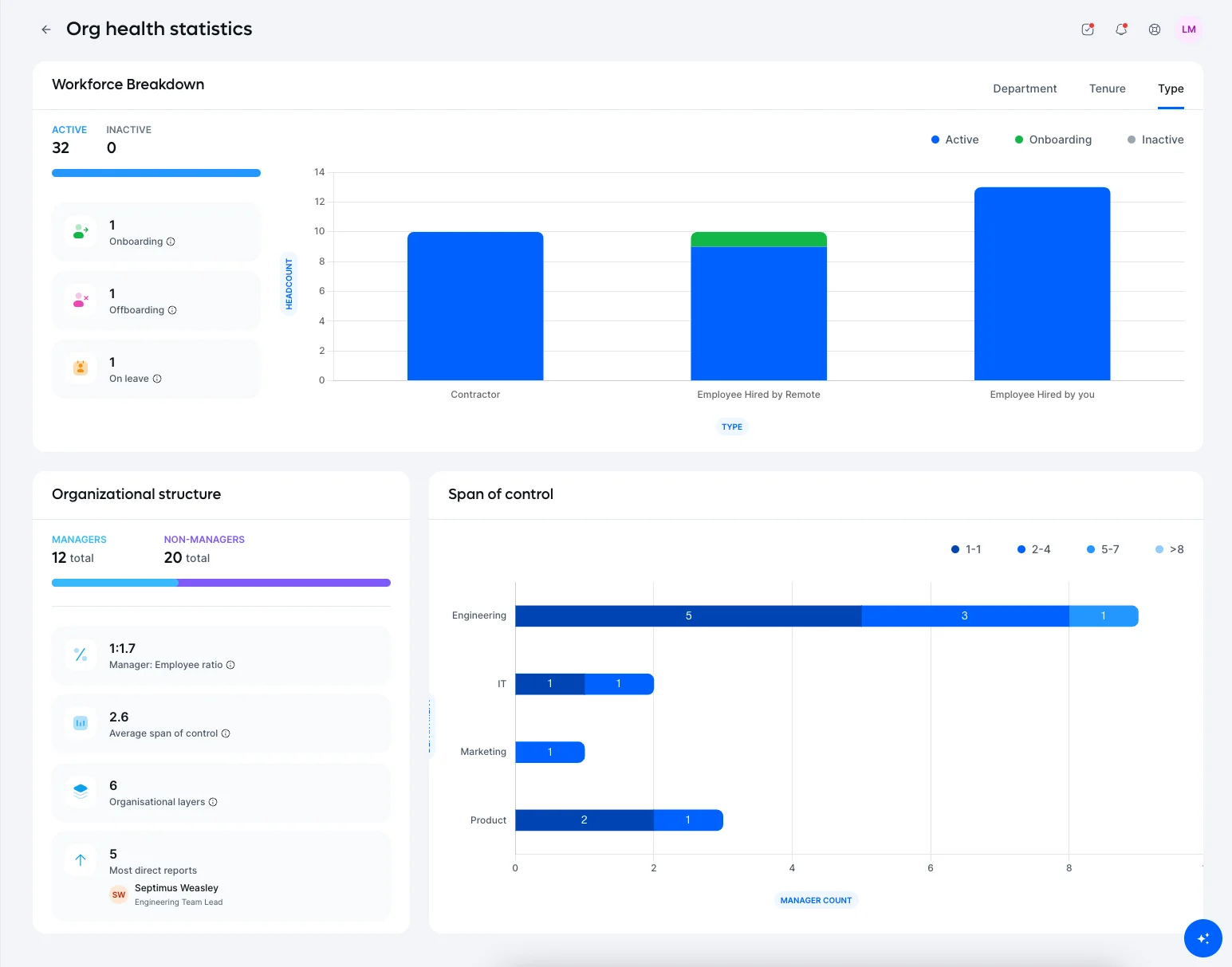
Remote is built specifically for global distributed employment, and its key differentiator from Deel is structural: Remote employs your international staff through its own legal entities in 80+ countries rather than through local partners. That distinction matters for compliance-critical organizations.
When Remote is the employer of record, it bears the legal employment liability directly rather than routing it through a third-party partner. Transparent flat-rate pricing is another genuine differentiator in a category where competitors commonly use custom quotes to obscure total cost.
Key Features
- Owned legal entities in 80+ countries for direct EOR employment, without local partner routing
- Native global payroll processing, benefits administration, and statutory compliance managed in-house
- Transparent flat-rate pricing published on the website without requiring a sales call
- In-house compliance and legal teams in each covered country
- Remote Contractor Management for organizations paying international contractors
- Integrations with BambooHR, Workday, Rippling, Xero, QuickBooks, and Slack
Pros and Cons
Pros: "Easy to use, easy solution for foreign payroll." - Capterra review
- The owned-entity model is the strongest compliance argument in the EOR category. No partner-network routing means no gap in accountability between Remote and the local employment entity.
- Flat-rate transparent pricing is uncommon in global employment. Organizations can calculate total cost without waiting for a custom quote.
- In-house compliance experts in each covered country means legal questions are handled by people with direct local knowledge, not relayed through a partner.
Cons: "Can take a while to get a response back to a customised employer letter when needed. Also I found it tricky to follow the health insurance sign up instructions, this is much easier when you are employed directly." - G2 review
- Country coverage at 80+ owned entities is strong but narrower than Deel's hybrid 150+ country reach. Organizations hiring in less common markets may find Remote's coverage limited.
- The flat rate that makes pricing transparent can exceed what a partner-network competitor charges in simpler markets where local compliance is straightforward.
Pricing
Monthly per-worker rates for core services start at $199 for international Employee of Record (EOR) billing (or $399 annually for 5+ employees), $99 for US PEO co-employment, and $29 for standard contractor management ($199 with full misclassification protection). Custom transitions and global payroll for company-owned entities are also available.
9. Oyster HR
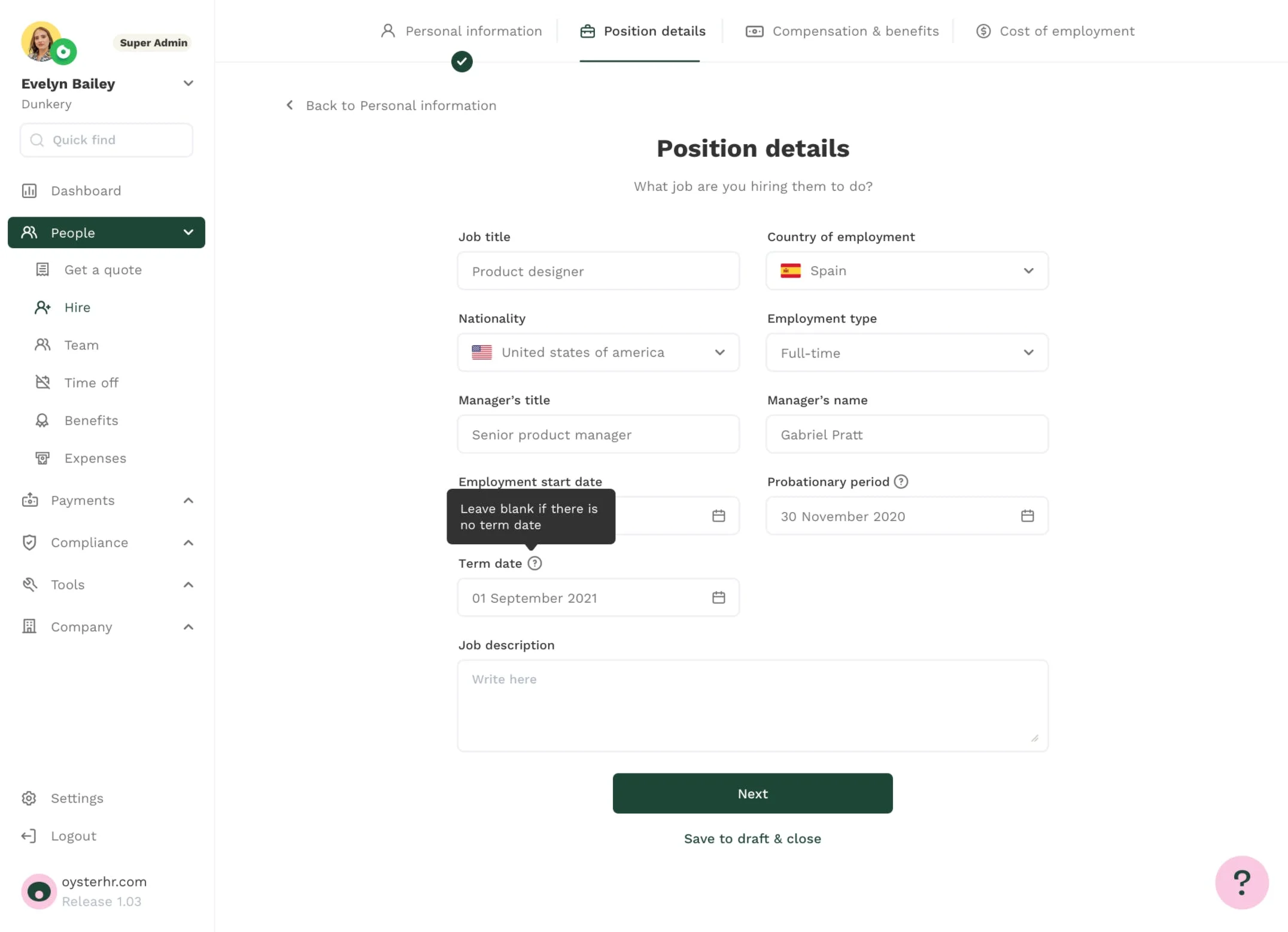
Oyster HR was built from the start for remote-first organizations, not adapted from an office-first HR platform. Its focus is global employment with an onboarding experience designed for distributed teams: streamlined contract generation, locally compliant benefits, and a clean interface that does not require HR specialists to operate. It is particularly well-regarded among technology and engineering teams assembling borderless workforces.
Key Features
- EOR employment in 180+ countries with locally compliant contracts and benefits
- Oyster Employment Cost Calculator showing total cost of employment by country before committing
- Automated onboarding flows with country-specific contract generation
- Global benefits administration with locally appropriate options per country
- Contractor management alongside EOR in the same platform
- Integrations with BambooHR, Workday, Xero, QuickBooks, and Greenhouse
Pros and Cons
Pros: "Transparent communication, trustful relationships, fast responses from Oyster Support Team. Outstanding support form the account managers." - Capterra review
- The distributed-first design philosophy shows in the product. Contract generation, benefits selection, and onboarding flows are built for HR generalists, not specialists, which matches the reality of most remote-first companies.
- The Employment Cost Calculator is a useful pre-commitment tool that lets organizations estimate total cost before entering the sales process.
- Support quality is consistently cited in positive G2 and Capterra reviews, which matters in a category where international employment issues can be time-sensitive.
Cons: "Downsides is the fee they charge for using their services, it is quite high in my opinion but worth paying to achieve my goal of remote working." - G2 review
- Oyster's pricing is not the most affordable in the EOR category, particularly at the lower end of headcount where fees represent a larger share of total employment cost.
- Country coverage is broader than Remote's 80+ owned entities but the model relies on local partners in many markets, which introduces some of the same compliance-routing considerations as Deel.
- Enterprise feature depth, specifically around custom workflows and multi-entity management, is lighter than Papaya Global or Rippling for organizations with more complex structures.
Pricing
Oyster's pricing features two core monthly options: Contractor management at $29 per contractor (with the first 30 days free) and Employee of Record (EOR) services starting at $699 per employee. Additionally, global HR advisory support is available through their People Partners program at $300 per hour.
10. Asana
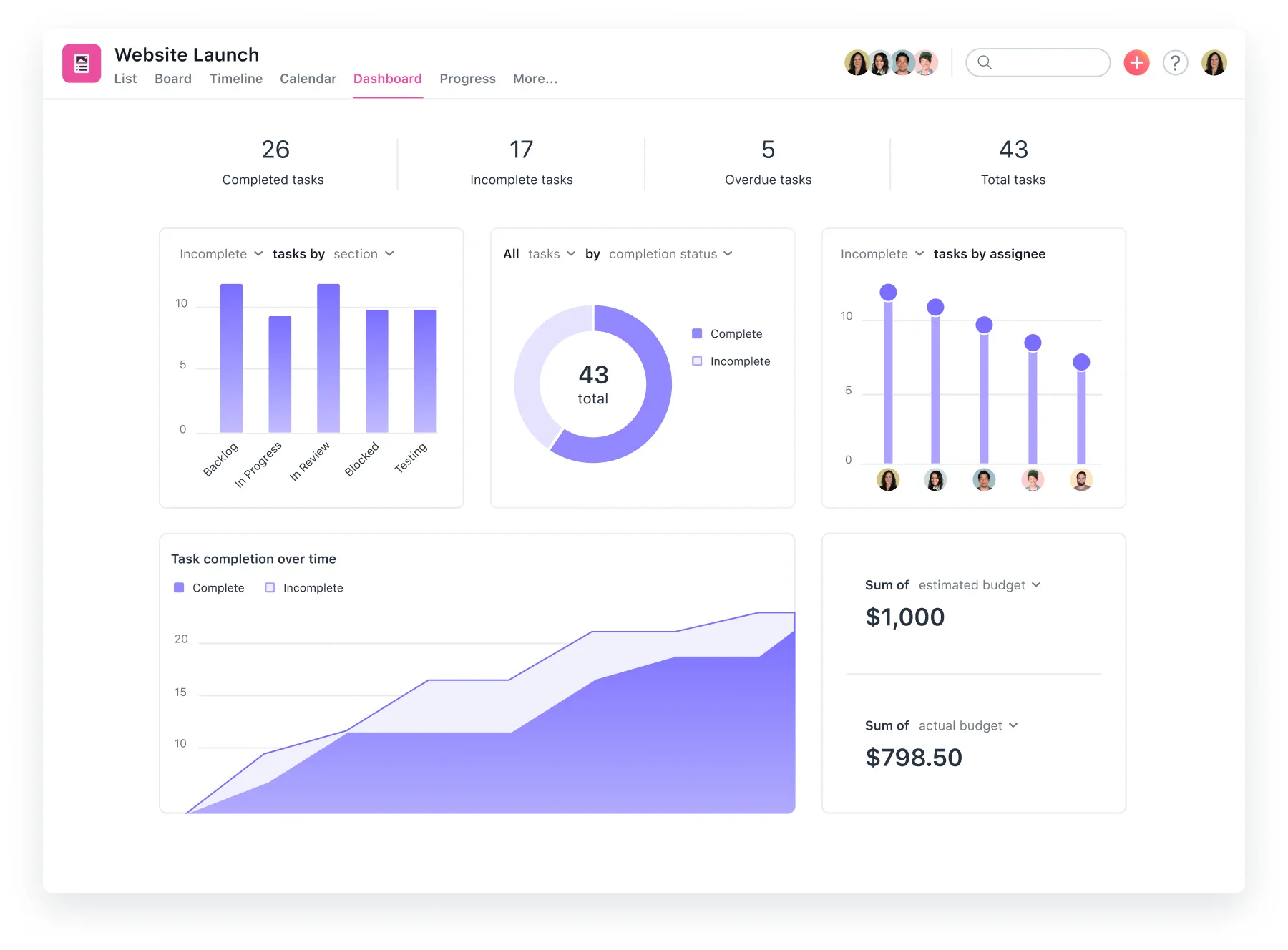
Asana is a mature project management platform that remote teams use to coordinate work across timezones without the coordination overhead of status-update meetings. It belongs in the work coordination sub-category alongside monday.com and ClickUp, and its strength is structured task management: clear ownership, deadlines, dependency tracking, and project reporting.
Key Features
- Task management with assignees, due dates, dependencies, and priority flags
- Project views including list, board, calendar, and timeline (Gantt)
- Workload view for capacity planning across distributed team members
- Automation rules for recurring tasks, status changes, and deadline reminders
- Goals and portfolio tracking connecting team tasks to company-level objectives
- Integrations with Slack, Microsoft Teams, Google Workspace, Salesforce, Zoom, and 200+
Pros and Cons
Pros: "Relatively intuitive, good organizational structure. I like the task management tool for being able to assign tasks to a co-worker. And being notified when a task is completed." - Capterra review
- Task ownership and dependency tracking are among the cleaner implementations in the project management category. Remote teams with overlapping workstreams benefit from the clarity on who owns what and what is blocked.
- Asana's maturity shows in reliability. It is a platform remote teams can depend on for day-to-day coordination without frequent configuration issues.
- The integrations ecosystem is broad and well-maintained. Connections to Slack, Teams, and Google Workspace cover the communication stack most remote teams already run.
Cons: "One thing I dislike about Asana is that some advanced features like detailed reporting and automation are limited to higher-priced plans. Also, managing very large projects can sometimes feel overwhelming because of the number of notifications and task updates." - G2 review
- Reporting and automation features that remote teams tend to rely on most are locked to the Advanced and Enterprise tiers, which pushes total cost up significantly from the entry price.
- Asana handles project coordination well but does not cover time tracking, HR, or payroll. Remote teams will need it alongside other tools.
Pricing
Asana's annual pricing features three per-user tiers: Personal is free for up to two users, Starter is $10.99/month for growing teams needing timelines and forms, and Advanced is $24.99/month for tracking portfolios and workload. A custom Enterprise tier handles large-scale organizational security.
11. ActivTrak
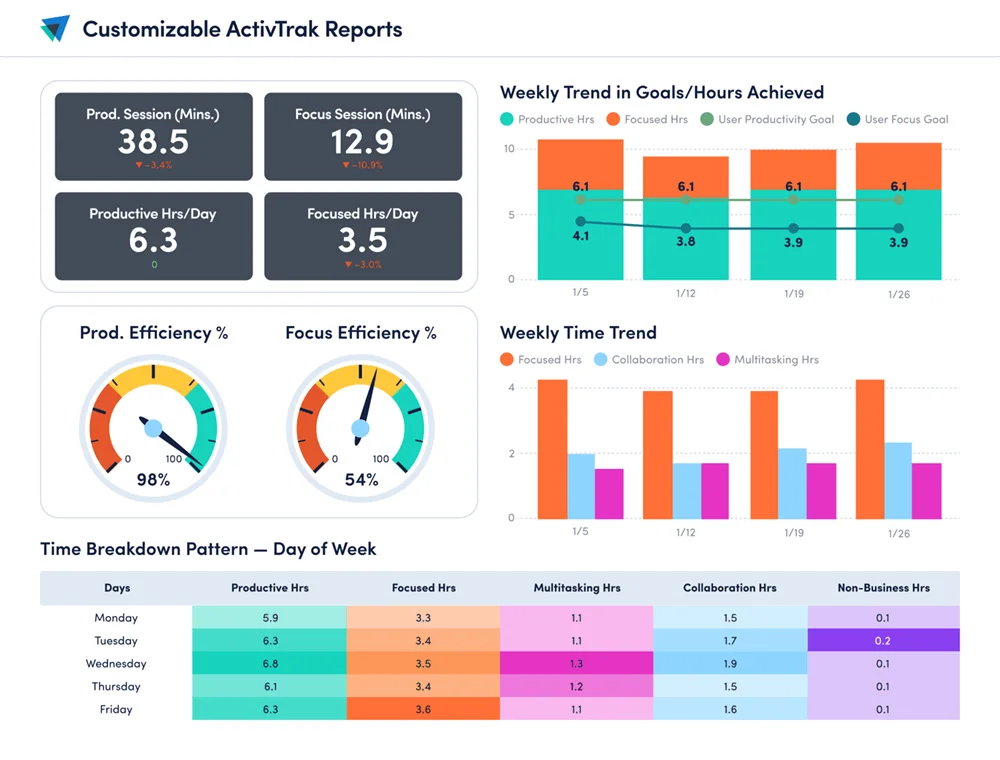
ActivTrak sits at the more trust-respecting end of the workforce analytics sub-category. Rather than individual-level covert surveillance, it focuses on productivity trends and behavioral patterns across teams: where time is going, which workflows create bottlenecks, and how activity levels correlate with business outcomes. It is still a monitoring tool, and organizations should deploy it with employee transparency as a non-negotiable.
The difference from heavier surveillance platforms is one of focus and design philosophy, not simply feature sets.
Key Features
- Team and individual productivity reporting based on app usage and time data
- Workload balance analysis identifying overloaded and underutilized team members
- Productivity benchmarking comparing activity trends across teams and time periods
- Burnout risk indicators based on sustained overwork patterns
- Coach features that surface productivity insights to managers without exposing individual-level raw data to non-managers
- Integrations with Entra ID (formerly Azure AD), Google Workspace, and major SSO providers
Pros and Cons
Pros: "I like the most that it is easy to get what i need. Im able to share information with my executives. Can export out files if needed. Our team are able to track time productivity of end users." - Capterra review
- The team-level analytics focus means managers can act on productivity patterns without needing to surveil individuals directly, which is a meaningful design choice compared to tools built on individual-level monitoring.
- Burnout risk indicators and workload balance analysis address problems that most remote teams know exist but struggle to quantify without data.
- Executive-level reporting capability makes it practical for HR and People Ops teams to present workforce analytics findings to leadership.
Cons: "The way it allows you to use Entra groups is good but if you dont know what you are doing or if your structure is wrong it will pull in the wrong people or none at all." - G2 review
- ActivTrak still requires clear employee communication during rollout. Even team-level analytics can create mistrust if employees discover monitoring they were not told about.
- It is an analytics tool, not a management platform. It does not handle projects, scheduling, payroll, or HR records. It sits alongside other tools in the stack, not as a replacement for them.
- The Entra ID integration requires careful configuration; organizations without a solid directory structure may find initial setup harder than expected.
Pricing
ActivTrak's annual pricing features four per-user tiers: Free ($0 for 3 users), Essentials ($10/month), Essentials Plus ($15/month) adding productivity goals, and Professional ($19/month) for capacity planning. Custom enterprise plans offer volume discounts.
12. Papaya Global
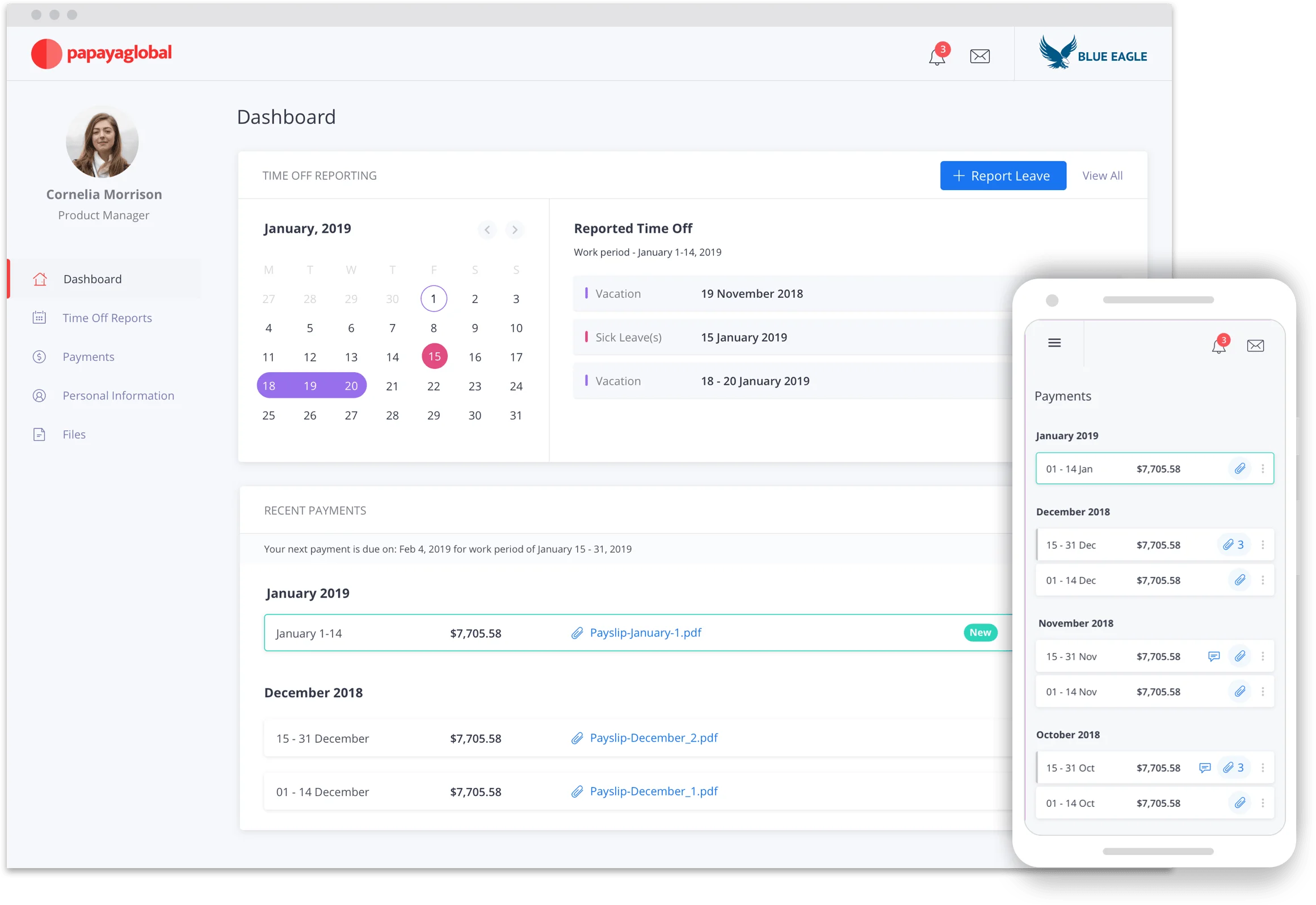
Papaya Global addresses a specific problem that most tools on this list do not: enterprise-grade global payroll across a large, complex, multi-country workforce.
Where Deel and Oyster are strong for organizations building a distributed team, Papaya is built for organizations that already have one and need centralized oversight, payroll accuracy, and workforce payment infrastructure at scale. The platform uses AI-driven payroll workflows and serves organizations with sophisticated multi-country payroll requirements.
Key Features
- Global payroll processing across 160+ countries through a combination of owned operations and verified local partners
- AI-driven payroll validation and error detection before payroll runs
- Workforce payments infrastructure for contractor and workforce-of-record payments globally
- Consolidated payroll reporting and analytics dashboard for multi-country oversight
- Compliance management including local tax filings, statutory reporting, and benefits administration
- Integrations with Workday, SAP, Oracle, BambooHR, and major enterprise HRIS platforms
Pros and Cons
Pros: "Minimalist and easy-to-use UI. Also really like the ability to manage global payroll across multiple countries from a single platform." - Capterra review
- Single-platform oversight across 160+ countries is the core value proposition. For enterprise People Ops teams managing payroll in 20+ countries, having one dashboard beats managing multiple local payroll vendors.
- AI-driven payroll validation reduces error rates before payroll runs, which matters considerably when errors in international payroll carry compliance consequences.
- Enterprise HRIS integrations with Workday, SAP, and Oracle are mature and documented, reducing the integration risk that often accompanies global payroll platform changes.
Cons: "It's an expensive portal, small companies cannot afford it." - G2 review
- Pricing is positioned at the enterprise end of the market. Organizations below 200 employees are unlikely to find the cost justified relative to Deel, Remote, or Oyster.
- Country coverage in long-tail markets relies on local partner networks rather than owned entities, which introduces similar compliance-routing considerations to other hybrid-model providers.
- Configuration and implementation require dedicated HR and finance admin resources. This is not a platform for lean HR teams without implementation support.
Pricing
Papaya Global's monthly pricing starts at $499/employee for Employer of Record (EOR) services, $295/contractor for Contractor of Record (COR) risk protection, $29/employee for managed global payroll, and $5/contractor for basic payment management. Automated transaction processing via Payments OS is available from $3.50 per transaction.
How to Choose the Right Remote Workforce Management Software
The right tool depends on which part of the remote stack you are filling, and how complex your team's situation actually is.
- If you are hiring internationally and have no existing legal entities in those countries: Deel, Remote, or Oyster are your starting points. Deel if country breadth is the priority. Remote if owned-entity compliance is the deciding factor. Oyster if you are a remote-native company hiring primarily in technology and want a clean onboarding experience.
- If you need an all-in-one platform that covers HR, IT, and payroll for a distributed team: Rippling is the most complete option in this list. The IT device management capability is unique among HR platforms and makes a real difference for fully remote organizations.
- If your main need is coordinating work across timezones: monday.com, ClickUp, and Asana all serve this well. Monday.com for flexible visual project management. ClickUp for teams that want tasks and documentation in the same place. Asana for structured task and dependency management on mature distributed teams.
- If you run a frontline or deskless distributed workforce: Connecteam is built for that context. Most other tools on this list assume knowledge workers with laptops.
- If you need time tracking or productivity data: Hubstaff for transparent time tracking with payroll integration. Time Doctor if task-level granularity matters more than simplicity. ActivTrak if team-level productivity analytics without individual-level surveillance is the right balance for your organization. Deploy all three with full employee transparency and written policy documentation.
- If you are managing enterprise-scale global payroll across 20+ countries: Papaya Global is built for that complexity. Below 200 employees, Deel or Remote will serve you better at lower cost.
The right software choice depends on your organization’s immediate needs, budget, and geographic footprint. Instead of trying to find one platform that does everything perfectly, focus on the single biggest bottleneck in your current operations, whether that is international compliance, cross-border payroll, or asynchronous task coordination.
Find the Right Remote Workforce Management Tool for Your Team
Remote workforce management is not a single software category. It is a stack, and most organizations need more than one tool to cover it. The 12 platforms above cover the full range of what that stack requires, from paying international employees legally to coordinating projects across timezones to understanding where team productivity actually goes.
Start by identifying your most critical gap: global employment and payroll, work coordination, time tracking, or all-in-one operations for distributed teams. Pick the tool that solves that problem well. Then build the rest of the stack from there.
Every platform on this list offers a free trial, a free plan, or a demo call. The question worth asking in that first call: show me how this handles the specific failure mode your current setup has. That answer tells you more than any feature comparison.