.svg)
Most employee engagement tools appear identical on a comparison spreadsheet, but the true gaps emerge three months into a rollout. When a platform is cumbersome, survey fatigue hits hard and participation rates tank. HR teams often find themselves stuck exporting CSV files rather than using the data to drive change.
The stakes are high because selecting the wrong software has both financial and psychological consequences: it drains your budget and erodes employee trust. This risk is especially critical now: in 2024, global engagement dropped to 21%, down from 23% the previous year. Since this marks only the second decline in over a decade, the right choice is essential to reversing a rare and concerning downward trend.
This guide is written for HR directors, People Ops leads, and business owners who are already in the evaluation phase. If you have seen the listicles and want a real framework to bring into vendor demos, you found the right resource.
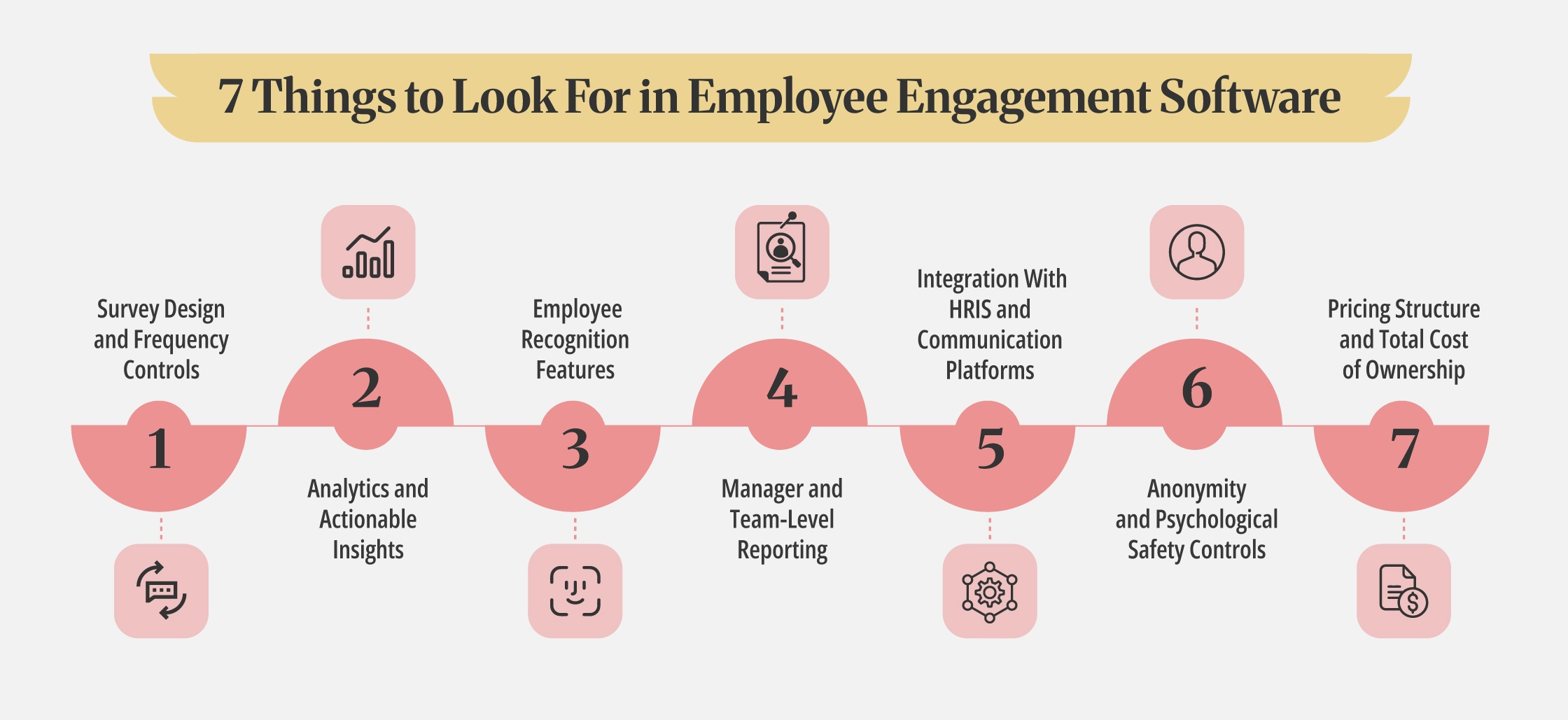
The 7 Things to Look For in Employee Engagement Software
The features that look identical in a brochure often behave very differently in practice. Here is what to examine before you commit to any employee engagement platform.
1. Survey Design and Frequency Controls
A good employee engagement tool should support more than one survey format. Look for platforms that handle pulse surveys, full annual engagement surveys, and eNPS in the same system, rather than requiring separate tools for each.
Beyond format, check how much control HR has over frequency. Can you configure survey cadence by team, role, or department? An org-wide pulse sent to everyone at the same time is rarely appropriate for every group. Also confirm whether the platform includes a pre-built question library or whether your team has to build every survey from scratch.
What Good Looks Like
HR can adjust survey frequency per department, choose from a vetted question library, and run multiple survey formats without switching platforms.
What to Ask In a Demo
- Can we run a pulse for one department while another department is mid-cycle on an annual survey?
- How are survey templates managed and updated?
2. Analytics and Actionable Insights
Engagement scores are only useful when HR can act on them. A platform that displays scores without surfacing patterns or priorities puts all the analytical burden on your team.
Confirm that the platform lets you segment results by department, tenure, manager, and location. Then ask whether the system generates recommendations or simply presents numbers. Access to industry or company-size benchmarks is also worth verifying, since scores mean more when you can compare them against a relevant reference point.
What Good Looks Like
Segmented dashboards with trend lines, benchmarking against peer organizations, and built-in suggestions for where to focus next.
What to Ask In a Demo
- Can you show us what the analytics dashboard looks like six months into use, with real customer data rather than demo data?
3. Employee Recognition Features
Recognition is a core part of employee engagement, not an optional extra. Platforms that bolt on recognition as an afterthought typically see low adoption of that feature. Check whether peer-to-peer recognition is included in your tier or sold as a separate module.
Also assess how recognition connects to the rest of the system. Can recognition be tied to company values or OKRs? Does the platform integrate with rewards or redemption services, or does it stop at acknowledgment?
What Good Looks Like
Recognition built into the core product, linkable to values or goals, and visible in the same feed where employees already check in.
What to Ask In a Demo
- Is peer-to-peer recognition included in our pricing tier, or is it an add-on?
- Can recognition activity be reported alongside engagement data?
4. Manager and Team-Level Reporting
Engagement programs fail when managers are excluded from the data. If only HR can see team results, managers cannot respond to what their people are feeling. Check whether manager-facing dashboards are available by default or gated behind a higher pricing tier.
Beyond access, look at what the dashboards actually contain. Real-time visibility into team scores matters, but so do coaching prompts. Some platforms surface specific suggestions for managers based on their team's results. Others simply deliver a score and leave interpretation entirely to the manager.
What Good Looks Like
Managers can log in and see their team's engagement trends without waiting for HR to share a report. Coaching prompts accompany the data.
What to Ask In a Demo
- What does the manager experience look like?
- Are coaching suggestions included in the base plan?
5. Integration With HRIS and Communication Platforms
An employee engagement platform that operates in isolation creates more work, not less. If your employee list lives in BambooHR, HiBob, or Workday, confirm whether the integration with your HRIS is a native connector or a third-party workaround through a tool like Zapier. Native integrations are more reliable and require less ongoing maintenance.
For teams that run on Microsoft 365, check whether surveys and recognition can be delivered directly inside Teams and Outlook. Requiring a separate login to complete a two-minute pulse survey is one of the fastest ways to reduce completion rates. The same applies to Slack for organizations that use it as a primary communication tool.
What Good Looks Like
Native HRIS sync, surveys delivered inside Teams or Slack, and SSO support for frictionless access.
What to Ask In a Demo
- Is the HRIS integration a native connector?
- Can you show us what the survey experience looks like inside Microsoft Teams?
6. Anonymity and Psychological Safety Controls
Employees will not answer honestly if they do not trust that their responses are private. Anonymity controls are one of the most important things to verify before selecting any employee engagement tool, and one of the least likely to come up voluntarily in a sales demo.
Ask specifically about the minimum group size before individual responses are suppressed. Some platforms only protect anonymity above a threshold of ten or more respondents. If a team has four people, a manager can often deduce individual answers even without seeing names.
Confirm how this is communicated to employees and whether HR can verify that the threshold is being enforced.
What Good Looks Like
A clearly defined, disclosed anonymity threshold. Employees can see how their responses are protected before they answer.
What to Ask In a Demo
- What is the minimum group size before individual responses are no longer anonymous?
- How is this communicated to employees?
7. Pricing Structure and Total Cost of Ownership
Per-user, per-month pricing is standard across most employee engagement tools, but what is included at each tier varies significantly. Some platforms include analytics, benchmarking, and recognition in a base plan. Others gate these features behind upgrades that meaningfully change the real cost.
Before comparing headline prices, get a written breakdown of exactly which features are included in the tier being quoted. Ask about implementation fees, onboarding costs, and ongoing support separately. A platform priced at $5 per user that requires a paid add-on for reporting is not cheaper than one priced at $8 with reporting included.
What Good Looks Like
A transparent, tier-by-tier feature breakdown available before any contract conversation begins.
What to Ask In a Demo
- Which features in this proposal require a future upgrade?
- Are there implementation or onboarding fees not listed on the pricing page?
Red Flags to Watch For During Demos
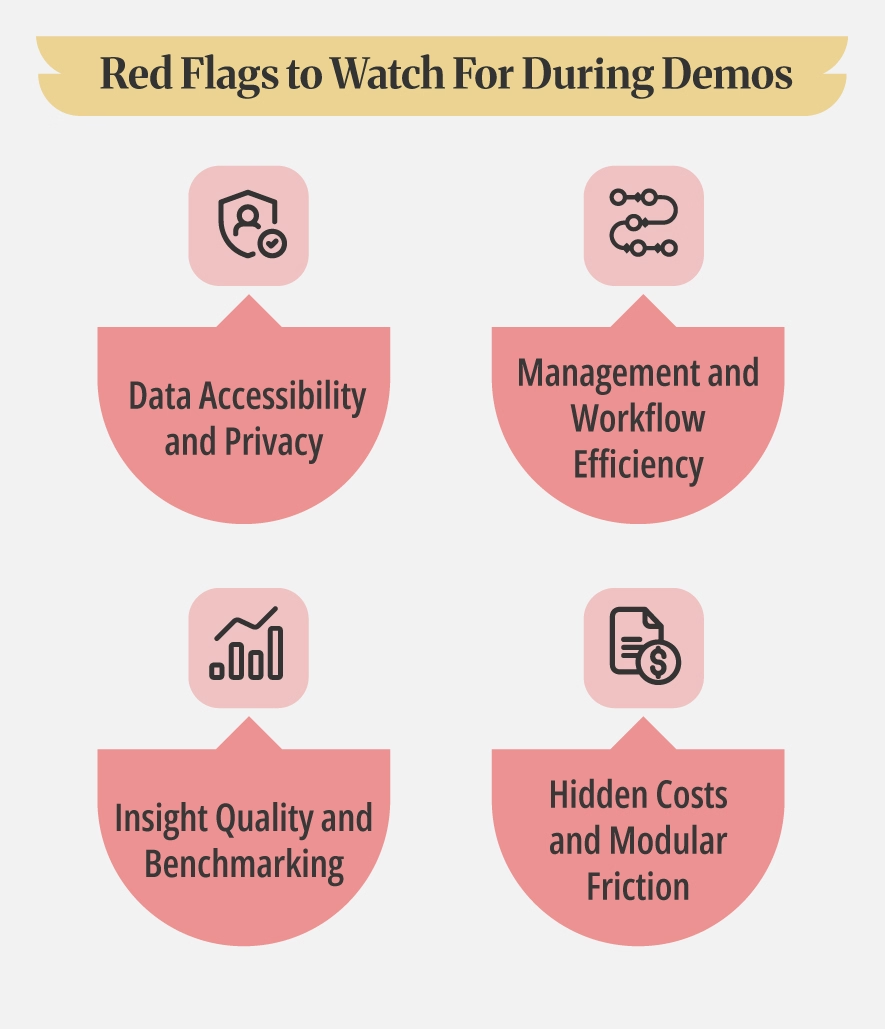
Sales presentations show a product at its best. However, certain gaps in a demonstration signal long-term headaches once the contract is signed. Look for these warning signs to ensure a tool helps your team rather than adding to their workload.
1. Data Accessibility and Privacy
Be cautious if analytics are locked behind the highest pricing tier. If a vendor avoids showing the reporting suite during a demo, assume the functionality is limited or carries a heavy price tag. Furthermore, if anonymity thresholds are not disclosed or a representative cannot provide a specific number of responses required to trigger a report, it indicates a lack of transparency that could compromise employee privacy.
2. Management and Workflow Efficiency
A platform should empower leadership at every level rather than creating bottlenecks. If manager dashboards require HR to share reports manually, the system fails to provide the necessary autonomy for team leads. Additionally, a lack of native HRIS integration is a major red flag. If employee lists must be maintained through manual uploads, expect ongoing administrative work and frequent data inconsistencies.
3. Insight Quality and Benchmarking
High-quality tools provide more than just raw numbers. If "actionable insights" only mean score summaries without specific recommendations, your team is left with all the heavy lifting for interpretation. You should also watch for benchmarking that is vendor-internal only. Proprietary benchmarks with no external reference points make it difficult to evaluate your performance against broader industry standards.
4. Hidden Costs and Modular Friction
Keep a close eye on how features are packaged. Peer appreciation is a core driver of engagement, so if recognition is a separate module purchase, it can lead to fragmented workflows and unexpected costs. If these features are not included in the initial quote, factor that in before comparing the total investment against other providers.
Questions to Ask Before You Buy
Clear, specific answers from a vendor signal a mature product and a transparent partnership. Vague responses usually indicate future technical hurdles or hidden costs. Use these targeted questions to move past the sales pitch and understand how the software functions in a live environment.
What is the minimum group size before individual survey responses are no longer anonymous?
If a vendor cannot provide a specific number immediately, ask again. Anonymity thresholds are a fundamental product feature, not a variable setting that should be shrouded in mystery. A serious platform will have a defined threshold, typically between three and five respondents, to protect employee privacy. Without a clear answer, you risk a breach of trust that can permanently damage participation rates and the integrity of your data.
Can you show us a real example of the manager dashboard from a company our size, not a demo environment?
Sales presentations rely on "perfect" data where every chart is easy to read and every trend line is clear. Real-world data is messy, inconsistent, and often highlights gaps in a platform's logic. Seeing a live environment, or at least a blinded version of one, reveals whether the software surfaces useful, readable information for a company of your scale or if it only looks good with fabricated inputs.
Which features in this proposal require future upgrades to access?
Sales teams frequently demonstrate all-in versions of their software that include premium modules or experimental tools. It is vital to get written confirmation of exactly which features are included in the specific tier being quoted. Understanding these boundaries now prevents a scenario where your team realizes a month after implementation that the actionable insights or predictive analytics they saw in the demo require an additional purchase.
What does the average survey completion rate look like at the six-month mark for customers our size?
Initial excitement often drives high participation during the first few weeks, but the six-month mark is the most honest measure of true adoption. If a vendor cannot share these benchmarks or provide a customer reference you can speak to directly about long-term engagement, it suggests the platform may struggle with survey fatigue. High-performing tools should maintain steady participation by proving to employees that their feedback leads to actual change.
How is our HRIS data synced: real-time API, scheduled import, or manual CSV?
The technical method of data transfer dictates the administrative burden on your HR team. A real-time API ensures that new hires and departures are reflected instantly, whereas scheduled imports or manual CSV uploads require ongoing maintenance. Knowing this answer upfront allows you to accurately project the "hidden" time costs of keeping your employee lists accurate and your reporting relevant.
What Size Organization Is This For?
Not every employee engagement platform is built for every stage of growth. The right evaluation criteria shift depending on how many employees you have.
- Small businesses (under 100 employees) are best served by tools with low setup overhead and a simple pulse survey product. Deep analytics and custom survey logic are rarely necessary at this stage. Ease of setup and a short time-to-first-survey matter most. Avoid paying for analytical depth your team does not have the capacity to act on.
- Mid-market organizations (100 to 1,000 employees) typically need more from their platform. Analytics segmentation by department and manager becomes important. Native HRIS integration keeps employee data consistent without manual intervention. Manager-level dashboards should be standard, not an add-on.
- Enterprise organizations (over 1,000 employees) require granular role-based permissions, multi-language support, custom survey logic for different business units, SSO for security management, and dedicated implementation support. Contract flexibility and vendor stability also carry more weight at this scale.
Knowing where your organization sits helps you rule out tools that are either too limited or unnecessarily complex for your actual needs.
Ready to Build Your Shortlist?
With a clear evaluation framework in place, the next step is applying it to the market. Browse our top employee engagement survey software for a curated list of platforms assessed against consistent criteria, whether you are looking for a straightforward option for a small team or a full-featured platform for a larger organization.
If you are also evaluating how engagement connects to formal performance cycles, our guide on what to look for in performance management software covers the overlapping criteria worth considering before your final shortlist is set.
Teams weighing both angles often end up comparing platforms like PerformYard and Engagedly, since each covers performance and engagement together rather than as separate tools.
.png)