

.svg)
Maintaining organizational alignment is a persistent challenge for modern leaders. Important messages often vanish in crowded inboxes, updates rarely reach the entire staff, and frontline workers frequently feel disconnected from the central office. This gap is reflected in global data; Gallup reports that a mere 13% of employees strongly agree that their leadership communicates effectively with the rest of the organization.
While many executives focus on the clarity or consistency of their messaging, the platform used for delivery is just as critical. The right internal communications software provides a reliable infrastructure to distribute information, reach a distributed workforce, and verify engagement.
This guide outlines the 10 best internal communications tools available in 2026. We provide a breakdown of features, pricing, and authentic user feedback to help you find the right fit for your team.
What to Look for in Internal Communications Software
Not every internal communications platform is built for the same problem. Before comparing options, it helps to get clear on what your organization actually needs.
1. Core Features
Every platform should handle announcements, news publishing, and basic employee interaction. Beyond that, look for audience targeting, employee feedback tools, and some form of analytics so you know whether your messages are reaching people.
2. Integration With Your Existing Stack
A communications platform that sits apart from your daily tools creates adoption problems. If your organization runs on Microsoft 365, a tool that connects natively to Teams and Outlook removes a lot of friction. Google Workspace teams have similar considerations. The tighter the integration, the less likely employees are to ignore the tool.
3. Scalability
A platform that works well at 80 employees may not hold up at 800. Look at how pricing scales with headcount, whether key features stay available as you grow, and whether the vendor has customers at your projected size.
4. Pricing Transparency
Many platforms, especially at the enterprise end, use custom or quote-based pricing. Always ask for an itemized breakdown that includes implementation, add-ons, and support costs. The base price is rarely the final number.
5. Adoption Potential
Features only matter if people use the tool. Prioritize platforms with clean interfaces, strong mobile apps, and minimal onboarding friction. G2 and Capterra reviews and ease-of-use scores are a useful proxy here.
Top 10 Internal Communications Software in 2026
Internal communications software has moved beyond simple top-down messaging to focus on AI-driven targeting, multichannel orchestration, and frontline accessibility. We curated the top 10 internal communications platforms that are driving significant organizational improvements in 2026.
1. Staffbase
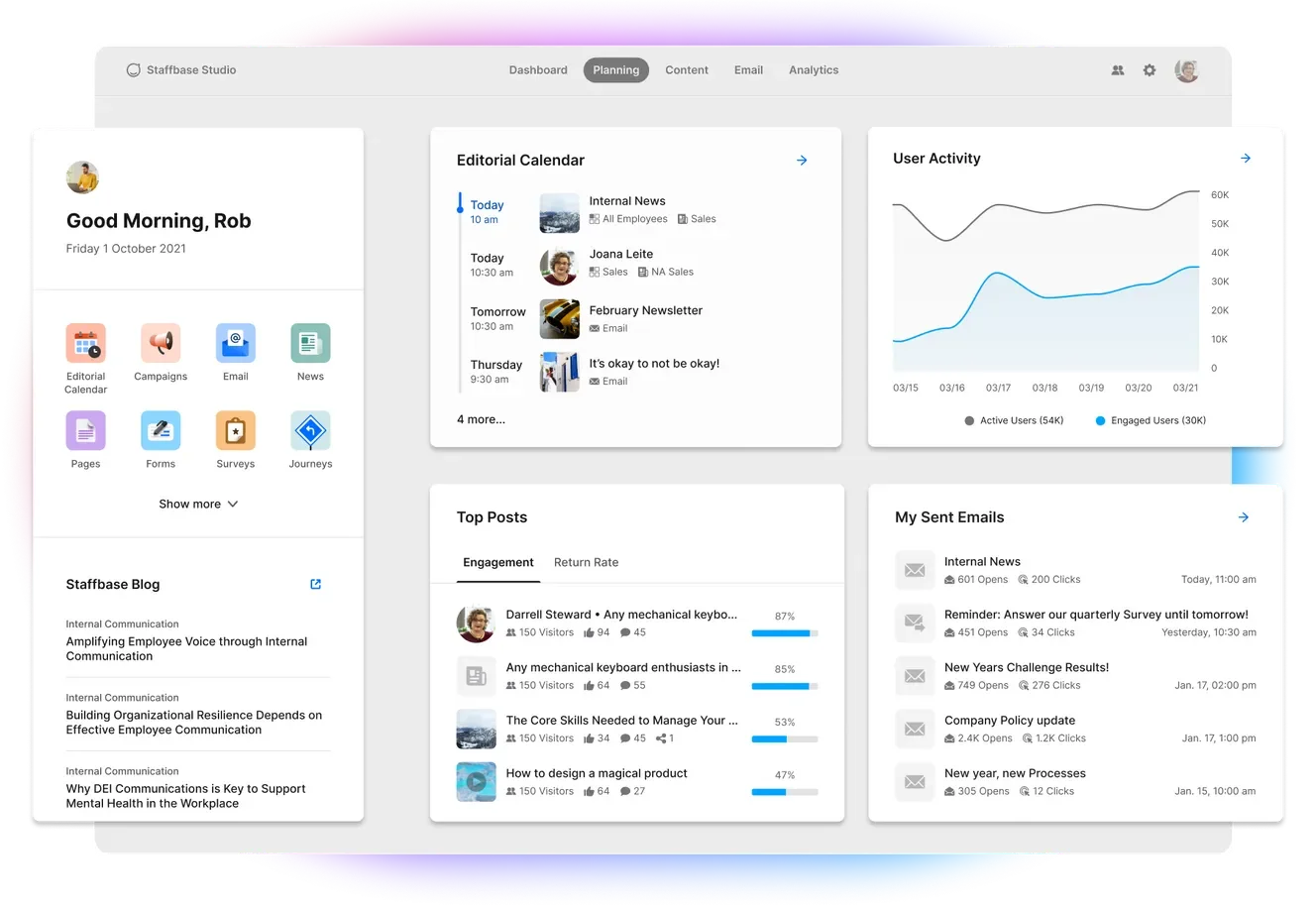
Staffbase is purpose-built for enterprise organizations that need to reach large, dispersed workforces across multiple channels. Its key strength is multi-channel distribution: a single piece of content can be published through a branded employee app, intranet, email, SMS, and digital signage without reformatting for each channel. That kind of reach matters for organizations where a significant portion of the workforce is frontline or shift-based.
The platform includes AI-powered translation in more than 75 languages and an AI assistant called Staffbase Companion. It has earned recognition as a Leader in the Gartner Magic Quadrant for Intranet Packaged Solutions.
Key Features
- Multi-channel publishing across employee app, intranet, email, SMS, and digital signage
- AI-powered translation in 75+ languages
- Campaign-based communication with targeting by department, role, or location
- Analytics dashboard covering reach, impressions, engagement rates, and login frequency
- Microsoft 365 integration including Teams and SharePoint
- ISO 27001 and SOC 2 certified, GDPR and HIPAA compliant
- Staffbase Companion AI chatbot for employee self-service
Pros
"Software general usability and effectiveness in employees recognition. Easy integration of the software with Google analytics and SurveyMonkey." — Capterra review
- Strong multi-channel distribution from one central system
- Robust analytics that go beyond basic open rates
- Deep Microsoft 365 integration for organizations already on that stack
- Dedicated customer success support and implementation resources
Cons
"Visually not the best looking.. That can be changed." — G2 review
- Contracts typically start around $30,000/year, making it impractical for smaller organizations
- Implementation can take several weeks and usually requires dedicated resources
- No free plan or trial; all plans require sales engagement
Pricing
- Custom, quote-based pricing
- Reported starting around $30,000/year for the full suite
- Scales with employee count and modules selected
2. Teamflect

Teamflect serves as a centralized communication hub designed to eliminate the fragmentation of company information. This integration removes the friction of logging into external portals, fostering a more connected workforce through effective internal messaging and documentation.
The platform focuses on making communication both interactive and actionable. Rather than one-way broadcasts, Teamflect facilitates a two-way dialogue between leadership and staff through automated pulse surveys and anonymous feedback channels.
Key Features
- Serves as a dynamic hub for sharing organizational updates, celebrating milestones, and highlighting team achievements to keep everyone informed.
- Allows employees to locate colleagues, departments, roles, and internal job openings instantly within the Teams environment.
- Triggers short, frequent check-ins to gauge employee sentiment and gather real-time feedback on company culture and initiatives.
- Offers the "Voice of Employee" feature that provides a safe space for staff to share concerns or suggestions without fear of attribution.
- Integrated badges and rewards that make peer-to-peer appreciation a visible part of the daily communication flow.
- A dedicated space within the intranet for easy access to employee handbooks, codes of conduct, and essential policy documents.
- Promotes transparency and career growth by making all open internal positions visible and easy to apply for within the hub.
- Delivers critical updates, survey reminders, and employee recognition alerts as interactive cards directly within Teams and Outlook.
Pros
"Comprehensive. They have thought about everything. Full integration to Teams. The web app is also very clean and simple to use. Excellent documentation of the features accessible through chat" — Capterra review
- Zero context switching: announcements and resources are located in the same sidebar as daily chats
- Free for small teams up to 10 users, allowing for a no-risk pilot of the intranet features
- Native mobile access via the Microsoft Teams app, ensuring field and deskless workers stay connected
- Secure hosting within existing Microsoft data centers, adhering to global GDPR and security standards
Cons
“Sometimes the user interface feels a little cluttered and like there's too much going on. It can be difficult to find features.” — G2 review
- Requires a Microsoft 365 environment; not suitable for teams outside that ecosystem\
- Employees unfamiliar with Microsoft Teams may find the dense layout and multiple tabs difficult to use initially
- Visual customization is limited by the standard structure and design constraints of the Microsoft Teams interface
Pricing
Teamflect offers tiered pricing based on organizational size and requirements. Small teams of up to 10 users can use the platform for free via the Starter plan. For larger organizations, the Essential plan costs $7 per user monthly, while the Professional plan is $11 per user monthly, both billed annually.
Custom Enterprise pricing is available for large-scale needs. Nonprofits receive a 60% discount on annual plans, and a free trial is available without a credit card.
3. Workvivo (by Zoom)
.webp)
Workvivo, acquired by Zoom in 2023, brings a social media-style interface to internal communications. Employees can post updates, react, recognize colleagues, watch live streams, and access company resources in an experience that feels closer to a consumer app than a traditional intranet. The platform ranked second in G2's 2026 Best Software Awards for enterprise products, which reflects its strong user satisfaction scores.
Workvivo is a good fit for organizations where culture, community, and employee experience are primary goals. It is less suited to teams that need tight editorial control, complex content approval workflows, or detailed campaign-level people analytics.
Key Features
- Social-style activity feed with posts, reactions, and peer recognition
- Live streaming and podcasting for company-wide events
- Targeted news publishing with employee segmentation
- Employee surveys and feedback tools
- Integration with Microsoft 365, Google Workspace, Zoom, and leading HRIS platforms
- Mobile app with digital signage support (Workvivo TV, available as add-on)
- AI tools for content creation and employee engagement analytics
Pros
"Workvivo is very easy to use and the interface is very familiar because it mimics the social media experience we are already used to." — G2 review
- Highly engaging interface that drives strong adoption across employee populations
- Ranked #1 on G2 across three grid reports
- Strong mobile experience for remote and frontline teams
- Backed by Zoom's infrastructure and video capabilities
Cons
"While the social feed is great, the search functionality can sometimes be frustrating when trying to locate older, specific documents or static resources. Notifications can get overwhelming if not managed strictly." — Capterra review
- No native editorial approval workflows for structured content management
- Pricing is not transparent; contracts start at $20,000/year for organizations with 250-2,000 employees
- Chat and Workvivo TV are paid add-ons, not included in the base plan
Pricing
- Custom pricing for Business Plan (250 to 2000 employees) or Enterprise plan (2000+ employees)
- No free plan or trial; evaluation starts with a sales demo
4. ContactMonkey
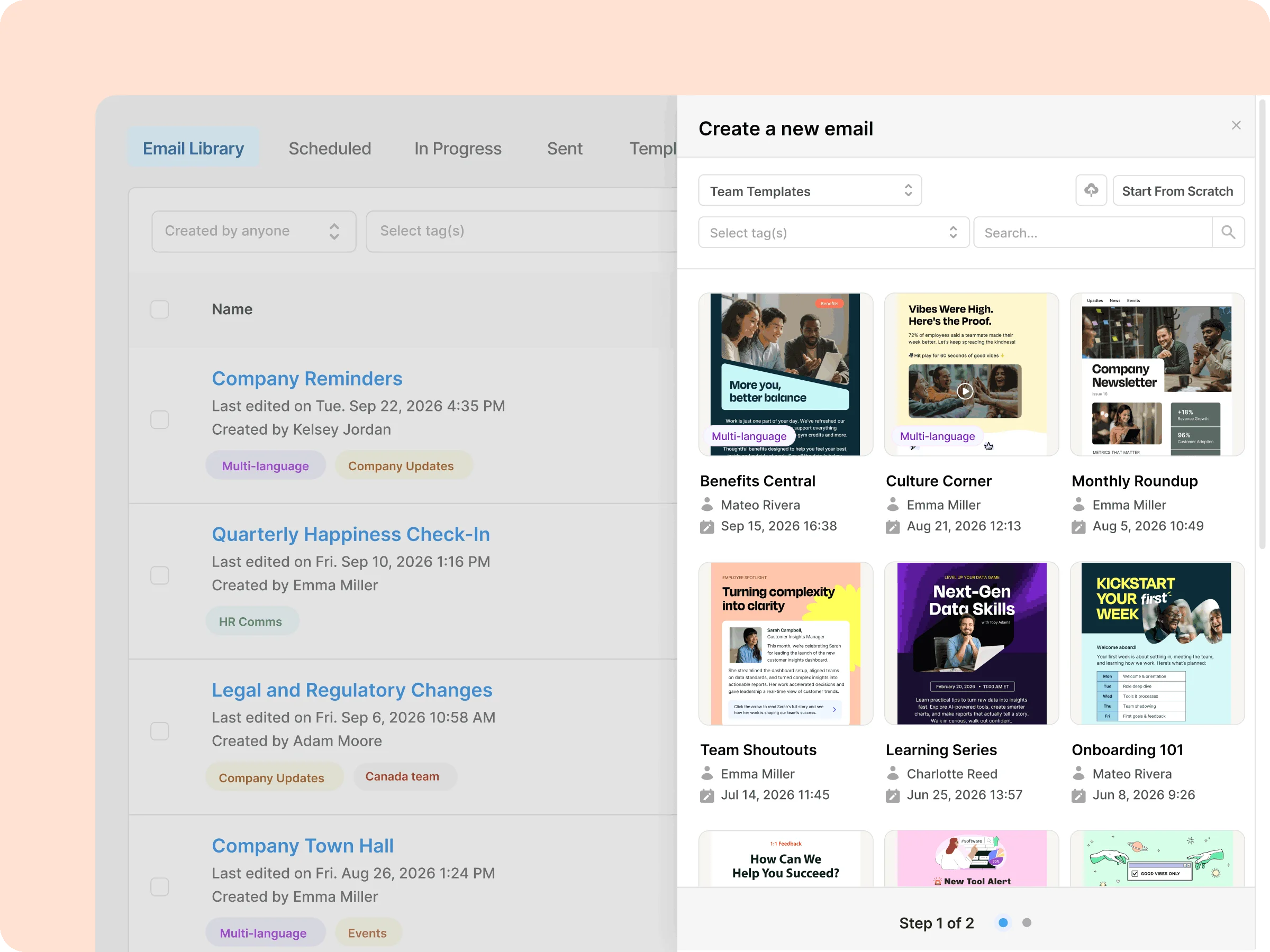
ContactMonkey serves organizations where email remains the dominant channel for internal updates but leadership demands proof that messages are actually read and acted upon. It turns Outlook and Gmail into a measured internal newsletter platform with drag-and-drop building, audience segmentation, and detailed engagement analytics that go well beyond basic opens and clicks.
The platform integrates directly into the tools employees already use, avoiding new logins while providing read-time tracking, segment-level insights, and embedded surveys.
Key Features
- Drag-and-drop email builder with branded templates that works inside Outlook and Gmail
- Audience segmentation by department, role, location, and HRIS data
- Advanced analytics including open rates, click tracking, read time, and device insights
- Email-to-Teams/SharePoint distribution and SMS options for frontline reach
- Embedded pulse surveys and feedback tools directly in emails
- HRIS integrations for automated, up-to-date recipient lists
- AI assistance for content clarity and error prevention
Pros
"ContactMonkey has transformed how we communicate internally. The analytics are game-changing – we can finally prove the impact of our communications." — G2 review
- Strong measurement layer that lets IC teams demonstrate ROI with segment-level data
- No new tool for employees; lives inside existing email clients
- Fast setup for teams already reliant on email workflows
Cons
Some users note that while analytics are excellent, deeper customization of email templates can require HTML knowledge for advanced layouts. — Capterra review
- Primarily email-focused, so less ideal as a full multi-channel replacement for mobile-first or app-heavy needs
- Advanced segmentation and BI integrations are higher-tier features
- Requires consistent email usage across the workforce
Pricing
- Tiered, quote-based (Launch, Grow, Enterprise).
- Scales with senders, recipients, and features.
- Free trial available.
5. Axios HQ
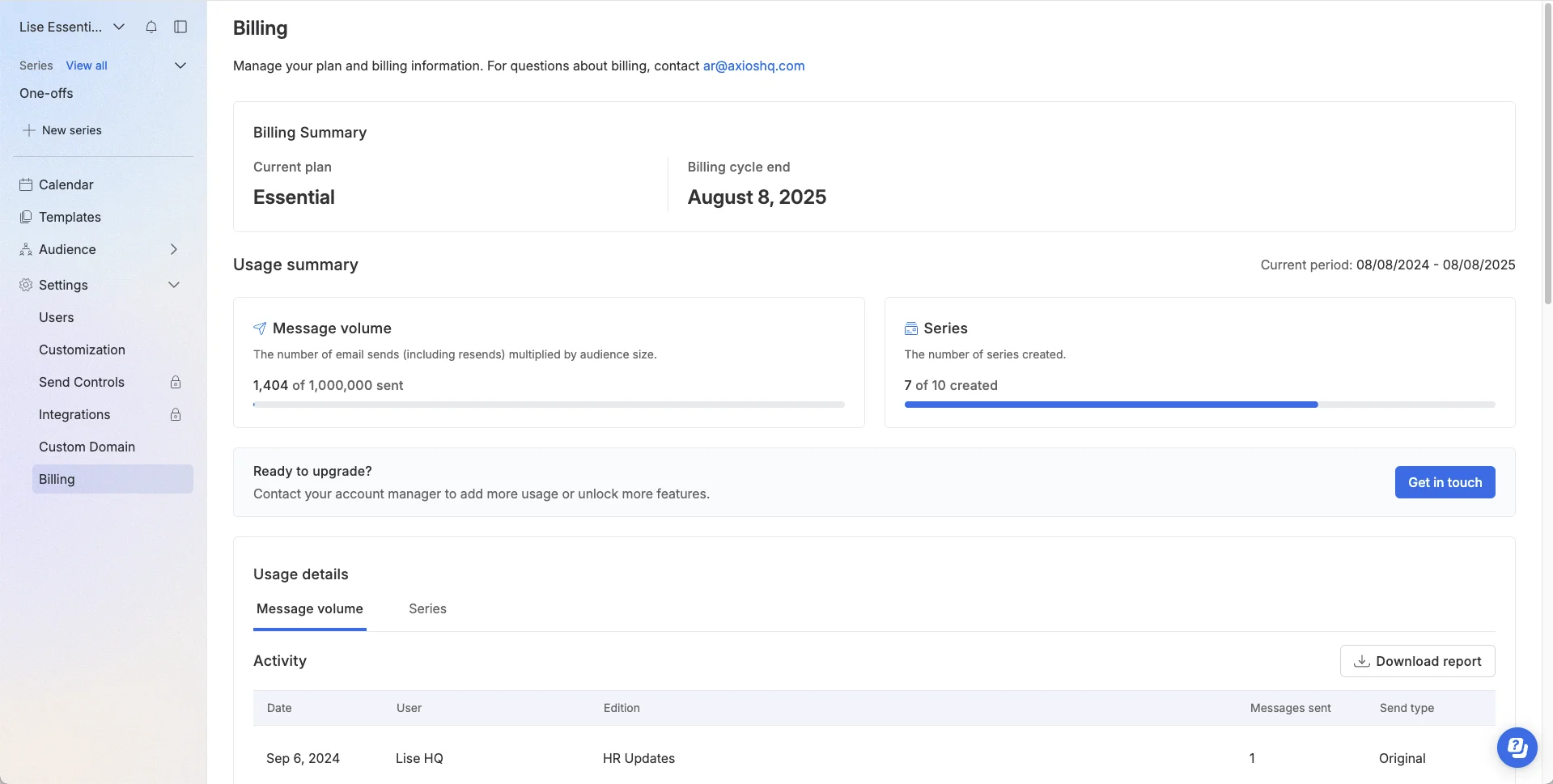
Axios HQ serves leadership teams and IC professionals struggling with low readership of executive updates, all-hands recaps, and change communications. It enforces the Smart Brevity methodology — a structured, scannable format proven to increase comprehension and action rates — combined with analytics to confirm what actually lands.
It is particularly strong for organizations where the quality and digestibility of top-down messaging determines whether strategic initiatives succeed.
Key Features
- Smart Brevity AI-guided writing templates and structure
- Built-in analytics for readership, employee engagement, and comprehension
- Templates for CEO updates, all-hands, and change management
- Content planning and archival tools
- Team collaboration on drafts with approval workflows
- Integration with email and existing distribution channels
- Training and editorial consulting add-ons
Pros
"Axios HQ does so much of the work for you. I can just copy paste a paragraph... and the AI does the heavy lifting." — G2 review
- Dramatically improves readability and completion rates of leadership communications
- Combines software with proven methodology and optional expert support
- Clear measurement of whether key messages are understood
Cons
While excellent for structured leadership updates, it is not a full multi-channel broadcast or frontline mobile “The value is not quite there. Yes, it's a cool tool, but it's quite pricy for the novelty. Additionally, the user interface is not very intuitive. Once learned, it's ok to navigate, but the learning curve is quite steep.” — Capterra review
- Best as a complement to broader IC tools rather than a standalone replacement
- Higher tiers or add-ons needed for very high-volume sending
- Learning curve for full Smart Brevity adoption across the organization
Pricing
- Custom packages for three tiers: Essential, Advanced, Premier.
- Scales with messages sent and features.
6. Firstup (formerly SocialChorus)
.webp)
Firstup targets large, global organizations with complex segmentation needs that want AI to handle personalization and timing of communications. It orchestrates omnichannel delivery (mobile app, email, intranet, digital signage) with intelligent recommendations based on employee behavior and role.
Key Features
- AI-driven content personalization and delivery timing
- Omnichannel publishing (app, email, intranet, signage)
- Deep audience segmentation and journey orchestration
- Employee-generated content and advocacy tools
- Advanced analytics and reporting
- HRIS and collaboration platform integrations
- Campaign management with automation
Pros
“I find Firstup easy to use and it provides detailed analytics. It's straightforward to build robust and appealing content through a variety of block types. The initial setup was fairly easy, and we received good support from the Firstup team.” — Capterra review
- Powerful AI for relevance at scale reduces noise and improves engagement
- Strong for global enterprises with diverse workforces
- Comprehensive omnichannel capabilities from one platform
Cons
“Prices are personalized, and this makes them lack transparency and understanding; Searching for old messages is also problematic, with complex navigation issues” — G2 review
- Custom pricing and longer implementation timelines
- Can feel heavyweight for simpler IC needs
Pricing
- Custom enterprise pricing.
- Tiered (Essential, Professional, Premier).
- Contact sales for a demo and tailored quote.
7. Blink
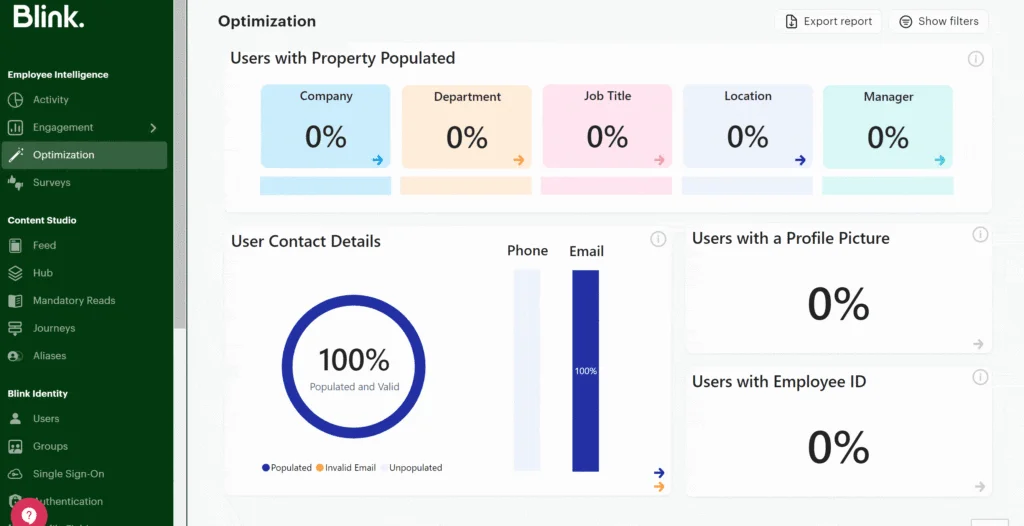
Blink serves frontline-heavy organizations that need a mobile-first super-app accessible without corporate email. It combines communications, knowledge resources, and operational tools in one easy-to-use mobile experience.
Key Features
- Mobile-first super-app with a social-style news feed and direct messaging
- Single sign-on for connected tools including Microsoft 365 and SharePoint
- In-app knowledge hub for storing training materials, policies, and guides
- Company announcements with push notifications and read receipts
- Employee surveys and pulse feedback tools
- Shift and schedule visibility for frontline teams
- Analytics for communication reach and engagement
Pros
"A major highlight is Blink's mission to bridge the gap between desk-based and frontline workers, giving those without company emails access to essential tools and communication." — Capterra review
- Strong mobile-first experience that frontline employees adopt without extensive training
- Single sign-on reduces login friction and consolidates access to multiple tools
- Knowledge management features keep training and operational materials accessible
- Purpose-built for industries with high proportions of non-desk workers
Cons
“If not properly monitered it can turn into Facebook with people posting non-work related things!” — G2 review
- Less comprehensive than all-in-one platforms for desk-based or enterprise teams
- Some integrations require technical configuration to set up correctly
- Customization and advanced feature depth are more limited than enterprise alternatives
Pricing
- Basic: $3.99/month or $39.99/year
- Plus: $11.99/month or $119.99/year
- Custom enterprise pricing available
- Free trial available; no permanent free plan
8. Haiilo
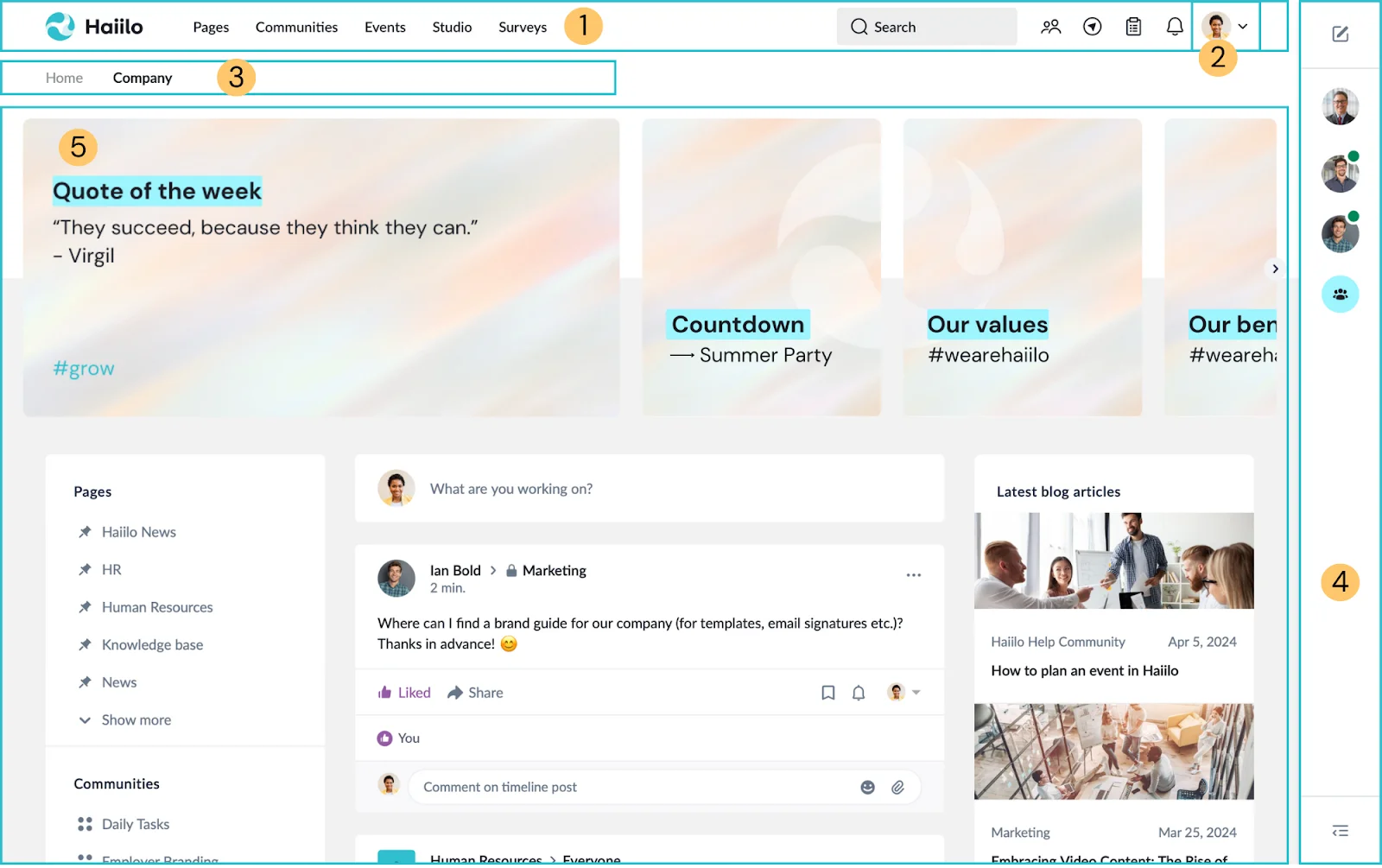
Haiilo serves communications teams that want to combine strong internal reach with external employer brand amplification. It unifies intranet, mobile app, and email channels while enabling employees to easily share approved company content on their personal social networks (especially LinkedIn).
Key Features
- Multi-channel publishing (intranet, branded employee app, email)
- Employee advocacy tools for social media amplification
- AI-powered content suggestions and personalization
- Audience targeting and segmentation
- Analytics and engagement insights
- Integrations with Microsoft 365, Google Workspace, and HRIS
- Recognition and community features
Pros
“It gave a good value for money and easy to use. I liked the employee managemet and team collaboration features. I also liked the fact that employees got rewards which is encouraging.” — Capterra review
- Strong combination of internal communications and employee advocacy in one platform
- Good balance of ease-of-use and multi-channel capabilities
- Solid analytics for measuring both internal reach and external amplification
Cons
“Few opportunities to make communication creative. I would wish for a better way to integrate media (videos, audios, etc.).” — G2 review
- Custom/quote-based pricing that can increase quickly with add-ons
- Less specialized for pure frontline deskless workforces compared to dedicated mobile-first tools
- Implementation time varies significantly based on modules selected
Pricing
- Custom, quote-based pricing for modular packages: Engaged (AI-Powered Intranet & Employee App), Align (Employee Communications), Measure (Insights & Analytics).
- Typically starts in the mid-four figures per month for mid-market organizations.
- Contact sales for a quote.
9. Connecteam
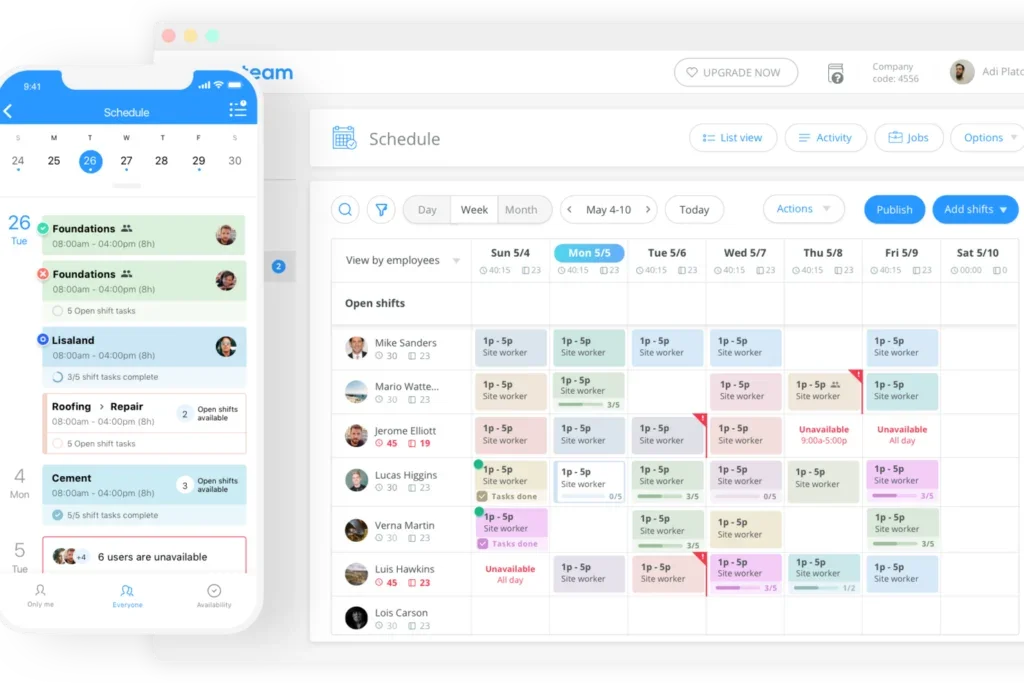
Connecteam serves small-to-mid-sized businesses with significant frontline or deskless workforces that need affordable communications bundled with operational tools. It provides a practical mobile-first solution that combines company news, messaging, and day-to-day operations without enterprise complexity or cost.
Key Features
- Company newsfeed and direct/group messaging with push notifications
- Mobile app optimized for non-desk workers
- Scheduling, time tracking, and task management
- Forms, checklists, and knowledge base
- Pulse surveys and simple recognition tools
- Basic analytics for engagement and reach
Pros
“The customer support is excellent! The product & services provide excellent value for the money. I'm also pleased with the "user friendly" ease of access.” — Capterra reviewer
- Extremely affordable entry point with a generous free plan
- Quick setup and high adoption among frontline employees
- Combines communications with practical operational tools
Cons
“Great for small teams but the communication features are more basic compared to dedicated IC platforms.” — G2 review
- Less sophisticated targeting and analytics than enterprise IC tools
- Pricing scales per hub/module, which can add up for larger teams
- Not ideal for complex enterprise segmentation or editorial workflows
Pricing
- Basic: $29/month for the first 30 users; $0.8/month for each additional user
- Advanced: $49/month for the first 30 users; $2.5/month for each additional user
- Expert: $99/month for the first 30 users; $4.2/month for each additional user
- Enterprise: custom pricing
- 14-day free trial available
10. Microsoft Viva Engage
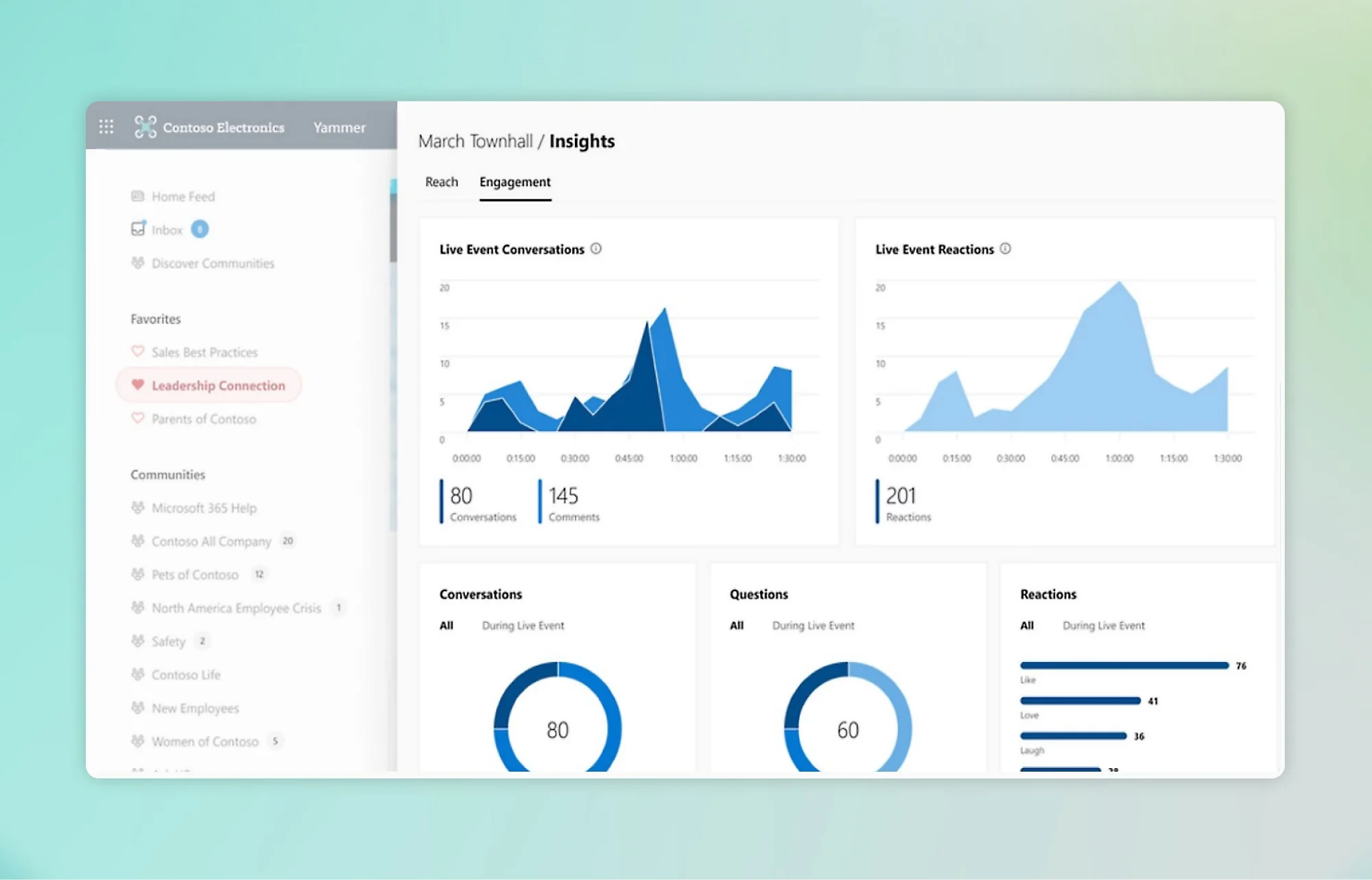
Microsoft Viva Engage (formerly Yammer) serves large organizations already heavily invested in Microsoft 365 that want to add social-style communities, leadership storytelling, and organic engagement without introducing a new vendor. It lives natively inside Teams and leverages existing Microsoft security and infrastructure.
Key Features
- Communities, storylines, and leadership Q&A
- Campaigns and organizational announcements
- Deep integration with Teams, SharePoint, and Outlook
- Basic analytics and engagement insights
- Copilot AI assistance (in premium tiers)
- Enterprise-grade security and compliance
Pros
“Love the focus time function that automatically book my time one week ahead! I also love the stay connected function reminders to make sure that i didn't miss any follow-ups or emails.” — Capterra reviewer
- No new vendor or major adoption effort for M365 customers
- Strong for fostering organic, two-way conversations and communities
- Scales with your existing Microsoft licensing and compliance standards
Cons
“The things I dislike about Viva Insights are the overemphasis on data and metrics. At times, it's unhelpful to see productivity and peak performance times without considering the qualitative aspects of work, such as creativity, innovation, or quality of output.” — G2 review
- Lighter on structured broadcast capabilities, advanced targeting, and frontline mobile features compared to dedicated IC platforms
- Analytics are less robust than specialist tools
- Requires a solid existing M365 foundation to be effective
Pricing
- Microsoft Viva Employee Communications and Communities: $2/user/month (paid annually)
- Microsoft Viva Workplace Analytics and Employee Feedback: $6/user/month (paid annually)
- Microsoft Viva Suite: $12/user/month (paid annually)
How to Choose the Right Internal Communications Software
With this many options available, the right platform usually comes down to a few practical questions rather than a feature checklist.
What does your workforce actually look like?
The most important factor is whether your employees are desk-based, frontline, or a mix. Office and remote teams that live in email and chat need different tools than warehouse workers or healthcare staff who rarely sit at a computer. Platforms like Connecteam and Blink are built for the latter. Slack and Microsoft Teams serve the former well.
What tech stack are you already running?
If your organization is deep in Microsoft 365, a platform that connects natively to Teams and Outlook will always outperform one that requires a separate login. Teamflect and Microsoft Viva are both worth evaluating here. For Google-first organizations, Google Workspace handles a lot of the basics, and LumApps or Happeo can extend it further.
What problem are you actually trying to solve?
Internal communications software covers a wide range of problems. Fragmented real-time messaging, inability to reach frontline workers, leadership updates that never land, and poor information retrieval are all different problems. Match the tool to the specific gap rather than buying the most feature-rich option available.
What is your real budget, including add-ons?
Many enterprise platforms have attractive starting prices that climb quickly once you add multi-channel publishing, analytics, or dedicated support. Build your cost estimate around the features you actually need, and always request a full quote that includes implementation, onboarding, and any module-level pricing.
How much setup time can your team realistically commit?
Some platforms, like Teamflect and Slack, can be operational within days. Enterprise intranets like Staffbase and Simpplr typically take four to eight weeks for a full rollout, sometimes longer. If your HR or communications team is stretched, that implementation burden should weigh heavily in your evaluation.
Frequently Asked Questions About the Best Internal Communications Software
What is internal communications software?
Internal communications software helps organizations share information, reach employees, and keep teams aligned. These platforms typically include tools for publishing news and updates, messaging, employee feedback, analytics, and in some cases, recognition and intranet functionality. They replace scattered email chains, unanswered all-hands meeting follow-ups, and ad hoc chat messages with a structured system that gives everyone a reliable place to find and receive information.
How much does internal communications software typically cost?
Pricing varies widely by company size and use case.
- SMB/frontline tools like Connecteam start free for up to 10 users and scale from $29/month.
- Email-first platforms like ContactMonkey begin around $600/month for 500 employees.
- Microsoft-native options like Teamflect run $7 to $11 per user per month (free up to 10 users).
- Enterprise platforms like Staffbase, Workvivo, and Firstup typically start at $20,000 to $30,000+ per year with custom quotes.
Always request a full quote that includes implementation, add-ons, and multi-channel features. Per-user pricing often changes based on headcount and selected modules.
What is the best free internal communications software?
Teamflect offers a fully functional Starter plan free for up to 10 users, including newsfeed, recognition, and Teams integration. Connecteam also provides a free plan for up to 10 users that covers basic communications alongside scheduling and tasks. Microsoft Viva Engage is included in many Microsoft 365 enterprise plans, making it effectively free for qualifying organizations.
These options work well for small teams testing the waters but lack the advanced targeting and analytics needed at a larger scale.
How long does it take to implement internal communications software?
Implementation time depends on the platform and your organization’s size:
- Lightweight tools like Teamflect, ContactMonkey, and Connecteam can go live in days.
- Mid-market platforms like Workvivo or Haiilo usually take 2 to 6 weeks.
- Enterprise solutions such as Staffbase or Firstup often require 6 to 12 weeks due to custom branding, content migration, and multi-channel setup. Factor in your team’s available bandwidth. Tools that integrate natively with your existing stack (especially Microsoft 365) generally roll out faster.
Final Thoughts
Choosing the right internal communications software in 2026 has transitioned from merely finding a digital bulletin board to meeting your employees where they work. Whether your team relies on the Microsoft 365 ecosystem, operates on the frontline without corporate email, or requires AI-driven personalization for a global enterprise, there is a solution designed for your specific workflow.
As you move forward, prioritize tools that offer high adoption rates and clear ROI through engagement analytics. By selecting a platform that closes the gap between leadership and staff, you can ensure your organization remains informed, aligned, and productive.
.avif)